10 Things Every Plugin
Developer Should Know


 Dave Donaldson
 Co-founder
 Max Foundry
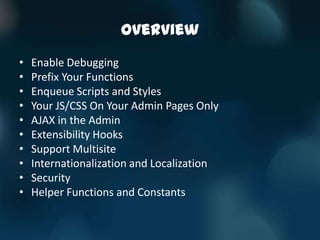
Overview
•   Enable Debugging
•   Prefix Your Functions
•   Enqueue Scripts and Styles
•   Your JS/CSS On Your Admin Pages Only
•   AJAX in the Admin
•   Extensibility Hooks
•   Support Multisite
•   Internationalization and Localization
•   Security
•   Helper Functions and Constants
1. ENABLE DEBUGGING
Enable Debugging

•   Don’t develop without it
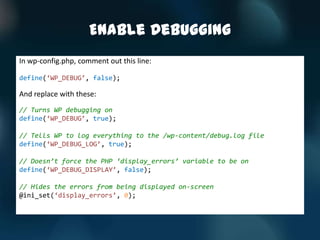
Enable Debugging
In wp-config.php, comment out this line:

define(‘WP_DEBUG’, false);

And replace with these:
// Turns WP debugging on
define(‘WP_DEBUG’, true);

// Tells WP to log everything to the /wp-content/debug.log file
define(‘WP_DEBUG_LOG’, true);

// Doesn’t force the PHP ‘display_errors’ variable to be on
define(‘WP_DEBUG_DISPLAY’, false);

// Hides the errors from being displayed on-screen
@ini_set(‘display_errors’, 0);
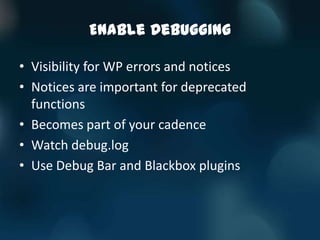
Enable Debugging

• Visibility for WP errors and notices
• Notices are important for deprecated
  functions
• Becomes part of your cadence
• Watch debug.log
• Use Debug Bar and Blackbox plugins
2. PREFIX YOUR FUNCTIONS
Prefix Your Functions

• All functions get loaded into the same
  execution space…
• … which requires each function to be uniquely
  named…
• … which means you should prefix your
  functions
Prefix Your Functions

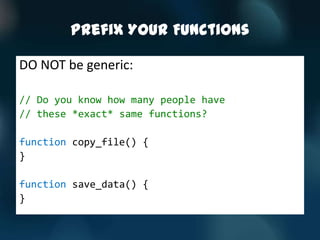
DO NOT be generic:

// Do you know how many people have
// these *exact* same functions?

function copy_file() {
}

function save_data() {
}
Prefix Your Functions

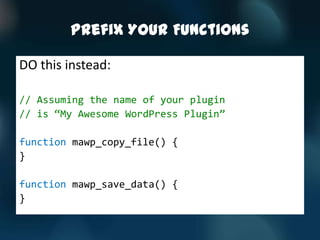
DO this instead:

// Assuming the name of your plugin
// is ‚My Awesome WordPress Plugin‛

function mawp_copy_file() {
}

function mawp_save_data() {
}
Prefix Your Functions

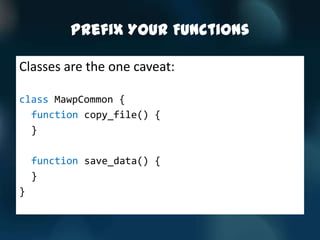
Classes are the one caveat:

class MawpCommon {
  function copy_file() {
  }

    function save_data() {
    }
}
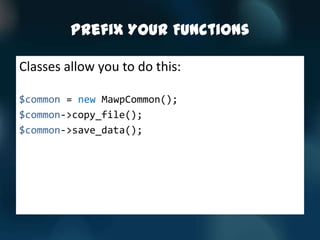
Prefix Your Functions

Classes allow you to do this:

$common = new MawpCommon();
$common->copy_file();
$common->save_data();
3. ENQUEUE SCRIPTS AND
STYLES
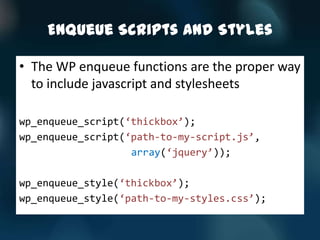
Enqueue Scripts and Styles

• The WP enqueue functions are the proper way
  to include javascript and stylesheets

wp_enqueue_script(‘thickbox’);
wp_enqueue_script(‘path-to-my-script.js’,
                   array(‘jquery’));

wp_enqueue_style(‘thickbox’);
wp_enqueue_style(‘path-to-my-styles.css’);
4. YOUR JS/CSS ON YOUR
ADMIN PAGES ONLY
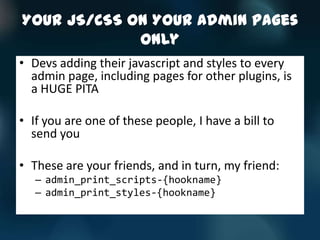
Your JS/CSS On Your Admin Pages
             Only
• Devs adding their javascript and styles to every
  admin page, including pages for other plugins, is
  a HUGE PITA

• If you are one of these people, I have a bill to
  send you

• These are your friends, and in turn, my friend:
   – admin_print_scripts-{hookname}
   – admin_print_styles-{hookname}
Your JS/CSS On Your Admin Pages
             Only
add_action(‘admin_menu’, ‘mawp_admin_menu’);
function mawp_admin_menu() {
    $admin_pages = array();
    $admin_pages[] = add_submenu_page();
    $admin_pages[] = add_submenu_page();

    foreach ($admin_pages as $admin_page) {
          add_action(‚admin_print_scripts-{$admin_page}‛, ‘mawp_admin_scripts’);
          add_action(‚admin_print_styles-{$admin_page}‛, ‘mawp_admin_styles’);
    }
}

function mawp_admin_scripts() {
    wp_enqueue_script();
}

function mawp_admin_styles() {
    wp_enqueue_style();
}
5. AJAX IN THE ADMIN
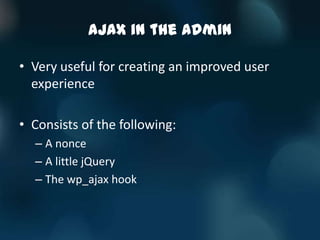
AJAX in the Admin

• Very useful for creating an improved user
  experience

• Consists of the following:
  – A nonce
  – A little jQuery
  – The wp_ajax hook
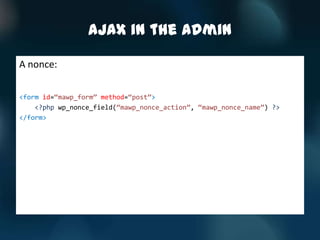
AJAX in the Admin

A nonce:

<form id=‚mawp_form‛ method=‚post‛>
    <?php wp_nonce_field(‚mawp_nonce_action‛, ‚mawp_nonce_name‛) ?>
</form>
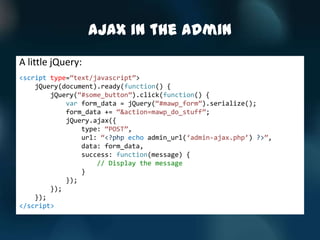
AJAX in the Admin
A little jQuery:
<script type=‚text/javascript‛>
    jQuery(document).ready(function() {
        jQuery(‚#some_button‛).click(function() {
            var form_data = jQuery(‚#mawp_form‛).serialize();
            form_data += ‚&action=mawp_do_stuff‛;
            jQuery.ajax({
                type: ‚POST‛,
                url: ‚<?php echo admin_url(‘admin-ajax.php’) ?>‛,
                data: form_data,
                success: function(message) {
                    // Display the message
                }
            });
        });
    });
</script>
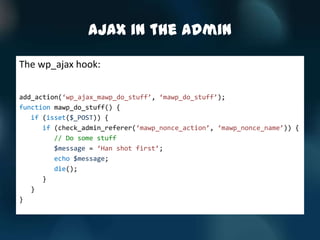
AJAX in the Admin

The wp_ajax hook:

add_action(‘wp_ajax_mawp_do_stuff’, ‘mawp_do_stuff’);
function mawp_do_stuff() {
   if (isset($_POST)) {
      if (check_admin_referer(‘mawp_nonce_action’, ‘mawp_nonce_name’)) {
         // Do some stuff
         $message = ‘Han shot first’;
         echo $message;
         die();
      }
   }
}
6. EXTENSIBILITY HOOKS
Extensibility Hooks

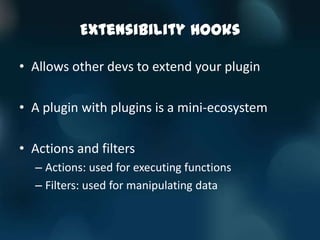
• Allows other devs to extend your plugin

• A plugin with plugins is a mini-ecosystem

• Actions and filters
  – Actions: used for executing functions
  – Filters: used for manipulating data
Extensibility Hooks

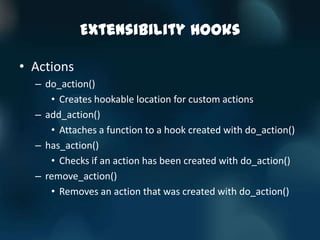
• Actions
  – do_action()
     • Creates hookable location for custom actions
  – add_action()
     • Attaches a function to a hook created with do_action()
  – has_action()
     • Checks if an action has been created with do_action()
  – remove_action()
     • Removes an action that was created with do_action()
Extensibility Hooks

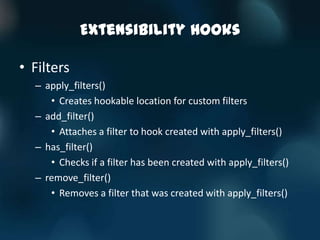
• Filters
  – apply_filters()
     • Creates hookable location for custom filters
  – add_filter()
     • Attaches a filter to hook created with apply_filters()
  – has_filter()
     • Checks if a filter has been created with apply_filters()
  – remove_filter()
     • Removes a filter that was created with apply_filters()
Extensibility Hooks
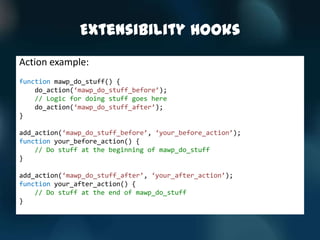
Action example:
function mawp_do_stuff() {
    do_action(‘mawp_do_stuff_before’);
    // Logic for doing stuff goes here
    do_action(‘mawp_do_stuff_after’);
}

add_action(‘mawp_do_stuff_before’, ‘your_before_action’);
function your_before_action() {
    // Do stuff at the beginning of mawp_do_stuff
}

add_action(‘mawp_do_stuff_after’, ‘your_after_action’);
function your_after_action() {
    // Do stuff at the end of mawp_do_stuff
}
Extensibility Hooks
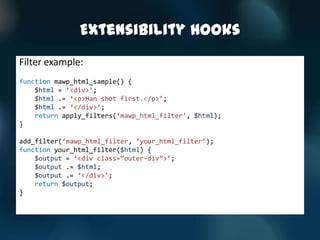
Filter example:
function mawp_html_sample() {
    $html = ‘<div>’;
    $html .= ‘<p>Han shot first.</p>’;
    $html .= ‘</div>’;
    return apply_filters(‘mawp_html_filter’, $html);
}

add_filter(‘mawp_html_filter, ‘your_html_filter’);
function your_html_filter($html) {
    $output = ‘<div class=‚outer-div‛>’;
    $output .= $html;
    $output .= ‘</div>’;
    return $output;
}
Extensibility Hooks

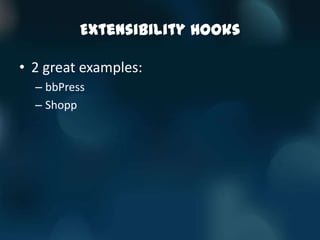
• 2 great examples:
  – bbPress
  – Shopp
7. SUPPORT MULTISITE
Support Multisite

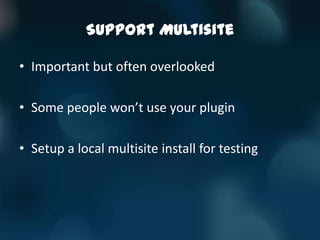
• Important but often overlooked

• Some people won’t use your plugin

• Setup a local multisite install for testing
Support Multisite
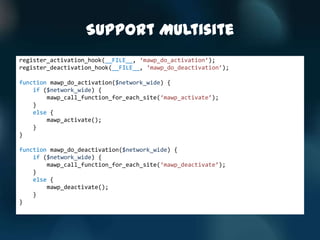
register_activation_hook(__FILE__, ‘mawp_do_activation’);
register_deactivation_hook(__FILE__, ‘mawp_do_deactivation’);

function mawp_do_activation($network_wide) {
    if ($network_wide) {
        mawp_call_function_for_each_site(‘mawp_activate’);
    }
    else {
        mawp_activate();
    }
}

function mawp_do_deactivation($network_wide) {
    if ($network_wide) {
        mawp_call_function_for_each_site(‘mawp_deactivate’);
    }
    else {
        mawp_deactivate();
    }
}
Support Multisite
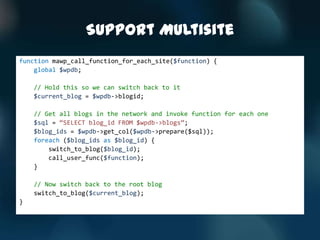
function mawp_call_function_for_each_site($function) {
    global $wpdb;

    // Hold this so we can switch back to it
    $current_blog = $wpdb->blogid;

    // Get all blogs in the network and invoke function for each one
    $sql = ‚SELECT blog_id FROM $wpdb->blogs‛;
    $blog_ids = $wpdb->get_col($wpdb->prepare($sql));
    foreach ($blog_ids as $blog_id) {
        switch_to_blog($blog_id);
        call_user_func($function);
    }

    // Now switch back to the root blog
    switch_to_blog($current_blog);
}
8. INTERNATIONALIZATION AND
LOCALIZATION
Internationalization and
            Localization
• i18n: Internationalization
• l10n: Localization

• What’s the difference?
  – i18n: Changing software so it’s not hardwired to a
    single language/culture/locale
  – l10n: Adding resources to the software so that a
    particular language/culture/locale is supported
Internationalization and
            Localization
• Don’t blindly discount non-English speaking
  cultures
• Europe is a huge market
• Some people won’t buy if not in their
  language

• IT’S TOO EASY NOT TO DO FROM THE
  BEGINNING!
Internationalization and
            Localization
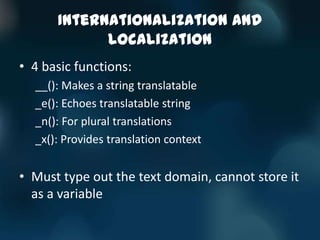
• 4 basic functions:
  __(): Makes a string translatable
  _e(): Echoes translatable string
  _n(): For plural translations
  _x(): Provides translation context


• Must type out the text domain, cannot store it
  as a variable
Internationalization and
               Localization
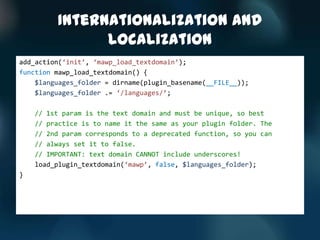
add_action(‘init’, ‘mawp_load_textdomain’);
function mawp_load_textdomain() {
    $languages_folder = dirname(plugin_basename(__FILE__));
    $languages_folder .= ‘/languages/’;

    // 1st param is the text domain and must be unique, so best
    // practice is to name it the same as your plugin folder. The
    // 2nd param corresponds to a deprecated function, so you can
    // always set it to false.
    // IMPORTANT: text domain CANNOT include underscores!
    load_plugin_textdomain(‘mawp’, false, $languages_folder);
}
Internationalization and
               Localization
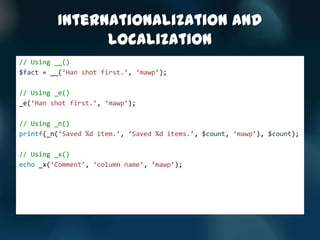
// Using __()
$fact = __(‘Han shot first.’, ‘mawp’);

// Using _e()
_e(‘Han shot first.’, ‘mawp’);

// Using _n()
printf(_n(‘Saved %d item.’, ‘Saved %d items.’, $count, ‘mawp’), $count);

// Using _x()
echo _x(‘Comment’, ‘column name’, ‘mawp’);
Internationalization and
            Localization
• Create the POT and MO files

• These are the files that translators need

• Generated by various tools
  – Poedit
9. SECURITY
Security

• Many WordPress vulnerabilities don’t come
  from the core

• Data can’t be trusted

• General rule: validate input, escape output

• WP has many functions to help you
Security

• For protecting against XSS attacks:
  esc_url()
  esc_url_raw()
  esc_js()
  esc_html()
  esc_attr()
  esc_textarea()
Security

• For protecting against SQL injection attacks:
  $wpdb->prepare()
  $wpdb->insert()
  $wpdb->update()
  $wpdb->escape()
  esc_sql()
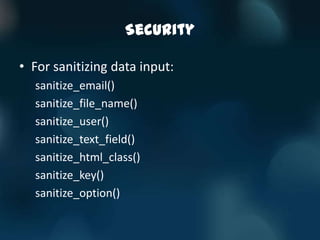
Security

• For sanitizing data input:
  sanitize_email()
  sanitize_file_name()
  sanitize_user()
  sanitize_text_field()
  sanitize_html_class()
  sanitize_key()
  sanitize_option()
Security

• You don’t want to be the next TimThumb

• Big topic, lots to know

• Tomorrow: “Secure All The Things!”, Dougal
  Campbell
10. HELPER FUNCTIONS AND
CONSTANTS
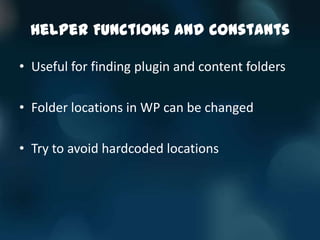
Helper Functions and Constants

• Useful for finding plugin and content folders

• Folder locations in WP can be changed

• Try to avoid hardcoded locations
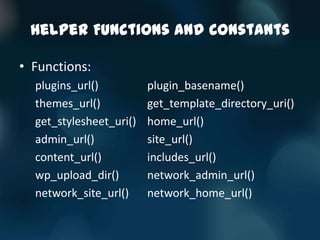
Helper Functions and Constants

• Functions:
  plugins_url()          plugin_basename()
  themes_url()           get_template_directory_uri()
  get_stylesheet_uri()   home_url()
  admin_url()            site_url()
  content_url()          includes_url()
  wp_upload_dir()        network_admin_url()
  network_site_url()     network_home_url()
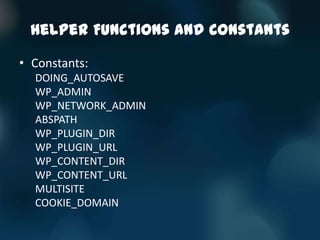
Helper Functions and Constants

• Constants:
  DOING_AUTOSAVE
  WP_ADMIN
  WP_NETWORK_ADMIN
  ABSPATH
  WP_PLUGIN_DIR
  WP_PLUGIN_URL
  WP_CONTENT_DIR
  WP_CONTENT_URL
  MULTISITE
  COOKIE_DOMAIN
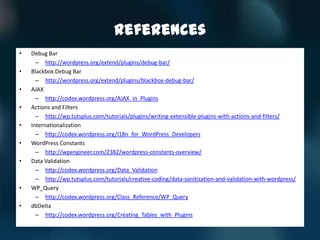
References
•   Debug Bar
      – http://wordpress.org/extend/plugins/debug-bar/
•   Blackbox Debug Bar
      – http://wordpress.org/extend/plugins/blackbox-debug-bar/
•   AJAX
      – http://codex.wordpress.org/AJAX_in_Plugins
•   Actions and Filters
      – http://wp.tutsplus.com/tutorials/plugins/writing-extensible-plugins-with-actions-and-filters/
•   Internationalization
      – http://codex.wordpress.org/I18n_for_WordPress_Developers
•   WordPress Constants
      – http://wpengineer.com/2382/wordpress-constants-overview/
•   Data Validation
      – http://codex.wordpress.org/Data_Validation
      – http://wp.tutsplus.com/tutorials/creative-coding/data-sanitization-and-validation-with-wordpress/
•   WP_Query
      – http://codex.wordpress.org/Class_Reference/WP_Query
•   dbDelta
      – http://codex.wordpress.org/Creating_Tables_with_Plugins
Thanks!


   Dave Donaldson
dave@maxfoundry.com
     @arcware

10 Things Every Plugin Developer Should Know (WordCamp Atlanta 2013)

  • 1.
    10 Things EveryPlugin Developer Should Know Dave Donaldson Co-founder Max Foundry
  • 2.
    Overview • Enable Debugging • Prefix Your Functions • Enqueue Scripts and Styles • Your JS/CSS On Your Admin Pages Only • AJAX in the Admin • Extensibility Hooks • Support Multisite • Internationalization and Localization • Security • Helper Functions and Constants
  • 3.
  • 4.
    Enable Debugging • Don’t develop without it • Don’t develop without it • Don’t develop without it • Don’t develop without it • Don’t develop without it • Don’t develop without it • Don’t develop without it
  • 5.
    Enable Debugging In wp-config.php,comment out this line: define(‘WP_DEBUG’, false); And replace with these: // Turns WP debugging on define(‘WP_DEBUG’, true); // Tells WP to log everything to the /wp-content/debug.log file define(‘WP_DEBUG_LOG’, true); // Doesn’t force the PHP ‘display_errors’ variable to be on define(‘WP_DEBUG_DISPLAY’, false); // Hides the errors from being displayed on-screen @ini_set(‘display_errors’, 0);
  • 6.
    Enable Debugging • Visibilityfor WP errors and notices • Notices are important for deprecated functions • Becomes part of your cadence • Watch debug.log • Use Debug Bar and Blackbox plugins
  • 7.
    2. PREFIX YOURFUNCTIONS
  • 8.
    Prefix Your Functions •All functions get loaded into the same execution space… • … which requires each function to be uniquely named… • … which means you should prefix your functions
  • 9.
    Prefix Your Functions DONOT be generic: // Do you know how many people have // these *exact* same functions? function copy_file() { } function save_data() { }
  • 10.
    Prefix Your Functions DOthis instead: // Assuming the name of your plugin // is ‚My Awesome WordPress Plugin‛ function mawp_copy_file() { } function mawp_save_data() { }
  • 11.
    Prefix Your Functions Classesare the one caveat: class MawpCommon { function copy_file() { } function save_data() { } }
  • 12.
    Prefix Your Functions Classesallow you to do this: $common = new MawpCommon(); $common->copy_file(); $common->save_data();
  • 13.
  • 14.
    Enqueue Scripts andStyles • The WP enqueue functions are the proper way to include javascript and stylesheets wp_enqueue_script(‘thickbox’); wp_enqueue_script(‘path-to-my-script.js’, array(‘jquery’)); wp_enqueue_style(‘thickbox’); wp_enqueue_style(‘path-to-my-styles.css’);
  • 15.
    4. YOUR JS/CSSON YOUR ADMIN PAGES ONLY
  • 16.
    Your JS/CSS OnYour Admin Pages Only • Devs adding their javascript and styles to every admin page, including pages for other plugins, is a HUGE PITA • If you are one of these people, I have a bill to send you • These are your friends, and in turn, my friend: – admin_print_scripts-{hookname} – admin_print_styles-{hookname}
  • 17.
    Your JS/CSS OnYour Admin Pages Only add_action(‘admin_menu’, ‘mawp_admin_menu’); function mawp_admin_menu() { $admin_pages = array(); $admin_pages[] = add_submenu_page(); $admin_pages[] = add_submenu_page(); foreach ($admin_pages as $admin_page) { add_action(‚admin_print_scripts-{$admin_page}‛, ‘mawp_admin_scripts’); add_action(‚admin_print_styles-{$admin_page}‛, ‘mawp_admin_styles’); } } function mawp_admin_scripts() { wp_enqueue_script(); } function mawp_admin_styles() { wp_enqueue_style(); }
  • 18.
    5. AJAX INTHE ADMIN
  • 19.
    AJAX in theAdmin • Very useful for creating an improved user experience • Consists of the following: – A nonce – A little jQuery – The wp_ajax hook
  • 20.
    AJAX in theAdmin A nonce: <form id=‚mawp_form‛ method=‚post‛> <?php wp_nonce_field(‚mawp_nonce_action‛, ‚mawp_nonce_name‛) ?> </form>
  • 21.
    AJAX in theAdmin A little jQuery: <script type=‚text/javascript‛> jQuery(document).ready(function() { jQuery(‚#some_button‛).click(function() { var form_data = jQuery(‚#mawp_form‛).serialize(); form_data += ‚&action=mawp_do_stuff‛; jQuery.ajax({ type: ‚POST‛, url: ‚<?php echo admin_url(‘admin-ajax.php’) ?>‛, data: form_data, success: function(message) { // Display the message } }); }); }); </script>
  • 22.
    AJAX in theAdmin The wp_ajax hook: add_action(‘wp_ajax_mawp_do_stuff’, ‘mawp_do_stuff’); function mawp_do_stuff() { if (isset($_POST)) { if (check_admin_referer(‘mawp_nonce_action’, ‘mawp_nonce_name’)) { // Do some stuff $message = ‘Han shot first’; echo $message; die(); } } }
  • 23.
  • 24.
    Extensibility Hooks • Allowsother devs to extend your plugin • A plugin with plugins is a mini-ecosystem • Actions and filters – Actions: used for executing functions – Filters: used for manipulating data
  • 25.
    Extensibility Hooks • Actions – do_action() • Creates hookable location for custom actions – add_action() • Attaches a function to a hook created with do_action() – has_action() • Checks if an action has been created with do_action() – remove_action() • Removes an action that was created with do_action()
  • 26.
    Extensibility Hooks • Filters – apply_filters() • Creates hookable location for custom filters – add_filter() • Attaches a filter to hook created with apply_filters() – has_filter() • Checks if a filter has been created with apply_filters() – remove_filter() • Removes a filter that was created with apply_filters()
  • 27.
    Extensibility Hooks Action example: functionmawp_do_stuff() { do_action(‘mawp_do_stuff_before’); // Logic for doing stuff goes here do_action(‘mawp_do_stuff_after’); } add_action(‘mawp_do_stuff_before’, ‘your_before_action’); function your_before_action() { // Do stuff at the beginning of mawp_do_stuff } add_action(‘mawp_do_stuff_after’, ‘your_after_action’); function your_after_action() { // Do stuff at the end of mawp_do_stuff }
  • 28.
    Extensibility Hooks Filter example: functionmawp_html_sample() { $html = ‘<div>’; $html .= ‘<p>Han shot first.</p>’; $html .= ‘</div>’; return apply_filters(‘mawp_html_filter’, $html); } add_filter(‘mawp_html_filter, ‘your_html_filter’); function your_html_filter($html) { $output = ‘<div class=‚outer-div‛>’; $output .= $html; $output .= ‘</div>’; return $output; }
  • 29.
    Extensibility Hooks • 2great examples: – bbPress – Shopp
  • 30.
  • 31.
    Support Multisite • Importantbut often overlooked • Some people won’t use your plugin • Setup a local multisite install for testing
  • 32.
    Support Multisite register_activation_hook(__FILE__, ‘mawp_do_activation’); register_deactivation_hook(__FILE__,‘mawp_do_deactivation’); function mawp_do_activation($network_wide) { if ($network_wide) { mawp_call_function_for_each_site(‘mawp_activate’); } else { mawp_activate(); } } function mawp_do_deactivation($network_wide) { if ($network_wide) { mawp_call_function_for_each_site(‘mawp_deactivate’); } else { mawp_deactivate(); } }
  • 33.
    Support Multisite function mawp_call_function_for_each_site($function){ global $wpdb; // Hold this so we can switch back to it $current_blog = $wpdb->blogid; // Get all blogs in the network and invoke function for each one $sql = ‚SELECT blog_id FROM $wpdb->blogs‛; $blog_ids = $wpdb->get_col($wpdb->prepare($sql)); foreach ($blog_ids as $blog_id) { switch_to_blog($blog_id); call_user_func($function); } // Now switch back to the root blog switch_to_blog($current_blog); }
  • 34.
  • 35.
    Internationalization and Localization • i18n: Internationalization • l10n: Localization • What’s the difference? – i18n: Changing software so it’s not hardwired to a single language/culture/locale – l10n: Adding resources to the software so that a particular language/culture/locale is supported
  • 36.
    Internationalization and Localization • Don’t blindly discount non-English speaking cultures • Europe is a huge market • Some people won’t buy if not in their language • IT’S TOO EASY NOT TO DO FROM THE BEGINNING!
  • 37.
    Internationalization and Localization • 4 basic functions: __(): Makes a string translatable _e(): Echoes translatable string _n(): For plural translations _x(): Provides translation context • Must type out the text domain, cannot store it as a variable
  • 38.
    Internationalization and Localization add_action(‘init’, ‘mawp_load_textdomain’); function mawp_load_textdomain() { $languages_folder = dirname(plugin_basename(__FILE__)); $languages_folder .= ‘/languages/’; // 1st param is the text domain and must be unique, so best // practice is to name it the same as your plugin folder. The // 2nd param corresponds to a deprecated function, so you can // always set it to false. // IMPORTANT: text domain CANNOT include underscores! load_plugin_textdomain(‘mawp’, false, $languages_folder); }
  • 39.
    Internationalization and Localization // Using __() $fact = __(‘Han shot first.’, ‘mawp’); // Using _e() _e(‘Han shot first.’, ‘mawp’); // Using _n() printf(_n(‘Saved %d item.’, ‘Saved %d items.’, $count, ‘mawp’), $count); // Using _x() echo _x(‘Comment’, ‘column name’, ‘mawp’);
  • 40.
    Internationalization and Localization • Create the POT and MO files • These are the files that translators need • Generated by various tools – Poedit
  • 41.
  • 42.
    Security • Many WordPressvulnerabilities don’t come from the core • Data can’t be trusted • General rule: validate input, escape output • WP has many functions to help you
  • 43.
    Security • For protectingagainst XSS attacks: esc_url() esc_url_raw() esc_js() esc_html() esc_attr() esc_textarea()
  • 44.
    Security • For protectingagainst SQL injection attacks: $wpdb->prepare() $wpdb->insert() $wpdb->update() $wpdb->escape() esc_sql()
  • 45.
    Security • For sanitizingdata input: sanitize_email() sanitize_file_name() sanitize_user() sanitize_text_field() sanitize_html_class() sanitize_key() sanitize_option()
  • 46.
    Security • You don’twant to be the next TimThumb • Big topic, lots to know • Tomorrow: “Secure All The Things!”, Dougal Campbell
  • 47.
    10. HELPER FUNCTIONSAND CONSTANTS
  • 48.
    Helper Functions andConstants • Useful for finding plugin and content folders • Folder locations in WP can be changed • Try to avoid hardcoded locations
  • 49.
    Helper Functions andConstants • Functions: plugins_url() plugin_basename() themes_url() get_template_directory_uri() get_stylesheet_uri() home_url() admin_url() site_url() content_url() includes_url() wp_upload_dir() network_admin_url() network_site_url() network_home_url()
  • 50.
    Helper Functions andConstants • Constants: DOING_AUTOSAVE WP_ADMIN WP_NETWORK_ADMIN ABSPATH WP_PLUGIN_DIR WP_PLUGIN_URL WP_CONTENT_DIR WP_CONTENT_URL MULTISITE COOKIE_DOMAIN
  • 51.
    References • Debug Bar – http://wordpress.org/extend/plugins/debug-bar/ • Blackbox Debug Bar – http://wordpress.org/extend/plugins/blackbox-debug-bar/ • AJAX – http://codex.wordpress.org/AJAX_in_Plugins • Actions and Filters – http://wp.tutsplus.com/tutorials/plugins/writing-extensible-plugins-with-actions-and-filters/ • Internationalization – http://codex.wordpress.org/I18n_for_WordPress_Developers • WordPress Constants – http://wpengineer.com/2382/wordpress-constants-overview/ • Data Validation – http://codex.wordpress.org/Data_Validation – http://wp.tutsplus.com/tutorials/creative-coding/data-sanitization-and-validation-with-wordpress/ • WP_Query – http://codex.wordpress.org/Class_Reference/WP_Query • dbDelta – http://codex.wordpress.org/Creating_Tables_with_Plugins
  • 52.
    Thanks! Dave Donaldson dave@maxfoundry.com @arcware