Chen-Hsiung Liu
2020/9/25
What is WaveDrom?
 WaveDrom is a tool for rendering digital timing diagrams, and other
technical visualization, as SVG or PNG images from an intuitive
plain text language.
 It is easy to learn, easy to use, and browser-based.
 WaveDrom is free open source software.
 The web version of WaveDrom is used by tens to hundreds of users
at each of:
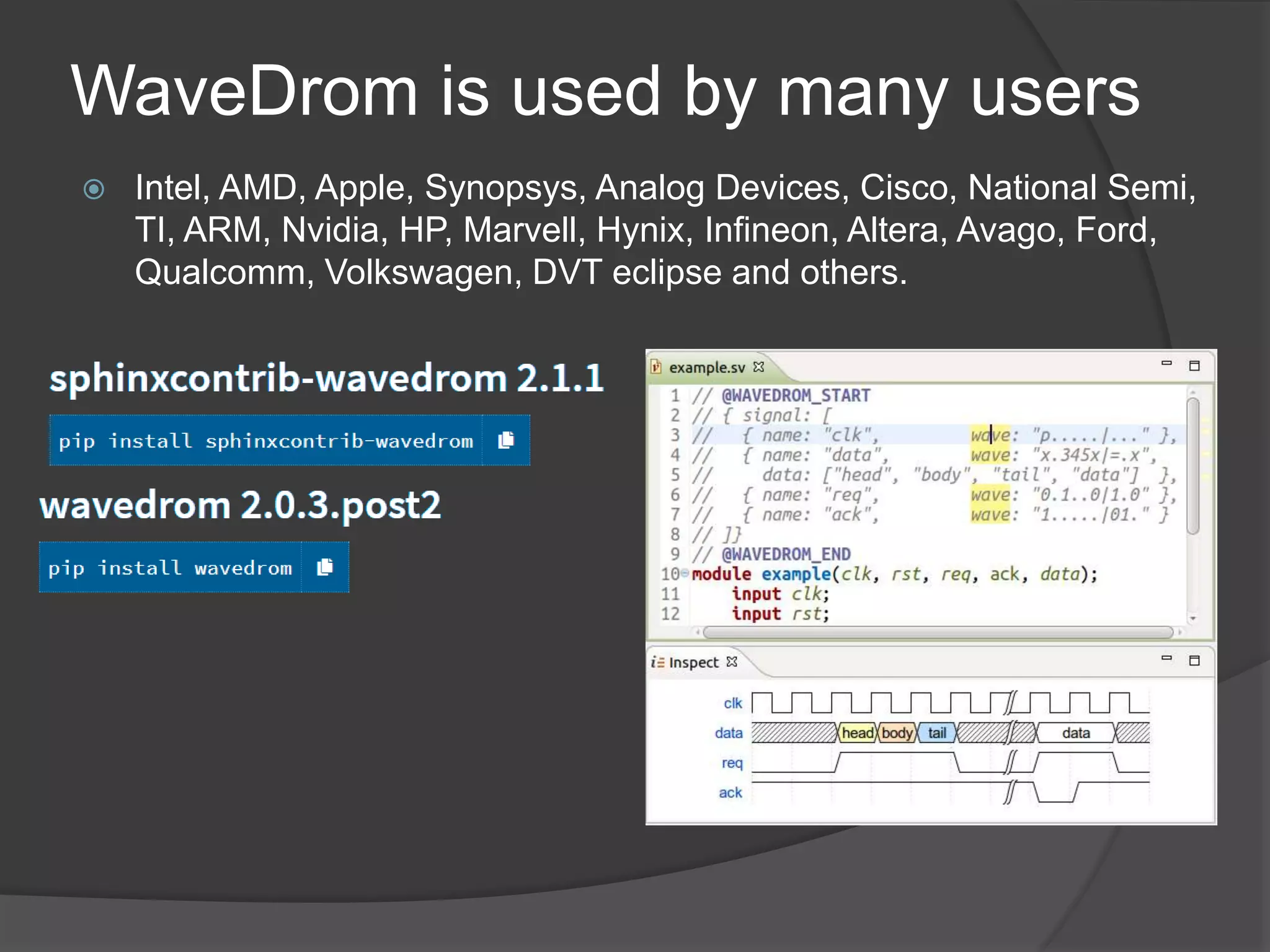
WaveDrom is used by many users
 Intel, AMD, Apple, Synopsys, Analog Devices, Cisco, National Semi,
TI, ARM, Nvidia, HP, Marvell, Hynix, Infineon, Altera, Avago, Ford,
Qualcomm, Volkswagen, DVT eclipse and others.
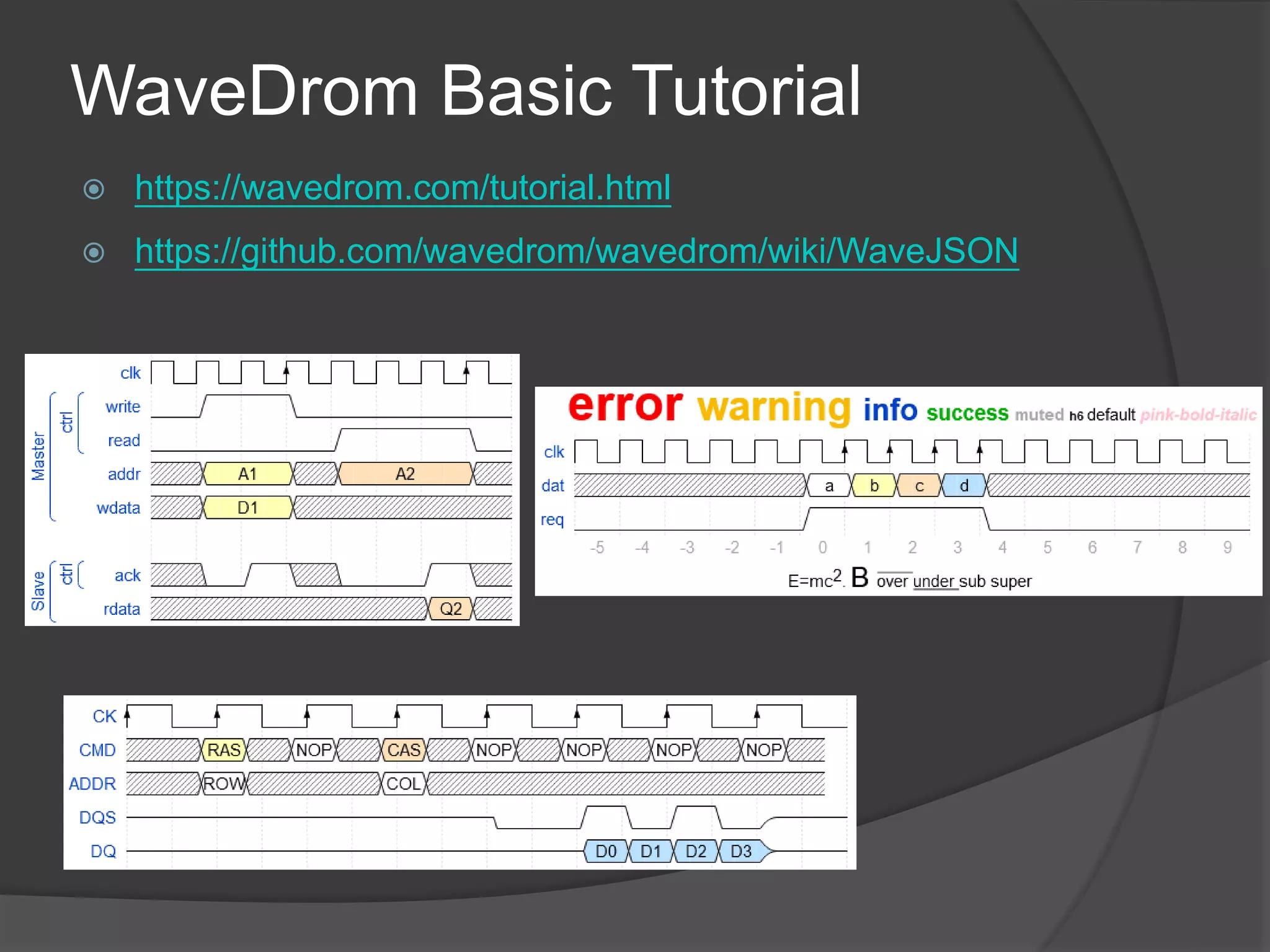
WaveDrom Basic Tutorial
 https://wavedrom.com/tutorial.html
 https://github.com/wavedrom/wavedrom/wiki/WaveJSON
WaveDrom Basic Tutorial
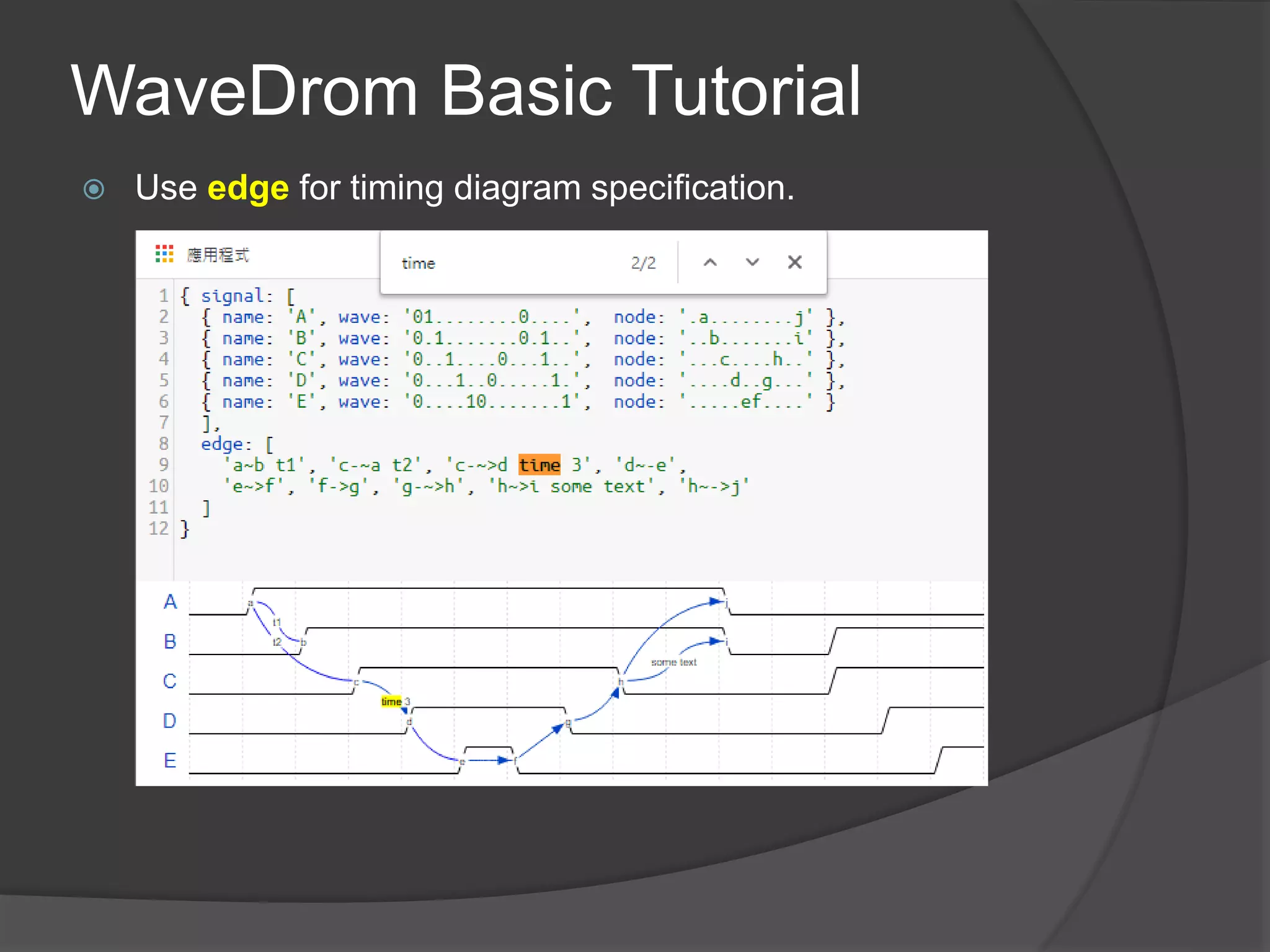
 Use edge for timing diagram specification.
WaveDrom Advance Tutorial
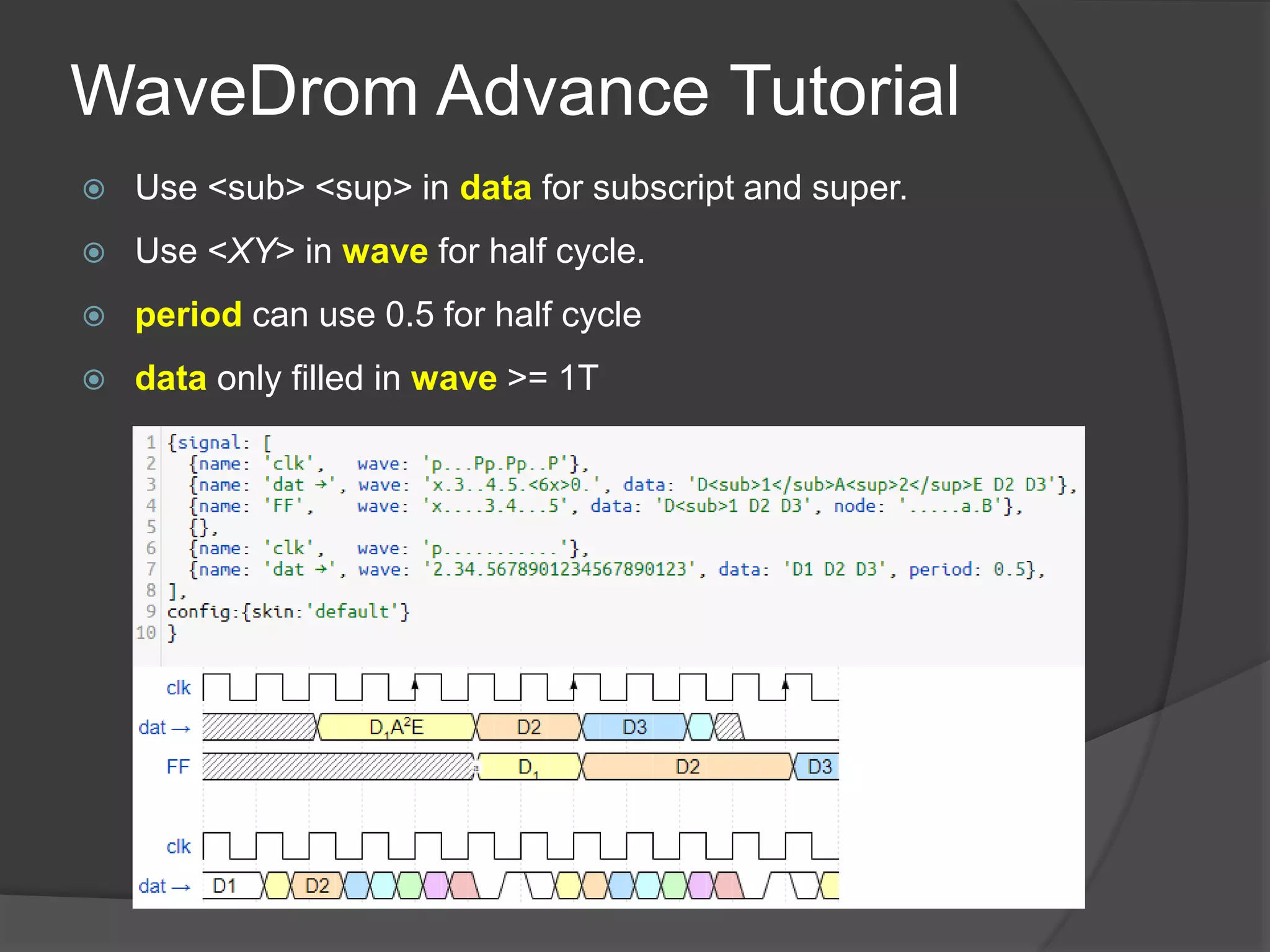
 Use <sub> <sup> in data for subscript and super.
 Use <XY> in wave for half cycle.
 period can use 0.5 for half cycle
 data only filled in wave >= 1T
WaveDrom Advance Tutorial
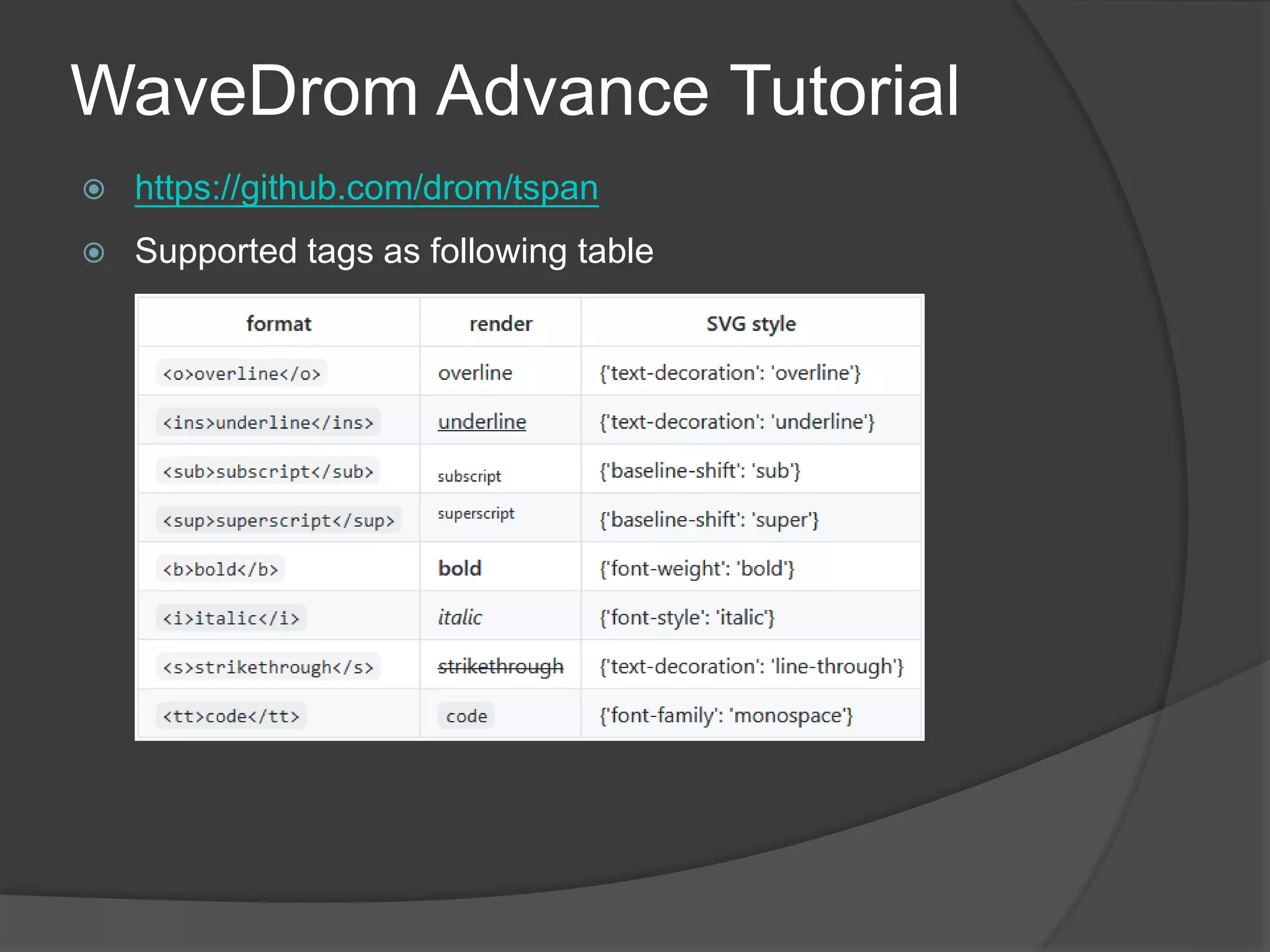
 https://github.com/drom/tspan
 Supported tags as following table
WaveDrom Advance Tutorial
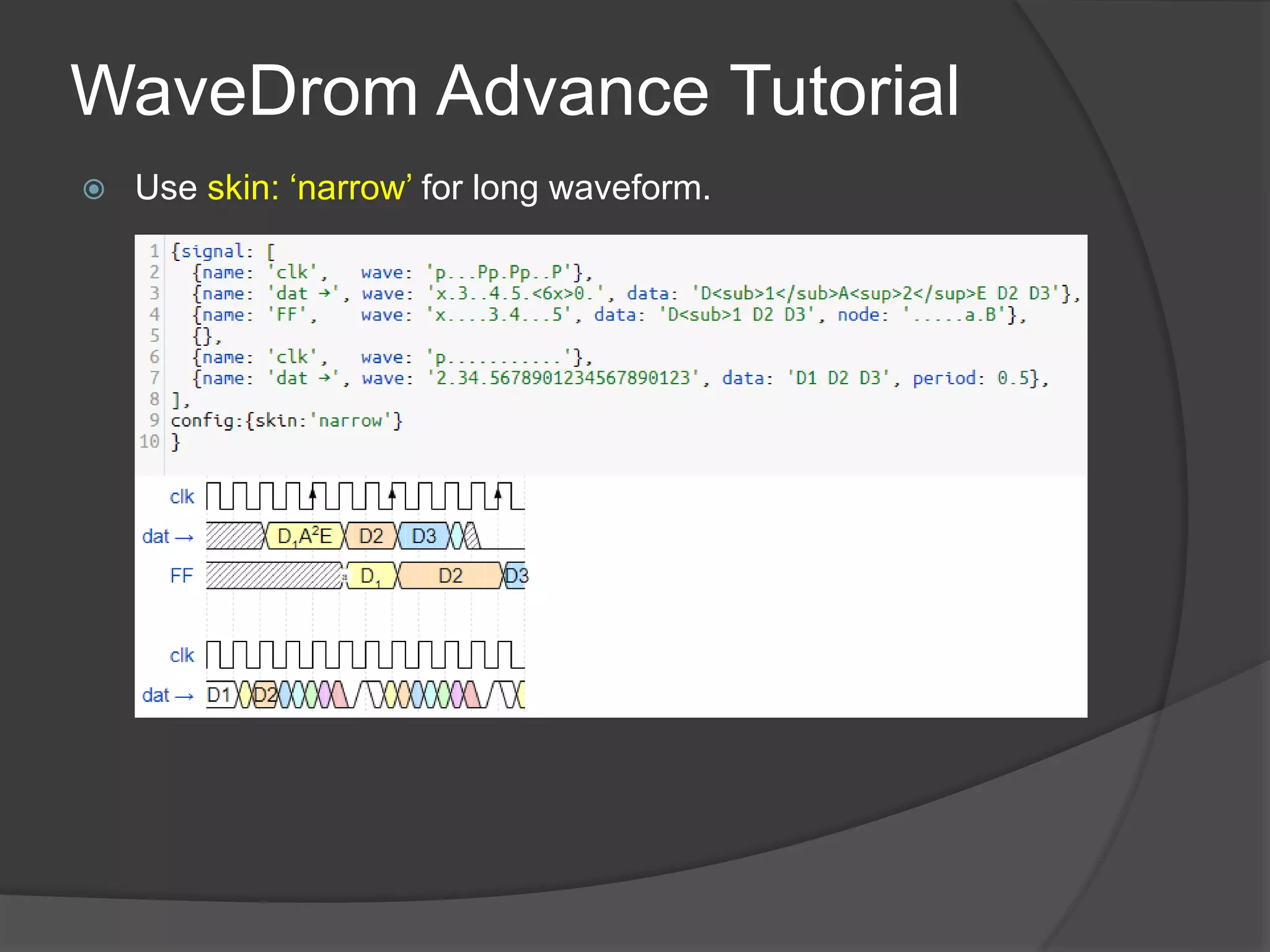
 Use skin: ‘narrow’ for long waveform.
WaveDrom Advance Tutorial
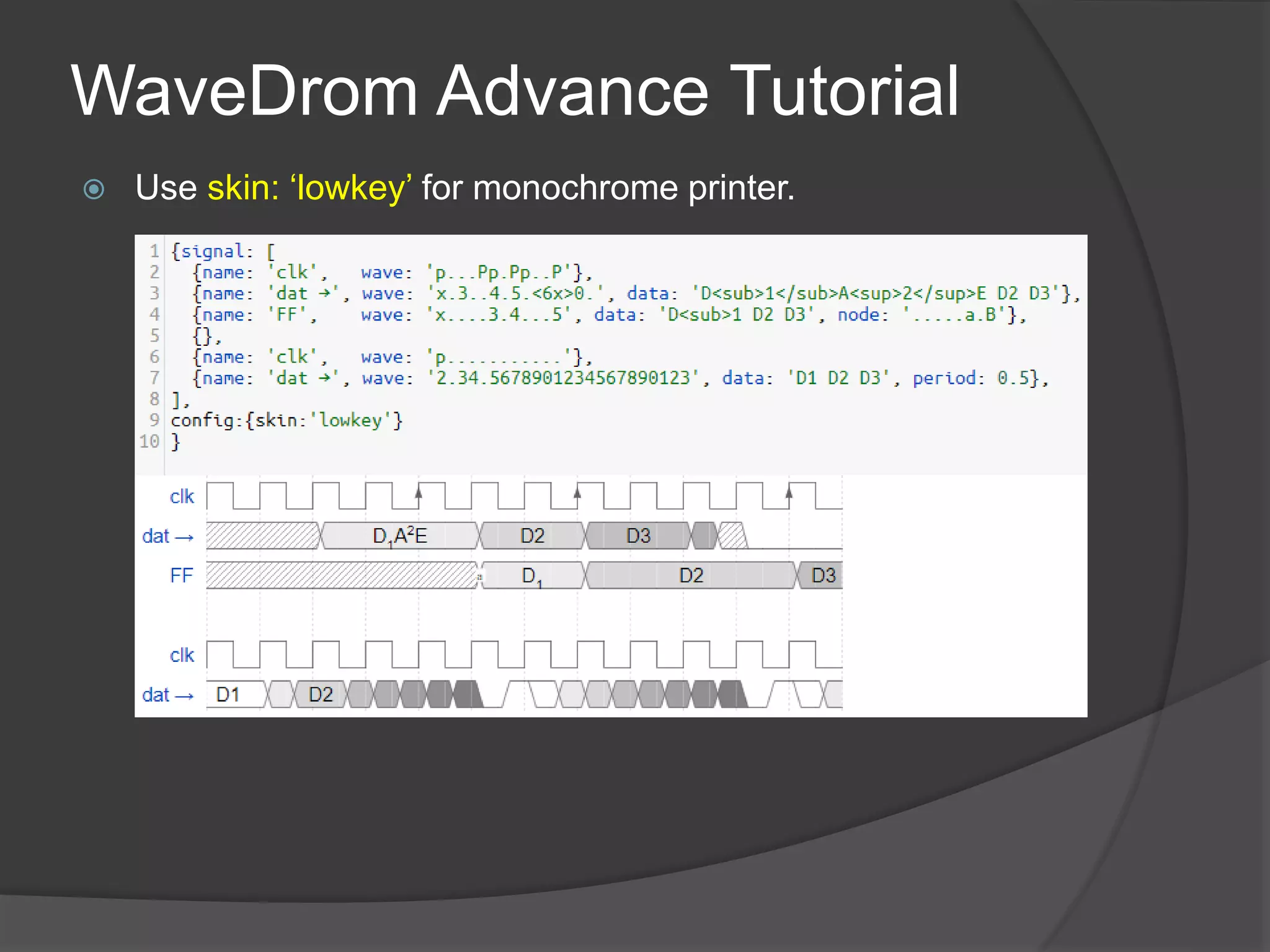
 Use skin: ‘lowkey’ for monochrome printer.

WaveDrom Introduction.pptx

  • 1.
  • 2.
    What is WaveDrom? WaveDrom is a tool for rendering digital timing diagrams, and other technical visualization, as SVG or PNG images from an intuitive plain text language.  It is easy to learn, easy to use, and browser-based.  WaveDrom is free open source software.  The web version of WaveDrom is used by tens to hundreds of users at each of:
  • 3.
    WaveDrom is usedby many users  Intel, AMD, Apple, Synopsys, Analog Devices, Cisco, National Semi, TI, ARM, Nvidia, HP, Marvell, Hynix, Infineon, Altera, Avago, Ford, Qualcomm, Volkswagen, DVT eclipse and others.
  • 4.
    WaveDrom Basic Tutorial https://wavedrom.com/tutorial.html  https://github.com/wavedrom/wavedrom/wiki/WaveJSON
  • 5.
    WaveDrom Basic Tutorial Use edge for timing diagram specification.
  • 6.
    WaveDrom Advance Tutorial Use <sub> <sup> in data for subscript and super.  Use <XY> in wave for half cycle.  period can use 0.5 for half cycle  data only filled in wave >= 1T
  • 7.
    WaveDrom Advance Tutorial https://github.com/drom/tspan  Supported tags as following table
  • 8.
    WaveDrom Advance Tutorial Use skin: ‘narrow’ for long waveform.
  • 9.
    WaveDrom Advance Tutorial Use skin: ‘lowkey’ for monochrome printer.

Editor's Notes

  • #7 {signal: [ {name: 'clk', wave: 'p...Pp.Pp..P'}, {name: 'dat →', wave: 'x.3..4.5.<6x>0.', data: 'D<sub>1</sub>A<sup>2</sup>E D2 D3'}, {name: 'FF', wave: 'x....3.4...5', data: 'D<sub>1 D2 D3', node: '.....a.B'}, {}, {name: 'clk', wave: 'p...........'}, {name: 'dat →', wave: '2.34.5678901234567890123', data: 'D1 D2 D3', period: 0.5}, ], config:{skin:'default'} }