Virtual ReferenceMelissa Bowles-TerryInstruction & Assessment CoordinatorUniversity of Wyoming Libraries
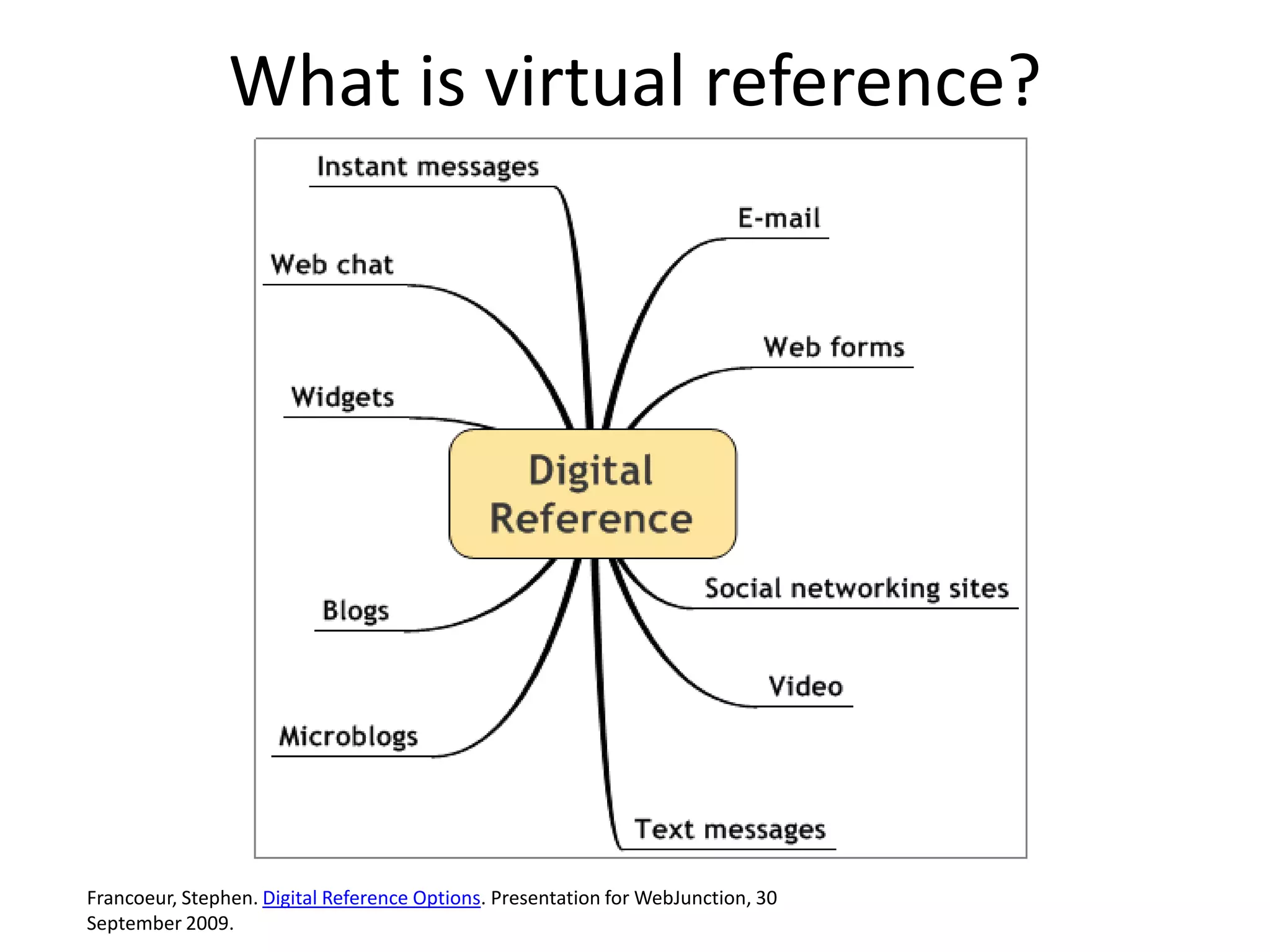
What is virtual reference?Francoeur, Stephen. Digital Reference Options. Presentation for WebJunction, 30 September 2009.
Why Try Virtual Reference?Provides synchronous help for remote usersMany library users (particularly teens and young adults) are very comfortable with the IM format. Consider your audience!
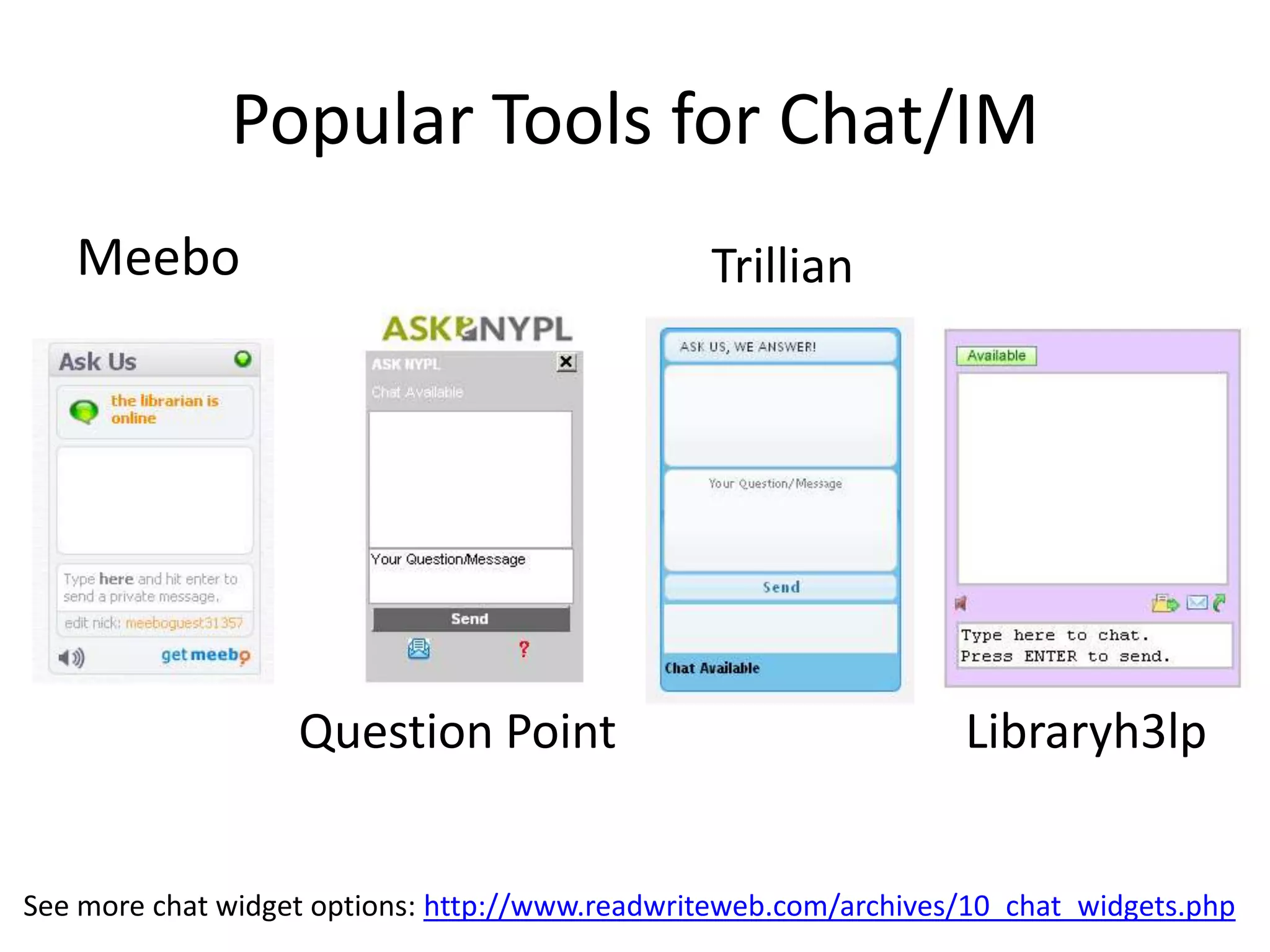
Popular Tools for Chat/IMMeeboTrillianQuestion PointLibraryh3lpSee more chat widget options: http://www.readwriteweb.com/archives/10_chat_widgets.php
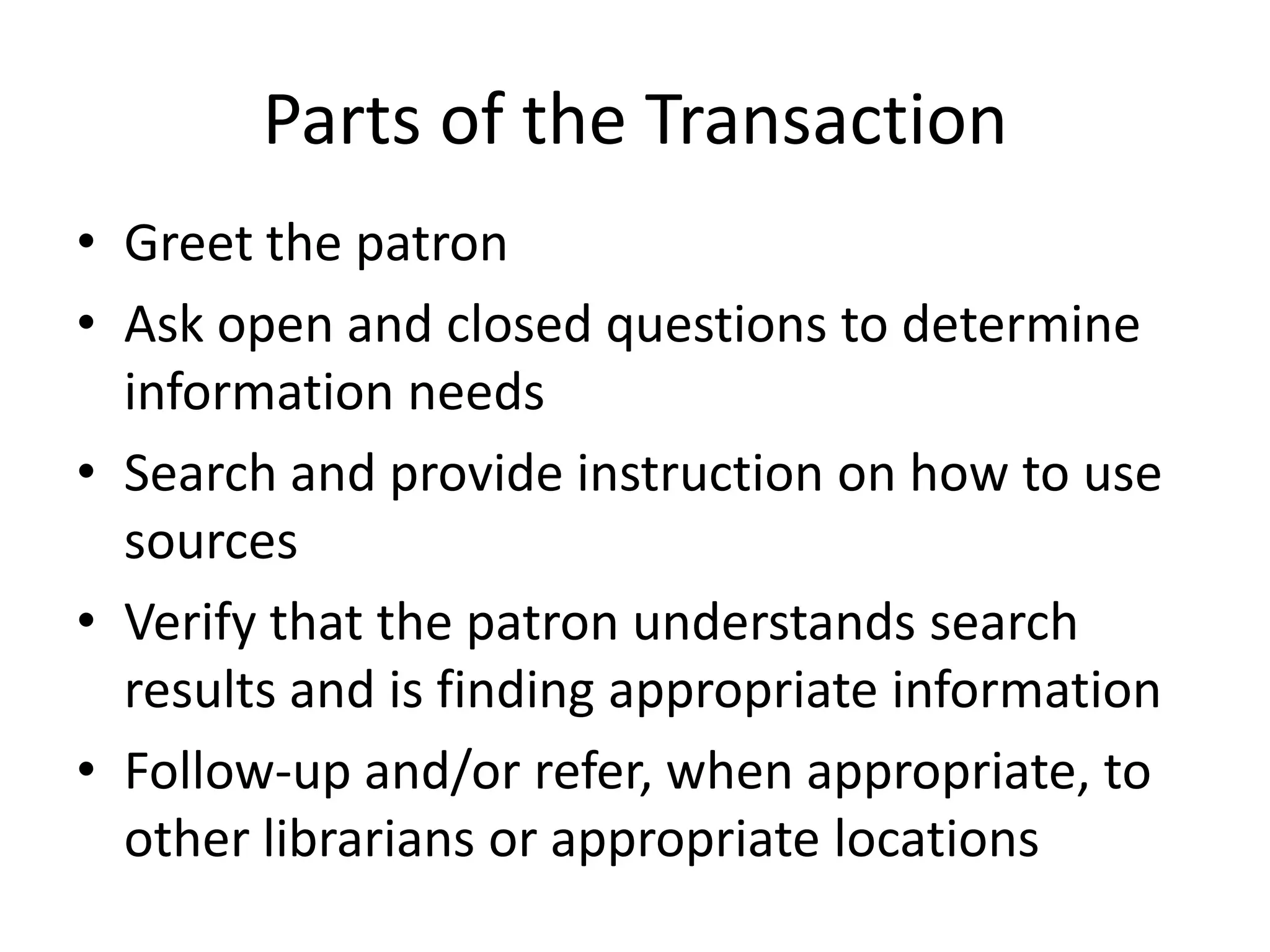
Parts of the TransactionGreet the patronAsk open and closed questions to determine information needsSearch and provide instruction on how to use sourcesVerify that the patron understands search results and is finding appropriate informationFollow-up and/or refer, when appropriate, to other librarians or appropriate locations
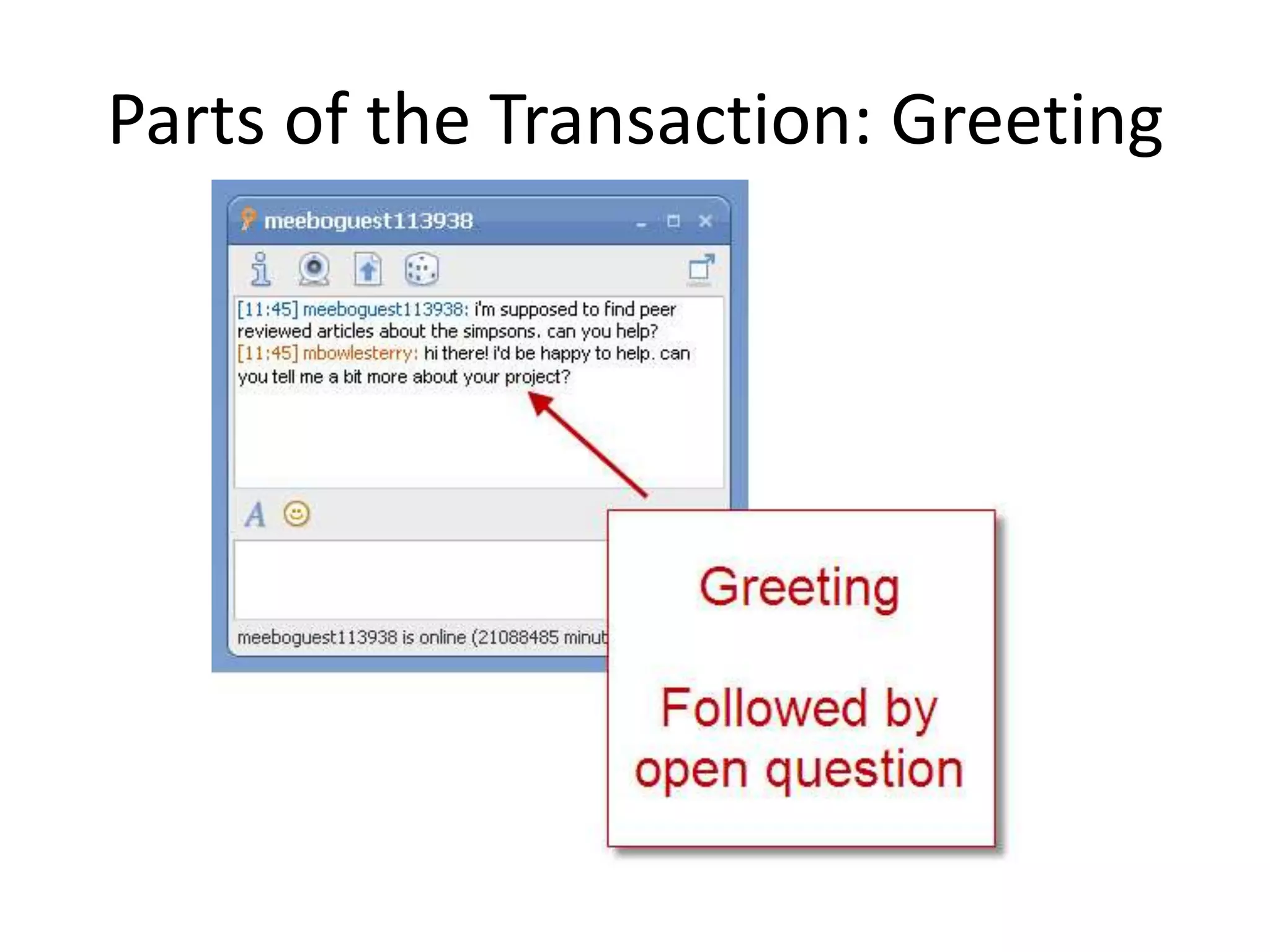
Parts of the Transaction: Greeting
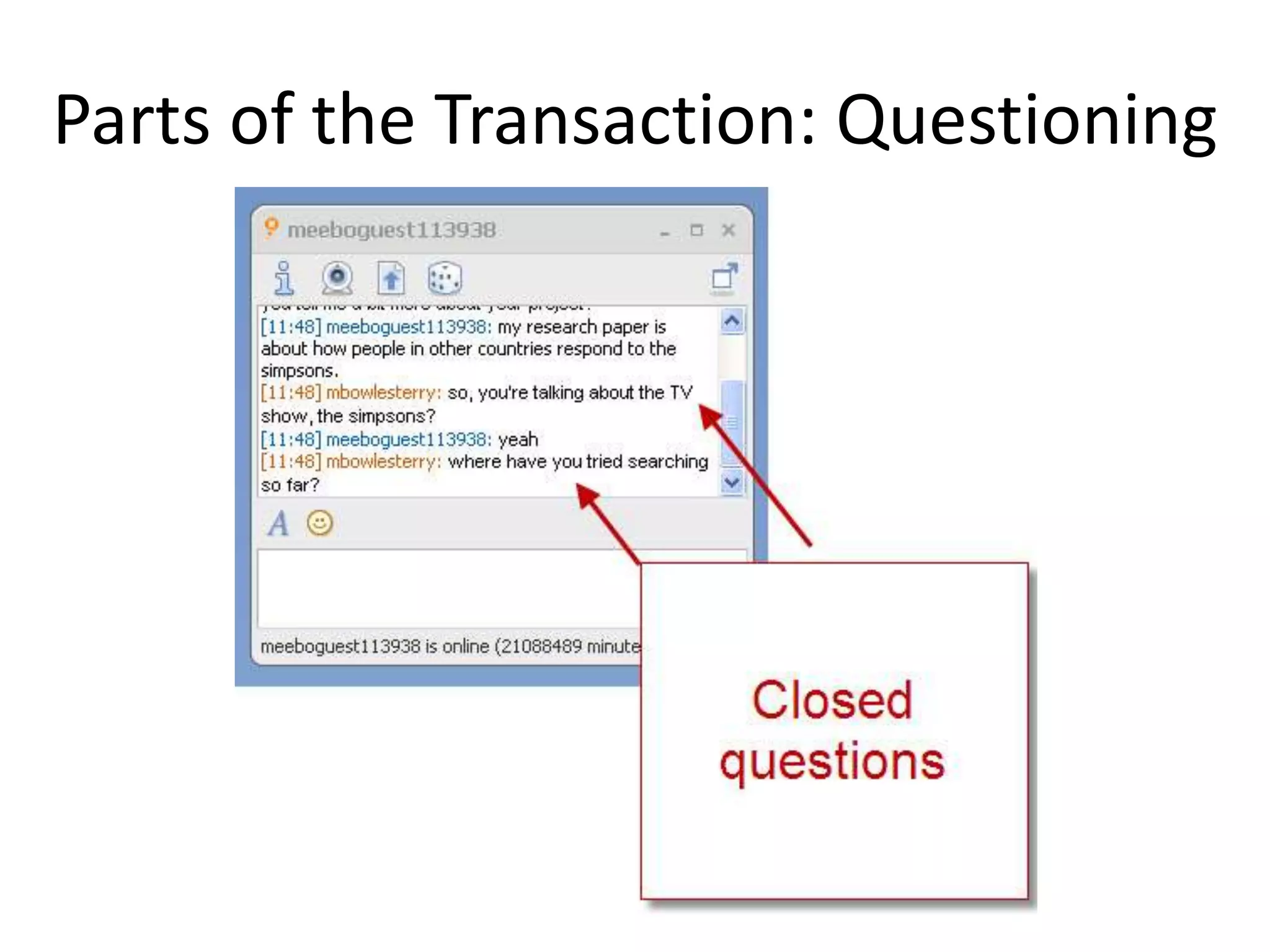
Parts of the Transaction: Questioning
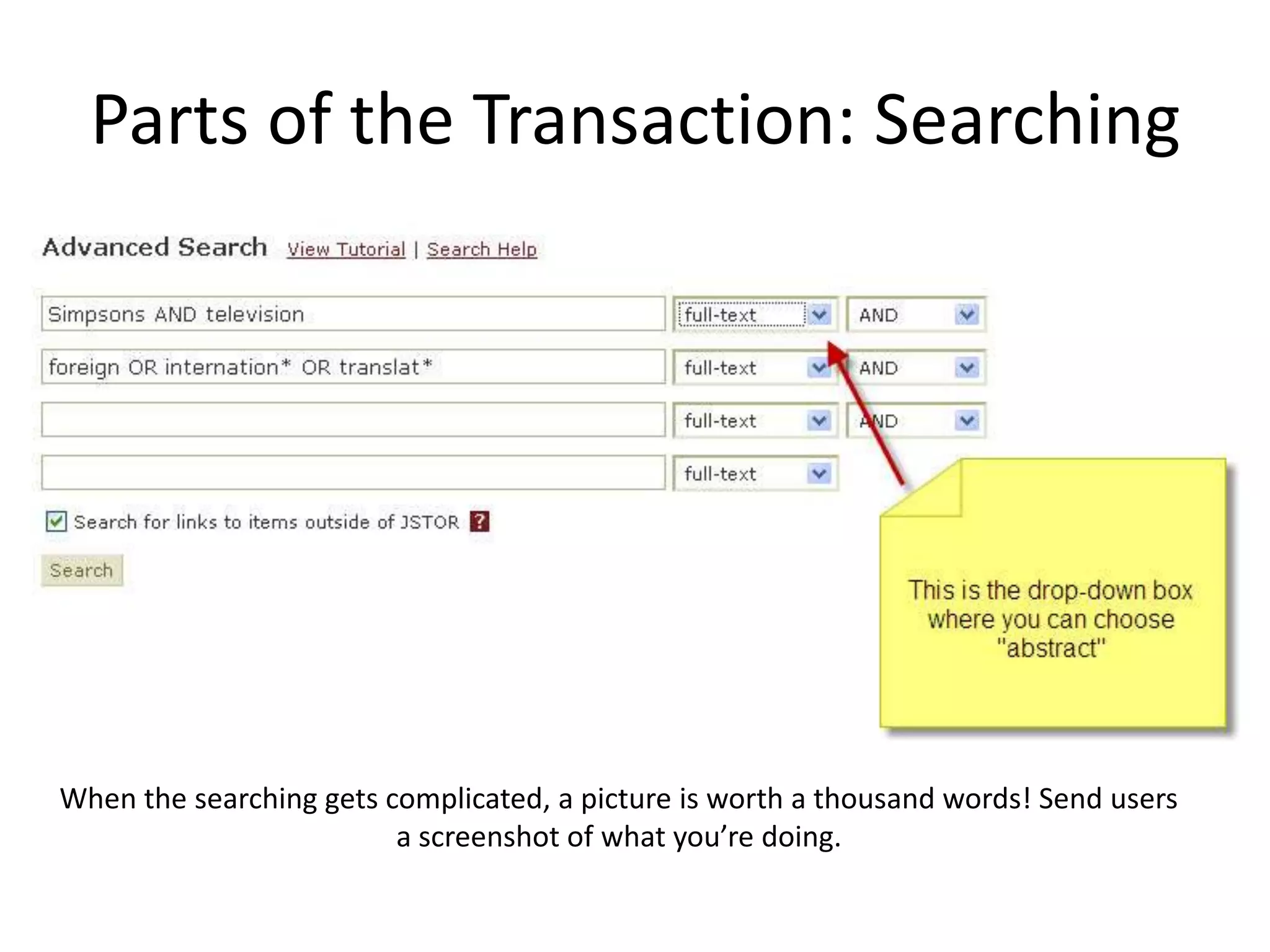
Parts of the Transaction: SearchingWhen the searching gets complicated, a picture is worth a thousand words! Send users a screenshot of what you’re doing.
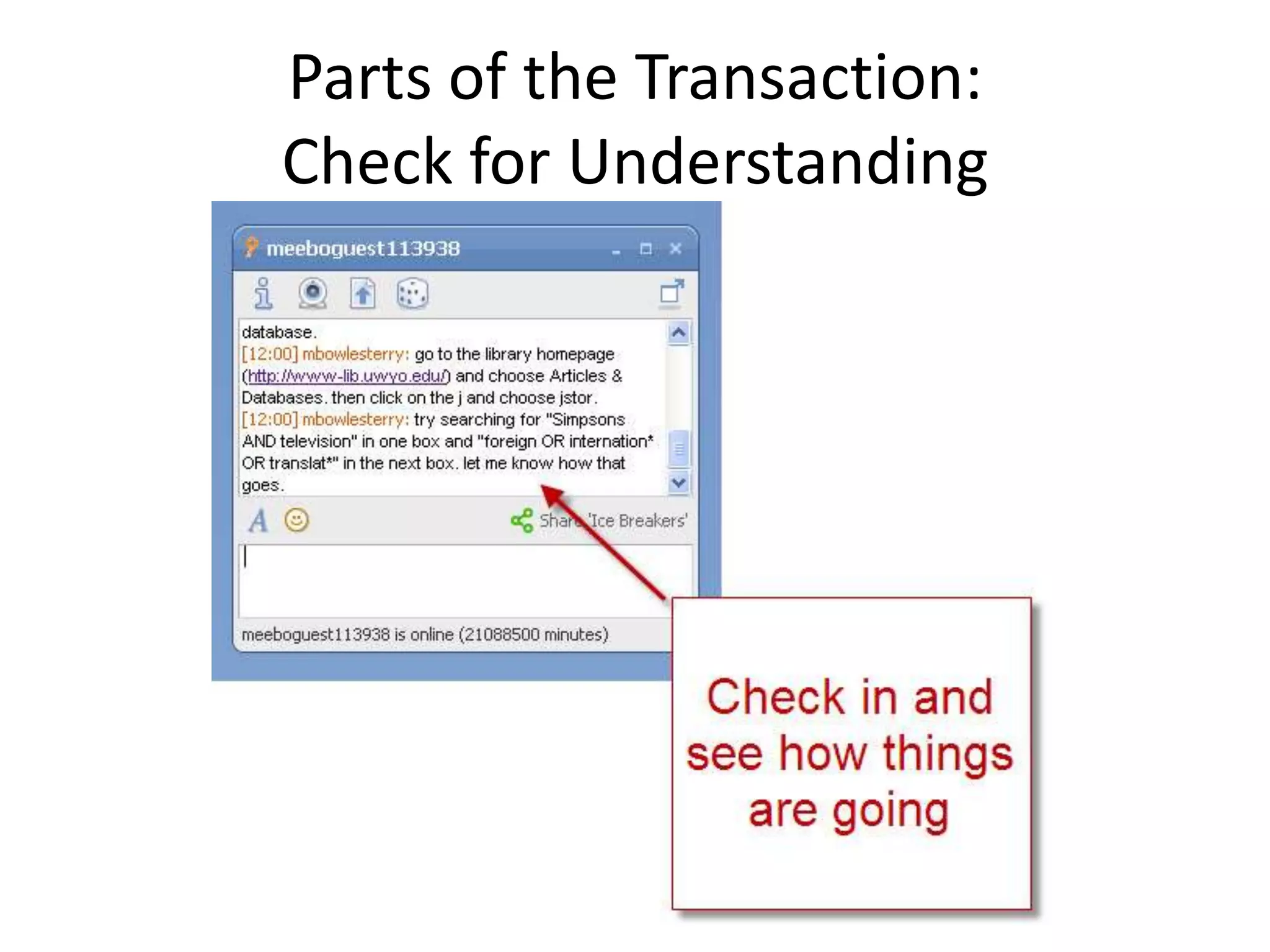
Parts of the Transaction: Check for Understanding
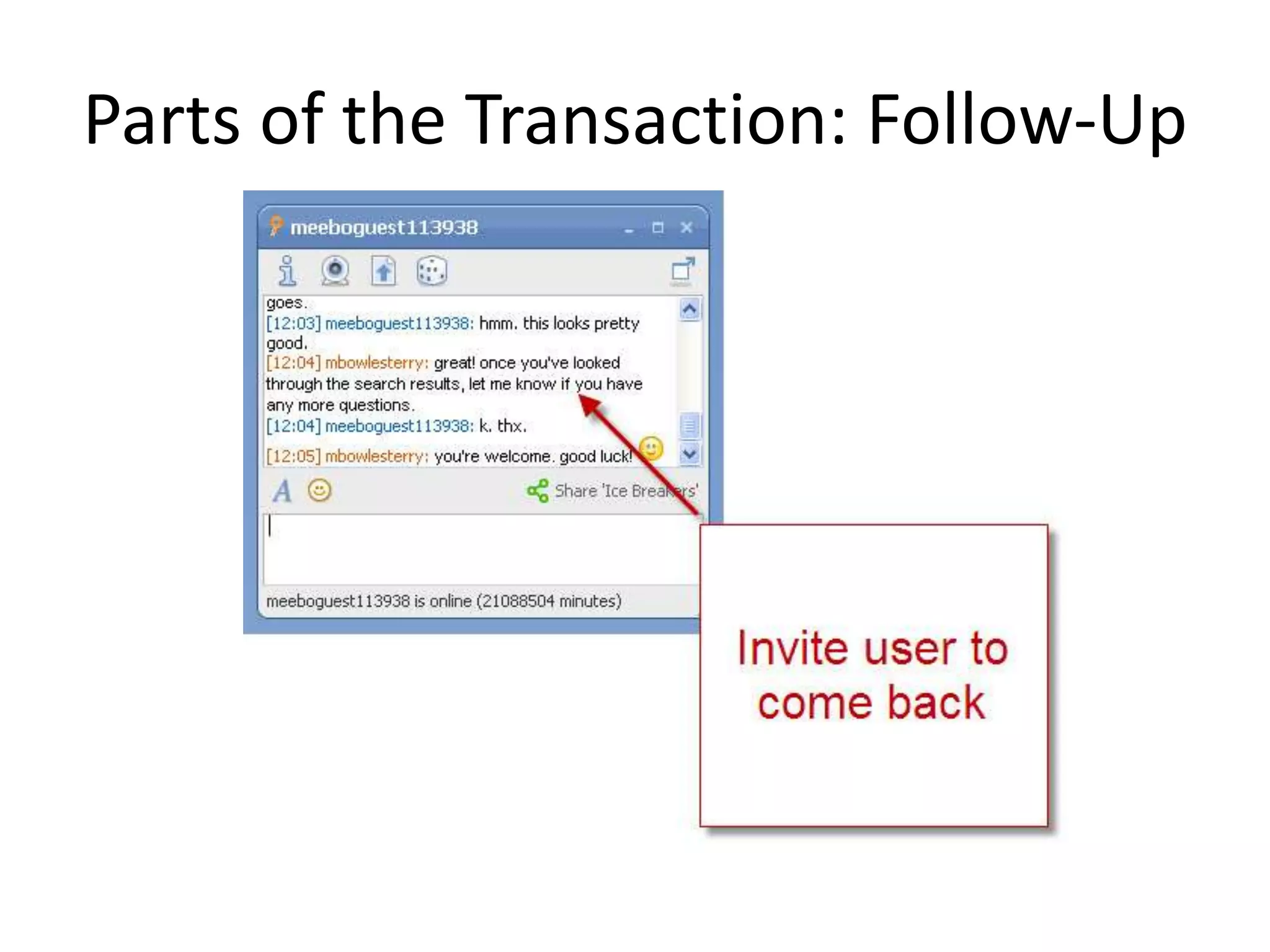
Parts of the Transaction: Follow-Up
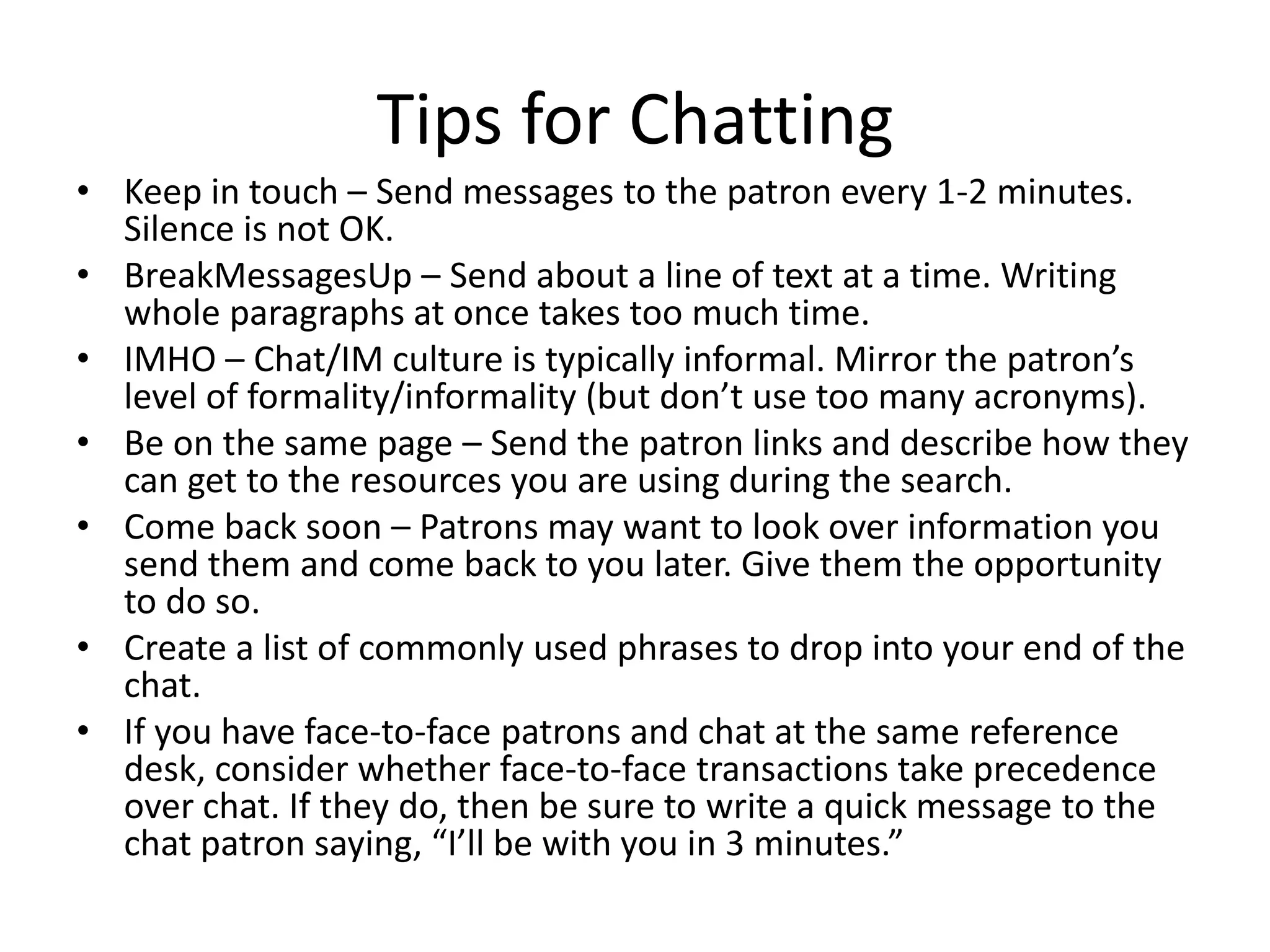
Tips for ChattingKeep in touch – Send messages to the patron every 1-2 minutes. Silence is not OK.
BreakMessagesUp – Send about a line of text at a time. Writing whole paragraphs at once takes too much time.
IMHO – Chat/IM culture is typically informal. Mirror the patron’s level of formality/informality (but don’t use too many acronyms).
Be on the same page – Send the patron links and describe how they can get to the resources you are using during the search.
Come back soon – Patrons may want to look over information you send them and come back to you later. Give them the opportunity to do so.
Create a list of commonly used phrases to drop into your end of the chat.

Virtual Reference

  • 1.
    Virtual ReferenceMelissa Bowles-TerryInstruction& Assessment CoordinatorUniversity of Wyoming Libraries
  • 2.
    What is virtualreference?Francoeur, Stephen. Digital Reference Options. Presentation for WebJunction, 30 September 2009.
  • 3.
    Why Try VirtualReference?Provides synchronous help for remote usersMany library users (particularly teens and young adults) are very comfortable with the IM format. Consider your audience!
  • 4.
    Popular Tools forChat/IMMeeboTrillianQuestion PointLibraryh3lpSee more chat widget options: http://www.readwriteweb.com/archives/10_chat_widgets.php
  • 5.
    Parts of theTransactionGreet the patronAsk open and closed questions to determine information needsSearch and provide instruction on how to use sourcesVerify that the patron understands search results and is finding appropriate informationFollow-up and/or refer, when appropriate, to other librarians or appropriate locations
  • 6.
    Parts of theTransaction: Greeting
  • 7.
    Parts of theTransaction: Questioning
  • 8.
    Parts of theTransaction: SearchingWhen the searching gets complicated, a picture is worth a thousand words! Send users a screenshot of what you’re doing.
  • 9.
    Parts of theTransaction: Check for Understanding
  • 10.
    Parts of theTransaction: Follow-Up
  • 11.
    Tips for ChattingKeepin touch – Send messages to the patron every 1-2 minutes. Silence is not OK.
  • 12.
    BreakMessagesUp – Sendabout a line of text at a time. Writing whole paragraphs at once takes too much time.
  • 13.
    IMHO – Chat/IMculture is typically informal. Mirror the patron’s level of formality/informality (but don’t use too many acronyms).
  • 14.
    Be on thesame page – Send the patron links and describe how they can get to the resources you are using during the search.
  • 15.
    Come back soon– Patrons may want to look over information you send them and come back to you later. Give them the opportunity to do so.
  • 16.
    Create a listof commonly used phrases to drop into your end of the chat.
  • 17.
    If you haveface-to-face patrons and chat at the same reference desk, consider whether face-to-face transactions take precedence over chat. If they do, then be sure to write a quick message to the chat patron saying, “I’ll be with you in 3 minutes.”Some WY Libraries Using Chat/IMLaramie County Library (http://www.lclsonline.org/services/askalibrarian/)Teton County Library (http://www.tclib.org/index.php/about_tcl/chat/) University of Wyoming Libraries (http://www-lib.uwyo.edu/services/ask.cfm)
  • 18.
  • 19.
    More Information: ReadingsReferenceand User Services Association Guidelines for Implementing and Maintaining Virtual Reference Services: http://www.ala.org/ala/mgrps/divs/rusa/resources/guidelines/virtrefguidelines.cfm
  • 20.
    Trends in DigitalReference: http://www.teachinglibrarian.org/weblog/2009/02/trends-in-digital-reference.html (check out other posts on this blog, too, if you’re interested)
  • 21.
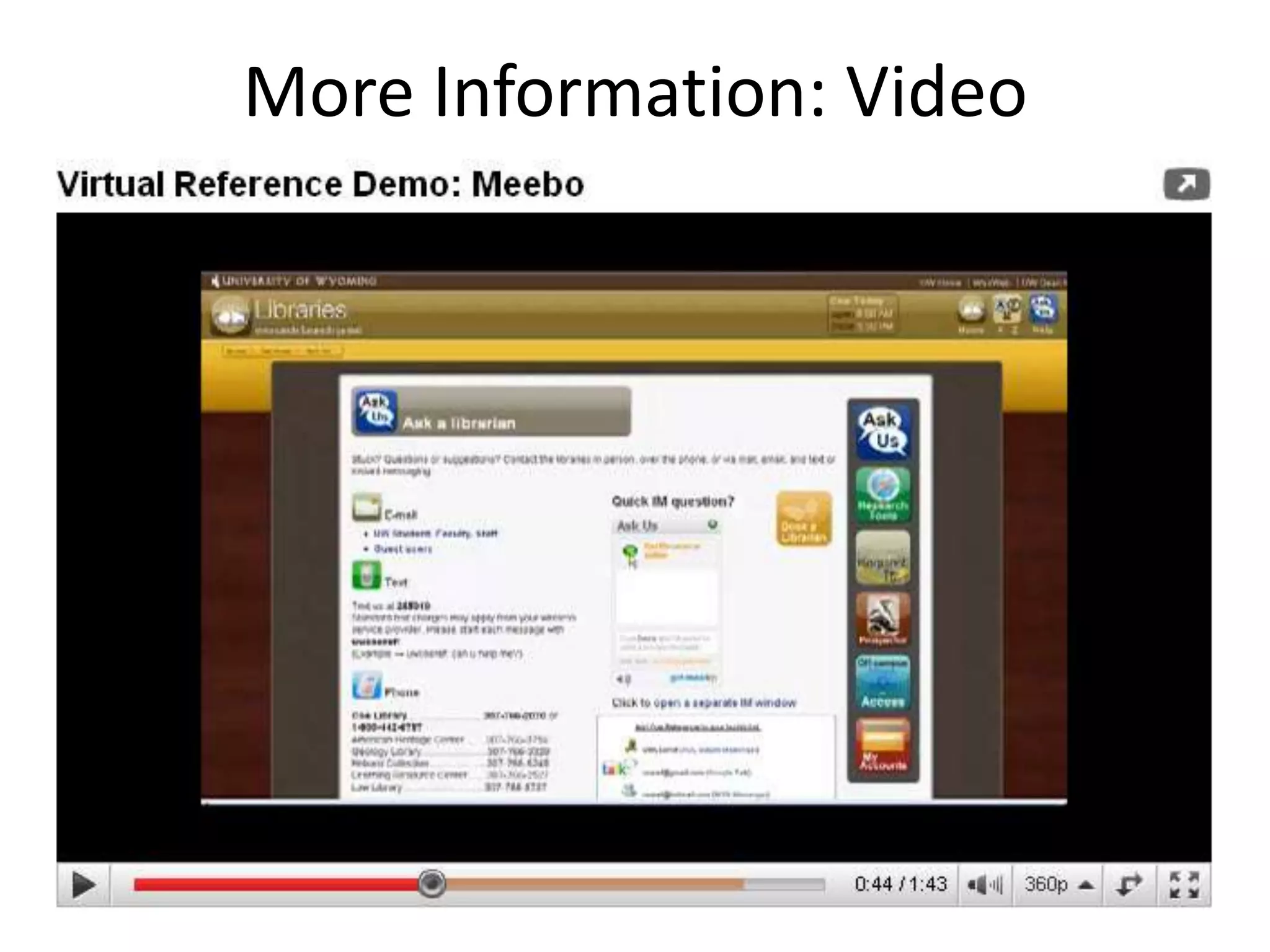
    The Effects ofLibrarians’ Behavioral Performance on User Satisfaction in Chat Reference Services from Reference and User Services Quarterly: http://www.rusq.org/2008/01/06/the-effects-of-librarians-behavioral-performance-on-user-satisfaction-in-chat-reference-services-2/More Information: Video
  • 22.
    HomeworkUse the Aska Librarian virtual reference service at a library and see what the user experience is like. Be sure and ask a genuine question that you have, so that the experience will be as authentic as possible. Did the librarian welcome you? Stay in constant communication? Answer your question satisfactorily? Post in the comments about your experience. No need to state which library you visited, just share your experience with us.Here are a few libraries to try. Some libraries restrict virtual reference services to users of their particular library, so I’d suggest steering clear of those. The reference services below are open for anyone to use: New York Public Library: http://www.nypl.org/questions/chat.html
  • 23.
    Duke University Libraries:http://library.duke.edu/services/ask/
  • 24.
    University of Wisconsin-MadisonLibraries: http://www.library.wisc.edu/ask/
  • 25.
    Massachusetts Trial CourtLaw Libraries: http://www.lawlib.state.ma.us/libraries/services/ask.html

Editor's Notes

  • #3 The ALA Guidelines for Implementing and Maintaining Virtual Reference Services define virtual reference this way: Virtual reference is reference service initiated electronically, often in real-time, where patrons employ computers or other Internet technology to communicate with reference staff, without being physically present. Communication channels used frequently in virtual reference include chat, videoconferencing, Voice over IP, co-browsing, e-mail, and instant messaging.
  • #4 Some prefer it to phone (I do)
  • #6 Same as face-to-face. Don’t get in a big hurry.
  • #7 Chat/IM culture is typically informal. Mirror the patron’s level of formality/informality (but don’t use too many acronyms).
  • #9 Keep in touch. Send messages every 1-2 minutes. Silence is not OK.Use screenshots (Jing (free) SnagIt (cheap)) to email images/instructions to users.
  • #10 Send the patron links and try to stay on the same page. Describe how to get to resources. Check on what their current URL is.BreakMessagesUp. Send about a line at a time. It takes too long to type a whole paragraph.
  • #11 Give users time to look over information. Always invite them to return later.If you feel like you might need major follow-up, ask for an email address or phone number.