Unified Automation on Cloud, On premise
Vijaya Nirmala is an ardent learner, passionate about AWS Cloud and Security &
Compliance Passionate; Active & Proud member in AWS Community Builders Program;
Contributor to AWS user group sessions since 2018 and a prolific Conference speaker for
AWS community days since 2018
2020 Events:
❏ https://www.indiacloudsummit.com/#speakers
❏ Speaking at Women in Data Science on “Data Lake for Data science in AWS” on
September 5th, 2020 [Flyers are yet to be released]
Earlier Events (since 2018) :
❏ https://communityday.awsugkochi.in/
❏ https://communityday.awsugblr.in/
❏ https://communityday.awsugchn.in/#speakers
Contributions to the AWS Community:
❏ Journal my cloud experiences in https://cloudgoddess.blogspot.com
❏ Writer in medium.com at page https://medium.com/@gvnirmalaa
❏ As a token of appreciation of her continuous contributions to AWS, was awarded full scholarship grants to
attend AWS re:invent 2019 in December 2019
❏ Open source contributor in Ansible galaxy https://galaxy.ansible.com/gvnirmalaa/ansible_role_snowsql
LinkedIn: https://www.linkedin.com/in/vijayanirmalagopal-5a54159a/
Twitter: https://twitter.com/VijayaNirmalaG2
About Me !!
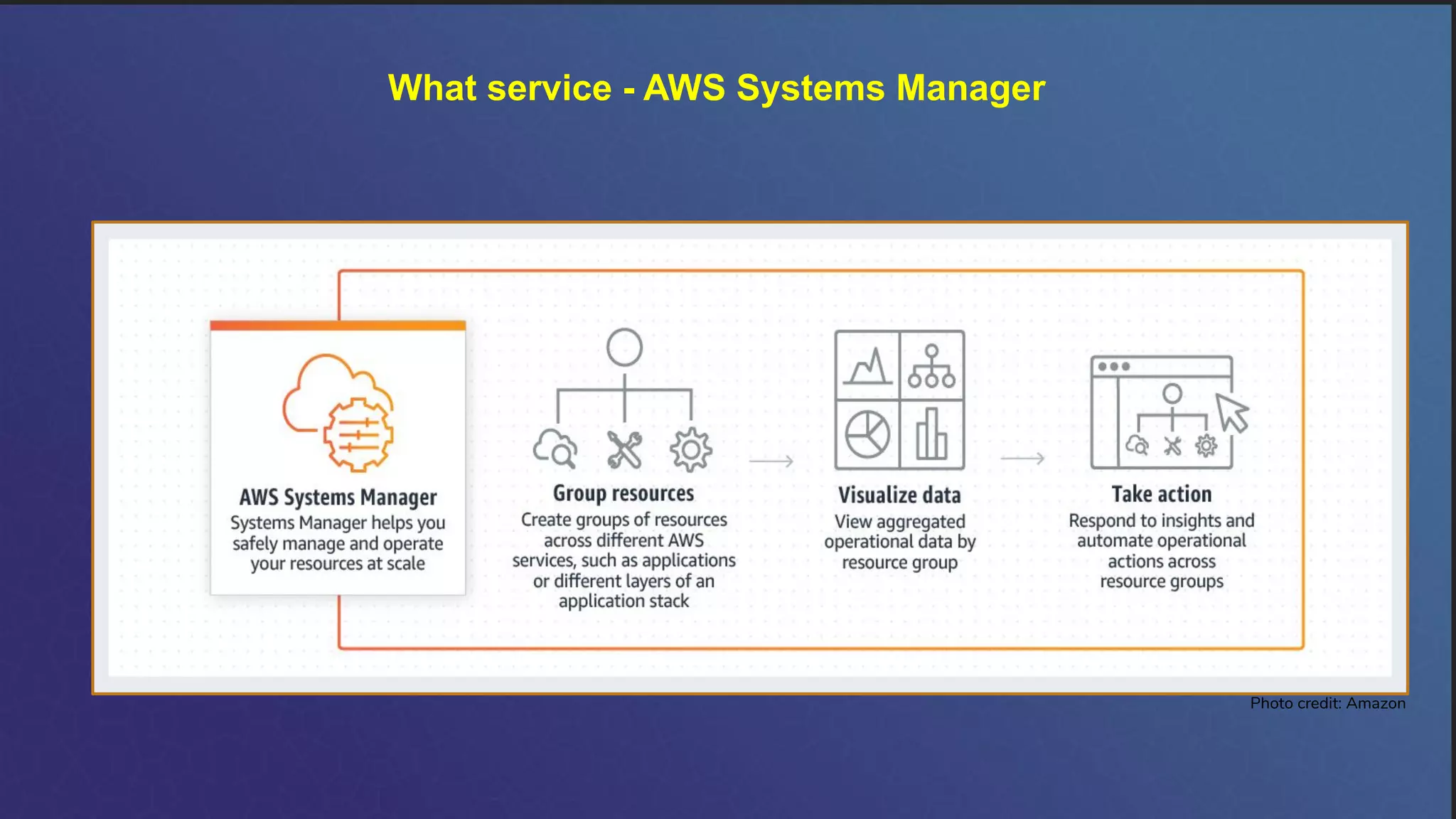
What service - AWS Systems Manager
Photo credit: Amazon
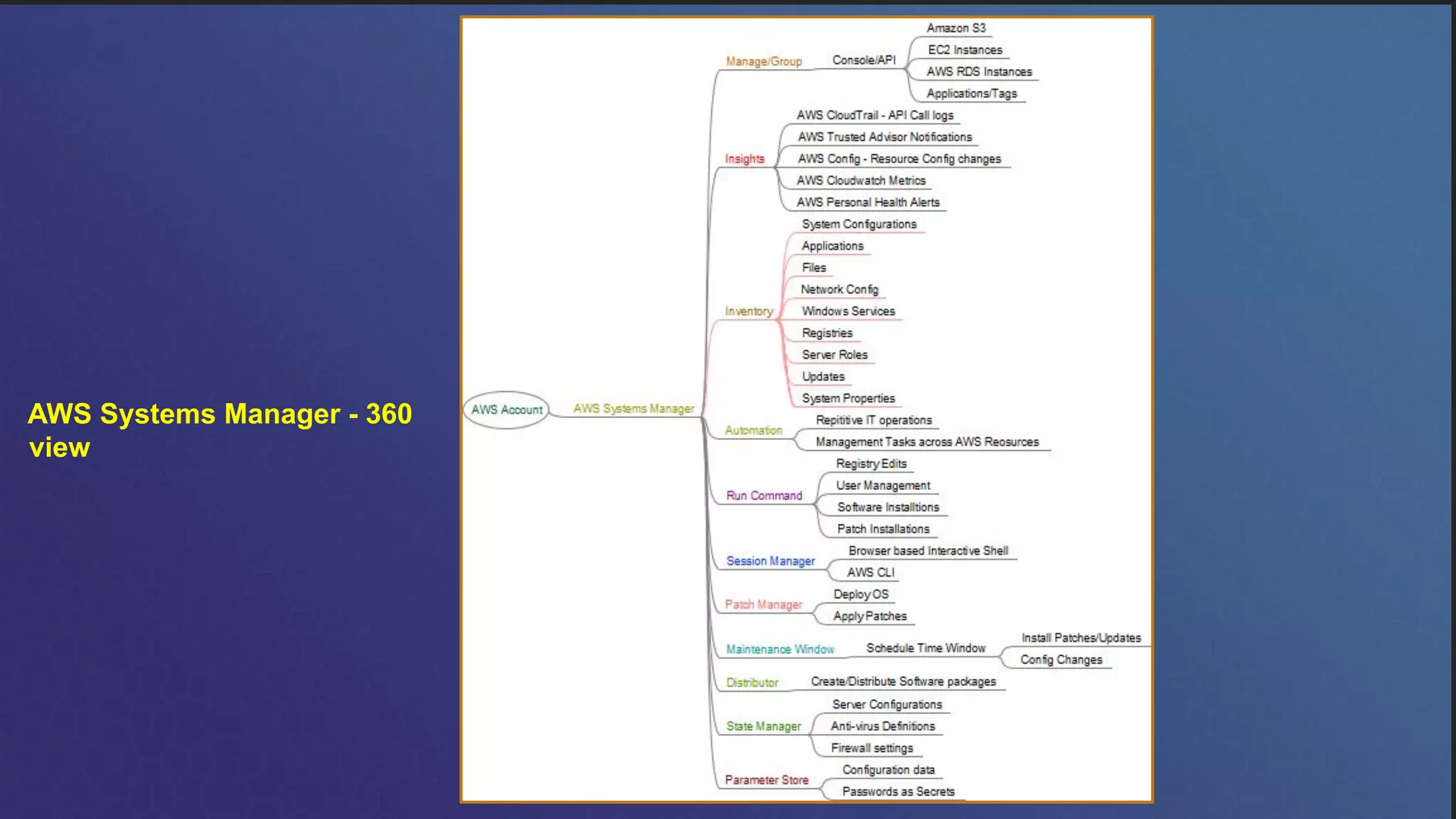
AWS Systems Manager - 360
view
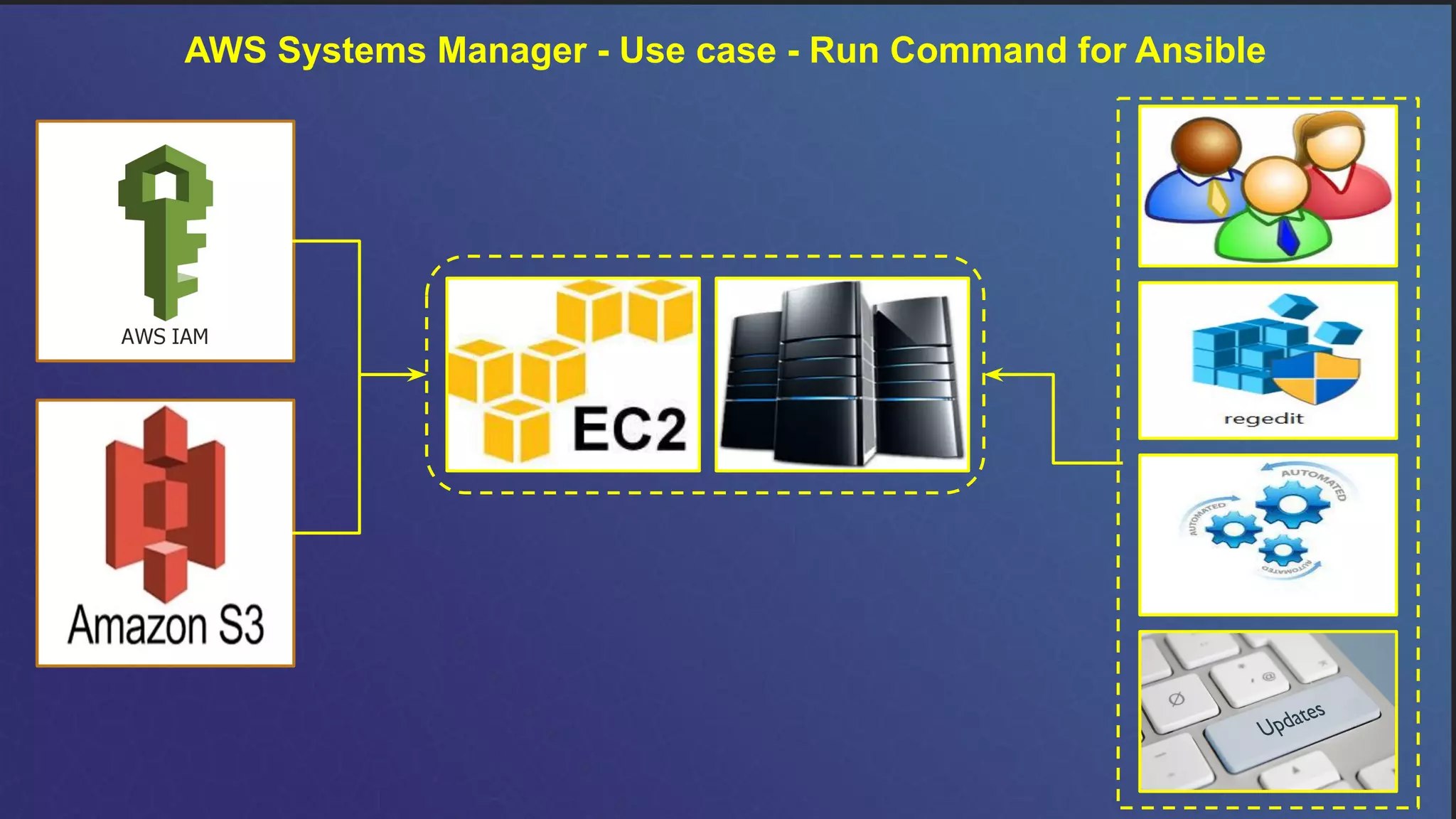
AWS Systems Manager - Use case - Run Command for Ansible
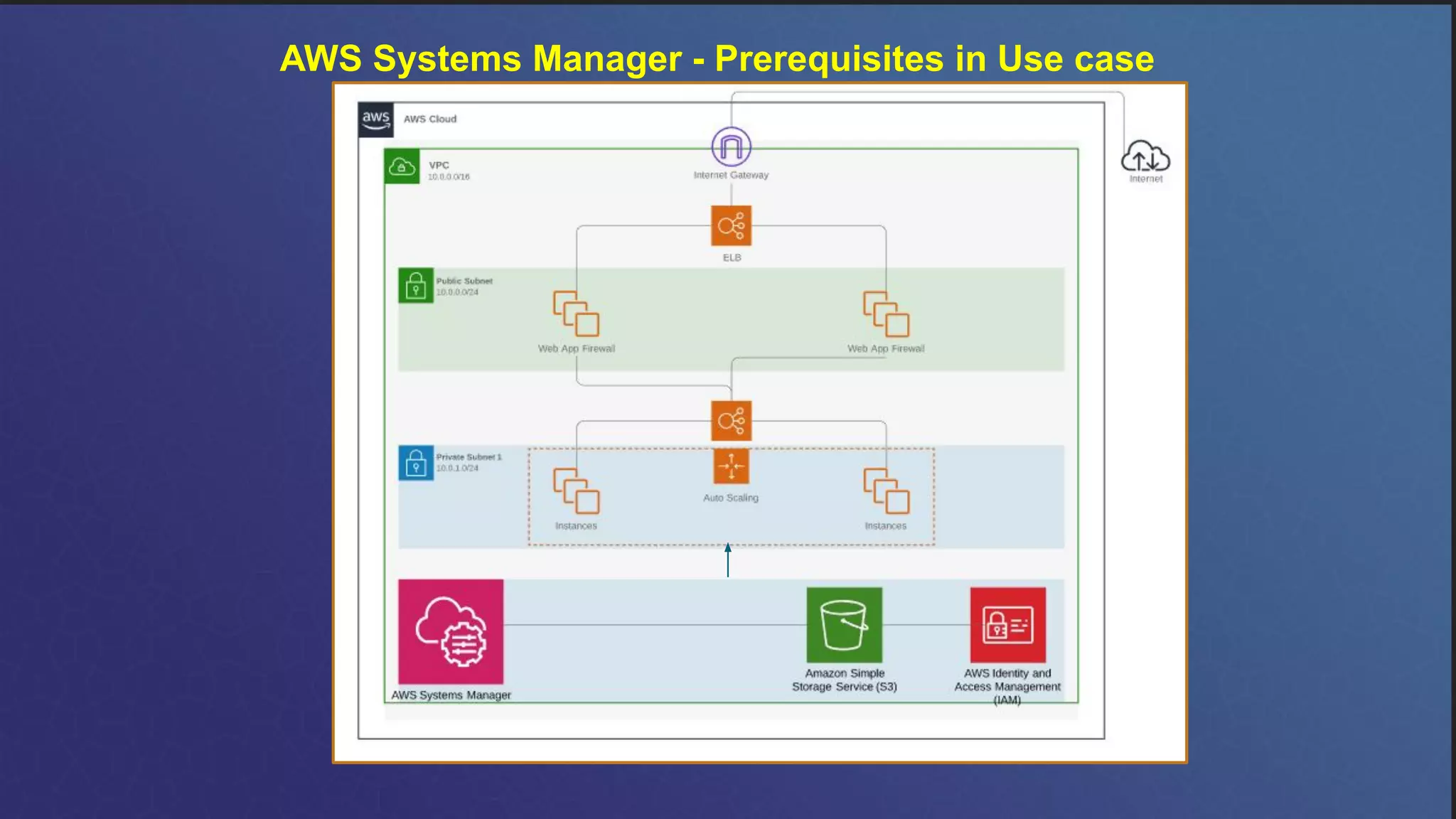
AWS Systems Manager - Prerequisites in Use case
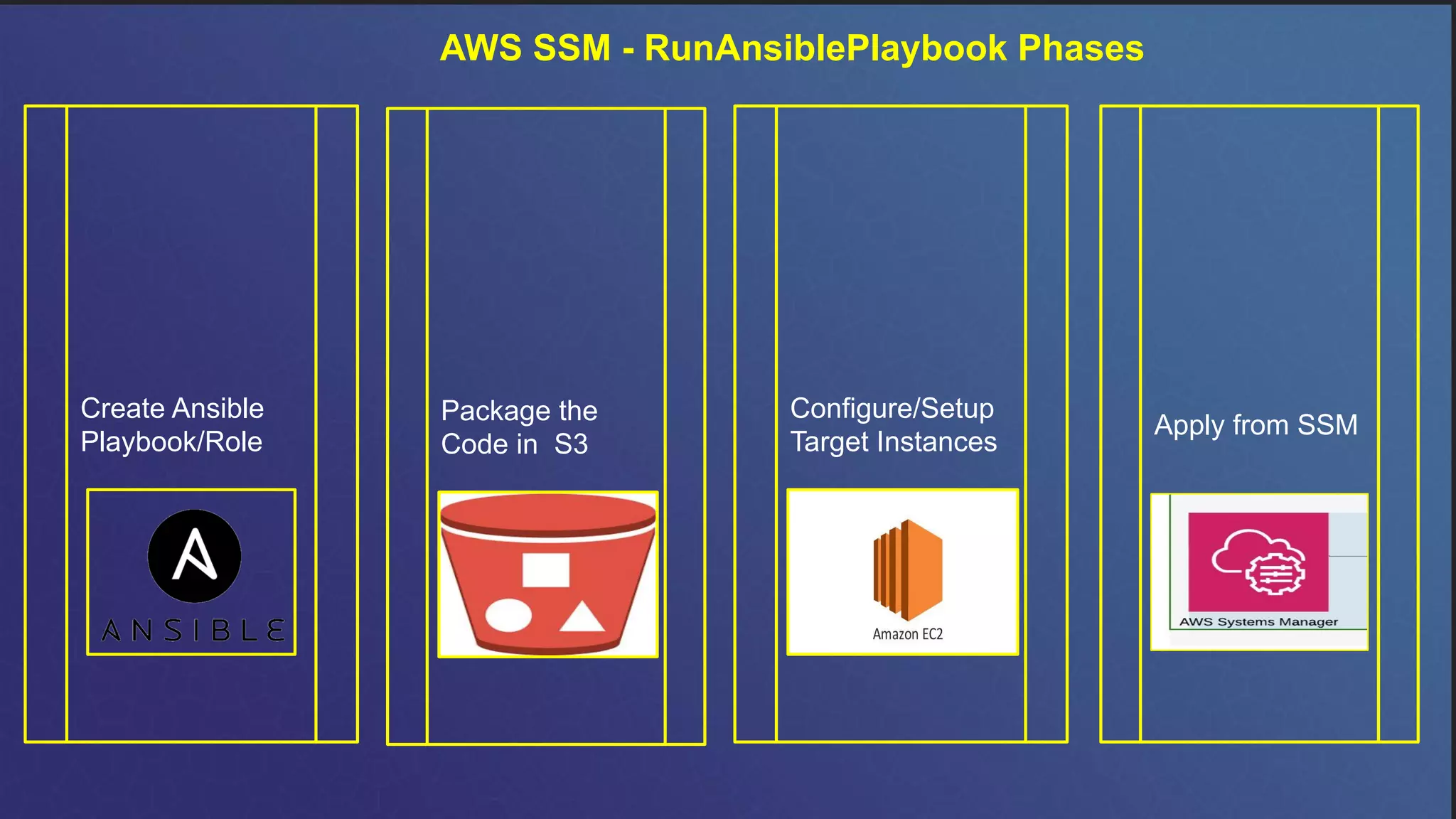
AWS SSM - RunAnsiblePlaybook Phases
Create Ansible
Playbook/Role
Package the
Code in S3
Configure/Setup
Target Instances
Apply from SSM
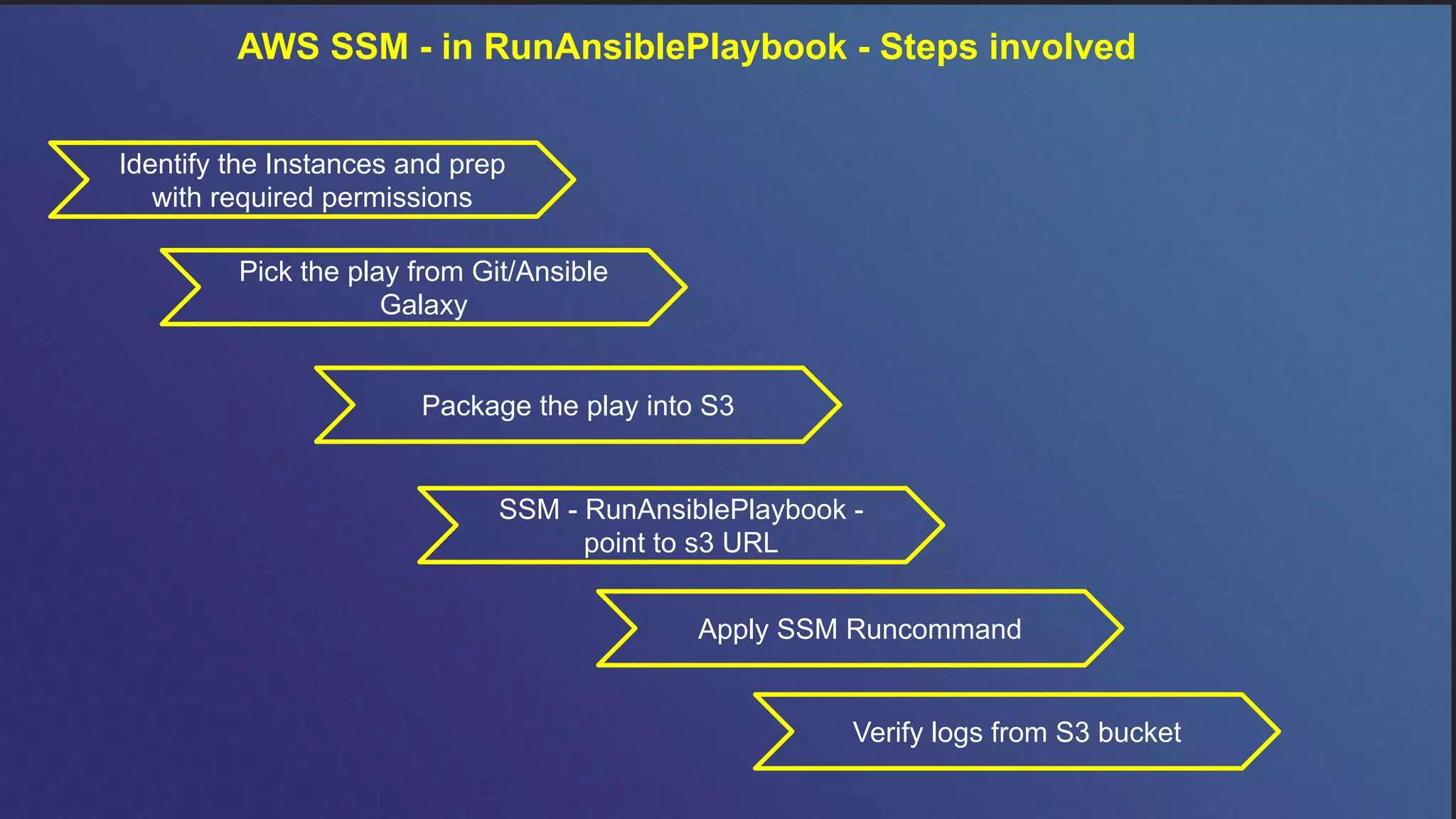
AWS SSM - in RunAnsiblePlaybook - Steps involved
Identify the Instances and prep
with required permissions
Package the play into S3
SSM - RunAnsiblePlaybook -
point to s3 URL
Verify logs from S3 bucket
Apply SSM Runcommand
Pick the play from Git/Ansible
Galaxy
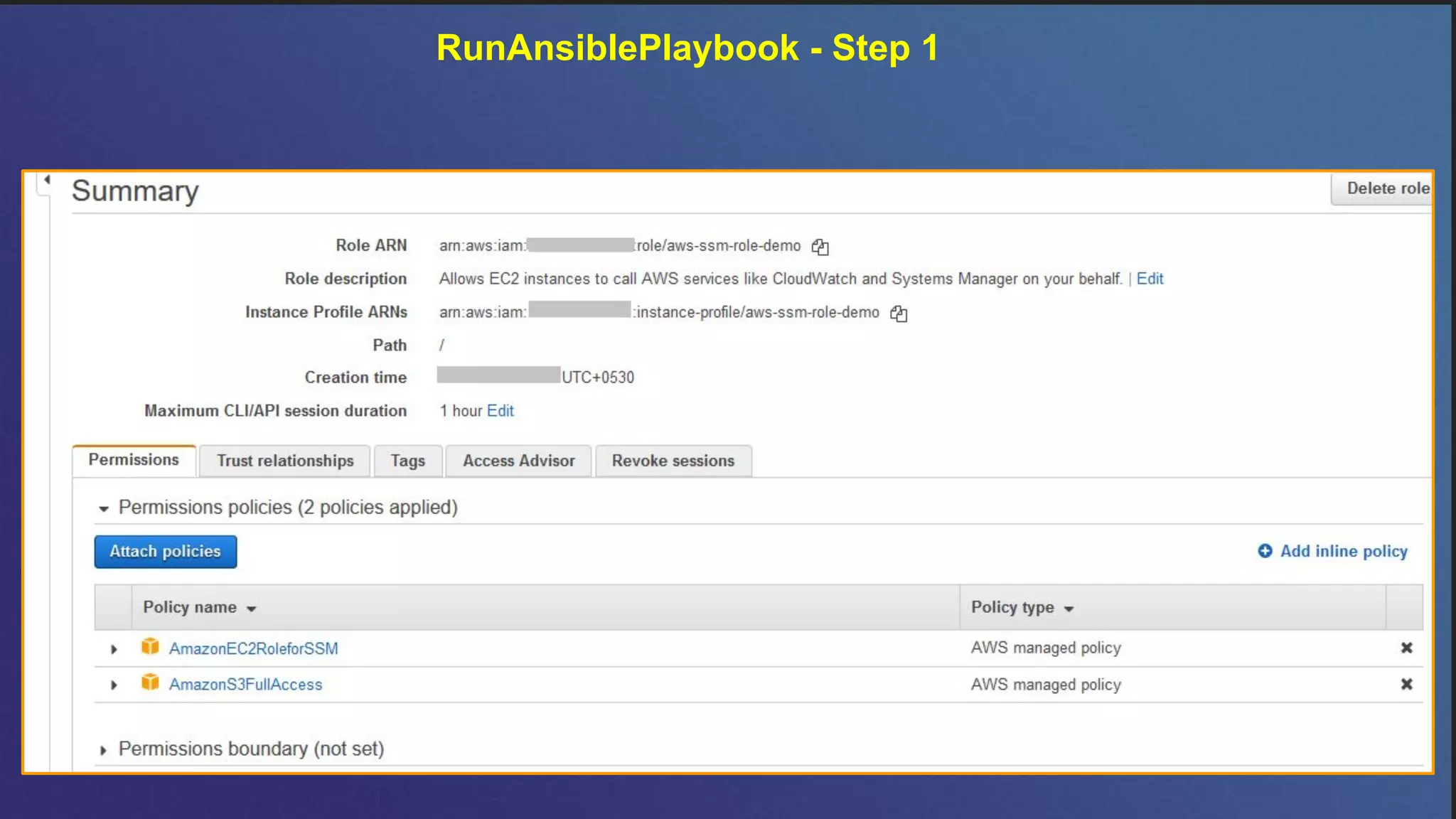
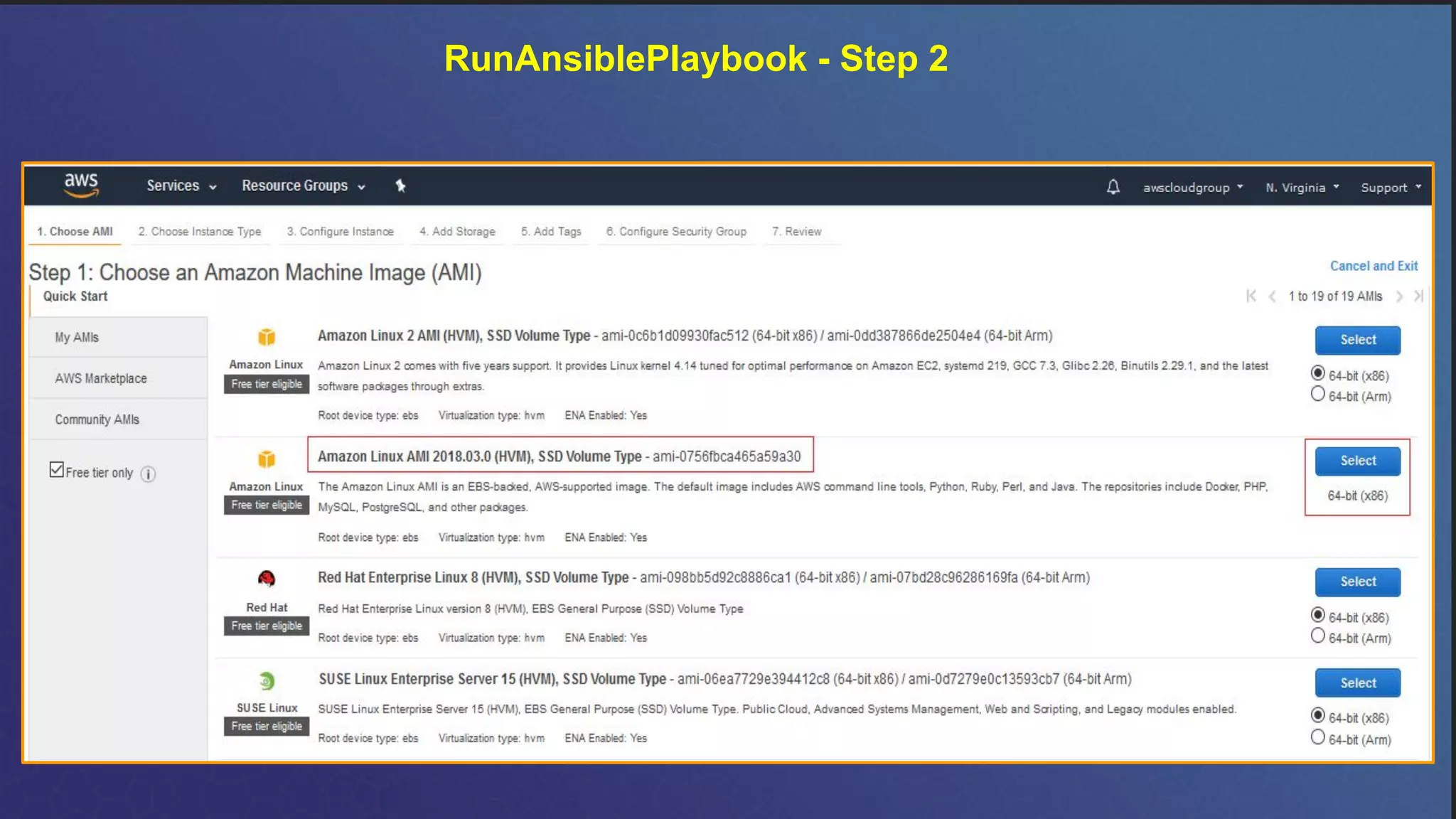
RunAnsiblePlaybook - Step 1
RunAnsiblePlaybook - Step 2
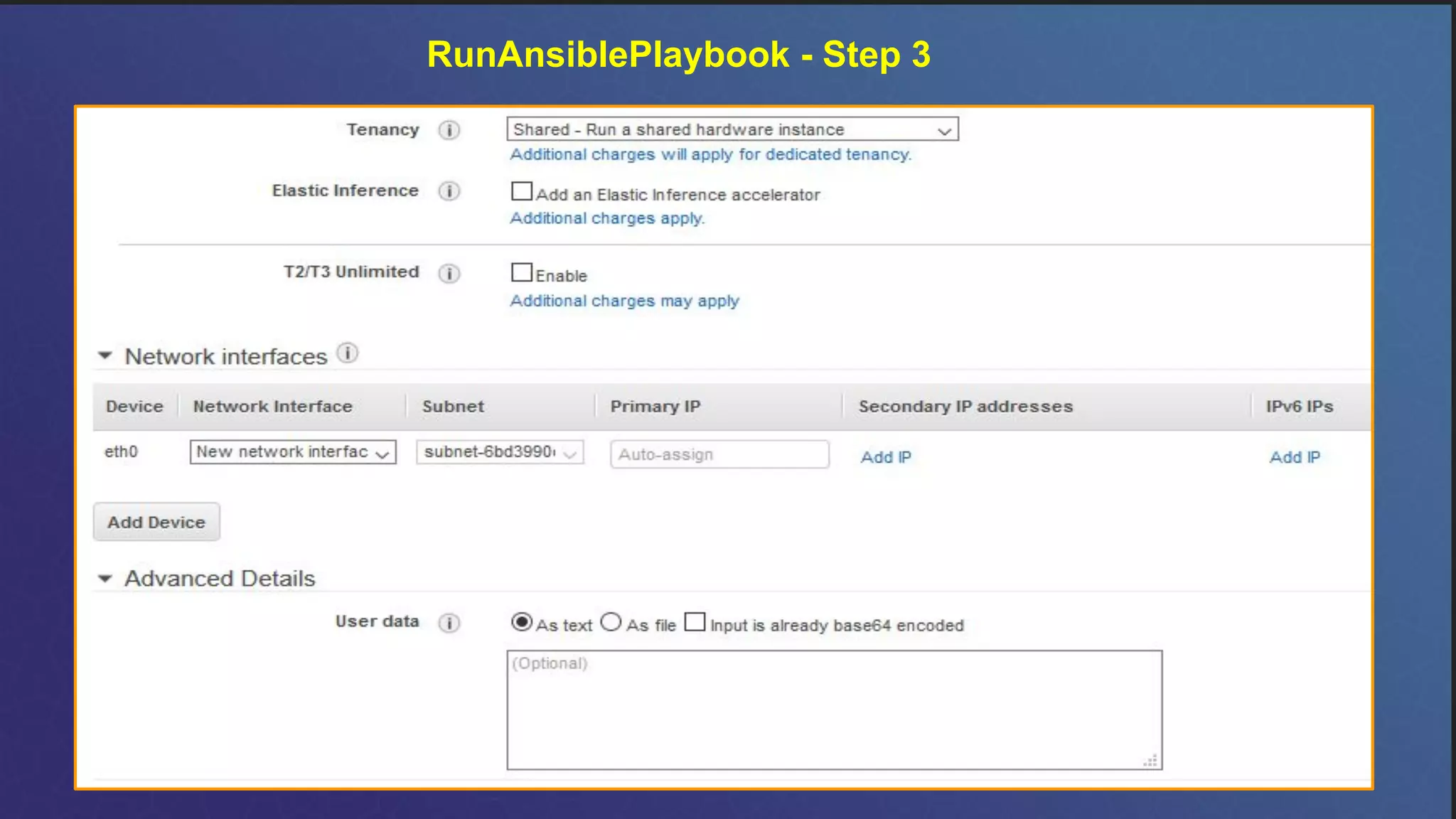
RunAnsiblePlaybook - Step 3
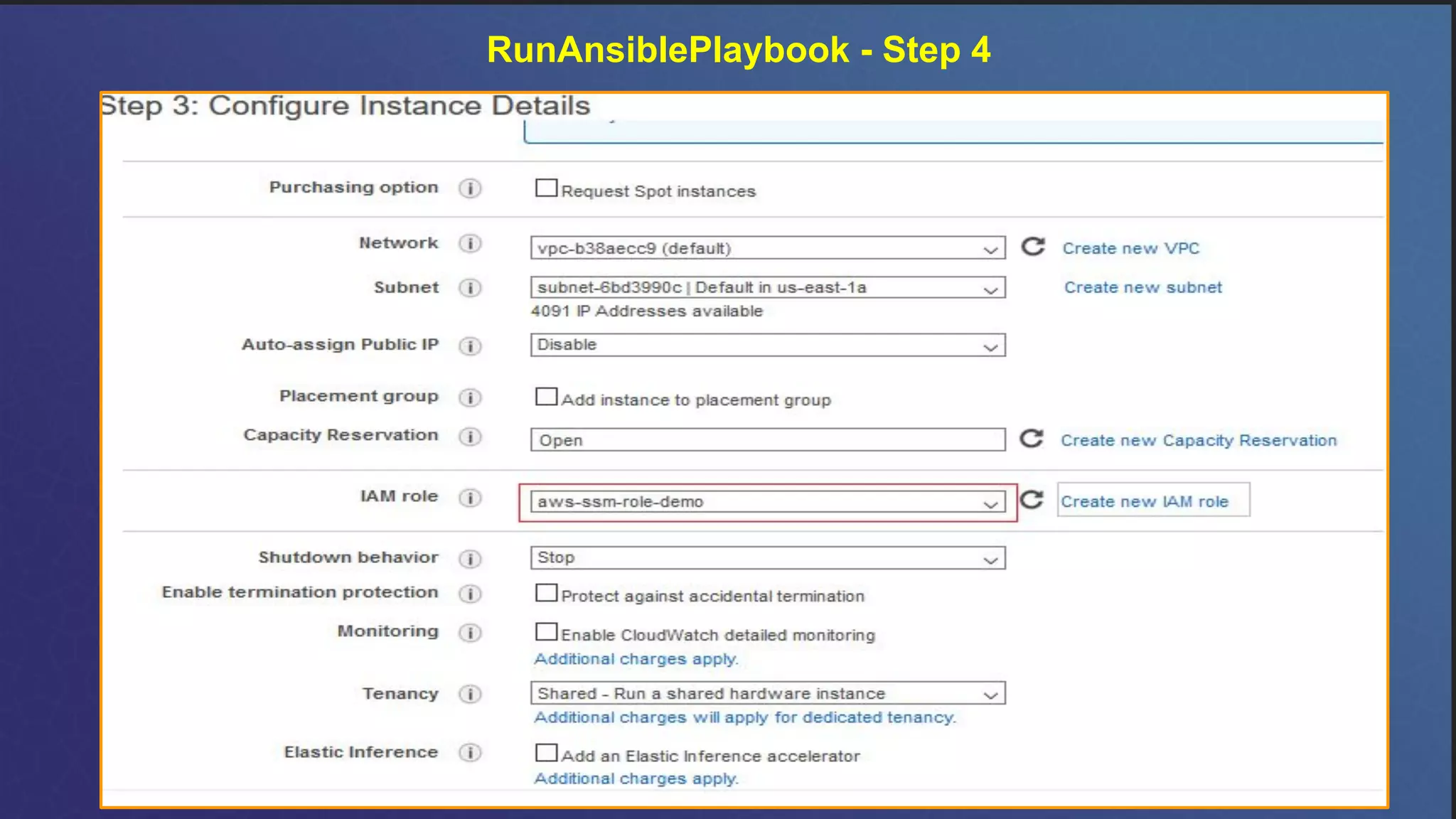
RunAnsiblePlaybook - Step 4
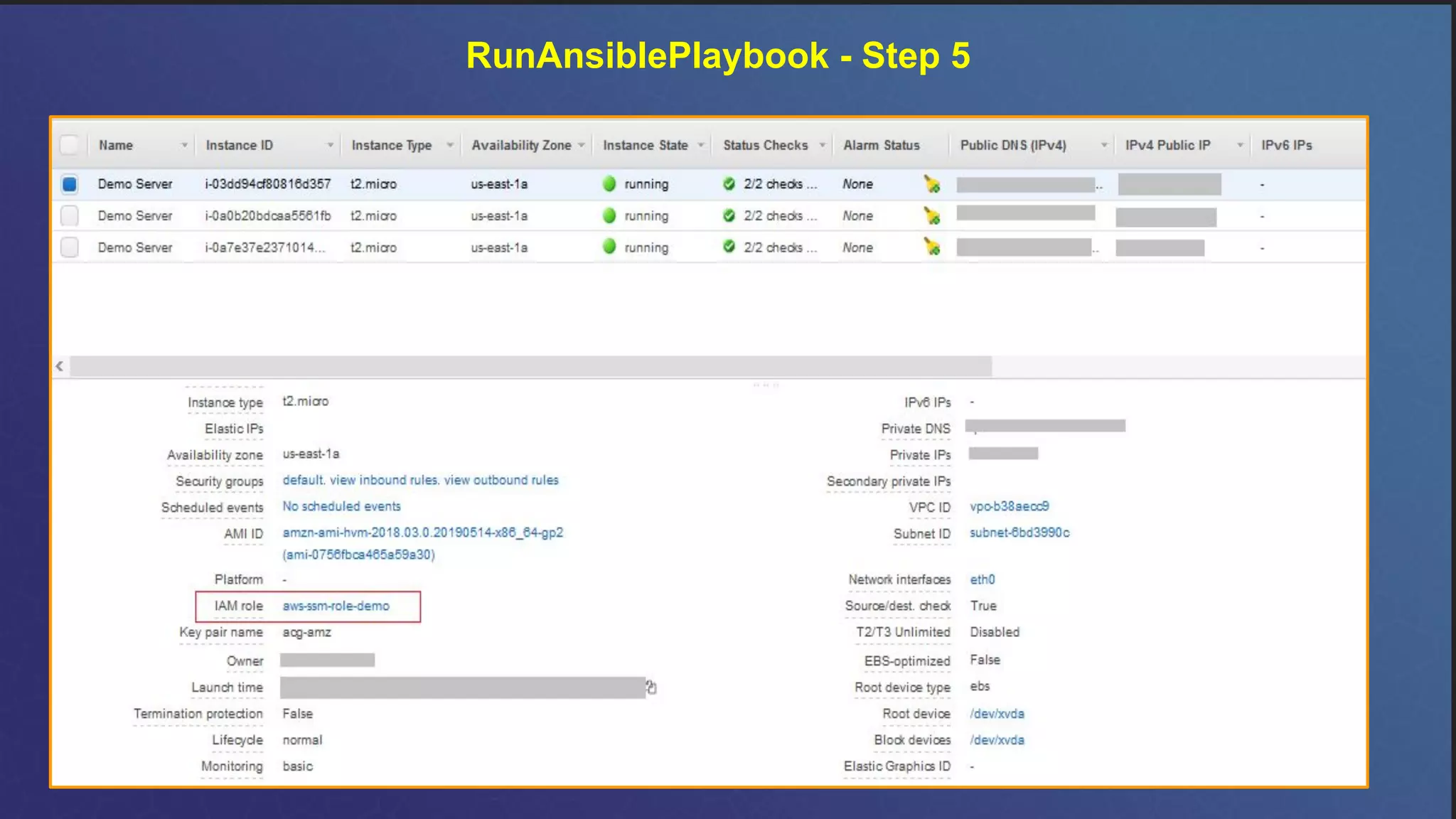
RunAnsiblePlaybook - Step 5
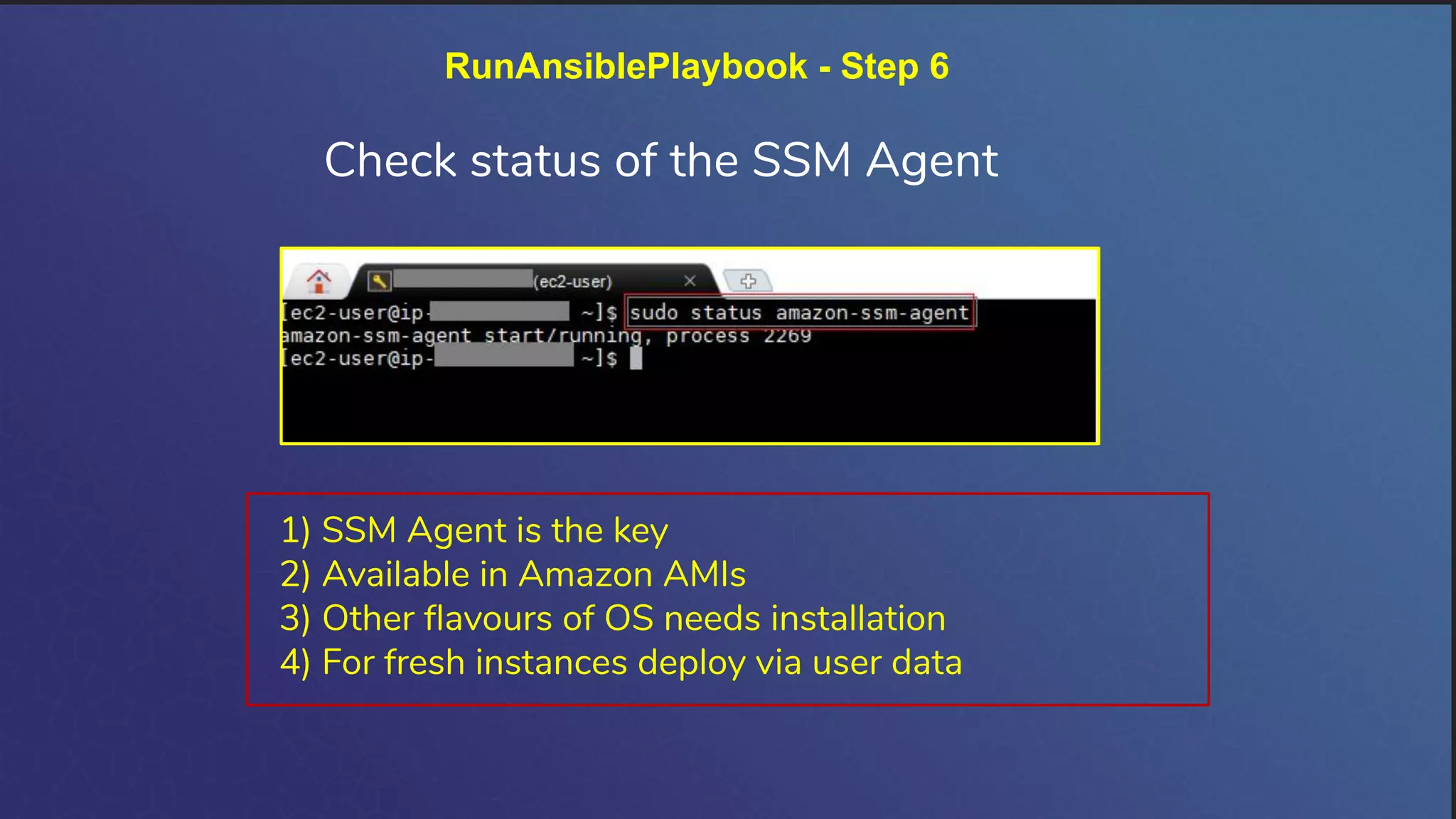
RunAnsiblePlaybook - Step 6
Check status of the SSM Agent
1) SSM Agent is the key
2) Available in Amazon AMIs
3) Other flavours of OS needs installation
4) For fresh instances deploy via user data
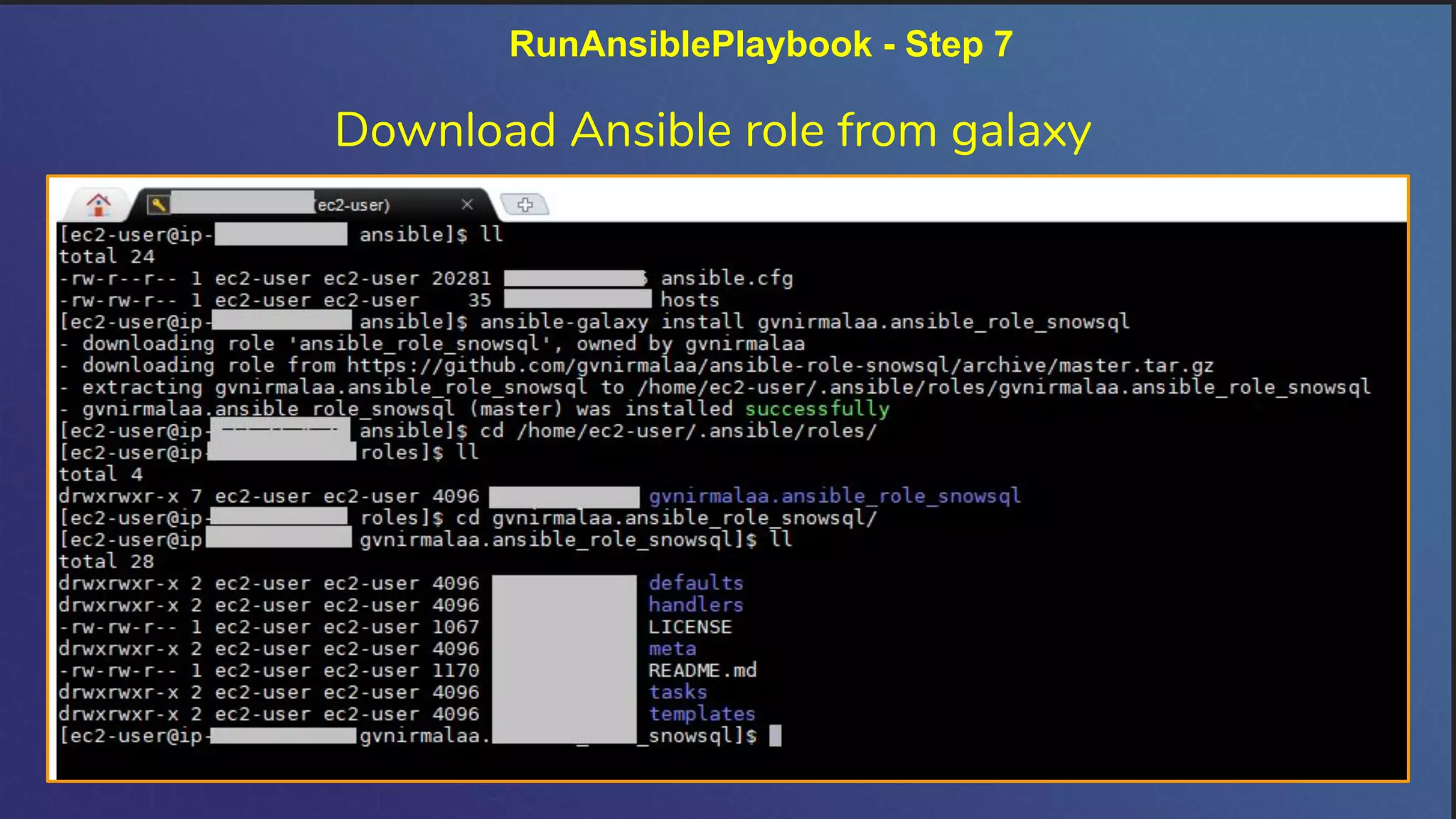
RunAnsiblePlaybook - Step 7
Download Ansible role from galaxy
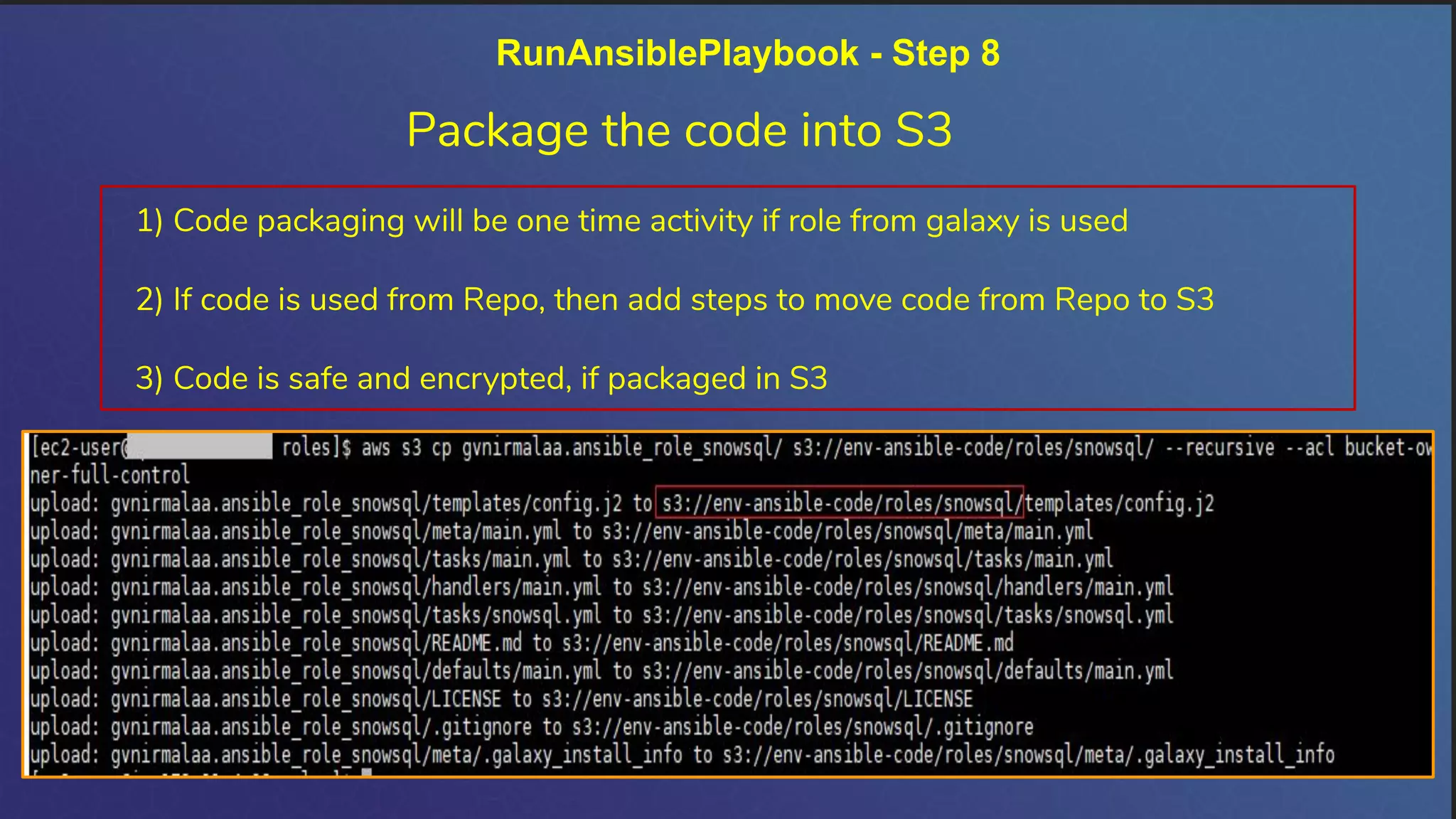
RunAnsiblePlaybook - Step 8
Package the code into S3
1) Code packaging will be one time activity if role from galaxy is used
2) If code is used from Repo, then add steps to move code from Repo to S3
3) Code is safe and encrypted, if packaged in S3
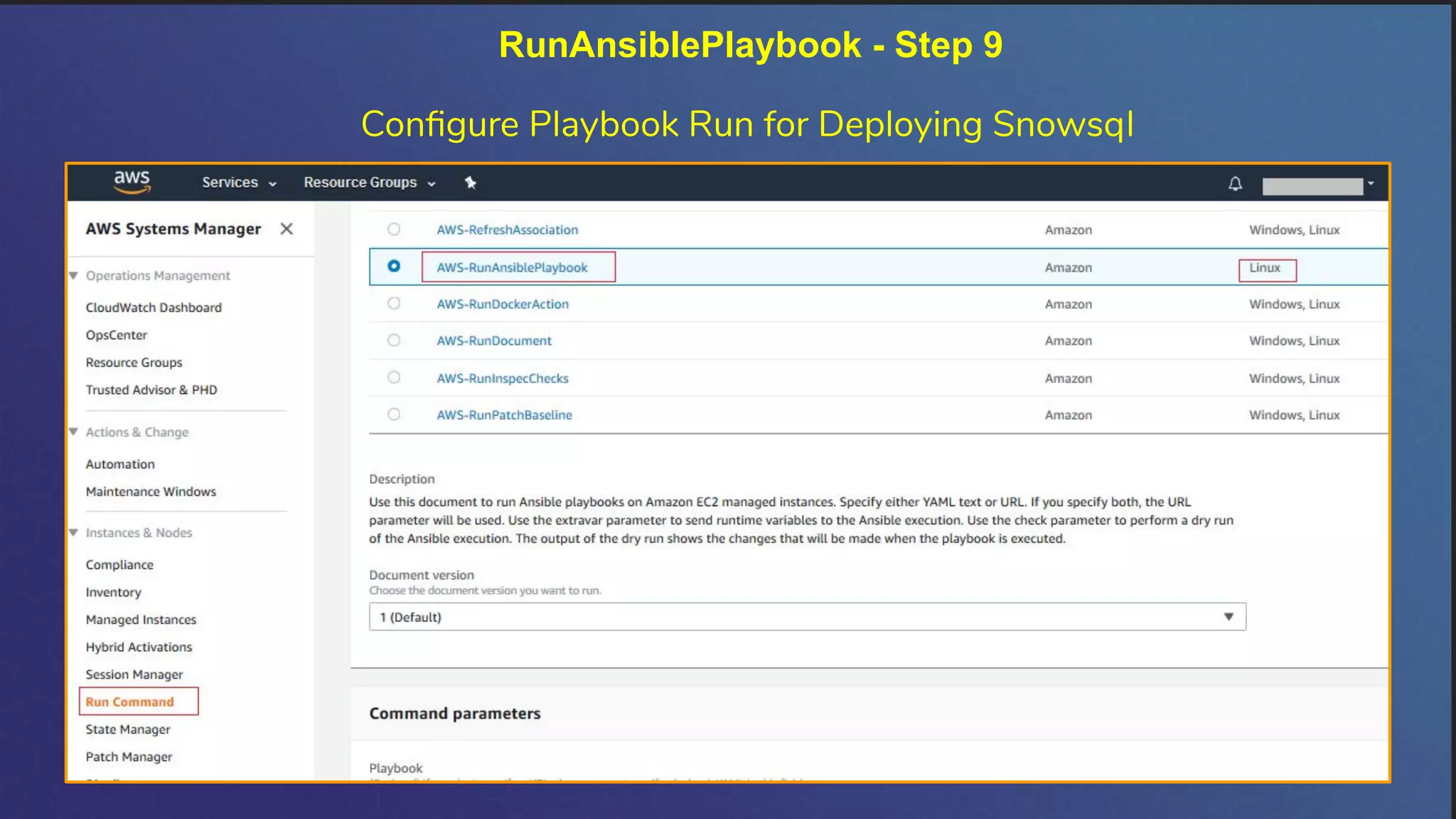
RunAnsiblePlaybook - Step 9
Configure Playbook Run for Deploying Snowsql
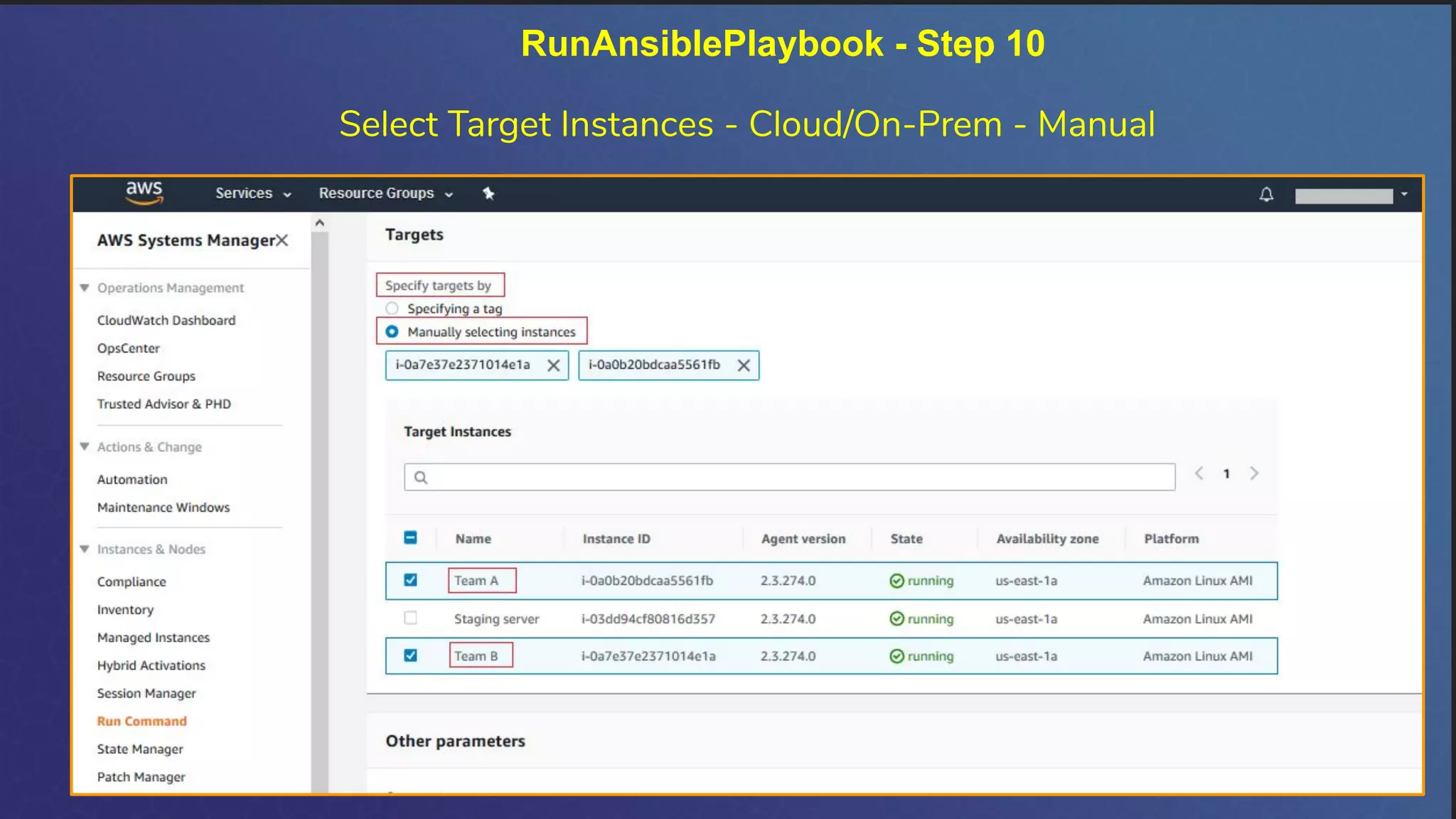
Select Target Instances - Cloud/On-Prem - Manual
RunAnsiblePlaybook - Step 10
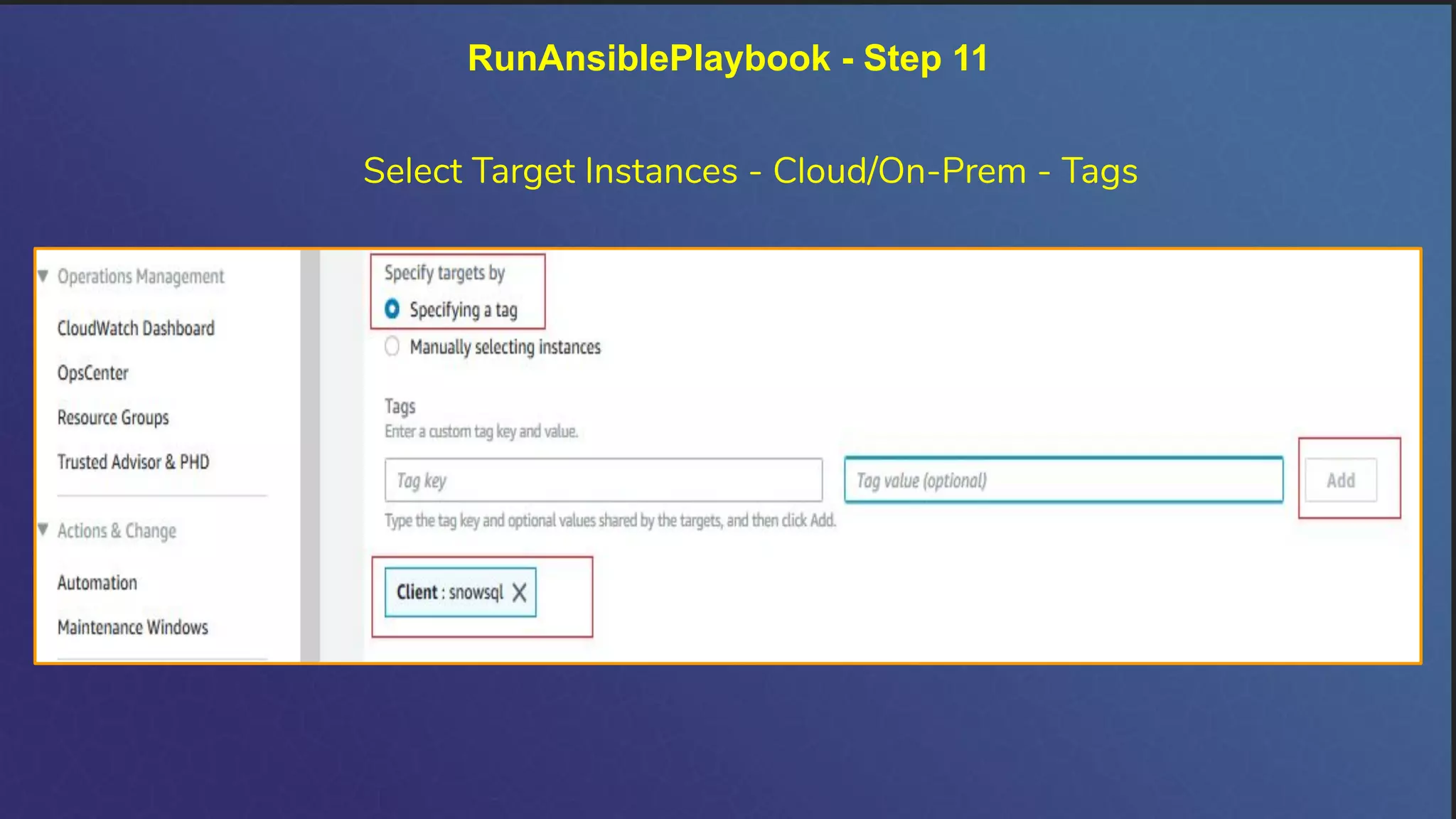
RunAnsiblePlaybook - Step 11
Select Target Instances - Cloud/On-Prem - Tags
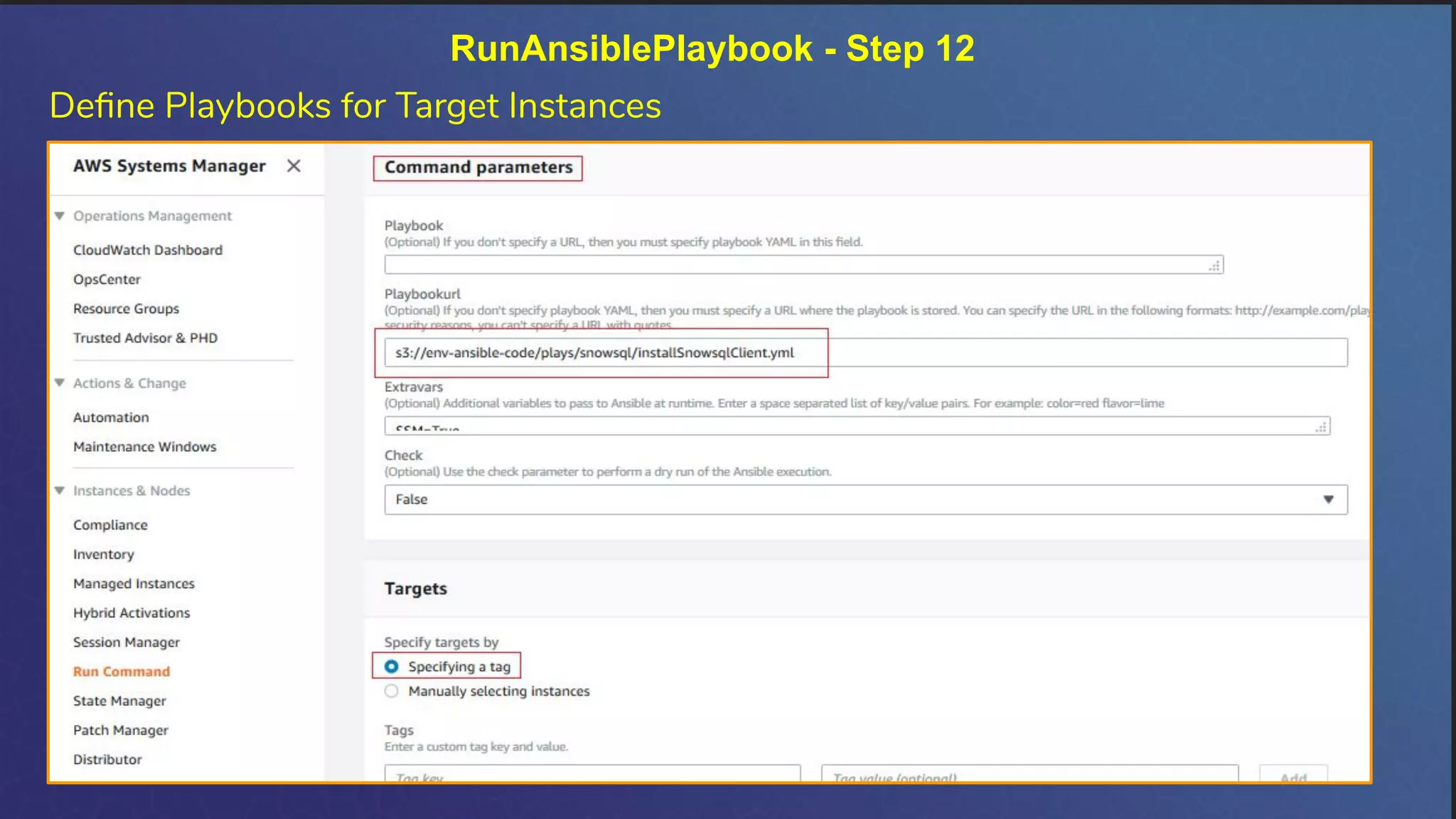
RunAnsiblePlaybook - Step 12
Define Playbooks for Target Instances
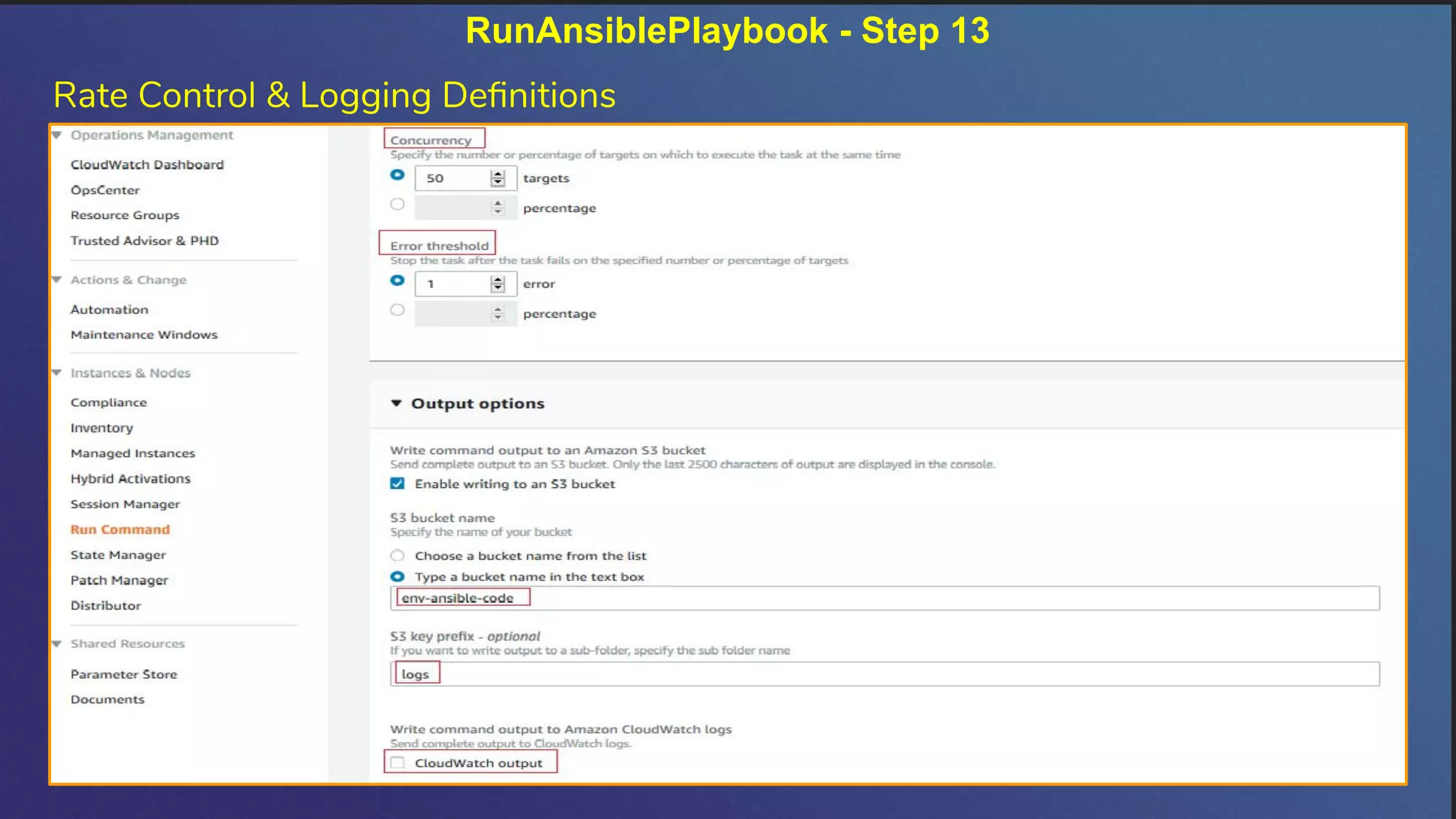
RunAnsiblePlaybook - Step 13
Rate Control & Logging Definitions
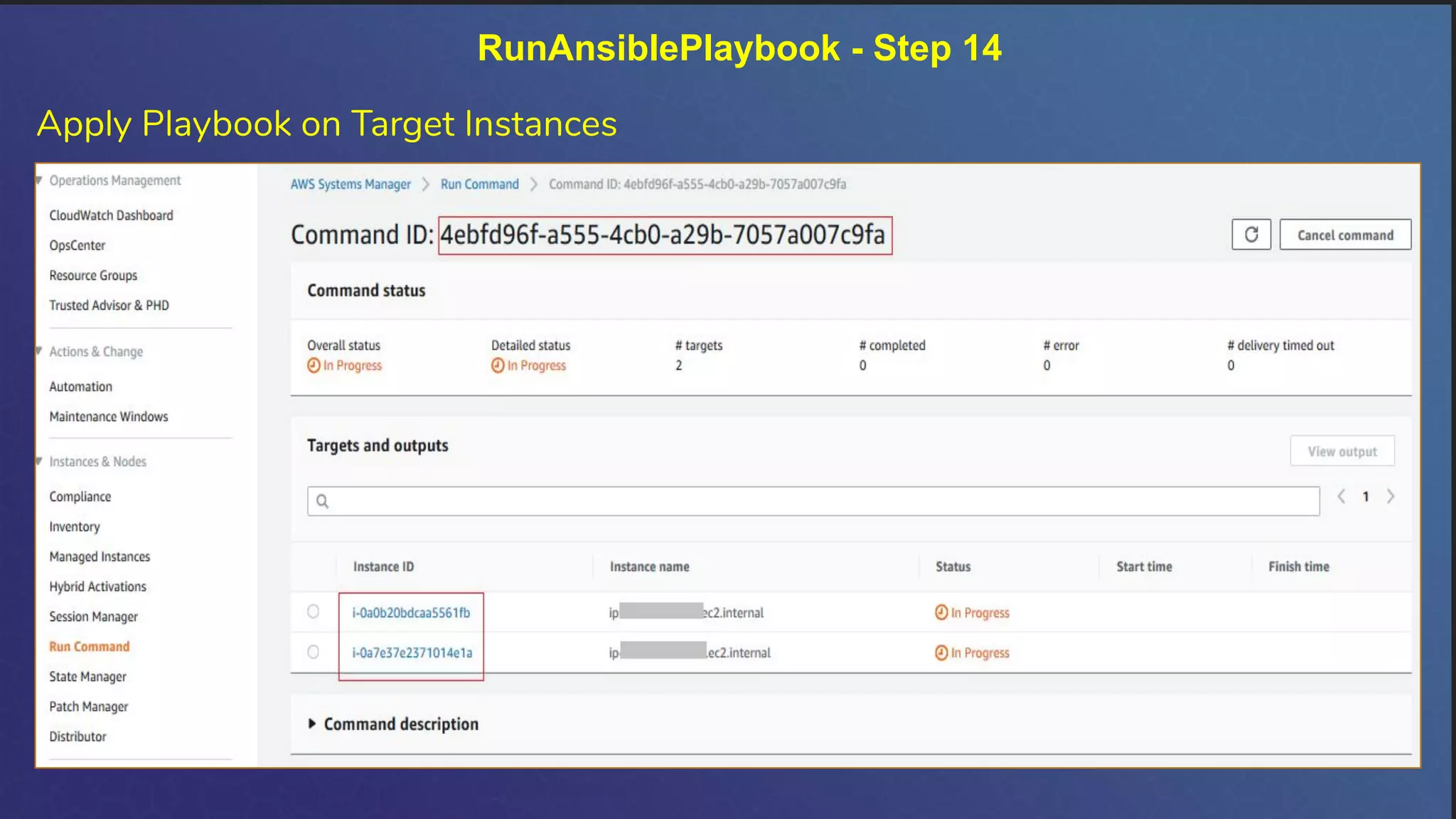
RunAnsiblePlaybook - Step 14
Apply Playbook on Target Instances
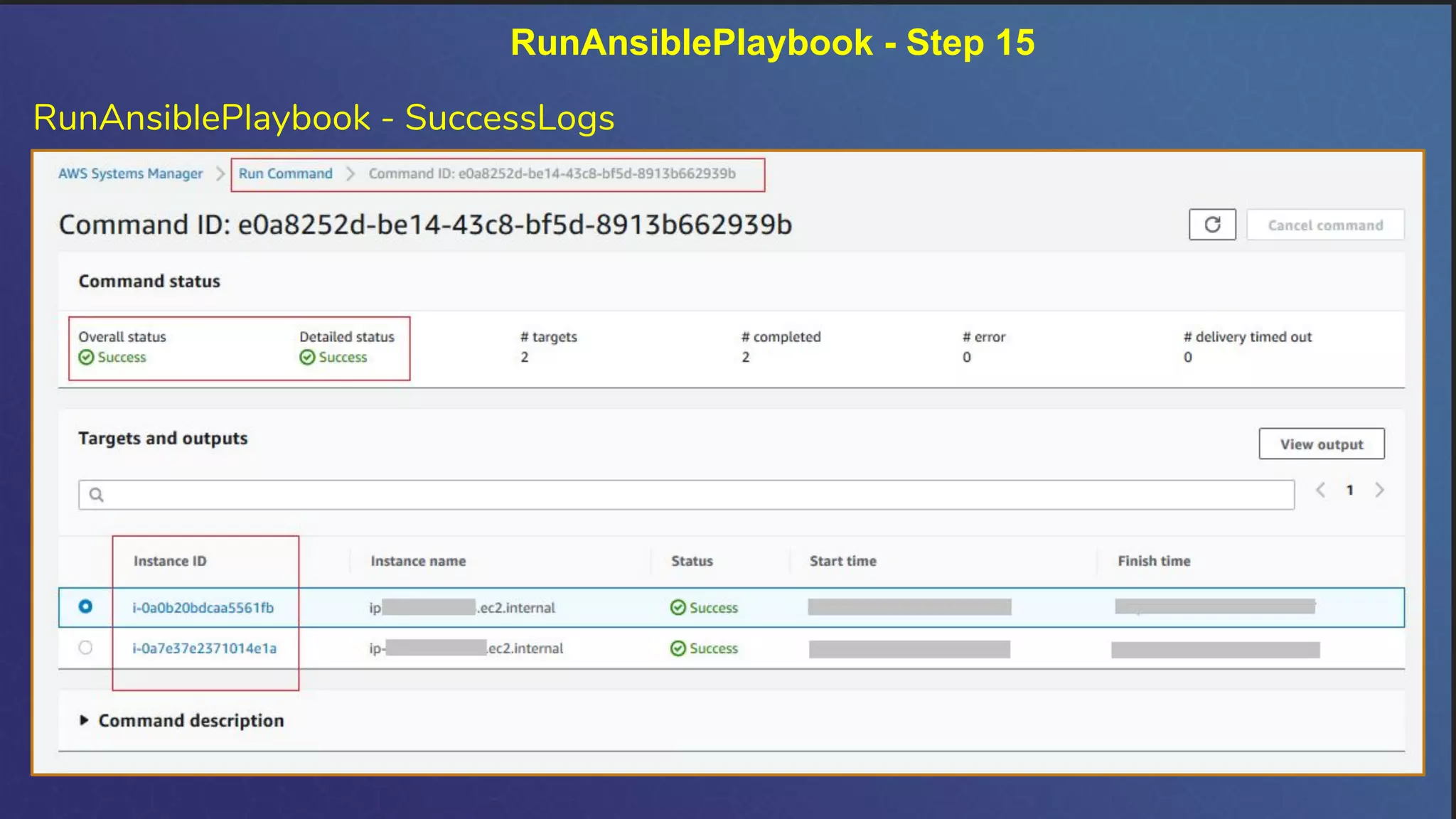
RunAnsiblePlaybook - Step 15
RunAnsiblePlaybook - SuccessLogs
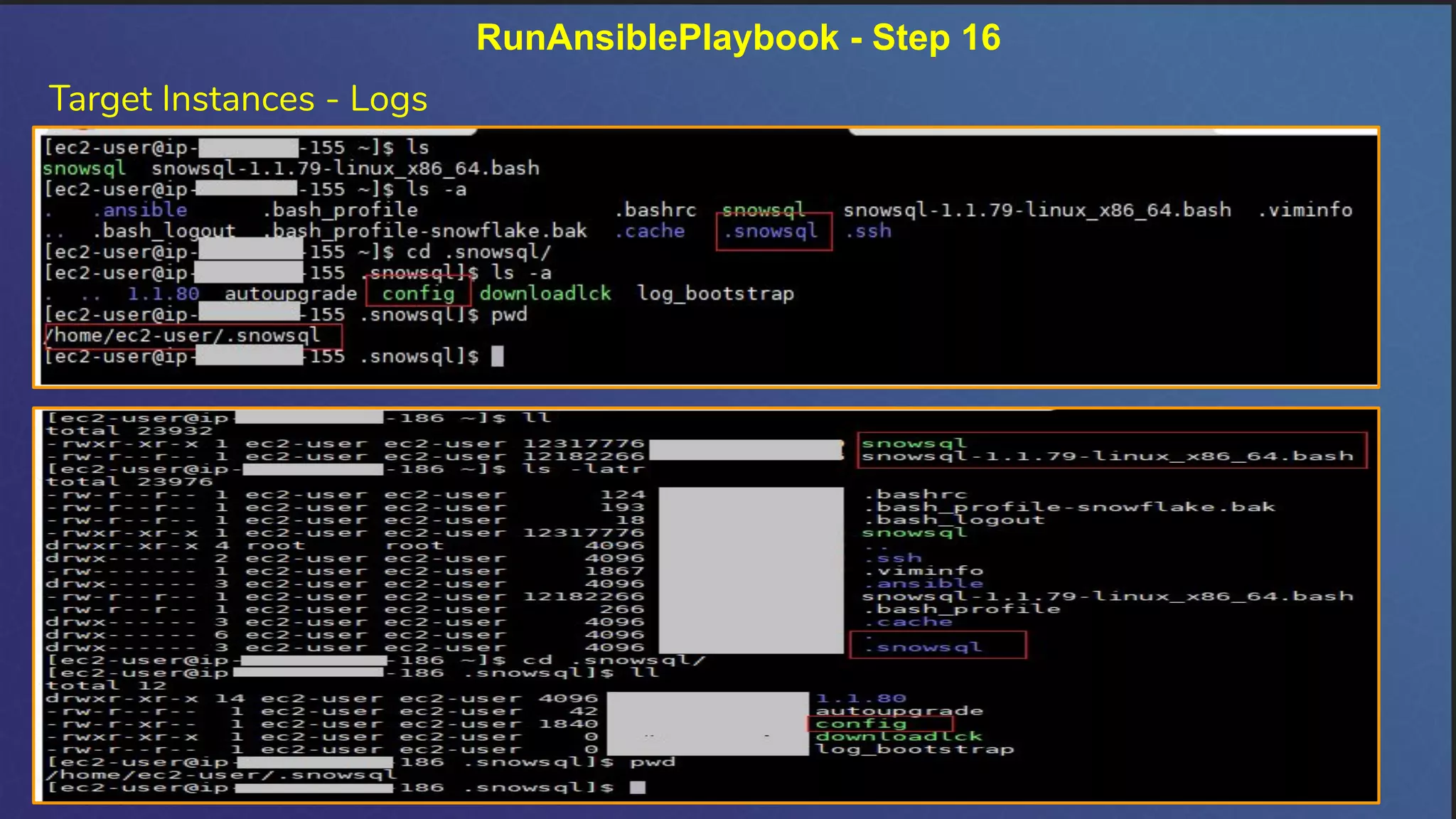
RunAnsiblePlaybook - Step 16
Target Instances - Logs
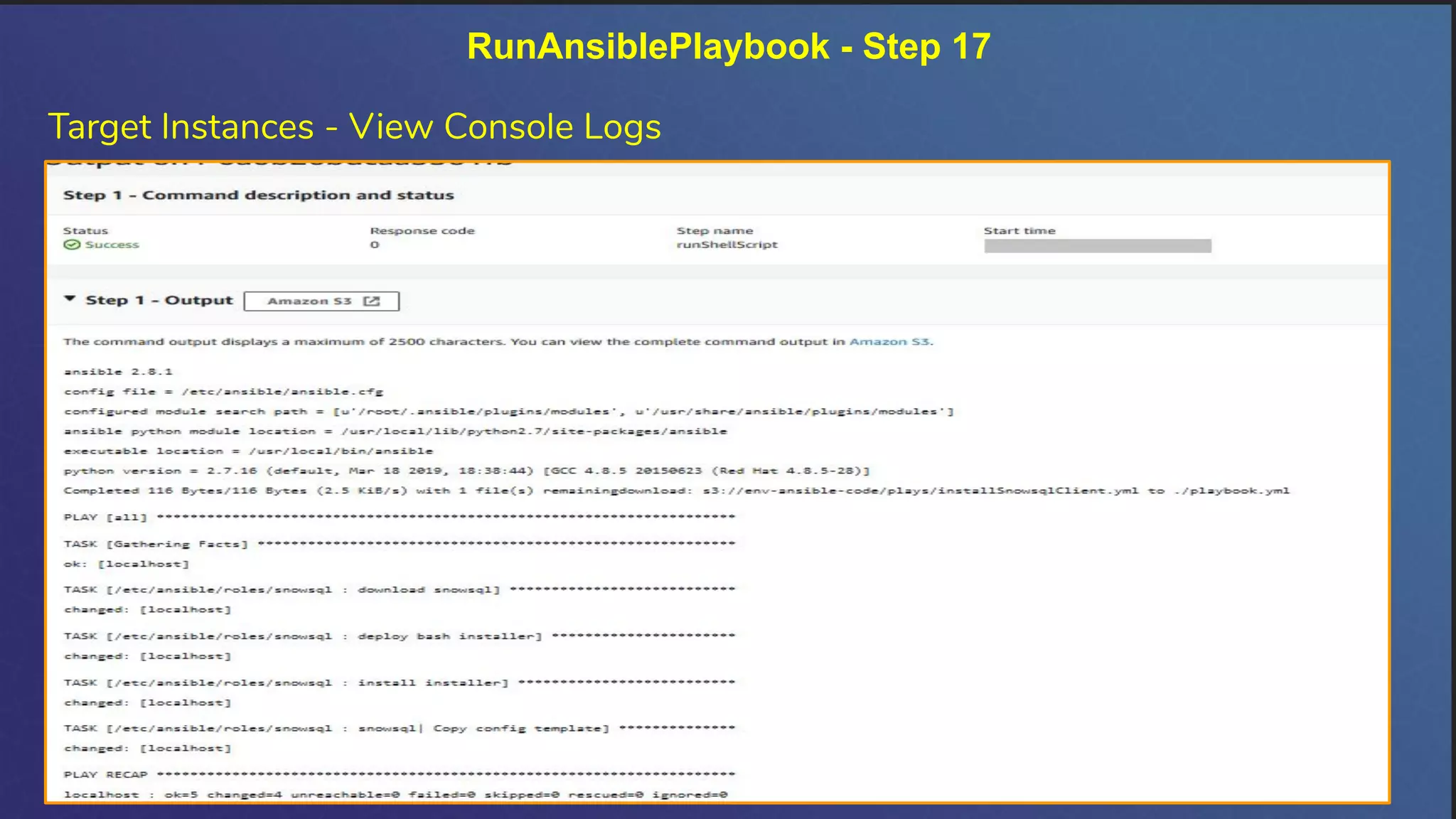
Target Instances - View Console Logs
RunAnsiblePlaybook - Step 17
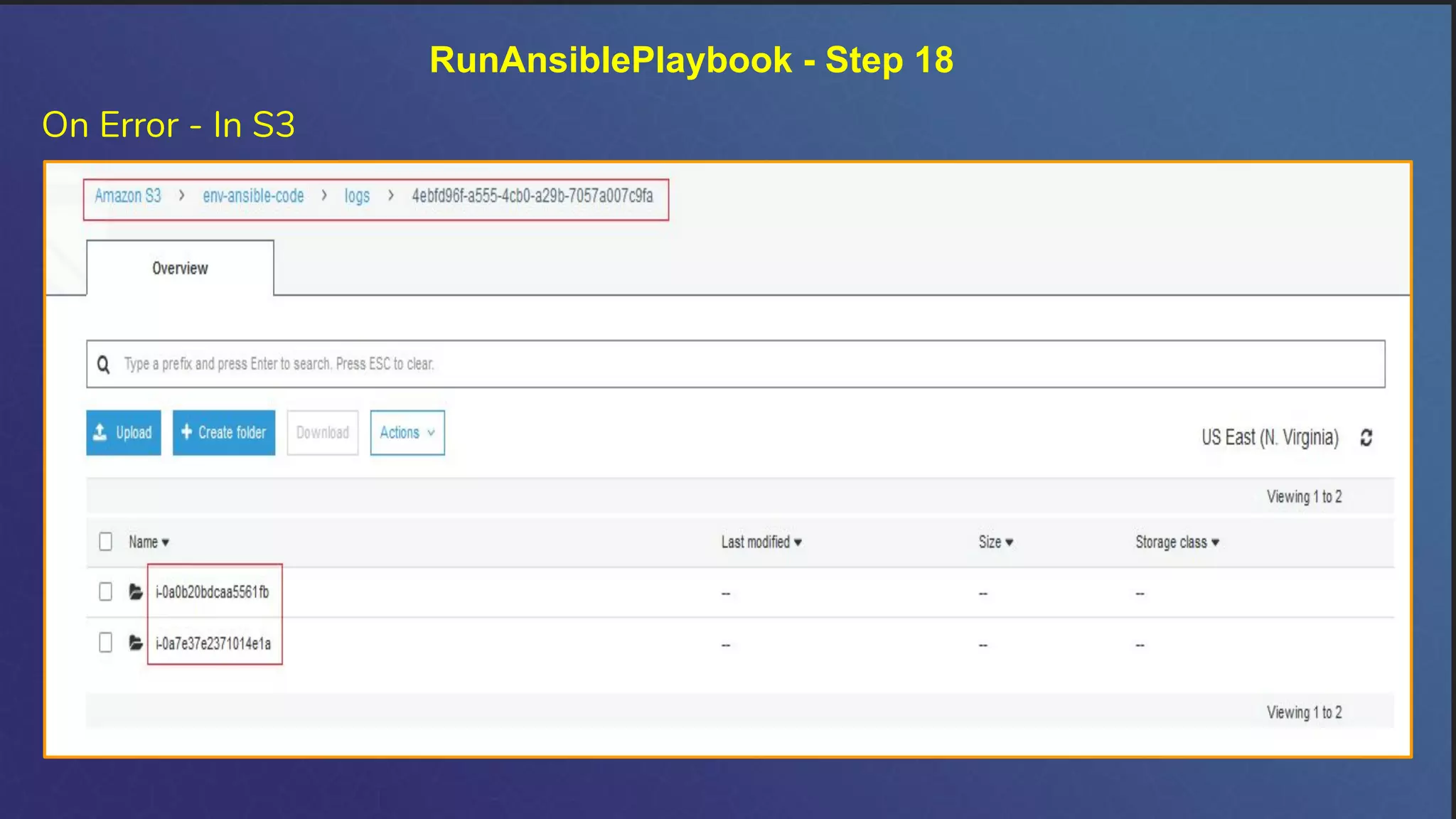
On Error - In S3
RunAnsiblePlaybook - Step 18
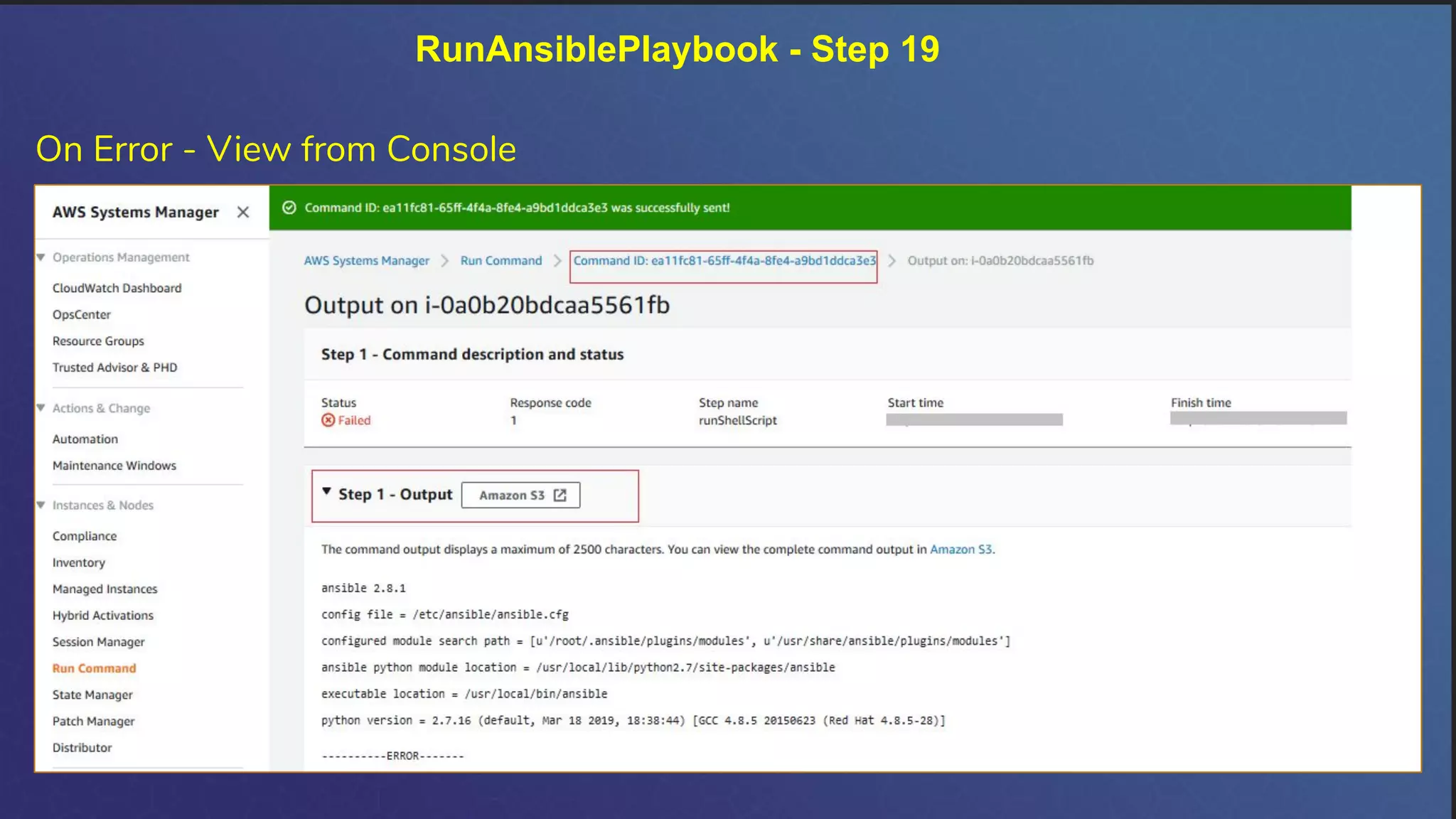
RunAnsiblePlaybook - Step 19
On Error - View from Console
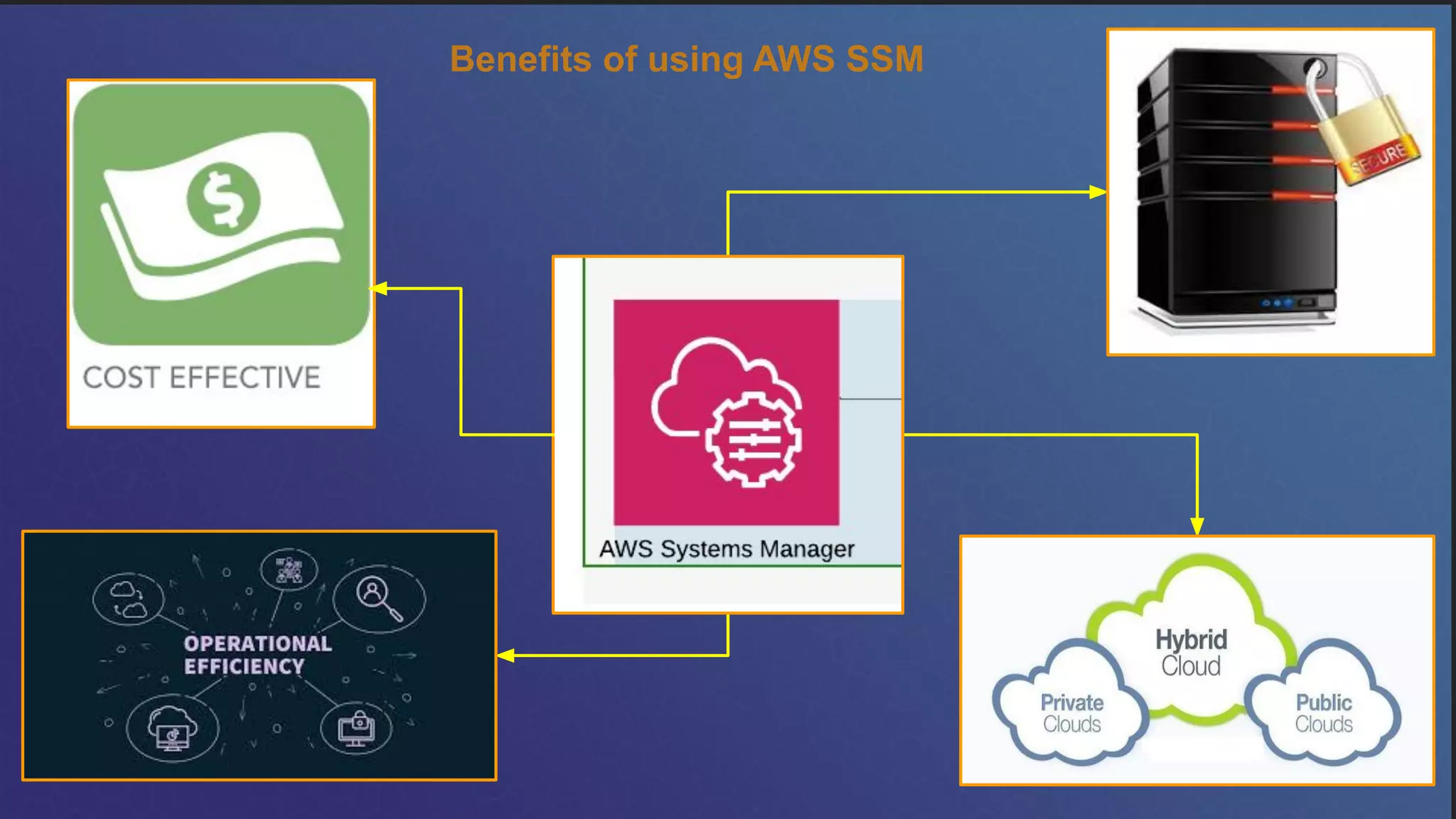
Benefits of using AWS SSM
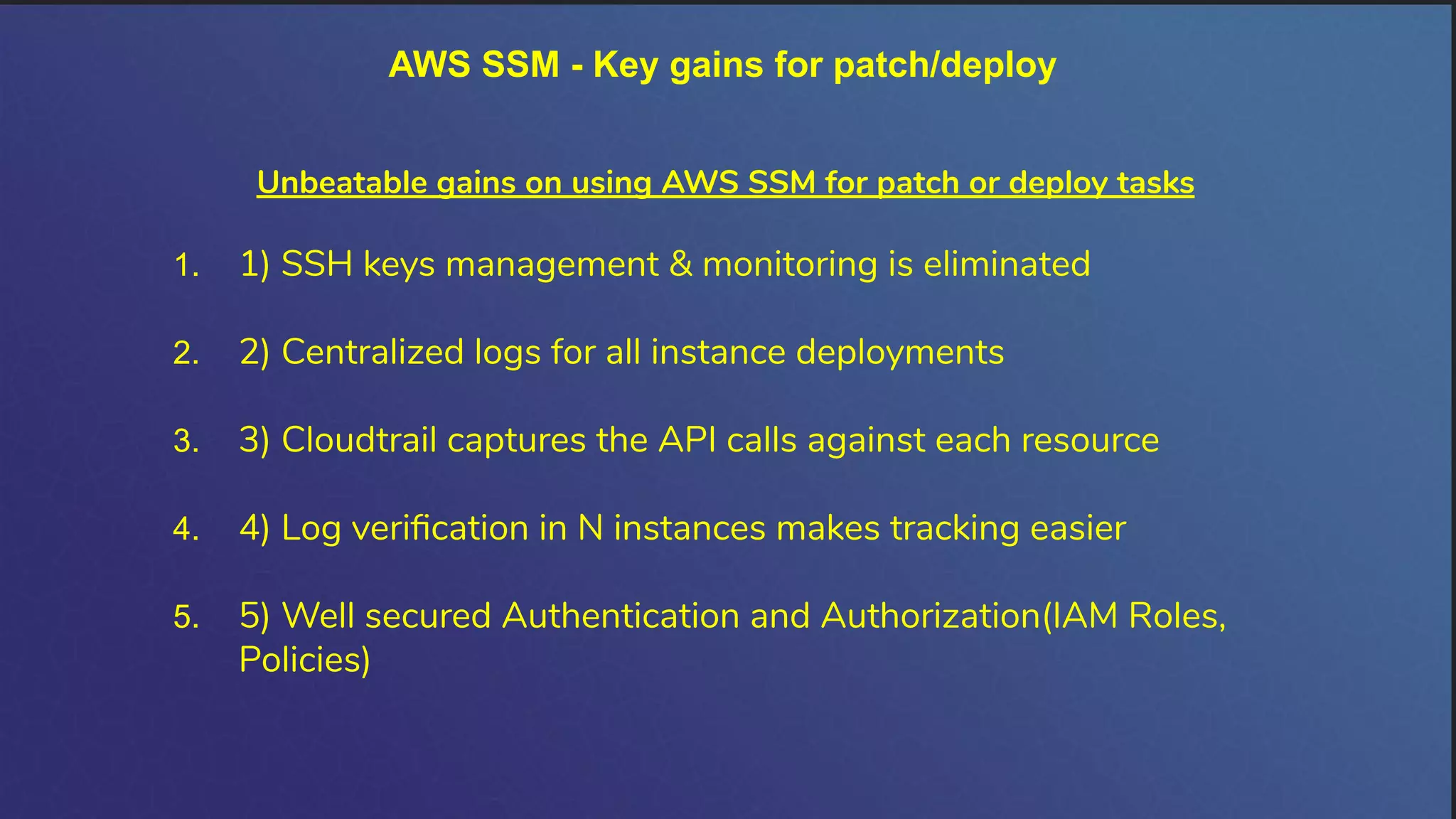
AWS SSM - Key gains for patch/deploy
Unbeatable gains on using AWS SSM for patch or deploy tasks
1. 1) SSH keys management & monitoring is eliminated
2. 2) Centralized logs for all instance deployments
3. 3) Cloudtrail captures the API calls against each resource
4. 4) Log verification in N instances makes tracking easier
5. 5) Well secured Authentication and Authorization(IAM Roles,
Policies)
Thank you !!!

VijayaNirmala_Unified_automation_on_cloud_on_premise

  • 1.
    Unified Automation onCloud, On premise
  • 2.
    Vijaya Nirmala isan ardent learner, passionate about AWS Cloud and Security & Compliance Passionate; Active & Proud member in AWS Community Builders Program; Contributor to AWS user group sessions since 2018 and a prolific Conference speaker for AWS community days since 2018 2020 Events: ❏ https://www.indiacloudsummit.com/#speakers ❏ Speaking at Women in Data Science on “Data Lake for Data science in AWS” on September 5th, 2020 [Flyers are yet to be released] Earlier Events (since 2018) : ❏ https://communityday.awsugkochi.in/ ❏ https://communityday.awsugblr.in/ ❏ https://communityday.awsugchn.in/#speakers Contributions to the AWS Community: ❏ Journal my cloud experiences in https://cloudgoddess.blogspot.com ❏ Writer in medium.com at page https://medium.com/@gvnirmalaa ❏ As a token of appreciation of her continuous contributions to AWS, was awarded full scholarship grants to attend AWS re:invent 2019 in December 2019 ❏ Open source contributor in Ansible galaxy https://galaxy.ansible.com/gvnirmalaa/ansible_role_snowsql LinkedIn: https://www.linkedin.com/in/vijayanirmalagopal-5a54159a/ Twitter: https://twitter.com/VijayaNirmalaG2 About Me !!
  • 3.
    What service -AWS Systems Manager Photo credit: Amazon
  • 4.
  • 5.
    AWS Systems Manager- Use case - Run Command for Ansible
  • 6.
    AWS Systems Manager- Prerequisites in Use case
  • 7.
    AWS SSM -RunAnsiblePlaybook Phases Create Ansible Playbook/Role Package the Code in S3 Configure/Setup Target Instances Apply from SSM
  • 8.
    AWS SSM -in RunAnsiblePlaybook - Steps involved Identify the Instances and prep with required permissions Package the play into S3 SSM - RunAnsiblePlaybook - point to s3 URL Verify logs from S3 bucket Apply SSM Runcommand Pick the play from Git/Ansible Galaxy
  • 9.
  • 10.
  • 11.
  • 12.
  • 13.
  • 14.
    RunAnsiblePlaybook - Step6 Check status of the SSM Agent 1) SSM Agent is the key 2) Available in Amazon AMIs 3) Other flavours of OS needs installation 4) For fresh instances deploy via user data
  • 15.
    RunAnsiblePlaybook - Step7 Download Ansible role from galaxy
  • 16.
    RunAnsiblePlaybook - Step8 Package the code into S3 1) Code packaging will be one time activity if role from galaxy is used 2) If code is used from Repo, then add steps to move code from Repo to S3 3) Code is safe and encrypted, if packaged in S3
  • 17.
    RunAnsiblePlaybook - Step9 Configure Playbook Run for Deploying Snowsql
  • 18.
    Select Target Instances- Cloud/On-Prem - Manual RunAnsiblePlaybook - Step 10
  • 19.
    RunAnsiblePlaybook - Step11 Select Target Instances - Cloud/On-Prem - Tags
  • 20.
    RunAnsiblePlaybook - Step12 Define Playbooks for Target Instances
  • 21.
    RunAnsiblePlaybook - Step13 Rate Control & Logging Definitions
  • 22.
    RunAnsiblePlaybook - Step14 Apply Playbook on Target Instances
  • 23.
    RunAnsiblePlaybook - Step15 RunAnsiblePlaybook - SuccessLogs
  • 24.
    RunAnsiblePlaybook - Step16 Target Instances - Logs
  • 25.
    Target Instances -View Console Logs RunAnsiblePlaybook - Step 17
  • 26.
    On Error -In S3 RunAnsiblePlaybook - Step 18
  • 27.
    RunAnsiblePlaybook - Step19 On Error - View from Console
  • 28.
  • 29.
    AWS SSM -Key gains for patch/deploy Unbeatable gains on using AWS SSM for patch or deploy tasks 1. 1) SSH keys management & monitoring is eliminated 2. 2) Centralized logs for all instance deployments 3. 3) Cloudtrail captures the API calls against each resource 4. 4) Log verification in N instances makes tracking easier 5. 5) Well secured Authentication and Authorization(IAM Roles, Policies)
  • 30.