Videos on Android
Stuff What I Learned
In the beginning…
>200Videos
1080p H.264
~10MB
2GB
50MB-100MB / routine
0.5TB/month
1GB/month
10MB → <1MB
1GB/month → <10MB total
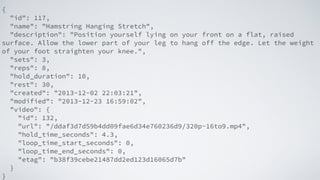
{
"id": 117,
"name": "Hamstring Hanging Stretch",
"description": "Position yourself lying on your front on a flat, raised
surface. Allow the lower part of your leg to hang off the edge. Let the weight
of your foot straighten your knee.",
"sets": 3,
"reps": 8,
"hold_duration": 10,
"rest": 30,
"created": "2013-12-02 22:03:21",
"modified": "2013-12-23 16:59:02",
"video": {
"id": 132,
"url": "/ddaf3d7d59b4dd09fae6d34e760236d9/320p-16to9.mp4",
"hold_time_seconds": 4.3,
"loop_time_start_seconds": 0,
"loop_time_end_seconds": 0,
"etag": "b38f39cebe21487dd2ed123d16065d7b"
}
}
Let’s Code!
Both.
I hate this device. It’s great!
developer.android.com/guide/appendix/media-formats.html
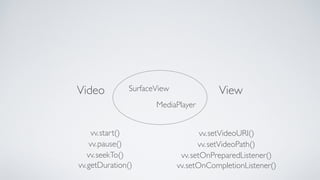
Video ViewSurfaceView
MediaPlayer
start()
pause()
seekTo()
getDuration()
setVideoURI()
setVideoPath()
setOnPreparedListener()
setOnCompletionListener()
vv.
vv.
vv.
vv.
vv.
vv.
vv.
vv.
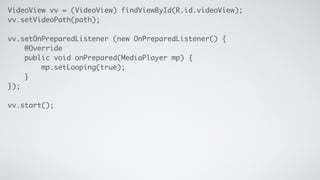
VideoView vv = (VideoView) findViewById(R.id.videoView);	
vv.setVideoPath(path);	
!
vv.setOnPreparedListener (new OnPreparedListener() { 	
@Override	
public void onPrepared(MediaPlayer mp) {	
mp.setLooping(true);	
}	
});	
!
vv.start();
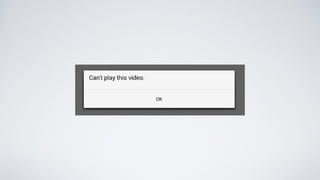
Disclaimer:This isn’t meant to happen.
–Android API Docs
“SurfaceView punches a hole in its window	

to allow its surface to be displayed.”

TextureView
• Android 4.0	

• Behaves as a regular view	

• OpenGL,Video etc
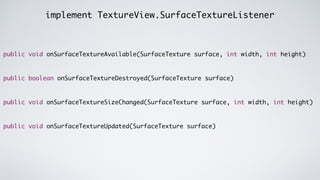
implement TextureView.SurfaceTextureListener
public void onSurfaceTextureAvailable(SurfaceTexture surface, int width, int height)	
!
!
public boolean onSurfaceTextureDestroyed(SurfaceTexture surface)	
!
!
public void onSurfaceTextureSizeChanged(SurfaceTexture surface, int width, int height)	
!
!
public void onSurfaceTextureUpdated(SurfaceTexture surface)
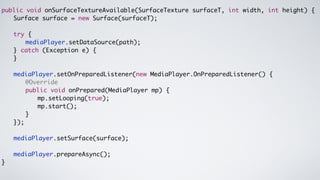
public void onSurfaceTextureAvailable(SurfaceTexture surfaceT, int width, int height) {	
	 	 Surface surface = new Surface(surfaceT);	
	
	 	 try {	
	 	 	 	 mediaPlayer.setDataSource(path);	
	 	 } catch (Exception e) {	
	 	 }	
!
	 	 mediaPlayer.setOnPreparedListener(new MediaPlayer.OnPreparedListener() {	
	 	 	 	 @Override	
	 	 	 	 public void onPrepared(MediaPlayer mp) {	
	 	 	 	 	 	 mp.setLooping(true);	
	 	 	 	 	 	 mp.start();	
	 	 	 	 }	
	 	 });	
!
	 	 mediaPlayer.setSurface(surface);	
!
	 	 mediaPlayer.prepareAsync();	
}
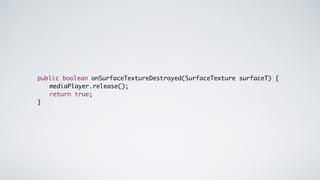
public boolean onSurfaceTextureDestroyed(SurfaceTexture surfaceT) {	
	 	 mediaPlayer.release();	
	 	 return true;	
}
Hey Mark, what aboutYouTube?
YouTubePlayer
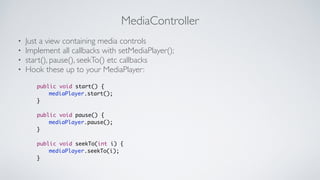
MediaController
• Just a view containing media controls	

• Implement all callbacks with setMediaPlayer();	

• start(), pause(), seekTo() etc callbacks	

• Hook these up to your MediaPlayer:
public void start() {	
	 	 mediaPlayer.start();	
}	
!
public void pause() {	
	 	 mediaPlayer.pause();	
}	
!
public void seekTo(int i) {	
	 	 mediaPlayer.seekTo(i);	
}
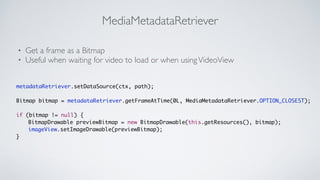
MediaMetadataRetriever
• Get a frame as a Bitmap	

• Useful when waiting for video to load or when usingVideoView
metadataRetriever.setDataSource(ctx, path);	
!
Bitmap bitmap = metadataRetriever.getFrameAtTime(0L, MediaMetadataRetriever.OPTION_CLOSEST);	
!
if (bitmap != null) {	
	 	 BitmapDrawable previewBitmap = new BitmapDrawable(this.getResources(), bitmap);	
	 	 imageView.setImageDrawable(previewBitmap);	
}
Playing Audio?
!
setVolumeControlStream(AudioManager.STREAM_MUSIC);
Y U NO USE INTENT?!
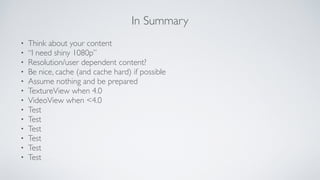
In Summary
• Think about your content	

• “I need shiny 1080p”	

• Resolution/user dependent content?	

• Be nice, cache (and cache hard) if possible	

• Assume nothing and be prepared 	

• TextureView when 4.0	

• VideoView when <4.0	

• Test	

• Test	

• Test	

• Test	

• Test	

• Test
Fin.
@mhemmings

Videos on Android - Stuff What I Learned