Chapter 2
Dr. RazaUl Mustafa Khokhar
Dr. Raza Ul Mustafa Khokhar
American University
Computer Science Department - CSC-148
2.
Values and DataTypes (1/3)
- A value is one of the fundamental things — like a word or a
number — that a program manipulates.
- The values we have seen so far are 5 (the result when
we added 2 + 3), and "Hello, World!".
- We often refer to these values as objects and we will use
the words value and object interchangeably
→ 2+3 = 5
3.
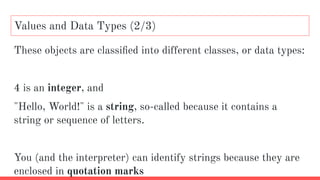
These objects areclassified into different classes, or data types:
4 is an integer, and
"Hello, World!" is a string, so-called because it contains a
string or sequence of letters.
You (and the interpreter) can identify strings because they are
enclosed in quotation marks
Values and Data Types (2/3)
Floats & Int
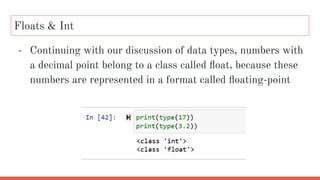
-Continuing with our discussion of data types, numbers with
a decimal point belong to a class called float, because these
numbers are represented in a format called floating-point
6.
Strings in python(1/2)
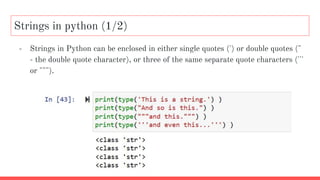
- Strings in Python can be enclosed in either single quotes (') or double quotes ("
- the double quote character), or three of the same separate quote characters ('''
or """).
7.
Strings in python(2/2) - Rules
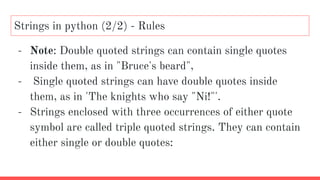
- Note: Double quoted strings can contain single quotes
inside them, as in "Bruce's beard",
- Single quoted strings can have double quotes inside
them, as in 'The knights who say "Ni!"'.
- Strings enclosed with three occurrences of either quote
symbol are called triple quoted strings. They can contain
either single or double quotes:
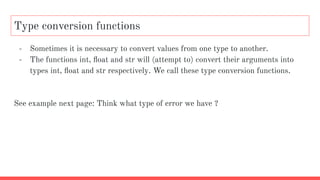
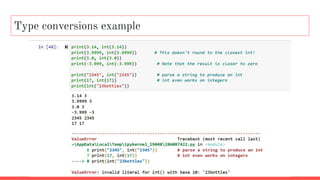
Type conversion functions
-Sometimes it is necessary to convert values from one type to another.
- The functions int, float and str will (attempt to) convert their arguments into
types int, float and str respectively. We call these type conversion functions.
See example next page: Think what type of error we have ?
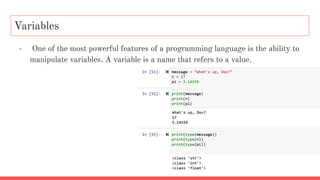
Variables
- One ofthe most powerful features of a programming language is the ability to
manipulate variables. A variable is a name that refers to a value.
Variable names andKeywords
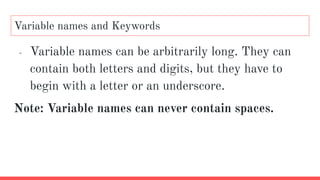
- Variable names can be arbitrarily long. They can
contain both letters and digits, but they have to
begin with a letter or an underscore.
Note: Variable names can never contain spaces.
14.
Invalid variable names
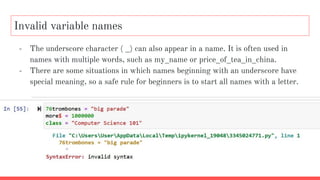
-The underscore character ( _) can also appear in a name. It is often used in
names with multiple words, such as my_name or price_of_tea_in_china.
- There are some situations in which names beginning with an underscore have
special meaning, so a safe rule for beginners is to start all names with a letter.
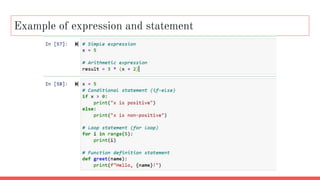
Statements and Expressions
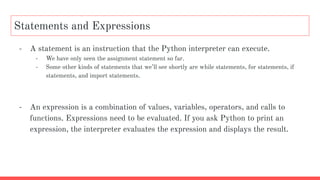
-A statement is an instruction that the Python interpreter can execute.
- We have only seen the assignment statement so far.
- Some other kinds of statements that we’ll see shortly are while statements, for statements, if
statements, and import statements.
- An expression is a combination of values, variables, operators, and calls to
functions. Expressions need to be evaluated. If you ask Python to print an
expression, the interpreter evaluates the expression and displays the result.
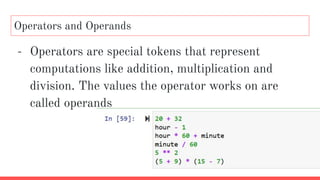
Operators and Operands
-Operators are special tokens that represent
computations like addition, multiplication and
division. The values the operator works on are
called operands
19.
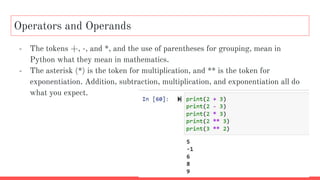
Operators and Operands
-The tokens +, -, and *, and the use of parentheses for grouping, mean in
Python what they mean in mathematics.
- The asterisk (*) is the token for multiplication, and ** is the token for
exponentiation. Addition, subtraction, multiplication, and exponentiation all do
what you expect.
20.
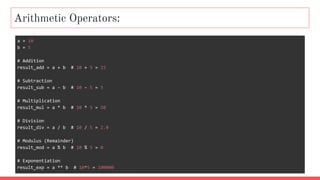
Arithmetic Operators:
a =10
b = 5
# Addition
result_add = a + b # 10 + 5 = 15
# Subtraction
result_sub = a - b # 10 - 5 = 5
# Multiplication
result_mul = a * b # 10 * 5 = 50
# Division
result_div = a / b # 10 / 5 = 2.0
# Modulus (Remainder)
result_mod = a % b # 10 % 5 = 0
# Exponentiation
result_exp = a ** b # 10^5 = 100000
21.
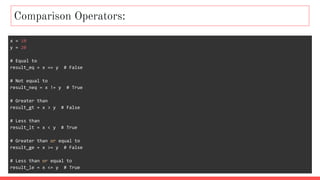
Comparison Operators:
x =10
y = 20
# Equal to
result_eq = x == y # False
# Not equal to
result_neq = x != y # True
# Greater than
result_gt = x > y # False
# Less than
result_lt = x < y # True
# Greater than or equal to
result_ge = x >= y # False
# Less than or equal to
result_le = x <= y # True
22.
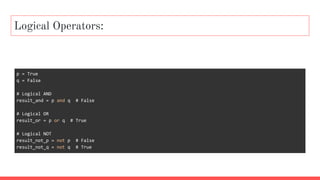
Logical Operators:
p =True
q = False
# Logical AND
result_and = p and q # False
# Logical OR
result_or = p or q # True
# Logical NOT
result_not_p = not p # False
result_not_q = not q # True
23.
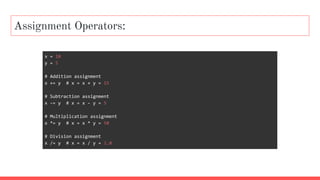
Assignment Operators:
x =10
y = 5
# Addition assignment
x += y # x = x + y = 15
# Subtraction assignment
x -= y # x = x - y = 5
# Multiplication assignment
x *= y # x = x * y = 50
# Division assignment
x /= y # x = x / y = 2.0
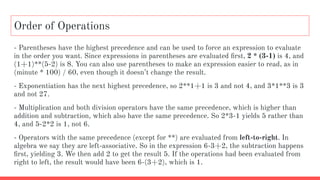
Order of Operations
-Parentheses have the highest precedence and can be used to force an expression to evaluate
in the order you want. Since expressions in parentheses are evaluated first, 2 * (3-1) is 4, and
(1+1)**(5-2) is 8. You can also use parentheses to make an expression easier to read, as in
(minute * 100) / 60, even though it doesn’t change the result.
- Exponentiation has the next highest precedence, so 2**1+1 is 3 and not 4, and 3*1**3 is 3
and not 27.
- Multiplication and both division operators have the same precedence, which is higher than
addition and subtraction, which also have the same precedence. So 2*3-1 yields 5 rather than
4, and 5-2*2 is 1, not 6.
- Operators with the same precedence (except for **) are evaluated from left-to-right. In
algebra we say they are left-associative. So in the expression 6-3+2, the subtraction happens
first, yielding 3. We then add 2 to get the result 5. If the operations had been evaluated from
right to left, the result would have been 6-(3+2), which is 1.
26.
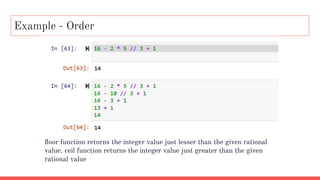
Example - Order
floorfunction returns the integer value just lesser than the given rational
value. ceil function returns the integer value just greater than the given
rational value



![[DSC Europe 25] Tali Fulman - Guild Meetings, Then What? Building Data Commun...](https://cdn.slidesharecdn.com/ss_thumbnails/fgohhi33rwmhqdowdj5k-tali-fulman-guild-meetings-then-what-building-data-communities-that-actually-ch-260120105855-528492c3-thumbnail.jpg?width=640&height=640&fit=bounds)


![[DSC Europe 25] Milovan Jovicic - Beyond AI's Reach: The Enduring Value of Ev...](https://cdn.slidesharecdn.com/ss_thumbnails/pyeij0hurgwq5jugmtnv-2-milovan-jovicic-beyond-ais-reach-the-enduring-value-of-evergreen-design-v2-260120105856-d6ee57e5-thumbnail.jpg?width=640&height=640&fit=bounds)


![[DSC Europe 25] Josip Saban - Career building for data professionals.pptx](https://cdn.slidesharecdn.com/ss_thumbnails/zroflcttkm1vmli0txea-josip-saban-career-building-for-data-professionals-260123083019-587cdb8c-thumbnail.jpg?width=640&height=640&fit=bounds)

![[DSC Europe 25] Marcos Heidemann - Beyond the Hype: Making AI Coding Assistan...](https://cdn.slidesharecdn.com/ss_thumbnails/eexkhvldrjsopspdjbur-marcos-heidemann-beyond-the-hype-getting-real-value-out-of-ai-assisted-coding-260121115910-7e9d41ec-thumbnail.jpg?width=640&height=640&fit=bounds)
![[DSC Europe 25] Paula Garcia Esteban -Building the Future: The Role of Data S...](https://cdn.slidesharecdn.com/ss_thumbnails/9ld1r1bsqpwve8qfvphy-paula-garcia-esteban-building-the-future-260122103838-4171f5cb-thumbnail.jpg?width=640&height=640&fit=bounds)


![[DSC Europe 25] Borko Kozomora - Optimizing business workflows with advances ...](https://cdn.slidesharecdn.com/ss_thumbnails/hbgekyb0txw0xpo4yfml-borko-kozomora-leading-ai-transformation-260122103838-cc29ee38-thumbnail.jpg?width=640&height=640&fit=bounds)
