email
What do we
 use email
Step
 one


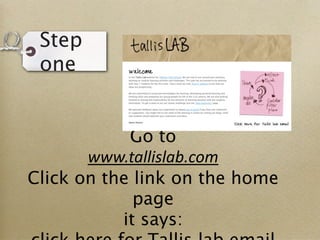
            Go to
       www.tallislab.com
Click on the link on the home
             page
           it says:
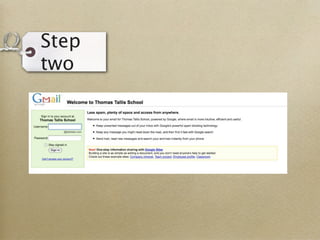
Step
two
Step
two
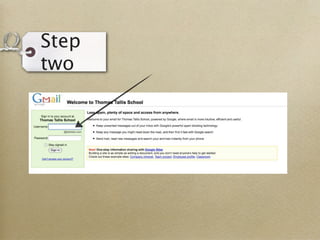
Step
two
Step
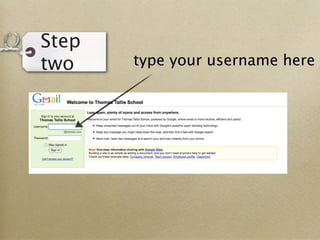
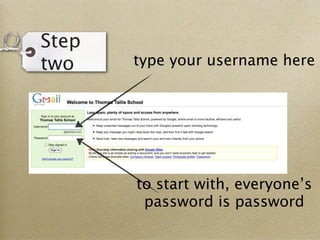
two    type your username here
Step
two    type your username here
Step
two    type your username here


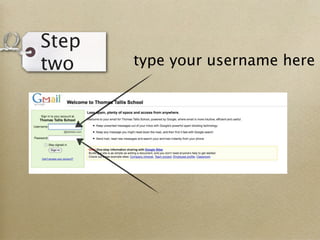
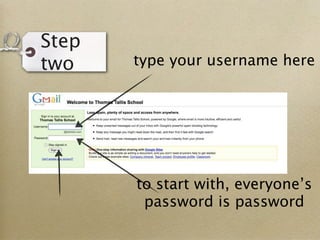
       to start with, everyone’s
        password is password
Step
two    type your username here


       to start with, everyone’s
        password is password
Step
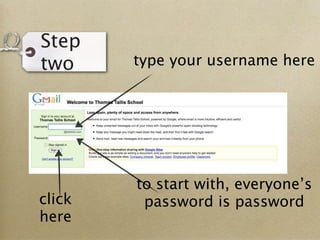
two     type your username here


        to start with, everyone’s
click    password is password
here
Step
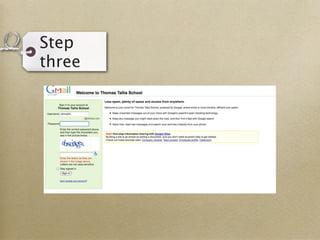
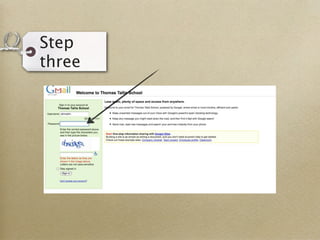
three
Step
three
Step
three
Step
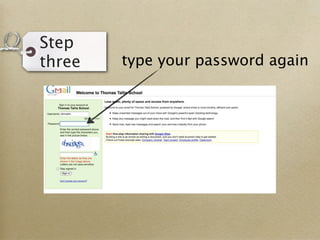
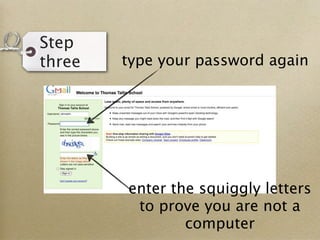
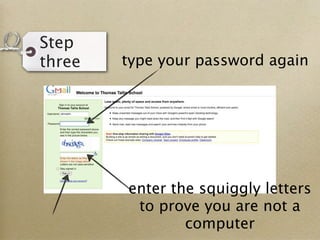
three   type your password again
Step
three   type your password again
Step
three   type your password again


        enter the squiggly letters
         to prove you are not a
                computer
Step
three   type your password again


        enter the squiggly letters
         to prove you are not a
                computer
Step
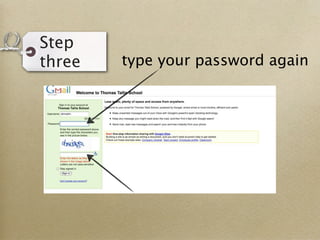
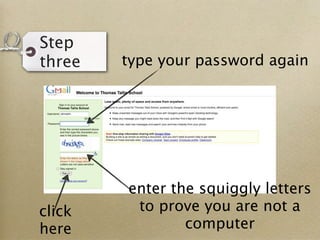
three   type your password again


        enter the squiggly letters
click    to prove you are not a
here            computer
Step
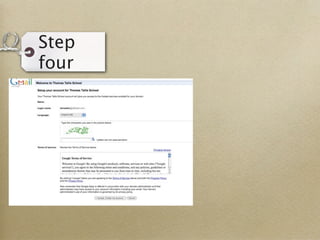
four
Step
four
Step
four
Step
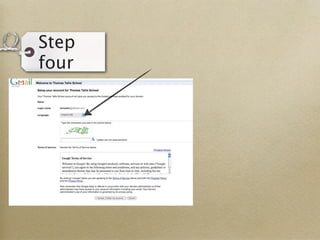
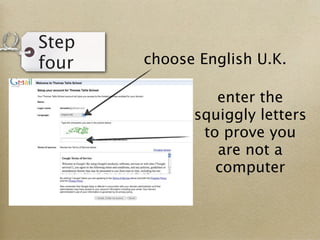
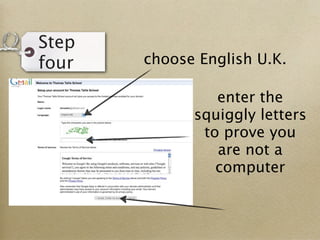
four   choose English U.K.
Step
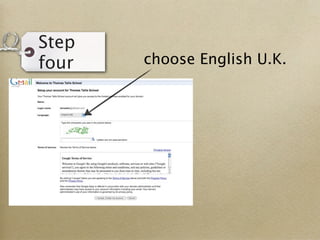
four   choose English U.K.
Step
four   choose English U.K.

                enter the
             squiggly letters
              to prove you
                are not a
                computer
Step
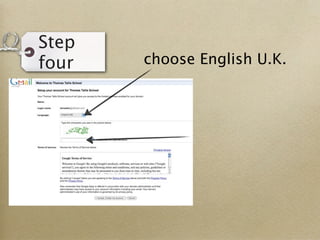
four   choose English U.K.

                enter the
             squiggly letters
              to prove you
                are not a
                computer
Step
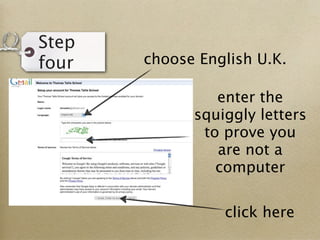
four   choose English U.K.

                enter the
             squiggly letters
              to prove you
                are not a
                computer


                 click here
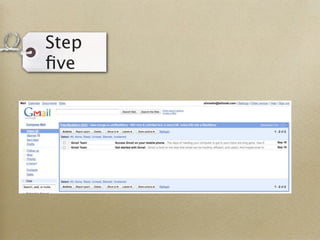
Step
five
Step
five
Step
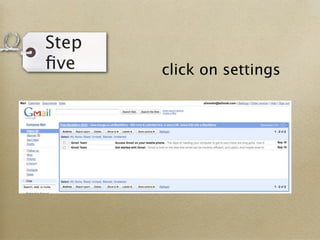
five    click on settings
Step
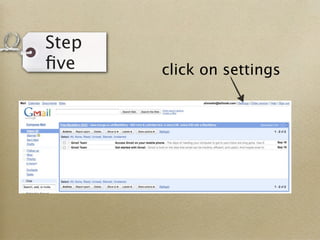
five    click on settings
Step
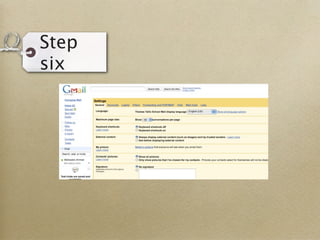
six
Step
six
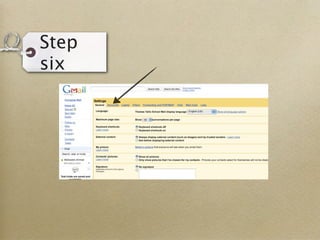
Step
six
Step
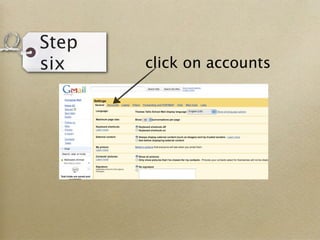
six    click on accounts
Step
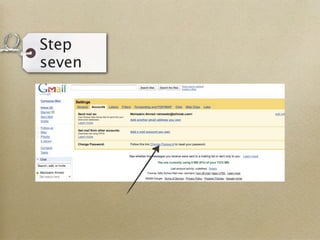
seven
Step
seven
Step
seven
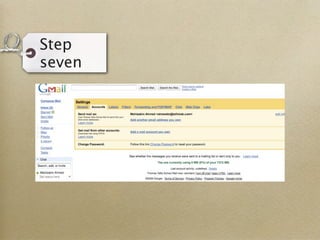
Step
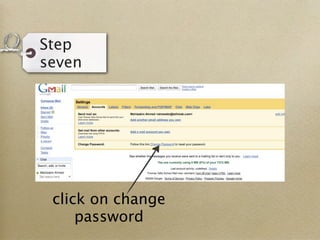
seven


 click on change
     password
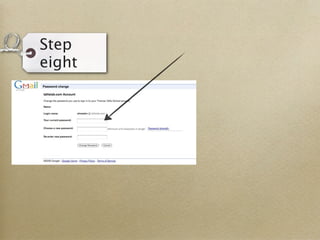
Step
eight
Step
eight
Step
eight
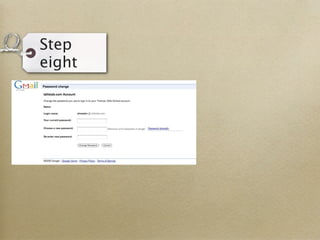
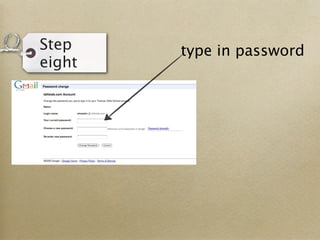
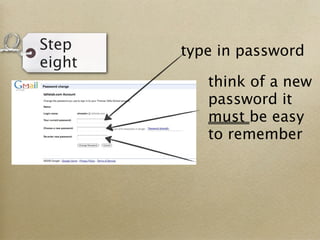
Step    type in password
eight
Step    type in password
eight
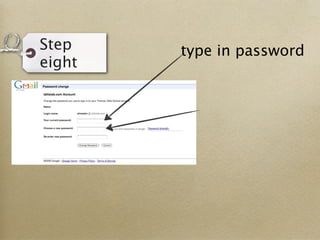
Step    type in password
eight
           think of a new
           password it
           must be easy
           to remember
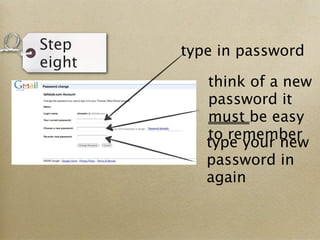
Step    type in password
eight
           think of a new
           password it
           must be easy
           to remember
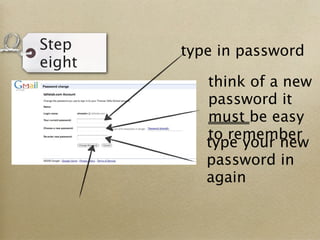
Step    type in password
eight
           think of a new
           password it
           must be easy
           to remember
           type your new
           password in
           again
Step    type in password
eight
           think of a new
           password it
           must be easy
           to remember
           type your new
           password in
           again
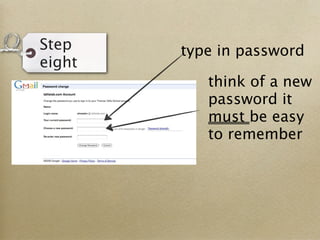
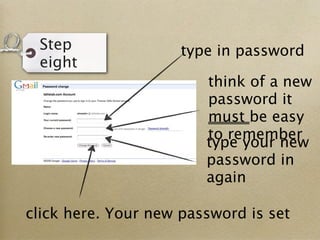
Step                type in password
 eight
                        think of a new
                        password it
                        must be easy
                        to remember
                        type your new
                        password in
                        again

click here. Your new password is set

Using Email