Setting up a Yahoo email account

         Location: Room 234
      North Fulton Service Center
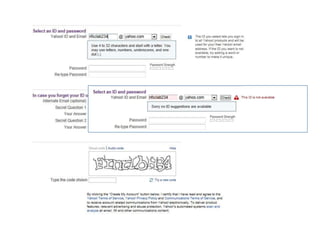
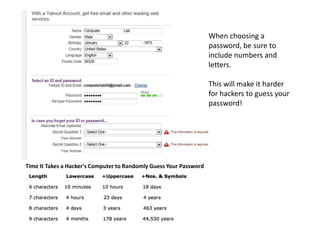
When choosing a
                                                                    password, be sure to
                                                                    include numbers and
                                                                    letters.

                                                                    This will make it harder
                                                                    for hackers to guess your
                                                                    password!


Time It Takes a Hacker's Computer to Randomly Guess Your Password
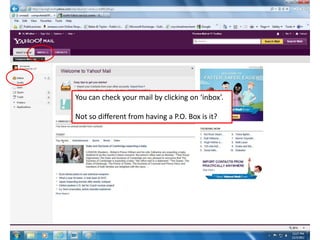
You can check your mail by clicking on ‘inbox’.

Not so different from having a P.O. Box is it?
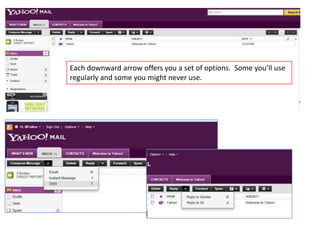
Each downward arrow offers you a set of options. Some you’ll use
regularly and some you might never use.
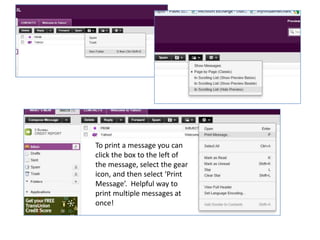
To print a message you can
click the box to the left of
the message, select the gear
icon, and then select ‘Print
Message’. Helpful way to
print multiple messages at
once!
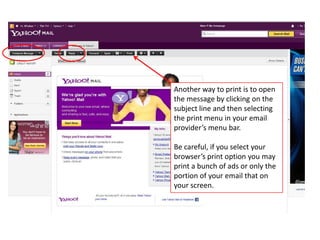
Another way to print is to open
the message by clicking on the
subject line and then selecting
the print menu in your email
provider’s menu bar.

Be careful, if you select your
browser’s print option you may
print a bunch of ads or only the
portion of your email that on
your screen.
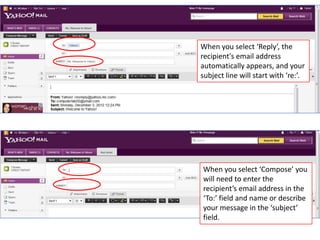
When you select ‘Reply’, the
recipient's email address
automatically appears, and your
subject line will start with ‘re:’.


When you select ‘Compose’ you
will need to enter the
recipient’s email address in the
‘To:’ field and name or describe
your message in the ‘subject’
field.

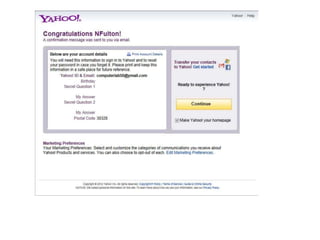
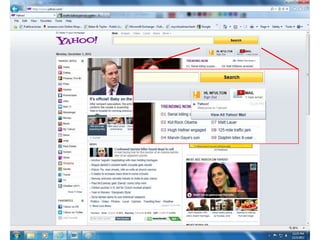
Part 2 setting up a yahoo email account

  • 1.
    Setting up aYahoo email account Location: Room 234 North Fulton Service Center
  • 5.
    When choosing a password, be sure to include numbers and letters. This will make it harder for hackers to guess your password! Time It Takes a Hacker's Computer to Randomly Guess Your Password
  • 8.
    You can checkyour mail by clicking on ‘inbox’. Not so different from having a P.O. Box is it?
  • 9.
    Each downward arrowoffers you a set of options. Some you’ll use regularly and some you might never use.
  • 10.
    To print amessage you can click the box to the left of the message, select the gear icon, and then select ‘Print Message’. Helpful way to print multiple messages at once!
  • 11.
    Another way toprint is to open the message by clicking on the subject line and then selecting the print menu in your email provider’s menu bar. Be careful, if you select your browser’s print option you may print a bunch of ads or only the portion of your email that on your screen.
  • 12.
    When you select‘Reply’, the recipient's email address automatically appears, and your subject line will start with ‘re:’. When you select ‘Compose’ you will need to enter the recipient’s email address in the ‘To:’ field and name or describe your message in the ‘subject’ field.