Responsive Zen
USING DRUPAL'S ZEN 5 THEME WITH ZEN GRIDS TO CREATE A RESPONSIVE WEBSITE
DRUPAL
GOVERNMENT DAYS 2013
Who am I?
Onaje Johnston PhD
Information Technology Specialist
@
National Agriculture Library
USDA
Onaje.Johnston@ars.usda.gov
DRUPAL
GOVERNMENT DAYS 2013
Topics
 - Benefits of using Zen 5 as a base theme
 - Benefits of Zen Grids, and how to get started
 - Example of a responsive theme created using Zen 5 and Zen Grids
DRUPAL
GOVERNMENT DAYS 2013
Reaching Zen
 By way of Omega and other themes.
 The mission - create a responsive Drupal 7 website.
 Background research indicated Omega would probably the best
choice.
 Downloaded and installed Omega and started experimenting on first
sub theme.
 Stumbling block – non standard customizations not included in Omega.
DRUPAL
GOVERNMENT DAYS 2013
Zen
 One of the most downloaded and the most installed Drupal themes.
Quickly build responsive sites. Zen is also a good theme for beginners.
 Zen comes in two variations, a strict XHTML compliant version and a
HTML5 version. *The HTML5 version is responsive.*
 The theme has SASS/Compass integration and uses the Zen Grids
framework.
 Built in responsive 2, 3, and 5 column fluid grid design and can be
extended.
DRUPAL
GOVERNMENT DAYS 2013
Zen
 Reasons to use Zen:
 Zen is especially suited to creating responsive sites that do not follow the standard
navigation pattern built into most responsive themes.
 It is a great starting point if you find yourself having to remove and replace multiple
features if you planned to use one of the other popular responsive base themes.
 Makes theme creation easier because it has a smaller number of files you could
potentially edit when creating a new theme.
 The addition of Zen Grids to Zen 5 makes working with media query breakpoints and
positioning elements a very easy process.
DRUPAL
GOVERNMENT DAYS 2013
Syntactically
Awesome
Style Sheets
What is SASS & Compass
 “SASS is a framework for writing CSS in a more
efficient and logical way.”
 Compass – CSS authoring framework that streamlines
the creation and maintenance of CSS - a HUGE
library of mixins built on Sass
 You must have Ruby installed
 Run:
 Compass requires Sass; it will install Sass as part of its
installation.
~$ gem install compass
DRUPAL
GOVERNMENT DAYS 2013
Creating a Zen sub theme
 Download Zen 5
 Copy STARTERKIT folder in the Zen theme folder
[sites/all/themes/zen] to main themes folder
[sites/all/themes]
 Rename the folder to the name of your new sub-theme
 Go into the folder, rename the STARTERKIT.info.txt file to
name_of_theme.info
 STARTERKIT.info.txt -> demo.info
 Edit the theme info file, look for a line that has the name
and description
 Give your theme a name and optionally edit the description
DRUPAL
GOVERNMENT DAYS 2013
Creating a Zen sub theme
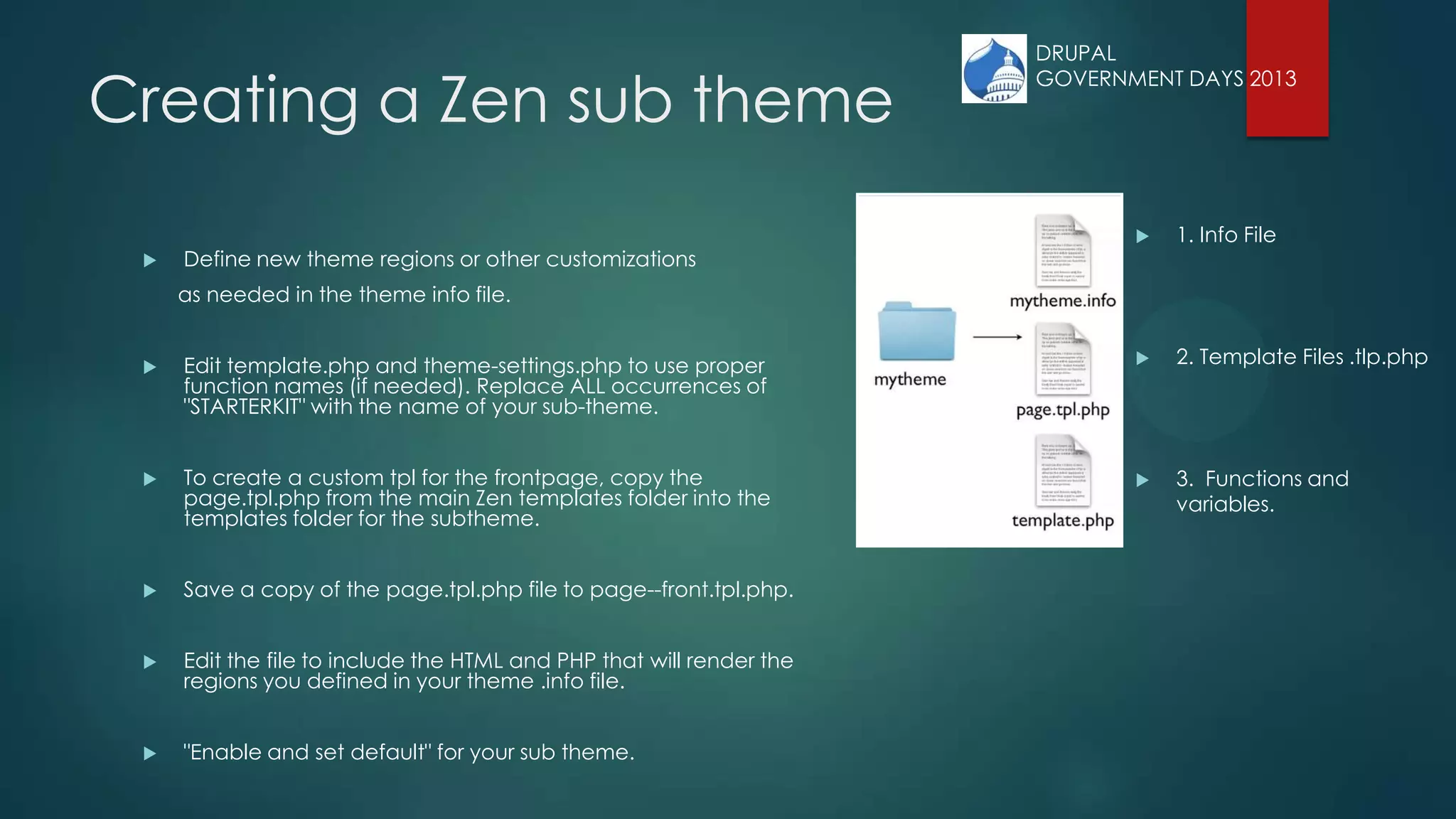
 Define new theme regions or other customizations
as needed in the theme info file.
 Edit template.php and theme-settings.php to use proper
function names (if needed). Replace ALL occurrences of
"STARTERKIT" with the name of your sub-theme.
 To create a custom tpl for the frontpage, copy the
page.tpl.php from the main Zen templates folder into the
templates folder for the subtheme.
 Save a copy of the page.tpl.php file to page--front.tpl.php.
 Edit the file to include the HTML and PHP that will render the
regions you defined in your theme .info file.
 "Enable and set default" for your sub theme.
 1. Info File
 2. Template Files .tlp.php
 3. Functions and
variables.
DRUPAL
GOVERNMENT DAYS 2013
Creating a Zen sub theme
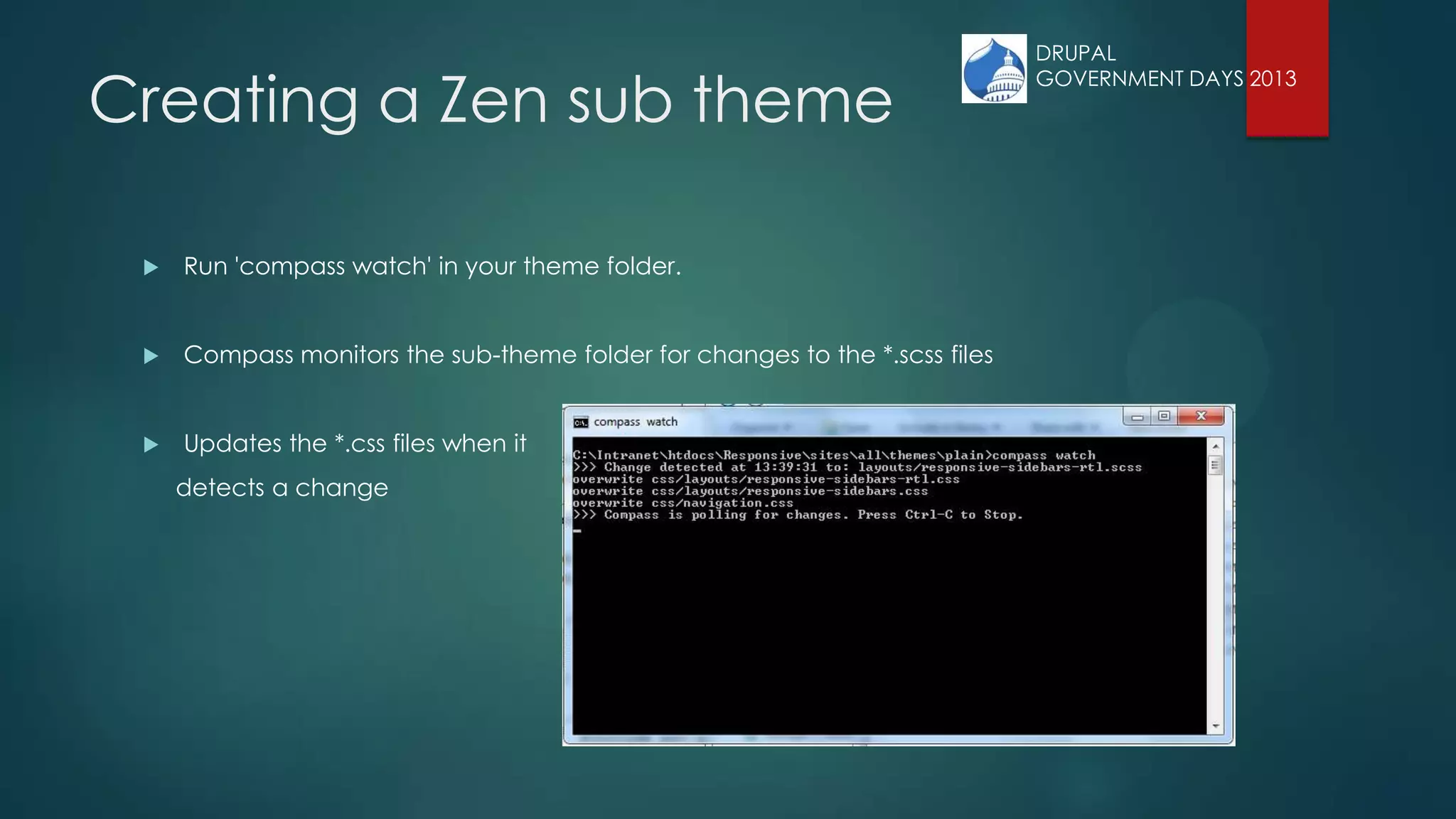
 Run 'compass watch' in your theme folder.
 Compass monitors the sub-theme folder for changes to the *.scss files
 Updates the *.css files when it
detects a change
DRUPAL
GOVERNMENT DAYS 2013
Creating a Zen sub theme
 By default your new sub-theme is using a responsive layout.
 Open scss/layouts/responsive-sidebars.scss
 This file determines where your content moves to on the page as it is resized!
 Look for line 'Containers for grid items and flow items.'
 Reference the grid items defined in your template files.
 Divs with ids or classes.
• The names/locations of files have changed from zen-7.x-5.1
• In zen-7.x-5.3 it is scss/layouts/_responsive.scss
DRUPAL
GOVERNMENT DAYS 2013
Creating a Zen sub theme
 Open scss/navigation.scss
 Make any customizations for
navigation links here
 Open scss/pages.scss
 Give document body a background
color
 Give page div a background color
 Give footer a background color
 Define styles for image grid page
 Open scss/views-styles.scss
 styling for views
 i.e. views slideshow
In zen-7.x-5.3 there 4 CSS files you will probably edit.
They include the styles previously included in separate files.
- styles.css
- normalize.css
- layout-responsive.css
- modular-styles.css
DRUPAL
GOVERNMENT DAYS 2013
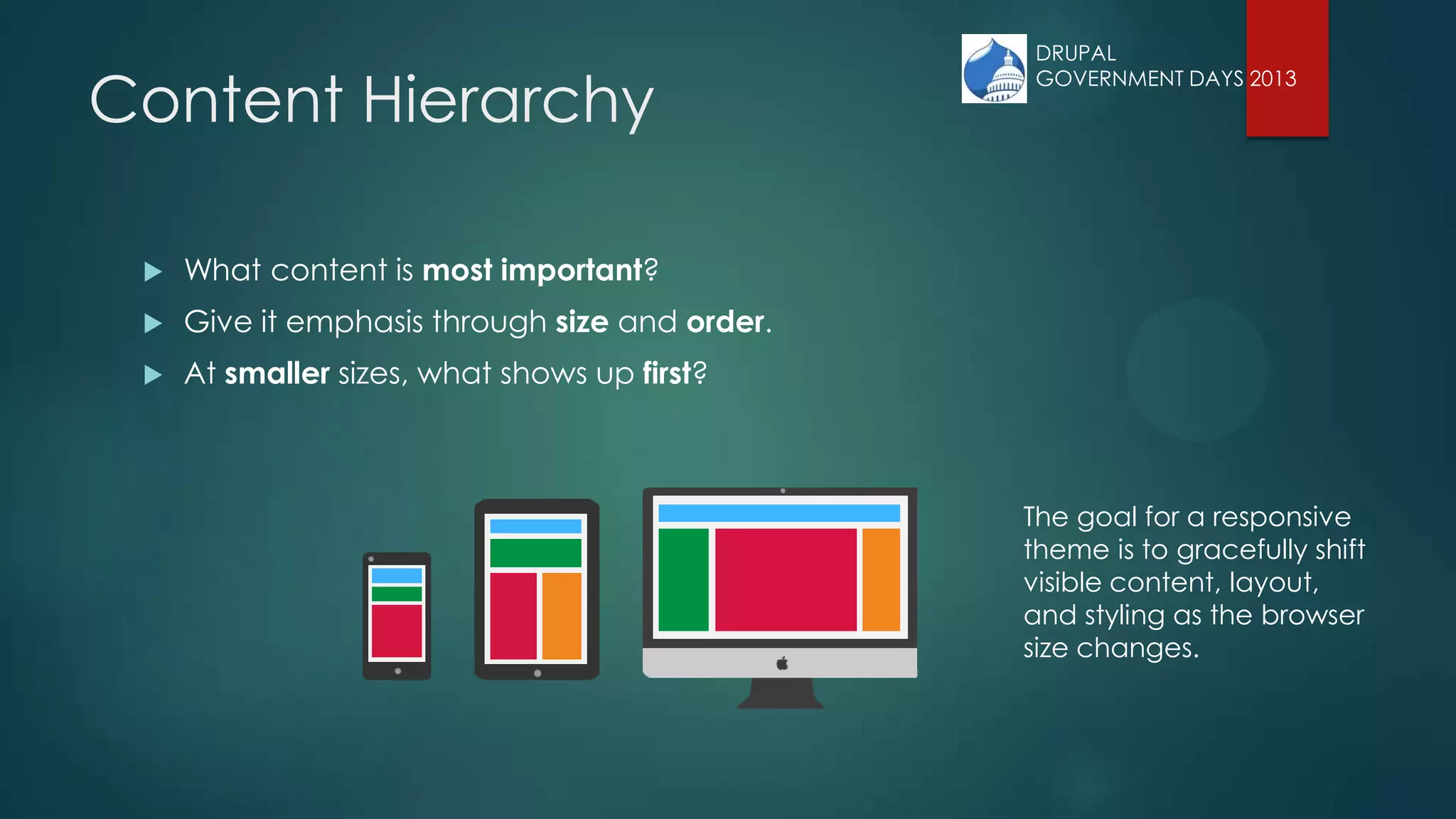
Content Hierarchy
 What content is most important?
 Give it emphasis through size and order.
 At smaller sizes, what shows up first?
The goal for a responsive
theme is to gracefully shift
visible content, layout,
and styling as the browser
size changes.
DRUPAL
GOVERNMENT DAYS 2013
Defined Regions
regions[header] = Header
regions[navigation] = Navigation bar
regions[content] = Content
regions[container_1_left] = Container 1 left
regions[container_1_right] = Container 1 right
regions[container_2_left] = Container 2 left
regions[container_2_right] = Container 2 right
regions[sidebar_first] = First sidebar
regions[sidebar_second] = Second sidebar
regions[footer] = Footer
DRUPAL
GOVERNMENT DAYS 2013
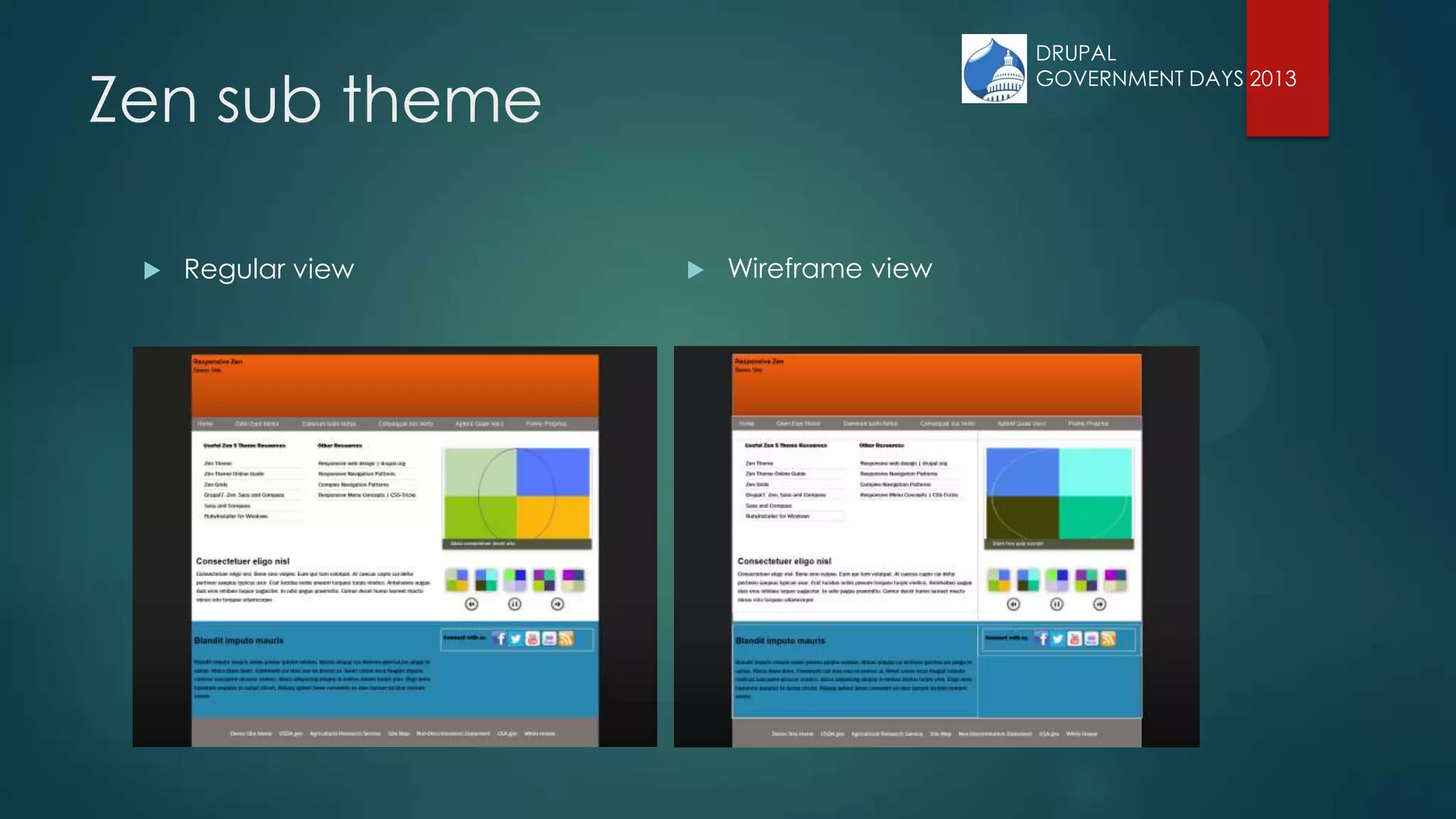
Zen sub theme
 Regular view  Wireframe view
DRUPAL
GOVERNMENT DAYS 2013
Zen Grids – Grid columns
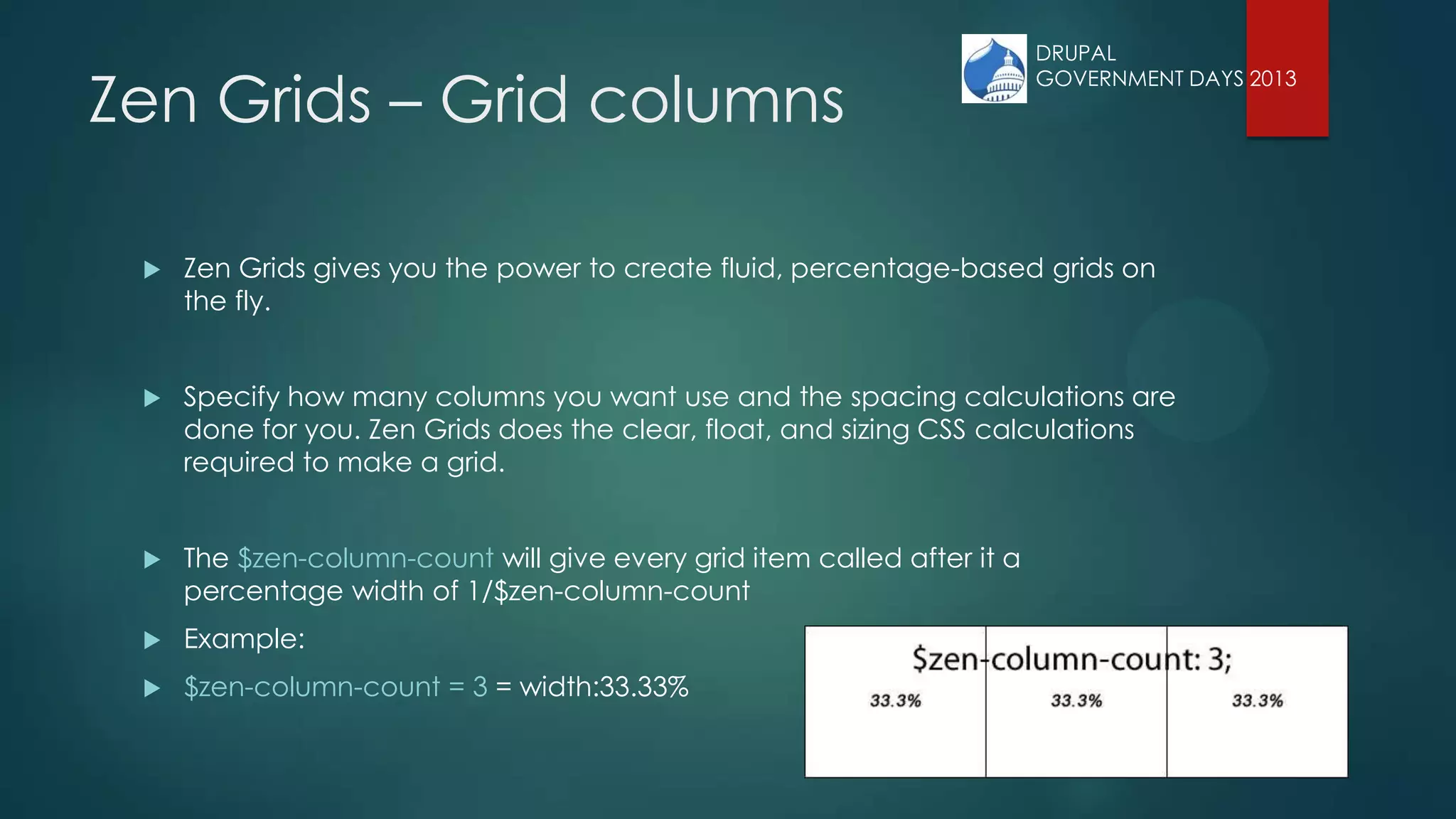
 Zen Grids gives you the power to create fluid, percentage-based grids on
the fly.
 Specify how many columns you want use and the spacing calculations are
done for you. Zen Grids does the clear, float, and sizing CSS calculations
required to make a grid.
 The $zen-column-count will give every grid item called after it a
percentage width of 1/$zen-column-count
 Example:
 $zen-column-count = 3 = width:33.33%
DRUPAL
GOVERNMENT DAYS 2013
Zen Grids – Grid containers
 Your grid of n columns will be applied to one or more containers.
 Include the zen-grid-container mixin on the parts of your page that will contain grid
items.
 /* Containers for grid items and flow items. */
 #header,
 #main,
 #content,
 #navigation,
 #footer {
 @include zen-grid-container();
 }
DRUPAL
GOVERNMENT DAYS 2013
Zen Grids – Grid items
 /* Apply the shared properties of grid items in a single, efficient ruleset. */
 #header,
 #main,
 #content,
 .content_1_left,
 .content_1_right,
 #content_bottom,
 .content_2_left,
 .content_2_right,
 .region-sidebar-first,
 .region-sidebar-second,
 #navigation,
 #footer {
 @include zen-grid-item-base();
 }
DRUPAL
GOVERNMENT DAYS 2013
Zen Grids:
Flowing grid items
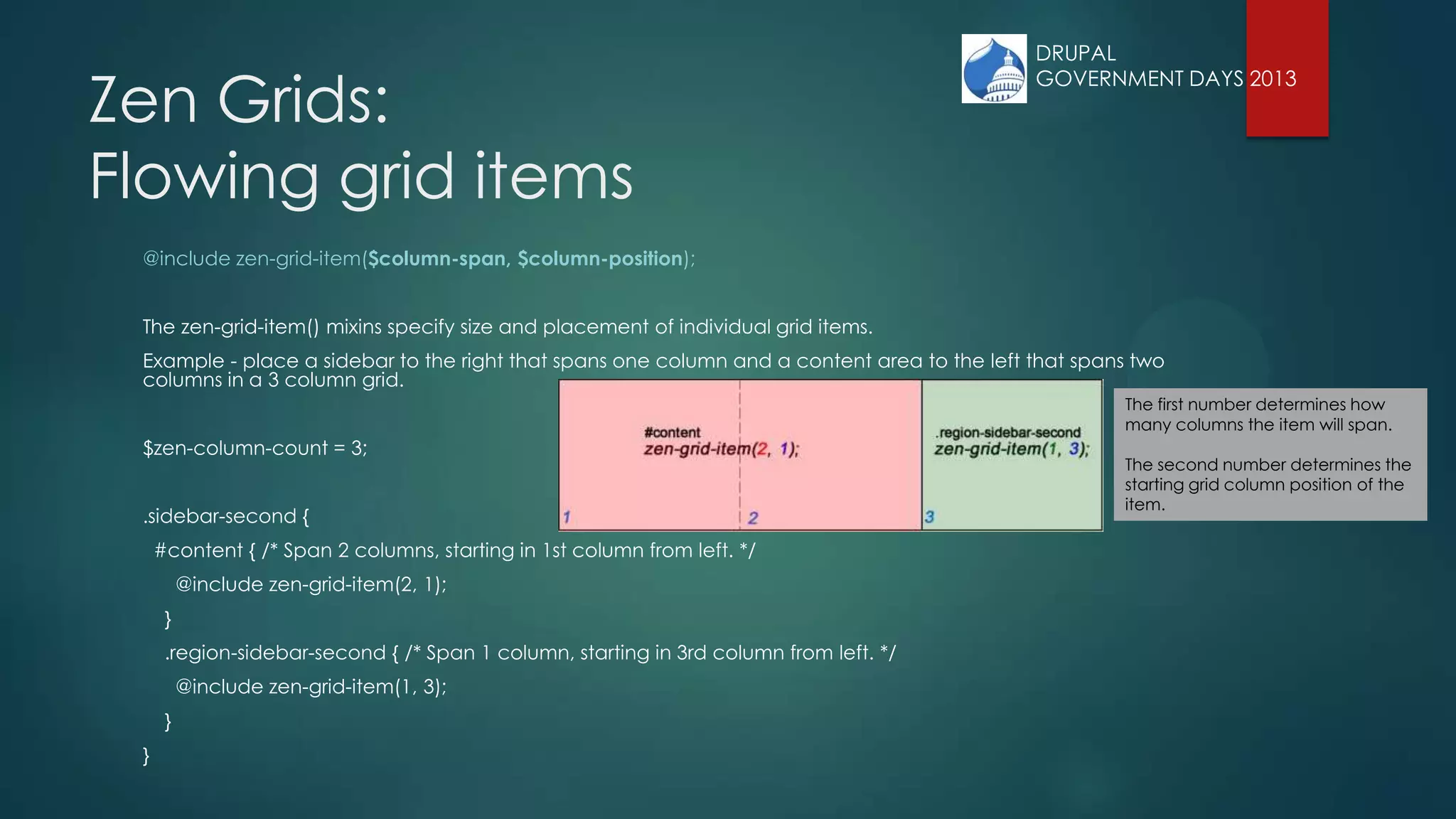
@include zen-grid-item($column-span, $column-position);
The zen-grid-item() mixins specify size and placement of individual grid items.
Example - place a sidebar to the right that spans one column and a content area to the left that spans two
columns in a 3 column grid.
$zen-column-count = 3;
.sidebar-second {
#content { /* Span 2 columns, starting in 1st column from left. */
@include zen-grid-item(2, 1);
}
.region-sidebar-second { /* Span 1 column, starting in 3rd column from left. */
@include zen-grid-item(1, 3);
}
}
The first number determines how
many columns the item will span.
The second number determines the
starting grid column position of the
item.
DRUPAL
GOVERNMENT DAYS 2013
Zen Grids:
Nesting grid items
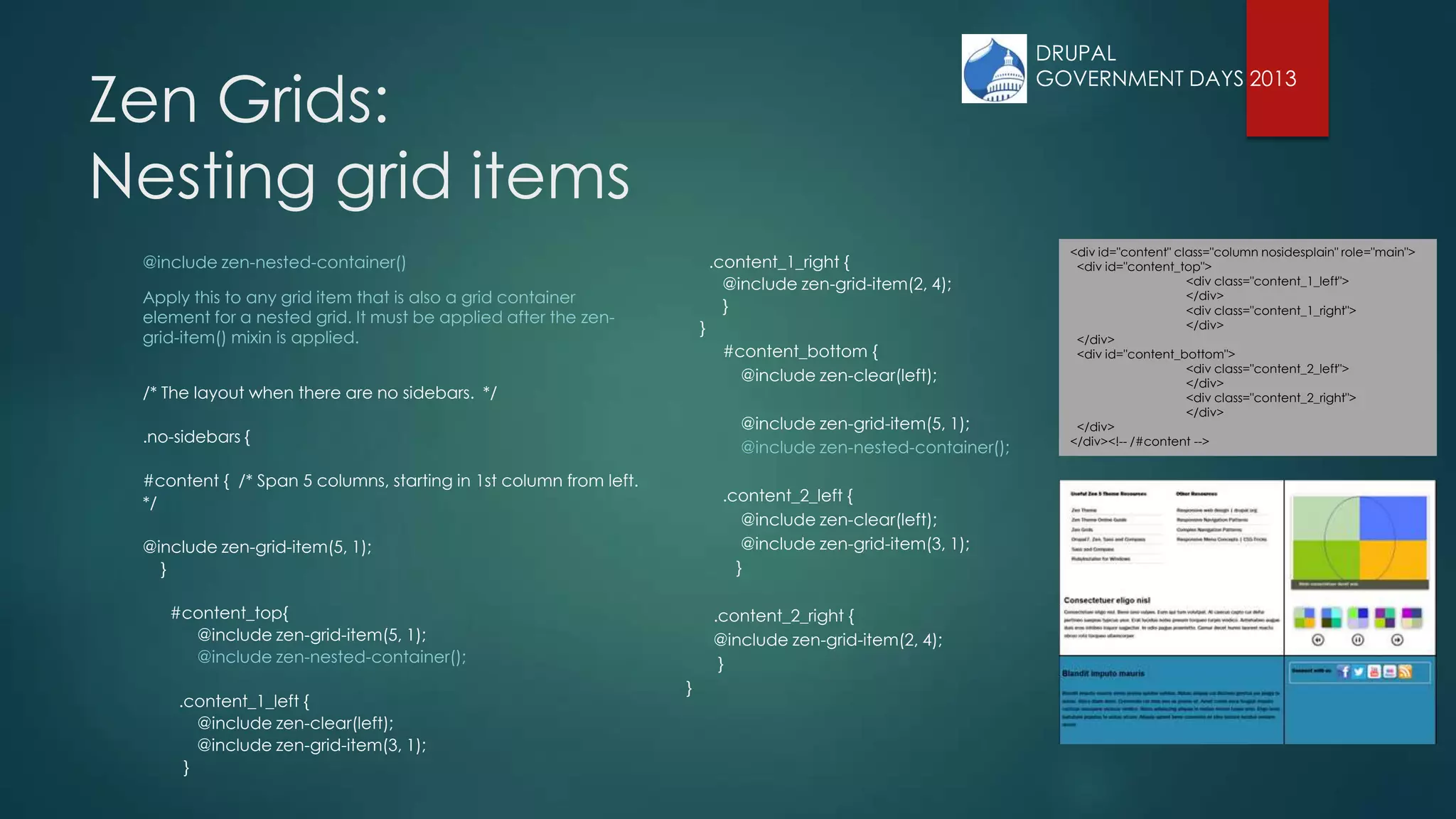
@include zen-nested-container()
Apply this to any grid item that is also a grid container
element for a nested grid. It must be applied after the zen-
grid-item() mixin is applied.
/* The layout when there are no sidebars. */
.no-sidebars {
#content { /* Span 5 columns, starting in 1st column from left.
*/
@include zen-grid-item(5, 1);
}
#content_top{
@include zen-grid-item(5, 1);
@include zen-nested-container();
.content_1_left {
@include zen-clear(left);
@include zen-grid-item(3, 1);
}
.content_1_right {
@include zen-grid-item(2, 4);
}
}
#content_bottom {
@include zen-clear(left);
@include zen-grid-item(5, 1);
@include zen-nested-container();
.content_2_left {
@include zen-clear(left);
@include zen-grid-item(3, 1);
}
.content_2_right {
@include zen-grid-item(2, 4);
}
}
<div id="content" class="column nosidesplain" role="main">
<div id="content_top">
<div class="content_1_left">
</div>
<div class="content_1_right">
</div>
</div>
<div id="content_bottom">
<div class="content_2_left">
</div>
<div class="content_2_right">
</div>
</div>
</div><!-- /#content -->
DRUPAL
GOVERNMENT DAYS 2013
DRUPAL
GOVERNMENT DAYS 2013
Zen Grids:
Clearing grid items
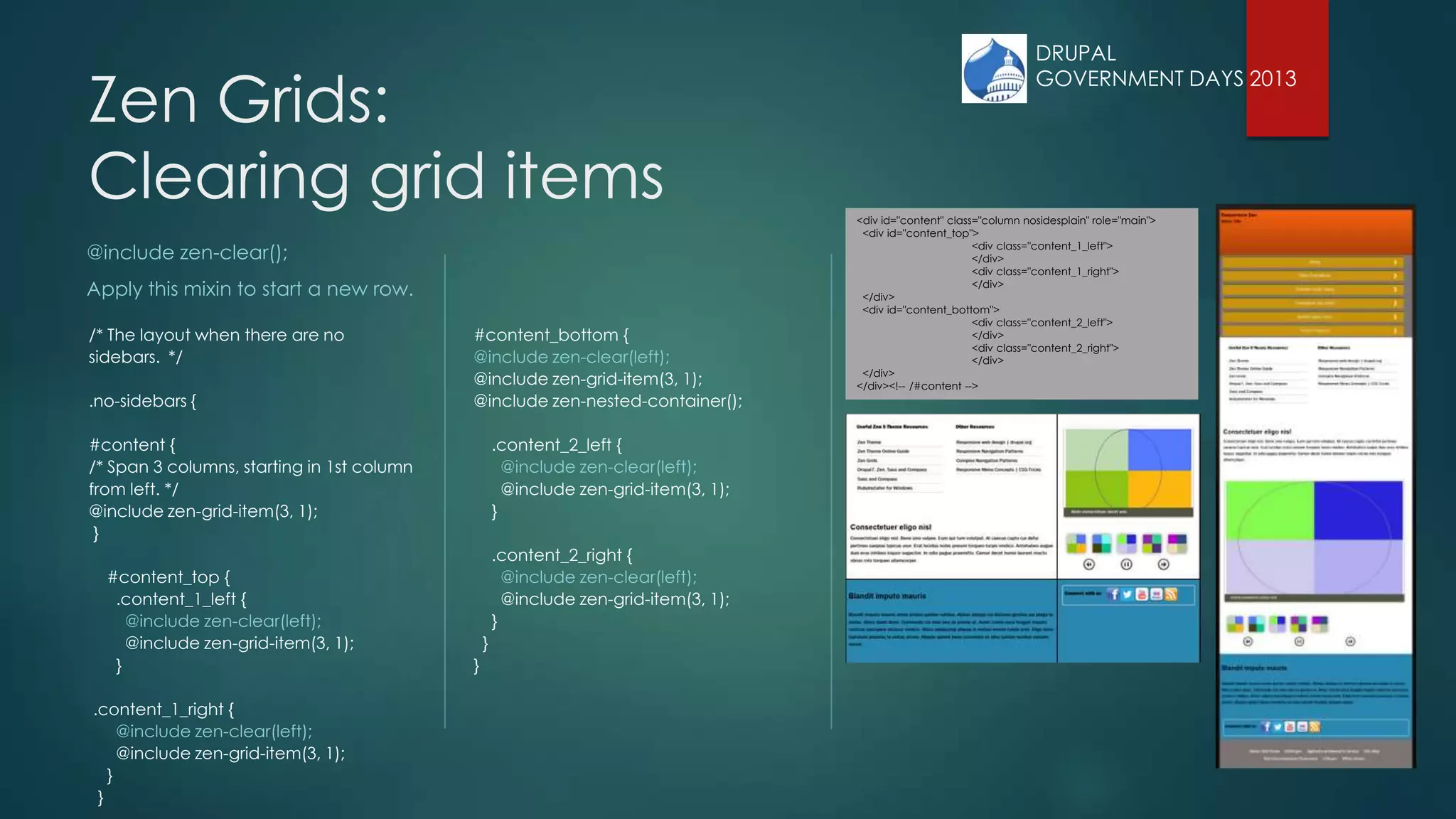
@include zen-clear();
Apply this mixin to start a new row.
/* The layout when there are no
sidebars. */
.no-sidebars {
#content {
/* Span 3 columns, starting in 1st column
from left. */
@include zen-grid-item(3, 1);
}
#content_top {
.content_1_left {
@include zen-clear(left);
@include zen-grid-item(3, 1);
}
.content_1_right {
@include zen-clear(left);
@include zen-grid-item(3, 1);
}
}
#content_bottom {
@include zen-clear(left);
@include zen-grid-item(3, 1);
@include zen-nested-container();
.content_2_left {
@include zen-clear(left);
@include zen-grid-item(3, 1);
}
.content_2_right {
@include zen-clear(left);
@include zen-grid-item(3, 1);
}
}
}
<div id="content" class="column nosidesplain" role="main">
<div id="content_top">
<div class="content_1_left">
</div>
<div class="content_1_right">
</div>
</div>
<div id="content_bottom">
<div class="content_2_left">
</div>
<div class="content_2_right">
</div>
</div>
</div><!-- /#content -->
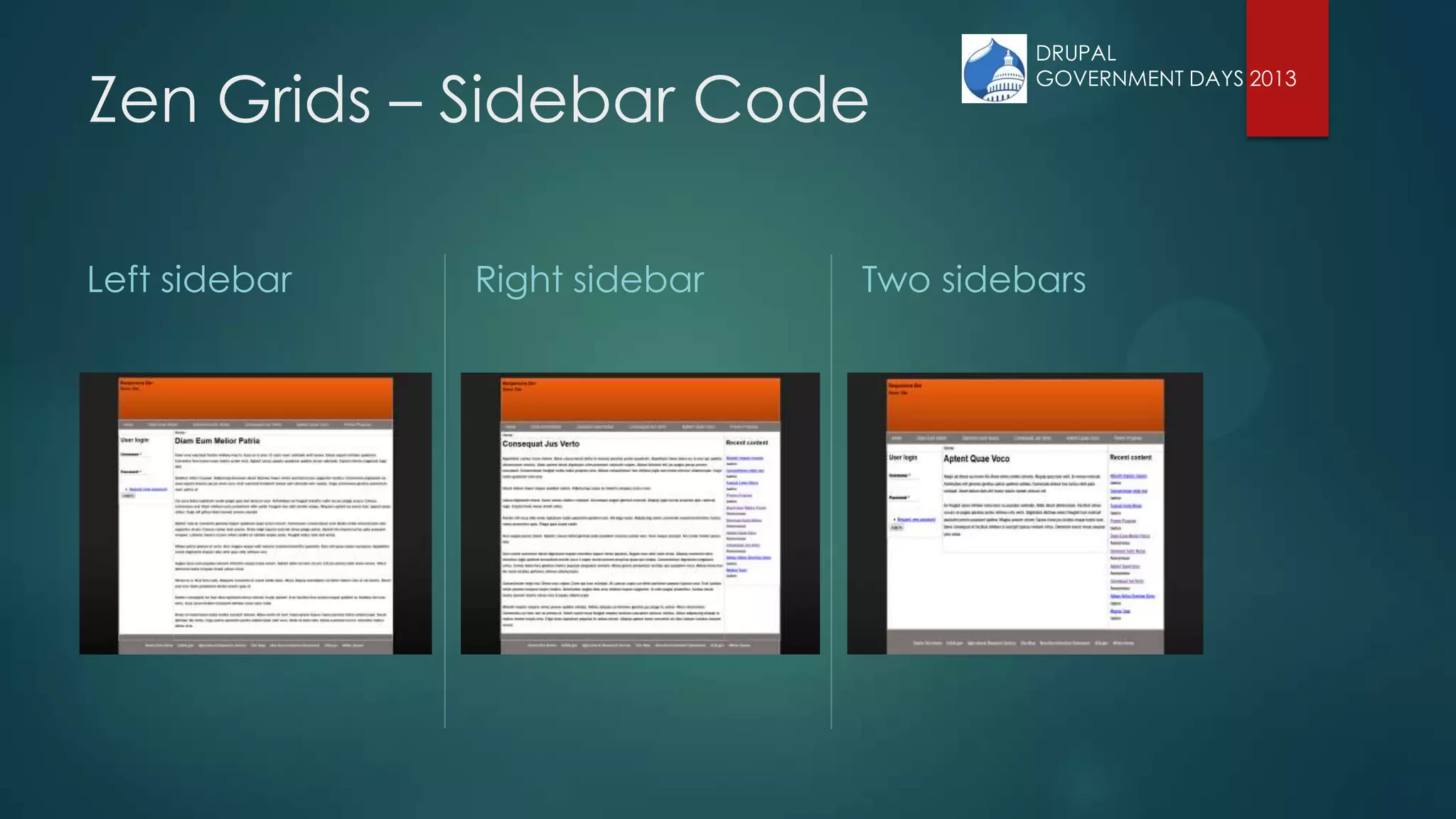
Zen Grids – Sidebar Code
 All layout code is located in the layout/responsive-sidebars.scss file within your sub-theme. The sidebar
code in responsive-sidebars.scss allows you to have different layouts for different sidebar scenarios. Zen
gives the <div> that surrounds your content and sidebar(s) a class.
 <div class=”DYNAMIC-CLASS”>
 [First Sidebar Div] [Content Div] [Second Sidebar Div]
 </div>
 If the first column exists, Zen generates a „sidebar-first‟ class. If the second column exist Zen generates a
„sidebar-second‟ class, if BOTH columns exist Zen generates a „sidebar-both‟ class. If no sidebars are
present, Zen generates a „no-sidebars‟ class.
 .sidebar-first { LAYOUT-CODE }
 .sidebar-second { LAYOUT-CODE }
 .two-sidebars { LAYOUT-CODE }
 .no-sidebars { LAYOUT-CODE }
• The names/locations of files have changed from zen-7.x-5.1
• In zen-7.x-5.3 it is scss/layouts/_responsive.scss
DRUPAL
GOVERNMENT DAYS 2013
Zen Grids – Sidebar Code
 If you want different layouts for different sidebar/display scenarios, your layout code can become
complicated, especially if you want different column counts on each display.
 You can repeat these layout rules throughout your responsive-sidebars.scss file to match any
display or sidebar scenario you can imagine.
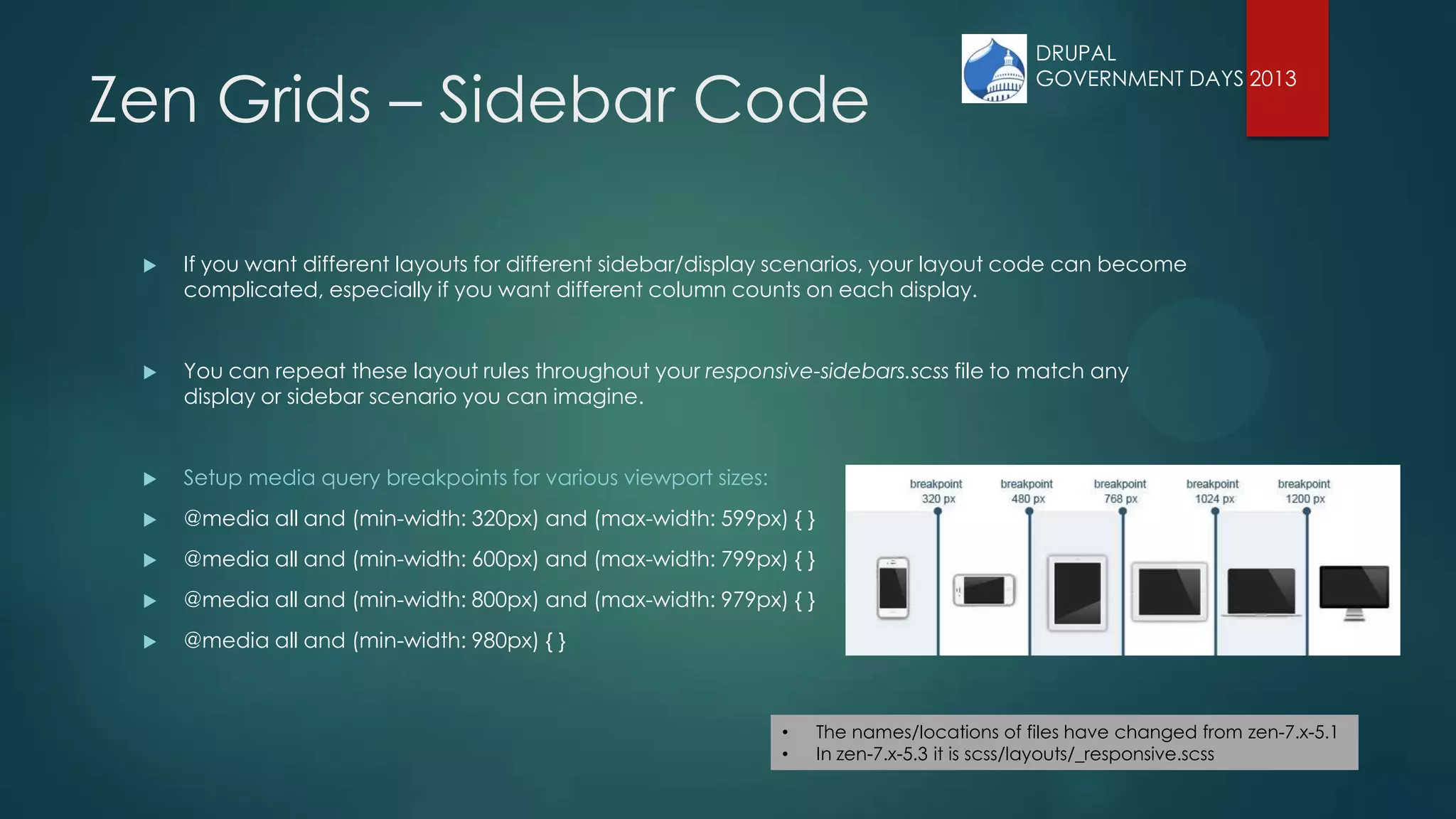
 Setup media query breakpoints for various viewport sizes:
 @media all and (min-width: 320px) and (max-width: 599px) { }
 @media all and (min-width: 600px) and (max-width: 799px) { }
 @media all and (min-width: 800px) and (max-width: 979px) { }
 @media all and (min-width: 980px) { }
• The names/locations of files have changed from zen-7.x-5.1
• In zen-7.x-5.3 it is scss/layouts/_responsive.scss
DRUPAL
GOVERNMENT DAYS 2013
Zen Grids – Sidebar Code
@media all and (min-width: 320px) and (max-width: 599px) {
/* Use 3 grid columns for smaller screens. */
$zen-column-count: 3;
/* The layout when there is only one sidebar, the left one. */
.sidebar-first { }
/* The layout when there is only one sidebar, the right one. */
.sidebar-second { }
/* The layout when there are two sidebars. */
.two-sidebars { }
/* The layout when there are no sidebars. */
.no-sidebars { }
}
@media all and (min-width: 600px) and (max-width: 799px) {
…
}
* Rinse and repeat for other breakpoints. *
DRUPAL
GOVERNMENT DAYS 2013
Zen Grids – Sidebar Code
Left sidebar Right sidebar Two sidebars
DRUPAL
GOVERNMENT DAYS 2013
Zen Grids – Sidebar Code
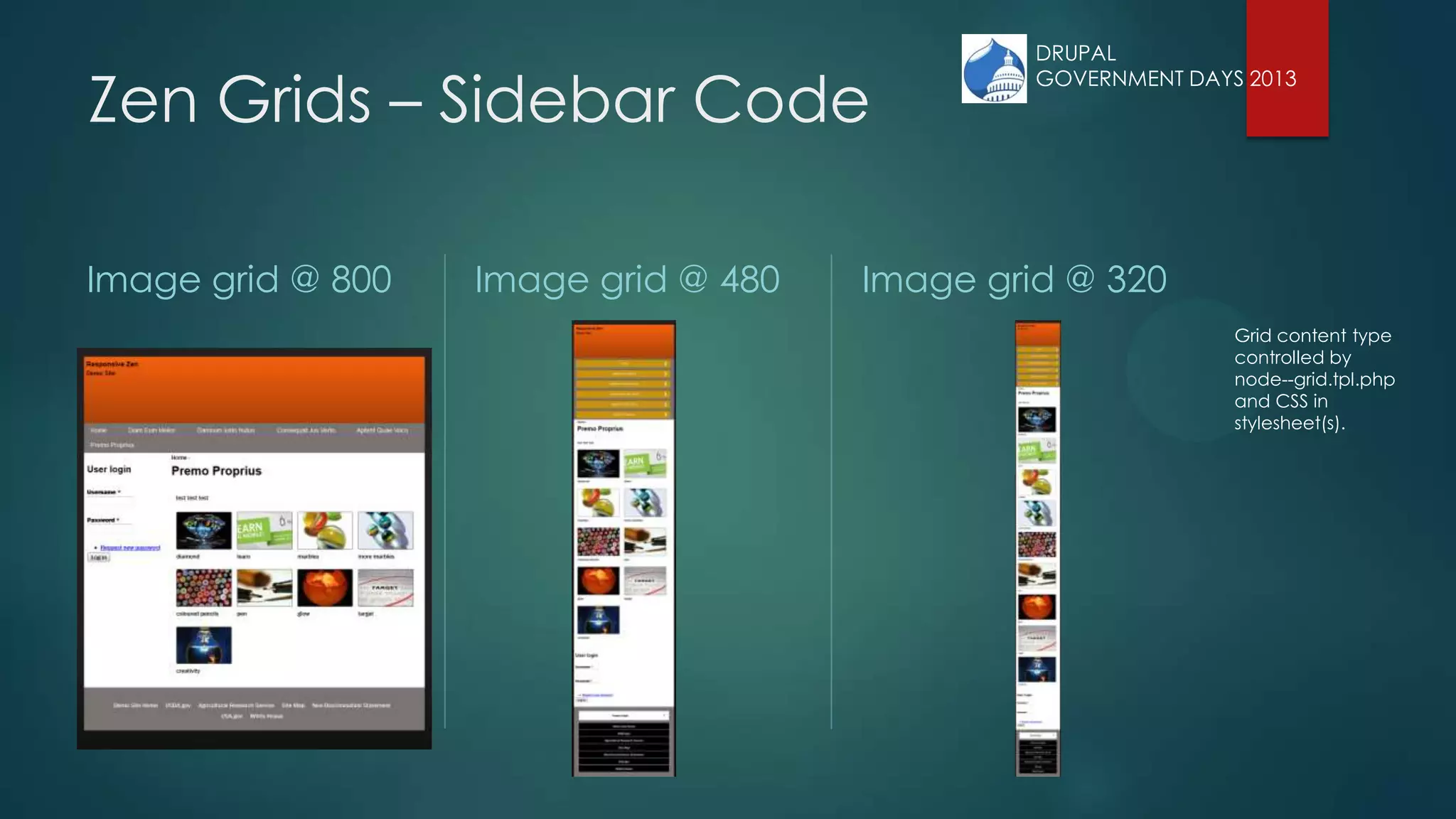
Image grid @ 800 Image grid @ 480 Image grid @ 320
Grid content type
controlled by
node--grid.tpl.php
and CSS in
stylesheet(s).
DRUPAL
GOVERNMENT DAYS 2013
DRUPAL
GOVERNMENT DAYS 2013
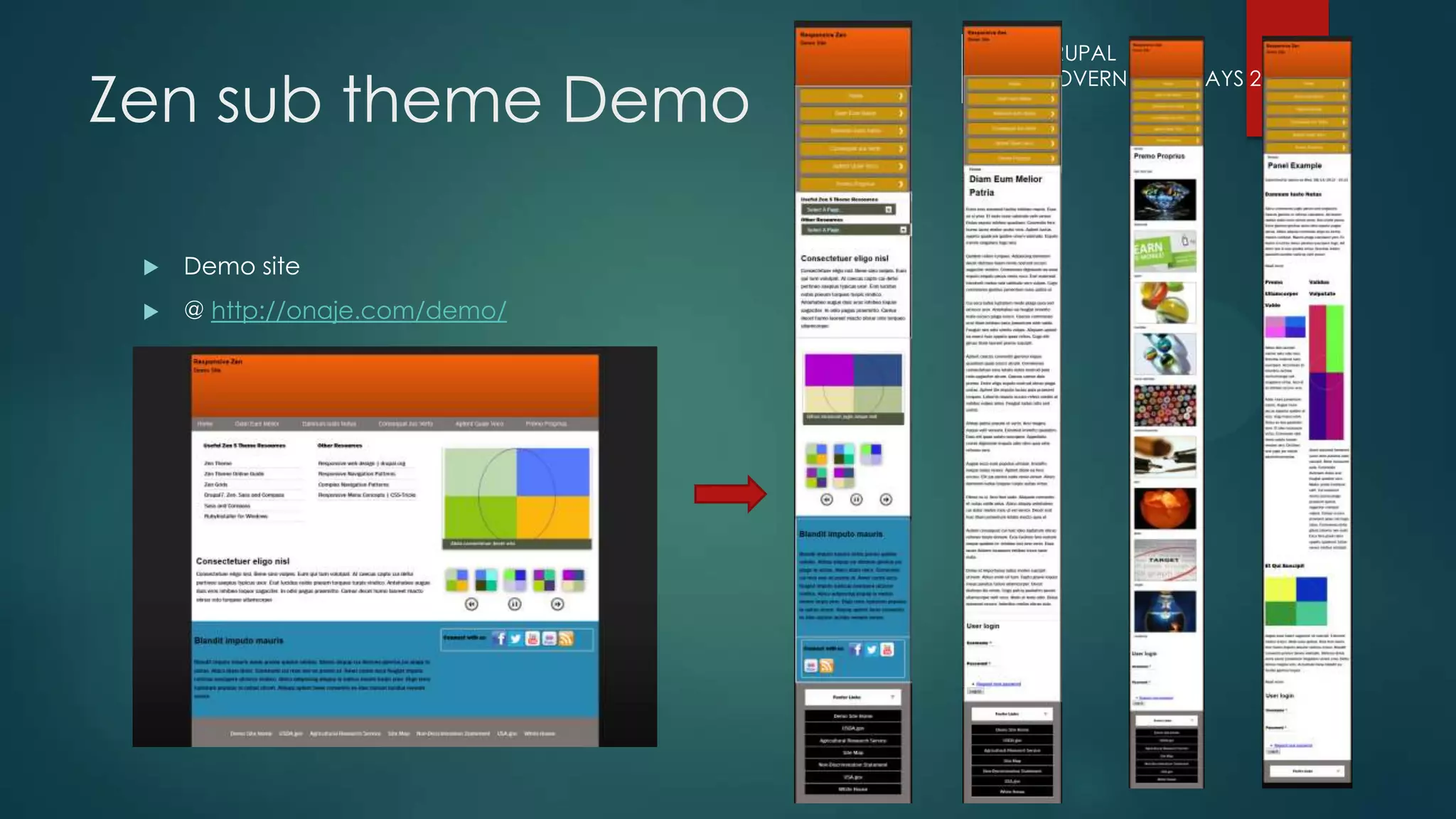
Zen sub theme Demo
 Demo site
 @ http://onaje.com/demo/

Responsive Zen

  • 1.
    Responsive Zen USING DRUPAL'SZEN 5 THEME WITH ZEN GRIDS TO CREATE A RESPONSIVE WEBSITE DRUPAL GOVERNMENT DAYS 2013
  • 2.
    Who am I? OnajeJohnston PhD Information Technology Specialist @ National Agriculture Library USDA Onaje.Johnston@ars.usda.gov DRUPAL GOVERNMENT DAYS 2013
  • 3.
    Topics  - Benefitsof using Zen 5 as a base theme  - Benefits of Zen Grids, and how to get started  - Example of a responsive theme created using Zen 5 and Zen Grids DRUPAL GOVERNMENT DAYS 2013
  • 4.
    Reaching Zen  Byway of Omega and other themes.  The mission - create a responsive Drupal 7 website.  Background research indicated Omega would probably the best choice.  Downloaded and installed Omega and started experimenting on first sub theme.  Stumbling block – non standard customizations not included in Omega. DRUPAL GOVERNMENT DAYS 2013
  • 5.
    Zen  One ofthe most downloaded and the most installed Drupal themes. Quickly build responsive sites. Zen is also a good theme for beginners.  Zen comes in two variations, a strict XHTML compliant version and a HTML5 version. *The HTML5 version is responsive.*  The theme has SASS/Compass integration and uses the Zen Grids framework.  Built in responsive 2, 3, and 5 column fluid grid design and can be extended. DRUPAL GOVERNMENT DAYS 2013
  • 6.
    Zen  Reasons touse Zen:  Zen is especially suited to creating responsive sites that do not follow the standard navigation pattern built into most responsive themes.  It is a great starting point if you find yourself having to remove and replace multiple features if you planned to use one of the other popular responsive base themes.  Makes theme creation easier because it has a smaller number of files you could potentially edit when creating a new theme.  The addition of Zen Grids to Zen 5 makes working with media query breakpoints and positioning elements a very easy process. DRUPAL GOVERNMENT DAYS 2013
  • 7.
    Syntactically Awesome Style Sheets What isSASS & Compass  “SASS is a framework for writing CSS in a more efficient and logical way.”  Compass – CSS authoring framework that streamlines the creation and maintenance of CSS - a HUGE library of mixins built on Sass  You must have Ruby installed  Run:  Compass requires Sass; it will install Sass as part of its installation. ~$ gem install compass DRUPAL GOVERNMENT DAYS 2013
  • 8.
    Creating a Zensub theme  Download Zen 5  Copy STARTERKIT folder in the Zen theme folder [sites/all/themes/zen] to main themes folder [sites/all/themes]  Rename the folder to the name of your new sub-theme  Go into the folder, rename the STARTERKIT.info.txt file to name_of_theme.info  STARTERKIT.info.txt -> demo.info  Edit the theme info file, look for a line that has the name and description  Give your theme a name and optionally edit the description DRUPAL GOVERNMENT DAYS 2013
  • 9.
    Creating a Zensub theme  Define new theme regions or other customizations as needed in the theme info file.  Edit template.php and theme-settings.php to use proper function names (if needed). Replace ALL occurrences of "STARTERKIT" with the name of your sub-theme.  To create a custom tpl for the frontpage, copy the page.tpl.php from the main Zen templates folder into the templates folder for the subtheme.  Save a copy of the page.tpl.php file to page--front.tpl.php.  Edit the file to include the HTML and PHP that will render the regions you defined in your theme .info file.  "Enable and set default" for your sub theme.  1. Info File  2. Template Files .tlp.php  3. Functions and variables. DRUPAL GOVERNMENT DAYS 2013
  • 10.
    Creating a Zensub theme  Run 'compass watch' in your theme folder.  Compass monitors the sub-theme folder for changes to the *.scss files  Updates the *.css files when it detects a change DRUPAL GOVERNMENT DAYS 2013
  • 11.
    Creating a Zensub theme  By default your new sub-theme is using a responsive layout.  Open scss/layouts/responsive-sidebars.scss  This file determines where your content moves to on the page as it is resized!  Look for line 'Containers for grid items and flow items.'  Reference the grid items defined in your template files.  Divs with ids or classes. • The names/locations of files have changed from zen-7.x-5.1 • In zen-7.x-5.3 it is scss/layouts/_responsive.scss DRUPAL GOVERNMENT DAYS 2013
  • 12.
    Creating a Zensub theme  Open scss/navigation.scss  Make any customizations for navigation links here  Open scss/pages.scss  Give document body a background color  Give page div a background color  Give footer a background color  Define styles for image grid page  Open scss/views-styles.scss  styling for views  i.e. views slideshow In zen-7.x-5.3 there 4 CSS files you will probably edit. They include the styles previously included in separate files. - styles.css - normalize.css - layout-responsive.css - modular-styles.css DRUPAL GOVERNMENT DAYS 2013
  • 13.
    Content Hierarchy  Whatcontent is most important?  Give it emphasis through size and order.  At smaller sizes, what shows up first? The goal for a responsive theme is to gracefully shift visible content, layout, and styling as the browser size changes. DRUPAL GOVERNMENT DAYS 2013
  • 14.
    Defined Regions regions[header] =Header regions[navigation] = Navigation bar regions[content] = Content regions[container_1_left] = Container 1 left regions[container_1_right] = Container 1 right regions[container_2_left] = Container 2 left regions[container_2_right] = Container 2 right regions[sidebar_first] = First sidebar regions[sidebar_second] = Second sidebar regions[footer] = Footer DRUPAL GOVERNMENT DAYS 2013
  • 15.
    Zen sub theme Regular view  Wireframe view DRUPAL GOVERNMENT DAYS 2013
  • 16.
    Zen Grids –Grid columns  Zen Grids gives you the power to create fluid, percentage-based grids on the fly.  Specify how many columns you want use and the spacing calculations are done for you. Zen Grids does the clear, float, and sizing CSS calculations required to make a grid.  The $zen-column-count will give every grid item called after it a percentage width of 1/$zen-column-count  Example:  $zen-column-count = 3 = width:33.33% DRUPAL GOVERNMENT DAYS 2013
  • 17.
    Zen Grids –Grid containers  Your grid of n columns will be applied to one or more containers.  Include the zen-grid-container mixin on the parts of your page that will contain grid items.  /* Containers for grid items and flow items. */  #header,  #main,  #content,  #navigation,  #footer {  @include zen-grid-container();  } DRUPAL GOVERNMENT DAYS 2013
  • 18.
    Zen Grids –Grid items  /* Apply the shared properties of grid items in a single, efficient ruleset. */  #header,  #main,  #content,  .content_1_left,  .content_1_right,  #content_bottom,  .content_2_left,  .content_2_right,  .region-sidebar-first,  .region-sidebar-second,  #navigation,  #footer {  @include zen-grid-item-base();  } DRUPAL GOVERNMENT DAYS 2013
  • 19.
    Zen Grids: Flowing griditems @include zen-grid-item($column-span, $column-position); The zen-grid-item() mixins specify size and placement of individual grid items. Example - place a sidebar to the right that spans one column and a content area to the left that spans two columns in a 3 column grid. $zen-column-count = 3; .sidebar-second { #content { /* Span 2 columns, starting in 1st column from left. */ @include zen-grid-item(2, 1); } .region-sidebar-second { /* Span 1 column, starting in 3rd column from left. */ @include zen-grid-item(1, 3); } } The first number determines how many columns the item will span. The second number determines the starting grid column position of the item. DRUPAL GOVERNMENT DAYS 2013
  • 20.
    Zen Grids: Nesting griditems @include zen-nested-container() Apply this to any grid item that is also a grid container element for a nested grid. It must be applied after the zen- grid-item() mixin is applied. /* The layout when there are no sidebars. */ .no-sidebars { #content { /* Span 5 columns, starting in 1st column from left. */ @include zen-grid-item(5, 1); } #content_top{ @include zen-grid-item(5, 1); @include zen-nested-container(); .content_1_left { @include zen-clear(left); @include zen-grid-item(3, 1); } .content_1_right { @include zen-grid-item(2, 4); } } #content_bottom { @include zen-clear(left); @include zen-grid-item(5, 1); @include zen-nested-container(); .content_2_left { @include zen-clear(left); @include zen-grid-item(3, 1); } .content_2_right { @include zen-grid-item(2, 4); } } <div id="content" class="column nosidesplain" role="main"> <div id="content_top"> <div class="content_1_left"> </div> <div class="content_1_right"> </div> </div> <div id="content_bottom"> <div class="content_2_left"> </div> <div class="content_2_right"> </div> </div> </div><!-- /#content --> DRUPAL GOVERNMENT DAYS 2013
  • 21.
    DRUPAL GOVERNMENT DAYS 2013 ZenGrids: Clearing grid items @include zen-clear(); Apply this mixin to start a new row. /* The layout when there are no sidebars. */ .no-sidebars { #content { /* Span 3 columns, starting in 1st column from left. */ @include zen-grid-item(3, 1); } #content_top { .content_1_left { @include zen-clear(left); @include zen-grid-item(3, 1); } .content_1_right { @include zen-clear(left); @include zen-grid-item(3, 1); } } #content_bottom { @include zen-clear(left); @include zen-grid-item(3, 1); @include zen-nested-container(); .content_2_left { @include zen-clear(left); @include zen-grid-item(3, 1); } .content_2_right { @include zen-clear(left); @include zen-grid-item(3, 1); } } } <div id="content" class="column nosidesplain" role="main"> <div id="content_top"> <div class="content_1_left"> </div> <div class="content_1_right"> </div> </div> <div id="content_bottom"> <div class="content_2_left"> </div> <div class="content_2_right"> </div> </div> </div><!-- /#content -->
  • 22.
    Zen Grids –Sidebar Code  All layout code is located in the layout/responsive-sidebars.scss file within your sub-theme. The sidebar code in responsive-sidebars.scss allows you to have different layouts for different sidebar scenarios. Zen gives the <div> that surrounds your content and sidebar(s) a class.  <div class=”DYNAMIC-CLASS”>  [First Sidebar Div] [Content Div] [Second Sidebar Div]  </div>  If the first column exists, Zen generates a „sidebar-first‟ class. If the second column exist Zen generates a „sidebar-second‟ class, if BOTH columns exist Zen generates a „sidebar-both‟ class. If no sidebars are present, Zen generates a „no-sidebars‟ class.  .sidebar-first { LAYOUT-CODE }  .sidebar-second { LAYOUT-CODE }  .two-sidebars { LAYOUT-CODE }  .no-sidebars { LAYOUT-CODE } • The names/locations of files have changed from zen-7.x-5.1 • In zen-7.x-5.3 it is scss/layouts/_responsive.scss DRUPAL GOVERNMENT DAYS 2013
  • 23.
    Zen Grids –Sidebar Code  If you want different layouts for different sidebar/display scenarios, your layout code can become complicated, especially if you want different column counts on each display.  You can repeat these layout rules throughout your responsive-sidebars.scss file to match any display or sidebar scenario you can imagine.  Setup media query breakpoints for various viewport sizes:  @media all and (min-width: 320px) and (max-width: 599px) { }  @media all and (min-width: 600px) and (max-width: 799px) { }  @media all and (min-width: 800px) and (max-width: 979px) { }  @media all and (min-width: 980px) { } • The names/locations of files have changed from zen-7.x-5.1 • In zen-7.x-5.3 it is scss/layouts/_responsive.scss DRUPAL GOVERNMENT DAYS 2013
  • 24.
    Zen Grids –Sidebar Code @media all and (min-width: 320px) and (max-width: 599px) { /* Use 3 grid columns for smaller screens. */ $zen-column-count: 3; /* The layout when there is only one sidebar, the left one. */ .sidebar-first { } /* The layout when there is only one sidebar, the right one. */ .sidebar-second { } /* The layout when there are two sidebars. */ .two-sidebars { } /* The layout when there are no sidebars. */ .no-sidebars { } } @media all and (min-width: 600px) and (max-width: 799px) { … } * Rinse and repeat for other breakpoints. * DRUPAL GOVERNMENT DAYS 2013
  • 25.
    Zen Grids –Sidebar Code Left sidebar Right sidebar Two sidebars DRUPAL GOVERNMENT DAYS 2013
  • 26.
    Zen Grids –Sidebar Code Image grid @ 800 Image grid @ 480 Image grid @ 320 Grid content type controlled by node--grid.tpl.php and CSS in stylesheet(s). DRUPAL GOVERNMENT DAYS 2013
  • 27.
    DRUPAL GOVERNMENT DAYS 2013 Zensub theme Demo  Demo site  @ http://onaje.com/demo/