User-Focused Design
Introductions
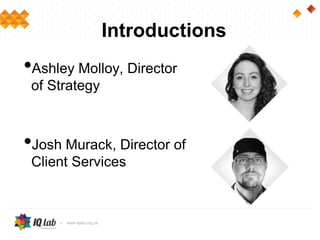
•Ashley Molloy, Director
of Strategy
•Josh Murack, Director of
Client Services
Agenda
•What is User-Focused Design?
•Benefits
•Understanding the User
•Process
•Tips
•Takeaways
•Questions
What is User-Focused
Design?
User-focused design is an iterative process of
analyzing and determining the needs of the
people who buy and use your product in order
to meet their expectations, throughout the
entire project.
“It is only in the software and drug industries, that we
refer to our customers as users"
Benefits
•Identifying business and user needs from
the start
•Organizations that do not practice user-
centered design:
• Dissatisfied customers
• Additional development schedules and costs
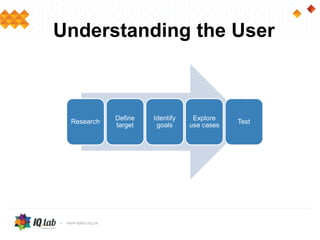
Research
Define
target
Identify
goals
Explore
use cases
Test
Understanding the User
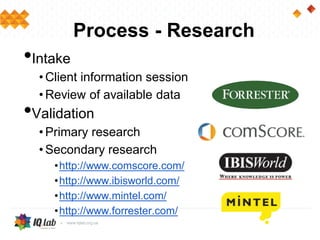
Process - Research
•Intake
• Client information session
• Review of available data
•Validation
• Primary research
• Secondary research
•http://www.comscore.com/
•http://www.ibisworld.com/
•http://www.mintel.com/
•http://www.forrester.com/
Process – Define and Identify
•Define the target audience, competition
and the core user
•Identify and understand the users’ goals
and tasks
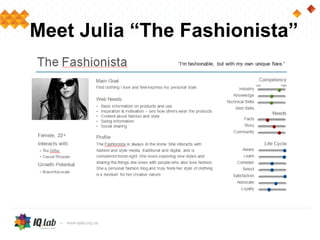
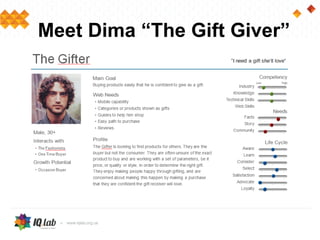
•Develop personas around motivations,
attitudes and behaviors
Meet Julia “The Fashionista”
Meet Dima “The Gift Giver”
Process – Use Cases
•Evaluate the users needs, learn behaviors
•Create proposed solutions
•Solutions are tested by the users
•Julia and Dima have different needs
Process – Test
•This understanding should drive the features
and experience with your site
•As your site evolves, you should continue to
assume these personas and test the experience
is still solving their needs
Process - Note
•It is essential to involve the whole team in
this process
•The best developers don't just make
things work - they are actively involved in
understanding the audience to build
something fit for them
Overview of Tips
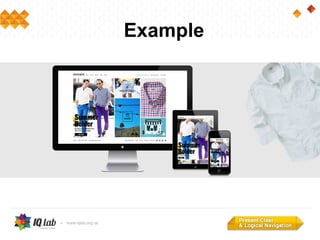
1: Present clear and logical navigation
2: Aid in product discovery
3: Be accessible on all devices
4: Continually test and optimize
1- Present Clear and Logical
Navigation
Goal
•Allow users to travel easily through a
website and accomplish their goals quickly
• Shoppers: I know what I want
• Lookers: I am exploring products I might want
Best Practices
•Categorize products simply
•Ensure your navigation is for lookers and
shoppers
• “I'm Just Looking”
• Collections - Shop By Style
• New arrivals - Sale
• “I Know What I Want”
• Search
• Primary categories
Example
Tools
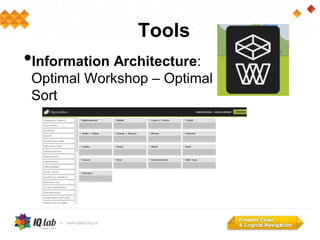
•Information Architecture:
Optimal Workshop – Optimal
Sort
Tools
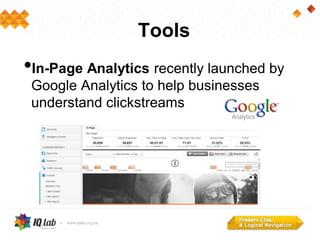
•In-Page Analytics recently launched by
Google Analytics to help businesses
understand clickstreams
2 – Aid in Product Discovery
Goal
•Provide various methods of shopping that
users are familiar with; written, visual and
product-specific
Best Practices
•Replicate the traditional buying experience
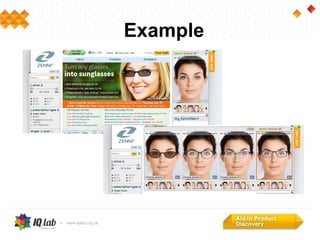
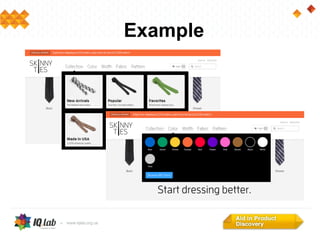
•Use imagery to help classify and describe
products
•Use hero and CTA space to present products
and promotions
•Guide shoppers to desired products
Example
Example
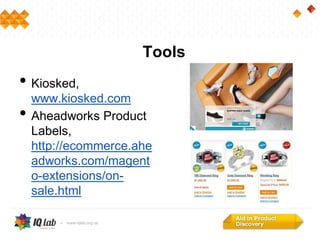
• Kiosked,
www.kiosked.com
• Aheadworks Product
Labels,
http://ecommerce.ahe
adworks.com/magent
o-extensions/on-
sale.html
Tools
3 – Be Accessible on all Devices
Goal
•Ensure your website is flexible enough to
present a rich browser-based experience,
as well as a simple mobile experience.
Best Practices
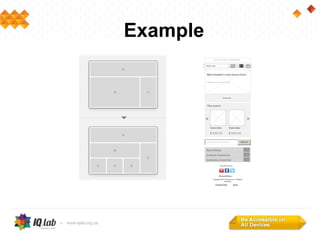
•Incorporate responsive design
• Existing: Starting with a desktop experience and working
backwards
• New: Mobile first - Simplicity is key
•Have a defined process
• What are users likely to be doing on each device?
What feature set makes sense?
• Define and prioritize the most important user
actions per device
Example
Example
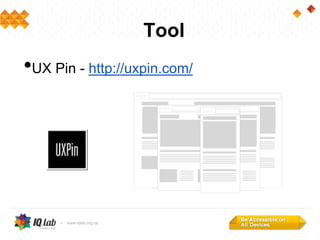
Tool
•UX Pin - http://uxpin.com/
4 – Continually Test and Optimize
Goal
•Present the best experience to users
through iteration and view every feature as
a hypothesis to be proved by the users
Best Practices
•Keep an open channel for users to give
you feedback
•Actively reach out to them for
improvements
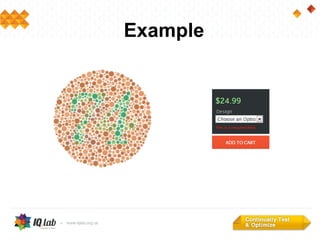
Example
Tool
•Foresee http://www.foreseeresults.com/
•Morae
http://www.techsmith.com/morae.html
Challenges
•User and business needs sometimes
conflict
•Varied user needs can cause complexity
•Fast-paced nature of ecommerce creates
new best practices continually
Takeaways
1: Present clear and logical navigation
2: Aid in product discovery
3: Be accessible on all devices
4: Continually test and optimize
Questions?
•Ashley Molloy - amolloy@onepica.com
•Josh Murack - j.murack@digitalfactors.com
User focused design

User focused design