www.uptimesoftware.com
Beautiful Dashboards vs. Deep Reporting
What’s More Important?
UNIFIED IT MONITORING
Alex Bewley, CTO
www.uptimesoftware.com
What are we talking about today?
• Dashboards versus/and/or/maybe Reporting
• Dashboards: Real-time super-cool, lots of
pretty colours.
– Seen in Big Data, Cloud-based XaaS offerings (APM)
• Reports: Boring Excel and PDF, volumes of
information.
– Reminders of ‘The Office’
 Well, what are you trying to solve?
– Let’s break it down a bit
www.uptimesoftware.com
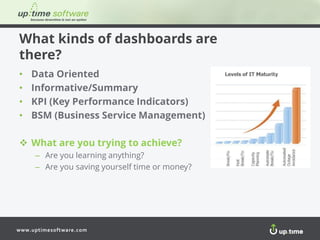
What kinds of dashboards are
there?
• Data Oriented
• Informative/Summary
• KPI (Key Performance Indicators)
• BSM (Business Service Management)
 What are you trying to achieve?
– Are you learning anything?
– Are you saving yourself time or money?
www.uptimesoftware.com
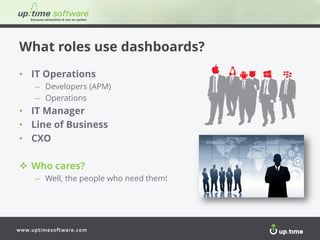
What roles use dashboards?
• IT Operations
– Developers (APM)
– Operations
• IT Manager
• Line of Business
• CXO
 Who cares?
– Well, the people who need them!
www.uptimesoftware.com
Who is consuming the dashboard?
• Gear the design to the consumer of it
 Need to be very careful what information is displayed
 Make sure that it’s relevant for the audience
• Start thinking about key business metrics
 Mapping the IT world to the business world
 Note: it’s not always easy (or possible)!
• An Application isn’t always an Application
 I say Tomato you say Tomahto
 WebSphere or Exchange NOT an Application
www.uptimesoftware.com
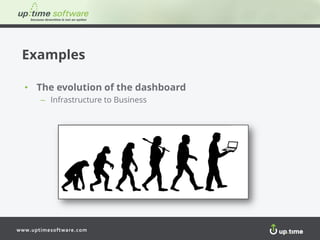
Examples
• The evolution of the dashboard
– Infrastructure to Business
www.uptimesoftware.com www.uptimesoftware.com
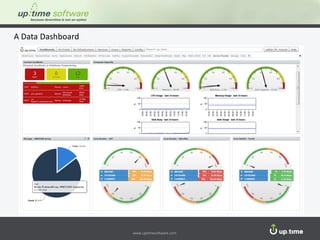
A Data Dashboard
www.uptimesoftware.com www.uptimesoftware.com
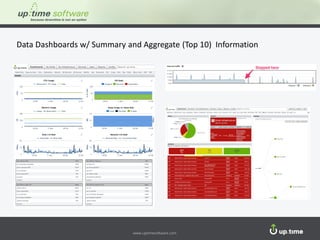
Data Dashboards w/ Summary and Aggregate (Top 10) Information
www.uptimesoftware.com www.uptimesoftware.com
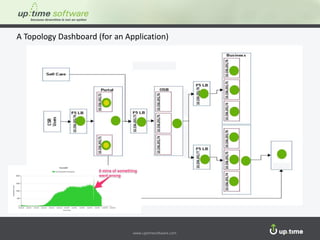
A Topology Dashboard (for an Application)
www.uptimesoftware.com www.uptimesoftware.com
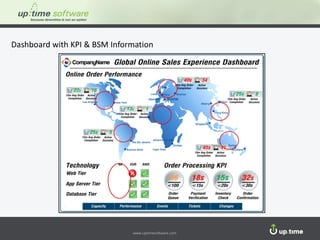
Dashboard with KPI & BSM Information
www.uptimesoftware.com
Dashboards
• The Pros
– Pretty (mostly)
– Salient snapshot of important data
– Great for non-technical users
• The Cons
– Limited time frame
– Potential lack of context
www.uptimesoftware.com
Reports
• Why
– Data over a long period of time (trend analysis)
• How are they used?
– Capacity planning
– Cost management
– Distribution to end-user groups
– People who don’t have access to the monitoring system
• SaaS
– Seems to be report free – why?
– Lots of SaaS products lack reporting in depth
www.uptimesoftware.com
Consumers of Reports
• They are the same as
dashboards
– BUT…. different goals
• Psychologically, reports are
used differently
– Reports get read
– You’ll remember to read it if it’s in
your inbox, but you’ll generally forget
to check a portal
– People like to play with data
www.uptimesoftware.com
Examples
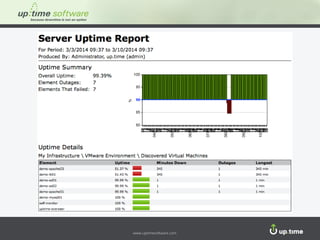
• Forensics
– So, what happened yesterday?
• Capacity Planning
– Summaries to Line-of-Business Managers/Teams
– Serve a large community of users w/o access to up.time
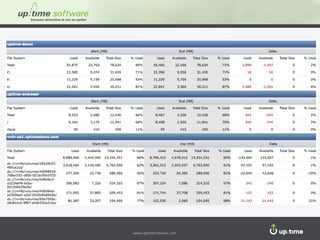
• Summary Growth reports
– Comparing large point-in-time differences (storage growth)
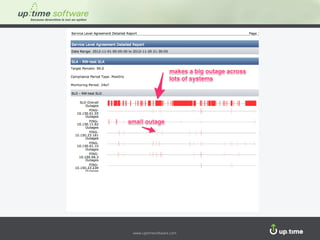
• Service Level Agreements
– Better SLA planning with historical and “rear-view mirror” data
– Highly interdependent systems can cause application outages, even
if outages are small
www.uptimesoftware.com www.uptimesoftware.com
www.uptimesoftware.com
Getting the Best of Both Worlds
• How do you combine real-time
dashboards with deep reporting?
• What’s out there?
• How should you evaluate a solution?
• How can you manage virtualized,
hybrid cloud, or pure cloud
environments?
www.uptimesoftware.com www.uptimesoftware.com
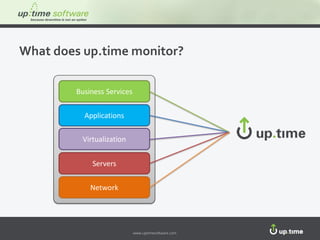
What does up.time monitor?
Business Services
Applications
Virtualization
Servers
Network
www.uptimesoftware.com
Next steps…
• Set up a 1:1 custom demo
– demosales@uptimesoftware.com
• Call us at:
– 1.866.735.4304
• Download a trial of up.time:
– www.uptimesoftware.com
www.uptimesoftware.com
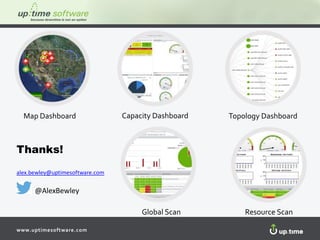
Map Dashboard Topology DashboardCapacity Dashboard
Global Scan Resource Scan
Thanks!
alex.bewley@uptimesoftware.com
@AlexBewley

Unified IT Monitoring: Beautiful Dashboards vs. Deep Reporting - What’s More Important?