UNIT I – Computational
thinking and Problem
Syllabus
Introduction to fundamentals of computing, Algorithms, building blocks of algorithms
(statements, state, control flow, functions), notation (pseudo code, flow chart,
programming language), algorithmic problem solving, simple strategies for
developing algorithms (iteration, recursion). Illustrative problems: find minimum in a
list, insert a card in a list of sorted cards, guess an integer number in a range, Towers of
Hanoi.
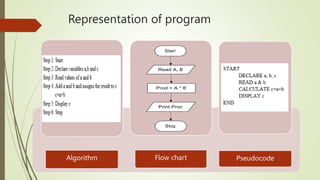
Representation of program
Algorithm Flow chart Pseudocode
Algorithm
 Step by Step description
 Anybody can easily understand
 Theoretical explanation of program
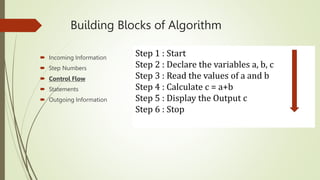
Building Blocks of Algorithm
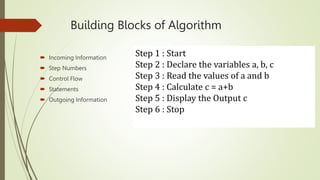
 Incoming Information
 Step Numbers
 Control Flow
 Statements
 Outgoing Information
Step 1 : Start
Step 2 : Declare the variables a, b, c
Step 3 : Read the values of a and b
Step 4 : Calculate c = a+b
Step 5 : Display the Output c
Step 6 : Stop
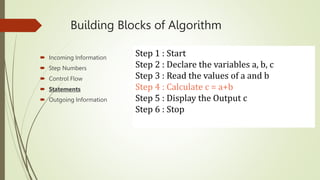
Building Blocks of Algorithm
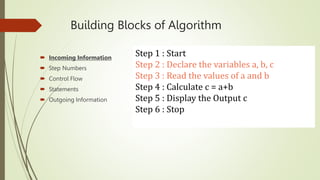
 Incoming Information
 Step Numbers
 Control Flow
 Statements
 Outgoing Information
Step 1 : Start
Step 2 : Declare the variables a, b, c
Step 3 : Read the values of a and b
Step 4 : Calculate c = a+b
Step 5 : Display the Output c
Step 6 : Stop
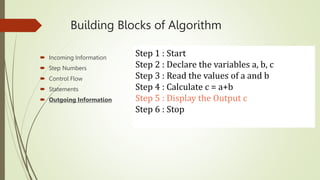
Building Blocks of Algorithm
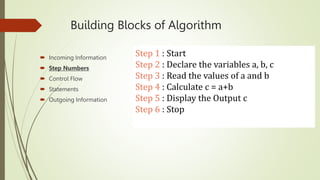
 Incoming Information
 Step Numbers
 Control Flow
 Statements
 Outgoing Information
Step 1 : Start
Step 2 : Declare the variables a, b, c
Step 3 : Read the values of a and b
Step 4 : Calculate c = a+b
Step 5 : Display the Output c
Step 6 : Stop
Building Blocks of Algorithm
 Incoming Information
 Step Numbers
 Control Flow
 Statements
 Outgoing Information
Step 1 : Start
Step 2 : Declare the variables a, b, c
Step 3 : Read the values of a and b
Step 4 : Calculate c = a+b
Step 5 : Display the Output c
Step 6 : Stop
Building Blocks of Algorithm
 Incoming Information
 Step Numbers
 Control Flow
 Statements
 Outgoing Information
Step 1 : Start
Step 2 : Declare the variables a, b, c
Step 3 : Read the values of a and b
Step 4 : Calculate c = a+b
Step 5 : Display the Output c
Step 6 : Stop
Building Blocks of Algorithm
 Incoming Information
 Step Numbers
 Control Flow
 Statements
 Outgoing Information
Step 1 : Start
Step 2 : Declare the variables a, b, c
Step 3 : Read the values of a and b
Step 4 : Calculate c = a+b
Step 5 : Display the Output c
Step 6 : Stop
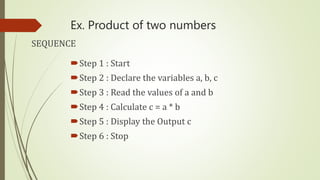
Ex. Product of two numbers
Step 1 : Start
Step 2 : Declare the variables a, b, c
Step 3 : Read the values of a and b
Step 4 : Calculate c = a * b
Step 5 : Display the Output c
Step 6 : Stop
SEQUENCE
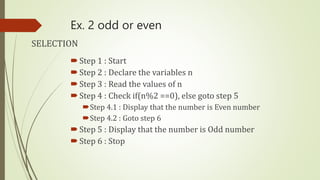
Ex. 2 odd or even
Step 1 : Start
Step 2 : Declare the variables n
Step 3 : Read the values of n
Step 4 : Check if(n%2 ==0), else goto step 5
Step 4.1 : Display that the number is Even number
Step 4.2 : Goto step 6
Step 5 : Display that the number is Odd number
Step 6 : Stop
SELECTION
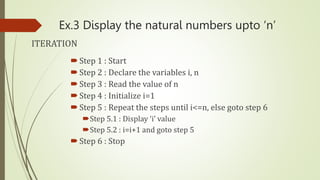
Ex.3 Display the natural numbers upto ‘n’
Step 1 : Start
Step 2 : Declare the variables i, n
Step 3 : Read the value of n
Step 4 : Initialize i=1
Step 5 : Repeat the steps until i<=n, else goto step 6
Step 5.1 : Display ‘i’ value
Step 5.2 : i=i+1 and goto step 5
Step 6 : Stop
ITERATION
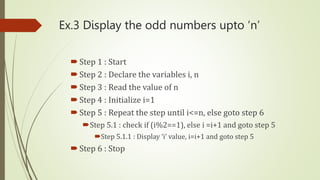
Ex.3 Display the odd numbers upto ‘n’
Step 1 : Start
Step 2 : Declare the variables i, n
Step 3 : Read the value of n
Step 4 : Initialize i=1
Step 5 : Repeat the step until i<=n, else goto step 6
Step 5.1 : check if (i%2==1), else i =i+1 and goto step 5
Step 5.1.1 : Display ‘i’ value, i=i+1 and goto step 5
Step 6 : Stop
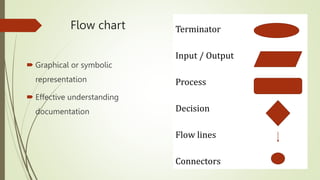
Flow chart
 Graphical or symbolic
representation
 Effective understanding
documentation
Terminator
Input / Output
Process
Decision
Flow lines
Connectors
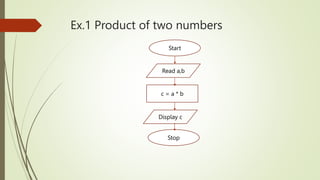
Ex.1 Product of two numbers
Start
Read a,b
c = a * b
Display c
Stop
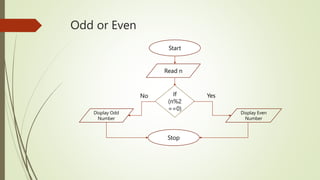
Odd or Even
Start
Read n
Display Odd
Number
Stop
Display Even
Number
If
(n%2
==0)
Yes
No
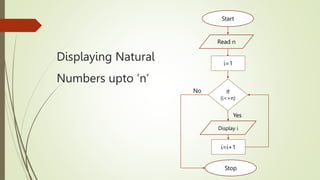
Displaying Natural
Numbers upto ‘n’
Start
Read n
Stop
Display i
If
(i<=n)
Yes
No
i=1
i=i+1
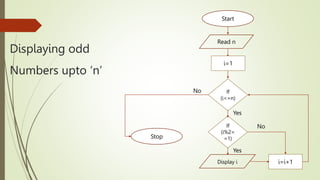
Displaying odd
Numbers upto ‘n’
Start
Read n
Stop
Display i
If
(i<=n)
Yes
No
i=1
i=i+1
If
(i%2=
=1)
Yes
No
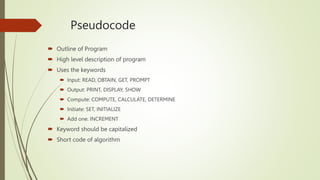
Pseudocode
 Outline of Program
 High level description of program
 Uses the keywords
 Input: READ, OBTAIN, GET, PROMPT
 Output: PRINT, DISPLAY, SHOW
 Compute: COMPUTE, CALCULATE, DETERMINE
 Initiate: SET, INITIALIZE
 Add one: INCREMENT
 Keyword should be capitalized
 Short code of algorithm
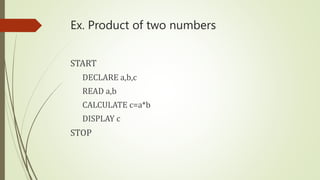
Ex. Product of two numbers
START
DECLARE a,b,c
READ a,b
CALCULATE c=a*b
DISPLAY c
STOP
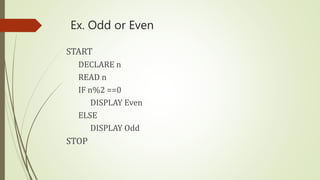
Ex. Odd or Even
START
DECLARE n
READ n
IF n%2 ==0
DISPLAY Even
ELSE
DISPLAY Odd
STOP
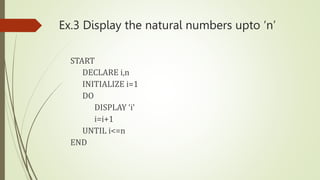
Ex.3 Display the natural numbers upto ‘n’
START
DECLARE i,n
INITIALIZE i=1
DO
DISPLAY ‘i’
i=i+1
UNTIL i<=n
END
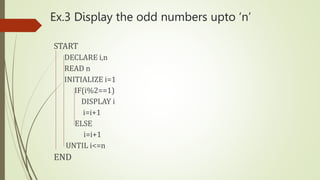
Ex.3 Display the odd numbers upto ‘n’
START
DECLARE i,n
READ n
INITIALIZE i=1
IF(i%2==1)
DISPLAY i
i=i+1
ELSE
i=i+1
UNTIL i<=n
END
Sum of digits
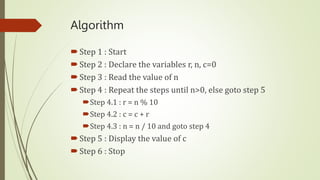
Algorithm
Step 1 : Start
Step 2 : Declare the variables r, n, c=0
Step 3 : Read the value of n
Step 4 : Repeat the steps until n>0, else goto step 5
Step 4.1 : r = n % 10
Step 4.2 : c = c + r
Step 4.3 : n = n / 10 and goto step 4
Step 5 : Display the value of c
Step 6 : Stop
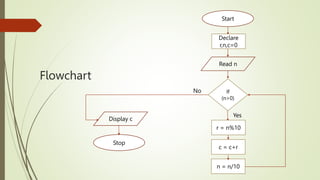
Flowchart
Start
Read n
Stop
If
(n>0)
Yes
No
Declare
r,n,c=0
c = c+r
n = n/10
r = n%10
Display c
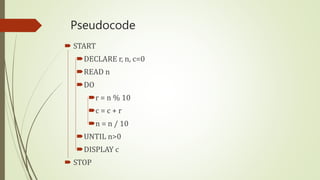
Pseudocode
 START
DECLARE r, n, c=0
READ n
DO
r = n % 10
c = c + r
n = n / 10
UNTIL n>0
DISPLAY c
 STOP
Fibonacci series
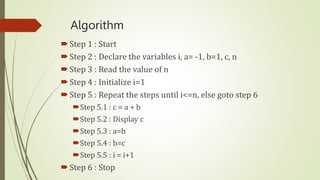
Algorithm
Step 1 : Start
Step 2 : Declare the variables i, a= -1, b=1, c, n
Step 3 : Read the value of n
Step 4 : Initialize i=1
Step 5 : Repeat the steps until i<=n, else goto step 6
Step 5.1 : c = a + b
Step 5.2 : Display c
Step 5.3 : a=b
Step 5.4 : b=c
Step 5.5 : i = i+1
Step 6 : Stop
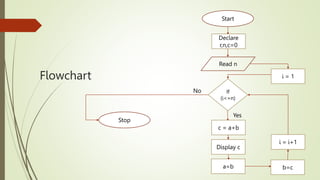
Flowchart
Start
Read n
Stop
If
(i<=n)
Yes
No
Declare
r,n,c=0
Display c
a=b
c = a+b
i = 1
b=c
i = i+1
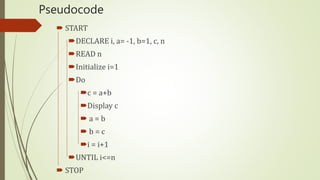
Pseudocode
 START
DECLARE i, a= -1, b=1, c, n
READ n
Initialize i=1
Do
c = a+b
Display c
 a = b
 b = c
i = i+1
UNTIL i<=n
 STOP

UNIT I - Algorithmic Problem Solving.pptx

  • 1.
    UNIT I –Computational thinking and Problem
  • 2.
    Syllabus Introduction to fundamentalsof computing, Algorithms, building blocks of algorithms (statements, state, control flow, functions), notation (pseudo code, flow chart, programming language), algorithmic problem solving, simple strategies for developing algorithms (iteration, recursion). Illustrative problems: find minimum in a list, insert a card in a list of sorted cards, guess an integer number in a range, Towers of Hanoi.
  • 3.
  • 4.
    Algorithm  Step byStep description  Anybody can easily understand  Theoretical explanation of program
  • 5.
    Building Blocks ofAlgorithm  Incoming Information  Step Numbers  Control Flow  Statements  Outgoing Information Step 1 : Start Step 2 : Declare the variables a, b, c Step 3 : Read the values of a and b Step 4 : Calculate c = a+b Step 5 : Display the Output c Step 6 : Stop
  • 6.
    Building Blocks ofAlgorithm  Incoming Information  Step Numbers  Control Flow  Statements  Outgoing Information Step 1 : Start Step 2 : Declare the variables a, b, c Step 3 : Read the values of a and b Step 4 : Calculate c = a+b Step 5 : Display the Output c Step 6 : Stop
  • 7.
    Building Blocks ofAlgorithm  Incoming Information  Step Numbers  Control Flow  Statements  Outgoing Information Step 1 : Start Step 2 : Declare the variables a, b, c Step 3 : Read the values of a and b Step 4 : Calculate c = a+b Step 5 : Display the Output c Step 6 : Stop
  • 8.
    Building Blocks ofAlgorithm  Incoming Information  Step Numbers  Control Flow  Statements  Outgoing Information Step 1 : Start Step 2 : Declare the variables a, b, c Step 3 : Read the values of a and b Step 4 : Calculate c = a+b Step 5 : Display the Output c Step 6 : Stop
  • 9.
    Building Blocks ofAlgorithm  Incoming Information  Step Numbers  Control Flow  Statements  Outgoing Information Step 1 : Start Step 2 : Declare the variables a, b, c Step 3 : Read the values of a and b Step 4 : Calculate c = a+b Step 5 : Display the Output c Step 6 : Stop
  • 10.
    Building Blocks ofAlgorithm  Incoming Information  Step Numbers  Control Flow  Statements  Outgoing Information Step 1 : Start Step 2 : Declare the variables a, b, c Step 3 : Read the values of a and b Step 4 : Calculate c = a+b Step 5 : Display the Output c Step 6 : Stop
  • 11.
    Ex. Product oftwo numbers Step 1 : Start Step 2 : Declare the variables a, b, c Step 3 : Read the values of a and b Step 4 : Calculate c = a * b Step 5 : Display the Output c Step 6 : Stop SEQUENCE
  • 12.
    Ex. 2 oddor even Step 1 : Start Step 2 : Declare the variables n Step 3 : Read the values of n Step 4 : Check if(n%2 ==0), else goto step 5 Step 4.1 : Display that the number is Even number Step 4.2 : Goto step 6 Step 5 : Display that the number is Odd number Step 6 : Stop SELECTION
  • 13.
    Ex.3 Display thenatural numbers upto ‘n’ Step 1 : Start Step 2 : Declare the variables i, n Step 3 : Read the value of n Step 4 : Initialize i=1 Step 5 : Repeat the steps until i<=n, else goto step 6 Step 5.1 : Display ‘i’ value Step 5.2 : i=i+1 and goto step 5 Step 6 : Stop ITERATION
  • 14.
    Ex.3 Display theodd numbers upto ‘n’ Step 1 : Start Step 2 : Declare the variables i, n Step 3 : Read the value of n Step 4 : Initialize i=1 Step 5 : Repeat the step until i<=n, else goto step 6 Step 5.1 : check if (i%2==1), else i =i+1 and goto step 5 Step 5.1.1 : Display ‘i’ value, i=i+1 and goto step 5 Step 6 : Stop
  • 15.
    Flow chart  Graphicalor symbolic representation  Effective understanding documentation Terminator Input / Output Process Decision Flow lines Connectors
  • 16.
    Ex.1 Product oftwo numbers Start Read a,b c = a * b Display c Stop
  • 17.
    Odd or Even Start Readn Display Odd Number Stop Display Even Number If (n%2 ==0) Yes No
  • 18.
    Displaying Natural Numbers upto‘n’ Start Read n Stop Display i If (i<=n) Yes No i=1 i=i+1
  • 19.
    Displaying odd Numbers upto‘n’ Start Read n Stop Display i If (i<=n) Yes No i=1 i=i+1 If (i%2= =1) Yes No
  • 20.
    Pseudocode  Outline ofProgram  High level description of program  Uses the keywords  Input: READ, OBTAIN, GET, PROMPT  Output: PRINT, DISPLAY, SHOW  Compute: COMPUTE, CALCULATE, DETERMINE  Initiate: SET, INITIALIZE  Add one: INCREMENT  Keyword should be capitalized  Short code of algorithm
  • 21.
    Ex. Product oftwo numbers START DECLARE a,b,c READ a,b CALCULATE c=a*b DISPLAY c STOP
  • 22.
    Ex. Odd orEven START DECLARE n READ n IF n%2 ==0 DISPLAY Even ELSE DISPLAY Odd STOP
  • 23.
    Ex.3 Display thenatural numbers upto ‘n’ START DECLARE i,n INITIALIZE i=1 DO DISPLAY ‘i’ i=i+1 UNTIL i<=n END
  • 24.
    Ex.3 Display theodd numbers upto ‘n’ START DECLARE i,n READ n INITIALIZE i=1 IF(i%2==1) DISPLAY i i=i+1 ELSE i=i+1 UNTIL i<=n END
  • 25.
  • 26.
    Algorithm Step 1 :Start Step 2 : Declare the variables r, n, c=0 Step 3 : Read the value of n Step 4 : Repeat the steps until n>0, else goto step 5 Step 4.1 : r = n % 10 Step 4.2 : c = c + r Step 4.3 : n = n / 10 and goto step 4 Step 5 : Display the value of c Step 6 : Stop
  • 27.
  • 28.
    Pseudocode  START DECLARE r,n, c=0 READ n DO r = n % 10 c = c + r n = n / 10 UNTIL n>0 DISPLAY c  STOP
  • 29.
  • 30.
    Algorithm Step 1 :Start Step 2 : Declare the variables i, a= -1, b=1, c, n Step 3 : Read the value of n Step 4 : Initialize i=1 Step 5 : Repeat the steps until i<=n, else goto step 6 Step 5.1 : c = a + b Step 5.2 : Display c Step 5.3 : a=b Step 5.4 : b=c Step 5.5 : i = i+1 Step 6 : Stop
  • 31.
  • 32.
    Pseudocode  START DECLARE i,a= -1, b=1, c, n READ n Initialize i=1 Do c = a+b Display c  a = b  b = c i = i+1 UNTIL i<=n  STOP