Software Testing
Process ofexercising a program with the
specific intent of finding errors prior to delivery
to the end user
• Testing is a set of activities that can be planned in
advance and conducted systematically.
2.
Software Testing Strategy
•It is a roadmap of steps to be conducted as a part of testing:
when these steps are planned and then undertaken, and how
much effort, time, and resources will be required
• Testing strategy:
• test planning, test case design, test execution, and resultant data
collection and evaluation
• Should be flexible to customize testing approach & rigid
enough to encourage reasonable planning and management
tracking as the project progresses
Strategic approach tosoftware testing
• A template for software testing should be defined
• a set of steps into which you can place specific test case design techniques and testing
methods
• Software testing strategy has following characteristics:
• Effective testing – conduct technical reviews – many errors will be eliminated before testing
commences
• Testing begins – at component-level and grows outward
– toward integeration
• Different testing techniques are appropriate for
different software engineering approaches and at different points in time
• Developer does testing, also assisted by independent test groups for large projects
• As testing and debugging are different activities, debugging must be accommodated in any
testing strategy
5.
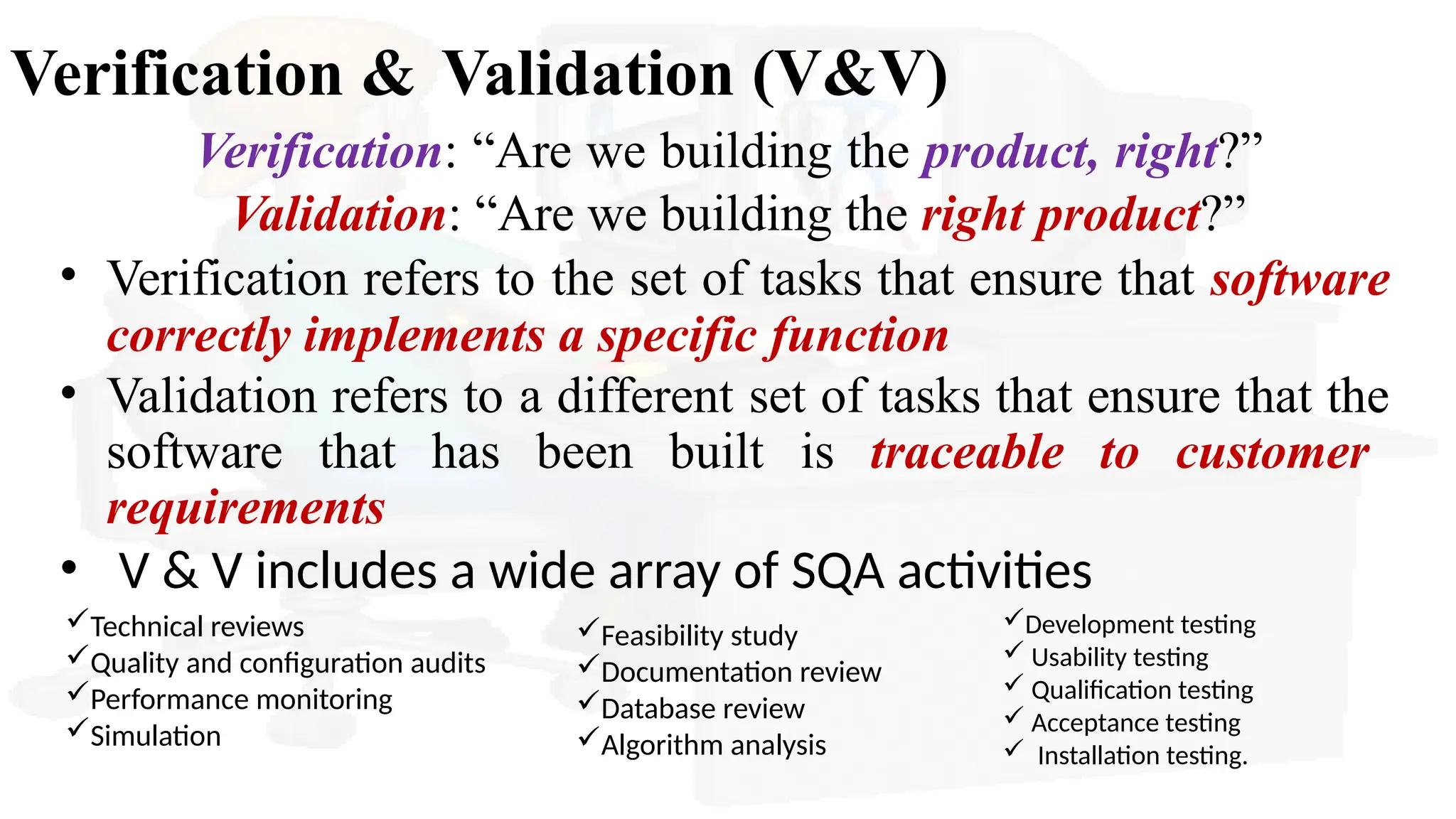
Verification & Validation(V&V)
Verification: “Are we building the product, right?”
Validation: “Are we building the right product?”
• Verification refers to the set of tasks that ensure that software
correctly implements a specific function
• Validation refers to a different set of tasks that ensure that the
software that has been built is traceable to customer
requirements
• V & V includes a wide array of SQA activities
Development testing
Usability testing
Qualification testing
Acceptance testing
Installation testing.
Technical reviews
Quality and configuration audits
Performance monitoring
Simulation
Feasibility study
Documentation review
Database review
Algorithm analysis
6.
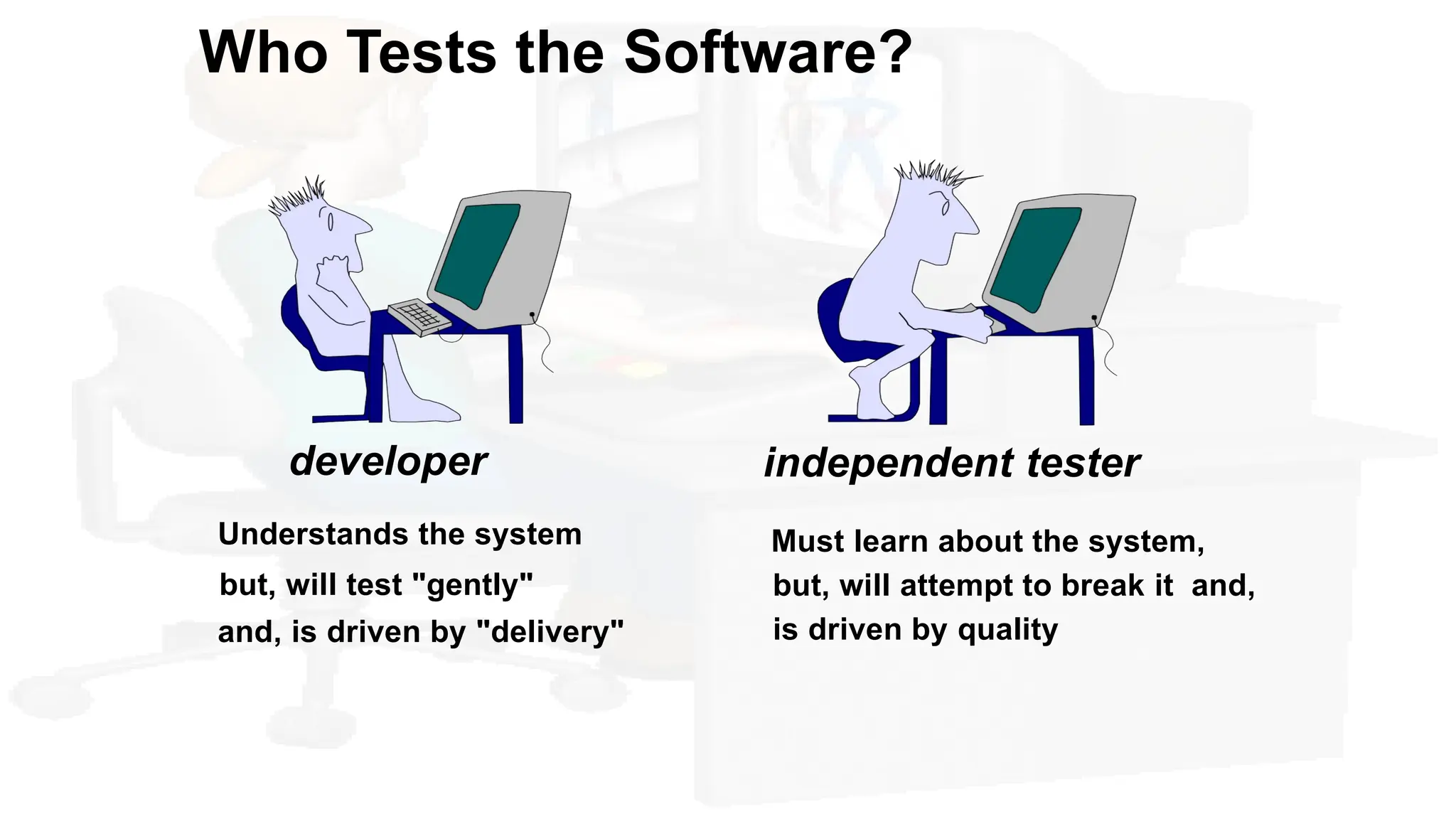
Who Tests theSoftware?
developer
Understands the system
but, will test "gently"
and, is driven by "delivery"
independent tester
Must learn about the system,
but, will attempt to break it and,
is driven by quality
7.
Organizing for softwaretesting
• Misconceptions
(1) The developer of software should do no testing at all
(2) The software should be “tossed over the wall” to
strangers who will test it mercilessly
(3) Testers get involved with the project only when the
testing steps are about to begin
• Task of software engineer – testing individual
units – integrating components – s/w arch
• Independent Test Group (ITG) involves after s/w arch.
has been completed
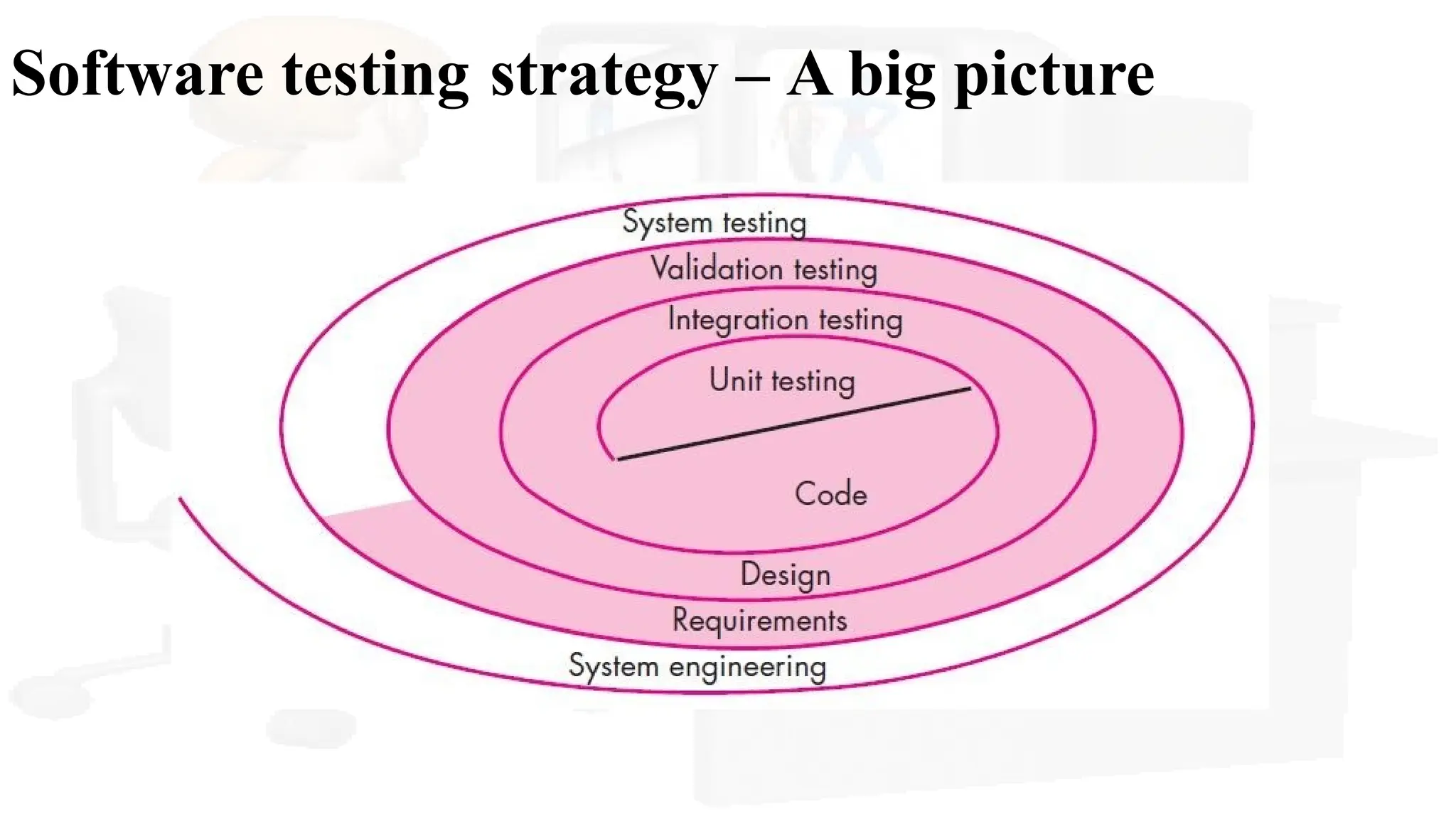
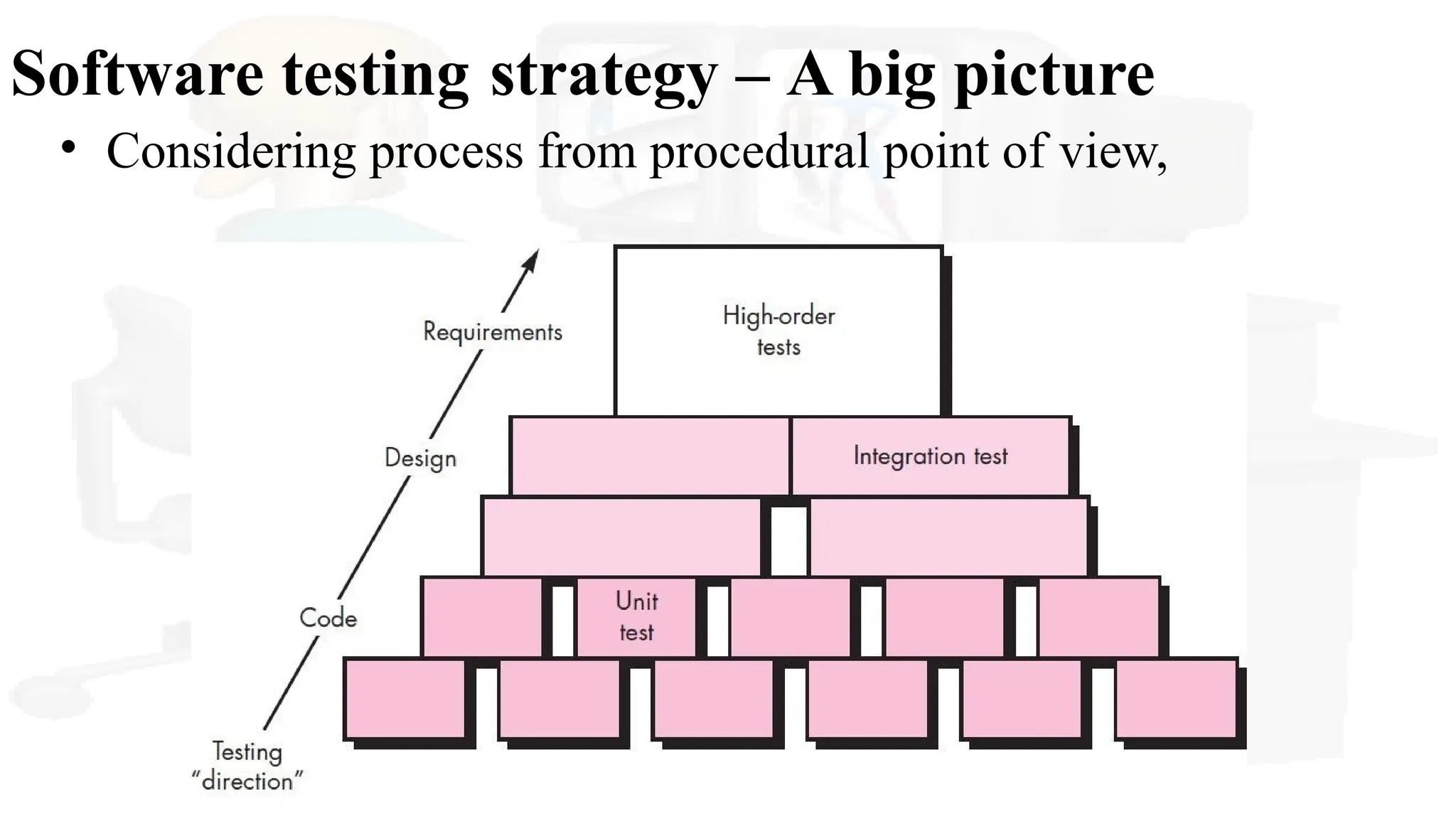
Software testing strategy– A big picture
We begin by ‘testing-in-the-small’ and move
toward ‘testing-in-the-large’
For conventional software
The module (component) is our initial focus
Integration of modules follows
For OO software
our focus when “testing in the small” changes from
an individual module (the conventional view) to an OO
class that encompasses attributes and operations and
implies communication and collaboration
Software Testing Strategyfrom
procedural point of view
• s/w process: spiral inward, s.w testing: spiral outward
• Unit Testing
– makes heavy use of testing techniques that exercise specific control
paths to detect errors in each software component individually
• Integration Testing
– focuses on issues associated with verification and program construction as
components begin interacting with one another
• Validation Testing
– provides assurance that the software validation criteria (established during
requirements analysis) meets all functional, behavioral, and performance
requirements
• System Testing
– verifies that all system elements mesh properly and that overall system
function and performance has been achieved
12.
Strategic Issues (guidelines)
•Specify product requirements in a quantifiable manner long before
testing commences.
• State testing objectives explicitly - The specific objectives of testing
should be stated in measurable terms
• Understand the users of the software and develop a profile for each
user category
• Develop a testing plan that emphasizes “rapid cycle testing.”
• Build “robust” software that is designed to test itself.
• Use effective technical reviews as a filter prior to testing.
•Conduct technical reviews to assess the test strategy and test cases
themselves.
•Develop a continuous improvement approach for the testing process.
13.
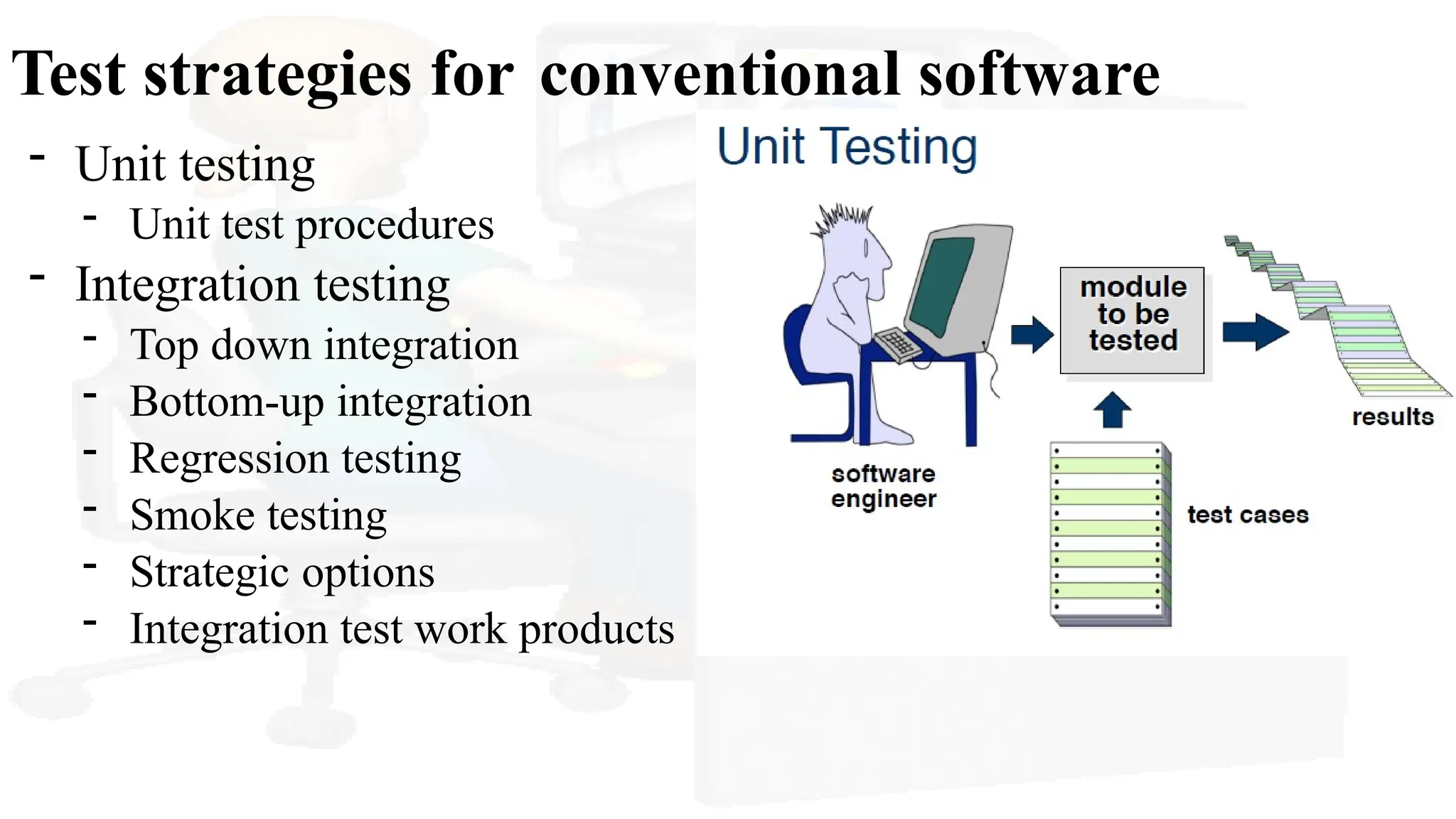
Test strategies forconventional software
- Unit testing
- Unit test procedures
- Integration testing
- Top down integration
- Bottom-up integration
- Regression testing
- Smoke testing
- Strategic options
- Integration test work products
14.
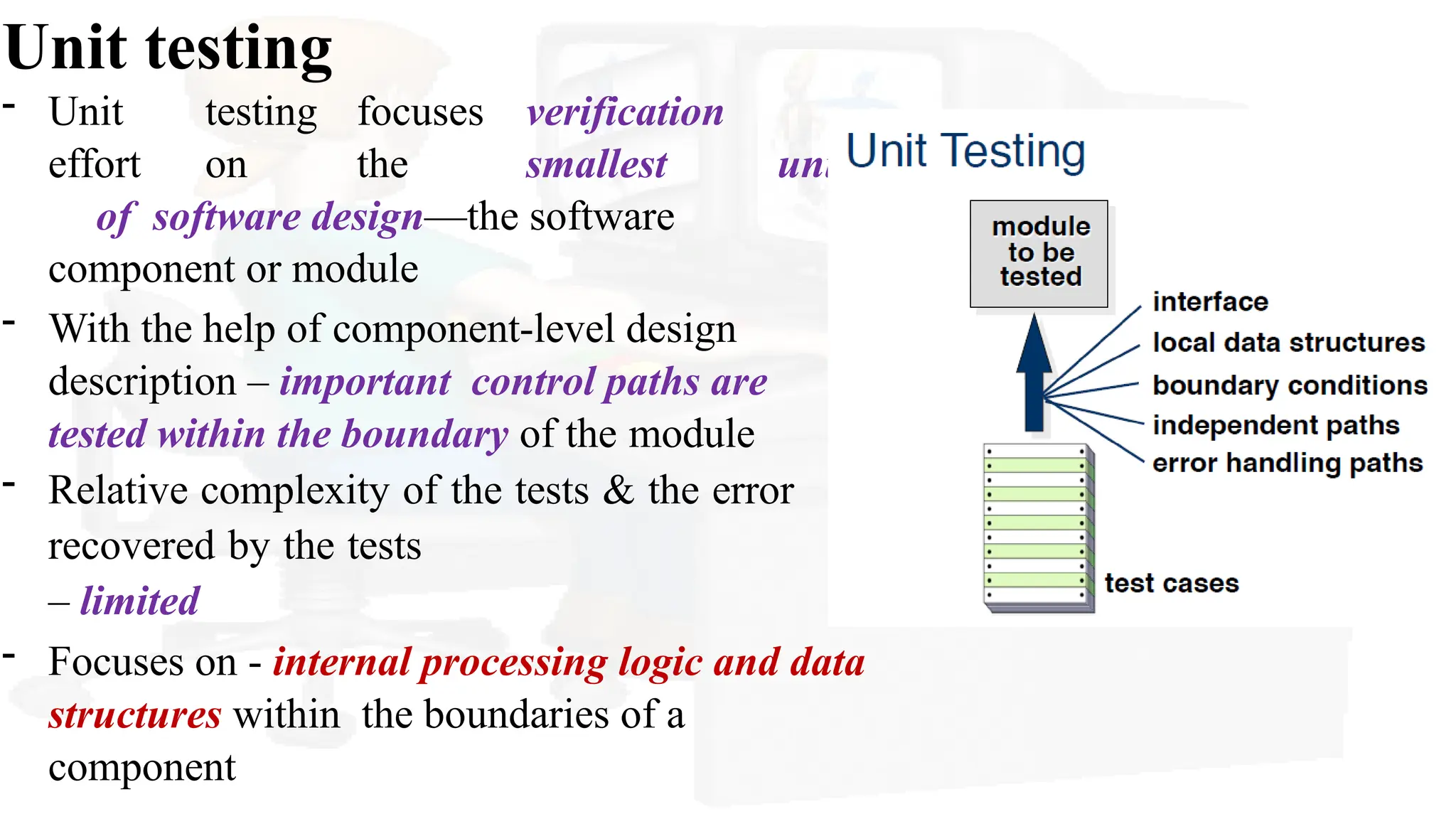
Unit testing
- Unittesting focuses verification
effort on the smallest unit
of software design—the software
component or module
- With the help of component-level design
description – important control paths are
tested within the boundary of the module
- Relative complexity of the tests & the error
recovered by the tests
– limited
- Focuses on - internal processing logic and data
structures within the boundaries of a
component
15.
Common errors duringUnit Testing
(1)Error description is unintelligible,
(2) error noted does not correspond to error encountered,
(3)Error condition causes system intervention prior to error
handling,
(4) Exception-condition processing is incorrect,
(5) Error description does not provide enough information
to assist in the location of the cause of the error.
16.
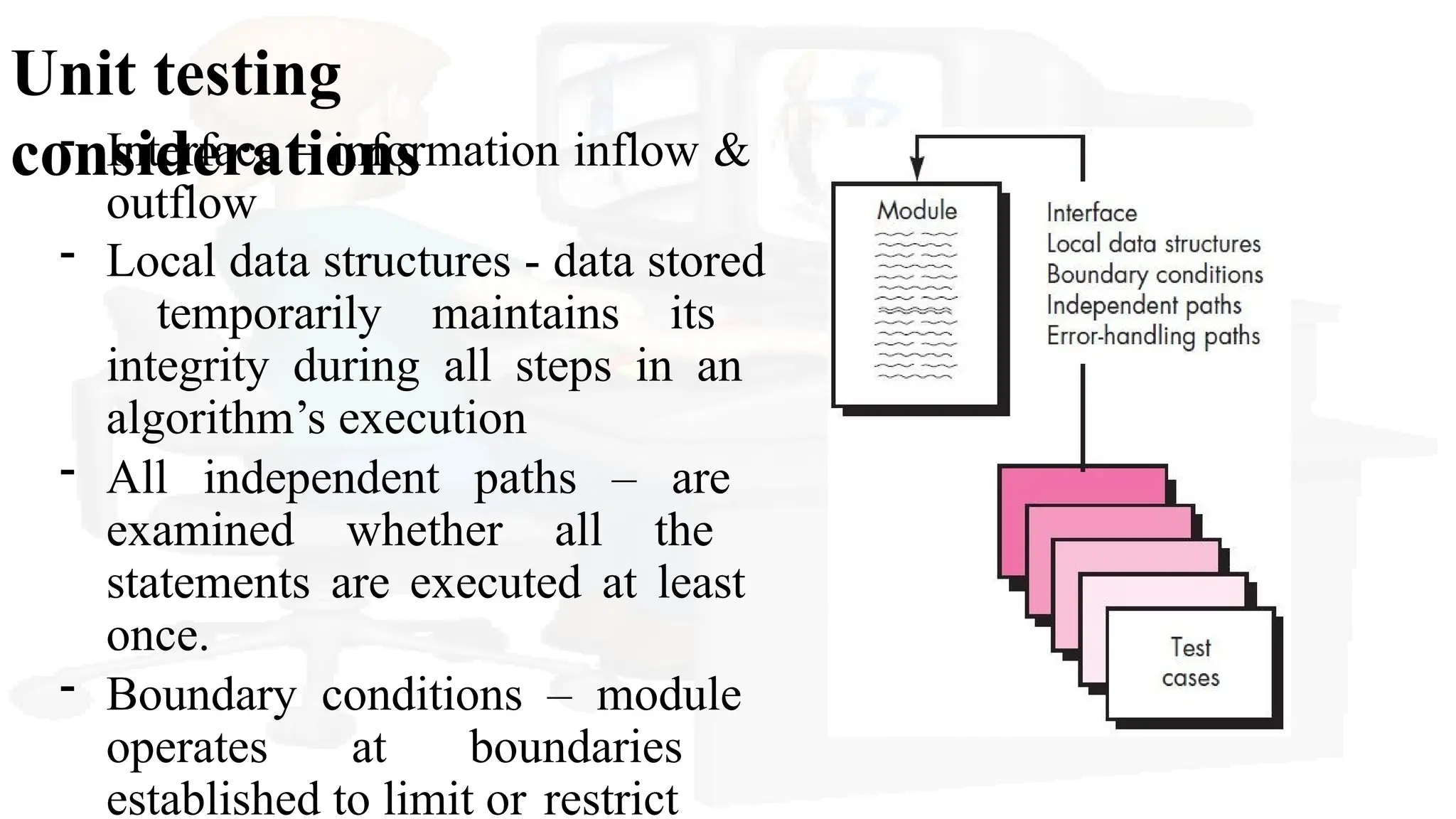
Unit testing
considerations
- Interface– information inflow &
outflow
- Local data structures - data stored
temporarily maintains its
integrity during all steps in an
algorithm’s execution
- All independent paths – are
examined whether all the
statements are executed at least
once.
- Boundary conditions – module
operates at boundaries
established to limit or restrict
17.
Unit testing
considerations
- Errorsin interface – all other tests are moot
- Selective Testing of execution paths -
erroneous computations,incorrect comparisons, or improper
control flow.
- Boundary testing (i=m;i<n;i++) check m and n.
A good design anticipates error conditions and establishes error-
handling paths to reroute or cleanly terminate processing when an
error does occur - this approach antibugging.
18.
Unit testing procedures
-The design of unit tests can occur before coding begins or
after source code has been generated.
- A review of design information – provides guidance
establishing test cases - to uncover errors in each of the
categories
- Each test case – coupled with – a set of expected results
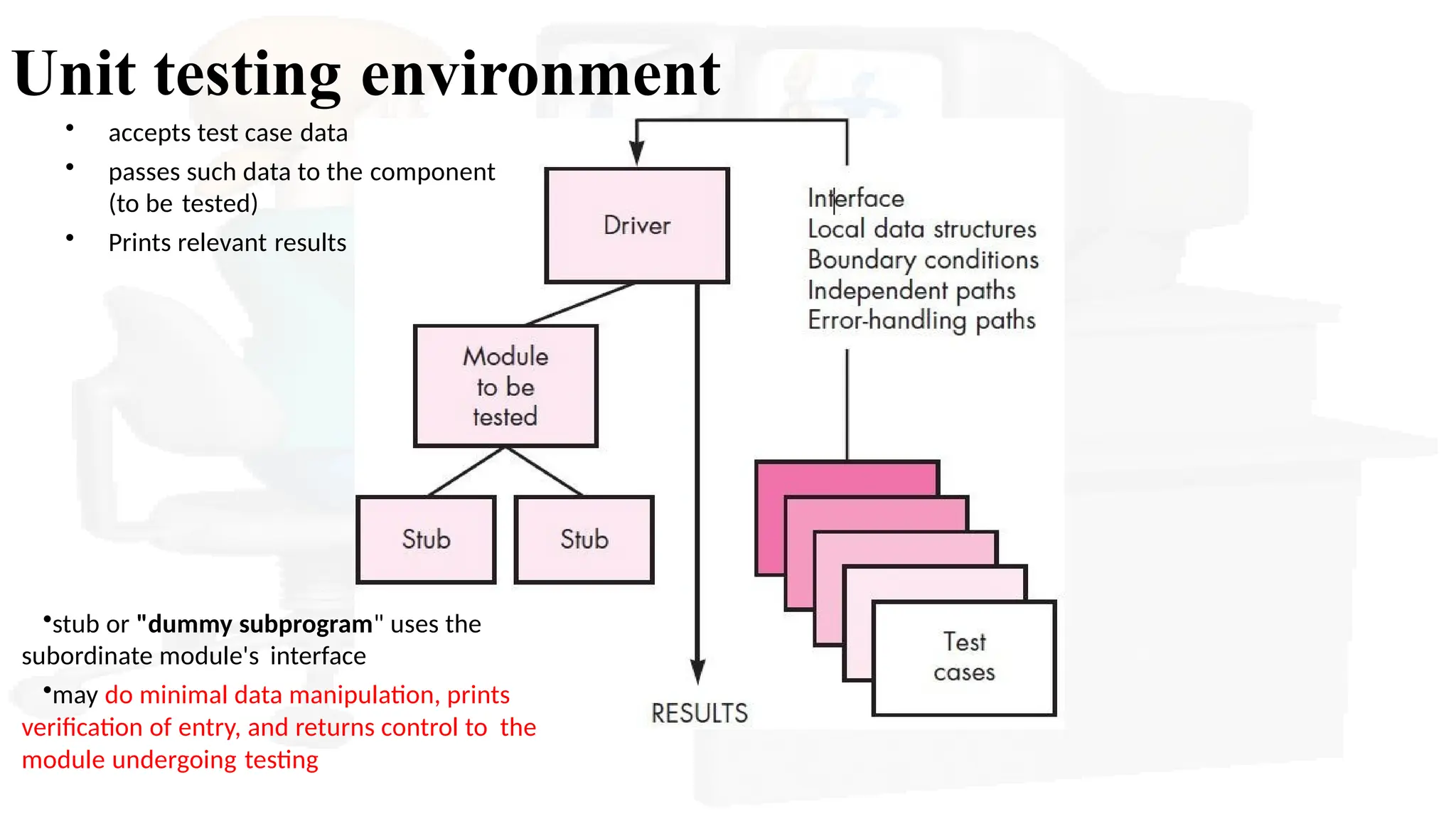
- Driver and/or stub software must often be developed for
each unit test
- Driver is nothing more than a “main program” that accepts
test case data, passes such data to the component
- Stubs serve to replace modules that are subordinate
(invoked by) the component to be tested
19.
Unit testing environment
•stubor "dummy subprogram" uses the
subordinate module's interface
•may do minimal data manipulation, prints
verification of entry, and returns control to the
module undergoing testing
• accepts test case data
• passes such data to the component
(to be tested)
• Prints relevant results
20.
Unit testing environment
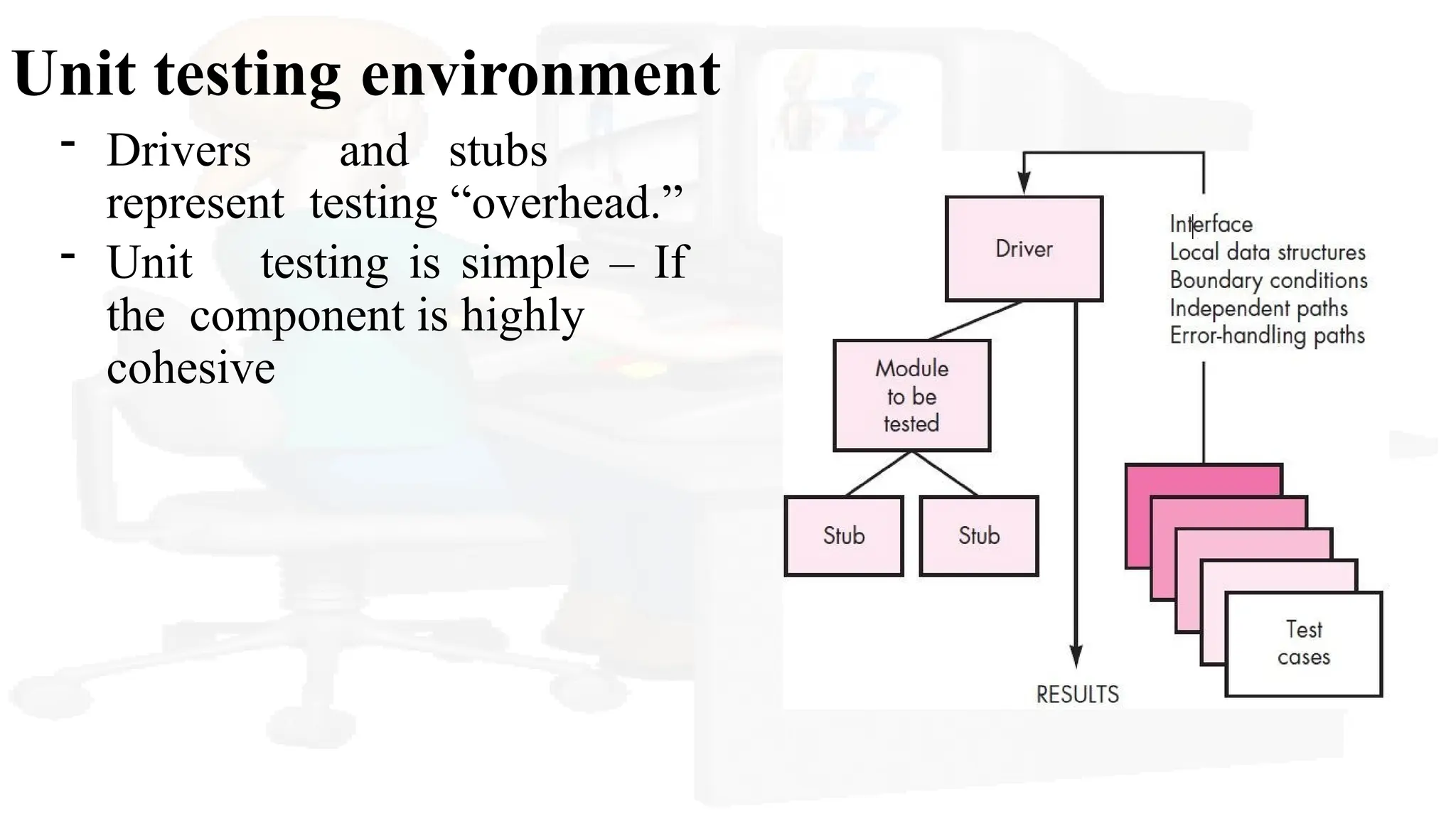
-Drivers and stubs
represent testing “overhead.”
- Unit testing is simple – If
the component is highly
cohesive
21.
Integration testing
Why?
- Datacan be lost across an interface;
- one component can have an inadvertent, adverse effect
on another;
- subfunctions, when combined, may not produce the
desired major function;
- individually acceptable imprecision may be magnified
to unacceptable levels
- global data structures can present problems
22.
Integration technique
Systematic techniquefor constructing the program
structure while at the same time conducting tests to
uncover errors associated with interfacing
Objective: take unit-tested components and build a
program structure that has been dictated by design
23.
Integration testing
- Theentire program is tested as a whole - ?? (big-
bang approach)
- The program is constructed and tested in small
increments (incremental approach)
- Errors are easier to isolate and correct
- interfaces are more likely to be tested completely
- a systematic test approach may be applied
24.
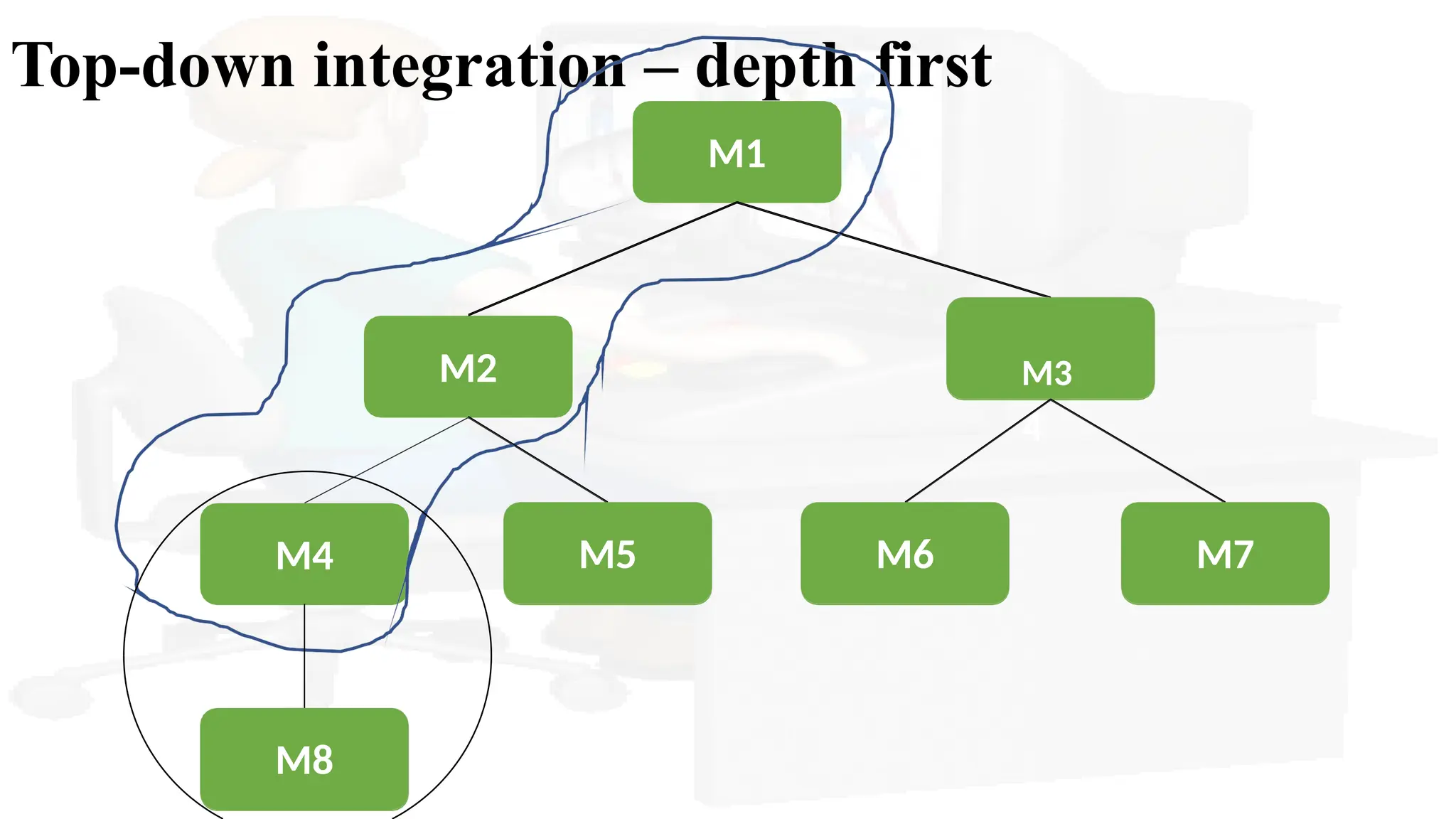
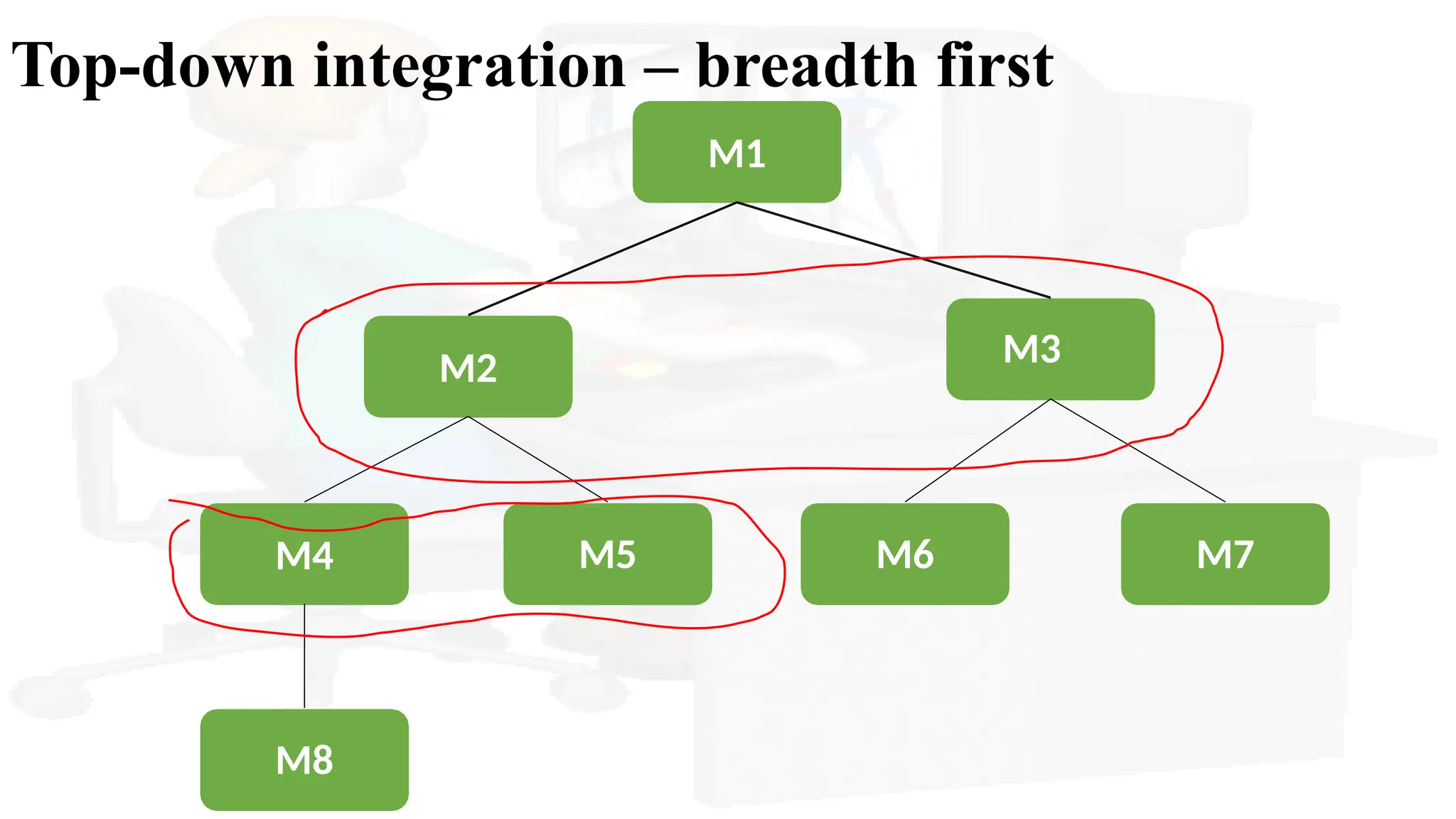
Top-down integration
• Itis an incremental approach
• Modules are integrated by moving downward through
the control hierarchy, begins from main control module
• Depth-first integration or breath-first integration
Stub: is called by the module under test
Driver: calls the module to be tested
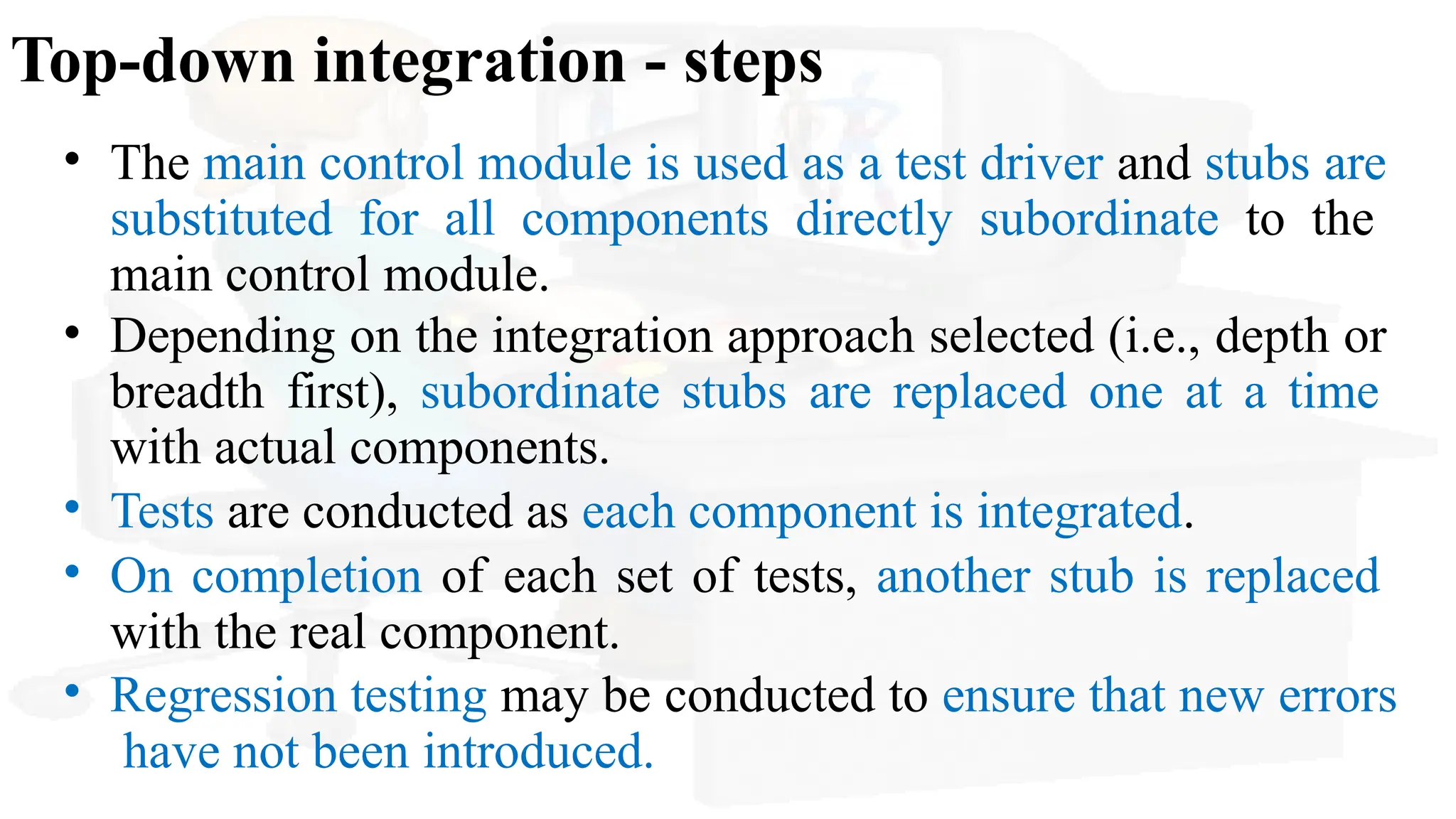
Top-down integration -steps
• The main control module is used as a test driver and stubs are
substituted for all components directly subordinate to the
main control module.
• Depending on the integration approach selected (i.e., depth or
breadth first), subordinate stubs are replaced one at a time
with actual components.
• Tests are conducted as each component is integrated.
• On completion of each set of tests, another stub is replaced
with the real component.
• Regression testing may be conducted to ensure that new errors
have not been introduced.
28.
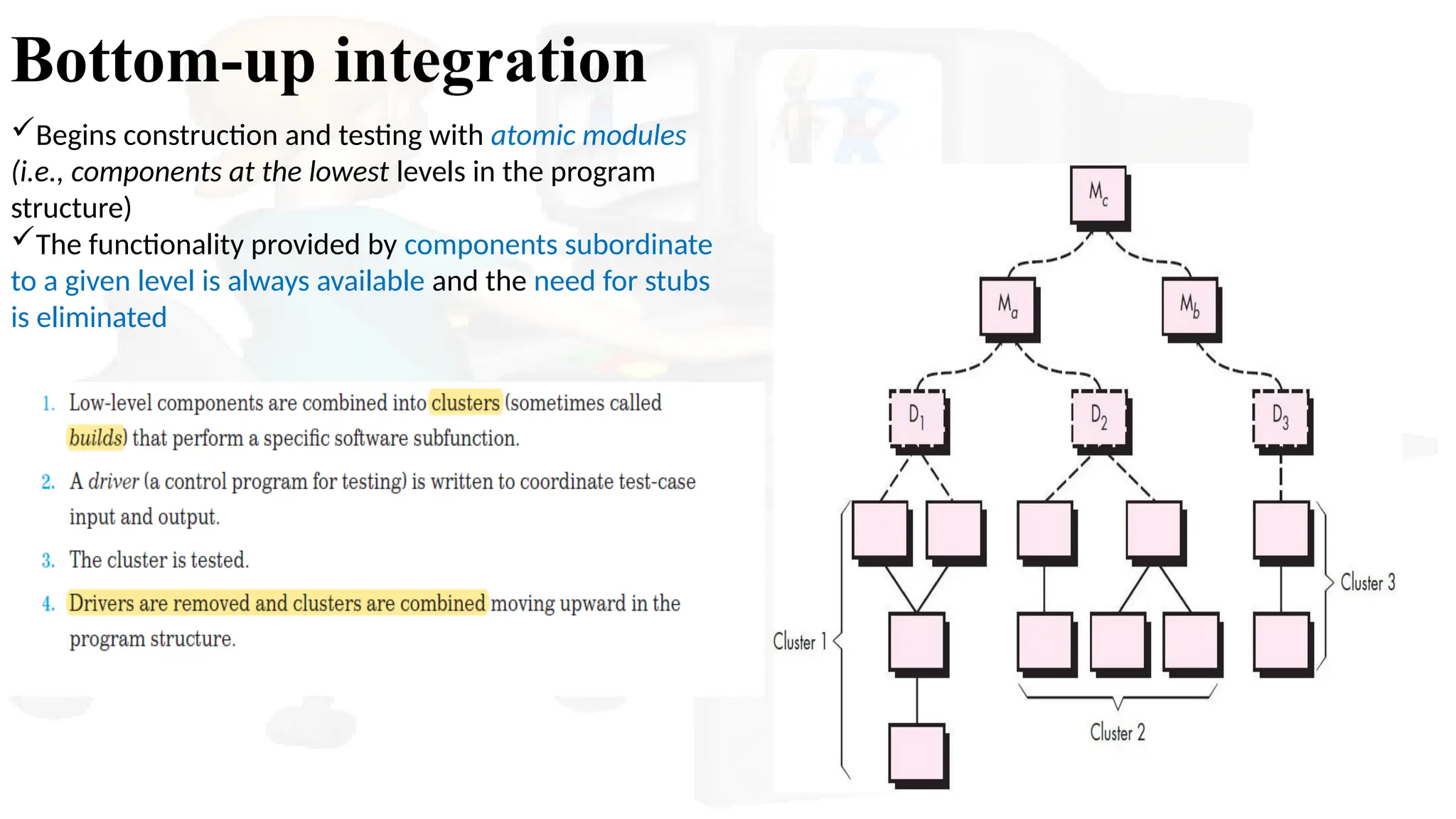
Bottom-up integration
Begins constructionand testing with atomic modules
(i.e., components at the lowest levels in the program
structure)
The functionality provided by components subordinate
to a given level is always available and the need for stubs
is eliminated
29.
Regression Testing
• Eachtime a new module is added as part of integration testing,
the software changes
• It is the reexecution of some subset of tests that have already
been conducted to ensure that changes have not propagated
unintended side effects (may be conducted manually/automated
test cases)
• Successful tests result in the discovery of errors, and errors
must be corrected
• Capture/playback tools enable the software engineer to capture
test cases and results for subsequent playback and comparison
• Regression Test-suite contains three different classes of test
cases
30.
Smoke Testing
• Smoketesting is commonly used when product software
(daily build) is developed
• It is designed as a pacing mechanism for time-critical
projects, allowing the software team to assess the project on a
frequent basis
• Activities of smoke testing
• Software components that have been translated into code are
integrated into a build.
• A build – data files, reusable modules, engineered
components – to implement one or more functions
• A series of tests is designed to expose errors that will keep
the build from properly performing its function.
31.
Smoke Testing -benefits
• Integration risk is minimized
• The quality of the end product is improved
• Error diagnosis and correction are simplified
• Progress is easier to assess.
32.
Strategic options
• Themajor disadvantage of the top-
down approach is the need for stubs
and the attendant testing difficulties
that can be associated with them
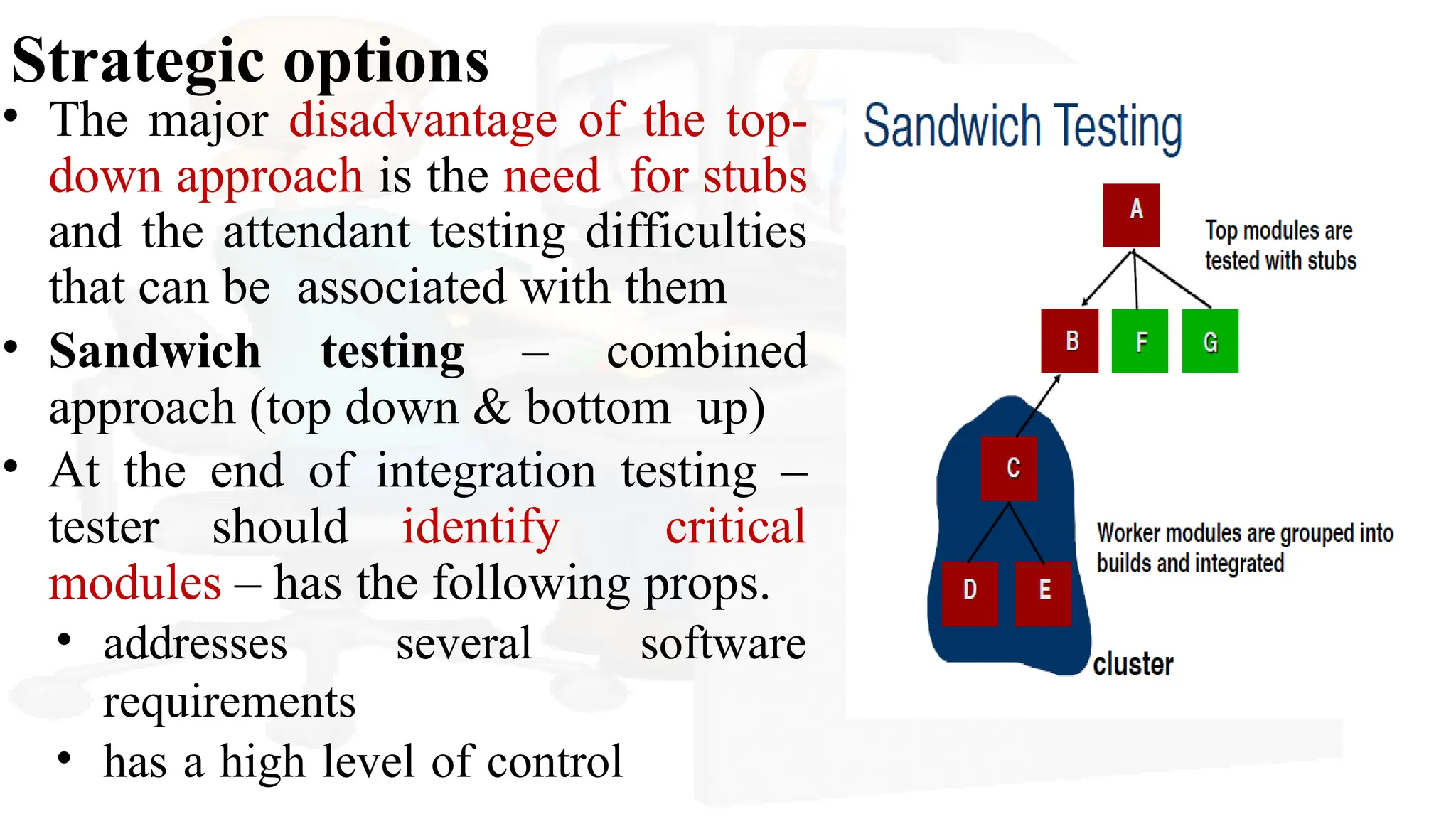
• Sandwich testing – combined
approach (top down & bottom up)
• At the end of integration testing –
tester should identify critical
modules – has the following props.
• addresses several software
requirements
• has a high level of control
33.
Integration test workproducts
• Test plans & test procedures - test specification
• Testing is divided into phases and builds that address specific
functional and behavioral characteristics of the software.
• Define phases – apply following tests for each phase
(E.g. GUI, sensor processing)
• Interface integrity
• Function validity
• Information content
• Performance test
34.
Integration test workproducts
• Test plan – schedule of integration- development
of overhead s/w and other topics
• Start date and end date for each phase –
“availability windows” for unit testing
• Detailed testing procedure - order of integration
and corresponding tests at each int. step
• A listing of all test cases and expected results are also
included
35.
Testing Strategies ofObject-Oriented
Software
• Unit Testing in the OO Context
• Encapsulated class- unit
• Integration testing in the OO Context
• Thread-based testing - integrates the set of classes required
to respond to one input or event for the system
• Use-based testing - construction of the system by testing
those classes (called independent classes) that use very few
(if any) server classes
• Focus on classes that do not collaborate heavily with other
classes.
• After independent classes – dependent classes are tested
36.
Testing Strategies ofObject-Oriented
Software
• Drivers can be used to test operations at the lowest level and
for the testing of whole groups of classes
• Stubs can be used in situations in which collaboration
between classes is required but one or more of the
collaborating classes has not yet been fully implemented.
• Cluster testing – cluster of collaborating classes is exercised.
37.
Validation Testing
• Validationtesting begins - culmination of integration testing,
software is completely assembled as a
package,
• When individual components have been exercised,
the
and
interfacing errors have been uncovered and corrected.
•Focuses on - user-visible actions and user-recognizable output
from the system.
38.
Validation Testing
Validation testcriteria
• Conformity with the requirements
• Test plans – outline of the tests; Test procedures – to define
specific test cases to
• ensure that all functional requirements are satisfied
• all behavioral characteristics are achieved
• all content is accurate and properly presented
• all performance requirements are attained
• documentation is correct, and usability and other requirements
are met
39.
Validation Testing
Validation testresults
1) Thefunction or performance characteristic
conformsto specification and is accepted
2) A deviation from specification is uncovered and a deficiency
list is created.
• Configuration review – audit the system configuration
• Alpha & beta testing
• The alpha test is conducted at the developer’s site
by a representative group of end users.
• The beta test is conducted at one or more end-user sites. Unlike
alpha testing, the developer generally is not present.
40.
CUSTOMER ACCEPTANCE TESTING
Avariation on beta testing, called customer acceptance
testing
Performed when custom software is delivered to a customer
under contract.
The customer performs a series of specific tests in an
attempt to uncover errors before accepting the software from
the developer
System Testing
• Aclassic system-testing problem is “finger pointing.”
4)
1) design error-handling paths that test all information
coming from other elements of the system
2) conduct a series of tests that simulate bad data or
other potential errors at the software interface
3) record the results of tests to use as “evidence” if
finger pointing does occur
Participate in planning and design of system tests to ensure
that software is adequately tested
System testing is a series of different test whose primary purpose is to fully exercise the computer
based systems
Each test has a different purpose -- all work to verify that system elements have been properly
integrated and perform allocated functions
43.
Recovery Testing
• Manycomputer-based systems must recover from faults and
resume processing with little or no downtime
Recovery testing
is a system test that forces the software to fail in a variety of ways
and verifies that recovery is properly performed
• Automated recovery - reinitialization, checkpointing
mechanisms, data recovery, and restart are evaluated for
correctness
• If recovery requires human intervention - mean-time-to-repair
(MTTR)
44.
Security Testing
• System– manages sensitive information – may prone to illegal
penetration
• Improper penetrations like,
• hackers who attempt to penetrate systems for sport
• disgruntled employees who attempt to penetrate
for revenge
• Dishonest individuals who attempt to penetrate for
illicit personal gain
Security testing
Security testing attempts to verify that protection mechanisms built into a system will, protect it
from improper penetration.
45.
Security Testing
•Here, testeris the hacker!
Tester
• May attempt to acquire passwords through external
clerical means
• May attack the system with custom software designed
to break down any defenses that have been constructed
• May overwhelm the system, thereby denying service to others
• May purposely cause system errors, hoping to
penetrate during recovery
• May browse through insecure data, hoping to find the key to
system entry.
46.
Stress Testing
• Stresstests are designed to confront programs with abnormal
situations Stress testing
executes a system in a manner that demands resources
in abnormal, quantity, frequency, or
volume
• special tests may be designed that generate ten interrupts per
second, when one or two is the average rate,
• input data rates may be increased by an order of magnitude
to determine how input functions will respond,
• test cases that require maximum memory or other
resources are executed
47.
Stress Testing
• Avery small range of data contained within the bounds of
valid data for a program - may cause extreme and even
erroneous processing or profound performance degradation
• sensitivity testing
attempts to uncover data combinations within valid input classes that may
cause instability or improper processing.
Commonly used in mathematical algorithms
48.
Performance Testing
Performance testing
isdesigned to test the run-time performance of software within the context of
an integrated system
• Performance testing occurs throughout all steps in the testing
process
• Unit level – individual module’s performance
• This testing is coupled with stress testing which require both
hardware and software instrumentation
• It must measure “resource utilization”
• External instrumentation - monitor execution intervals,
log events(e.g., interrupts) as they occur, and sample
49.
Deployment Testing
Deployment testingor configuration testing
exercises the software in each environment in which it is to
operate
It examines
All installation procedures and specialized installation software
(e.g., “Installers”)
All documentation that will be used to introduce the software to
end users
50.
The Art ofDebugging
• Debugging process
• Psychological considerations
• Debugging strategies
• Correcting the error
51.
The Art ofDebugging
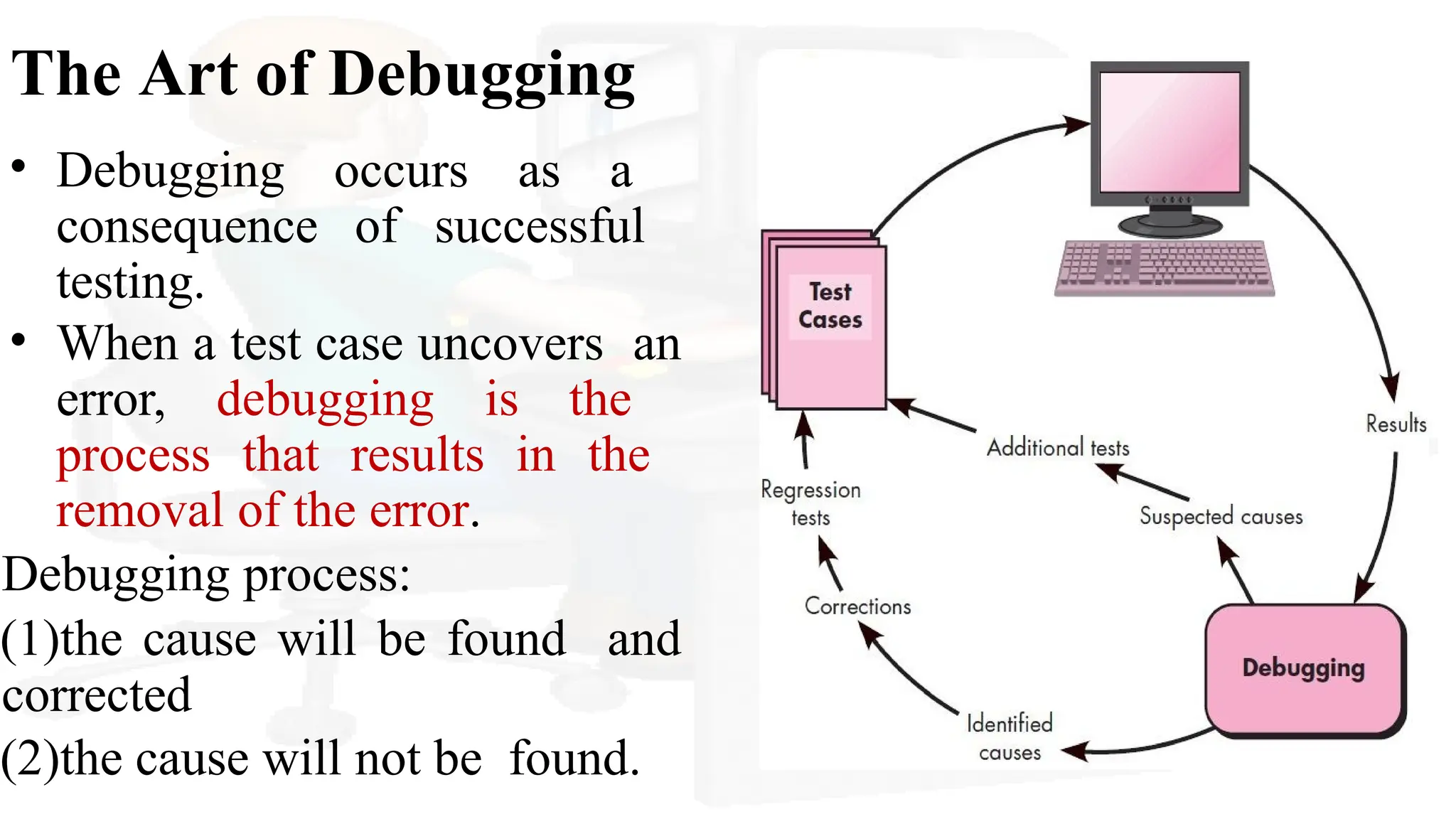
• Debugging occurs as a
consequence of successful
testing.
• When a test case uncovers an
error, debugging is the
process that results in the
removal of the error.
Debugging process:
(1)the cause will be found and
corrected
(2)the cause will not be found.
52.
Why debugging isdifficult?
• The symptom and the cause may be geographically remote.
• The symptom may disappear (temporarily) when another
error is corrected.
• The symptom may actually be caused by non errors (e.g.,
round-off inaccuracies).
• The symptom may be caused by human error that is not easily traced. E.g.
print(“%c”,&c);
• The symptom may be a result of timing problems, rather than processing problems.
• It may be difficult to accurately reproduce input conditions
• The symptom may be intermittent.This is particularly
common in embedded systems
• The symptom may be due to causes that are distributed across a number of tasks
running on different processors.
53.
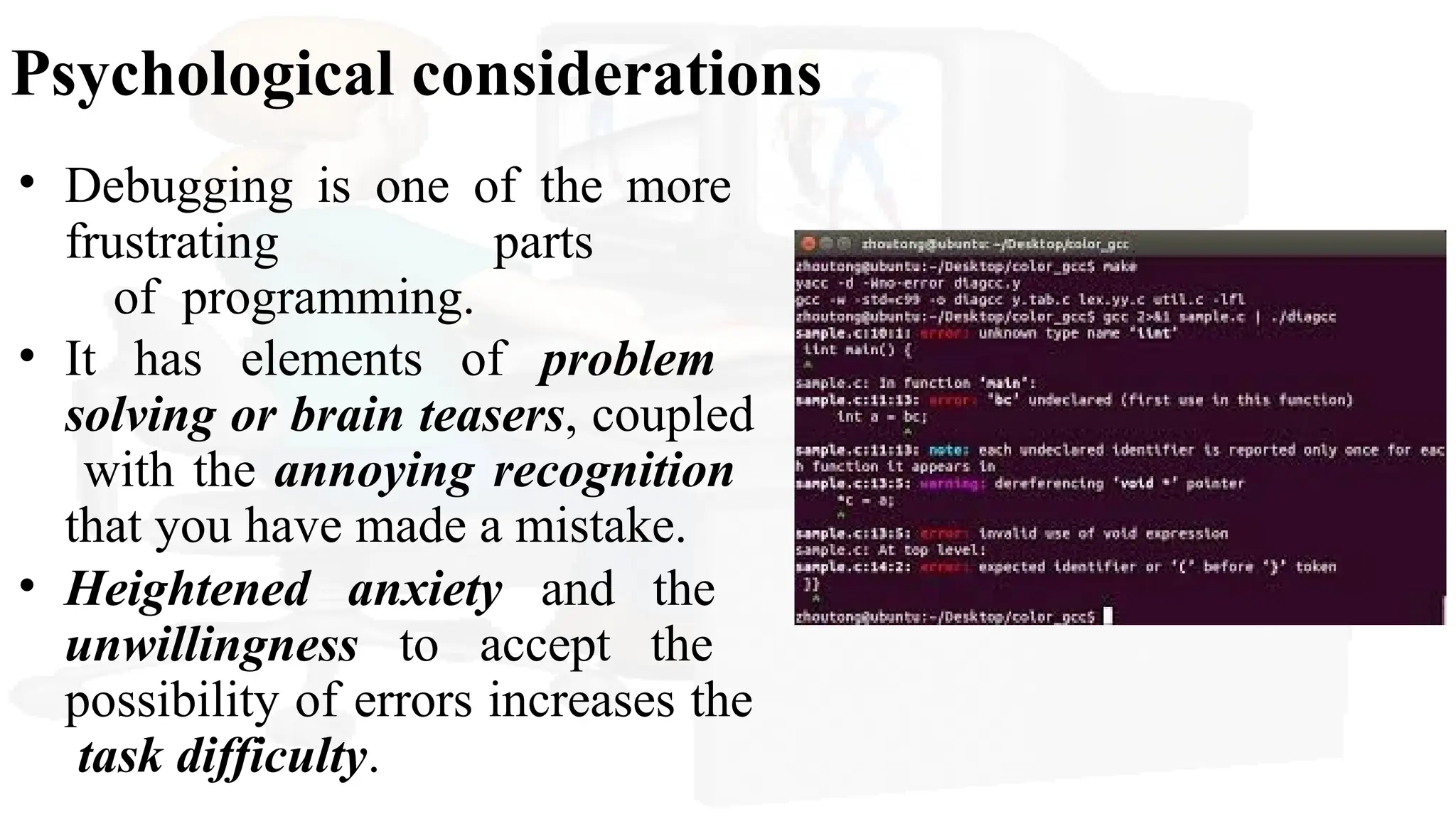
Psychological considerations
• Debuggingis one of the more
frustrating parts
of programming.
• It has elements of problem
solving or brain teasers, coupled
with the annoying recognition
that you have made a mistake.
• Heightened anxiety and the
unwillingness to accept the
possibility of errors increases the
task difficulty.
54.
Debugging strategies
• Thebasis of debugging is to locate the problem’s source by
binary partitioning, through working hypotheses that predict
new values to be examined.
(1) Brute force - isolating the cause of a software
error– run-time traces with o/p stmts
(2) Backtracking - Beginning at the site where a
symptom has been uncovered
(3) Cause elimination - by induction or deduction and introduces
the concept of binary partitioning
• Data related to the error occurrence are organized to isolate
potential causes.
55.
Automated Debugging
Debugging toolsthat can provide you with semi automated
support
Integrated development environments (IDEs) provide a way
to capture some of the language-specific predetermined errors
(e.g., missing end-of-statement characters, undefined
variables, and so on) without requiring compilation.
A wide variety of debugging compilers, dynamic debugging
aids (“tracers”), automatic test-case generators, and cross-
reference mapping tools are available
56.
Correcting the error
•Is the cause of the bug reproduced in another part of
the program?
• What “next bug” might be introduced by the fix I’m about to
make?
• What could we have done to prevent this bug in the
first place?