1
SQL – Subqueries
Unit-3 Contd.
2
Subquery
 A subquery is a query within a query.
 Subqueries enable you to write queries that select data
rows for criteria that are actually developed while the
query is executing at run time.
3
Example
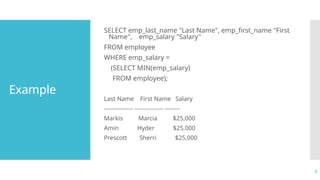
SELECT emp_last_name "Last Name", emp_first_name "First
Name", emp_salary "Salary"
FROM employee
WHERE emp_salary =
(SELECT MIN(emp_salary)
FROM employee);
Last Name First Name Salary
--------------- --------------- --------
Markis Marcia $25,000
Amin Hyder $25,000
Prescott Sherri $25,000
4
Subquery
Types
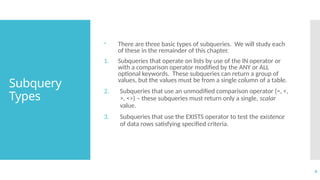
 There are three basic types of subqueries. We will study each
of these in the remainder of this chapter.
1. Subqueries that operate on lists by use of the IN operator or
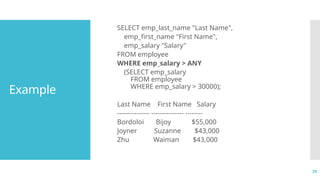
with a comparison operator modified by the ANY or ALL
optional keywords. These subqueries can return a group of
values, but the values must be from a single column of a table.
2. Subqueries that use an unmodified comparison operator (=, <,
>, <>) – these subqueries must return only a single, scalar
value.
3. Subqueries that use the EXISTS operator to test the existence
of data rows satisfying specified criteria.
5
Subquery:
General
Rules
 A subquery SELECT statement is very similar to the SELECT
statement used to begin a regular or outer query. The
complete syntax of a subquery is shown below.
( SELECT [DISTINCT] subquery_select_argument
FROM {table_name | view_name}
{table_name | view_name} ...
[WHERE search_conditions]
[GROUP BY aggregate_expression [,
aggregate_expression] ...]
[HAVING search_conditions] )
6
Subquery:
General
Rules
(Contd.)
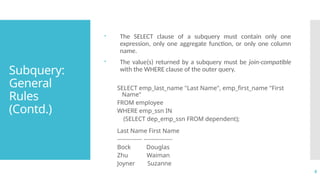
 The SELECT clause of a subquery must contain only one
expression, only one aggregate function, or only one column
name.
 The value(s) returned by a subquery must be join-compatible
with the WHERE clause of the outer query.
SELECT emp_last_name "Last Name", emp_first_name "First
Name"
FROM employee
WHERE emp_ssn IN
(SELECT dep_emp_ssn FROM dependent);
Last Name First Name
------------- ---------------
Bock Douglas
Zhu Waiman
Joyner Suzanne
7
Subquery:
General
Rules
(Contd.)
 In addition to concerns about the domain of values returned
from a subquery, the data type of the returned column
value(s) must be join-compatible.
 Join-compatible data types are data types that the Oracle
Server will convert automatically when matching data in
criteria conditions.
8
Subquery:
General
Rules
(Contd.)
 The DISTINCT keyword cannot be used in subqueries that
include a GROUP BY clause.
 Subqueries cannot manipulate their results internally. This
means that a subquery cannot include the ORDER BY clause,
the COMPUTE clause, or the INTO keyword.
9
Subqueries
and the IN
Operator
 Subqueries that are introduced with the keyword IN take the
general form:
WHERE expression [NOT] IN (subquery)
 The only difference in the use of the IN operator with
subqueries is that the list does not consist of hard-coded
values.
10
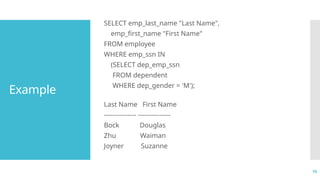
Example
SELECT emp_last_name "Last Name",
emp_first_name "First Name"
FROM employee
WHERE emp_ssn IN
(SELECT dep_emp_ssn
FROM dependent
WHERE dep_gender = 'M');
Last Name First Name
--------------- ---------------
Bock Douglas
Zhu Waiman
Joyner Suzanne
11
Example
(Contd.)
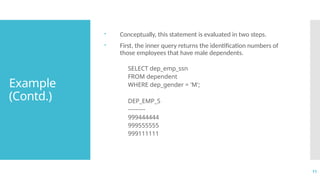
 Conceptually, this statement is evaluated in two steps.
 First, the inner query returns the identification numbers of
those employees that have male dependents.
SELECT dep_emp_ssn
FROM dependent
WHERE dep_gender = 'M';
DEP_EMP_S
---------
999444444
999555555
999111111
12
Example
(Contd.)
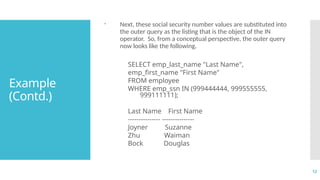
 Next, these social security number values are substituted into
the outer query as the listing that is the object of the IN
operator. So, from a conceptual perspective, the outer query
now looks like the following.
SELECT emp_last_name "Last Name",
emp_first_name "First Name"
FROM employee
WHERE emp_ssn IN (999444444, 999555555,
999111111);
Last Name First Name
--------------- ---------------
Joyner Suzanne
Zhu Waiman
Bock Douglas
13
The NOT IN
operator
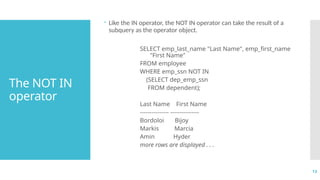
 Like the IN operator, the NOT IN operator can take the result of a
subquery as the operator object.
SELECT emp_last_name "Last Name", emp_first_name
"First Name"
FROM employee
WHERE emp_ssn NOT IN
(SELECT dep_emp_ssn
FROM dependent);
Last Name First Name
--------------- ---------------
Bordoloi Bijoy
Markis Marcia
Amin Hyder
more rows are displayed . . .
14
The NOT IN
operator
(Contd.)
 The subquery shown above produces an intermediate result
table containing the social security numbers of employees who
have dependents in the dependent table.
 Conceptually, the outer query compares each row of the
employee table against the result table. If the employee social
security number is NOT found in the result table produced by
the inner query, then it is included in the final result table.
15
Multiple
Levels of
Nesting
 Subqueries may themselves contain subqueries.
 When the WHERE clause of a subquery has as its object another
subquery, these are termed nested subqueries.
 Oracle places no practical limit on the number of queries that can
be nested in a WHERE clause.
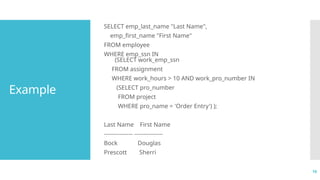
 Consider the problem of producing a listing of employees that
worked more than 10 hours on the project named Order Entry.
16
Example
SELECT emp_last_name "Last Name",
emp_first_name "First Name"
FROM employee
WHERE emp_ssn IN
(SELECT work_emp_ssn
FROM assignment
WHERE work_hours > 10 AND work_pro_number IN
(SELECT pro_number
FROM project
WHERE pro_name = 'Order Entry') );
Last Name First Name
--------------- ---------------
Bock Douglas
Prescott Sherri
17
Understandi
ng
Subqueries
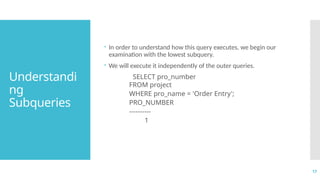
 In order to understand how this query executes, we begin our
examination with the lowest subquery.
 We will execute it independently of the outer queries.
SELECT pro_number
FROM project
WHERE pro_name = 'Order Entry';
PRO_NUMBER
----------
1
18
Understandi
ng
Subqueries
(Contd.)
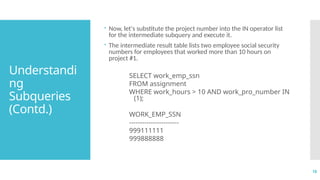
 Now, let's substitute the project number into the IN operator list
for the intermediate subquery and execute it.
 The intermediate result table lists two employee social security
numbers for employees that worked more than 10 hours on
project #1.
SELECT work_emp_ssn
FROM assignment
WHERE work_hours > 10 AND work_pro_number IN
(1);
WORK_EMP_SSN
-----------------------
999111111
999888888
19
Understandi
ng
Subqueries
(Contd.)
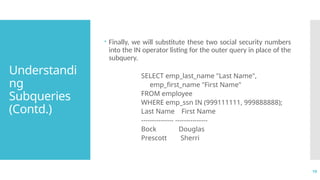
 Finally, we will substitute these two social security numbers
into the IN operator listing for the outer query in place of the
subquery.
SELECT emp_last_name "Last Name",
emp_first_name "First Name"
FROM employee
WHERE emp_ssn IN (999111111, 999888888);
Last Name First Name
--------------- ---------------
Bock Douglas
Prescott Sherri
20
Subqueries
and
Comparison
operator
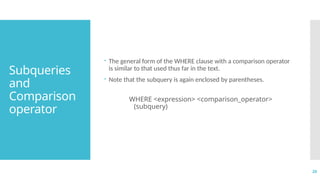
 The general form of the WHERE clause with a comparison operator
is similar to that used thus far in the text.
 Note that the subquery is again enclosed by parentheses.
WHERE <expression> <comparison_operator>
(subquery)
21
Subqueries
and
Comparison
operator
(Contd.)
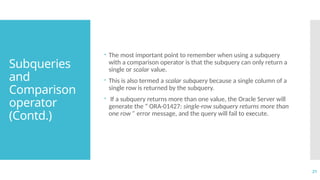
 The most important point to remember when using a subquery
with a comparison operator is that the subquery can only return a
single or scalar value.
 This is also termed a scalar subquery because a single column of a
single row is returned by the subquery.
 If a subquery returns more than one value, the Oracle Server will
generate the “ ORA-01427: single-row subquery returns more than
one row ” error message, and the query will fail to execute.
22
Example
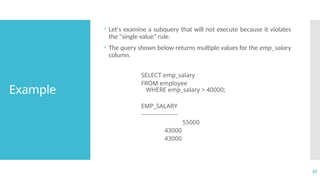
 Let's examine a subquery that will not execute because it violates
the "single value" rule.
 The query shown below returns multiple values for the emp_salary
column.
SELECT emp_salary
FROM employee
WHERE emp_salary > 40000;
EMP_SALARY
-------------------
55000
43000
43000
23
Example
(Contd.)
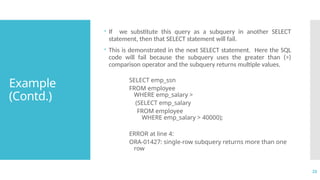
 If we substitute this query as a subquery in another SELECT
statement, then that SELECT statement will fail.
 This is demonstrated in the next SELECT statement. Here the SQL
code will fail because the subquery uses the greater than (>)
comparison operator and the subquery returns multiple values.
SELECT emp_ssn
FROM employee
WHERE emp_salary >
(SELECT emp_salary
FROM employee
WHERE emp_salary > 40000);
ERROR at line 4:
ORA-01427: single-row subquery returns more than one
row
24
Aggregate
function and
Comparison
operator
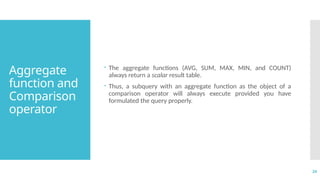
 The aggregate functions (AVG, SUM, MAX, MIN, and COUNT)
always return a scalar result table.
 Thus, a subquery with an aggregate function as the object of a
comparison operator will always execute provided you have
formulated the query properly.
25
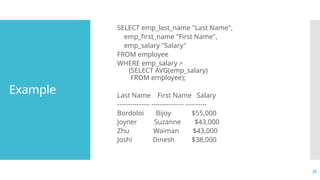
Example
SELECT emp_last_name "Last Name",
emp_first_name "First Name",
emp_salary "Salary"
FROM employee
WHERE emp_salary >
(SELECT AVG(emp_salary)
FROM employee);
Last Name First Name Salary
--------------- --------------- ----------
Bordoloi Bijoy $55,000
Joyner Suzanne $43,000
Zhu Waiman $43,000
Joshi Dinesh $38,000
26
Comparison
operators
modifies
with the ALL
or ANY
keywords
• The ALL and ANY keywords can modify a comparison operator
to allow an outer query to accept multiple values from a
subquery.
• The general form of the WHERE clause for this type of query is
shown here.
WHERE <expression> <comparison_operator> [ALL |
ANY] (subquery)
• Subqueries that use these keywords may also include GROUP
BY and HAVING clauses.
27
The ALL
keyword
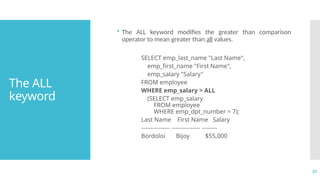
• The ALL keyword modifies the greater than comparison
operator to mean greater than all values.
SELECT emp_last_name "Last Name",
emp_first_name "First Name",
emp_salary "Salary"
FROM employee
WHERE emp_salary > ALL
(SELECT emp_salary
FROM employee
WHERE emp_dpt_number = 7);
Last Name First Name Salary
--------------- --------------- --------
Bordoloi Bijoy $55,000
28
The ANY
keyword
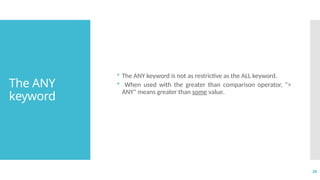
• The ANY keyword is not as restrictive as the ALL keyword.
• When used with the greater than comparison operator, ">
ANY" means greater than some value.
29
Example
SELECT emp_last_name "Last Name",
emp_first_name "First Name",
emp_salary "Salary"
FROM employee
WHERE emp_salary > ANY
(SELECT emp_salary
FROM employee
WHERE emp_salary > 30000);
Last Name First Name Salary
--------------- --------------- --------
Bordoloi Bijoy $55,000
Joyner Suzanne $43,000
Zhu Waiman $43,000
30
Example
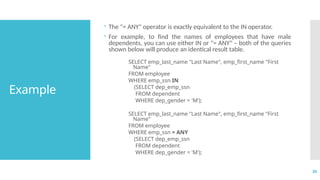
 The "= ANY" operator is exactly equivalent to the IN operator.
 For example, to find the names of employees that have male
dependents, you can use either IN or "= ANY" – both of the queries
shown below will produce an identical result table.
SELECT emp_last_name "Last Name", emp_first_name "First
Name"
FROM employee
WHERE emp_ssn IN
(SELECT dep_emp_ssn
FROM dependent
WHERE dep_gender = 'M');
SELECT emp_last_name "Last Name", emp_first_name "First
Name"
FROM employee
WHERE emp_ssn = ANY
(SELECT dep_emp_ssn
FROM dependent
WHERE dep_gender = 'M');
31
Example
(Contd.)
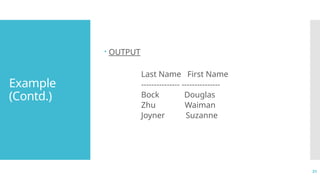
 OUTPUT
Last Name First Name
--------------- ---------------
Bock Douglas
Zhu Waiman
Joyner Suzanne
32
Example
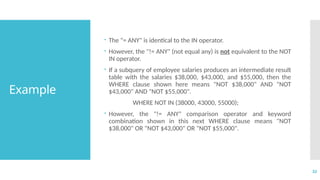
 The "= ANY" is identical to the IN operator.
 However, the "!= ANY" (not equal any) is not equivalent to the NOT
IN operator.
 If a subquery of employee salaries produces an intermediate result
table with the salaries $38,000, $43,000, and $55,000, then the
WHERE clause shown here means "NOT $38,000" AND "NOT
$43,000" AND "NOT $55,000".
WHERE NOT IN (38000, 43000, 55000);
 However, the "!= ANY" comparison operator and keyword
combination shown in this next WHERE clause means "NOT
$38,000" OR "NOT $43,000" OR "NOT $55,000".
33
Correlated
Subquery
 A correlated subquery is one where the inner query depends on
values provided by the outer query.
 This means the inner query is executed repeatedly, once for each
row that might be selected by the outer query.
34
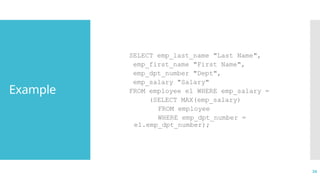
Example
SELECT emp_last_name "Last Name",
emp_first_name "First Name",
emp_dpt_number "Dept",
emp_salary "Salary"
FROM employee e1 WHERE emp_salary =
(SELECT MAX(emp_salary)
FROM employee
WHERE emp_dpt_number =
e1.emp_dpt_number);
35
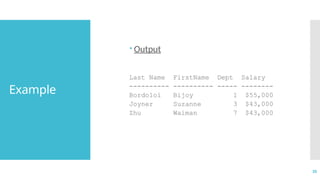
Example
 Output
Last Name FirstName Dept Salary
---------- ---------- ----- --------
Bordoloi Bijoy 1 $55,000
Joyner Suzanne 3 $43,000
Zhu Waiman 7 $43,000
36
Correlated
Subquery
 The subquery in this SELECT statement cannot be resolved
independently of the main query.
 Notice that the outer query specifies that rows are selected from
the employee table with an alias name of e1.
 The inner query compares the employee department number
column (emp_dpt_number) of the employee table to the same
column for the alias table name e1.
37
Correlated
Subquery
 The value of e1.emp_dpt_number is treated like a variable – it
changes as the Oracle server examines each row of the employee
table.
 The subquery's results are correlated with each individual row of
the main query – thus, the term correlated subquery.
38
Subqueries
and EXISTS
operator
 When a subquery uses the EXISTS operator, the subquery
functions as an existence test.
 The WHERE clause of the outer query tests for the existence
of rows returned by the inner query.
 The subquery does not actually produce any data; rather, it
returns a value of TRUE or FALSE.
39
Subqueries
and EXISTS
operator
(Contd.)
 The general format of a subquery WHERE clause with an
EXISTS operator is shown here.
 Note that the NOT operator can also be used to negate the
result of the EXISTS operator.
WHERE [NOT] EXISTS (subquery)
40
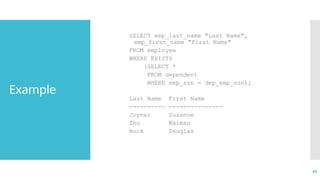
Example
SELECT emp_last_name "Last Name",
emp_first_name "First Name"
FROM employee
WHERE EXISTS
(SELECT *
FROM dependent
WHERE emp_ssn = dep_emp_ssn);
Last Name First Name
---------- ---------------
Joyner Suzanne
Zhu Waiman
Bock Douglas
41
Subqueries
and EXISTS
operator
(Contd.)
 Subqueries using an EXISTS operator are a bit different from
other subqueries, in the following ways:
1. The keyword EXISTS is not preceded by a column name,
constant, or other expression.
2. The SELECT clause list of a subquery that uses an EXISTS
operator almost always consists of an asterisk (*). This is
because there is no real point in listing column names since
you are simply testing for the existence of rows that meet
the conditions specified in the subquery.
3. The subquery evaluates to TRUE or FALSE rather than
returning any data.
4. A subquery that uses an EXISTS operator will always be a
correlated subquery.
42
Subqueries
and EXISTS
operator
(Contd.)
 The EXISTS operator is very important, because there is often no
alternative to its use.
 All queries that use the IN operator or a modified comparison
operator (=, <, >, etc. modified by ANY or ALL) can be expressed
with the EXISTS operator.
 However, some queries formulated with EXISTS cannot be
expressed in any other way!
43
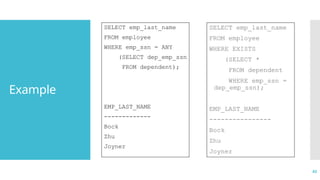
Example
SELECT emp_last_name
FROM employee
WHERE emp_ssn = ANY
(SELECT dep_emp_ssn
FROM dependent);
EMP_LAST_NAME
-------------
Bock
Zhu
Joyner
SELECT emp_last_name
FROM employee
WHERE EXISTS
(SELECT *
FROM dependent
WHERE emp_ssn =
dep_emp_ssn);
EMP_LAST_NAME
----------------
Bock
Zhu
Joyner
44
NOT EXIST
Operator
• The NOT EXISTS operator is the mirror-image of the EXISTS
operator.
• A query that uses NOT EXISTS in the WHERE clause is satisfied if
the subquery returns no rows.
45
Subqueries
and ORDER
BY clause
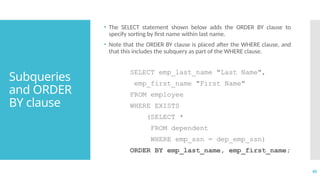
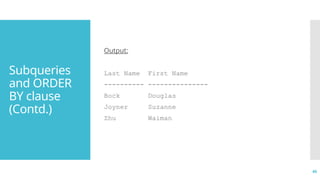
• The SELECT statement shown below adds the ORDER BY clause to
specify sorting by first name within last name.
• Note that the ORDER BY clause is placed after the WHERE clause, and
that this includes the subquery as part of the WHERE clause.
SELECT emp_last_name "Last Name",
emp_first_name "First Name"
FROM employee
WHERE EXISTS
(SELECT *
FROM dependent
WHERE emp_ssn = dep_emp_ssn)
ORDER BY emp_last_name, emp_first_name;
46
Subqueries
and ORDER
BY clause
(Contd.)
Output:
Last Name First Name
---------- ---------------
Bock Douglas
Joyner Suzanne
Zhu Waiman
47
End of Unit-3 Questions?

Unit 3-p2relationaldatabasescodeing.pptx

  • 1.
  • 2.
    2 Subquery  A subqueryis a query within a query.  Subqueries enable you to write queries that select data rows for criteria that are actually developed while the query is executing at run time.
  • 3.
    3 Example SELECT emp_last_name "LastName", emp_first_name "First Name", emp_salary "Salary" FROM employee WHERE emp_salary = (SELECT MIN(emp_salary) FROM employee); Last Name First Name Salary --------------- --------------- -------- Markis Marcia $25,000 Amin Hyder $25,000 Prescott Sherri $25,000
  • 4.
    4 Subquery Types  There arethree basic types of subqueries. We will study each of these in the remainder of this chapter. 1. Subqueries that operate on lists by use of the IN operator or with a comparison operator modified by the ANY or ALL optional keywords. These subqueries can return a group of values, but the values must be from a single column of a table. 2. Subqueries that use an unmodified comparison operator (=, <, >, <>) – these subqueries must return only a single, scalar value. 3. Subqueries that use the EXISTS operator to test the existence of data rows satisfying specified criteria.
  • 5.
    5 Subquery: General Rules  A subquerySELECT statement is very similar to the SELECT statement used to begin a regular or outer query. The complete syntax of a subquery is shown below. ( SELECT [DISTINCT] subquery_select_argument FROM {table_name | view_name} {table_name | view_name} ... [WHERE search_conditions] [GROUP BY aggregate_expression [, aggregate_expression] ...] [HAVING search_conditions] )
  • 6.
    6 Subquery: General Rules (Contd.)  The SELECTclause of a subquery must contain only one expression, only one aggregate function, or only one column name.  The value(s) returned by a subquery must be join-compatible with the WHERE clause of the outer query. SELECT emp_last_name "Last Name", emp_first_name "First Name" FROM employee WHERE emp_ssn IN (SELECT dep_emp_ssn FROM dependent); Last Name First Name ------------- --------------- Bock Douglas Zhu Waiman Joyner Suzanne
  • 7.
    7 Subquery: General Rules (Contd.)  In additionto concerns about the domain of values returned from a subquery, the data type of the returned column value(s) must be join-compatible.  Join-compatible data types are data types that the Oracle Server will convert automatically when matching data in criteria conditions.
  • 8.
    8 Subquery: General Rules (Contd.)  The DISTINCTkeyword cannot be used in subqueries that include a GROUP BY clause.  Subqueries cannot manipulate their results internally. This means that a subquery cannot include the ORDER BY clause, the COMPUTE clause, or the INTO keyword.
  • 9.
    9 Subqueries and the IN Operator Subqueries that are introduced with the keyword IN take the general form: WHERE expression [NOT] IN (subquery)  The only difference in the use of the IN operator with subqueries is that the list does not consist of hard-coded values.
  • 10.
    10 Example SELECT emp_last_name "LastName", emp_first_name "First Name" FROM employee WHERE emp_ssn IN (SELECT dep_emp_ssn FROM dependent WHERE dep_gender = 'M'); Last Name First Name --------------- --------------- Bock Douglas Zhu Waiman Joyner Suzanne
  • 11.
    11 Example (Contd.)  Conceptually, thisstatement is evaluated in two steps.  First, the inner query returns the identification numbers of those employees that have male dependents. SELECT dep_emp_ssn FROM dependent WHERE dep_gender = 'M'; DEP_EMP_S --------- 999444444 999555555 999111111
  • 12.
    12 Example (Contd.)  Next, thesesocial security number values are substituted into the outer query as the listing that is the object of the IN operator. So, from a conceptual perspective, the outer query now looks like the following. SELECT emp_last_name "Last Name", emp_first_name "First Name" FROM employee WHERE emp_ssn IN (999444444, 999555555, 999111111); Last Name First Name --------------- --------------- Joyner Suzanne Zhu Waiman Bock Douglas
  • 13.
    13 The NOT IN operator Like the IN operator, the NOT IN operator can take the result of a subquery as the operator object. SELECT emp_last_name "Last Name", emp_first_name "First Name" FROM employee WHERE emp_ssn NOT IN (SELECT dep_emp_ssn FROM dependent); Last Name First Name --------------- --------------- Bordoloi Bijoy Markis Marcia Amin Hyder more rows are displayed . . .
  • 14.
    14 The NOT IN operator (Contd.) The subquery shown above produces an intermediate result table containing the social security numbers of employees who have dependents in the dependent table.  Conceptually, the outer query compares each row of the employee table against the result table. If the employee social security number is NOT found in the result table produced by the inner query, then it is included in the final result table.
  • 15.
    15 Multiple Levels of Nesting  Subqueriesmay themselves contain subqueries.  When the WHERE clause of a subquery has as its object another subquery, these are termed nested subqueries.  Oracle places no practical limit on the number of queries that can be nested in a WHERE clause.  Consider the problem of producing a listing of employees that worked more than 10 hours on the project named Order Entry.
  • 16.
    16 Example SELECT emp_last_name "LastName", emp_first_name "First Name" FROM employee WHERE emp_ssn IN (SELECT work_emp_ssn FROM assignment WHERE work_hours > 10 AND work_pro_number IN (SELECT pro_number FROM project WHERE pro_name = 'Order Entry') ); Last Name First Name --------------- --------------- Bock Douglas Prescott Sherri
  • 17.
    17 Understandi ng Subqueries  In orderto understand how this query executes, we begin our examination with the lowest subquery.  We will execute it independently of the outer queries. SELECT pro_number FROM project WHERE pro_name = 'Order Entry'; PRO_NUMBER ---------- 1
  • 18.
    18 Understandi ng Subqueries (Contd.)  Now, let'ssubstitute the project number into the IN operator list for the intermediate subquery and execute it.  The intermediate result table lists two employee social security numbers for employees that worked more than 10 hours on project #1. SELECT work_emp_ssn FROM assignment WHERE work_hours > 10 AND work_pro_number IN (1); WORK_EMP_SSN ----------------------- 999111111 999888888
  • 19.
    19 Understandi ng Subqueries (Contd.)  Finally, wewill substitute these two social security numbers into the IN operator listing for the outer query in place of the subquery. SELECT emp_last_name "Last Name", emp_first_name "First Name" FROM employee WHERE emp_ssn IN (999111111, 999888888); Last Name First Name --------------- --------------- Bock Douglas Prescott Sherri
  • 20.
    20 Subqueries and Comparison operator  The generalform of the WHERE clause with a comparison operator is similar to that used thus far in the text.  Note that the subquery is again enclosed by parentheses. WHERE <expression> <comparison_operator> (subquery)
  • 21.
    21 Subqueries and Comparison operator (Contd.)  The mostimportant point to remember when using a subquery with a comparison operator is that the subquery can only return a single or scalar value.  This is also termed a scalar subquery because a single column of a single row is returned by the subquery.  If a subquery returns more than one value, the Oracle Server will generate the “ ORA-01427: single-row subquery returns more than one row ” error message, and the query will fail to execute.
  • 22.
    22 Example  Let's examinea subquery that will not execute because it violates the "single value" rule.  The query shown below returns multiple values for the emp_salary column. SELECT emp_salary FROM employee WHERE emp_salary > 40000; EMP_SALARY ------------------- 55000 43000 43000
  • 23.
    23 Example (Contd.)  If wesubstitute this query as a subquery in another SELECT statement, then that SELECT statement will fail.  This is demonstrated in the next SELECT statement. Here the SQL code will fail because the subquery uses the greater than (>) comparison operator and the subquery returns multiple values. SELECT emp_ssn FROM employee WHERE emp_salary > (SELECT emp_salary FROM employee WHERE emp_salary > 40000); ERROR at line 4: ORA-01427: single-row subquery returns more than one row
  • 24.
    24 Aggregate function and Comparison operator  Theaggregate functions (AVG, SUM, MAX, MIN, and COUNT) always return a scalar result table.  Thus, a subquery with an aggregate function as the object of a comparison operator will always execute provided you have formulated the query properly.
  • 25.
    25 Example SELECT emp_last_name "LastName", emp_first_name "First Name", emp_salary "Salary" FROM employee WHERE emp_salary > (SELECT AVG(emp_salary) FROM employee); Last Name First Name Salary --------------- --------------- ---------- Bordoloi Bijoy $55,000 Joyner Suzanne $43,000 Zhu Waiman $43,000 Joshi Dinesh $38,000
  • 26.
    26 Comparison operators modifies with the ALL orANY keywords • The ALL and ANY keywords can modify a comparison operator to allow an outer query to accept multiple values from a subquery. • The general form of the WHERE clause for this type of query is shown here. WHERE <expression> <comparison_operator> [ALL | ANY] (subquery) • Subqueries that use these keywords may also include GROUP BY and HAVING clauses.
  • 27.
    27 The ALL keyword • TheALL keyword modifies the greater than comparison operator to mean greater than all values. SELECT emp_last_name "Last Name", emp_first_name "First Name", emp_salary "Salary" FROM employee WHERE emp_salary > ALL (SELECT emp_salary FROM employee WHERE emp_dpt_number = 7); Last Name First Name Salary --------------- --------------- -------- Bordoloi Bijoy $55,000
  • 28.
    28 The ANY keyword • TheANY keyword is not as restrictive as the ALL keyword. • When used with the greater than comparison operator, "> ANY" means greater than some value.
  • 29.
    29 Example SELECT emp_last_name "LastName", emp_first_name "First Name", emp_salary "Salary" FROM employee WHERE emp_salary > ANY (SELECT emp_salary FROM employee WHERE emp_salary > 30000); Last Name First Name Salary --------------- --------------- -------- Bordoloi Bijoy $55,000 Joyner Suzanne $43,000 Zhu Waiman $43,000
  • 30.
    30 Example  The "=ANY" operator is exactly equivalent to the IN operator.  For example, to find the names of employees that have male dependents, you can use either IN or "= ANY" – both of the queries shown below will produce an identical result table. SELECT emp_last_name "Last Name", emp_first_name "First Name" FROM employee WHERE emp_ssn IN (SELECT dep_emp_ssn FROM dependent WHERE dep_gender = 'M'); SELECT emp_last_name "Last Name", emp_first_name "First Name" FROM employee WHERE emp_ssn = ANY (SELECT dep_emp_ssn FROM dependent WHERE dep_gender = 'M');
  • 31.
    31 Example (Contd.)  OUTPUT Last NameFirst Name --------------- --------------- Bock Douglas Zhu Waiman Joyner Suzanne
  • 32.
    32 Example  The "=ANY" is identical to the IN operator.  However, the "!= ANY" (not equal any) is not equivalent to the NOT IN operator.  If a subquery of employee salaries produces an intermediate result table with the salaries $38,000, $43,000, and $55,000, then the WHERE clause shown here means "NOT $38,000" AND "NOT $43,000" AND "NOT $55,000". WHERE NOT IN (38000, 43000, 55000);  However, the "!= ANY" comparison operator and keyword combination shown in this next WHERE clause means "NOT $38,000" OR "NOT $43,000" OR "NOT $55,000".
  • 33.
    33 Correlated Subquery  A correlatedsubquery is one where the inner query depends on values provided by the outer query.  This means the inner query is executed repeatedly, once for each row that might be selected by the outer query.
  • 34.
    34 Example SELECT emp_last_name "LastName", emp_first_name "First Name", emp_dpt_number "Dept", emp_salary "Salary" FROM employee e1 WHERE emp_salary = (SELECT MAX(emp_salary) FROM employee WHERE emp_dpt_number = e1.emp_dpt_number);
  • 35.
    35 Example  Output Last NameFirstName Dept Salary ---------- ---------- ----- -------- Bordoloi Bijoy 1 $55,000 Joyner Suzanne 3 $43,000 Zhu Waiman 7 $43,000
  • 36.
    36 Correlated Subquery  The subqueryin this SELECT statement cannot be resolved independently of the main query.  Notice that the outer query specifies that rows are selected from the employee table with an alias name of e1.  The inner query compares the employee department number column (emp_dpt_number) of the employee table to the same column for the alias table name e1.
  • 37.
    37 Correlated Subquery  The valueof e1.emp_dpt_number is treated like a variable – it changes as the Oracle server examines each row of the employee table.  The subquery's results are correlated with each individual row of the main query – thus, the term correlated subquery.
  • 38.
    38 Subqueries and EXISTS operator  Whena subquery uses the EXISTS operator, the subquery functions as an existence test.  The WHERE clause of the outer query tests for the existence of rows returned by the inner query.  The subquery does not actually produce any data; rather, it returns a value of TRUE or FALSE.
  • 39.
    39 Subqueries and EXISTS operator (Contd.)  Thegeneral format of a subquery WHERE clause with an EXISTS operator is shown here.  Note that the NOT operator can also be used to negate the result of the EXISTS operator. WHERE [NOT] EXISTS (subquery)
  • 40.
    40 Example SELECT emp_last_name "LastName", emp_first_name "First Name" FROM employee WHERE EXISTS (SELECT * FROM dependent WHERE emp_ssn = dep_emp_ssn); Last Name First Name ---------- --------------- Joyner Suzanne Zhu Waiman Bock Douglas
  • 41.
    41 Subqueries and EXISTS operator (Contd.)  Subqueriesusing an EXISTS operator are a bit different from other subqueries, in the following ways: 1. The keyword EXISTS is not preceded by a column name, constant, or other expression. 2. The SELECT clause list of a subquery that uses an EXISTS operator almost always consists of an asterisk (*). This is because there is no real point in listing column names since you are simply testing for the existence of rows that meet the conditions specified in the subquery. 3. The subquery evaluates to TRUE or FALSE rather than returning any data. 4. A subquery that uses an EXISTS operator will always be a correlated subquery.
  • 42.
    42 Subqueries and EXISTS operator (Contd.)  TheEXISTS operator is very important, because there is often no alternative to its use.  All queries that use the IN operator or a modified comparison operator (=, <, >, etc. modified by ANY or ALL) can be expressed with the EXISTS operator.  However, some queries formulated with EXISTS cannot be expressed in any other way!
  • 43.
    43 Example SELECT emp_last_name FROM employee WHEREemp_ssn = ANY (SELECT dep_emp_ssn FROM dependent); EMP_LAST_NAME ------------- Bock Zhu Joyner SELECT emp_last_name FROM employee WHERE EXISTS (SELECT * FROM dependent WHERE emp_ssn = dep_emp_ssn); EMP_LAST_NAME ---------------- Bock Zhu Joyner
  • 44.
    44 NOT EXIST Operator • TheNOT EXISTS operator is the mirror-image of the EXISTS operator. • A query that uses NOT EXISTS in the WHERE clause is satisfied if the subquery returns no rows.
  • 45.
    45 Subqueries and ORDER BY clause •The SELECT statement shown below adds the ORDER BY clause to specify sorting by first name within last name. • Note that the ORDER BY clause is placed after the WHERE clause, and that this includes the subquery as part of the WHERE clause. SELECT emp_last_name "Last Name", emp_first_name "First Name" FROM employee WHERE EXISTS (SELECT * FROM dependent WHERE emp_ssn = dep_emp_ssn) ORDER BY emp_last_name, emp_first_name;
  • 46.
    46 Subqueries and ORDER BY clause (Contd.) Output: LastName First Name ---------- --------------- Bock Douglas Joyner Suzanne Zhu Waiman
  • 47.
    47 End of Unit-3Questions?