The following is intended to outline our general
product direction. It is intended for information
purposes only, and may not be incorporated into any
contract. It is not a commitment to deliver any
material, code, or functionality, and should not be
relied upon in making purchasing decisions.
The development, release, and timing of any
features or functionality described for Oracle’s
products remains at the sole discretion of Oracle.
<Insert Picture Here>
Oracle Database Integration with Active Directory
and Windows Security
Christian Shay
Principal Product Manager, Windows Technologies
Oracle USA
<Insert Picture Here>
Agenda
• Database Registration and Name
Resolution
• Single Sign-On
• Windows Native Authentication
• Kerberos
• Security Integration for .NET Applications
• Enterprise User Security and Virtual Directory
Database Registration and Name Resolution
Overview
• Store and resolve Net names through Active
Directory
• Eliminate tnsnames.ora on clients
• Centralize configuration, reduce administration
• Authenticated connection to Active Directory (11g)
• AD no longer needs to allow anonymous access
• Enhanced tools support for storing Net naming
• AD Users and Computers
• Oracle DB Configuration Assistant, Net Configuration
Assistant and Net Manager
Database Registration and Name Resolution
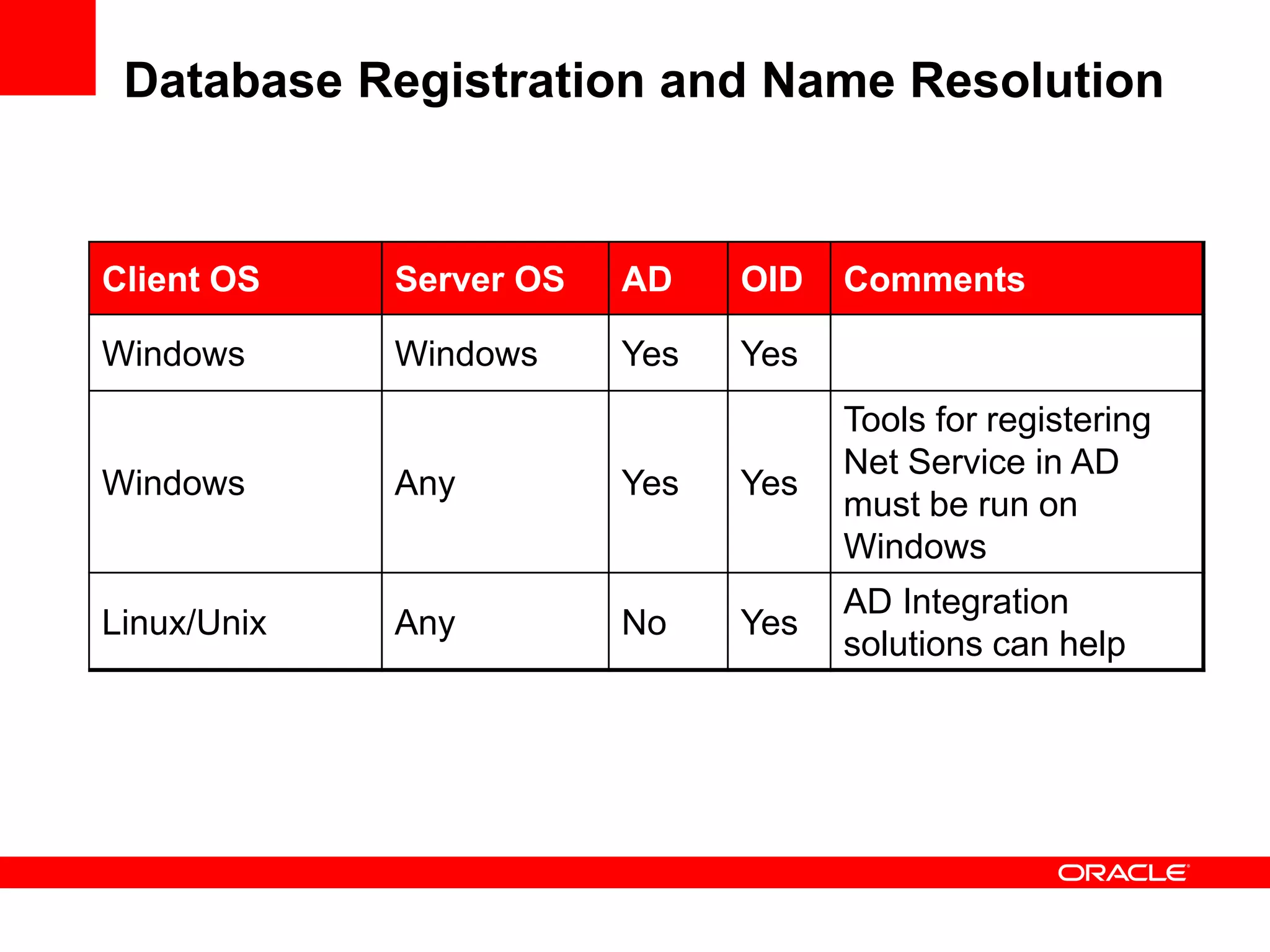
Client OS Server OS AD OID Comments
Windows Windows Yes Yes
Windows Any Yes Yes
Tools for registering
Net Service in AD
must be run on
Windows
Linux/Unix Any No Yes
AD Integration
solutions can help
Database Registration and Name Resolution
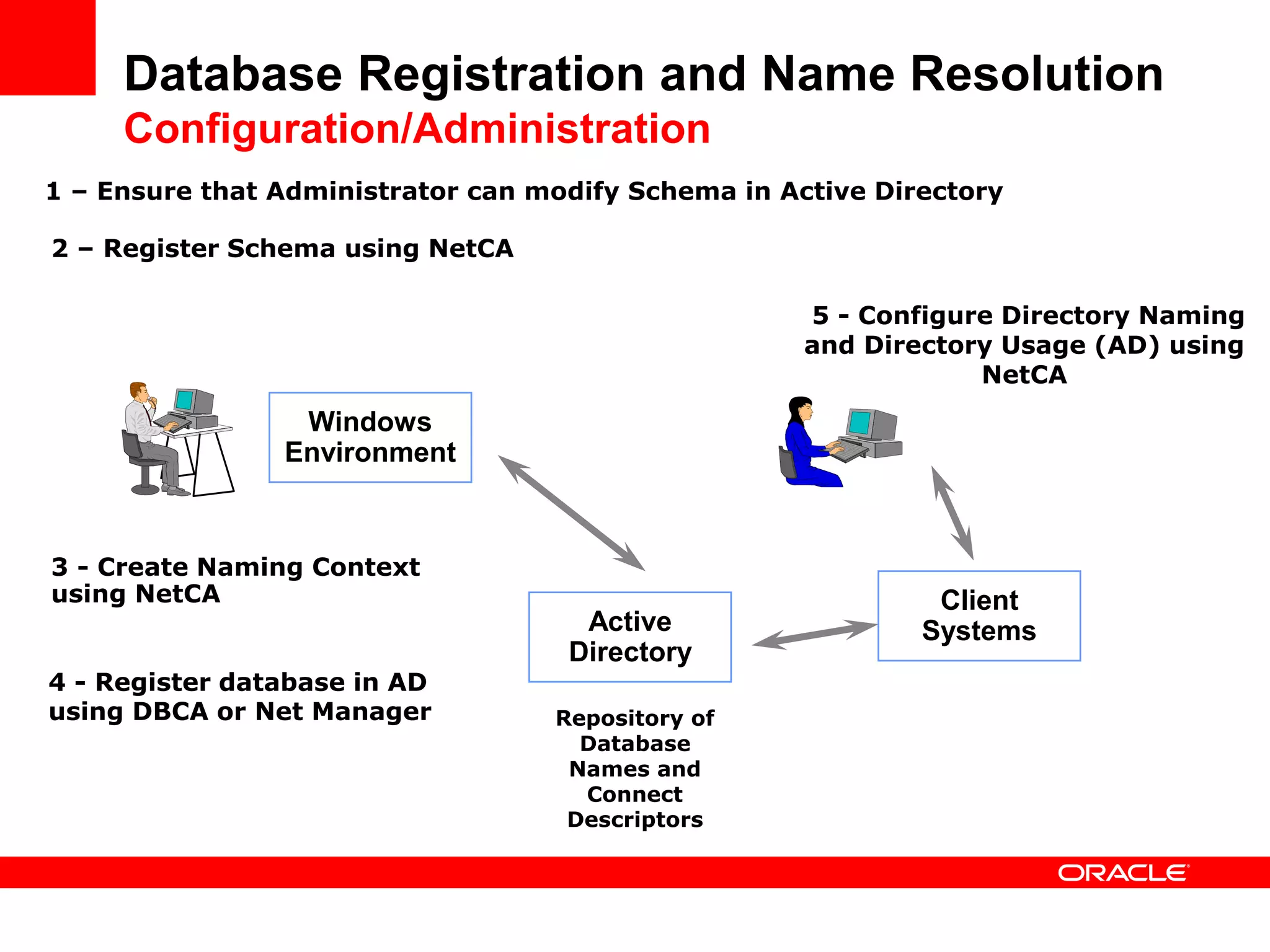
Configuration/Administration
Windows
Environment
Active
Directory
Repository of
Database
Names and
Connect
Descriptors
2 – Register Schema using NetCA
Client
Systems
5 - Configure Directory Naming
and Directory Usage (AD) using
NetCA
1 – Ensure that Administrator can modify Schema in Active Directory
3 - Create Naming Context
using NetCA
4 - Register database in AD
using DBCA or Net Manager
Database Registration and Name Resolution
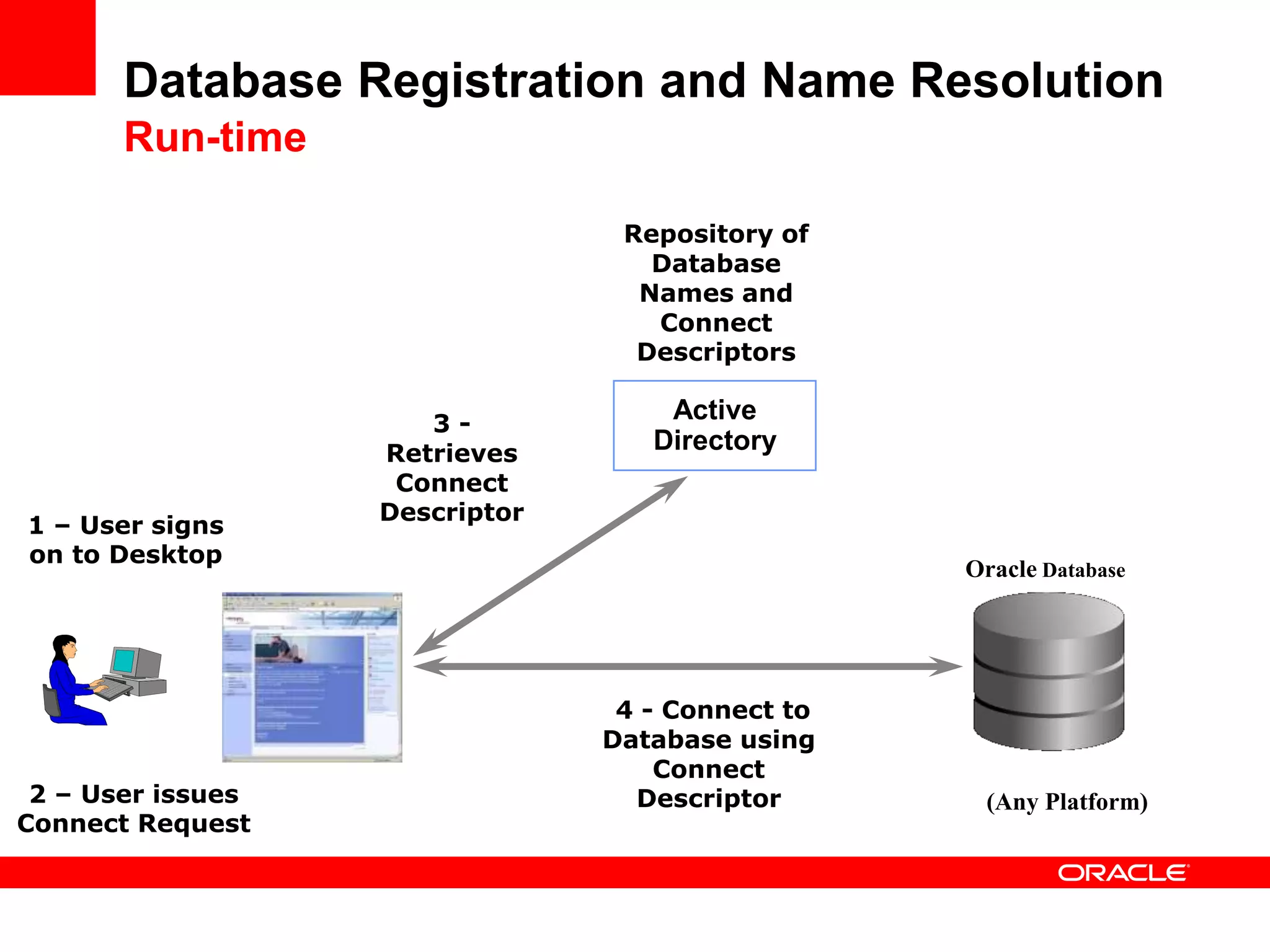
Run-time
1 – User signs
on to Desktop
Active
Directory
Oracle Database
2 – User issues
Connect Request
Repository of
Database
Names and
Connect
Descriptors
3 -
Retrieves
Connect
Descriptor
4 - Connect to
Database using
Connect
Descriptor (Any Platform)
Database Registration and Name Resolution
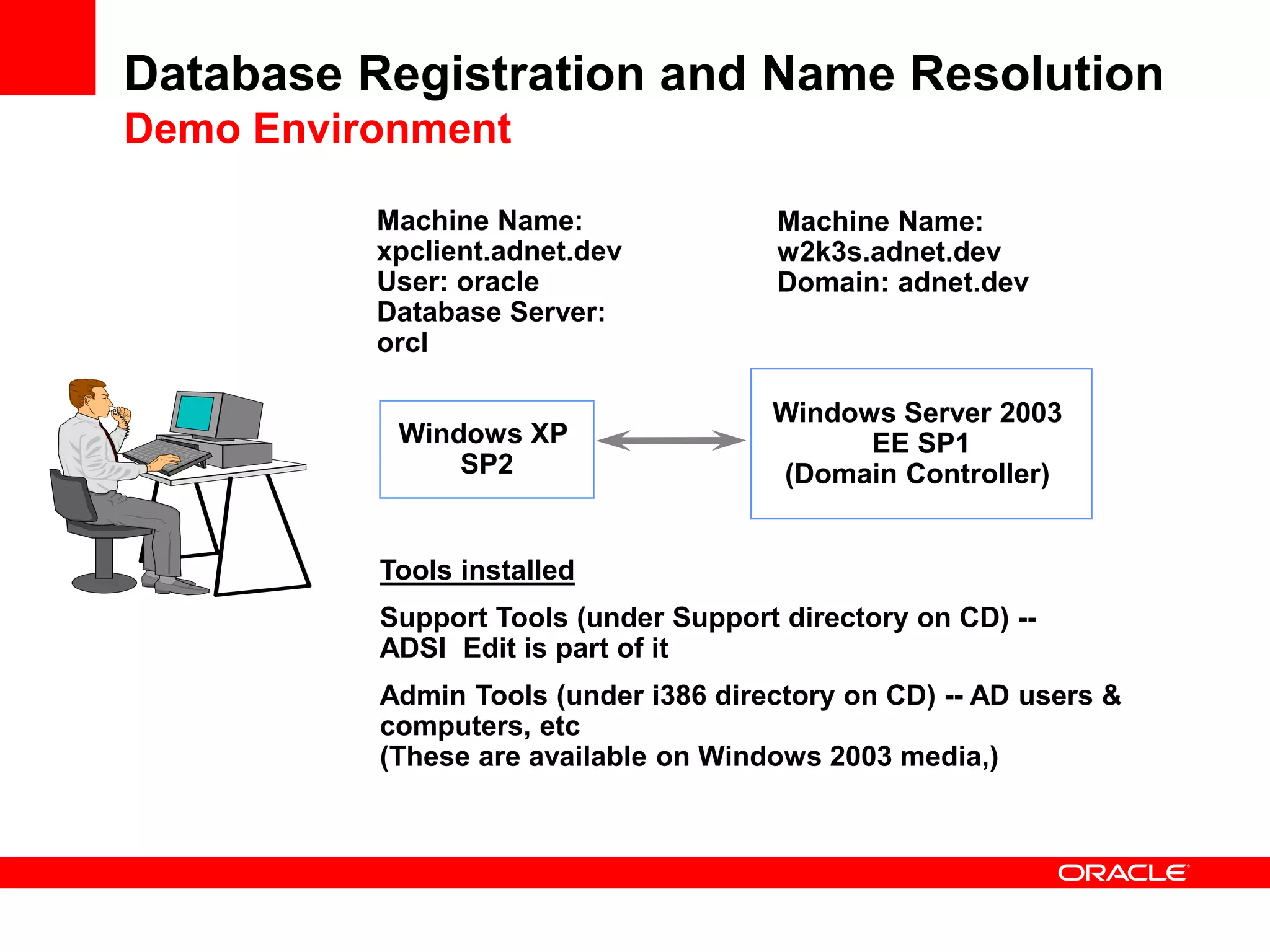
Demo Environment
Windows XP
SP2
Windows Server 2003
EE SP1
(Domain Controller)
Machine Name:
xpclient.adnet.dev
User: oracle
Database Server:
orcl
Machine Name:
w2k3s.adnet.dev
Domain: adnet.dev
Tools installed
Support Tools (under Support directory on CD) --
ADSI Edit is part of it
Admin Tools (under i386 directory on CD) -- AD users &
computers, etc
(These are available on Windows 2003 media,)
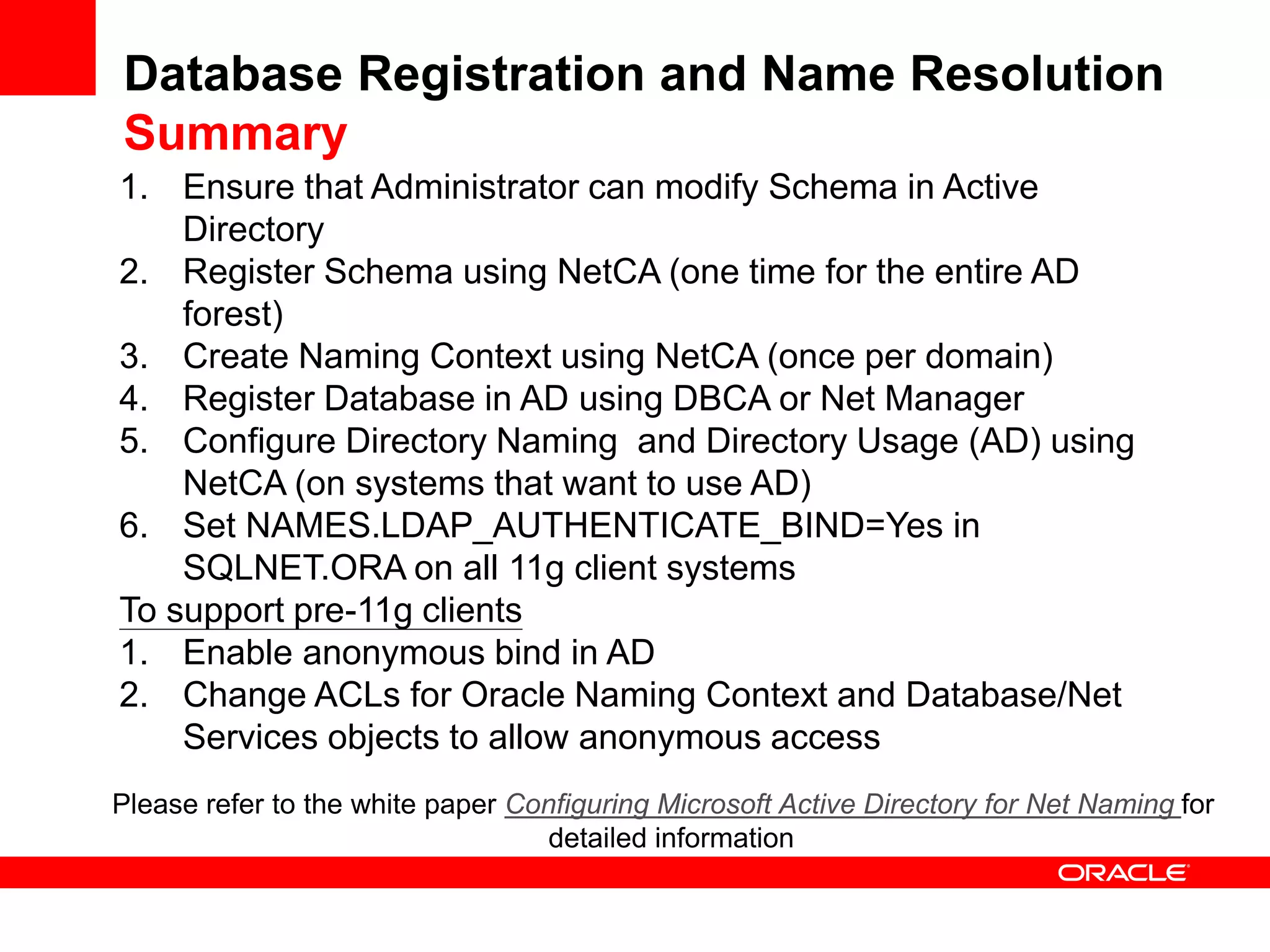
D E M O N S T R A T I O N
Database
Registration and
Name Resolution
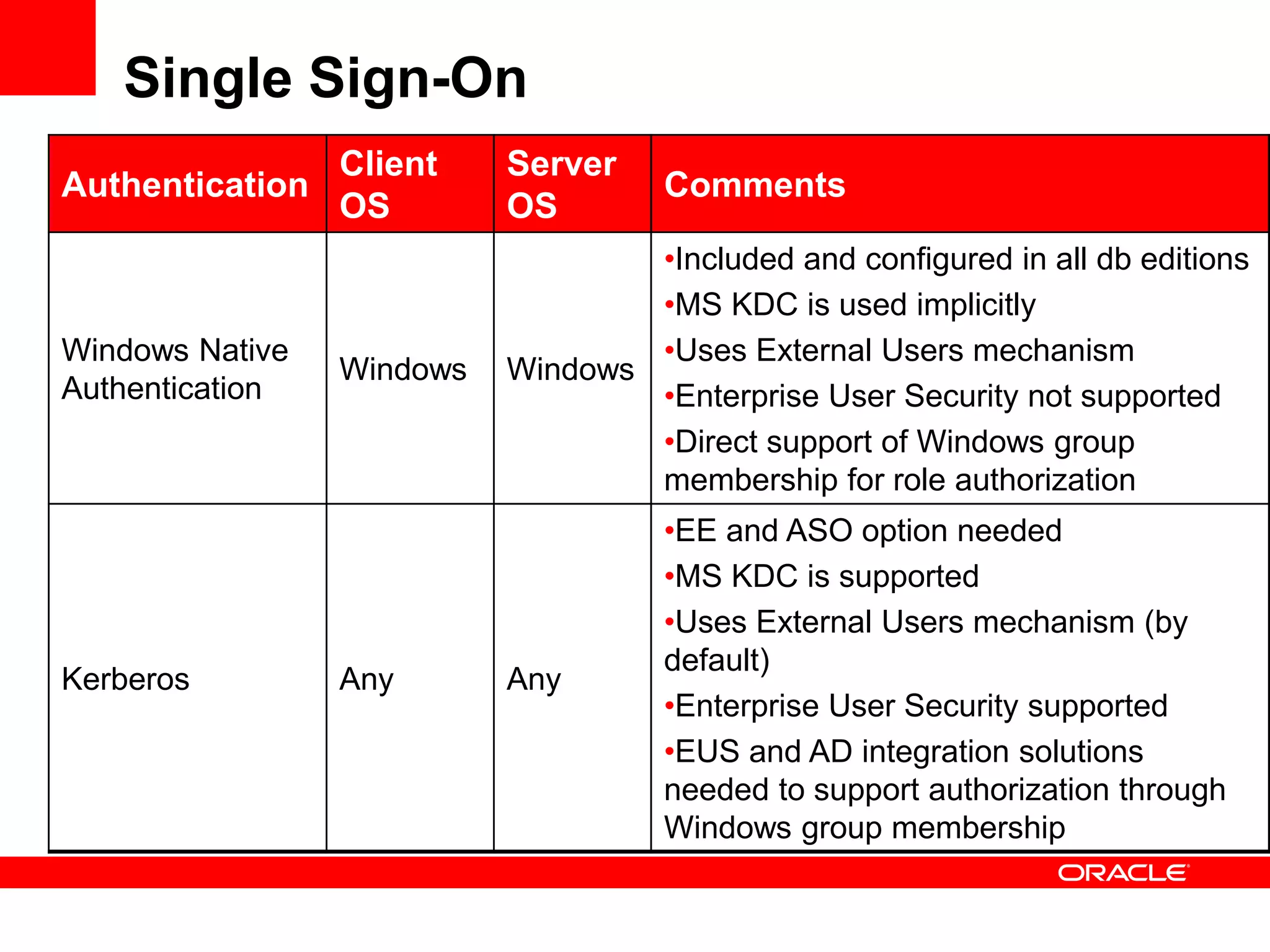
Database Registration and Name Resolution
Summary
1. Ensure that Administrator can modify Schema in Active
Directory
2. Register Schema using NetCA (one time for the entire AD
forest)
3. Create Naming Context using NetCA (once per domain)
4. Register Database in AD using DBCA or Net Manager
5. Configure Directory Naming and Directory Usage (AD) using
NetCA (on systems that want to use AD)
6. Set NAMES.LDAP_AUTHENTICATE_BIND=Yes in
SQLNET.ORA on all 11g client systems
To support pre-11g clients
1. Enable anonymous bind in AD
2. Change ACLs for Oracle Naming Context and Database/Net
Services objects to allow anonymous access
Please refer to the white paper Configuring Microsoft Active Directory for Net Naming for
detailed information
Single Sign-On
Single Sign-On
Authentication
Client
OS
Server
OS
Comments
Windows Native
Authentication
Windows Windows
•Included and configured in all db editions
•MS KDC is used implicitly
•Uses External Users mechanism
•Enterprise User Security not supported
•Direct support of Windows group
membership for role authorization
Kerberos Any Any
•EE and ASO option needed
•MS KDC is supported
•Uses External Users mechanism (by
default)
•Enterprise User Security supported
•EUS and AD integration solutions
needed to support authorization through
Windows group membership
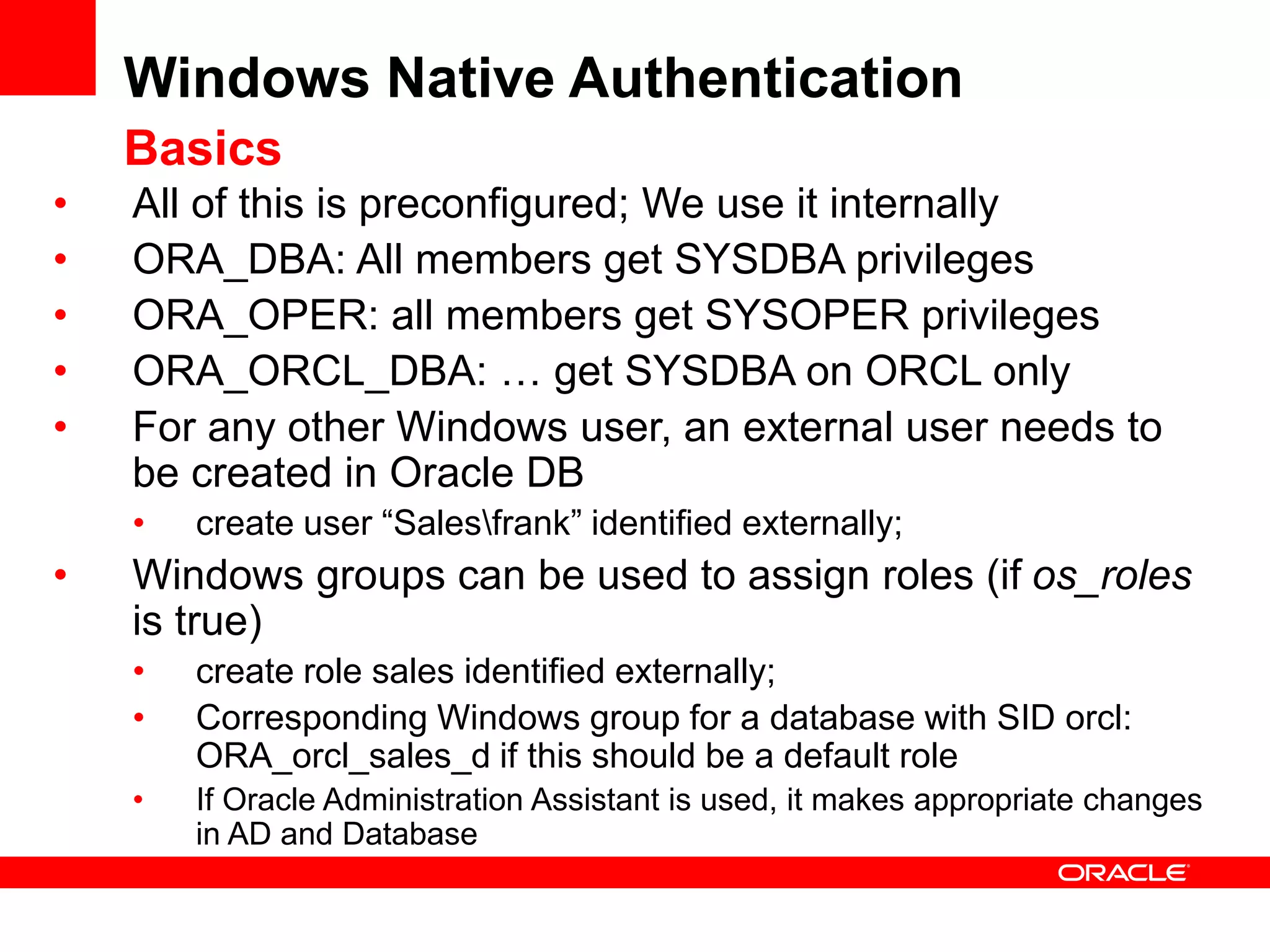
Windows Native Authentication
Basics
• All of this is preconfigured; We use it internally
• ORA_DBA: All members get SYSDBA privileges
• ORA_OPER: all members get SYSOPER privileges
• ORA_ORCL_DBA: … get SYSDBA on ORCL only
• For any other Windows user, an external user needs to
be created in Oracle DB
• create user “Salesfrank” identified externally;
• Windows groups can be used to assign roles (if os_roles
is true)
• create role sales identified externally;
• Corresponding Windows group for a database with SID orcl:
ORA_orcl_sales_d if this should be a default role
• If Oracle Administration Assistant is used, it makes appropriate changes
in AD and Database
Windows Native Authentication
• Enabled by default and can work across systems
• Windows user logon credentials used for database
authentication
• Authentication protocol (Kerberos or NTLM) negotiated
based on OS and Domain Controller
• Authorization can be granted through Windows group
membership
• Pre-defined Windows groups for DBAs and Operators
• Uses Oracle External Users and External Roles mechanisms
• Oracle Administration Assistant can be used to manage
user authentication and role authorization
• This feature is completely independent of Database
Registration and Name Resolution feature
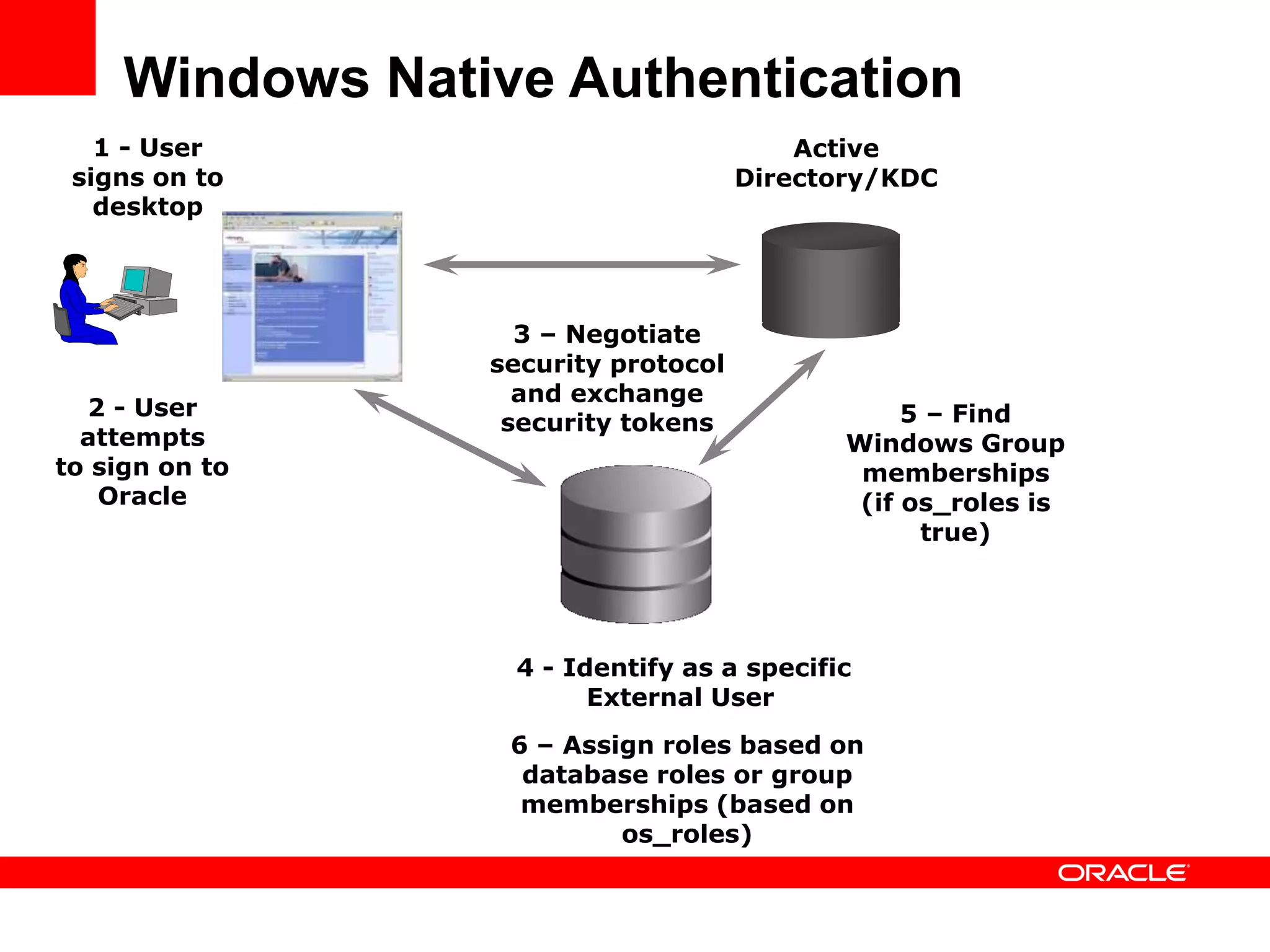
Windows Native Authentication
2 - User
attempts
to sign on to
Oracle
1 - User
signs on to
desktop
Active
Directory/KDC
4 - Identify as a specific
External User
5 – Find
Windows Group
memberships
(if os_roles is
true)
3 – Negotiate
security protocol
and exchange
security tokens
6 – Assign roles based on
database roles or group
memberships (based on
os_roles)
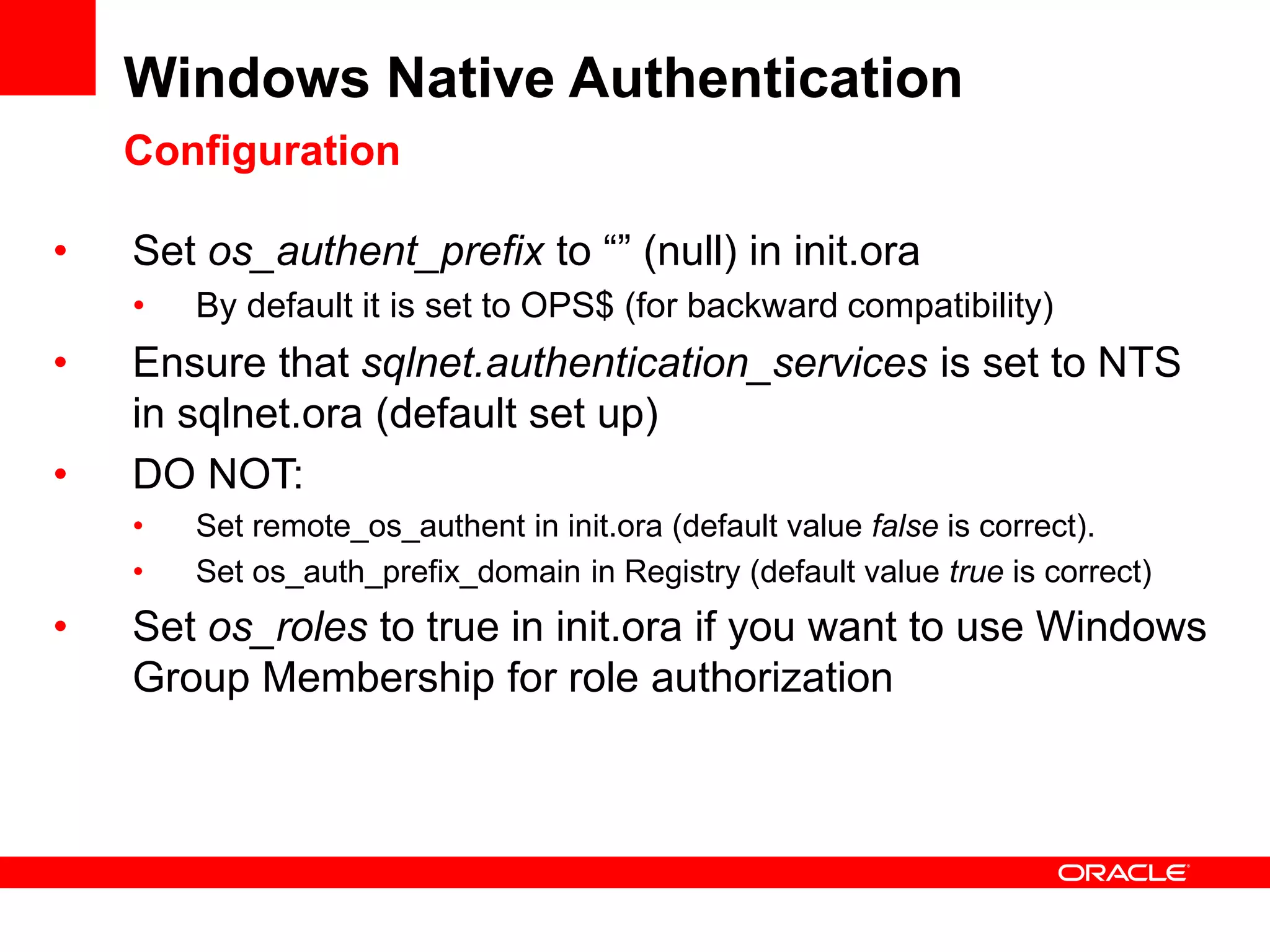
Windows Native Authentication
Configuration
• Set os_authent_prefix to “” (null) in init.ora
• By default it is set to OPS$ (for backward compatibility)
• Ensure that sqlnet.authentication_services is set to NTS
in sqlnet.ora (default set up)
• DO NOT:
• Set remote_os_authent in init.ora (default value false is correct).
• Set os_auth_prefix_domain in Registry (default value true is correct)
• Set os_roles to true in init.ora if you want to use Windows
Group Membership for role authorization
D E M O N S T R A T I O N
Windows Native
Authentication
Kerberos Authentication
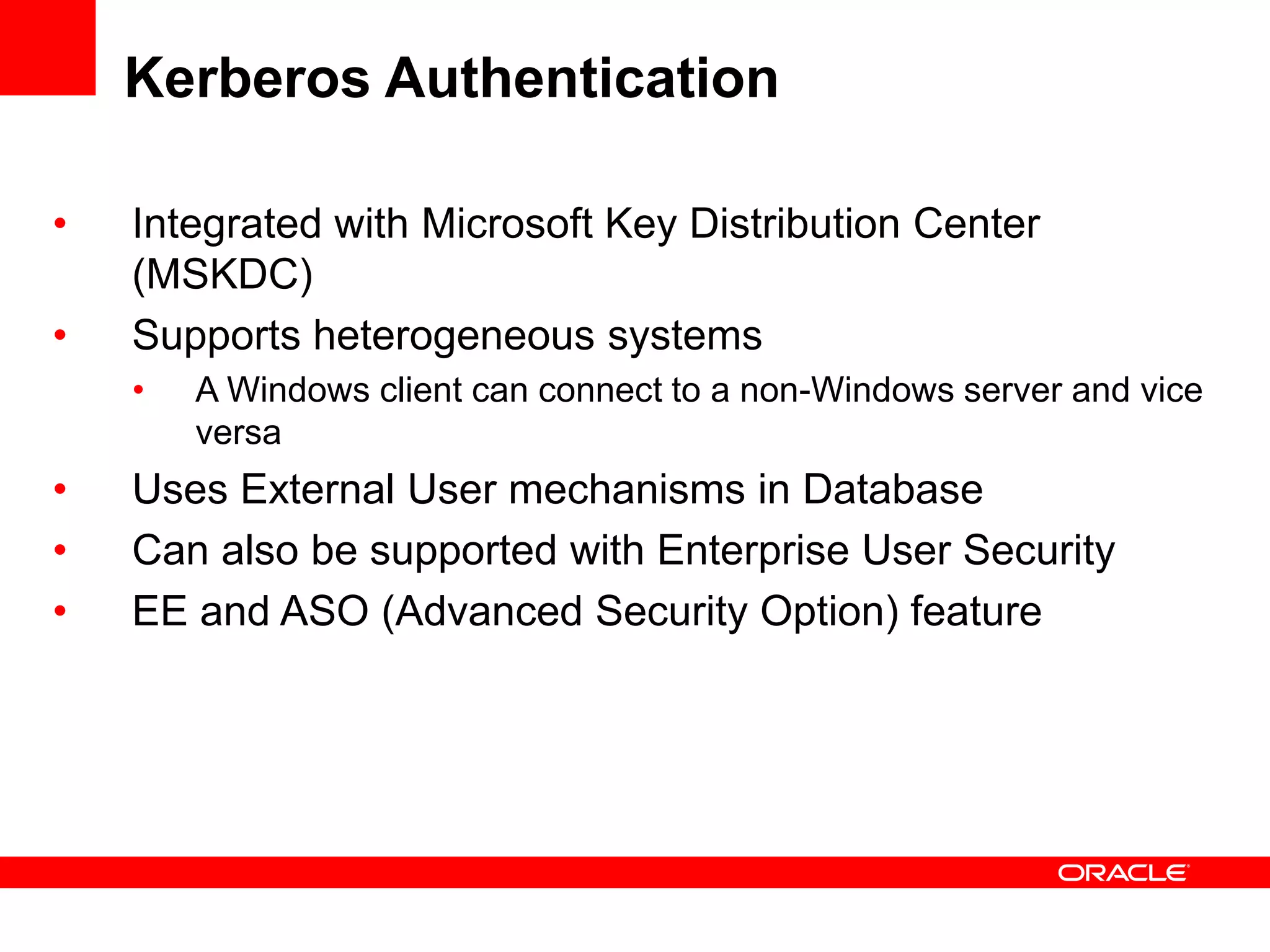
• Integrated with Microsoft Key Distribution Center
(MSKDC)
• Supports heterogeneous systems
• A Windows client can connect to a non-Windows server and vice
versa
• Uses External User mechanisms in Database
• Can also be supported with Enterprise User Security
• EE and ASO (Advanced Security Option) feature
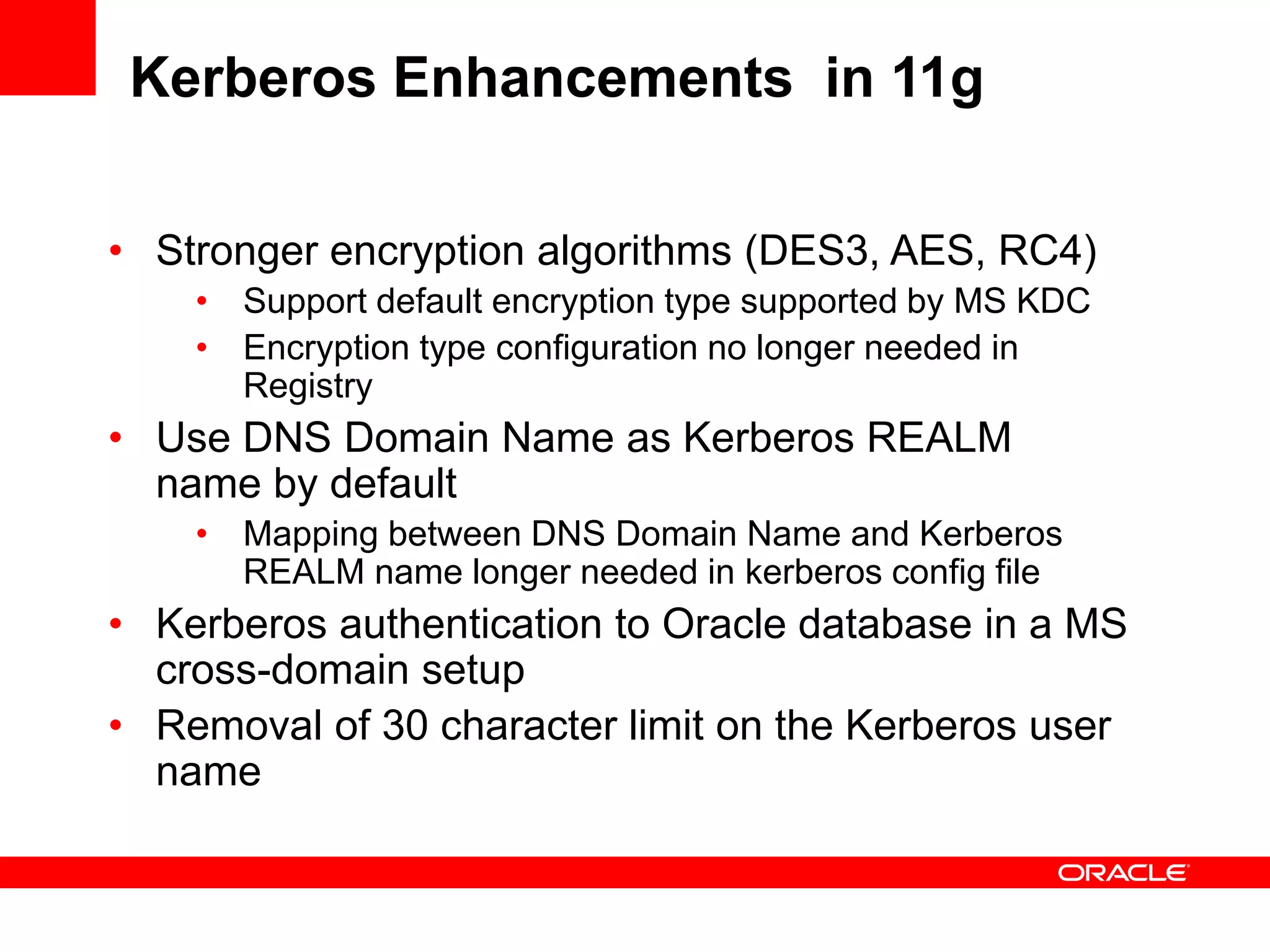
Kerberos Enhancements in 11g
• Stronger encryption algorithms (DES3, AES, RC4)
• Support default encryption type supported by MS KDC
• Encryption type configuration no longer needed in
Registry
• Use DNS Domain Name as Kerberos REALM
name by default
• Mapping between DNS Domain Name and Kerberos
REALM name longer needed in kerberos config file
• Kerberos authentication to Oracle database in a MS
cross-domain setup
• Removal of 30 character limit on the Kerberos user
name
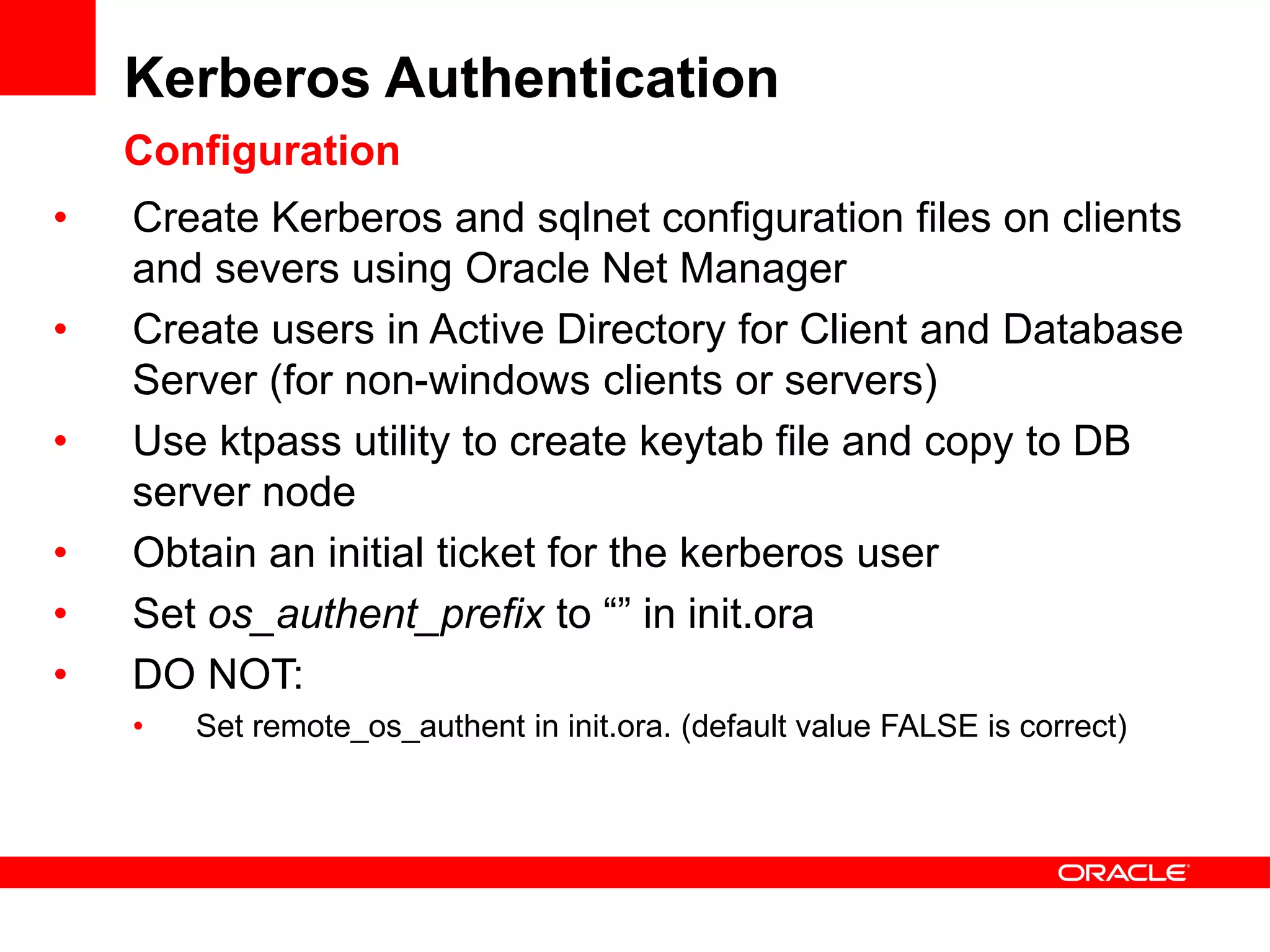
Kerberos Authentication
Configuration
• Create Kerberos and sqlnet configuration files on clients
and severs using Oracle Net Manager
• Create users in Active Directory for Client and Database
Server (for non-windows clients or servers)
• Use ktpass utility to create keytab file and copy to DB
server node
• Obtain an initial ticket for the kerberos user
• Set os_authent_prefix to “” in init.ora
• DO NOT:
• Set remote_os_authent in init.ora. (default value FALSE is correct)
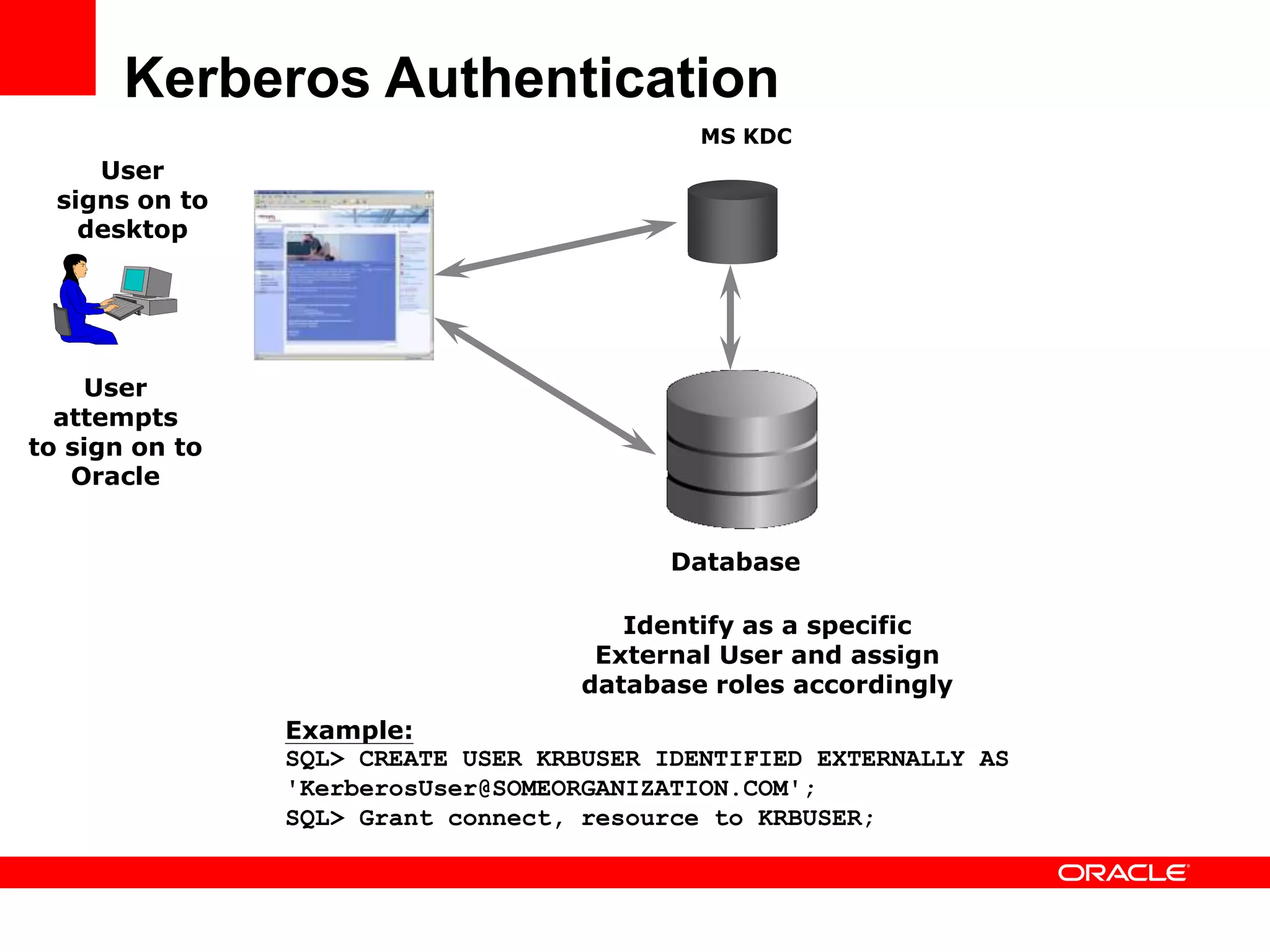
Kerberos Authentication
User
attempts
to sign on to
Oracle
User
signs on to
desktop
MS KDC
Identify as a specific
External User and assign
database roles accordingly
Database
Example:
SQL> CREATE USER KRBUSER IDENTIFIED EXTERNALLY AS
'KerberosUser@SOMEORGANIZATION.COM';
SQL> Grant connect, resource to KRBUSER;
Security
Integration for
.NET Applications
Security Integration for .NET Applications
• OS Authenticated Connection Pool in Oracle Data
Provider for .NET
• Support pooling of OS authenticated users
using Windows identity
• ASP.NET Membership and Role Provider
• Validate and manage user and authorization
information for your ASP.NET web applications
in Oracle Database
Oracle Virtual
Directory:
Centralize DB
User Account
Management
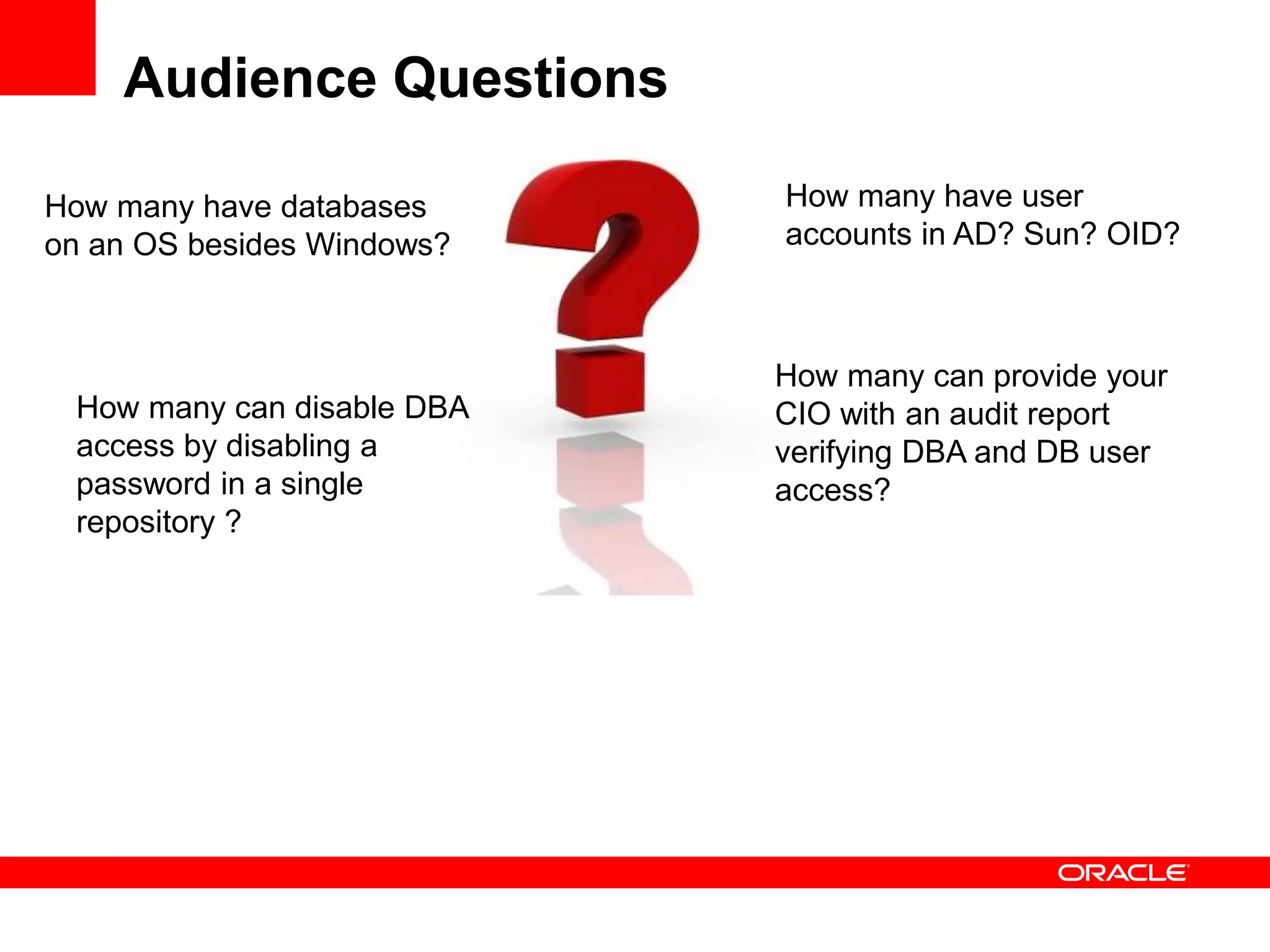
Audience Questions
How many have user
accounts in AD? Sun? OID?
How many have databases
on an OS besides Windows?
How many can provide your
CIO with an audit report
verifying DBA and DB user
access?
How many can disable DBA
access by disabling a
password in a single
repository ?
Centralize Oracle Database Account
Management
• Organizations have many databases on variety of
platforms
• Organization have implemented enterprise directory
services
• Oracle Enterprise User Security is all about how to
centralize database account management
• Oracle Enterprise User Security allows to externalize
database accounts and roles to an LDAP server
• Oracle Virtual Directory allows EUS to work with 3rd
party directories, not just OID
Oracle Virtual Directory Overview
• Oracle Virtual Directory lets organizations rapidly
deploy applications by providing a unified view of
identity without synchronization.
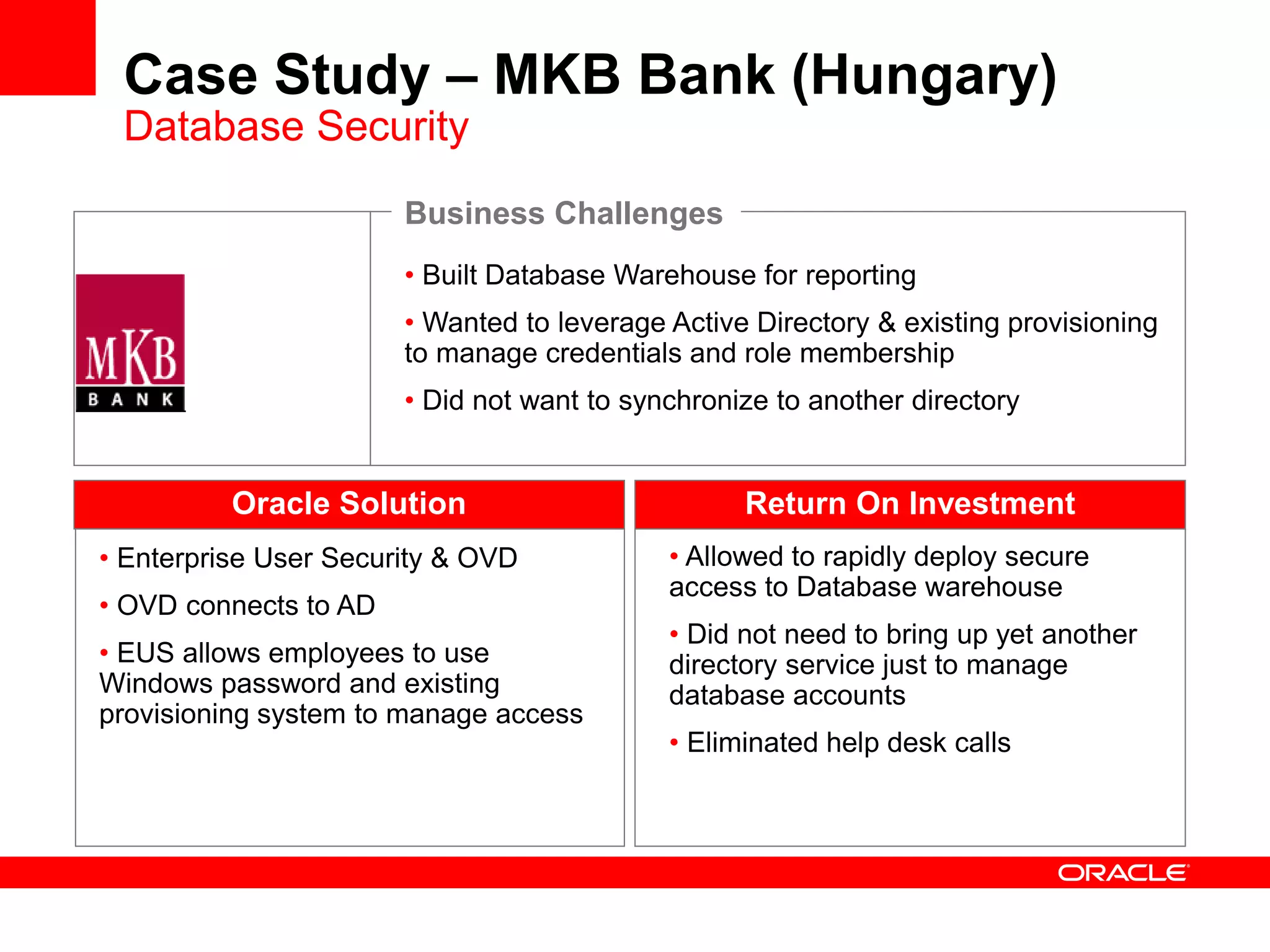
• Built Database Warehouse for reporting
• Wanted to leverage Active Directory & existing provisioning
to manage credentials and role membership
• Did not want to synchronize to another directory
Oracle Solution
• Enterprise User Security & OVD
• OVD connects to AD
• EUS allows employees to use
Windows password and existing
provisioning system to manage access
Business Challenges
• Allowed to rapidly deploy secure
access to Database warehouse
• Did not need to bring up yet another
directory service just to manage
database accounts
• Eliminated help desk calls
Return On Investment
Case Study – MKB Bank (Hungary)
Database Security
Summary
• EUS centralizes database account management into
a directory
• EUS works across heterogeneous operating systems
• OVD enables EUS to work with 3rd party directories
without synchronization
For More Information
Windows Server System Center
http://www.oracle.com/technology/windows
Oracle Net Services (AD White Paper and more)
http://www.oracle.com/technology/products/oraclenet/index.html
.NET Developer Center (ASP.NET Providers)
http://www.oracle.com/technology/dotnet
Oracle Virtual Directory (OVD)
http://www.oracle.com/identity
My email: christian.shay@oracle.com
Q U E S T I O N S
A N S W E R S
For More Information
search.oracle.com
or
oracle.com
ukoug2008-oracle-activedirectory-wi-131847.ppt

ukoug2008-oracle-activedirectory-wi-131847.ppt

  • 2.
    The following isintended to outline our general product direction. It is intended for information purposes only, and may not be incorporated into any contract. It is not a commitment to deliver any material, code, or functionality, and should not be relied upon in making purchasing decisions. The development, release, and timing of any features or functionality described for Oracle’s products remains at the sole discretion of Oracle.
  • 3.
    <Insert Picture Here> OracleDatabase Integration with Active Directory and Windows Security Christian Shay Principal Product Manager, Windows Technologies Oracle USA
  • 4.
    <Insert Picture Here> Agenda •Database Registration and Name Resolution • Single Sign-On • Windows Native Authentication • Kerberos • Security Integration for .NET Applications • Enterprise User Security and Virtual Directory
  • 5.
    Database Registration andName Resolution Overview • Store and resolve Net names through Active Directory • Eliminate tnsnames.ora on clients • Centralize configuration, reduce administration • Authenticated connection to Active Directory (11g) • AD no longer needs to allow anonymous access • Enhanced tools support for storing Net naming • AD Users and Computers • Oracle DB Configuration Assistant, Net Configuration Assistant and Net Manager
  • 6.
    Database Registration andName Resolution Client OS Server OS AD OID Comments Windows Windows Yes Yes Windows Any Yes Yes Tools for registering Net Service in AD must be run on Windows Linux/Unix Any No Yes AD Integration solutions can help
  • 7.
    Database Registration andName Resolution Configuration/Administration Windows Environment Active Directory Repository of Database Names and Connect Descriptors 2 – Register Schema using NetCA Client Systems 5 - Configure Directory Naming and Directory Usage (AD) using NetCA 1 – Ensure that Administrator can modify Schema in Active Directory 3 - Create Naming Context using NetCA 4 - Register database in AD using DBCA or Net Manager
  • 8.
    Database Registration andName Resolution Run-time 1 – User signs on to Desktop Active Directory Oracle Database 2 – User issues Connect Request Repository of Database Names and Connect Descriptors 3 - Retrieves Connect Descriptor 4 - Connect to Database using Connect Descriptor (Any Platform)
  • 9.
    Database Registration andName Resolution Demo Environment Windows XP SP2 Windows Server 2003 EE SP1 (Domain Controller) Machine Name: xpclient.adnet.dev User: oracle Database Server: orcl Machine Name: w2k3s.adnet.dev Domain: adnet.dev Tools installed Support Tools (under Support directory on CD) -- ADSI Edit is part of it Admin Tools (under i386 directory on CD) -- AD users & computers, etc (These are available on Windows 2003 media,)
  • 10.
    D E MO N S T R A T I O N Database Registration and Name Resolution
  • 11.
    Database Registration andName Resolution Summary 1. Ensure that Administrator can modify Schema in Active Directory 2. Register Schema using NetCA (one time for the entire AD forest) 3. Create Naming Context using NetCA (once per domain) 4. Register Database in AD using DBCA or Net Manager 5. Configure Directory Naming and Directory Usage (AD) using NetCA (on systems that want to use AD) 6. Set NAMES.LDAP_AUTHENTICATE_BIND=Yes in SQLNET.ORA on all 11g client systems To support pre-11g clients 1. Enable anonymous bind in AD 2. Change ACLs for Oracle Naming Context and Database/Net Services objects to allow anonymous access Please refer to the white paper Configuring Microsoft Active Directory for Net Naming for detailed information
  • 12.
  • 13.
    Single Sign-On Authentication Client OS Server OS Comments Windows Native Authentication WindowsWindows •Included and configured in all db editions •MS KDC is used implicitly •Uses External Users mechanism •Enterprise User Security not supported •Direct support of Windows group membership for role authorization Kerberos Any Any •EE and ASO option needed •MS KDC is supported •Uses External Users mechanism (by default) •Enterprise User Security supported •EUS and AD integration solutions needed to support authorization through Windows group membership
  • 14.
    Windows Native Authentication Basics •All of this is preconfigured; We use it internally • ORA_DBA: All members get SYSDBA privileges • ORA_OPER: all members get SYSOPER privileges • ORA_ORCL_DBA: … get SYSDBA on ORCL only • For any other Windows user, an external user needs to be created in Oracle DB • create user “Salesfrank” identified externally; • Windows groups can be used to assign roles (if os_roles is true) • create role sales identified externally; • Corresponding Windows group for a database with SID orcl: ORA_orcl_sales_d if this should be a default role • If Oracle Administration Assistant is used, it makes appropriate changes in AD and Database
  • 15.
    Windows Native Authentication •Enabled by default and can work across systems • Windows user logon credentials used for database authentication • Authentication protocol (Kerberos or NTLM) negotiated based on OS and Domain Controller • Authorization can be granted through Windows group membership • Pre-defined Windows groups for DBAs and Operators • Uses Oracle External Users and External Roles mechanisms • Oracle Administration Assistant can be used to manage user authentication and role authorization • This feature is completely independent of Database Registration and Name Resolution feature
  • 16.
    Windows Native Authentication 2- User attempts to sign on to Oracle 1 - User signs on to desktop Active Directory/KDC 4 - Identify as a specific External User 5 – Find Windows Group memberships (if os_roles is true) 3 – Negotiate security protocol and exchange security tokens 6 – Assign roles based on database roles or group memberships (based on os_roles)
  • 17.
    Windows Native Authentication Configuration •Set os_authent_prefix to “” (null) in init.ora • By default it is set to OPS$ (for backward compatibility) • Ensure that sqlnet.authentication_services is set to NTS in sqlnet.ora (default set up) • DO NOT: • Set remote_os_authent in init.ora (default value false is correct). • Set os_auth_prefix_domain in Registry (default value true is correct) • Set os_roles to true in init.ora if you want to use Windows Group Membership for role authorization
  • 18.
    D E MO N S T R A T I O N Windows Native Authentication
  • 19.
    Kerberos Authentication • Integratedwith Microsoft Key Distribution Center (MSKDC) • Supports heterogeneous systems • A Windows client can connect to a non-Windows server and vice versa • Uses External User mechanisms in Database • Can also be supported with Enterprise User Security • EE and ASO (Advanced Security Option) feature
  • 20.
    Kerberos Enhancements in11g • Stronger encryption algorithms (DES3, AES, RC4) • Support default encryption type supported by MS KDC • Encryption type configuration no longer needed in Registry • Use DNS Domain Name as Kerberos REALM name by default • Mapping between DNS Domain Name and Kerberos REALM name longer needed in kerberos config file • Kerberos authentication to Oracle database in a MS cross-domain setup • Removal of 30 character limit on the Kerberos user name
  • 21.
    Kerberos Authentication Configuration • CreateKerberos and sqlnet configuration files on clients and severs using Oracle Net Manager • Create users in Active Directory for Client and Database Server (for non-windows clients or servers) • Use ktpass utility to create keytab file and copy to DB server node • Obtain an initial ticket for the kerberos user • Set os_authent_prefix to “” in init.ora • DO NOT: • Set remote_os_authent in init.ora. (default value FALSE is correct)
  • 22.
    Kerberos Authentication User attempts to signon to Oracle User signs on to desktop MS KDC Identify as a specific External User and assign database roles accordingly Database Example: SQL> CREATE USER KRBUSER IDENTIFIED EXTERNALLY AS 'KerberosUser@SOMEORGANIZATION.COM'; SQL> Grant connect, resource to KRBUSER;
  • 23.
  • 24.
    Security Integration for.NET Applications • OS Authenticated Connection Pool in Oracle Data Provider for .NET • Support pooling of OS authenticated users using Windows identity • ASP.NET Membership and Role Provider • Validate and manage user and authorization information for your ASP.NET web applications in Oracle Database
  • 25.
  • 26.
    Audience Questions How manyhave user accounts in AD? Sun? OID? How many have databases on an OS besides Windows? How many can provide your CIO with an audit report verifying DBA and DB user access? How many can disable DBA access by disabling a password in a single repository ?
  • 27.
    Centralize Oracle DatabaseAccount Management • Organizations have many databases on variety of platforms • Organization have implemented enterprise directory services • Oracle Enterprise User Security is all about how to centralize database account management • Oracle Enterprise User Security allows to externalize database accounts and roles to an LDAP server • Oracle Virtual Directory allows EUS to work with 3rd party directories, not just OID
  • 28.
    Oracle Virtual DirectoryOverview • Oracle Virtual Directory lets organizations rapidly deploy applications by providing a unified view of identity without synchronization.
  • 29.
    • Built DatabaseWarehouse for reporting • Wanted to leverage Active Directory & existing provisioning to manage credentials and role membership • Did not want to synchronize to another directory Oracle Solution • Enterprise User Security & OVD • OVD connects to AD • EUS allows employees to use Windows password and existing provisioning system to manage access Business Challenges • Allowed to rapidly deploy secure access to Database warehouse • Did not need to bring up yet another directory service just to manage database accounts • Eliminated help desk calls Return On Investment Case Study – MKB Bank (Hungary) Database Security
  • 30.
    Summary • EUS centralizesdatabase account management into a directory • EUS works across heterogeneous operating systems • OVD enables EUS to work with 3rd party directories without synchronization
  • 31.
    For More Information WindowsServer System Center http://www.oracle.com/technology/windows Oracle Net Services (AD White Paper and more) http://www.oracle.com/technology/products/oraclenet/index.html .NET Developer Center (ASP.NET Providers) http://www.oracle.com/technology/dotnet Oracle Virtual Directory (OVD) http://www.oracle.com/identity My email: christian.shay@oracle.com
  • 32.
    Q U ES T I O N S A N S W E R S
  • 33.