

Manish S. Dixit     (77)
Mehul S. Gupta      (81)
Sukhdev G. Kushwaha (91)
Gokul P. Poojari   (103)
Sidharth M. Tewary (116)
Introducing Ubuntu
• Ubuntu is a fastest growing Linux-based operating
  System.
• It is an Open Sourced OS (free too).
• Pronounced (OO-BUN-2)
• Strong focus on usability and ease of installation.
Why that name?
• Ubuntu is an African concept
  meaning “humanity toward others”.
• It also means 'I am what I am
  because of who we all are'.
• The Ubuntu operating system
  brings the spirit of Ubuntu to the
  world of computers.
• Sponsored by Canonical Ltd. Owned by
  South African billionaire Mark Shuttleworth.
System Requirements(min)
•   Processor Speed (CPU):   1MHz
•   Memory (RAM):            384 MB
•   Hard Drive (ROM):        5 GB
•   Monitor Resolution:      1024×768
History
•   Where did it all begin?
•   Ubuntu Releases.
•   Governance.
•   Ubuntu Today.
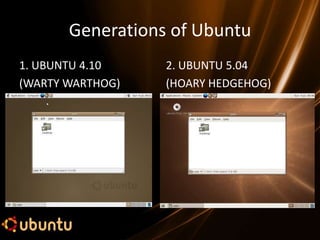
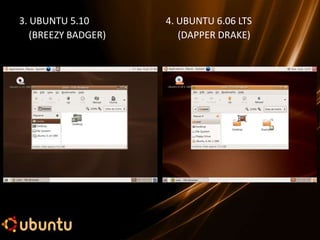
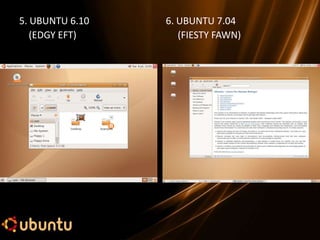
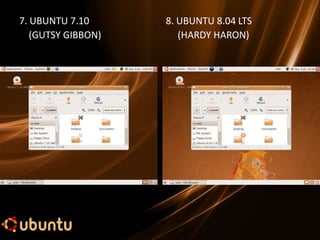
Generations of Ubuntu
1. UBUNTU 4.10    2. UBUNTU 5.04
(WARTY WARTHOG)   (HOARY HEDGEHOG)
3. UBUNTU 5.10       4. UBUNTU 6.06 LTS
   (BREEZY BADGER)      (DAPPER DRAKE)
5. UBUNTU 6.10   6. UBUNTU 7.04
   (EDGY EFT)       (FIESTY FAWN)
7. UBUNTU 7.10      8. UBUNTU 8.04 LTS
   (GUTSY GIBBON)      (HARDY HARON)
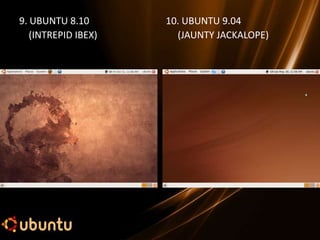
9. UBUNTU 8.10       10. UBUNTU 9.04
   (INTREPID IBEX)     (JAUNTY JACKALOPE)
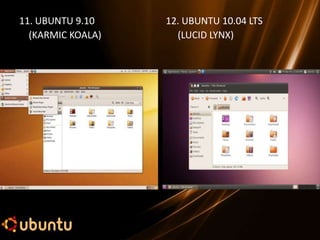
11. UBUNTU 9.10    12. UBUNTU 10.04 LTS
  (KARMIC KOALA)     (LUCID LYNX)
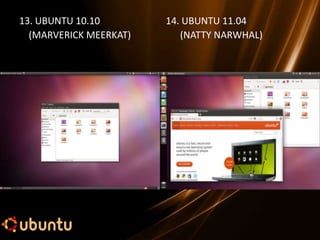
13. UBUNTU 10.10        14. UBUNTU 11.04
  (MARVERICK MEERKAT)      (NATTY NARWHAL)
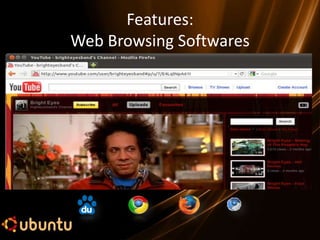
Features:
Web Browsing Softwares
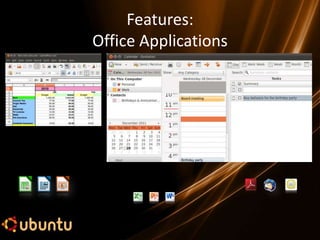
Features:
Office Applications
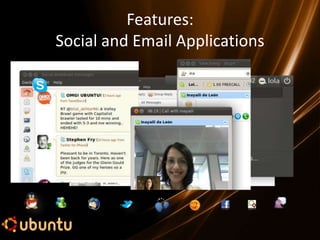
Features:
Social and Email Applications
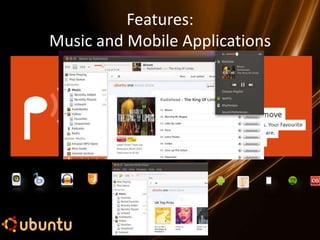
Features:
Music and Mobile Applications
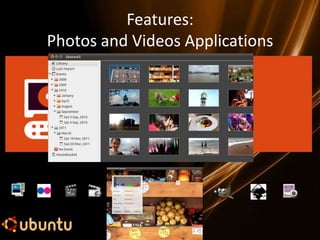
Features:
Photos and Videos Applications
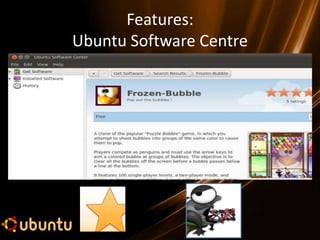
Features:
Ubuntu Software Centre
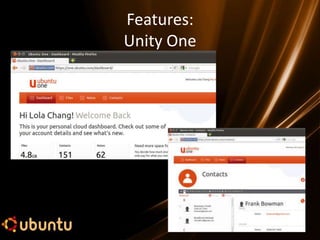
Features:
Unity One
Security
•   Kernel level Security.
•   Totally Virus Free.
•   Immune from Worms and Trojans.
•   Various File Security Features Provided.
•    Anti-virus softwares can be installed.
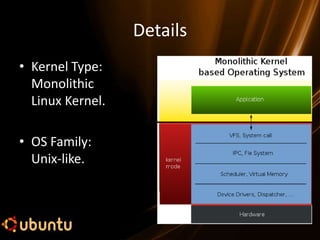
Details
• Kernel Type:
  Monolithic
  Linux Kernel.

• OS Family:
  Unix-like.
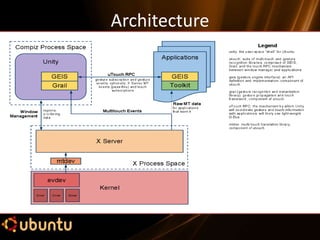
Architecture
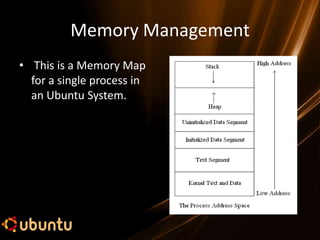
Memory Management
• This is a Memory Map
  for a single process in
  an Ubuntu System.
Merits
•   Open source (free too.. ;) ).
•   Upgrade available in about every 6 months!!!
•   Compatible with Microsoft’s programs.
•   Many add-ons available.
•   No key codes, activation, registration.
•   Can be dual booted with current OS or used
    from a live CD.
Demerits
•   No offline support (Internet users only).
•   Not all programs compatible.
•   Drivers for peripherals not always available.
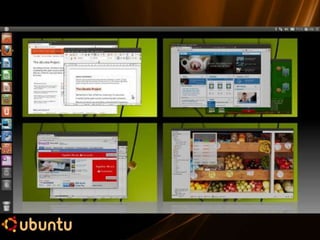
•   Some people may find Unity Interface difficult
    to understand. (For them Unity 2D is given in
    Ubuntu 11.04)
How to get Ubuntu???
Four ways to acquire Ubuntu 11.04:
1.) Download from its official website:
    www.ubuntu.com
2.) Download using torrents.
   [Warning: About 750 MB to download.]
3.) Send application request for a free CD on its
    website.
4.) Ask us. (We will make you a copy.)
Conclusion
• Using Ubuntu is a great experience.
• Ubuntu has some drawbacks but many
  advantages that easily cover up the deficit.!!!
• Don’t forget Ubuntu is still in developing
  phase.!!!
• Fun to work with, even used by business
  entrepreneurs.
Any Quieres……….
THANK YOU

Ubuntu 11.04 Natty Narwhal

  • 3.
    Manish S. Dixit (77) Mehul S. Gupta (81) Sukhdev G. Kushwaha (91) Gokul P. Poojari (103) Sidharth M. Tewary (116)
  • 4.
    Introducing Ubuntu • Ubuntuis a fastest growing Linux-based operating System. • It is an Open Sourced OS (free too). • Pronounced (OO-BUN-2) • Strong focus on usability and ease of installation.
  • 5.
    Why that name? •Ubuntu is an African concept meaning “humanity toward others”. • It also means 'I am what I am because of who we all are'. • The Ubuntu operating system brings the spirit of Ubuntu to the world of computers. • Sponsored by Canonical Ltd. Owned by South African billionaire Mark Shuttleworth.
  • 6.
    System Requirements(min) • Processor Speed (CPU): 1MHz • Memory (RAM): 384 MB • Hard Drive (ROM): 5 GB • Monitor Resolution: 1024×768
  • 7.
    History • Where did it all begin? • Ubuntu Releases. • Governance. • Ubuntu Today.
  • 8.
    Generations of Ubuntu 1.UBUNTU 4.10 2. UBUNTU 5.04 (WARTY WARTHOG) (HOARY HEDGEHOG)
  • 9.
    3. UBUNTU 5.10 4. UBUNTU 6.06 LTS (BREEZY BADGER) (DAPPER DRAKE)
  • 10.
    5. UBUNTU 6.10 6. UBUNTU 7.04 (EDGY EFT) (FIESTY FAWN)
  • 11.
    7. UBUNTU 7.10 8. UBUNTU 8.04 LTS (GUTSY GIBBON) (HARDY HARON)
  • 12.
    9. UBUNTU 8.10 10. UBUNTU 9.04 (INTREPID IBEX) (JAUNTY JACKALOPE)
  • 13.
    11. UBUNTU 9.10 12. UBUNTU 10.04 LTS (KARMIC KOALA) (LUCID LYNX)
  • 14.
    13. UBUNTU 10.10 14. UBUNTU 11.04 (MARVERICK MEERKAT) (NATTY NARWHAL)
  • 15.
  • 16.
  • 17.
  • 18.
  • 19.
  • 20.
  • 21.
  • 24.
    Security • Kernel level Security. • Totally Virus Free. • Immune from Worms and Trojans. • Various File Security Features Provided. • Anti-virus softwares can be installed.
  • 25.
    Details • Kernel Type: Monolithic Linux Kernel. • OS Family: Unix-like.
  • 26.
  • 27.
    Memory Management • Thisis a Memory Map for a single process in an Ubuntu System.
  • 28.
    Merits • Open source (free too.. ;) ). • Upgrade available in about every 6 months!!! • Compatible with Microsoft’s programs. • Many add-ons available. • No key codes, activation, registration. • Can be dual booted with current OS or used from a live CD.
  • 29.
    Demerits • No offline support (Internet users only). • Not all programs compatible. • Drivers for peripherals not always available. • Some people may find Unity Interface difficult to understand. (For them Unity 2D is given in Ubuntu 11.04)
  • 30.
    How to getUbuntu??? Four ways to acquire Ubuntu 11.04: 1.) Download from its official website: www.ubuntu.com 2.) Download using torrents. [Warning: About 750 MB to download.] 3.) Send application request for a free CD on its website. 4.) Ask us. (We will make you a copy.)
  • 31.
    Conclusion • Using Ubuntuis a great experience. • Ubuntu has some drawbacks but many advantages that easily cover up the deficit.!!! • Don’t forget Ubuntu is still in developing phase.!!! • Fun to work with, even used by business entrepreneurs.
  • 33.
  • 34.