#Twitter CPD
@swiftsonya
#Twitter CPD
 Twitter is a great CPD tool for school-based professionals.
 Twitter provides a way to connect with other professionals at local,
national and international levels.
 By searching for specific #hashtags (topics), you can discover a
wealth of information, ideas, resources, advice, and much more!
Creating your professional Twitter account
 When creating your Twitter name, keep it short and sweet, as you only
have 140 characters to tweet! Your tweet includes your name.
 Upload an image and write a short professional bio. Start to follow
other professionals. This will encourage other professionals to connect
with you. Start tweeting!
 If you have a public account, you are more likely to connect with other
professionals.
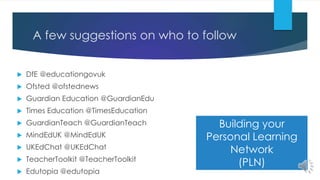
A few suggestions on who to follow
 DfE @educationgovuk
 Ofsted @ofstednews
 Guardian Education @GuardianEdu
 Times Education @TimesEducation
 GuardianTeach @GuardianTeach
 MindEdUK @MindEdUK
 UKEdChat @UKEdChat
 TeacherToolkit @TeacherToolkit
 Edutopia @edutopia
Building your
Personal Learning
Network
(PLN)
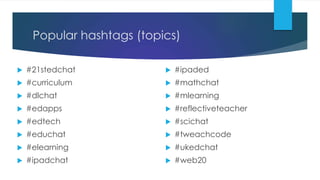
Popular hashtags (topics)
 #21stedchat
 #curriculum
 #dlchat
 #edapps
 #edtech
 #educhat
 #elearning
 #ipadchat
 #ipaded
 #mathchat
 #mlearning
 #reflectiveteacher
 #scichat
 #tweachcode
 #ukedchat
 #web20
Tweeting tips
 You can tweet photos, links, videos and up to 140 characters.
Your tweets can become a bank of resources.
 Retweets (RT) are other user’s tweets, if you RT, this will appear on
your Twitter timeline.
 Hashtag your tweets sensibly. Generally, do not use more than
three hashtags in your tweets.
Twitter messaging tips
 You can send private, direct messages to your followers. Private
messages do not appear on your timeline.
 You can send a direct message to any Twitter account holder.
The message will appear on your timeline. Example:
@teachertwitter will send a message to the account holder with
this Twitter username.
Synchronous conversations
 Many Twitter conversations occur on a weekly basis at a specific
time. By searching or tweeting with the hashtag, you can join in
to discover and share ideas, resources, and more!
 Examples:
 #UKEdChat occurs every Thursday between 8 – 9pm (GMT).
 #mathscpdchat occurs every Tuesday between 7 – 8pm (GMT).
 The Twitter chat usually focuses on a specific theme with
structured questions.
Tips for synchronous chat
 Many Twitter chats use the Q1, A1 (Question 1, Answer 1) format. If
answering a question, begin your tweet with A1, etc.
 When engaging in synchronous chat, you have to click ALL to see
all the tweets that occur, and regularly refresh the page.
 Signing into Twitter with TweetDeck means that you can join more
than one conversation that is occurring.
#Twitter CPD
@swiftsonya
Created by

Twitter for Professional Development

  • 1.
  • 2.
    #Twitter CPD  Twitteris a great CPD tool for school-based professionals.  Twitter provides a way to connect with other professionals at local, national and international levels.  By searching for specific #hashtags (topics), you can discover a wealth of information, ideas, resources, advice, and much more!
  • 3.
    Creating your professionalTwitter account  When creating your Twitter name, keep it short and sweet, as you only have 140 characters to tweet! Your tweet includes your name.  Upload an image and write a short professional bio. Start to follow other professionals. This will encourage other professionals to connect with you. Start tweeting!  If you have a public account, you are more likely to connect with other professionals.
  • 4.
    A few suggestionson who to follow  DfE @educationgovuk  Ofsted @ofstednews  Guardian Education @GuardianEdu  Times Education @TimesEducation  GuardianTeach @GuardianTeach  MindEdUK @MindEdUK  UKEdChat @UKEdChat  TeacherToolkit @TeacherToolkit  Edutopia @edutopia Building your Personal Learning Network (PLN)
  • 5.
    Popular hashtags (topics) #21stedchat  #curriculum  #dlchat  #edapps  #edtech  #educhat  #elearning  #ipadchat  #ipaded  #mathchat  #mlearning  #reflectiveteacher  #scichat  #tweachcode  #ukedchat  #web20
  • 6.
    Tweeting tips  Youcan tweet photos, links, videos and up to 140 characters. Your tweets can become a bank of resources.  Retweets (RT) are other user’s tweets, if you RT, this will appear on your Twitter timeline.  Hashtag your tweets sensibly. Generally, do not use more than three hashtags in your tweets.
  • 7.
    Twitter messaging tips You can send private, direct messages to your followers. Private messages do not appear on your timeline.  You can send a direct message to any Twitter account holder. The message will appear on your timeline. Example: @teachertwitter will send a message to the account holder with this Twitter username.
  • 8.
    Synchronous conversations  ManyTwitter conversations occur on a weekly basis at a specific time. By searching or tweeting with the hashtag, you can join in to discover and share ideas, resources, and more!  Examples:  #UKEdChat occurs every Thursday between 8 – 9pm (GMT).  #mathscpdchat occurs every Tuesday between 7 – 8pm (GMT).  The Twitter chat usually focuses on a specific theme with structured questions.
  • 9.
    Tips for synchronouschat  Many Twitter chats use the Q1, A1 (Question 1, Answer 1) format. If answering a question, begin your tweet with A1, etc.  When engaging in synchronous chat, you have to click ALL to see all the tweets that occur, and regularly refresh the page.  Signing into Twitter with TweetDeck means that you can join more than one conversation that is occurring.
  • 10.