RECEIVING SCHOOL
 SHALL INITIATE THE TRANSACTION
 ENROLL THRU USUAL ENROLLMENT PROCESS (GO TO
SECTION THEN ENROLL LEARNER)
 IF THERE IS AN EXISTING RECORDS FROM
ORGINATING SCHOOL, THE SYSTEM WILL DISPLAY
INFORMATION OF LEARNER
 IF NONE RECORD DETECTED, THE SYSTEM WILL
CONFIRM WITH THE USER IF THE LEARNER IS REALY
A TRANSFEREE – CLICK BUTTON TO CONFIRM
 HISTORY OF LEARNER ENROLMENT WILL BE
UPDATED. PLEASE CHECK PROFILE THEN VIEW
HISTORY
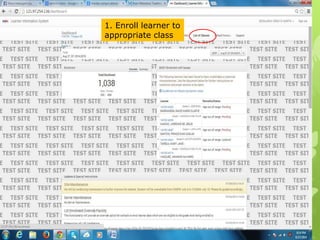
1. Enroll learner to
appropriate class
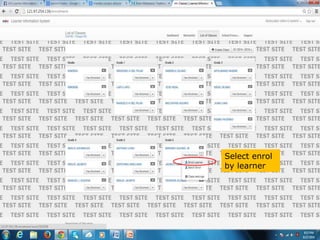
Select enrol
by learner
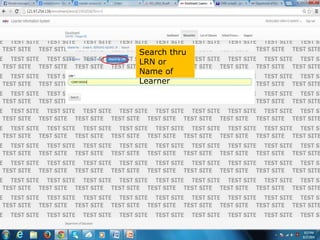
Search thru
LRN or
Name of
Learner
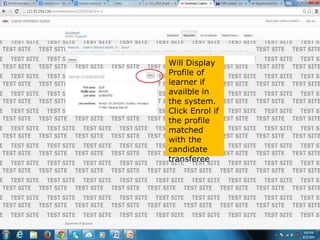
Will Display
Profile of
learner if
availble in
the system.
Click Enrol if
the profile
matched
with the
candidate
transferee
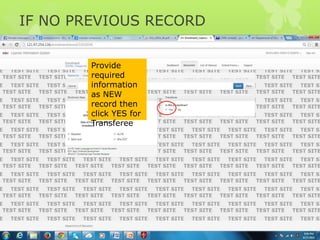
IF NO PREVIOUS RECORD
Provide
required
information
as NEW
record then
click YES for
Transferee
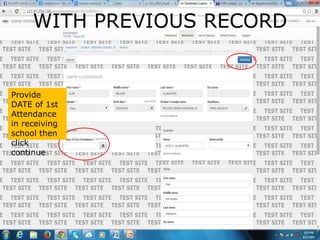
WITH PREVIOUS RECORD
Provide
DATE of 1st
Attendance
in receiving
school then
click
continue
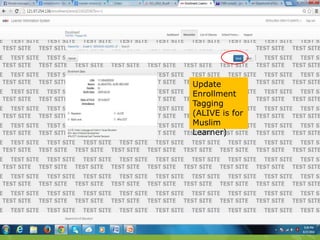
Update
Enrollment
Tagging
(ALIVE is for
Muslim
Learner)
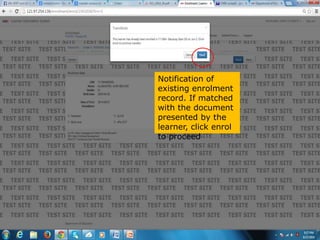
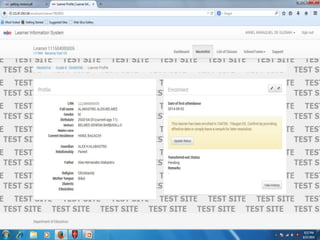
Notification of
existing enrolment
record. If matched
with the document
presented by the
learner, click enrol
to proceed
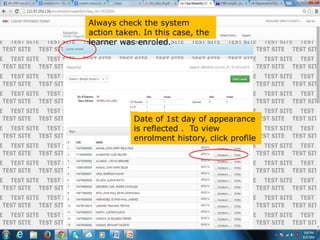
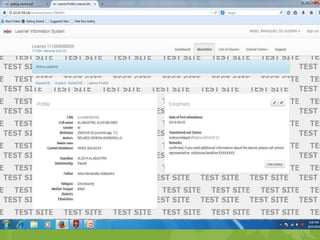
Always check the system
action taken. In this case, the
learner was enroled.
Date of 1st day of appearance
is reflected . To view
enrolment history, click profile
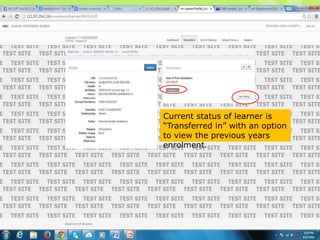
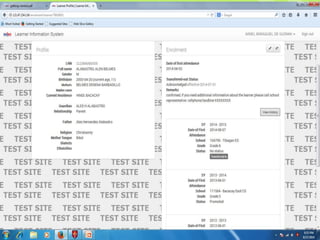
Current status of learner is
“Transferred in” with an option
to view the previous years
enrolment.
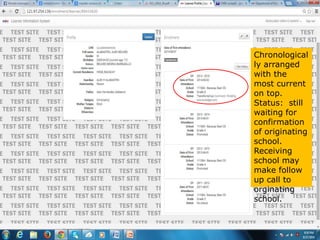
Chronological
ly arranged
with the
most current
on top.
Status: still
waiting for
confirmation
of originating
school.
Receiving
school may
make follow
up call to
orginating
school.
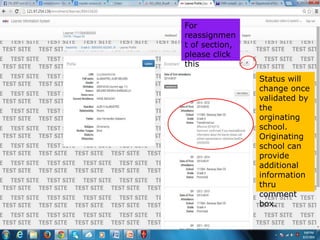
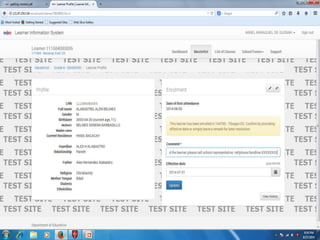
Status will
change once
validated by
the
orginating
school.
Originating
school can
provide
additional
information
thru
comment
box.
For
reassignmen
t of section,
please click
this
ORIGINATING SCHOOL
 ORIGINATING SCHOOL CAN NOT INITIATE THE
TRANSACTION OF TRANSFER BUT WILL RECEIVE
NOTIFICATION FOR RQUESTED TRANSFER
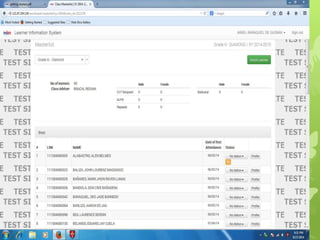
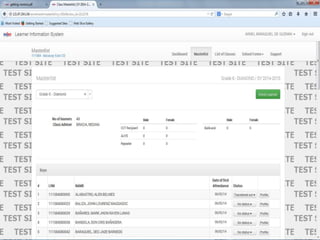
 VIEW THE MASTERLIST
 OPEN THE LEARNER PROFILE
 CHECK IF THE REQUESTED LEARNER INFORMATION
MATCHED IN CLASS RECORD
 IF VALIDATED, PROVIDE INFORMATION ABOUT THE
LEARNER AND CONFIRM THE TRANSFER
 AUTOMATIC UPDATING OF CHANGE STATUS TO
TRANSFERRED OUT WITH THE NAME OF RECEIVING
SCHOOL
Transferring Pupil to another School

Transferring Pupil to another School

  • 1.
    RECEIVING SCHOOL  SHALLINITIATE THE TRANSACTION  ENROLL THRU USUAL ENROLLMENT PROCESS (GO TO SECTION THEN ENROLL LEARNER)  IF THERE IS AN EXISTING RECORDS FROM ORGINATING SCHOOL, THE SYSTEM WILL DISPLAY INFORMATION OF LEARNER  IF NONE RECORD DETECTED, THE SYSTEM WILL CONFIRM WITH THE USER IF THE LEARNER IS REALY A TRANSFEREE – CLICK BUTTON TO CONFIRM  HISTORY OF LEARNER ENROLMENT WILL BE UPDATED. PLEASE CHECK PROFILE THEN VIEW HISTORY
  • 2.
    1. Enroll learnerto appropriate class
  • 3.
  • 4.
  • 5.
    Will Display Profile of learnerif availble in the system. Click Enrol if the profile matched with the candidate transferee
  • 6.
    IF NO PREVIOUSRECORD Provide required information as NEW record then click YES for Transferee
  • 7.
    WITH PREVIOUS RECORD Provide DATEof 1st Attendance in receiving school then click continue
  • 8.
  • 9.
    Notification of existing enrolment record.If matched with the document presented by the learner, click enrol to proceed
  • 10.
    Always check thesystem action taken. In this case, the learner was enroled. Date of 1st day of appearance is reflected . To view enrolment history, click profile
  • 11.
    Current status oflearner is “Transferred in” with an option to view the previous years enrolment.
  • 12.
    Chronological ly arranged with the mostcurrent on top. Status: still waiting for confirmation of originating school. Receiving school may make follow up call to orginating school.
  • 13.
    Status will change once validatedby the orginating school. Originating school can provide additional information thru comment box. For reassignmen t of section, please click this
  • 14.
    ORIGINATING SCHOOL  ORIGINATINGSCHOOL CAN NOT INITIATE THE TRANSACTION OF TRANSFER BUT WILL RECEIVE NOTIFICATION FOR RQUESTED TRANSFER  VIEW THE MASTERLIST  OPEN THE LEARNER PROFILE  CHECK IF THE REQUESTED LEARNER INFORMATION MATCHED IN CLASS RECORD  IF VALIDATED, PROVIDE INFORMATION ABOUT THE LEARNER AND CONFIRM THE TRANSFER  AUTOMATIC UPDATING OF CHANGE STATUS TO TRANSFERRED OUT WITH THE NAME OF RECEIVING SCHOOL