


December 7th, 2012
9:00-10:15; 10:30-12:00; 1:00-2:15
         Brock University
         Featuring: YOU
What makes a GOOD workshop?
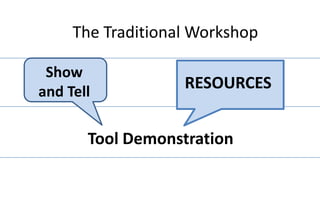
The Traditional Workshop


 Tool Demonstration
The Traditional Workshop

 Show
and Tell

       Tool Demonstration
The Traditional Workshop

 Show
and Tell
                   RESOURCES


       Tool Demonstration
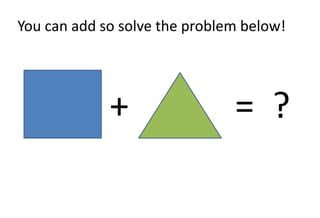
You can add so solve the problem below!


             +                 = ?
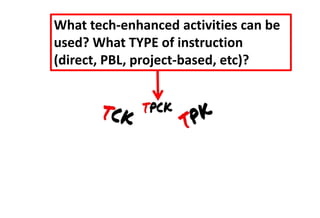
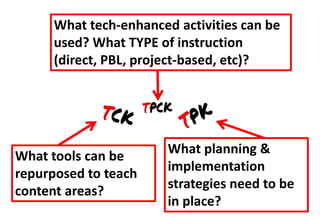
What tech-enhanced activities can be
used? What TYPE of instruction
(direct, PBL, project-based, etc)?
What tech-enhanced activities can be
      used? What TYPE of instruction
      (direct, PBL, project-based, etc)?


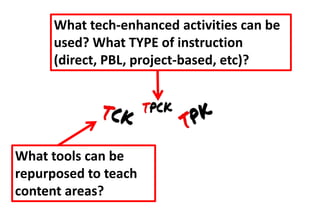
What tools can be
repurposed to teach
content areas?
What tech-enhanced activities can be
      used? What TYPE of instruction
      (direct, PBL, project-based, etc)?


                        What planning &
What tools can be
                        implementation
repurposed to teach
                        strategies need to be
content areas?
                        in place?
What’s in a name?
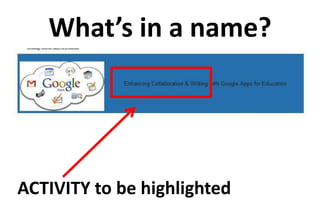
What’s in a name?


ACTIVITY to be highlighted
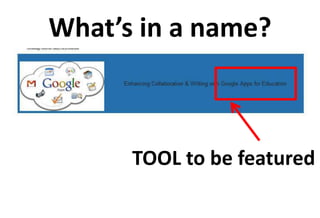
What’s in a name?


      TOOL to be featured
Interactive Web Searches
 Using QRCodes & iPads
      Candace Figg, Susan DeSilva
   Piques, Caitlin Munn, Bryan Clancy
                   Date
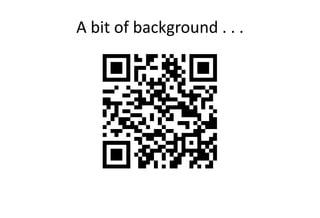
A bit of background . . .
BINGO!!!!!
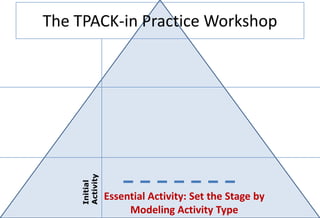
The TPACK-in Practice Workshop


    Activity
    Initial


               Essential Activity: Set the Stage by
                    Modeling Activity Type
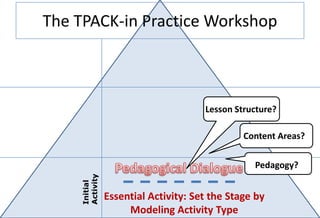
The TPACK-in Practice Workshop


                                     Lesson Structure?

                                              Content Areas?


                                                Pedagogy?
    Activity
    Initial


               Essential Activity: Set the Stage by
                    Modeling Activity Type
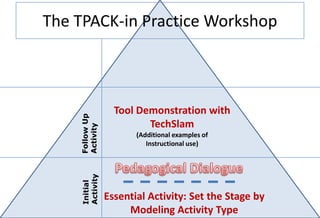
The TPACK-in Practice Workshop


                  Tool Demonstration with
    Follow Up


                         TechSlam
    Activity


                       (Additional examples of
                          Instructional use)
    Activity
    Initial


                Essential Activity: Set the Stage by
                     Modeling Activity Type
Tool Demonstration
TechSlam
What is the difference
    between the
 Tool Demonstration
          &
     TechSlam??
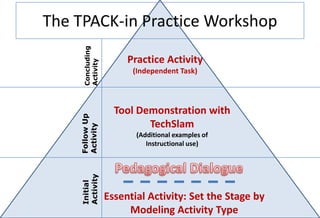
The TPACK-in Practice Workshop


     Concluding
                       Practice Activity


     Activity
                        (Independent Task)


                    Tool Demonstration with
    Follow Up


                           TechSlam
    Activity


                         (Additional examples of
                            Instructional use)
    Activity
    Initial


                  Essential Activity: Set the Stage by
                       Modeling Activity Type
That’s a GREAT Workshop!

•Models context of the new technology
skills
•Keeps technical instruction to a minimum
•Opportunity for guided practice
That’s a GREAT Workshop!

•Models context of the new technology
skills
•Keeps technical instruction to a minimum
•Opportunity for guided practice
That’s a GREAT Workshop!

•Models context of the new technology
skills
•Keeps technical instruction to a minimum
•Opportunity for guided practice
That’s a GREAT Workshop!

•Models context of the new technology
skills
•Keeps technical instruction to a minimum
•Opportunity for guided practice

TPACK-based Technology Workshop

  • 1.
    December 7th, 2012 9:00-10:15;10:30-12:00; 1:00-2:15 Brock University Featuring: YOU
  • 2.
    What makes aGOOD workshop?
  • 3.
    The Traditional Workshop Tool Demonstration
  • 4.
    The Traditional Workshop Show and Tell Tool Demonstration
  • 5.
    The Traditional Workshop Show and Tell RESOURCES Tool Demonstration
  • 6.
    You can addso solve the problem below! + = ?
  • 11.
    What tech-enhanced activitiescan be used? What TYPE of instruction (direct, PBL, project-based, etc)?
  • 12.
    What tech-enhanced activitiescan be used? What TYPE of instruction (direct, PBL, project-based, etc)? What tools can be repurposed to teach content areas?
  • 13.
    What tech-enhanced activitiescan be used? What TYPE of instruction (direct, PBL, project-based, etc)? What planning & What tools can be implementation repurposed to teach strategies need to be content areas? in place?
  • 15.
  • 16.
    What’s in aname? ACTIVITY to be highlighted
  • 17.
    What’s in aname? TOOL to be featured
  • 18.
    Interactive Web Searches Using QRCodes & iPads Candace Figg, Susan DeSilva Piques, Caitlin Munn, Bryan Clancy Date
  • 19.
    A bit ofbackground . . .
  • 22.
  • 23.
    The TPACK-in PracticeWorkshop Activity Initial Essential Activity: Set the Stage by Modeling Activity Type
  • 24.
    The TPACK-in PracticeWorkshop Lesson Structure? Content Areas? Pedagogy? Activity Initial Essential Activity: Set the Stage by Modeling Activity Type
  • 25.
    The TPACK-in PracticeWorkshop Tool Demonstration with Follow Up TechSlam Activity (Additional examples of Instructional use) Activity Initial Essential Activity: Set the Stage by Modeling Activity Type
  • 26.
  • 27.
  • 28.
    What is thedifference between the Tool Demonstration & TechSlam??
  • 29.
    The TPACK-in PracticeWorkshop Concluding Practice Activity Activity (Independent Task) Tool Demonstration with Follow Up TechSlam Activity (Additional examples of Instructional use) Activity Initial Essential Activity: Set the Stage by Modeling Activity Type
  • 30.
    That’s a GREATWorkshop! •Models context of the new technology skills •Keeps technical instruction to a minimum •Opportunity for guided practice
  • 31.
    That’s a GREATWorkshop! •Models context of the new technology skills •Keeps technical instruction to a minimum •Opportunity for guided practice
  • 32.
    That’s a GREATWorkshop! •Models context of the new technology skills •Keeps technical instruction to a minimum •Opportunity for guided practice
  • 33.
    That’s a GREATWorkshop! •Models context of the new technology skills •Keeps technical instruction to a minimum •Opportunity for guided practice

Editor's Notes

  • #2 So, you have been asked to design and deliver a workshop for a group of 4 to 6 willing volunteers! And, of course, you want it to be successful! This short tutorial will provide you with a bit of information to help you make it a GREAT workshop!
  • #3 Let’s take a moment to look at the anatomy of a workshop that not only teaches the tool, but allows teachers to develop the knowledge they need to visualize how to use the tool in their own classroom instruction!
  • #4 Most technology workshops include a tool demonstration – you have probably attended one or two yourself!! These are the workshops that are designed to teach the tool. One that I attended recently was a SMART workshop where I learned all the commands for using the tool features. For most teachers, this isn’t enough to help them visualize how to use the tool in an instructional setting – in fact, they forget most of what they learned before they get a chance to use it. Having skills is not all the knowledge needed to apply technology to lesson design – there is a gap in knowledge.
  • #5 Most technology workshops include a tool demonstration – you have probably attended one or two yourself!! These are the workshops that are designed to teach the tool. One that I attended recently was a SMART workshop where I learned all the commands for using the tool features. For most teachers, this isn’t enough to help them visualize how to use the tool in an instructional setting – in fact, they forget most of what they learned before they get a chance to use it. Having skills is not all the knowledge needed to apply technology to lesson design – there is a gap in knowledge.
  • #6 Most technology workshops include a tool demonstration – you have probably attended one or two yourself!! These are the workshops that are designed to teach the tool. One that I attended recently was a SMART workshop where I learned all the commands for using the tool features. For most teachers, this isn’t enough to help them visualize how to use the tool in an instructional setting – in fact, they forget most of what they learned before they get a chance to use it. Having skills is not all the knowledge needed to apply technology to lesson design – there is a gap in knowledge.
  • #7 It is similar to me saying to you – I have just taught you how to add, so what is the answer to this problem shown in the diagram? Is there knowledge missing? Yes, you do not have the context around the symbols so even though you are skilled and understand the addition process, there is a gap in your knowledge.
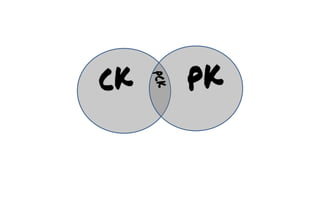
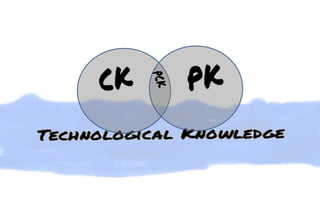
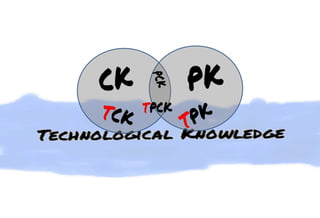
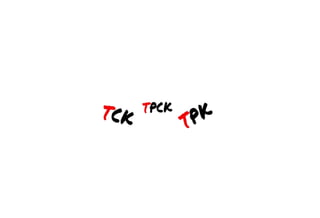
  • #8 Remember that we are trying to build TPACK – Technological Pedagogical And Content Knowledge. Technological Knowledge is like a stream – dynamic, ever changing, different ideas from different sources, new tools and innovations – flowing through teacher knowledge like water through a cell! An osmosis-like process occurs that allows us to pull from technological knowledge what we need to know to be able to teach with the technology. So, by building these three areas of knowledge, teachers will leave your workshop with the knowledge to teach WITH the tools you introduced to them!
  • #9 Remember that we are trying to build TPACK – Technological Pedagogical And Content Knowledge. Technological Knowledge is like a stream – dynamic, ever changing, different ideas from different sources, new tools and innovations – flowing through teacher knowledge like water through a cell! An osmosis-like process occurs that allows us to pull from technological knowledge what we need to know to be able to teach with the technology. So, by building these three areas of knowledge, teachers will leave your workshop with the knowledge to teach WITH the tools you introduced to them!
  • #10 Remember that we are trying to build TPACK – Technological Pedagogical And Content Knowledge. Technological Knowledge is like a stream – dynamic, ever changing, different ideas from different sources, new tools and innovations – flowing through teacher knowledge like water through a cell! An osmosis-like process occurs that allows us to pull from technological knowledge what we need to know to be able to teach with the technology. So, by building these three areas of knowledge, teachers will leave your workshop with the knowledge to teach WITH the tools you introduced to them!
  • #24 That’s how teachers feel about technology tools, so a good workshop begins by setting the stage and the context for the new learning by modeling a task in which the audience uses the tools for a learning purpose.
  • #25 That’s how teachers feel about technology tools, so a good workshop begins by setting the stage and the context for the new learning by modeling a task in which the audience uses the tools for a learning purpose.
  • #26 That’s how teachers feel about technology tools, so a good workshop begins by setting the stage and the context for the new learning by modeling a task in which the audience uses the tools for a learning purpose.
  • #30 That’s how teachers feel about technology tools, so a good workshop begins by setting the stage and the context for the new learning by modeling a task in which the audience uses the tools for a learning purpose.
  • #31 So, to review, a GREAT workshop starts with an essential activity that models for participants how the tool is used in instruction – yes, the participants learn with the tool so they can later teach with the tool!
  • #32 The second activity of the workshop introduces the tool demonstration – short technical instruction that can be learned in a short period of time – think of it as just-in-time instruction!
  • #33 And finally participants apply their new knowledge about a tool to create a form of instruction or complete a task!!
  • #34 And THAT’S a great workshop!!