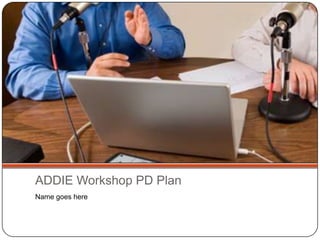
ADDIE Workshop PD PlanName goes here
A – ANALYZELearners: Four Grade 2 TeachersLearning Goal: Learners will be able to use a podcast to teach a media literacy expectation: record a role play of an interview between a reporter and a fictional characterTopic: Using Podcasts in the Classroom
D – Design - WorkshopModel Activity: What is a Podcast? – presentation of factual information with exemplar interview (2 min)Participants participate in the “create a podcast activity” (Learners will use Audacity & PodBean to record a role played interview between a reporter and a fictional character.)Teacher Talk – characteristics of a Podcast (TPCK), tools that could be used to create a Podcast (TCK), and classroom management strategies to implement  the activity to be recorded as a podcast (TPK)Tool Demonstration:Using Audacity and PodBeanPractice Activity:Setting up your own Recording Studio with Audacity/PodBean to create a podcast (using the provided links and resources)
D – Design – Learning ObjectLearning Goal: The learner will use a podcast to record an interview.Tools: Video of how to use Audacity to record a podcast and upload to PodBean. The resulting video will be uploaded to YouTube and then embedded into my Digital Portfolio page.
D – Design – 1-to-1 Coaching SessionLearning Goal: Using Podcasts in Grade 2 curriculumTargeted Audience: Grade 2 Associate TeacherMaterials: Curriculum documents, Audacity, PodBeanTimeframe: February 2012
D – DevelopTimeFrame: Develop materials during winter break for workshop delivery in February – see Timeline
D – DevelopMaterials List:What is a Podcast? Presentation – in SlideRocketSample of Podcast interview  to be included in the workshop (based on Grade 2 curriculum expectations, created using Audacity/PodBean)Audacity 3 Step Tutorial – print /electronic copy created in Google Docs“How to create a Podcast using Audacity/Podbean” Learning Object: created in ScreenrTask for Learners: Guided Podcast session – Instructions for creating an Interview using Audacity/Podbean
I - IMPLEMENTATIONRecruitment Plan: Ask the Grade 2 teachers in my placement if they would be interested in learning how to use podcasts in their curriculums. If not, I will ask at the weekly faculty meeting for interested people.Scheduling: I will use Doodle scheduling to find a convenient time for participants.Evaluation: I will construct a Google Forms evaluation for my participants to complete after the workshop and the 1 to 1 coaching session.
E - EVALUATIONWhat I learned about teaching others how to use technology:Possible ideas to discuss in your reflection:Use of ‘teacher talk’ to highlight technologyUse of tutorials and learning objectsUse of curriculum documents to start thinking about tech-enhanced instructionUse of evaluations to improve your instructionUse of several types of technology training to support learners
CreditsAll photos from iStockphoto.comTimeline created using Popplet

Addie podcast activity

  • 1.
    ADDIE Workshop PDPlanName goes here
  • 2.
    A – ANALYZELearners:Four Grade 2 TeachersLearning Goal: Learners will be able to use a podcast to teach a media literacy expectation: record a role play of an interview between a reporter and a fictional characterTopic: Using Podcasts in the Classroom
  • 3.
    D – Design- WorkshopModel Activity: What is a Podcast? – presentation of factual information with exemplar interview (2 min)Participants participate in the “create a podcast activity” (Learners will use Audacity & PodBean to record a role played interview between a reporter and a fictional character.)Teacher Talk – characteristics of a Podcast (TPCK), tools that could be used to create a Podcast (TCK), and classroom management strategies to implement the activity to be recorded as a podcast (TPK)Tool Demonstration:Using Audacity and PodBeanPractice Activity:Setting up your own Recording Studio with Audacity/PodBean to create a podcast (using the provided links and resources)
  • 4.
    D – Design– Learning ObjectLearning Goal: The learner will use a podcast to record an interview.Tools: Video of how to use Audacity to record a podcast and upload to PodBean. The resulting video will be uploaded to YouTube and then embedded into my Digital Portfolio page.
  • 5.
    D – Design– 1-to-1 Coaching SessionLearning Goal: Using Podcasts in Grade 2 curriculumTargeted Audience: Grade 2 Associate TeacherMaterials: Curriculum documents, Audacity, PodBeanTimeframe: February 2012
  • 6.
    D – DevelopTimeFrame:Develop materials during winter break for workshop delivery in February – see Timeline
  • 7.
    D – DevelopMaterialsList:What is a Podcast? Presentation – in SlideRocketSample of Podcast interview to be included in the workshop (based on Grade 2 curriculum expectations, created using Audacity/PodBean)Audacity 3 Step Tutorial – print /electronic copy created in Google Docs“How to create a Podcast using Audacity/Podbean” Learning Object: created in ScreenrTask for Learners: Guided Podcast session – Instructions for creating an Interview using Audacity/Podbean
  • 8.
    I - IMPLEMENTATIONRecruitmentPlan: Ask the Grade 2 teachers in my placement if they would be interested in learning how to use podcasts in their curriculums. If not, I will ask at the weekly faculty meeting for interested people.Scheduling: I will use Doodle scheduling to find a convenient time for participants.Evaluation: I will construct a Google Forms evaluation for my participants to complete after the workshop and the 1 to 1 coaching session.
  • 9.
    E - EVALUATIONWhatI learned about teaching others how to use technology:Possible ideas to discuss in your reflection:Use of ‘teacher talk’ to highlight technologyUse of tutorials and learning objectsUse of curriculum documents to start thinking about tech-enhanced instructionUse of evaluations to improve your instructionUse of several types of technology training to support learners
  • 10.
    CreditsAll photos fromiStockphoto.comTimeline created using Popplet