Top Web Development Mistakes That Are Killing Your Conversions
Avoid costly web development mistakes that hurt your conversions! Discover common pitfalls like slow load times, poor UX, and weak CTAs—and learn how to fix them for better results. Visit us: www.techosquare.com
Top Web Development Mistakes That Are Killing Your Conversions
1.
TOP WEB DEVELOPMENT
MISTAKESTHAT ARE KILLING
YOUR CONVERSIONS
Best Practices for 2025
Why your website isn’t
converting & how to fix it!
Presented By:
Techosquare
www.techosquare.com
+91 (172) 463 9432
2.
Introduction—The Cost of
PoorWeb Development
A slow, unoptimized, or confusing website can
significantly impact user experience, driving visitors
away and reducing conversions. Studies show that
even a 1-second delay in page load time can lead to
a 7% drop in conversions, affecting both engagement
and revenue. In this presentation, we’ll explore the
most common web development mistakes that
hinder performance and user satisfaction. More
importantly, we’ll provide actionable solutions to help
you optimize your website, improve speed, and
enhance user experience—ultimately boosting your
conversions and business success.
3.
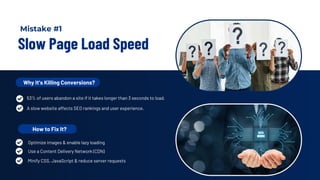
Slow Page LoadSpeed
Why It’s Killing Conversions?
53% of users abandon a site if it takes longer than 3 seconds to load.
A slow website affects SEO rankings and user experience.
How to Fix It?
Use a Content Delivery Network (CDN)
Minify CSS, JavaScript & reduce server requests
Optimize images & enable lazy loading
Mistake #1
4.
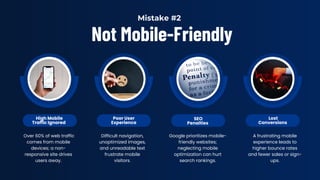
Not Mobile-Friendly
High Mobile
TrafficIgnored
Poor User
Experience
SEO
Penalties
Lost
Conversions
Over 60% of web traffic
comes from mobile
devices; a non-
responsive site drives
users away.
Difficult navigation,
unoptimized images,
and unreadable text
frustrate mobile
visitors.
Google prioritizes mobile-
friendly websites;
neglecting mobile
optimization can hurt
search rankings.
A frustrating mobile
experience leads to
higher bounce rates
and fewer sales or sign-
ups.
Mistake #2
5.
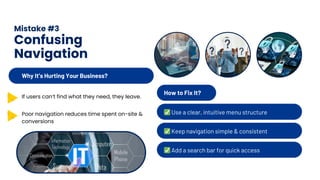
Mistake #3
Confusing
Navigation
How toFix It?
✅Use a clear, intuitive menu structure
✅Keep navigation simple & consistent
✅Add a search bar for quick access
Why It’s Hurting Your Business?
If users can’t find what they need, they leave.
Poor navigation reduces time spent on-site &
conversions
6.
Mistake #4
Weak Call-to-Action(CTA)
A weak or missing Call-to-Action (CTA)
confuses users, leading to lost
conversions.
CTAs like "Learn More" or "Submit" lack
clarity & urgency.
Why CTAs
Matter?
How to
Fix It?
✅Use clear, action-driven phrases (e.g.,
"Get Your Free Trial Now!")
✅Place CTAs in high-visibility areas
✅Test different CTA colors & placements
7.
Mistake #5 –Poor Website Security
Lack of SSL
Encryption (HTTPS)
Vulnerability to
Cyberattacks
Loss of User Trust
& Conversions
Websites without SSL
certificates appear
untrustworthy, reducing
visitor confidence and
search rankings.
Weak security measures
make your site an easy
target for hacking, data
breaches, and malware
infections.
Customers hesitate to
share personal or
payment information
on unsecured websites,
leading to lower
conversion rates.
8.
Mistake #7
Lack of
TrustSignals
No Customer
Testimonials or Reviews
No Social Proof or Case
Studies
Missing Security & Trust
Badges
Visitors are more likely to
convert when they see
positive feedback from real
users.
Without SSL certificates,
payment security icons, or
money-back guarantees,
users may hesitate to proceed.
A lack of client logos, success
stories, or media mentions can
make your brand appear less
credible and trustworthy.
9.
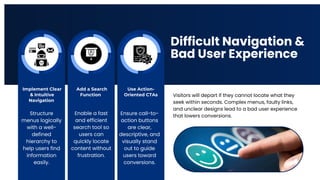
Difficult Navigation &
BadUser Experience
Implement Clear
& Intuitive
Navigation
Visitors will depart if they cannot locate what they
seek within seconds. Complex menus, faulty links,
and unclear designs lead to a bad user experience
that lowers conversions.
Add a Search
Function
Use Action-
Oriented CTAs
Structure
menus logically
with a well-
defined
hierarchy to
help users find
information
easily.
Enable a fast
and efficient
search tool so
users can
quickly locate
content without
frustration.
Ensure call-to-
action buttons
are clear,
descriptive, and
visually stand
out to guide
users toward
conversions.
10.
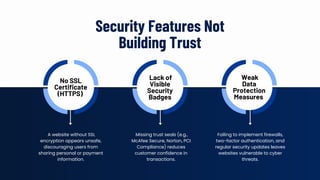
Security Features Not
BuildingTrust
No SSL
Certificate
(HTTPS)
Lack of
Visible
Security
Badges
Weak
Data
Protection
Measures
A website without SSL
encryption appears unsafe,
discouraging users from
sharing personal or payment
information.
Missing trust seals (e.g.,
McAfee Secure, Norton, PCI
Compliance) reduces
customer confidence in
transactions.
Failing to implement firewalls,
two-factor authentication, and
regular security updates leaves
websites vulnerable to cyber
threats.
11.
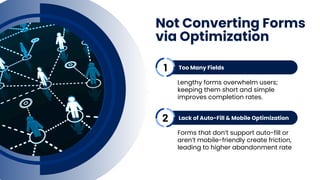
Not Converting Forms
viaOptimization
Too Many Fields
Lengthy forms overwhelm users;
keeping them short and simple
improves completion rates.
Lack of Auto-Fill & Mobile Optimization
Forms that don’t support auto-fill or
aren’t mobile-friendly create friction,
leading to higher abandonment rate
1
2
12.
Conclusion
Though only ifit's constructed with
the correct tactics, your website is a
great instrument for increasing
conversions. Steering clear of these
typical web construction blunders will
enable you to build a conversion-
oriented, high-performing website



![[Srijan Wednesday Webinars] Strategies to Convert Your Website Visitors to Leads](https://cdn.slidesharecdn.com/ss_thumbnails/howtoincreaseconversionsfromyourwebsite-140528062741-phpapp01-thumbnail.jpg?width=640&height=640&fit=bounds)


