VokiWeb 2.0 tool for teaching listening and speaking
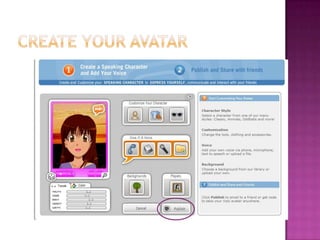
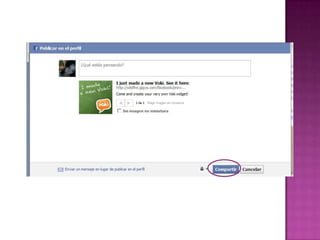
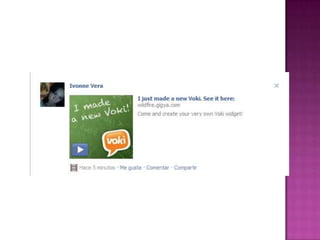
VokiGreat tool to create a personalized speaking avatar.You can customize your character, change the background. You record your voice or use text to speech to make your avatar speak.
Voki avatars can be used to improve listening and speaking abilities.We can use it as an introduction, recording a message for our students, different role play activities, pronunciation of target vocabulary. Students love to create their own avatars, recording their voices and listening to it.
Procedure to use and create an avatar
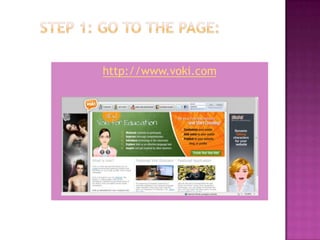
Step 1: Go to the page: http://www.voki.com
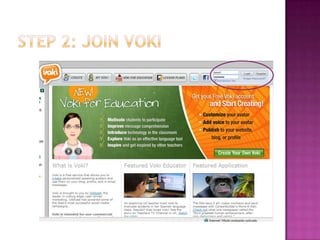
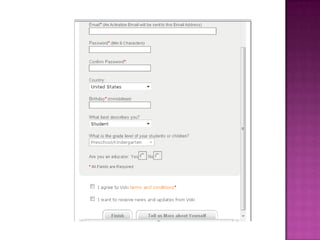
Step 2: Joinvoki
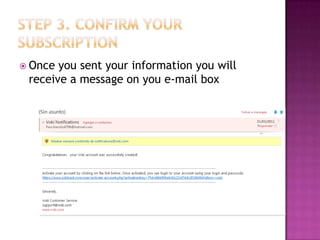
Step 3. confirm your subscription Once you sent your information you will receive a message on you e-mail box
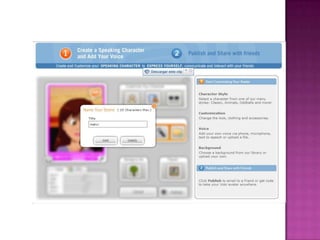
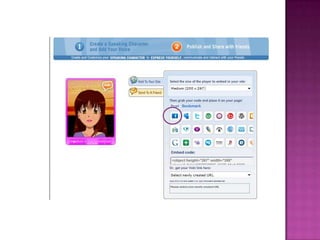
Createyour avatar
http://es.scribd.com/READING AND WRITING SKILLS
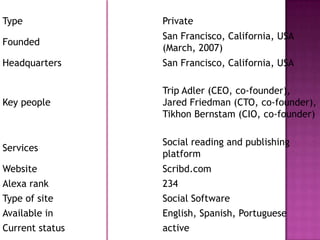
is a Web 2.0 based document-sharing website which allows users to post documents of various formats, and embed them into a web page using its iPaper format.
Scribd uses iPaper which is a rich document format similar to PDF built for the web, which allows users to embed documents into a web page. iPaper was built with AdobE Flash, allowing it to be viewed the same across different operating systems (Windows, Mac OS, and Linux) without conversion, as long as the reader has Flash installed (although Scribd has announced non-Flash support for the iPhone).

Tools Web 2.0

  • 1.
    VokiWeb 2.0 toolfor teaching listening and speaking
  • 2.
    VokiGreat tool tocreate a personalized speaking avatar.You can customize your character, change the background. You record your voice or use text to speech to make your avatar speak.
  • 3.
    Voki avatars canbe used to improve listening and speaking abilities.We can use it as an introduction, recording a message for our students, different role play activities, pronunciation of target vocabulary. Students love to create their own avatars, recording their voices and listening to it.
  • 4.
    Procedure to useand create an avatar
  • 5.
    Step 1: Goto the page: http://www.voki.com
  • 6.
  • 8.
    Step 3. confirmyour subscription Once you sent your information you will receive a message on you e-mail box
  • 9.
  • 16.
  • 18.
    is a Web2.0 based document-sharing website which allows users to post documents of various formats, and embed them into a web page using its iPaper format.
  • 19.
    Scribd uses iPaperwhich is a rich document format similar to PDF built for the web, which allows users to embed documents into a web page. iPaper was built with AdobE Flash, allowing it to be viewed the same across different operating systems (Windows, Mac OS, and Linux) without conversion, as long as the reader has Flash installed (although Scribd has announced non-Flash support for the iPhone).