

Building Your Own Development Tools With
the Force.com Tooling API
Doug Friedman
@realdoug
Featuring:
Joe Ferraro, CTO, Mavens Consulting
@joeferraro
About Joe
About Doug
Agenda
▪ Introduction to the Tooling API
▪ Key objects/features
▪ MavensMate demo
Metadata API

▪ SOAP Interface
▪ Eclipse Plugin
▪ Ant Migration Tool
The Tooling API:
A great “Alternative”
▪ Restforce Ruby Gem
▪ Command Line & cURL
▪ MavensMate
▪ Force.com Developer Console
How to Use
Works just like the Data API
▪ Oauth
▪ JSON
▪ REST/HTTP
▪ SOAP/XML
Metadata API & Tooling API Together

The Tooling API is best
used in conjunction with
the Metadata API
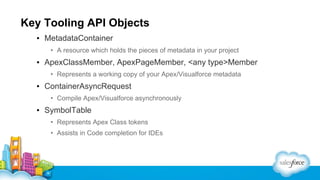
Key Tooling API Objects
▪ MetadataContainer
• A resource which holds the pieces of metadata in your project

▪ ApexClassMember, ApexPageMember, <any type>Member
• Represents a working copy of your Apex/Visualforce metadata

▪ ContainerAsyncRequest
• Compile Apex/Visualforce asynchronously

▪ SymbolTable
• Represents Apex Class tokens
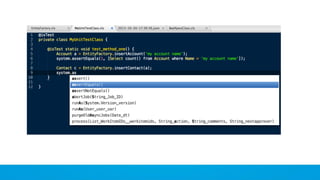
• Assists in Code completion for IDEs
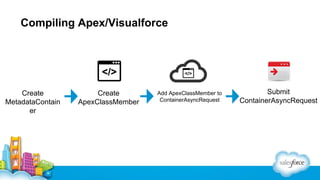
Compiling Apex/Visualforce

Create
MetadataContain
er

Create
ApexClassMember

Add ApexClassMember to
ContainerAsyncRequest

Submit
ContainerAsyncRequest
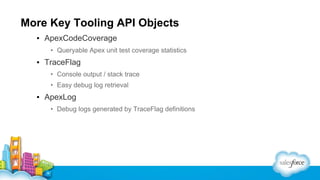
More Key Tooling API Objects
▪ ApexCodeCoverage
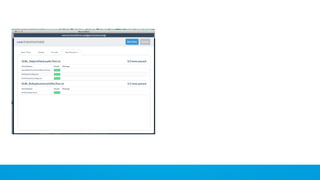
• Queryable Apex unit test coverage statistics

▪ TraceFlag
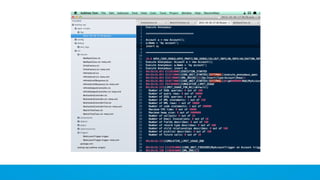
• Console output / stack trace
• Easy debug log retrieval

▪ ApexLog
• Debug logs generated by TraceFlag definitions
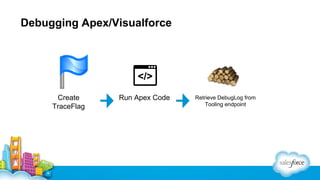
Debugging Apex/Visualforce

Create
TraceFlag

Run Apex Code

Retrieve DebugLog from
Tooling endpoint
Doug Friedman

Speaker Name

@realdoug

CTO, Mavens Consulting,
@joeferraro

Building Your Own Development Tools With the Force.com Tooling API