Tips to Make IT Security Robust against
Ransomware/Malware
www.multitechit.com.au
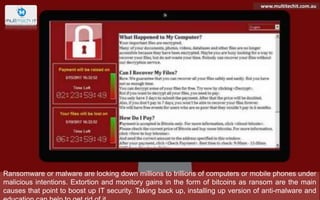
Ransomware or malware are locking down millions to trillions of computers or mobile phones under
malicious intentions. Extortion and monitory gains in the form of bitcoins as ransom are the main
causes that point to boost up IT security. Taking back up, installing up version of anti-malware and
www.multitechit.com.au
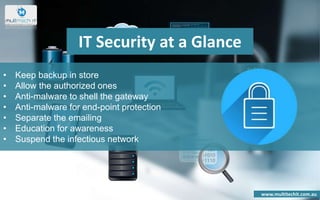
• Keep backup in store
• Allow the authorized ones
• Anti-malware to shell the gateway
• Anti-malware for end-point protection
• Separate the emailing
• Education for awareness
• Suspend the infectious network
www.multitechit.com.au
IT Security at a Glance
Back up is the copy of the file stored for future use.
• Store the backup online & offline
• Don’t keep it on the server only
• Keep the data in shared folders
www.multitechit.com.au
1. Keep Backup in Store
Authorized access is the special right to log in.
• Separate the authority to access
• Restrict sensitive data to admin
www.multitechit.com.au
2. Allow the Authorized Ones
Gateway can be any entry from where spammer can enter through
zero day vulnerability.
• Install the firewall to filter the spammy links
• Check if the firewall is capable to fight all major malwares
www.multitechit.com.au
3. Anti-Malware to Shell the Gateway
End-point protection refers to the protection of USB, hard disk
and other devices that end user uses.
• Install sophisticated anti-malware
• Check if it covers the network, USB, hard disk, & router
www.multitechit.com.au
4. Anti-malware for end-point protection
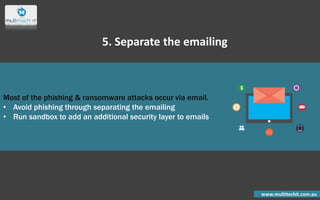
Most of the phishing & ransomware attacks occur via email.
• Avoid phishing through separating the emailing
• Run sandbox to add an additional security layer to emails
www.multitechit.com.au
5. Separate the emailing
Make the technical as well as non-technical staff aware of
phishing & deem its symptoms.
• Educate employees not to click on un-solicited links
• Let them learn the awkward symbols to smell the phishing
www.multitechit.com.au
6. Education for Awareness
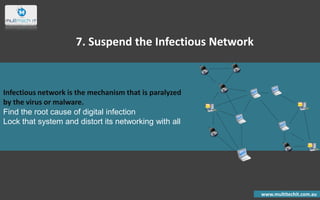
Infectious network is the mechanism that is paralyzed
by the virus or malware.
Find the root cause of digital infection
Lock that system and distort its networking with all
www.multitechit.com.au
7. Suspend the Infectious Network
Tips to make it security robust against ransomware or malware

Tips to make it security robust against ransomware or malware

  • 1.
    Tips to MakeIT Security Robust against Ransomware/Malware www.multitechit.com.au
  • 2.
    Ransomware or malwareare locking down millions to trillions of computers or mobile phones under malicious intentions. Extortion and monitory gains in the form of bitcoins as ransom are the main causes that point to boost up IT security. Taking back up, installing up version of anti-malware and www.multitechit.com.au
  • 3.
    • Keep backupin store • Allow the authorized ones • Anti-malware to shell the gateway • Anti-malware for end-point protection • Separate the emailing • Education for awareness • Suspend the infectious network www.multitechit.com.au IT Security at a Glance
  • 4.
    Back up isthe copy of the file stored for future use. • Store the backup online & offline • Don’t keep it on the server only • Keep the data in shared folders www.multitechit.com.au 1. Keep Backup in Store
  • 5.
    Authorized access isthe special right to log in. • Separate the authority to access • Restrict sensitive data to admin www.multitechit.com.au 2. Allow the Authorized Ones
  • 6.
    Gateway can beany entry from where spammer can enter through zero day vulnerability. • Install the firewall to filter the spammy links • Check if the firewall is capable to fight all major malwares www.multitechit.com.au 3. Anti-Malware to Shell the Gateway
  • 7.
    End-point protection refersto the protection of USB, hard disk and other devices that end user uses. • Install sophisticated anti-malware • Check if it covers the network, USB, hard disk, & router www.multitechit.com.au 4. Anti-malware for end-point protection
  • 8.
    Most of thephishing & ransomware attacks occur via email. • Avoid phishing through separating the emailing • Run sandbox to add an additional security layer to emails www.multitechit.com.au 5. Separate the emailing
  • 9.
    Make the technicalas well as non-technical staff aware of phishing & deem its symptoms. • Educate employees not to click on un-solicited links • Let them learn the awkward symbols to smell the phishing www.multitechit.com.au 6. Education for Awareness
  • 10.
    Infectious network isthe mechanism that is paralyzed by the virus or malware. Find the root cause of digital infection Lock that system and distort its networking with all www.multitechit.com.au 7. Suspend the Infectious Network