Tips for creating
Moodle Mobile friendly
courses/sites
Juan Leyva
Moodle Mobile Developer
@jleyvadelgado #mootes14
This presentation is about the official app for
Android, iOs, Windows Phone 8 and Windows 8
If you are more interested in using mobiles
to support learning with Moodle, see:
● http://www.slideshare.net/epictalk/20-tips-for-mobile-learning-in-moodle
● http://www.slideshare.net/epictalk/using-mobiles-to-support-active-learning-with-
mobile
Disclaimer
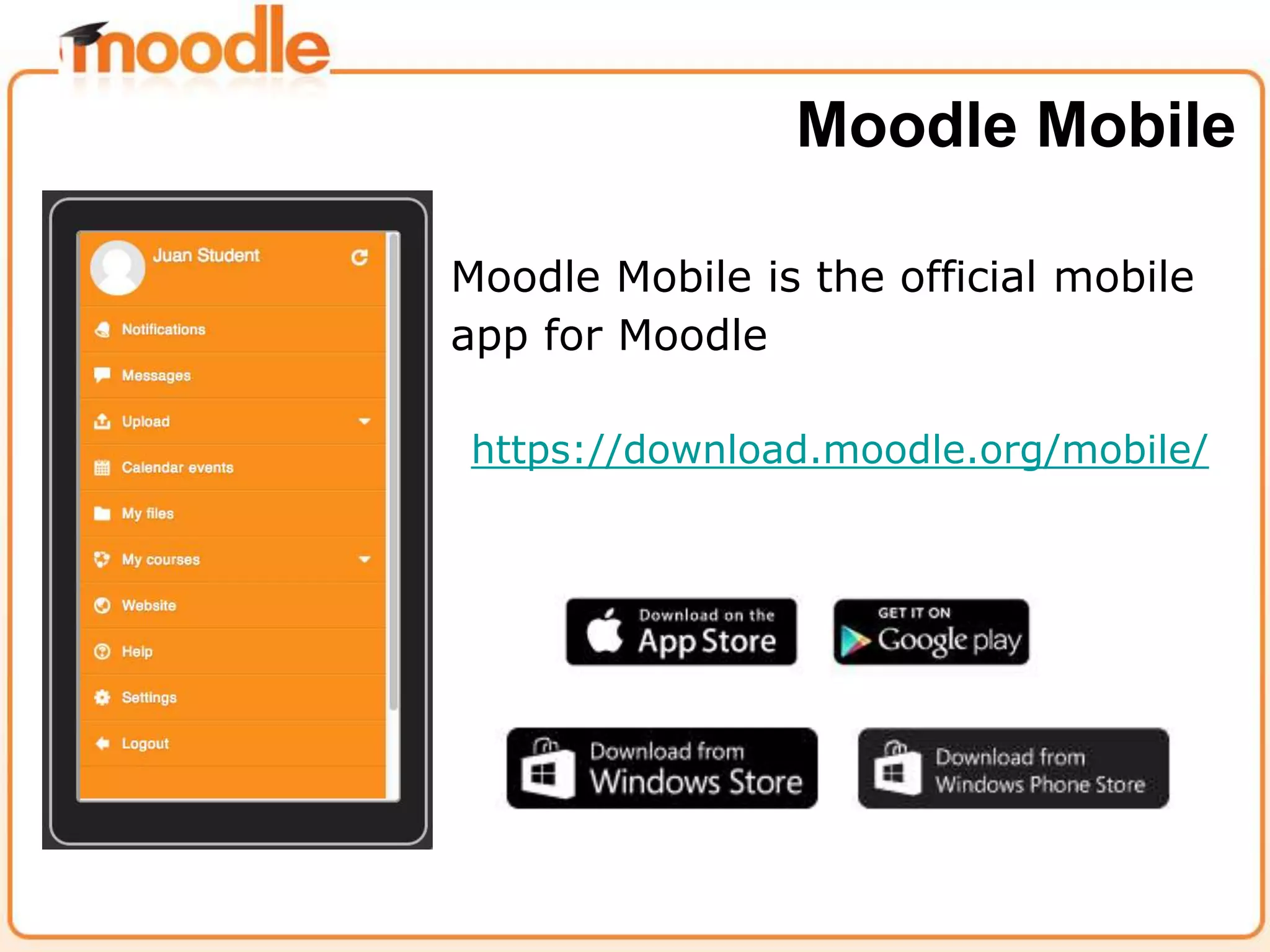
Moodle Mobile is the official mobile
app for Moodle
https://download.moodle.org/mobile/
Moodle Mobile
“It is important to know that the app will never be able to support all
the functions of Moodle, because Moodle is a huge fast-moving
target and writing secure web services (which is how the app
communicates to Moodle) takes a long time to do properly. This is a
tradeoff that we had to make, and we know it may disappoint some
users who want this app to do everything immediately!”
“We focus on the communication aspects, plus a few of the
information aspects.”
Martin Dougiamas
Mobile strategy going forward
Install the “Moodle additional features plugin”
● Local plugin for adding new features to the current
Moodle Mobile app
● This add-on provides new features and also web
services which are currently only available in the latest
Moodle version
● A Moodle 2.4 installation with the plugin has the same
Mobile features available than a Moodle 2.8 installation
Tips for sites
Moodle additional features plugin
● Extra features: Support for sites using SSO
authentication methods (Shibboleth and CAS)
● A new Moodle Mobile major version requires to upgrade
this plugin in your Moodle installation.
● https://docs.moodle.org/Moodle_Mobile_additional_feat
ures
Tips for sites
Enable Push notifications
● The site must be registered in moodle.org
● Administration / Plugins / Message outputs / Mobile
notifications
● User must enable in their profile to receive Mobile
notifications
Tips for sites
Enable Push notifications
● Notifications are connected to the Moodle messaging
system
● A bulk message to all the users in a course will send a
Push notification to the user mobile phone (Remember,
the user must enable to receive Mobile notifications)
Tips for sites
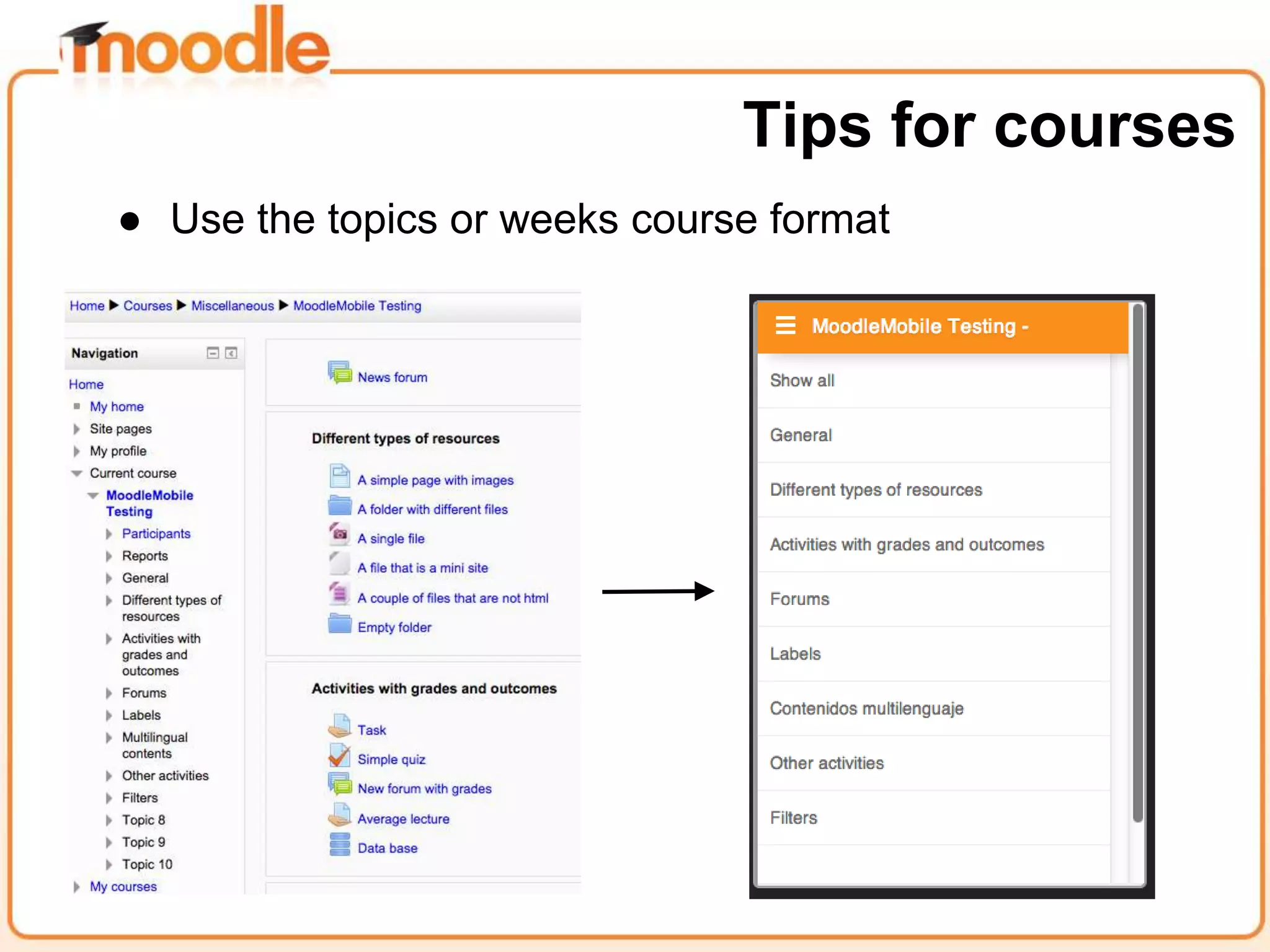
● Use the topics or weeks course format
Tips for courses
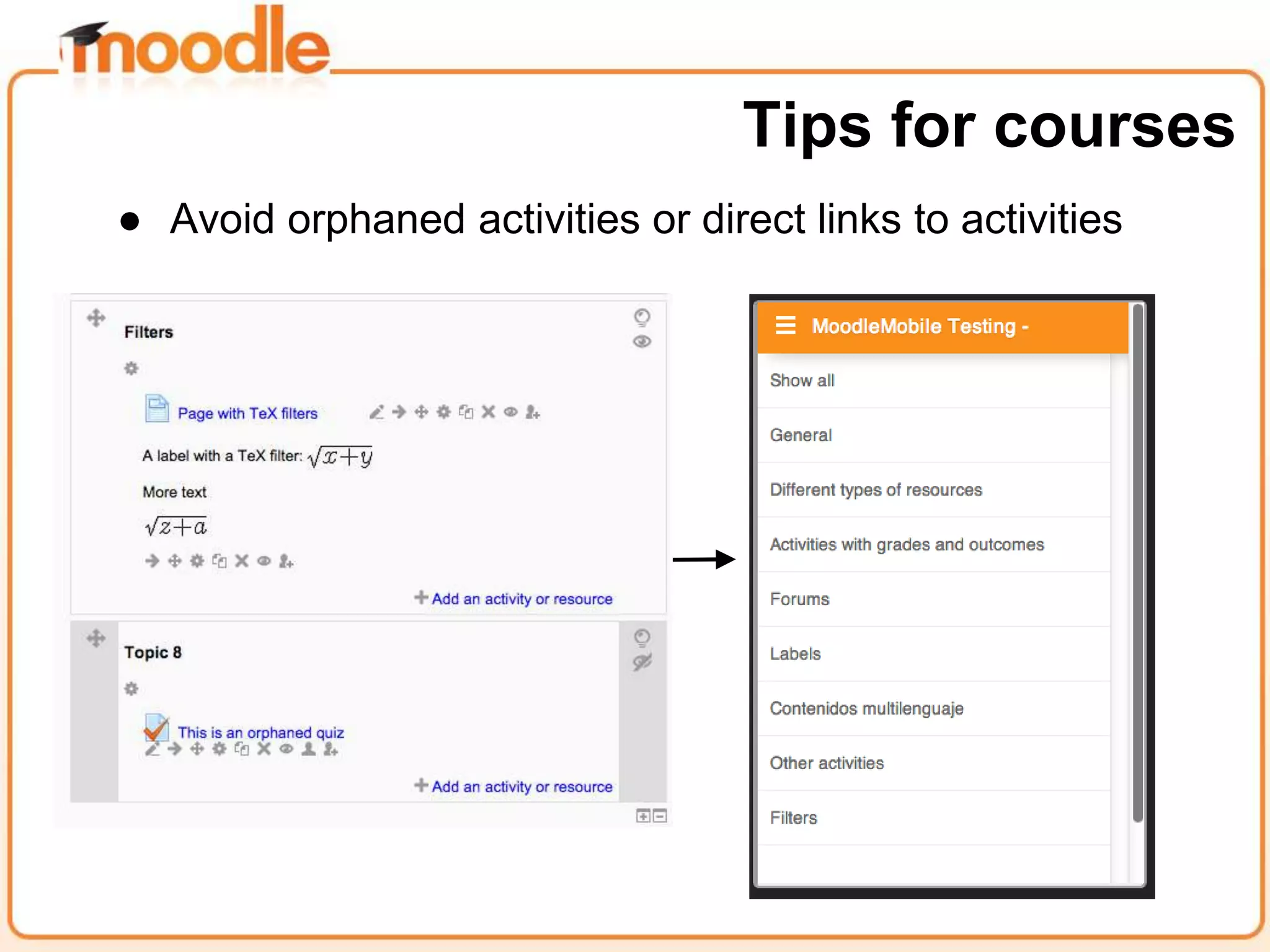
● Avoid orphaned activities or direct links to activities
Tips for courses
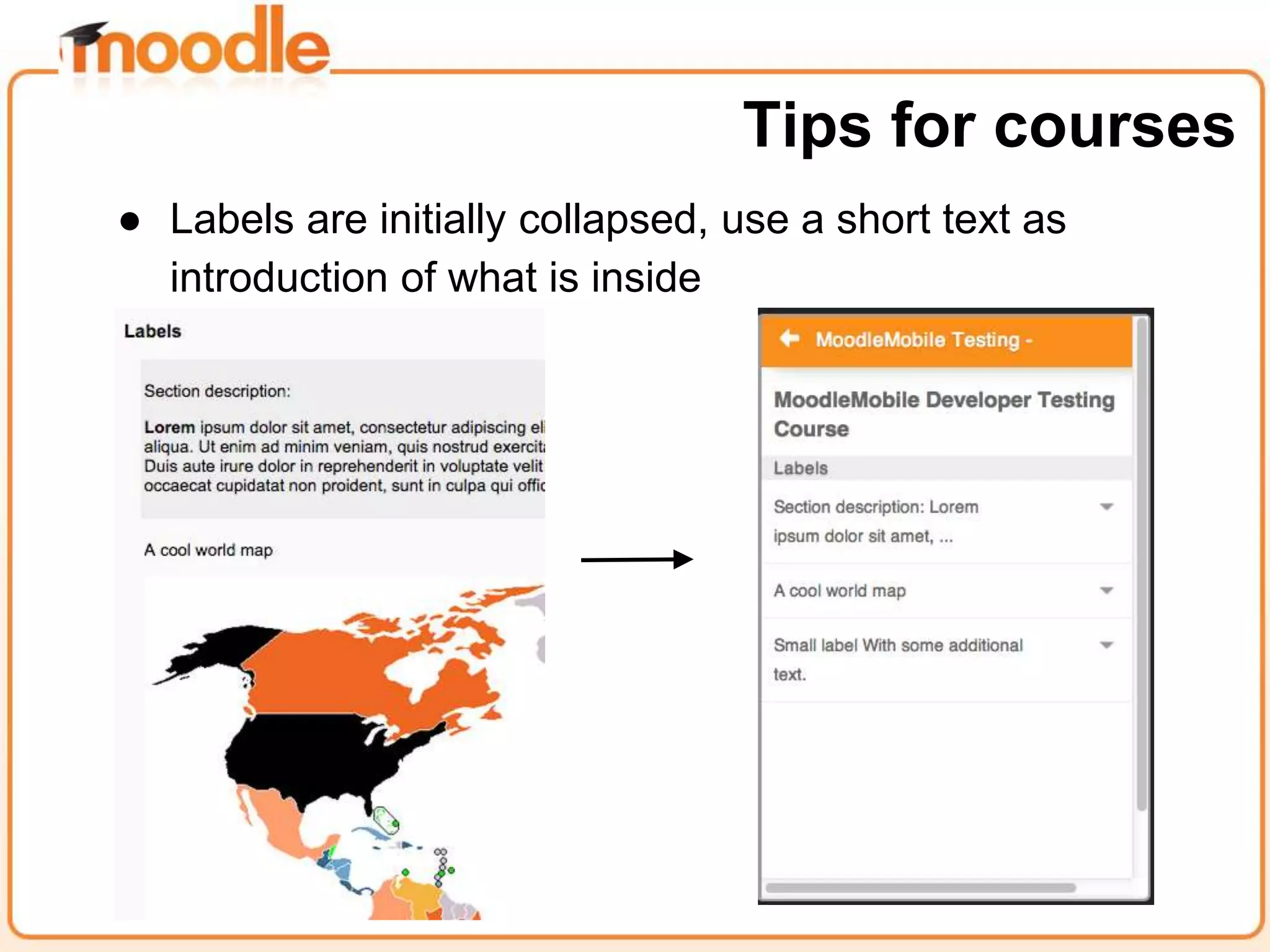
● Labels are initially collapsed, use a short text as
introduction of what is inside
Tips for courses
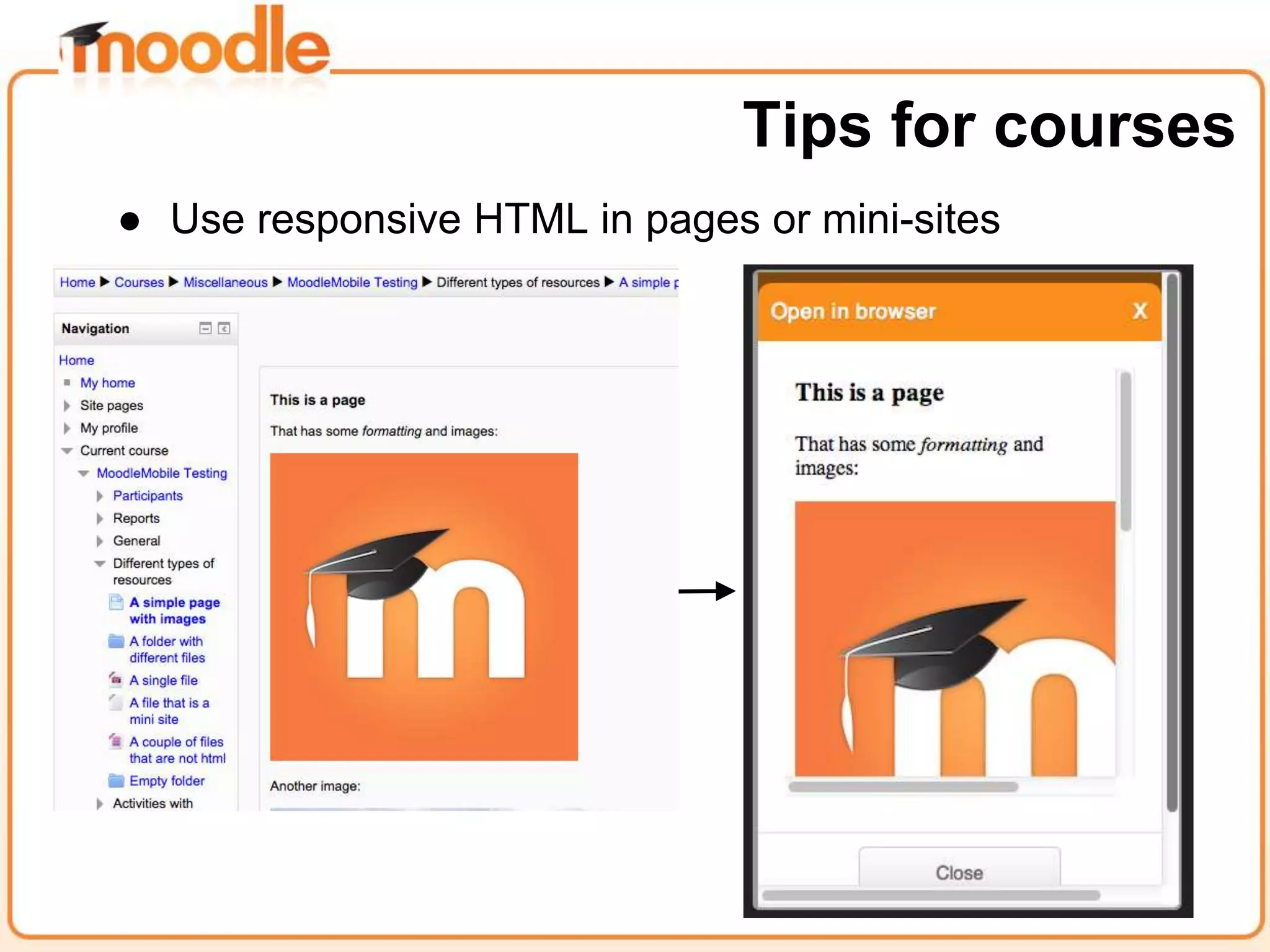
● Use responsive HTML in pages or mini-sites
Tips for courses
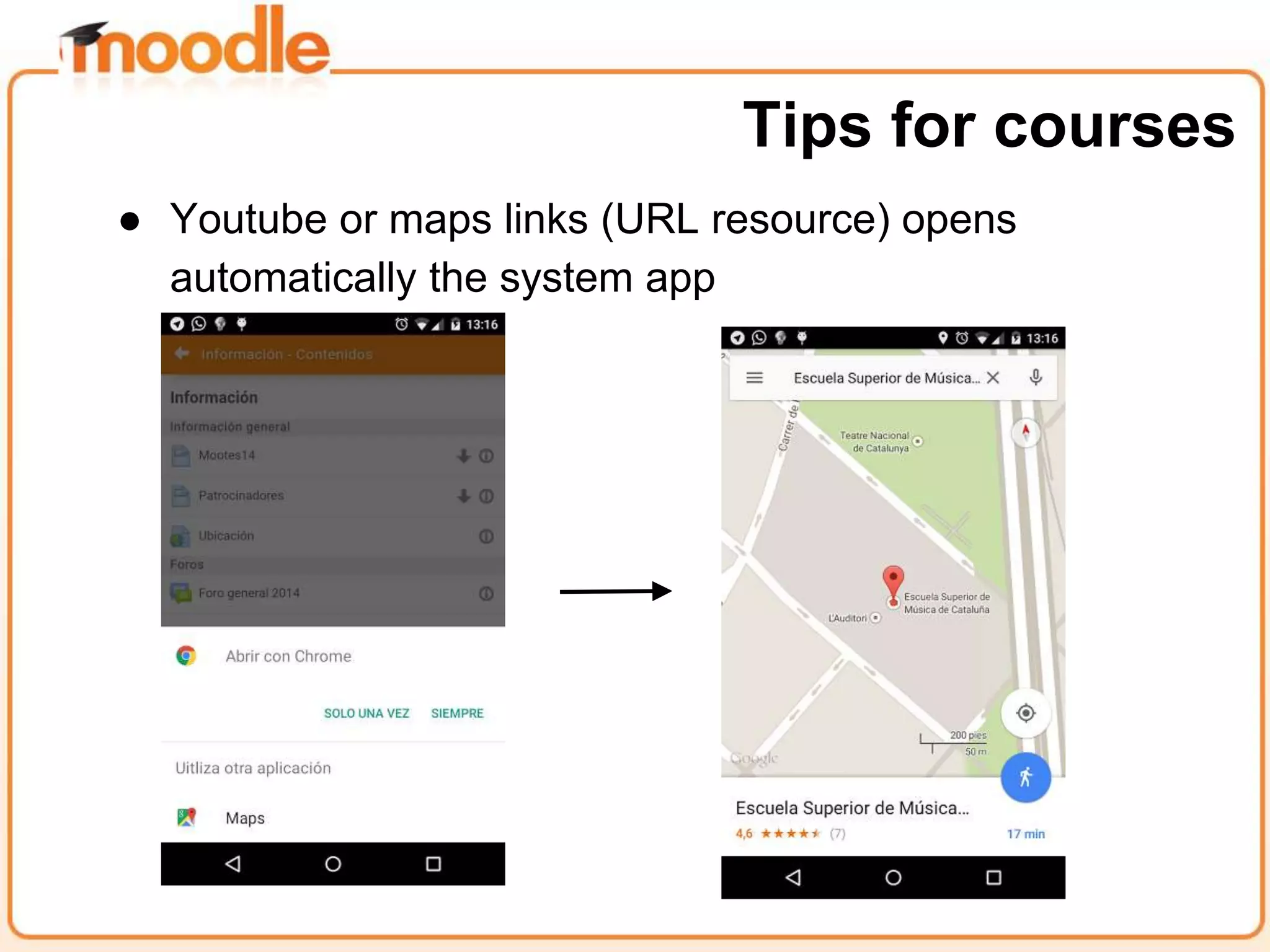
● Youtube or maps links (URL resource) opens
automatically the system app
Tips for courses
Find alternatives to unsupported activities or resources
● Book module: Publish an “accessible” version of the
Book resource using the export to HTML feature
● IMS CP: Instead using the IMS CP resource, unzip the
file and add it as a resource (mini-site)
Tips for courses
Find alternatives to unsupported activities or resources
● Same for SCORM without API tracking
● Not all the video formats are supported by all mobile
devices, upload the same video in different formats in a
directory resource
Tips for courses
Upload a detailed guide of how to use Moodle Mobile
including:
● Download links to the different platforms/stores.
● Explain the different possibilities and limitations of the
app.
● Explain how the offline mode works (you should
download your contents first).
● Explain how to configure your messaging settings for
receiving mobile notifications.
Tips for sites
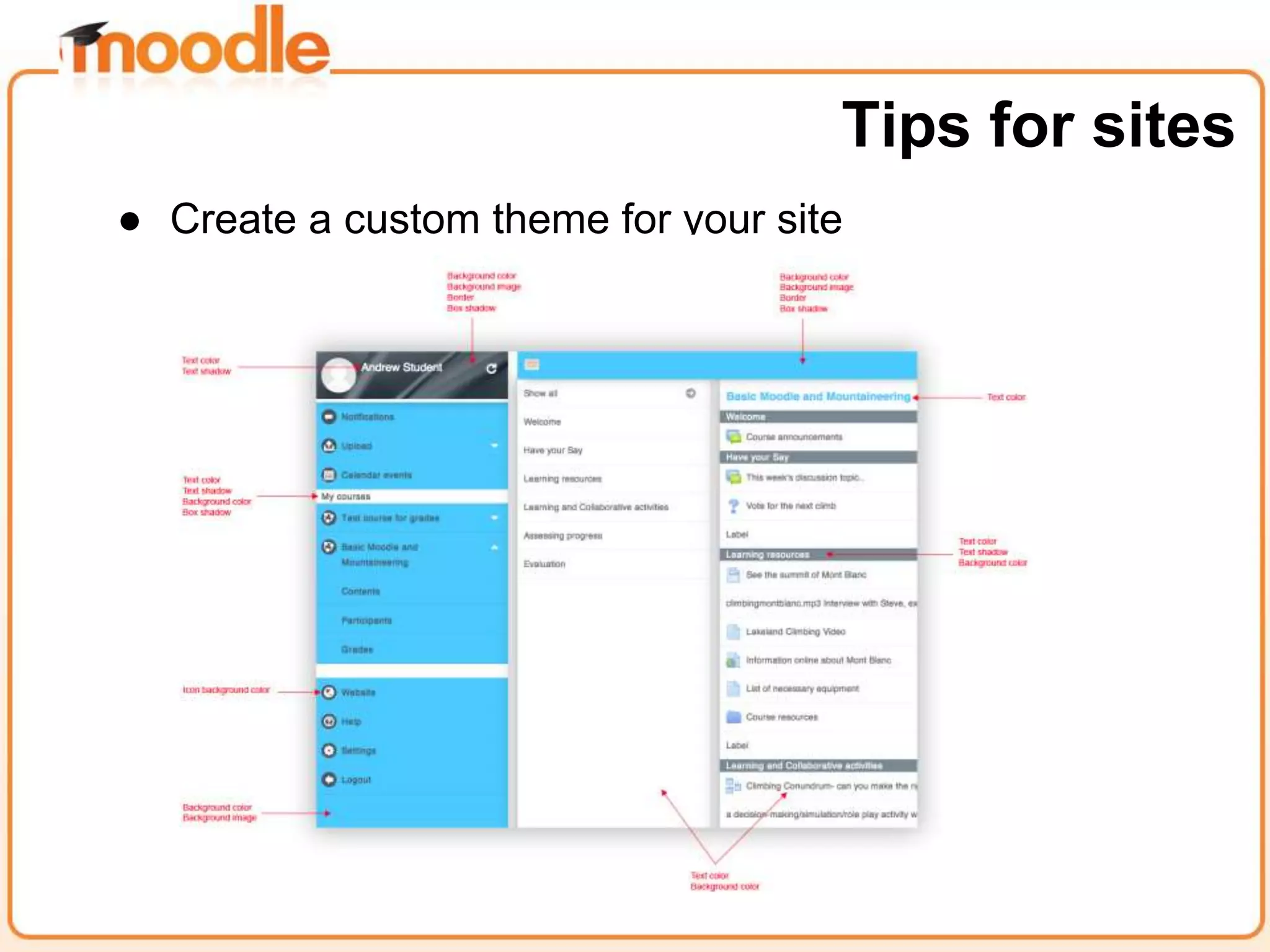
● Create a custom theme for your site
Tips for sites
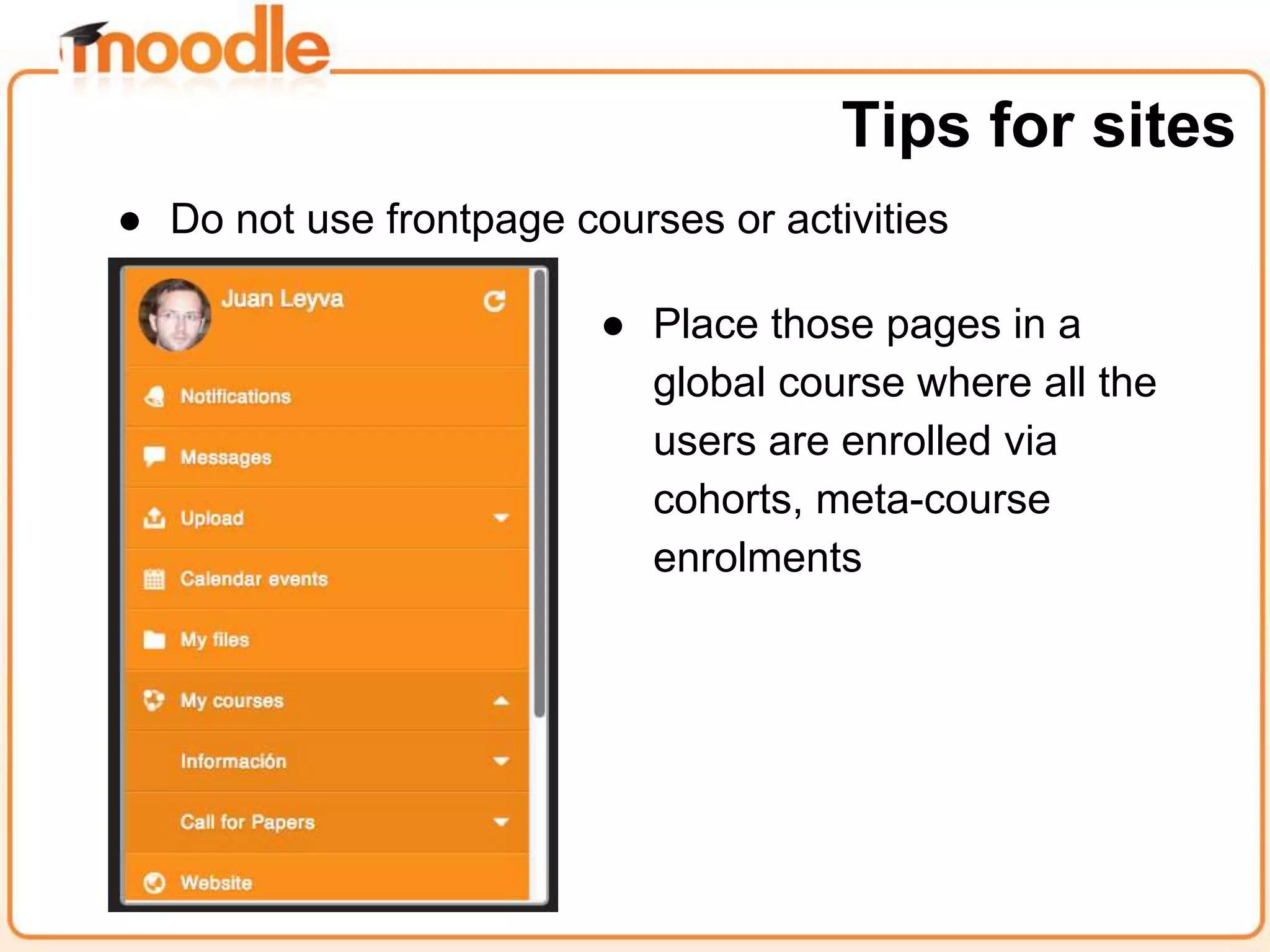
● Do not use frontpage courses or activities
Tips for sites
● Place those pages in a
global course where all the
users are enrolled via
cohorts, meta-course
enrolments
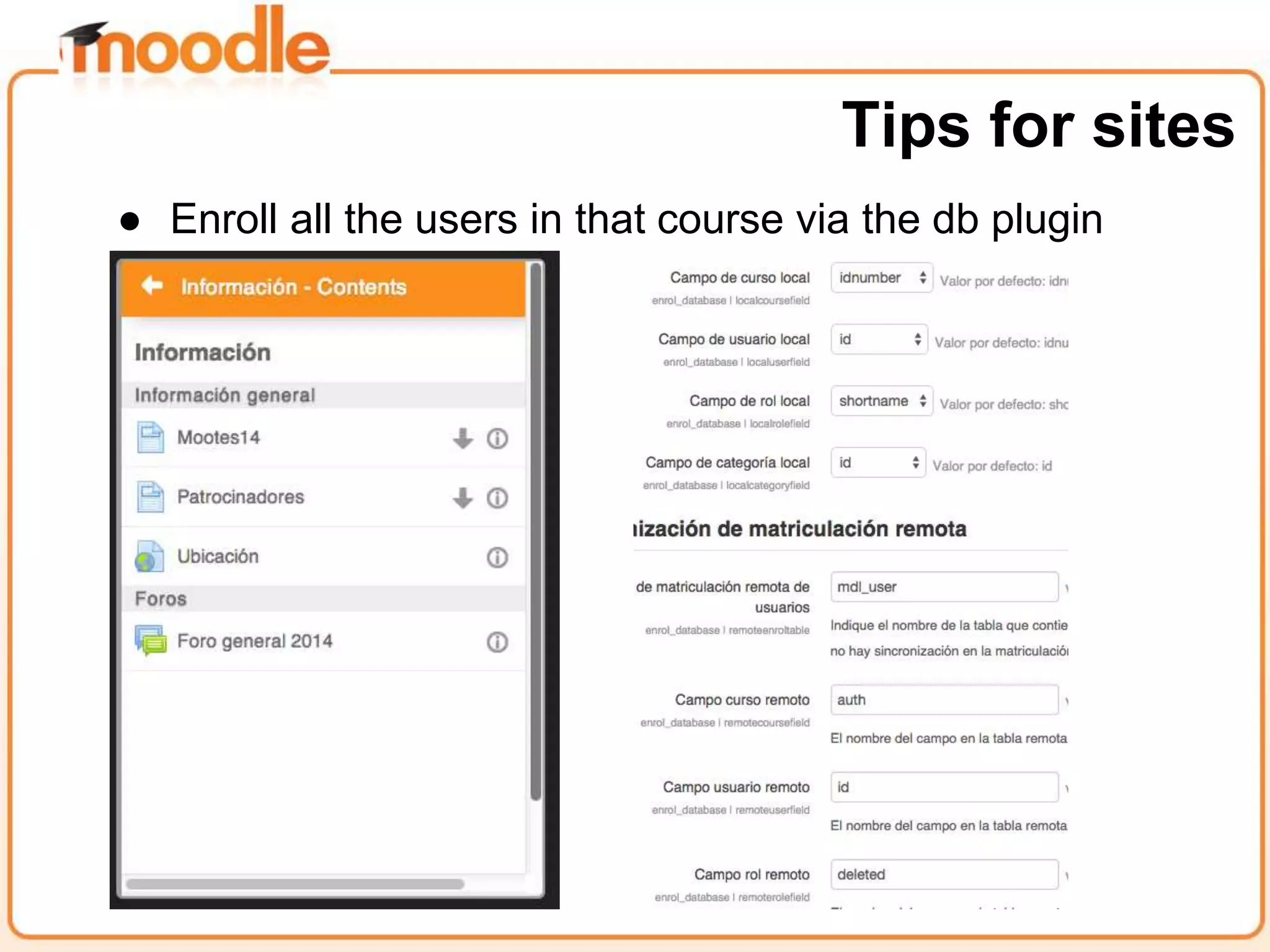
● Enroll all the users in that course via the db plugin
Tips for sites
You have more information here:
http://docs.moodle.org/en/Mobile_app
https://docs.moodle.org/en/Moodle_Mobile_additional_features
http://docs.moodle.org/dev/Moodle_Mobile
https://tracker.moodle.org/browse/MOBILE
Thanks for your time!

Tips for creating Moodle Mobile friendly courses sites - MoodleMoot Spain 2014

  • 1.
    Tips for creating MoodleMobile friendly courses/sites Juan Leyva Moodle Mobile Developer @jleyvadelgado #mootes14
  • 2.
    This presentation isabout the official app for Android, iOs, Windows Phone 8 and Windows 8 If you are more interested in using mobiles to support learning with Moodle, see: ● http://www.slideshare.net/epictalk/20-tips-for-mobile-learning-in-moodle ● http://www.slideshare.net/epictalk/using-mobiles-to-support-active-learning-with- mobile Disclaimer
  • 3.
    Moodle Mobile isthe official mobile app for Moodle https://download.moodle.org/mobile/ Moodle Mobile
  • 4.
    “It is importantto know that the app will never be able to support all the functions of Moodle, because Moodle is a huge fast-moving target and writing secure web services (which is how the app communicates to Moodle) takes a long time to do properly. This is a tradeoff that we had to make, and we know it may disappoint some users who want this app to do everything immediately!” “We focus on the communication aspects, plus a few of the information aspects.” Martin Dougiamas Mobile strategy going forward
  • 5.
    Install the “Moodleadditional features plugin” ● Local plugin for adding new features to the current Moodle Mobile app ● This add-on provides new features and also web services which are currently only available in the latest Moodle version ● A Moodle 2.4 installation with the plugin has the same Mobile features available than a Moodle 2.8 installation Tips for sites
  • 6.
    Moodle additional featuresplugin ● Extra features: Support for sites using SSO authentication methods (Shibboleth and CAS) ● A new Moodle Mobile major version requires to upgrade this plugin in your Moodle installation. ● https://docs.moodle.org/Moodle_Mobile_additional_feat ures Tips for sites
  • 7.
    Enable Push notifications ●The site must be registered in moodle.org ● Administration / Plugins / Message outputs / Mobile notifications ● User must enable in their profile to receive Mobile notifications Tips for sites
  • 8.
    Enable Push notifications ●Notifications are connected to the Moodle messaging system ● A bulk message to all the users in a course will send a Push notification to the user mobile phone (Remember, the user must enable to receive Mobile notifications) Tips for sites
  • 9.
    ● Use thetopics or weeks course format Tips for courses
  • 10.
    ● Avoid orphanedactivities or direct links to activities Tips for courses
  • 11.
    ● Labels areinitially collapsed, use a short text as introduction of what is inside Tips for courses
  • 12.
    ● Use responsiveHTML in pages or mini-sites Tips for courses
  • 13.
    ● Youtube ormaps links (URL resource) opens automatically the system app Tips for courses
  • 14.
    Find alternatives tounsupported activities or resources ● Book module: Publish an “accessible” version of the Book resource using the export to HTML feature ● IMS CP: Instead using the IMS CP resource, unzip the file and add it as a resource (mini-site) Tips for courses
  • 15.
    Find alternatives tounsupported activities or resources ● Same for SCORM without API tracking ● Not all the video formats are supported by all mobile devices, upload the same video in different formats in a directory resource Tips for courses
  • 16.
    Upload a detailedguide of how to use Moodle Mobile including: ● Download links to the different platforms/stores. ● Explain the different possibilities and limitations of the app. ● Explain how the offline mode works (you should download your contents first). ● Explain how to configure your messaging settings for receiving mobile notifications. Tips for sites
  • 17.
    ● Create acustom theme for your site Tips for sites
  • 18.
    ● Do notuse frontpage courses or activities Tips for sites ● Place those pages in a global course where all the users are enrolled via cohorts, meta-course enrolments
  • 19.
    ● Enroll allthe users in that course via the db plugin Tips for sites
  • 20.
    You have moreinformation here: http://docs.moodle.org/en/Mobile_app https://docs.moodle.org/en/Moodle_Mobile_additional_features http://docs.moodle.org/dev/Moodle_Mobile https://tracker.moodle.org/browse/MOBILE Thanks for your time!