Scalable Time Series
Monitoring and Analysis
https://NationalSecurityAgency.github.io/timely
Who are we?
Drew Farris
Chief Technologist
Booz | Allen | Hamilton
Bill Oley
Senior Lead Technologist
Booz | Allen | Hamilton
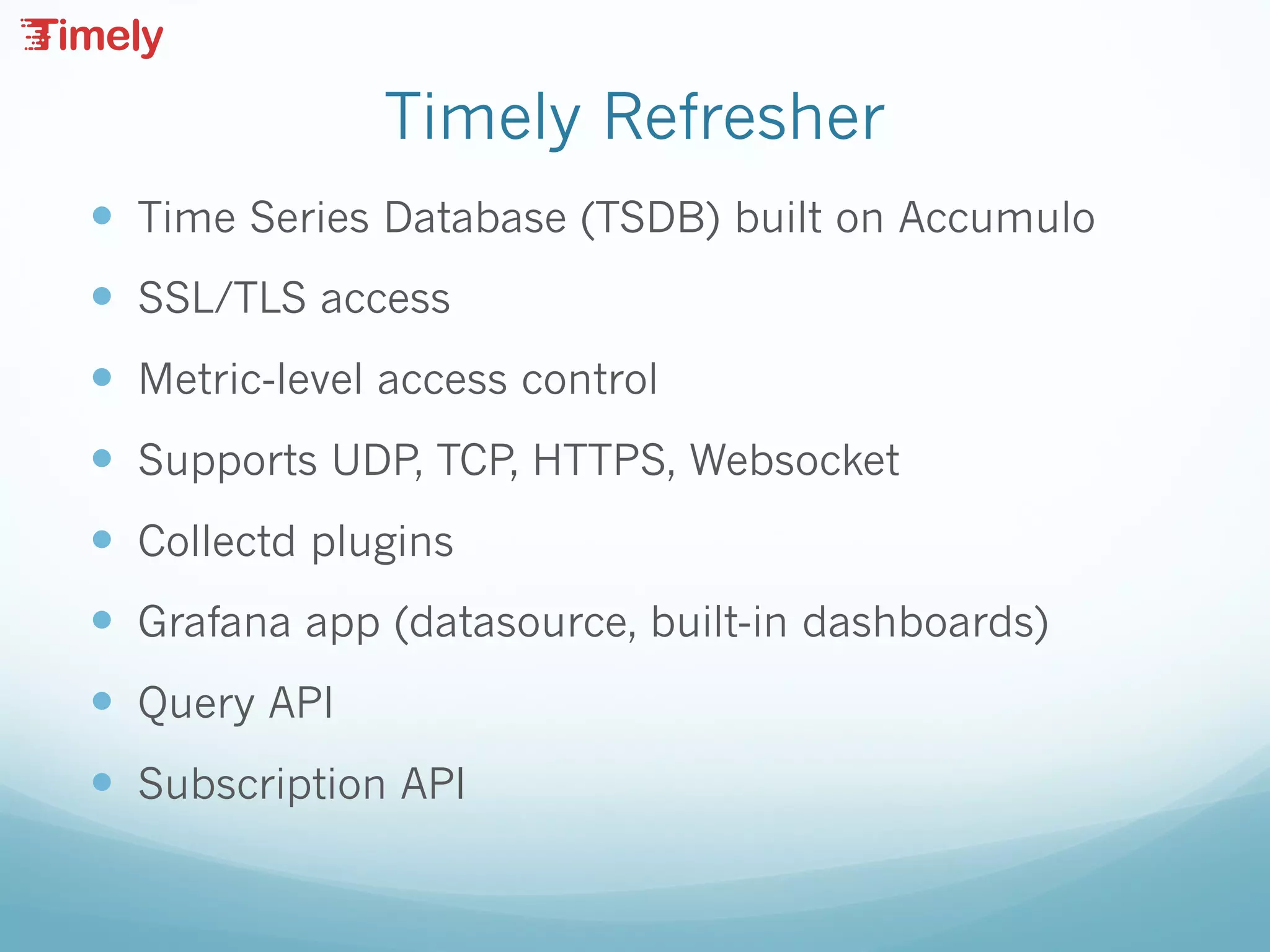
Timely Refresher
— Time Series Database (TSDB) built on Accumulo
— SSL/TLS access
— Metric-level access control
— Supports UDP, TCP, HTTPS, Websocket
— Collectd plugins
— Grafana app (datasource, built-in dashboards)
— Query API
— Subscription API
Scaling Timely Ingest and Query
Accumulo
Master
Hadoop2 Metrics
Tablet Server
Hadoop2 Metrics
Datanode
Hadoop2 Metrics
Tablet Server
Hadoop2 Metrics
Datanode
Hadoop2 Metrics
Tablet Server
Hadoop2 Metrics
Datanode
Hadoop2 Metrics
Collectd
Collectd
Collectd
Collectd
HAProxy
NSQD
NSQD
NSQD
NSQD
NSQ
Pipe
NSQ
Pipe
NSQ
Pipe
HAProxy
Tablet Server
Tablet Server
Tablet Server
Tablet Server
Tablet Server
Tablet Server
Tablet Server
Tablet Server
MasterTimely
(write)
Timely
(write)
Timely
(write)
Timely
(read)
Timely
(read)
Accumulo
Browser Browser
HAProxy
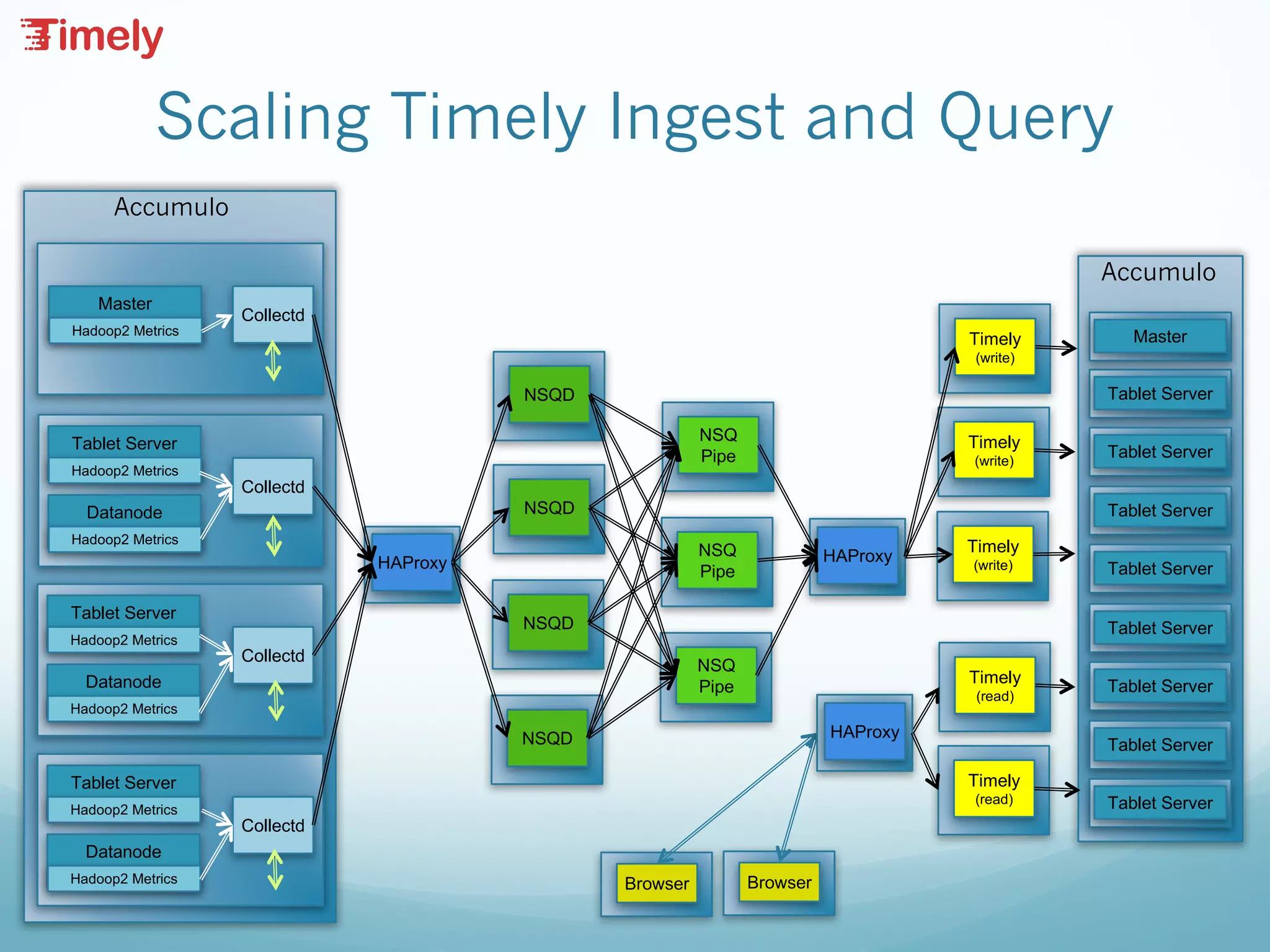
Architectural Components
— Collectd deployed on every node to gather application,
OS, hardware metrics.
— NSQ “fan-in” collects messages from many collectd
instances and routes them to a relatively small number
of timely servers.
— NSQ Pipe consumes data from the queue and writes to
the Timely Socket
— HAProxy Plays Multiple Roles:
— Distributes connections from collectd to NSQ
— Distributes write connections from NSQ to Timely
— Distributes read connections into Timely from browsers.
Scaling Concerns
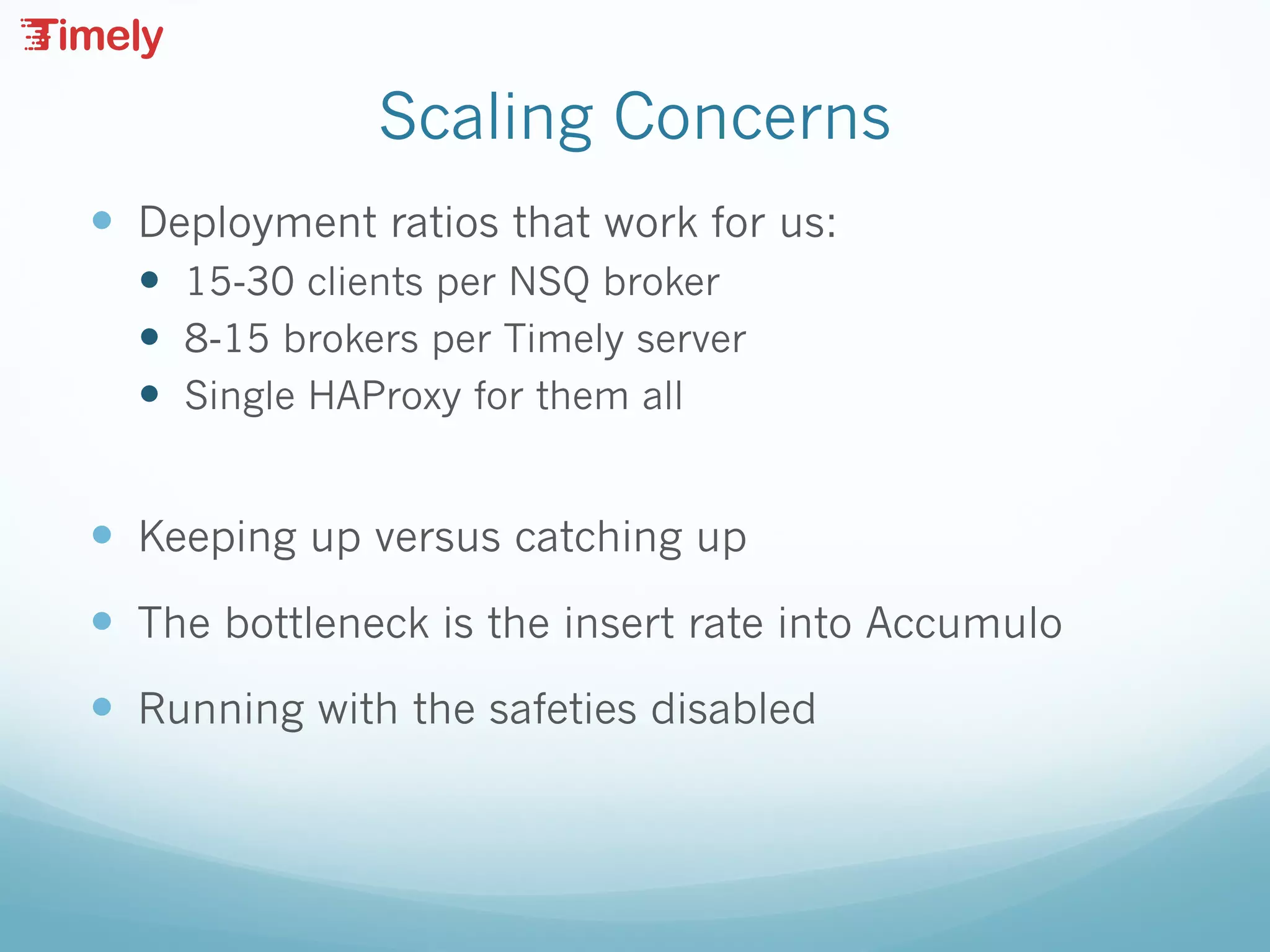
— Deployment ratios that work for us:
— 15-30 clients per NSQ broker
— 8-15 brokers per Timely server
— Single HAProxy for them all
— Keeping up versus catching up
— The bottleneck is the insert rate into Accumulo
— Running with the safeties disabled
Grafana Alerts
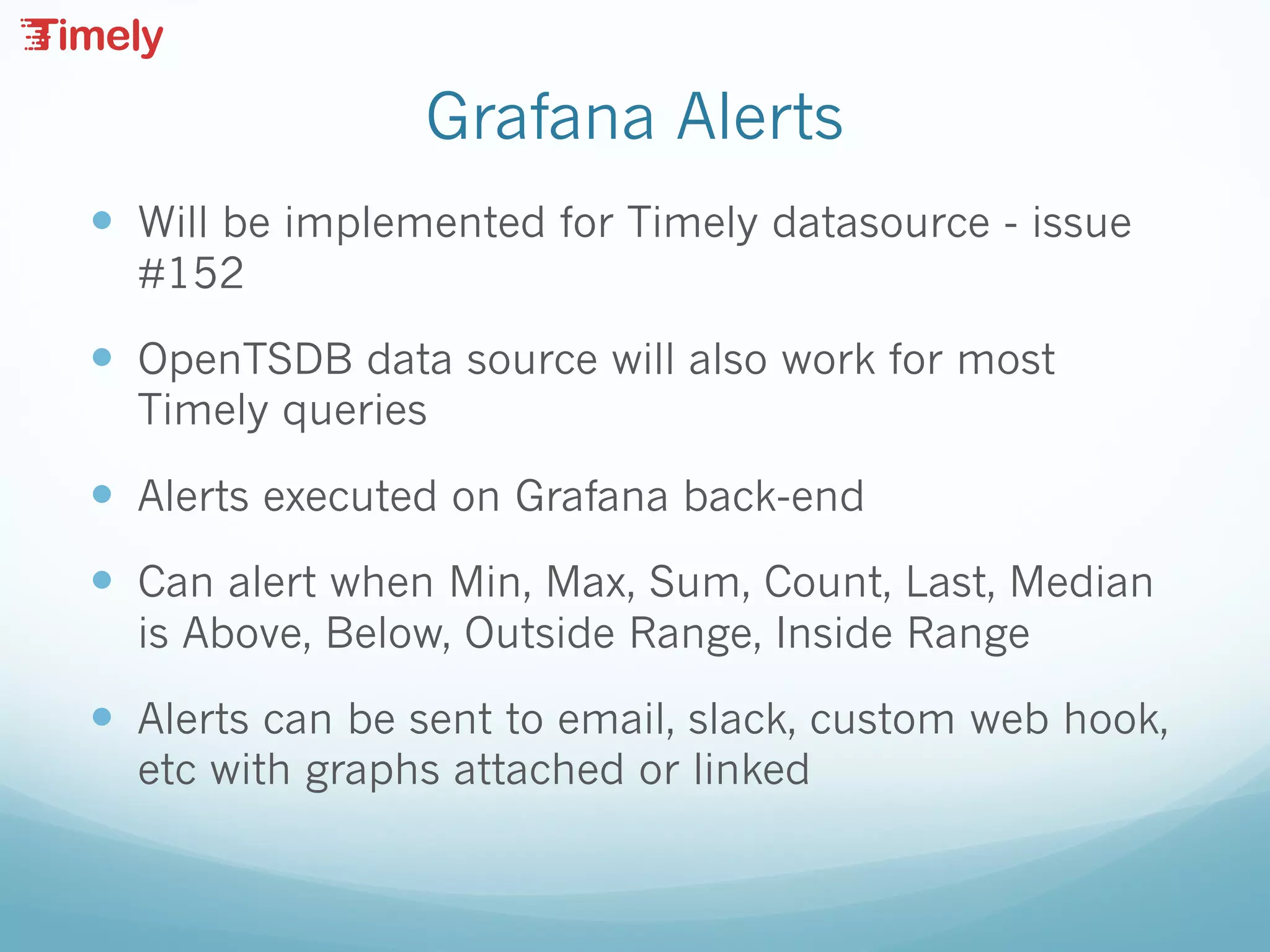
— Will be implemented for Timely datasource - issue
#152
— OpenTSDB data source will also work for most
Timely queries
— Alerts executed on Grafana back-end
— Can alert when Min, Max, Sum, Count, Last, Median
is Above, Below, Outside Range, Inside Range
— Alerts can be sent to email, slack, custom web hook,
etc with graphs attached or linked
Subscription API
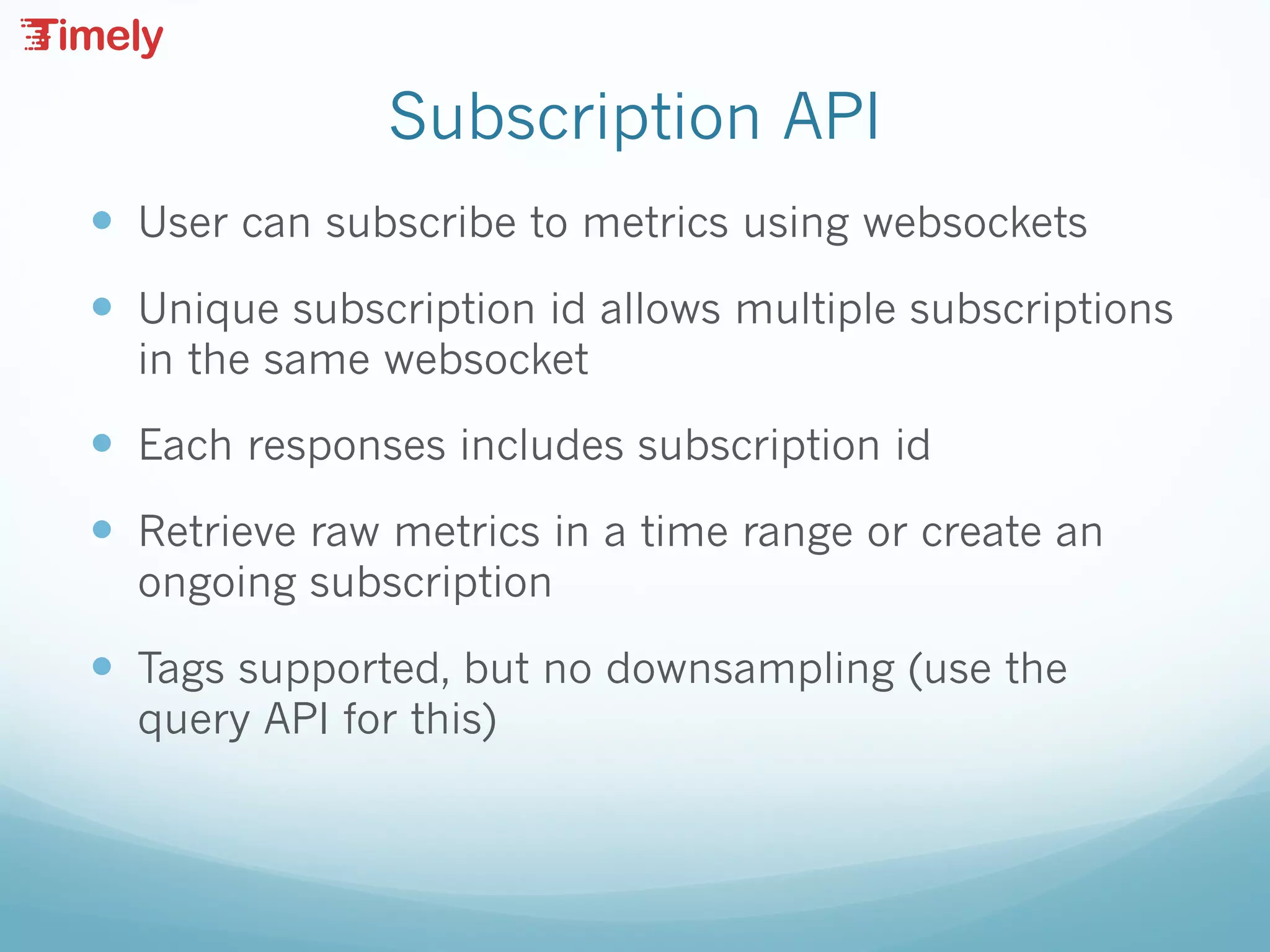
— User can subscribe to metrics using websockets
— Unique subscription id allows multiple subscriptions
in the same websocket
— Each responses includes subscription id
— Retrieve raw metrics in a time range or create an
ongoing subscription
— Tags supported, but no downsampling (use the
query API for this)
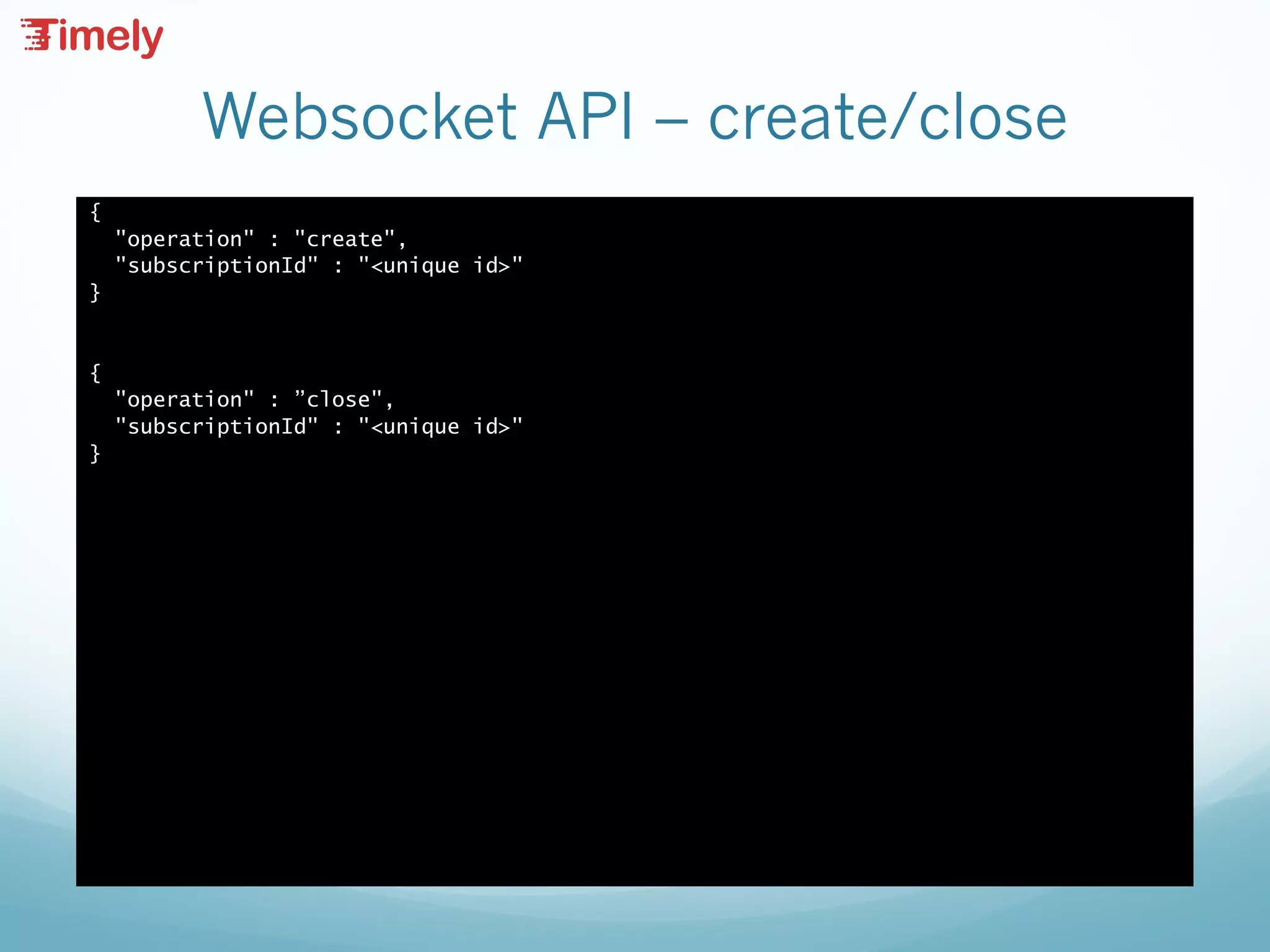
Subscription Sequence
— create - assign a subscription uniqueId
— add - call one or more times to assign metrics to a
subscription
— Read responses from websocket
— remove - delete metrics from a subscription
— close - remove subscription uniqueId from Timely
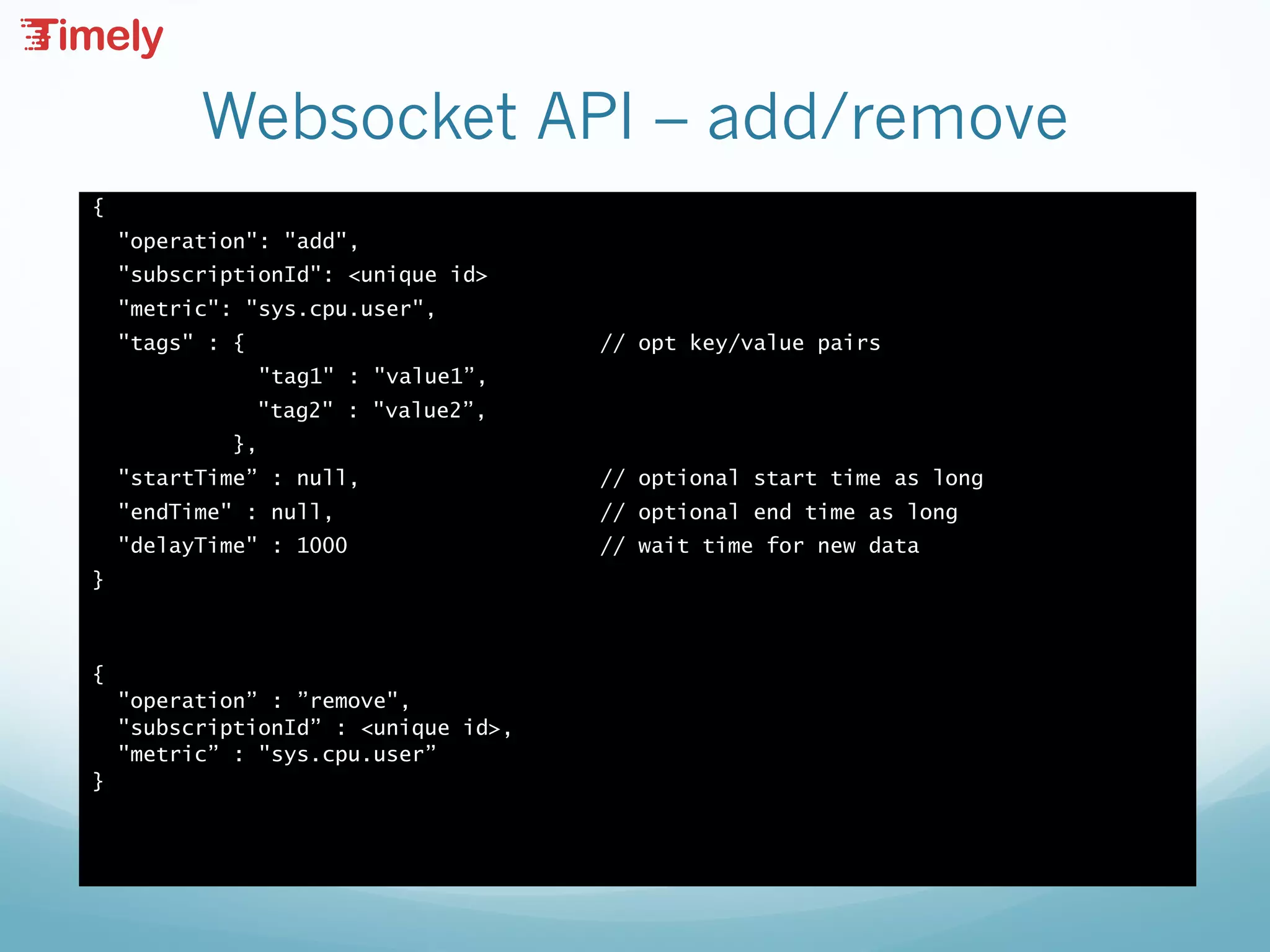
Websocket API – create/close
{
"operation" : "create",
"subscriptionId" : "<unique id>"
}
{
"operation" : ”close",
"subscriptionId" : "<unique id>"
}
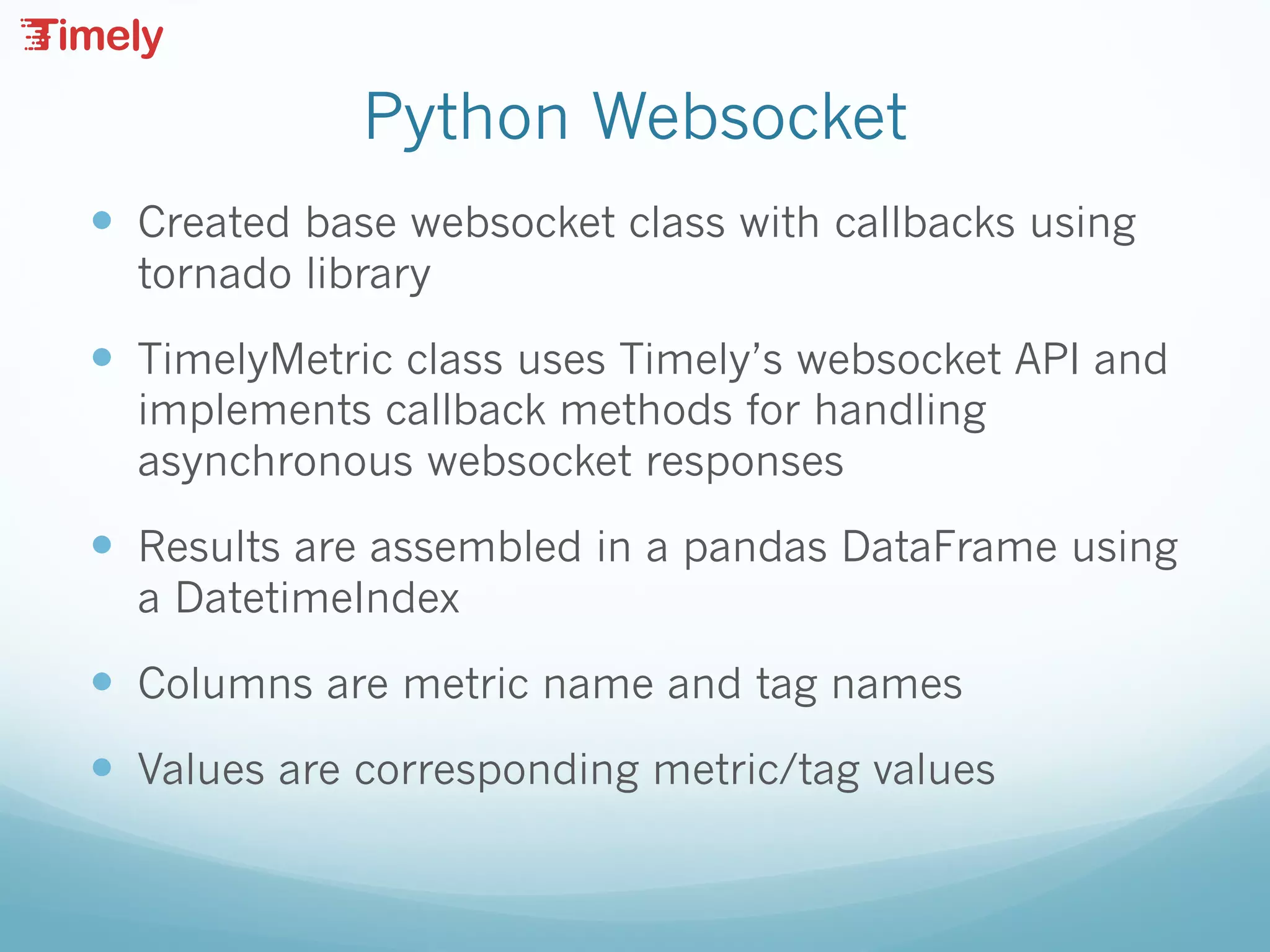
Websocket API – add/remove
{
"operation": "add",
"subscriptionId": <unique id>
"metric": "sys.cpu.user",
"tags" : { // opt key/value pairs
"tag1" : "value1”,
"tag2" : "value2”,
},
"startTime” : null, // optional start time as long
"endTime" : null, // optional end time as long
"delayTime" : 1000 // wait time for new data
}
{
"operation” : ”remove",
"subscriptionId” : <unique id>,
"metric” : "sys.cpu.user”
}
Websocket API – response
{
"responses” :
[
{
"metric" : "sys.cpu.user",
"timestamp" : 1469028728091,
"value" : 1.0,
"tags” :
[
{
"key" : "rack",
"value" : "r1"
}
],
"subscriptionId” : <unique id>,
"complete” : false,
}
]
}
Python Websocket
— Created base websocket class with callbacks using
tornado library
— TimelyMetric class uses Timely’s websocket API and
implements callback methods for handling
asynchronous websocket responses
— Results are assembled in a pandas DataFrame using
a DatetimeIndex
— Columns are metric name and tag names
— Values are corresponding metric/tag values
Python Analytics
— Pandas supports data pivoting, resampling, rolling
averages, and more
— Graph using plot.ly offline methods. HTML/JavaScript
page allows post-analytic data exploration
— Allow isolation of discrete anomalies hiding in a stream
of metric data (Series only plotted if alerting)
— Challenges
— Inconsistent data / duplicate metric issues (tags)
— Writing analytic methods for reuse across many different
types of metrics
— Determining how to isolate trigger events for each type of
metric – i.e. what’s normal / abnormal
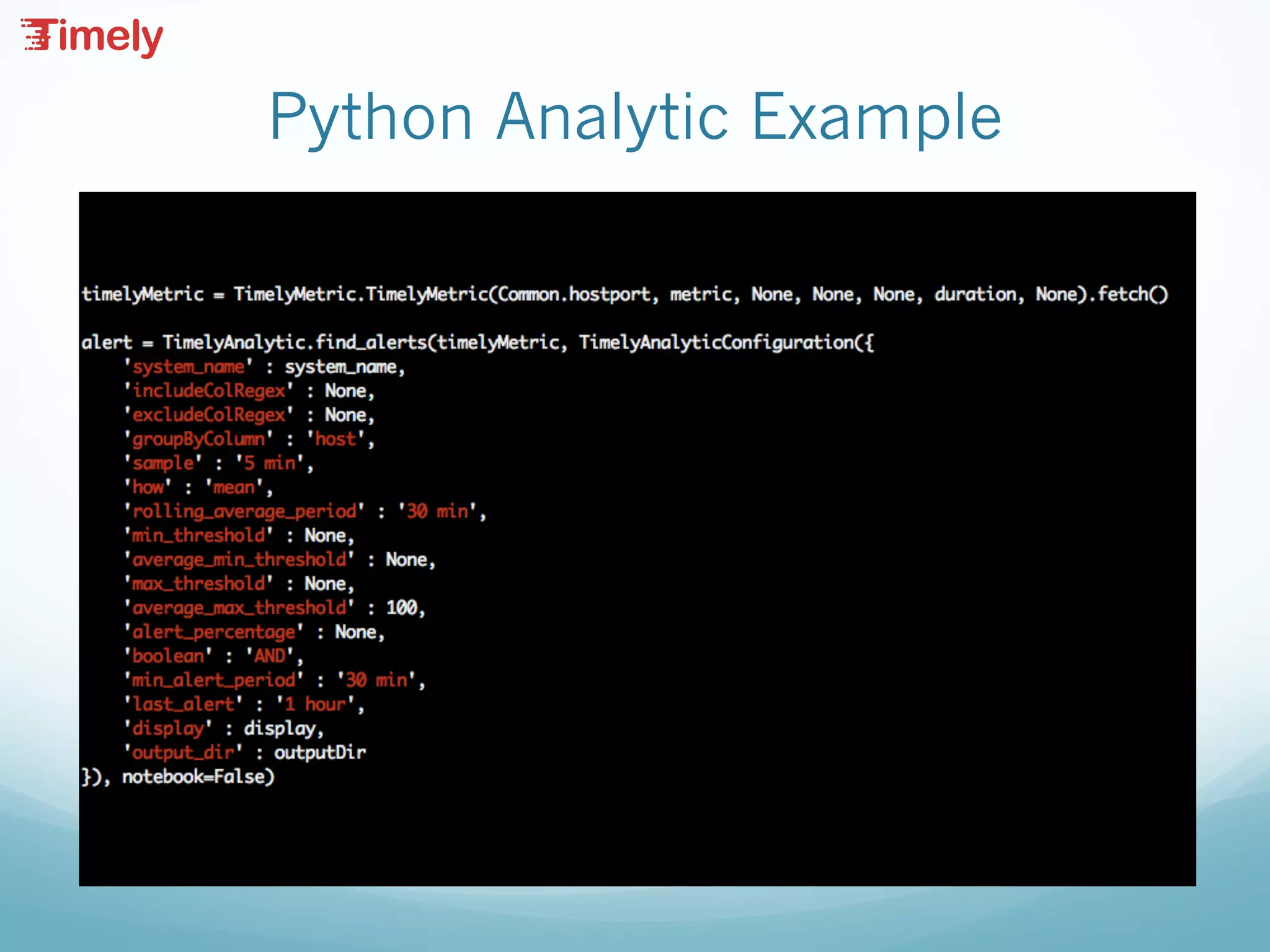
Python Analytic Example
TimelyMetric Parameters
— hostport – hostname:port
— metric – metric name
— tags – comma separated key=value
— begin – yyMMdd HHmmss
— end – yyMMdd HHmmss
— duration – after begin or before end
— sample – resample period
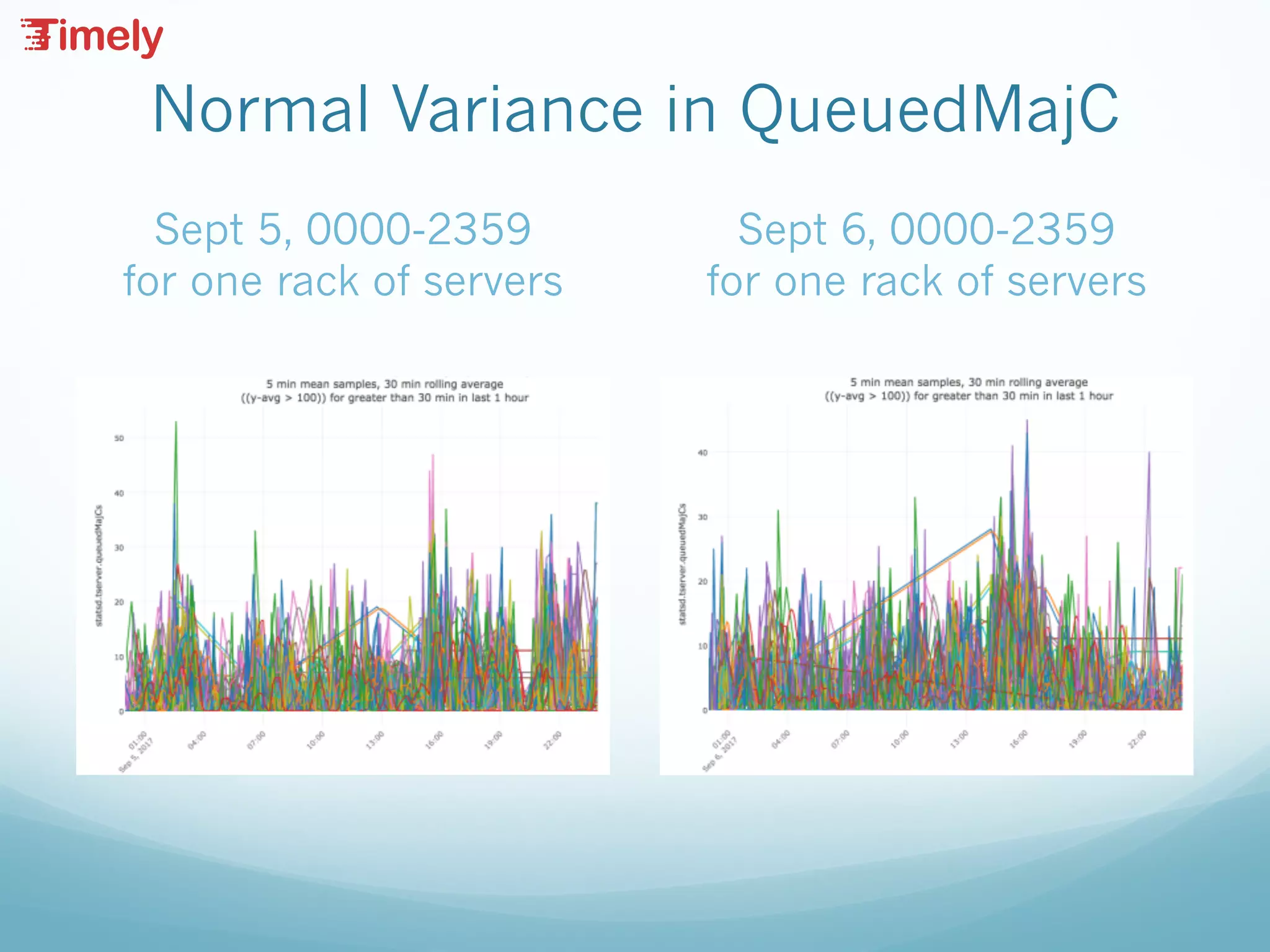
Normal Variance in QueuedMajC
Sept 5, 0000-2359
for one rack of servers
Sept 6, 0000-2359
for one rack of servers
Tools for Assessing Normality
— Maximum, minimum – but we may need to rule out
transient spikes to minimize false positives
— Maximum, minimum of rolling average (configurable) –
dampening effect
— Percentage above or below rolling average (configurable)
– useful if the level moves around, but you need to detect
sudden changes
— Minimum alert period – how long is too long?
— Window – only alert if anomaly detected in the last N
minutes, hours, etc. – useful for continuous monitoring
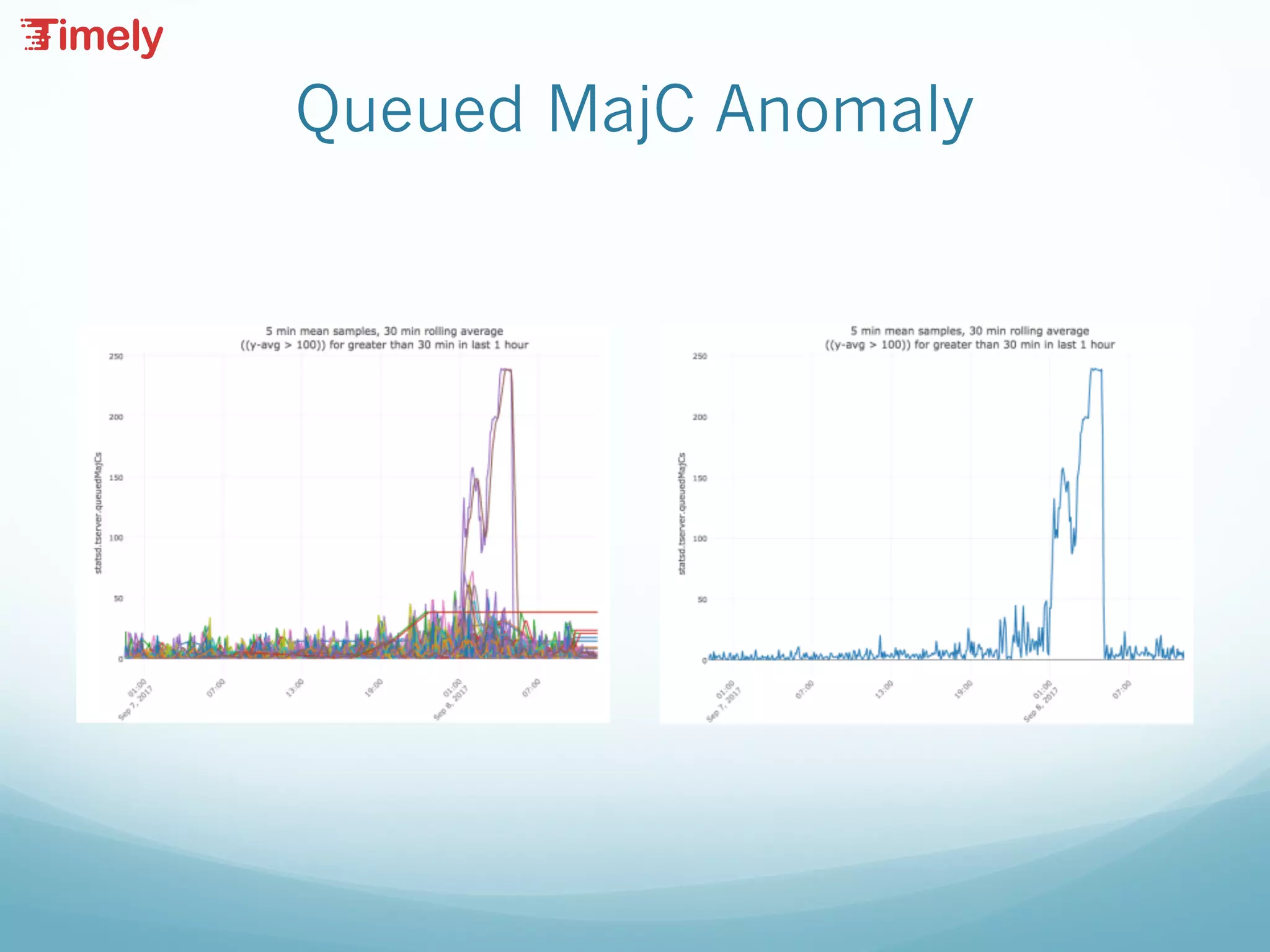
Queued MajC Anomaly
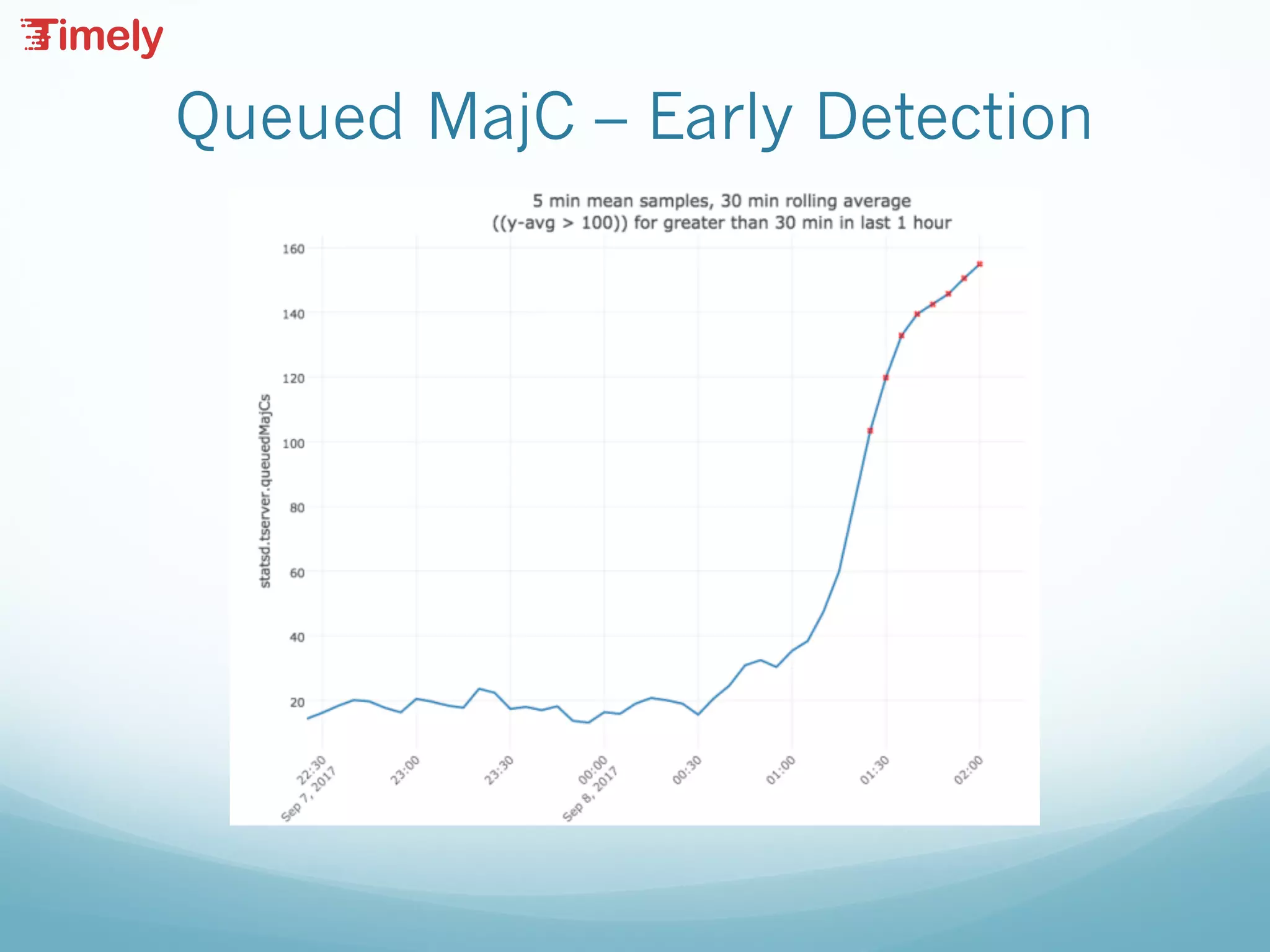
Queued MajC – Early Detection
Roll-ups with Apache Flink
— Consolidate data across different time windows
— Roll up raw data to variable time resolution.
— Aggregate using a number of functions.
— Difficulties with Accumulo Aggregators
— Ingest, query, aggregation resource contention
— Evaluated a number of streaming frameworks
— Storm, Kafka, etc.
— Ultimately settled on Flink Streaming API.
— (a rich understanding of event time vs. processing time,
watermarks, etc.)
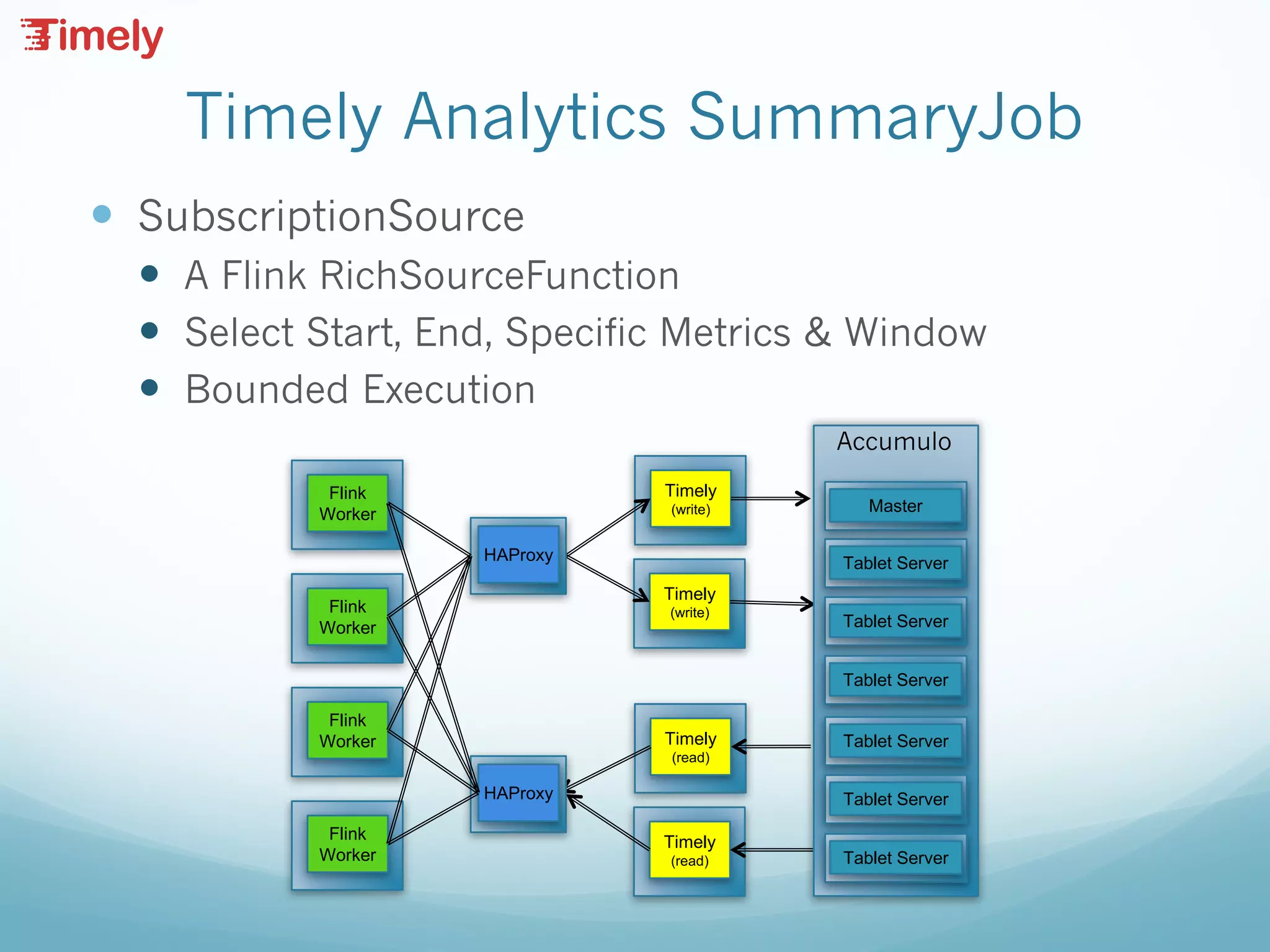
Timely Analytics SummaryJob
— SubscriptionSource
— A Flink RichSourceFunction
— Select Start, End, Specific Metrics & Window
— Bounded Execution
Timely
(write)
Timely
(write)
Timely
(read)
Timely
(read)
Tablet Server
Tablet Server
Tablet Server
Master
Accumulo
Tablet Server
Tablet Server
Tablet Server
HAProxy
HAProxy
Flink
Worker
Flink
Worker
Flink
Worker
Flink
Worker
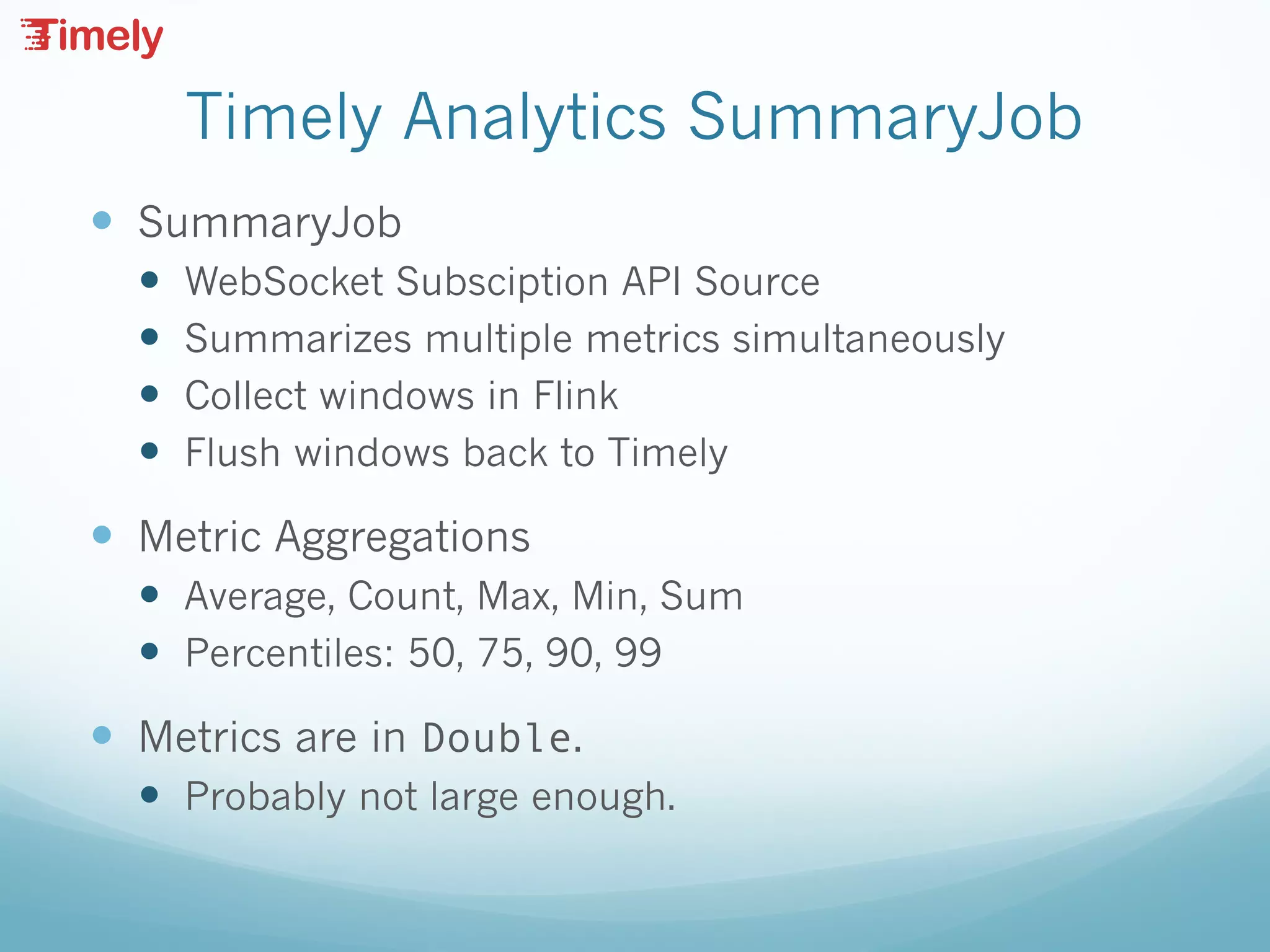
Timely Analytics SummaryJob
— SummaryJob
— WebSocket Subsciption API Source
— Summarizes multiple metrics simultaneously
— Collect windows in Flink
— Flush windows back to Timely
— Metric Aggregations
— Average, Count, Max, Min, Sum
— Percentiles: 50, 75, 90, 99
— Metrics are in Double.
— Probably not large enough.
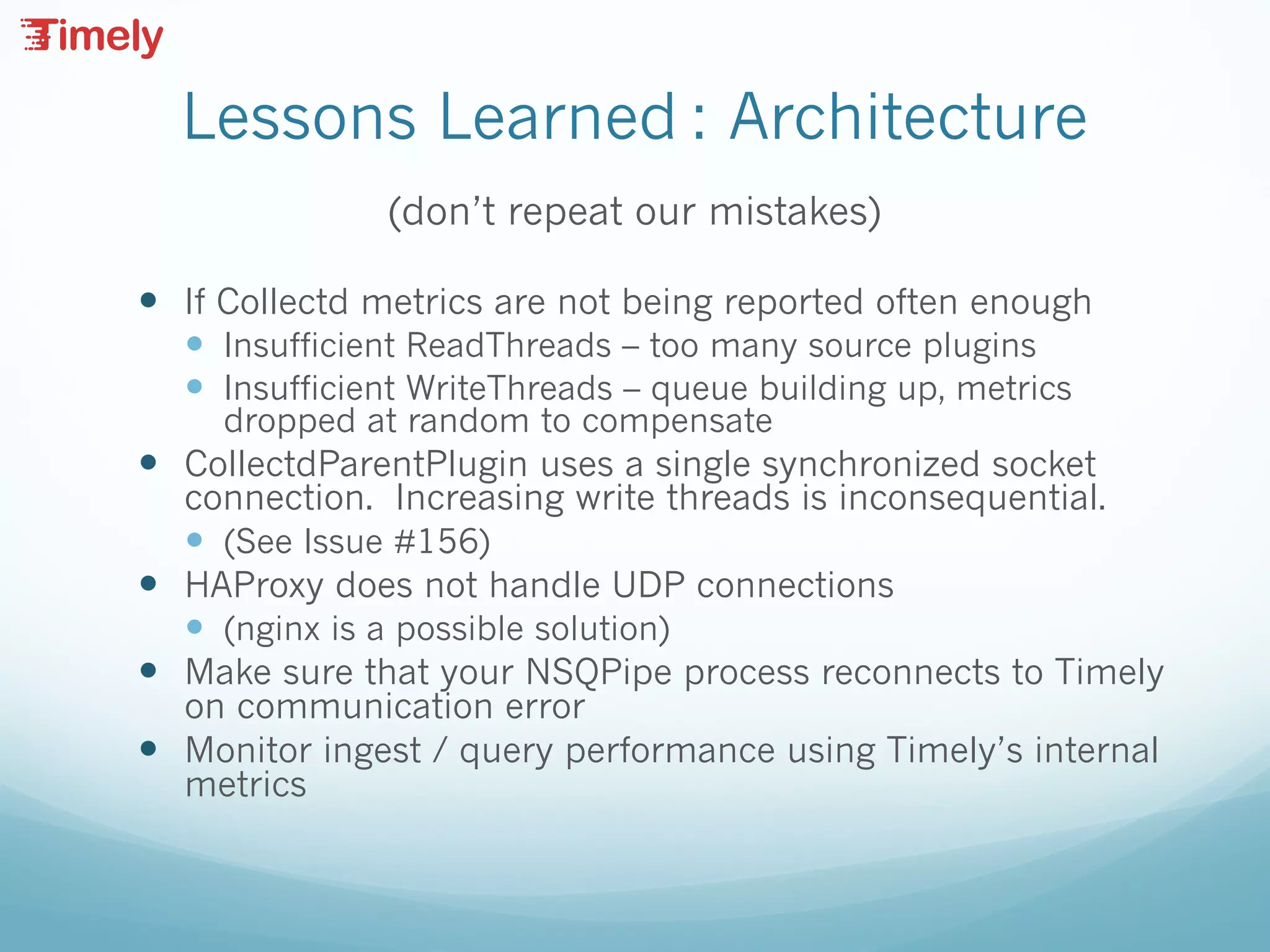
Lessons Learned : Architecture
(don’t repeat our mistakes)
— If Collectd metrics are not being reported often enough
— Insufficient ReadThreads – too many source plugins
— Insufficient WriteThreads – queue building up, metrics
dropped at random to compensate
— CollectdParentPlugin uses a single synchronized socket
connection. Increasing write threads is inconsequential.
— (See Issue #156)
— HAProxy does not handle UDP connections
— (nginx is a possible solution)
— Make sure that your NSQPipe process reconnects to Timely
on communication error
— Monitor ingest / query performance using Timely’s internal
metrics
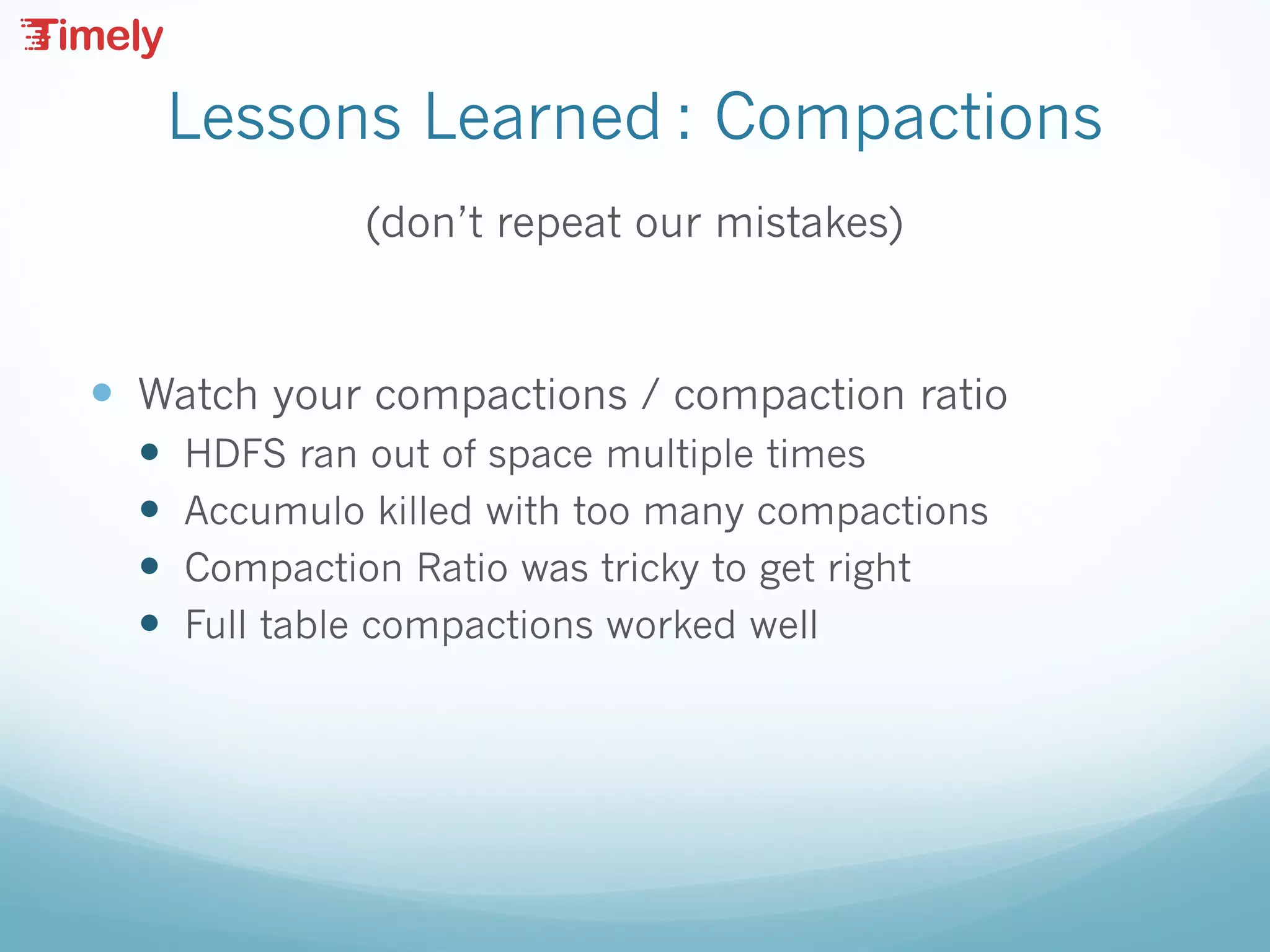
Lessons Learned : Compactions
(don’t repeat our mistakes)
— Watch your compactions / compaction ratio
— HDFS ran out of space multiple times
— Accumulo killed with too many compactions
— Compaction Ratio was tricky to get right
— Full table compactions worked well
Lessons Learned : HDFS
(don’t repeat our mistakes)
— iostat is your friend.
— Multiple spindles often necessary
— Understand your configuration
Lessons Learned: Metrics
(don’t repeat our mistakes)
— Review and Cull Metrics
— You can track everything…
— ...but it doesn’t mean you should
— (do you really need stats for lo0)?
— I heard you like metrics...
— ...so I put some metrics on your metrics.
Summary & Questions

Timely Year Two: Lessons Learned Building a Scalable Metrics Analytic System

  • 1.
    Scalable Time Series Monitoringand Analysis https://NationalSecurityAgency.github.io/timely
  • 2.
    Who are we? DrewFarris Chief Technologist Booz | Allen | Hamilton Bill Oley Senior Lead Technologist Booz | Allen | Hamilton
  • 3.
    Timely Refresher — TimeSeries Database (TSDB) built on Accumulo — SSL/TLS access — Metric-level access control — Supports UDP, TCP, HTTPS, Websocket — Collectd plugins — Grafana app (datasource, built-in dashboards) — Query API — Subscription API
  • 4.
    Scaling Timely Ingestand Query Accumulo Master Hadoop2 Metrics Tablet Server Hadoop2 Metrics Datanode Hadoop2 Metrics Tablet Server Hadoop2 Metrics Datanode Hadoop2 Metrics Tablet Server Hadoop2 Metrics Datanode Hadoop2 Metrics Collectd Collectd Collectd Collectd HAProxy NSQD NSQD NSQD NSQD NSQ Pipe NSQ Pipe NSQ Pipe HAProxy Tablet Server Tablet Server Tablet Server Tablet Server Tablet Server Tablet Server Tablet Server Tablet Server MasterTimely (write) Timely (write) Timely (write) Timely (read) Timely (read) Accumulo Browser Browser HAProxy
  • 5.
    Architectural Components — Collectddeployed on every node to gather application, OS, hardware metrics. — NSQ “fan-in” collects messages from many collectd instances and routes them to a relatively small number of timely servers. — NSQ Pipe consumes data from the queue and writes to the Timely Socket — HAProxy Plays Multiple Roles: — Distributes connections from collectd to NSQ — Distributes write connections from NSQ to Timely — Distributes read connections into Timely from browsers.
  • 6.
    Scaling Concerns — Deploymentratios that work for us: — 15-30 clients per NSQ broker — 8-15 brokers per Timely server — Single HAProxy for them all — Keeping up versus catching up — The bottleneck is the insert rate into Accumulo — Running with the safeties disabled
  • 7.
    Grafana Alerts — Willbe implemented for Timely datasource - issue #152 — OpenTSDB data source will also work for most Timely queries — Alerts executed on Grafana back-end — Can alert when Min, Max, Sum, Count, Last, Median is Above, Below, Outside Range, Inside Range — Alerts can be sent to email, slack, custom web hook, etc with graphs attached or linked
  • 8.
    Subscription API — Usercan subscribe to metrics using websockets — Unique subscription id allows multiple subscriptions in the same websocket — Each responses includes subscription id — Retrieve raw metrics in a time range or create an ongoing subscription — Tags supported, but no downsampling (use the query API for this)
  • 9.
    Subscription Sequence — create- assign a subscription uniqueId — add - call one or more times to assign metrics to a subscription — Read responses from websocket — remove - delete metrics from a subscription — close - remove subscription uniqueId from Timely
  • 10.
    Websocket API –create/close { "operation" : "create", "subscriptionId" : "<unique id>" } { "operation" : ”close", "subscriptionId" : "<unique id>" }
  • 11.
    Websocket API –add/remove { "operation": "add", "subscriptionId": <unique id> "metric": "sys.cpu.user", "tags" : { // opt key/value pairs "tag1" : "value1”, "tag2" : "value2”, }, "startTime” : null, // optional start time as long "endTime" : null, // optional end time as long "delayTime" : 1000 // wait time for new data } { "operation” : ”remove", "subscriptionId” : <unique id>, "metric” : "sys.cpu.user” }
  • 12.
    Websocket API –response { "responses” : [ { "metric" : "sys.cpu.user", "timestamp" : 1469028728091, "value" : 1.0, "tags” : [ { "key" : "rack", "value" : "r1" } ], "subscriptionId” : <unique id>, "complete” : false, } ] }
  • 13.
    Python Websocket — Createdbase websocket class with callbacks using tornado library — TimelyMetric class uses Timely’s websocket API and implements callback methods for handling asynchronous websocket responses — Results are assembled in a pandas DataFrame using a DatetimeIndex — Columns are metric name and tag names — Values are corresponding metric/tag values
  • 14.
    Python Analytics — Pandassupports data pivoting, resampling, rolling averages, and more — Graph using plot.ly offline methods. HTML/JavaScript page allows post-analytic data exploration — Allow isolation of discrete anomalies hiding in a stream of metric data (Series only plotted if alerting) — Challenges — Inconsistent data / duplicate metric issues (tags) — Writing analytic methods for reuse across many different types of metrics — Determining how to isolate trigger events for each type of metric – i.e. what’s normal / abnormal
  • 15.
  • 16.
    TimelyMetric Parameters — hostport– hostname:port — metric – metric name — tags – comma separated key=value — begin – yyMMdd HHmmss — end – yyMMdd HHmmss — duration – after begin or before end — sample – resample period
  • 17.
    Normal Variance inQueuedMajC Sept 5, 0000-2359 for one rack of servers Sept 6, 0000-2359 for one rack of servers
  • 18.
    Tools for AssessingNormality — Maximum, minimum – but we may need to rule out transient spikes to minimize false positives — Maximum, minimum of rolling average (configurable) – dampening effect — Percentage above or below rolling average (configurable) – useful if the level moves around, but you need to detect sudden changes — Minimum alert period – how long is too long? — Window – only alert if anomaly detected in the last N minutes, hours, etc. – useful for continuous monitoring
  • 19.
  • 20.
    Queued MajC –Early Detection
  • 21.
    Roll-ups with ApacheFlink — Consolidate data across different time windows — Roll up raw data to variable time resolution. — Aggregate using a number of functions. — Difficulties with Accumulo Aggregators — Ingest, query, aggregation resource contention — Evaluated a number of streaming frameworks — Storm, Kafka, etc. — Ultimately settled on Flink Streaming API. — (a rich understanding of event time vs. processing time, watermarks, etc.)
  • 22.
    Timely Analytics SummaryJob —SubscriptionSource — A Flink RichSourceFunction — Select Start, End, Specific Metrics & Window — Bounded Execution Timely (write) Timely (write) Timely (read) Timely (read) Tablet Server Tablet Server Tablet Server Master Accumulo Tablet Server Tablet Server Tablet Server HAProxy HAProxy Flink Worker Flink Worker Flink Worker Flink Worker
  • 23.
    Timely Analytics SummaryJob —SummaryJob — WebSocket Subsciption API Source — Summarizes multiple metrics simultaneously — Collect windows in Flink — Flush windows back to Timely — Metric Aggregations — Average, Count, Max, Min, Sum — Percentiles: 50, 75, 90, 99 — Metrics are in Double. — Probably not large enough.
  • 24.
    Lessons Learned :Architecture (don’t repeat our mistakes) — If Collectd metrics are not being reported often enough — Insufficient ReadThreads – too many source plugins — Insufficient WriteThreads – queue building up, metrics dropped at random to compensate — CollectdParentPlugin uses a single synchronized socket connection. Increasing write threads is inconsequential. — (See Issue #156) — HAProxy does not handle UDP connections — (nginx is a possible solution) — Make sure that your NSQPipe process reconnects to Timely on communication error — Monitor ingest / query performance using Timely’s internal metrics
  • 25.
    Lessons Learned :Compactions (don’t repeat our mistakes) — Watch your compactions / compaction ratio — HDFS ran out of space multiple times — Accumulo killed with too many compactions — Compaction Ratio was tricky to get right — Full table compactions worked well
  • 26.
    Lessons Learned :HDFS (don’t repeat our mistakes) — iostat is your friend. — Multiple spindles often necessary — Understand your configuration
  • 27.
    Lessons Learned: Metrics (don’trepeat our mistakes) — Review and Cull Metrics — You can track everything… — ...but it doesn’t mean you should — (do you really need stats for lo0)? — I heard you like metrics... — ...so I put some metrics on your metrics.
  • 28.