© 2020 Jim Johnson
1
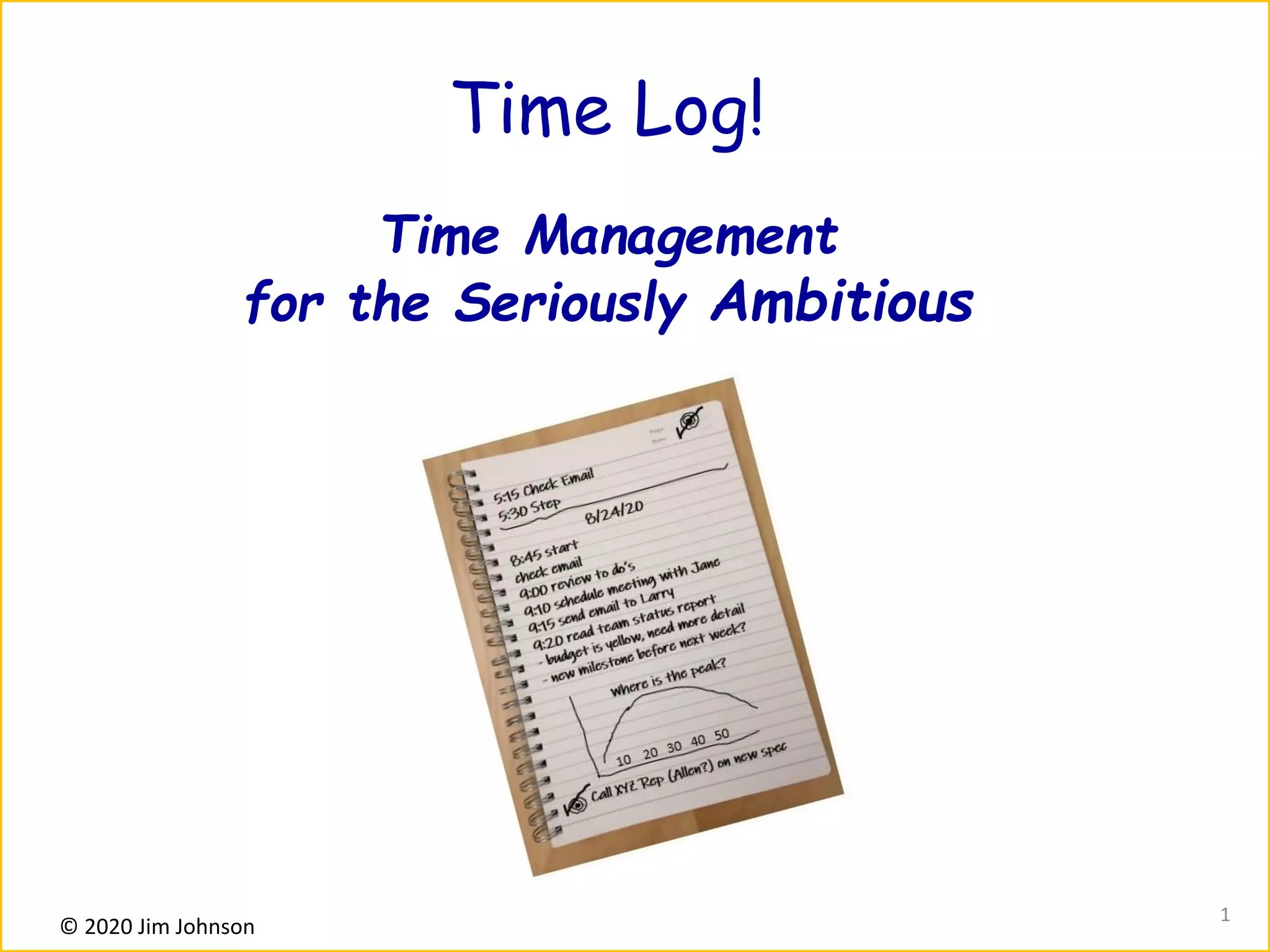
Time Log!
Time Management
for the Seriously Ambitious
© 2020 Jim Johnson
What is the value proposition?
▪ Your time is one of your most valuable resources.
▪ People generally do not have good skills at knowing how they
spend their time.
▪ Peter Drucker, “The Effective Executive”, Chapter “Know Thy Time”
▪ Time Log helps you spend your time effectively.
▪ It helps you be aware of how your time is being spent
▪ It teaches you how long things take
▪ You learn you can get a lot of things done in a short amount of time
▪ You also learn to not underestimate how long things take, e.g. composing
an effective email
▪ And gives you information on exactly how to adjust your time
▪ what to speed up, slow down
▪ what to do more of and what to do less of
(continues)
2
© 2020 Jim Johnson
What is the value proposition? (continued)
▪ If you work by yourself, at home, and/or as an independent,
you often don’t have anyone else thinking about how you
spend your time.
▪ The Time Log serves as a “self-manager”, helping you stay
focused
▪ It provides a record of your accomplishments
▪ For yourself, as a reward
▪ For your manager, if he or she has any questions or doubts
3
© 2020 Jim Johnson
What is the basic Time Log procedure?
▪ It starts with an 8”x5” spiral bound notebook
▪ The basic activity is to write how what you do all day at
work (or before and after work also, if you choose)
▪ Using short phrases, even abbreviations
▪ For example: “Chk Em” = Check Email
▪ Also record break times
▪ “10:20 Break”, “12:15 Lunch”, “5:15 EOD” (end of day) are useful entries
▪ And MOST IMPORTANT: write down the START TIME for each
activity, AT THE TIME IT STARTS
▪ You won’t remember the start time after the activity starts
▪ The DURATION is the difference between the start times
▪ You don’t have to calculate duration unless you want to know specifically; your mind
will learn through repetition
▪ (continues)
4
© 2020 Jim Johnson
What is the basic Time Log procedure? (continued)
▪ You also capture any “to do” items or notes or sketches that
you want throughout the day
▪ Also people’s names, phone numbers, email addresses, etc.
▪ The Time Log is a cross between a “laboratory notebook”
and “professional billing worksheet”
▪ Think of your time as valuable! Like a scientist, lawyer or
accountant.
▪ You can keep the To Do items in the Time Log or copy them to
another system later.
▪ The Time Log system also has an optional way to maintain
the To Do List and assign priorities to the To Do items.
5
© 2020 Jim Johnson
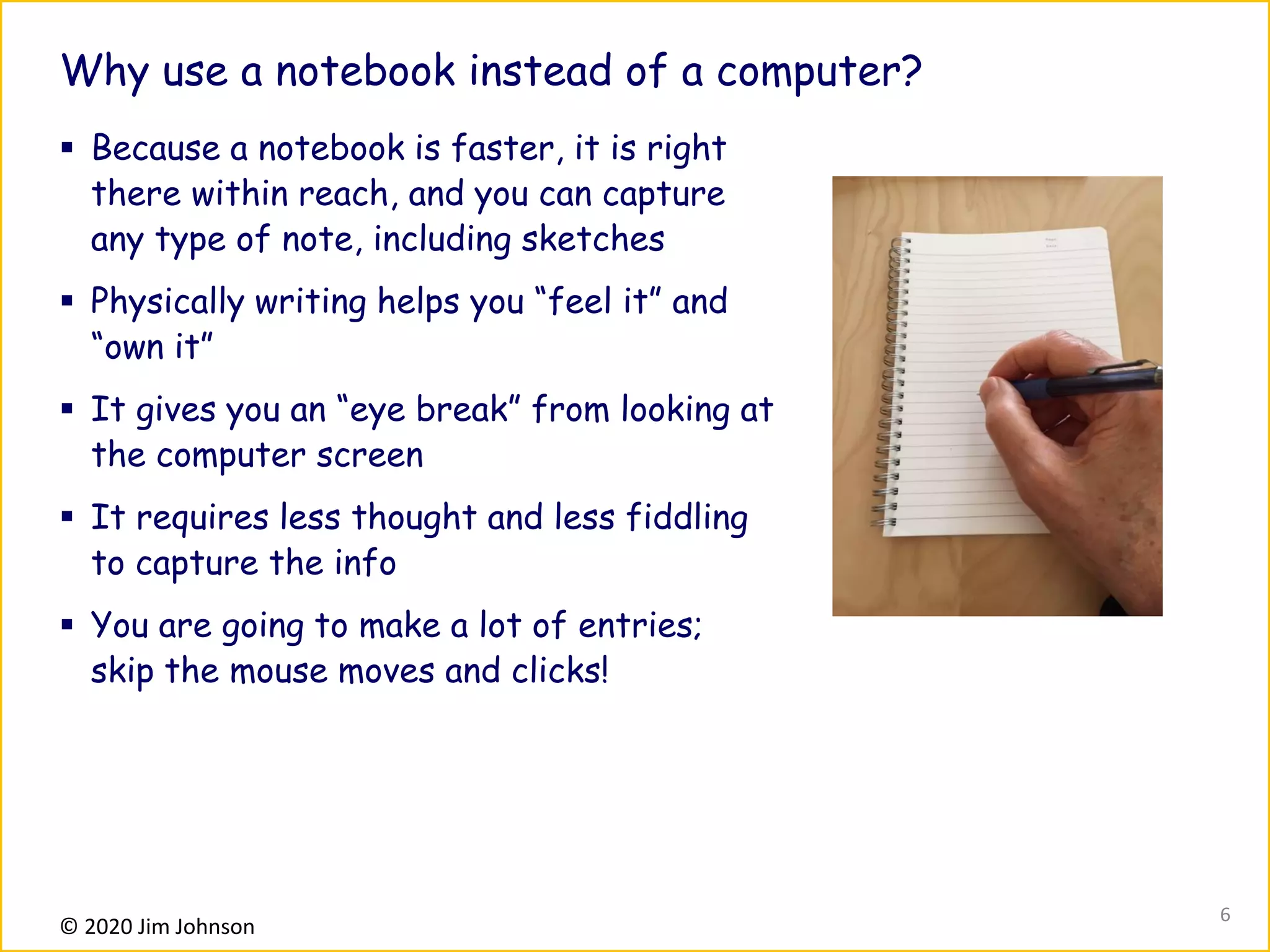
Why use a notebook instead of a computer?
▪ Because a notebook is faster, it is right
there within reach, and you can capture
any type of note, including sketches
▪ Physically writing helps you “feel it” and
“own it”
▪ It gives you an “eye break” from looking at
the computer screen
▪ It requires less thought and less fiddling
to capture the info
▪ You are going to make a lot of entries;
skip the mouse moves and clicks!
6
© 2020 Jim Johnson
First, choose the right notebook
- Nice quality
- You will use the notebook all day long, and it will last for several weeks if not months
- You can start with what you have; you can always “upgrade”
- Spiral bound
- Because it folds over neatly, so it does not take up too much room on your desk when it is
open
- And is needs to ALWAYS be open and ready to use
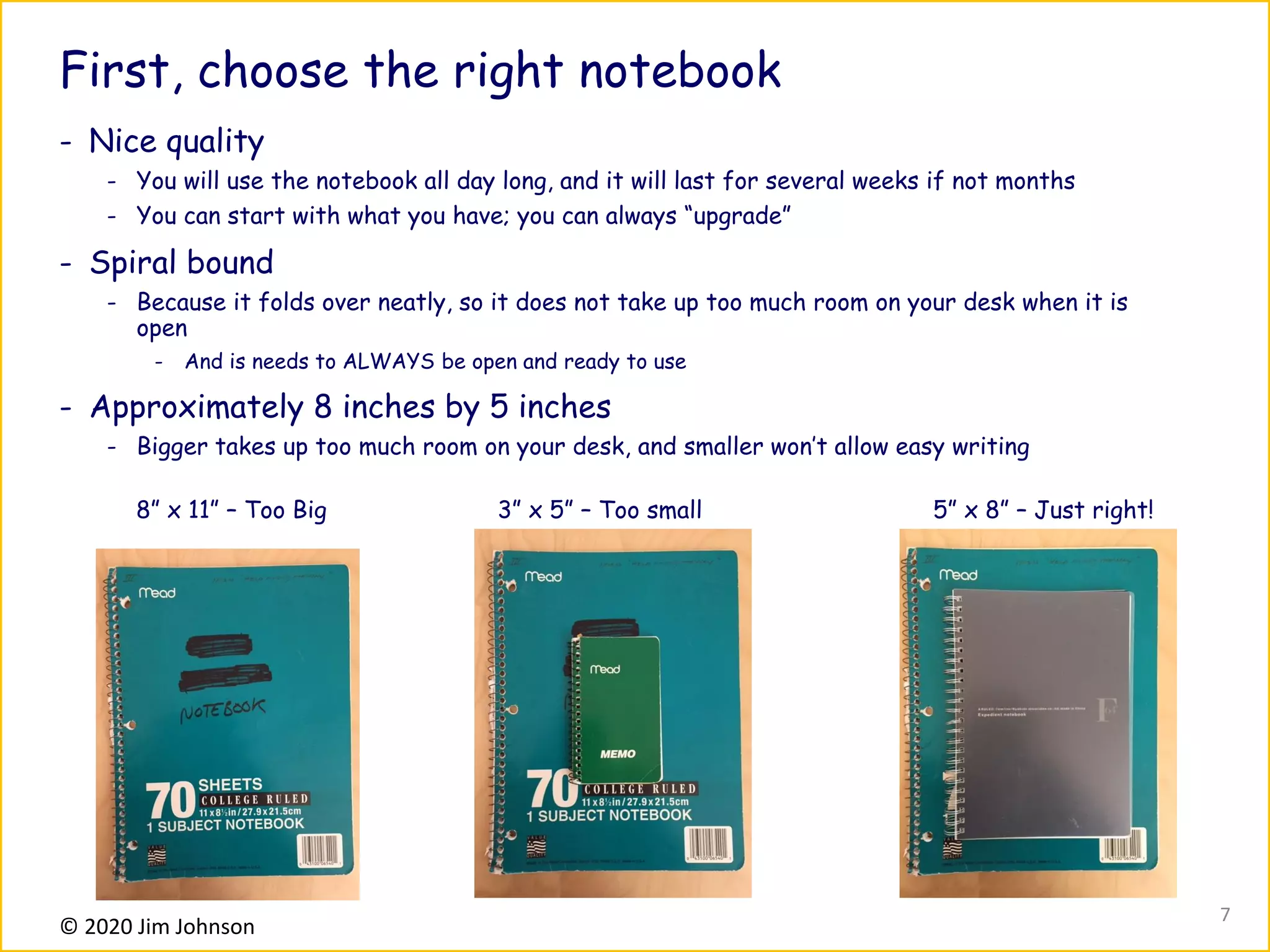
- Approximately 8 inches by 5 inches
- Bigger takes up too much room on your desk, and smaller won’t allow easy writing
8” x 11” – Too Big 3” x 5” – Too small 5” x 8” – Just right!
7
© 2020 Jim Johnson
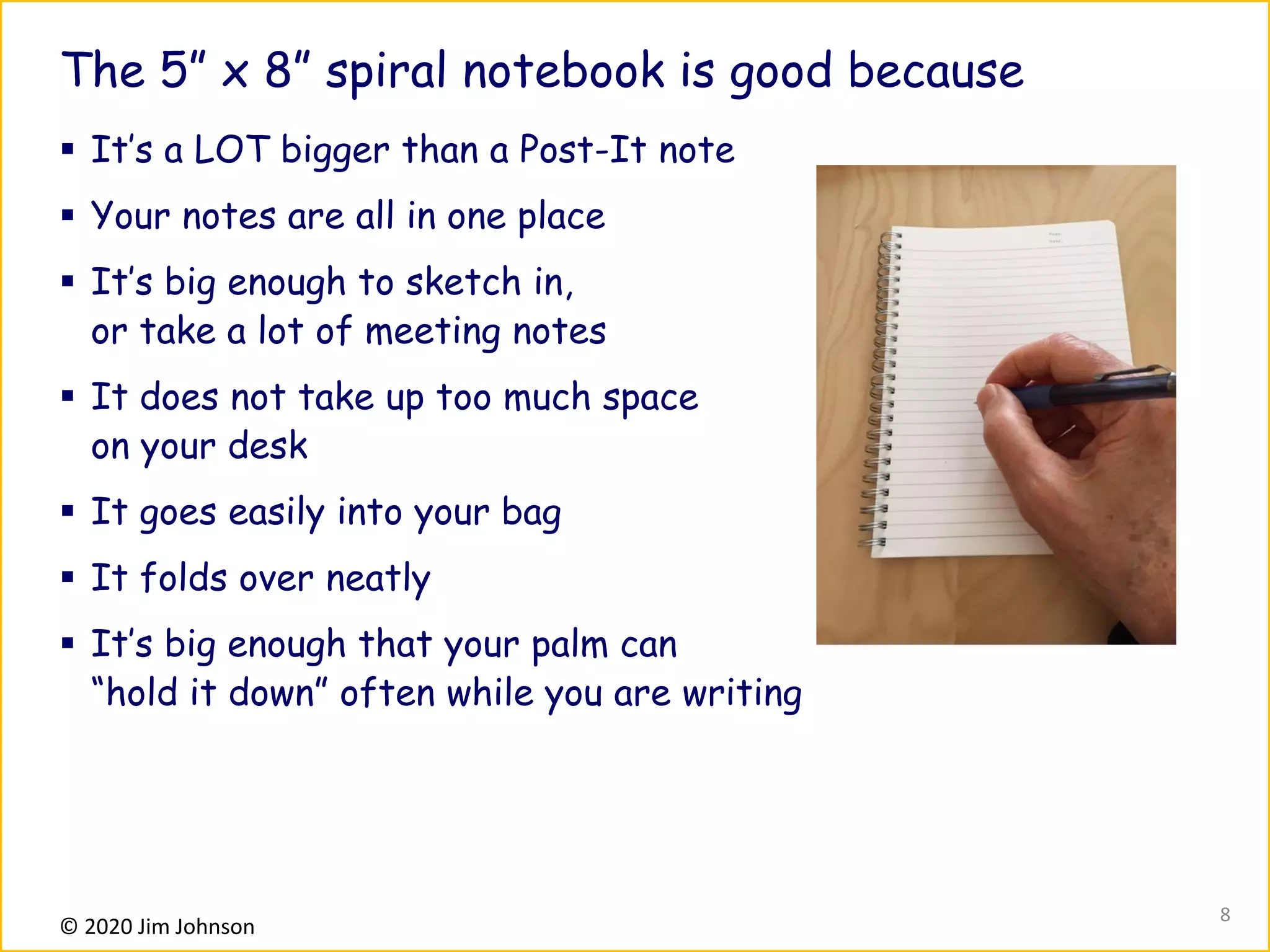
The 5” x 8” spiral notebook is good because
▪ It’s a LOT bigger than a Post-It note
▪ Your notes are all in one place
▪ It’s big enough to sketch in,
or take a lot of meeting notes
▪ It does not take up too much space
on your desk
▪ It goes easily into your bag
▪ It folds over neatly
▪ It’s big enough that your palm can
“hold it down” often while you are writing
8
© 2020 Jim Johnson
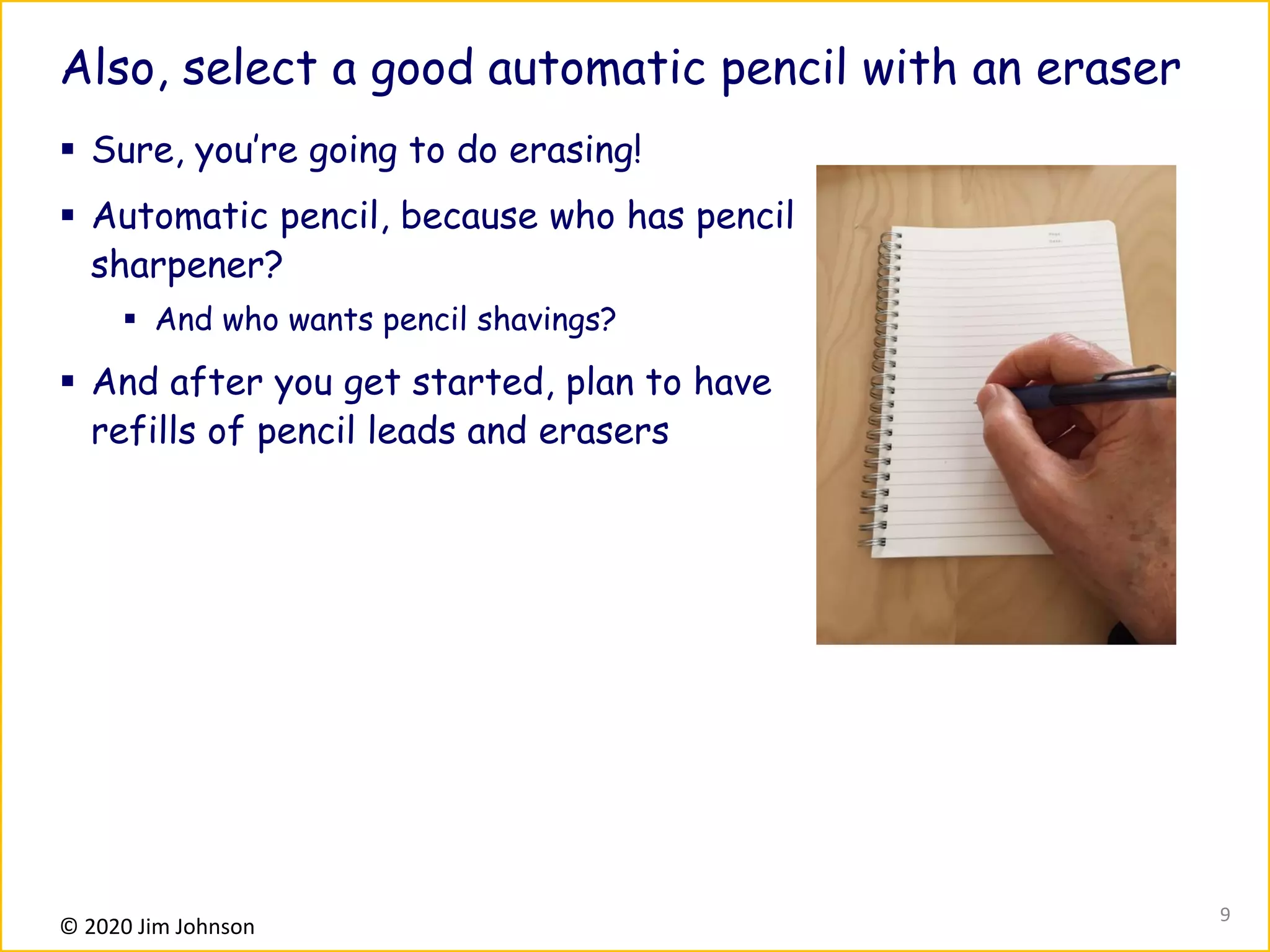
Also, select a good automatic pencil with an eraser
▪ Sure, you’re going to do erasing!
▪ Automatic pencil, because who has pencil
sharpener?
▪ And who wants pencil shavings?
▪ And after you get started, plan to have
refills of pencil leads and erasers
9
© 2020 Jim Johnson
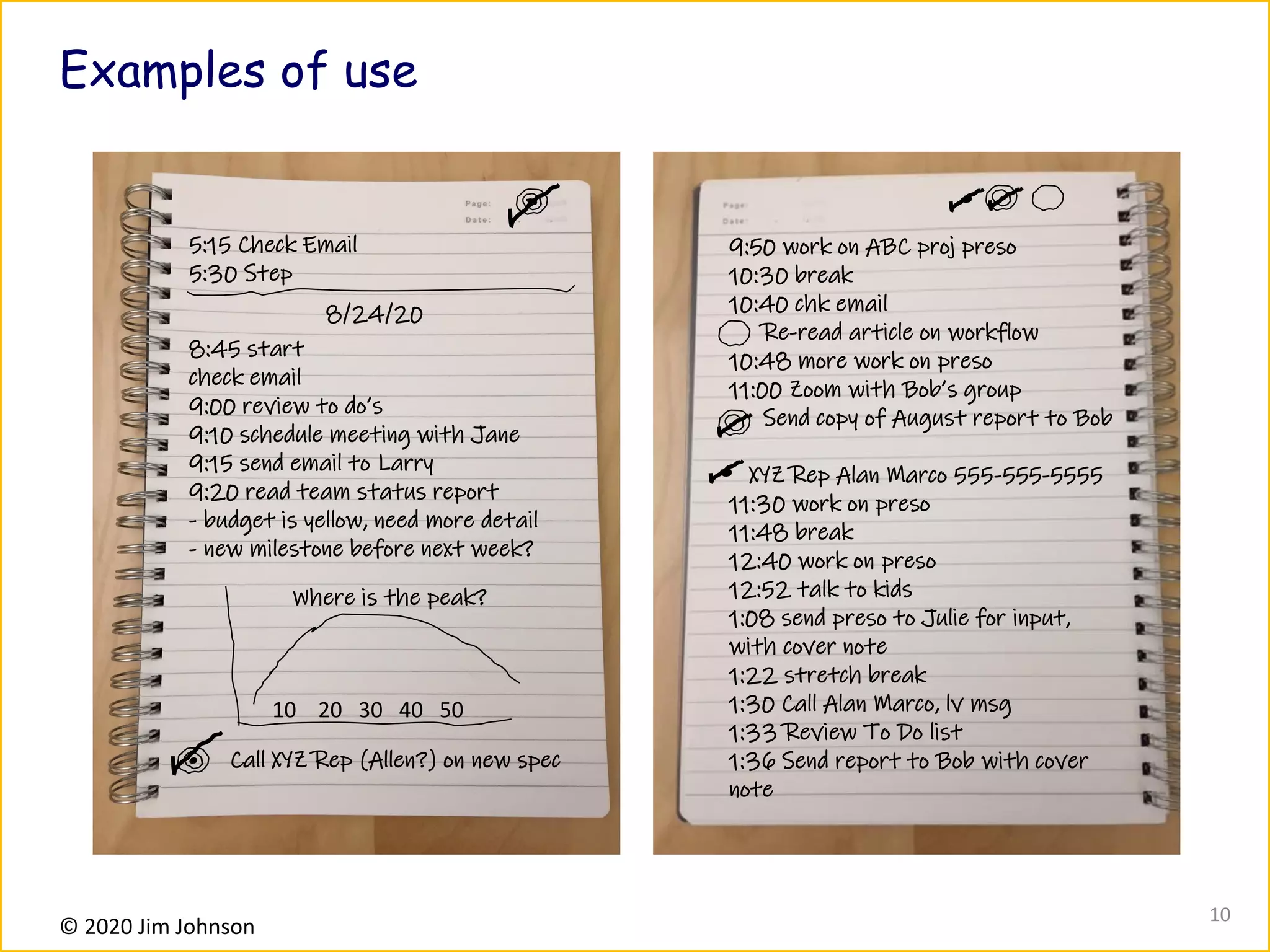
Examples of use
5:15 Check Email
5:30 Step
8:45 start
check email
9:00 review to do’s
9:10 schedule meeting with Jane
9:15 send email to Larry
9:20 read team status report
- budget is yellow, need more detail
- new milestone before next week?
Where is the peak?
10 20 30 40 50
Call XYZ rep (Allen?) about new spec
8/24/20
9:50 work on ABC proj preso
10:30 break
10:40 chk email
Re-read article on workflow
10:48 more work on preso
11:00 Zoom with Bob’s group
Send copy of August report to Bob
XYZ Rep Alan Marco 555-555-5555
11:30 work on preso
11:48 break
12:40 work on preso
12:52 talk to kids
1:08 send preso to Julie for input,
with cover note
1:22 stretch break
1:30 Call Alan Marco, lv msg
1:33 Review To Do list
1:36 Send report to Bob with cover
note
Call XYZ Rep (Allen?) on new spec
10
© 2020 Jim Johnson
5:15 Check Email
5:30 Step
8:45 start
check email
9:00 review to do’s
9:10 schedule meeting with Jane
9:15 send email to Larry
9:20 read team status report
- budget is yellow, need more detail
- new milestone before next week?
Where is the peak?
10 20 30 40 50
8/24/20
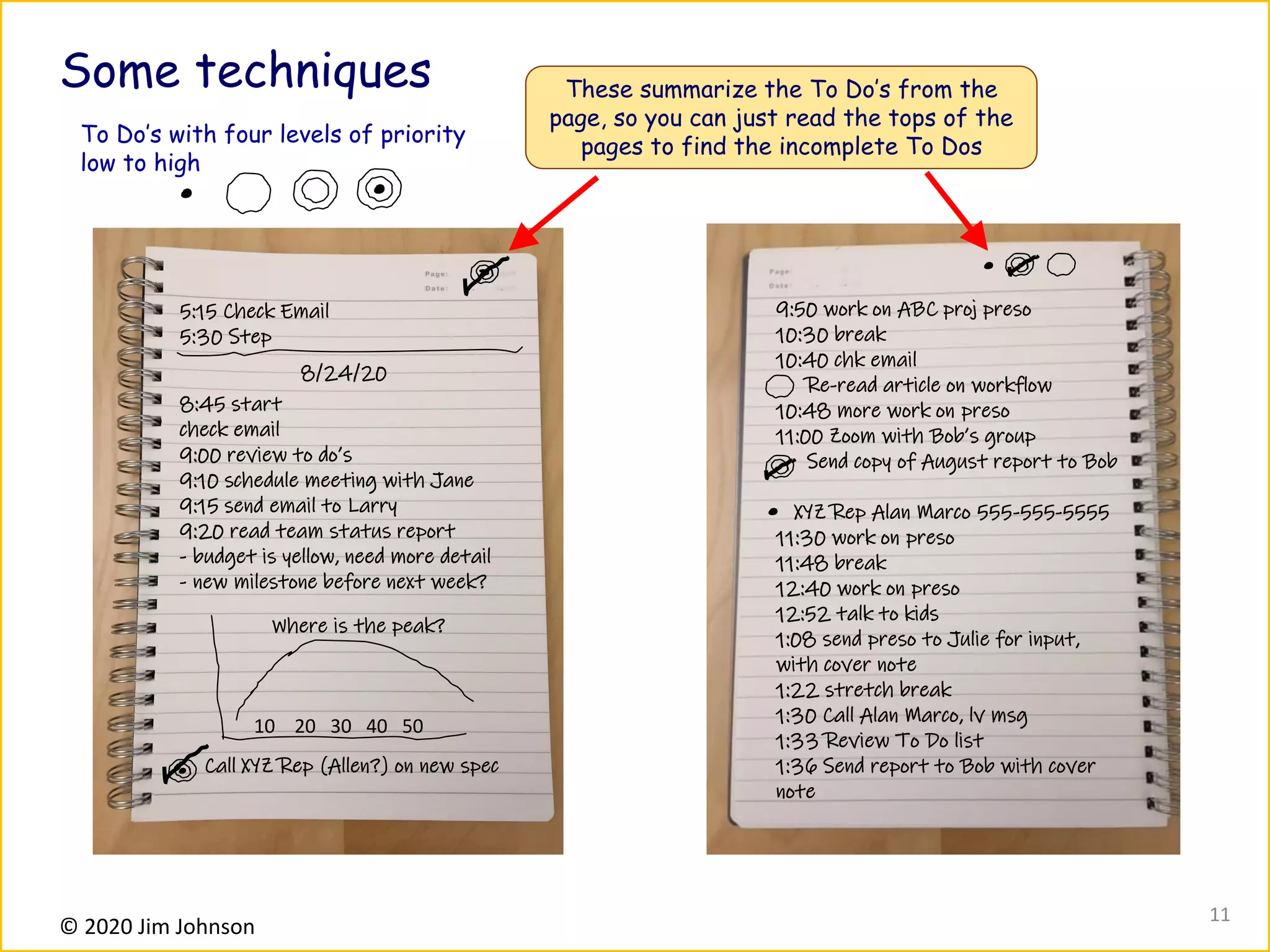
To Do’s with four levels of priority
low to high
Call XYZ rep (Allen?) about new spec
9:50 work on ABC proj preso
10:30 break
10:40 chk email
Re-read article on workflow
10:48 more work on preso
11:00 Zoom with Bob’s group
Send copy of August report to Bob
XYZ Rep Alan Marco 555-555-5555
11:30 work on preso
11:48 break
12:40 work on preso
12:52 talk to kids
1:08 send preso to Julie for input,
with cover note
1:22 stretch break
1:30 Call Alan Marco, lv msg
1:33 Review To Do list
1:36 Send report to Bob with cover
note
Some techniques These summarize the To Do’s from the
page, so you can just read the tops of the
pages to find the incomplete To Dos
Call XYZ Rep (Allen?) on new spec
11
© 2020 Jim Johnson
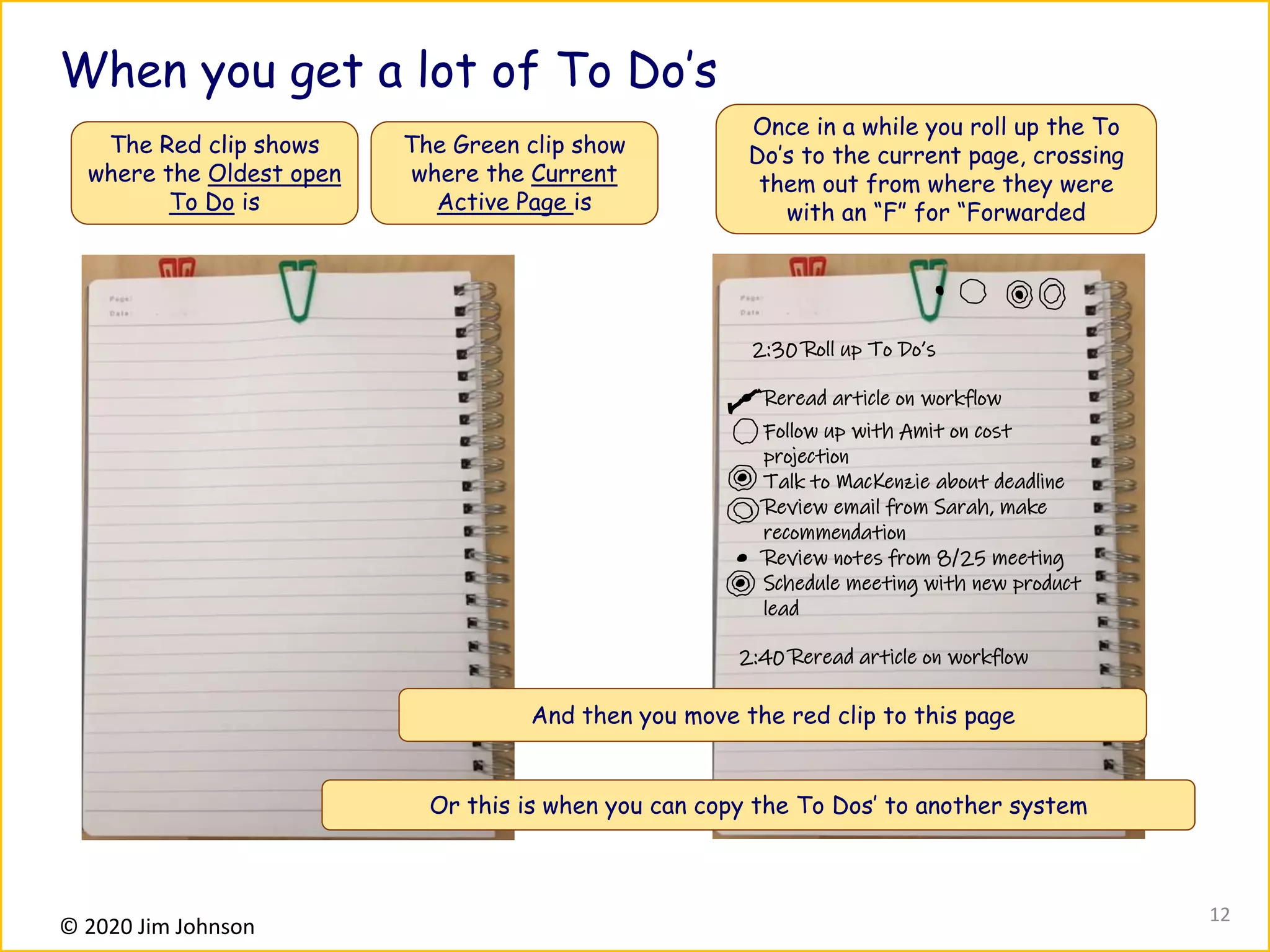
When you get a lot of To Do’s
The Red clip shows
where the Oldest open
To Do is
The Green clip show
where the Current
Active Page is
2:30 Roll up To Do’s
Reread article on workflow
Follow up with Amit on cost
projection
Talk to MacKenzie about deadline
Review email from Sarah, make
recommendation
Review notes from 8/25 meeting
Schedule meeting with new product
lead
Once in a while you roll up the To
Do’s to the current page, crossing
them out from where they were
with an “F” for “Forwarded
And then you move the red clip to this page
2:40 Reread article on workflow
12
Or this is when you can copy the To Dos’ to another system

Time Log - Manage Your Most Valuable Resource to the MInute

  • 1.
    © 2020 JimJohnson 1 Time Log! Time Management for the Seriously Ambitious
  • 2.
    © 2020 JimJohnson What is the value proposition? ▪ Your time is one of your most valuable resources. ▪ People generally do not have good skills at knowing how they spend their time. ▪ Peter Drucker, “The Effective Executive”, Chapter “Know Thy Time” ▪ Time Log helps you spend your time effectively. ▪ It helps you be aware of how your time is being spent ▪ It teaches you how long things take ▪ You learn you can get a lot of things done in a short amount of time ▪ You also learn to not underestimate how long things take, e.g. composing an effective email ▪ And gives you information on exactly how to adjust your time ▪ what to speed up, slow down ▪ what to do more of and what to do less of (continues) 2
  • 3.
    © 2020 JimJohnson What is the value proposition? (continued) ▪ If you work by yourself, at home, and/or as an independent, you often don’t have anyone else thinking about how you spend your time. ▪ The Time Log serves as a “self-manager”, helping you stay focused ▪ It provides a record of your accomplishments ▪ For yourself, as a reward ▪ For your manager, if he or she has any questions or doubts 3
  • 4.
    © 2020 JimJohnson What is the basic Time Log procedure? ▪ It starts with an 8”x5” spiral bound notebook ▪ The basic activity is to write how what you do all day at work (or before and after work also, if you choose) ▪ Using short phrases, even abbreviations ▪ For example: “Chk Em” = Check Email ▪ Also record break times ▪ “10:20 Break”, “12:15 Lunch”, “5:15 EOD” (end of day) are useful entries ▪ And MOST IMPORTANT: write down the START TIME for each activity, AT THE TIME IT STARTS ▪ You won’t remember the start time after the activity starts ▪ The DURATION is the difference between the start times ▪ You don’t have to calculate duration unless you want to know specifically; your mind will learn through repetition ▪ (continues) 4
  • 5.
    © 2020 JimJohnson What is the basic Time Log procedure? (continued) ▪ You also capture any “to do” items or notes or sketches that you want throughout the day ▪ Also people’s names, phone numbers, email addresses, etc. ▪ The Time Log is a cross between a “laboratory notebook” and “professional billing worksheet” ▪ Think of your time as valuable! Like a scientist, lawyer or accountant. ▪ You can keep the To Do items in the Time Log or copy them to another system later. ▪ The Time Log system also has an optional way to maintain the To Do List and assign priorities to the To Do items. 5
  • 6.
    © 2020 JimJohnson Why use a notebook instead of a computer? ▪ Because a notebook is faster, it is right there within reach, and you can capture any type of note, including sketches ▪ Physically writing helps you “feel it” and “own it” ▪ It gives you an “eye break” from looking at the computer screen ▪ It requires less thought and less fiddling to capture the info ▪ You are going to make a lot of entries; skip the mouse moves and clicks! 6
  • 7.
    © 2020 JimJohnson First, choose the right notebook - Nice quality - You will use the notebook all day long, and it will last for several weeks if not months - You can start with what you have; you can always “upgrade” - Spiral bound - Because it folds over neatly, so it does not take up too much room on your desk when it is open - And is needs to ALWAYS be open and ready to use - Approximately 8 inches by 5 inches - Bigger takes up too much room on your desk, and smaller won’t allow easy writing 8” x 11” – Too Big 3” x 5” – Too small 5” x 8” – Just right! 7
  • 8.
    © 2020 JimJohnson The 5” x 8” spiral notebook is good because ▪ It’s a LOT bigger than a Post-It note ▪ Your notes are all in one place ▪ It’s big enough to sketch in, or take a lot of meeting notes ▪ It does not take up too much space on your desk ▪ It goes easily into your bag ▪ It folds over neatly ▪ It’s big enough that your palm can “hold it down” often while you are writing 8
  • 9.
    © 2020 JimJohnson Also, select a good automatic pencil with an eraser ▪ Sure, you’re going to do erasing! ▪ Automatic pencil, because who has pencil sharpener? ▪ And who wants pencil shavings? ▪ And after you get started, plan to have refills of pencil leads and erasers 9
  • 10.
    © 2020 JimJohnson Examples of use 5:15 Check Email 5:30 Step 8:45 start check email 9:00 review to do’s 9:10 schedule meeting with Jane 9:15 send email to Larry 9:20 read team status report - budget is yellow, need more detail - new milestone before next week? Where is the peak? 10 20 30 40 50 Call XYZ rep (Allen?) about new spec 8/24/20 9:50 work on ABC proj preso 10:30 break 10:40 chk email Re-read article on workflow 10:48 more work on preso 11:00 Zoom with Bob’s group Send copy of August report to Bob XYZ Rep Alan Marco 555-555-5555 11:30 work on preso 11:48 break 12:40 work on preso 12:52 talk to kids 1:08 send preso to Julie for input, with cover note 1:22 stretch break 1:30 Call Alan Marco, lv msg 1:33 Review To Do list 1:36 Send report to Bob with cover note Call XYZ Rep (Allen?) on new spec 10
  • 11.
    © 2020 JimJohnson 5:15 Check Email 5:30 Step 8:45 start check email 9:00 review to do’s 9:10 schedule meeting with Jane 9:15 send email to Larry 9:20 read team status report - budget is yellow, need more detail - new milestone before next week? Where is the peak? 10 20 30 40 50 8/24/20 To Do’s with four levels of priority low to high Call XYZ rep (Allen?) about new spec 9:50 work on ABC proj preso 10:30 break 10:40 chk email Re-read article on workflow 10:48 more work on preso 11:00 Zoom with Bob’s group Send copy of August report to Bob XYZ Rep Alan Marco 555-555-5555 11:30 work on preso 11:48 break 12:40 work on preso 12:52 talk to kids 1:08 send preso to Julie for input, with cover note 1:22 stretch break 1:30 Call Alan Marco, lv msg 1:33 Review To Do list 1:36 Send report to Bob with cover note Some techniques These summarize the To Do’s from the page, so you can just read the tops of the pages to find the incomplete To Dos Call XYZ Rep (Allen?) on new spec 11
  • 12.
    © 2020 JimJohnson When you get a lot of To Do’s The Red clip shows where the Oldest open To Do is The Green clip show where the Current Active Page is 2:30 Roll up To Do’s Reread article on workflow Follow up with Amit on cost projection Talk to MacKenzie about deadline Review email from Sarah, make recommendation Review notes from 8/25 meeting Schedule meeting with new product lead Once in a while you roll up the To Do’s to the current page, crossing them out from where they were with an “F” for “Forwarded And then you move the red clip to this page 2:40 Reread article on workflow 12 Or this is when you can copy the To Dos’ to another system