



High Performance Web
Application Lifecycle
Alois Reitbauer, Technology Strategist
Compuware
about:me


                            Alois Reitbauer
           Technology Strategist, Compuware
                           @AloisReitbauer
            alois.reitbauer@compuware.com
We all know
the “basics”
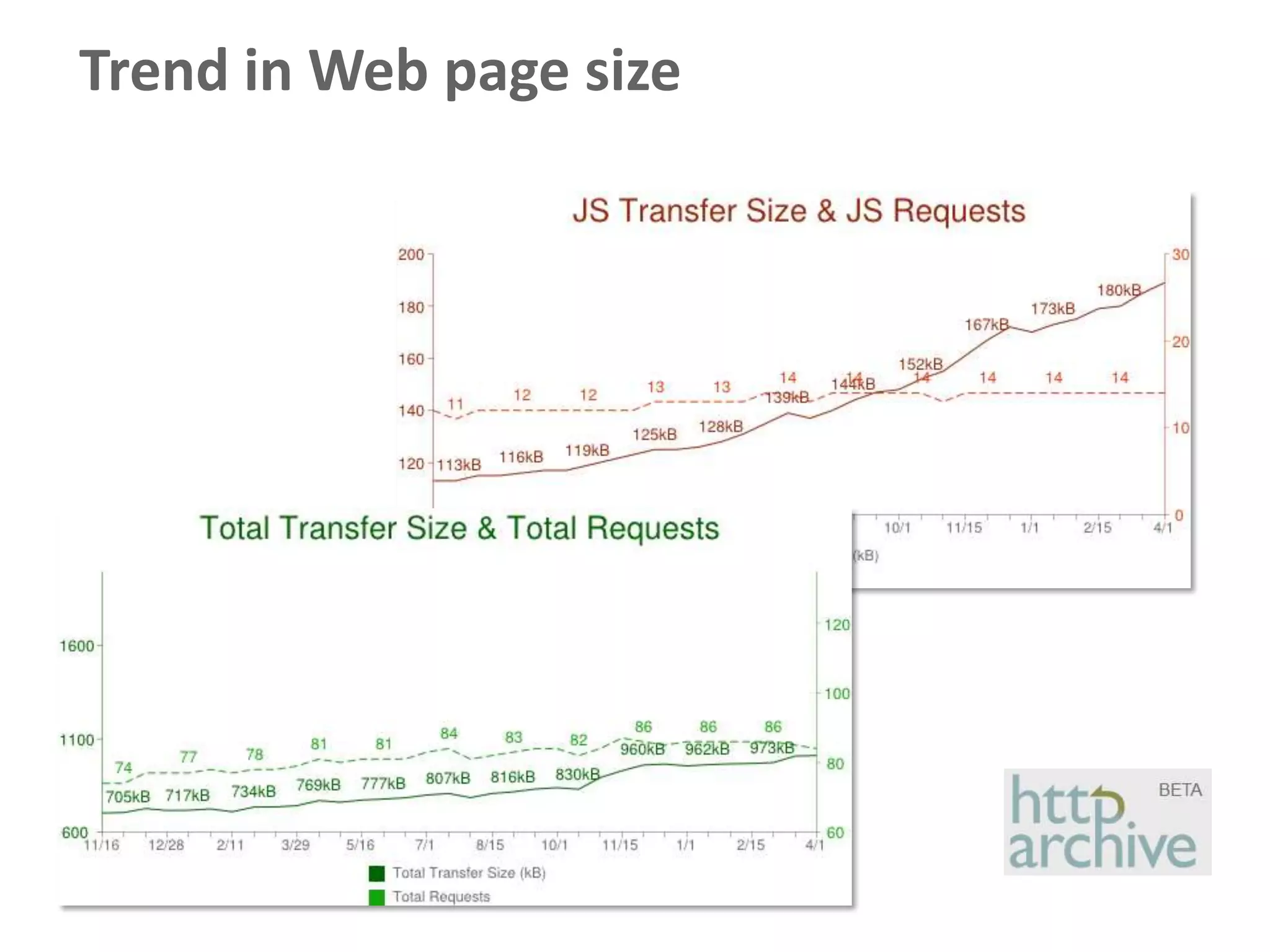
Trend in Web page size
Continuous
   Continuous Integration
   Continuous Monitoring
Automated Web
Performance Testing
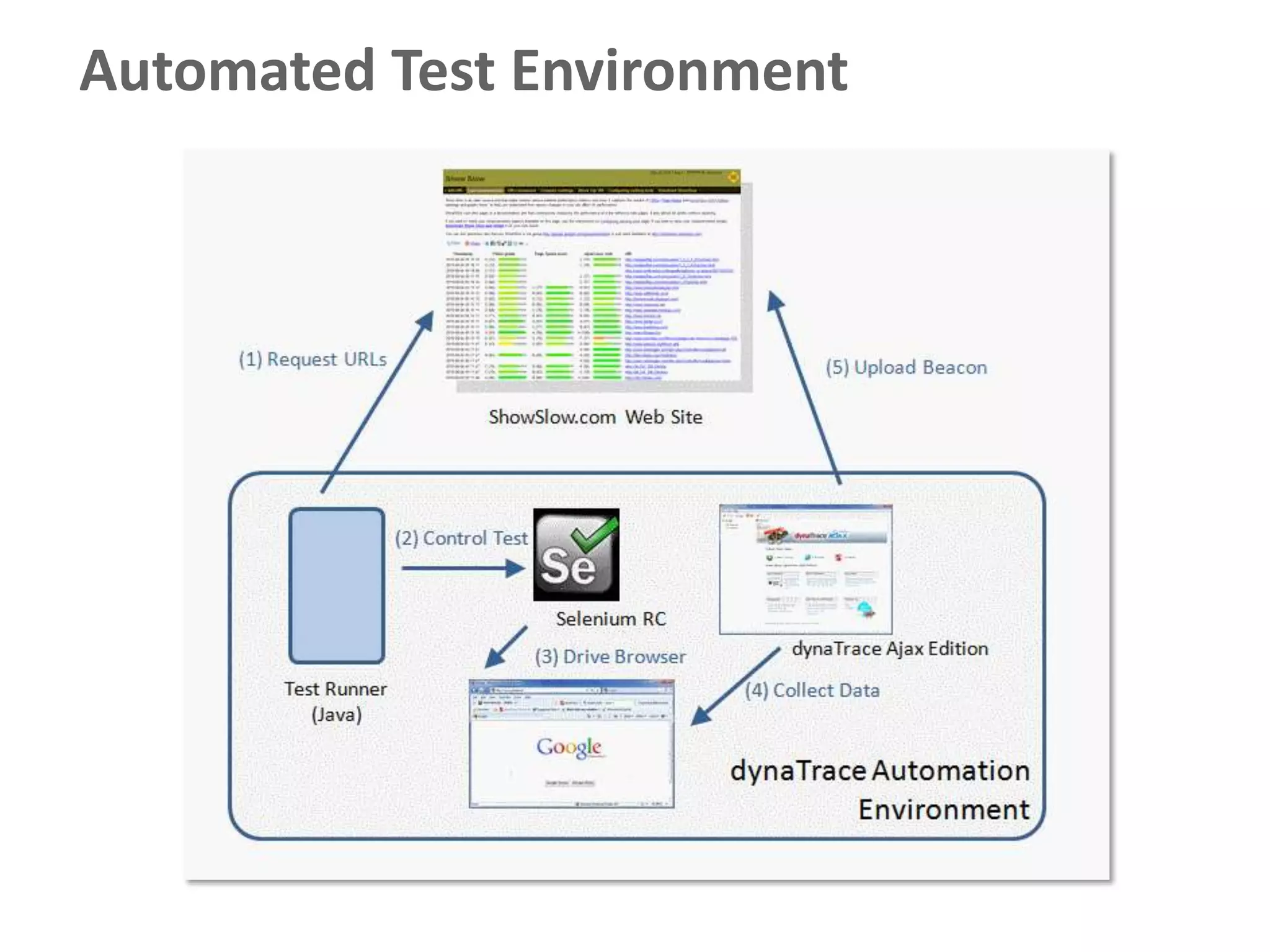
Automated Test Environment
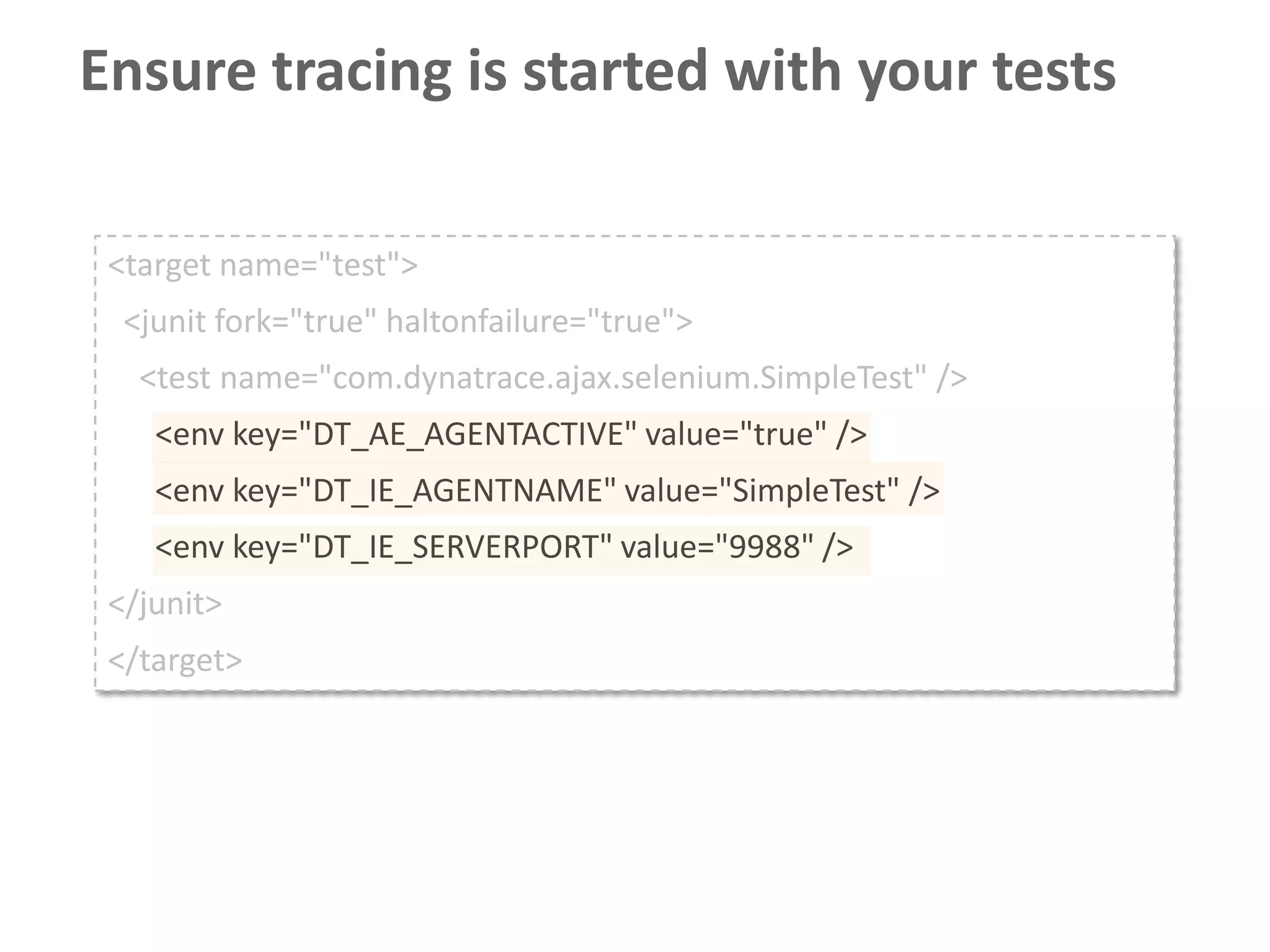
Ensure tracing is started with your tests

 <target name="test">
  <junit fork="true" haltonfailure="true">
   <test name="com.dynatrace.ajax.selenium.SimpleTest" />
    <env key="DT_AE_AGENTACTIVE" value="true" />
    <env key="DT_IE_AGENTNAME" value="SimpleTest" />
    <env key="DT_IE_SERVERPORT" value="9988" />
 </junit>
 </target>
Configure automatic test result upload

 -Dcom.dynatrace.diagnostics.ajax.beacon.autoupload= true
 -Dcom.dynatrace.diagnostics.ajax.beacon.uploadurl=
    http://localhost:8080/beaconstorage/endpoint/
 -Dcom.dynatrace.diagnostics.ajax.beacon.portalurl=
    http://localhost:8080/beaconstorage/dashboard.html
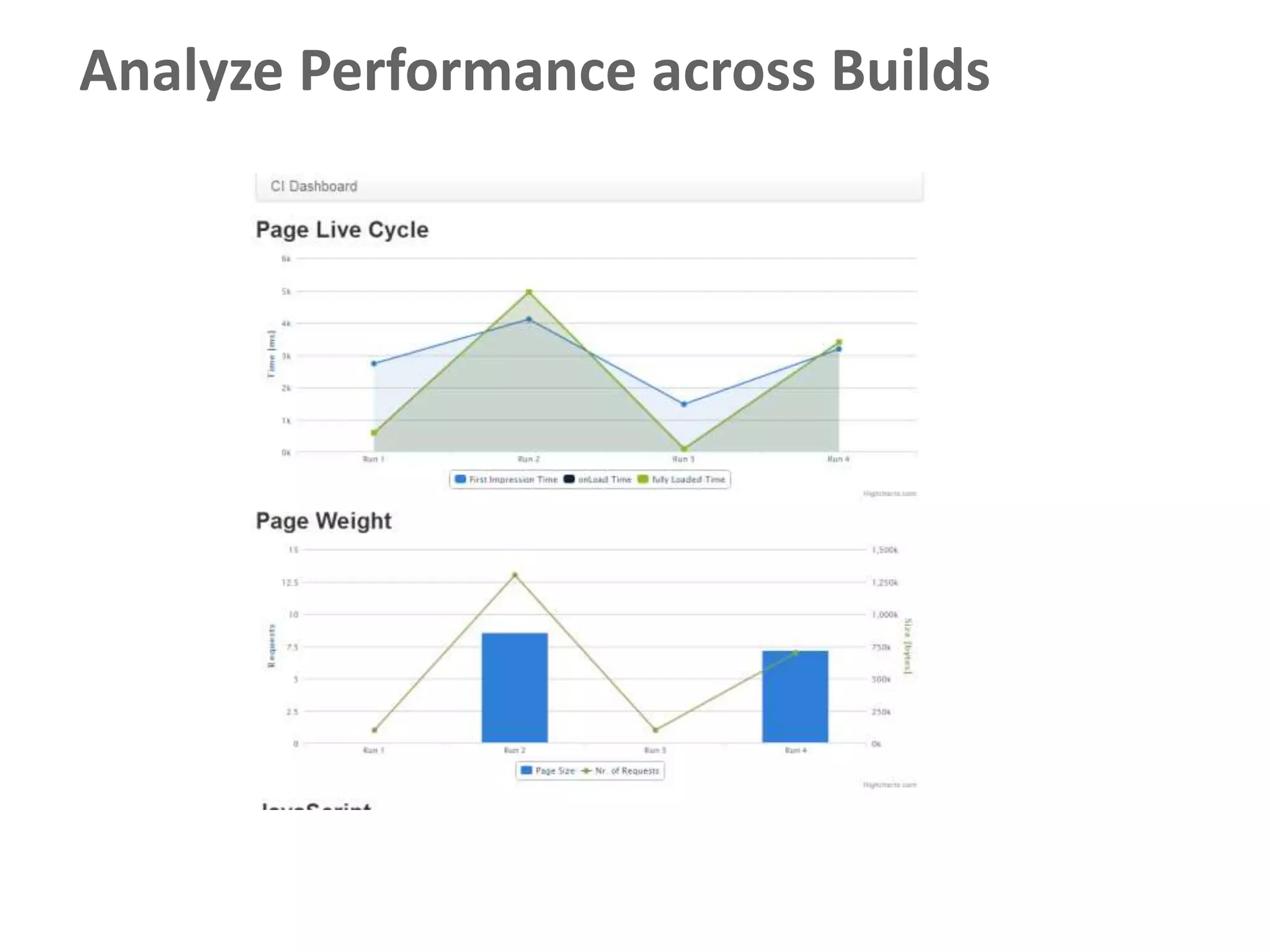
Analyze Performance across Builds
Scaling Continuous Integration
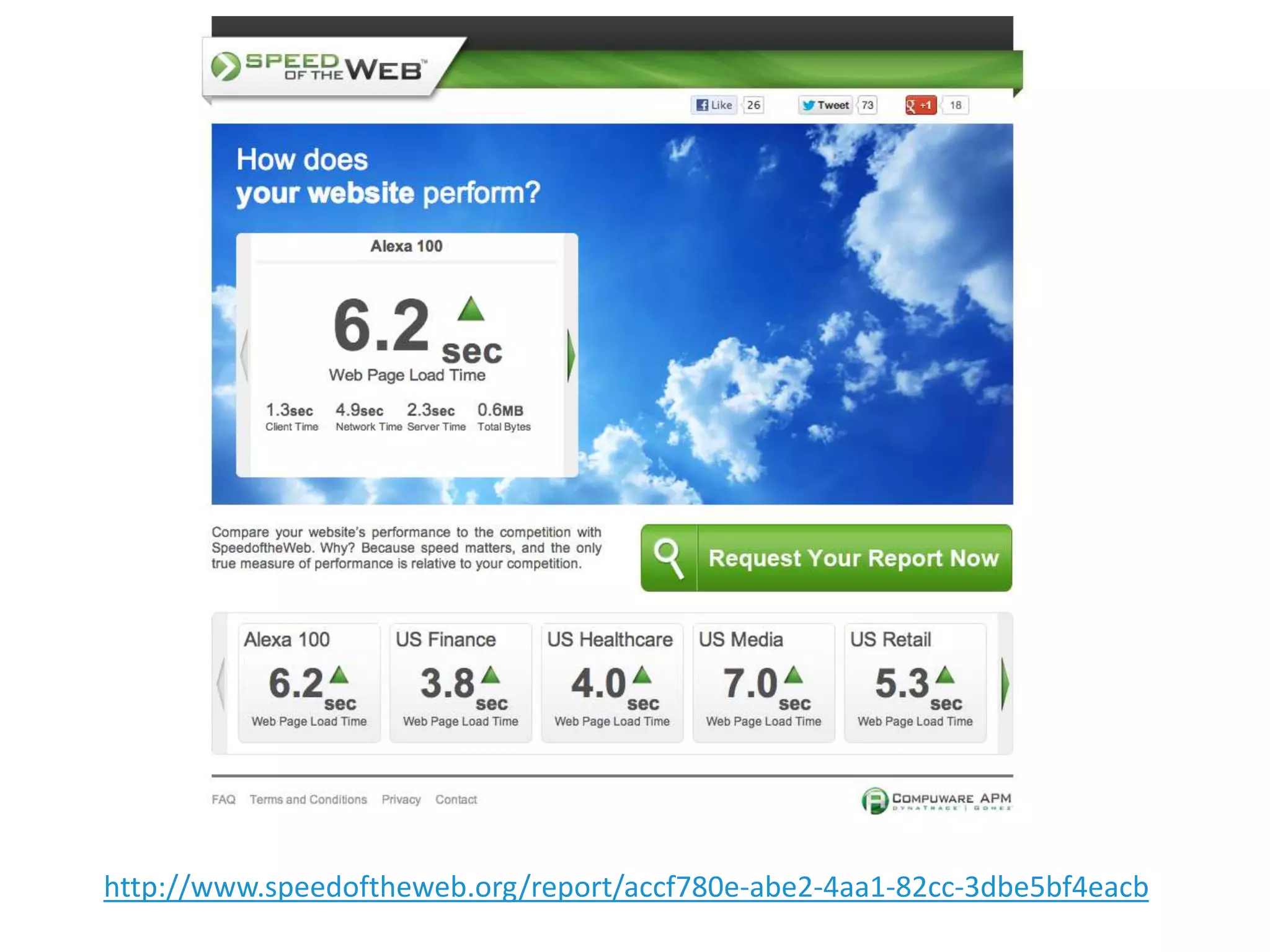
Does this really work?
http://www.speedoftheweb.org/report/accf780e-abe2-4aa1-82cc-3dbe5bf4eacb
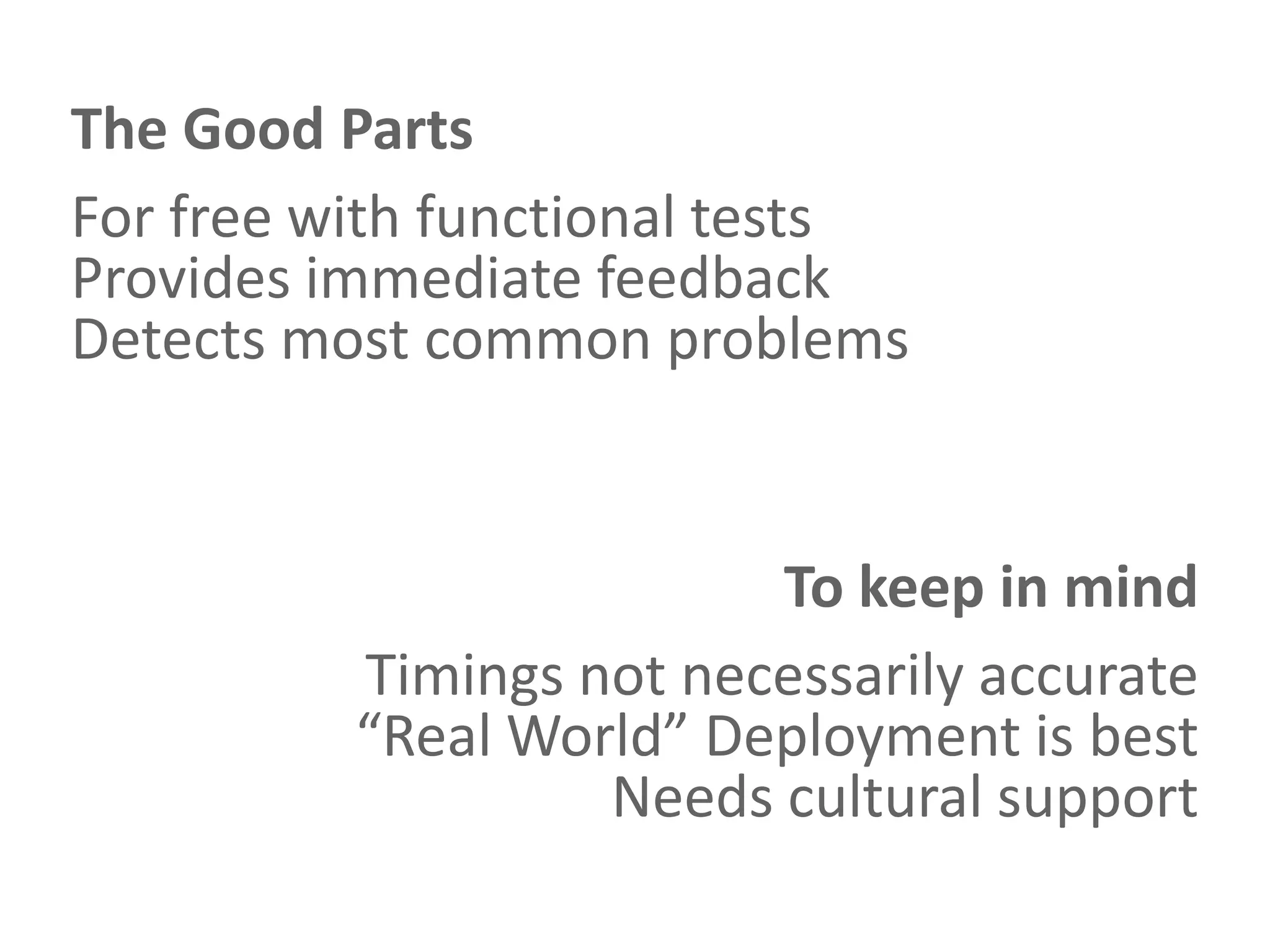
The Good Parts
For free with functional tests
Provides immediate feedback
Detects most common problems


                         To keep in mind
          Timings not necessarily accurate
          “Real World” Deployment is best
                   Needs cultural support
Continuous Monitoring in
Production
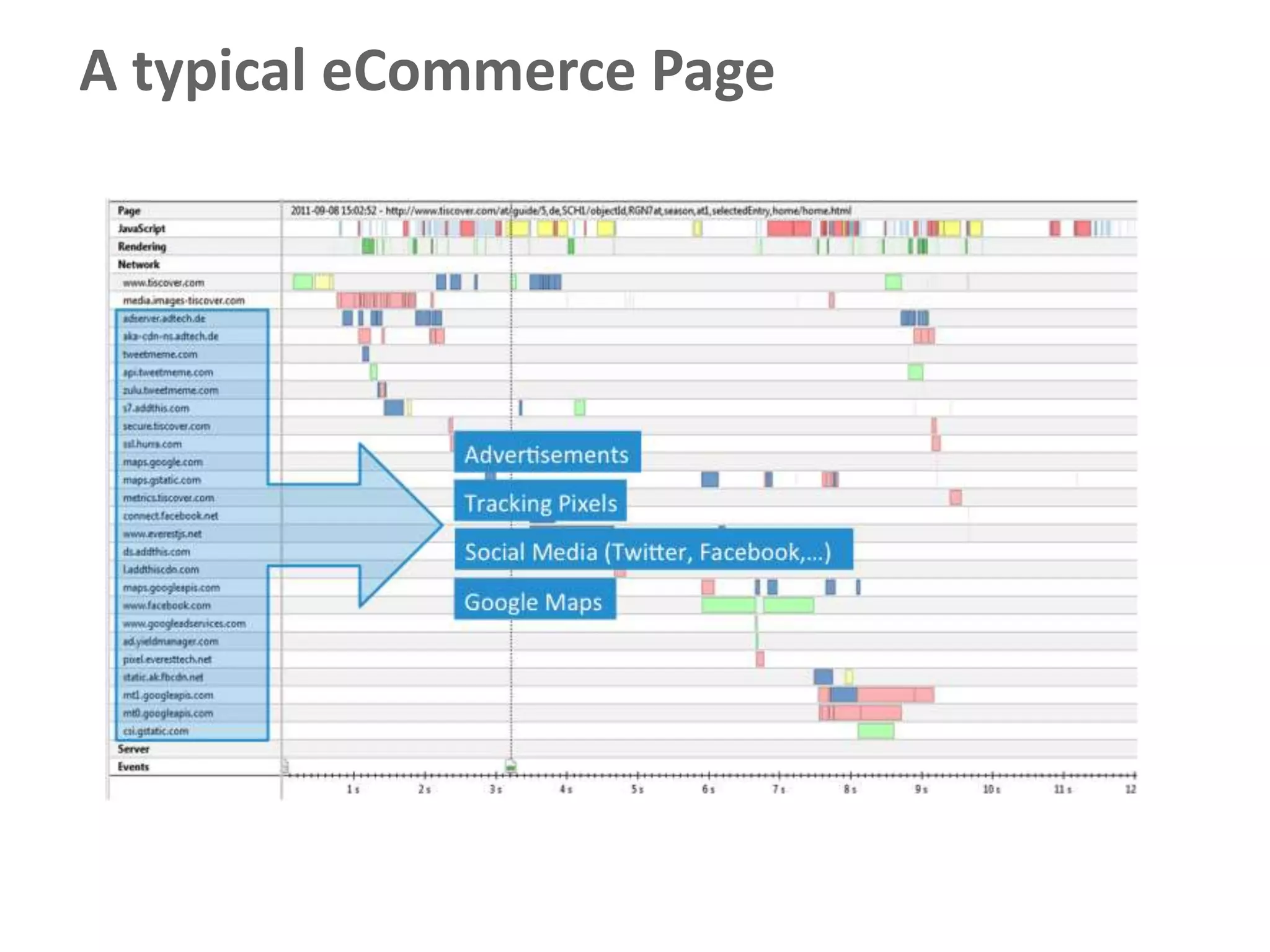
A typical eCommerce Page
... now without external dependencies


                                # of       # of      Total     DNS      Connect
                              Domains   Resources    Bytes     [ms]      [ms]

   With Third Party Content     26        176       2856 Kb   1286,82   1176,09

   Without Third Party
                                 2         59       897 Kb     0,91      22,25
   Content
How to get this metrics for
our users?
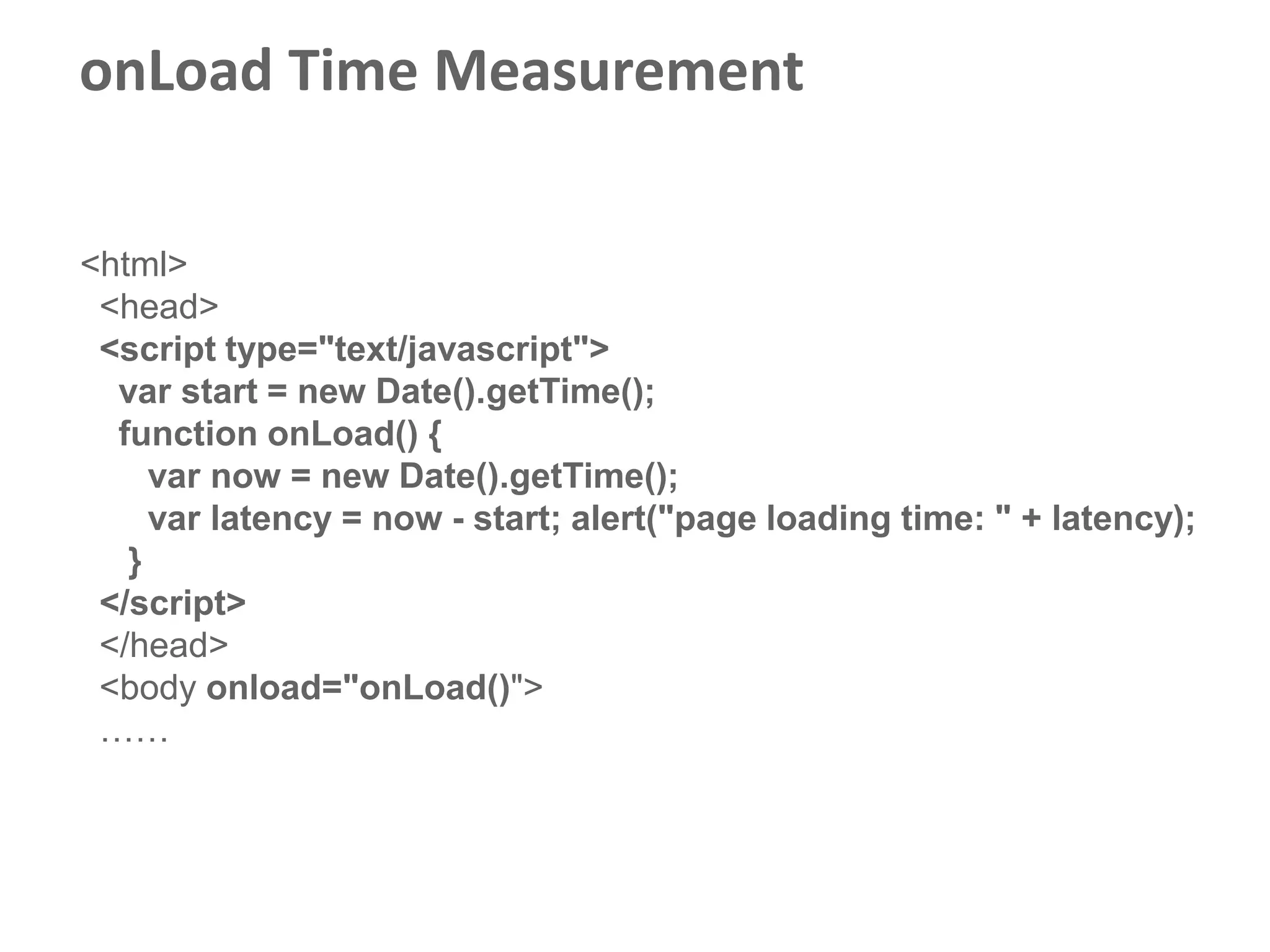
onLoad Time Measurement

<html>
 <head>
 <script type="text/javascript">
  var start = new Date().getTime();
  function onLoad() {
     var now = new Date().getTime();
     var latency = now - start; alert("page loading time: " + latency);
   }
 </script>
 </head>
 <body onload="onLoad()">
 ……
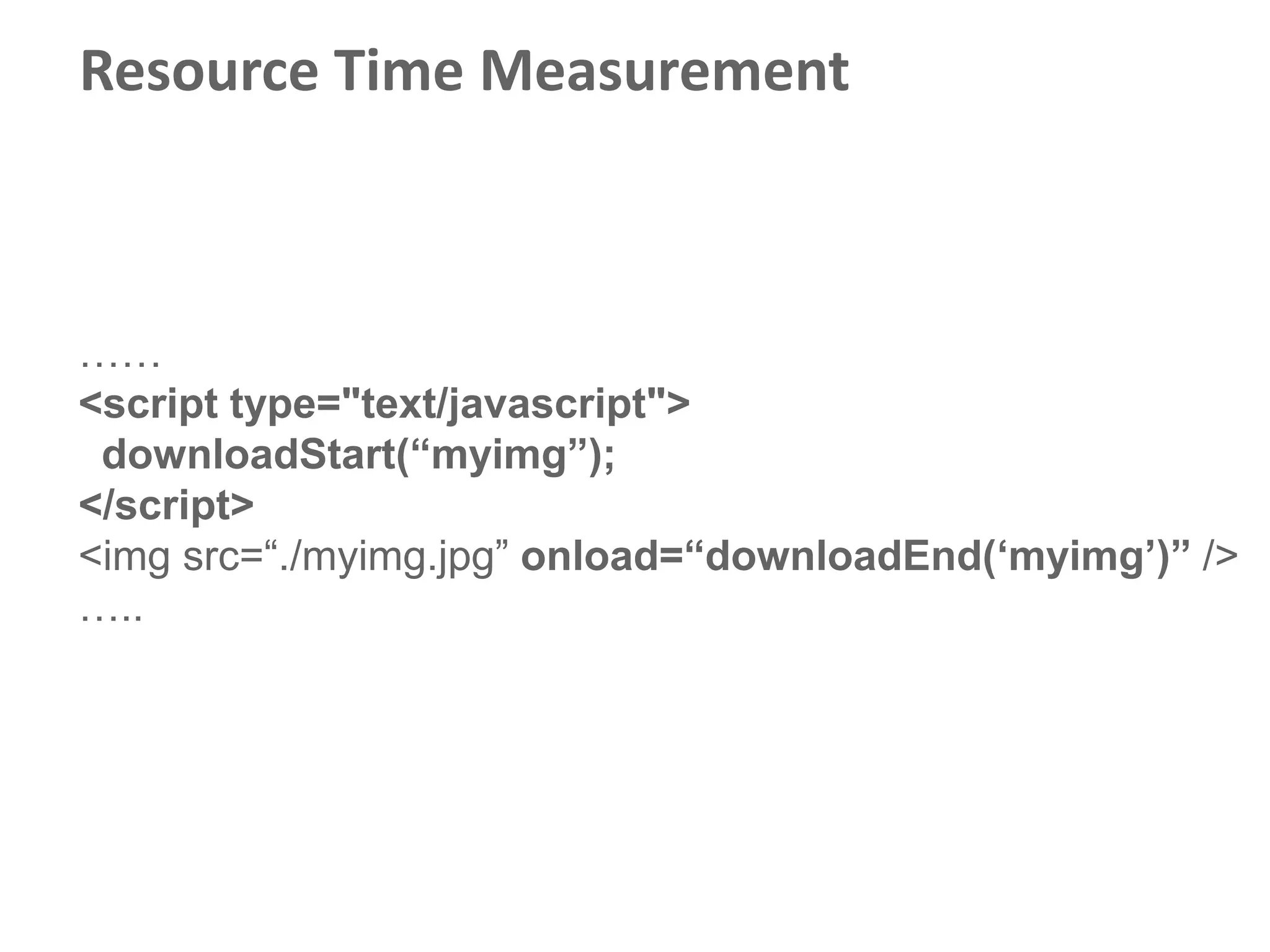
Resource Time Measurement


……
<script type="text/javascript">
 downloadStart(“myimg”);
</script>
<img src=“./myimg.jpg” onload=“downloadEnd(„myimg‟)” />
…..
W3C
Performance
Working Group
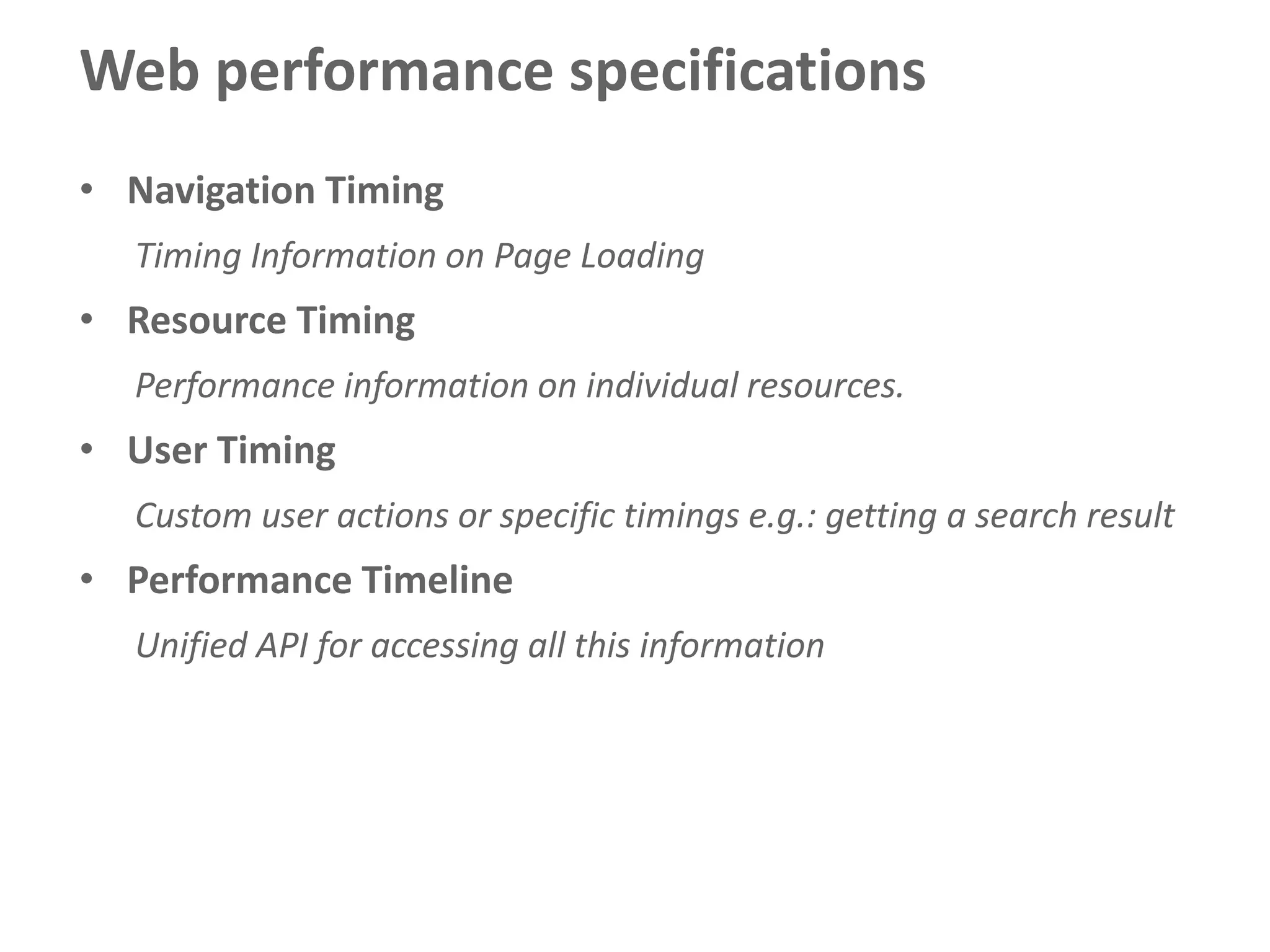
Web performance specifications
• Navigation Timing
  Timing Information on Page Loading
• Resource Timing
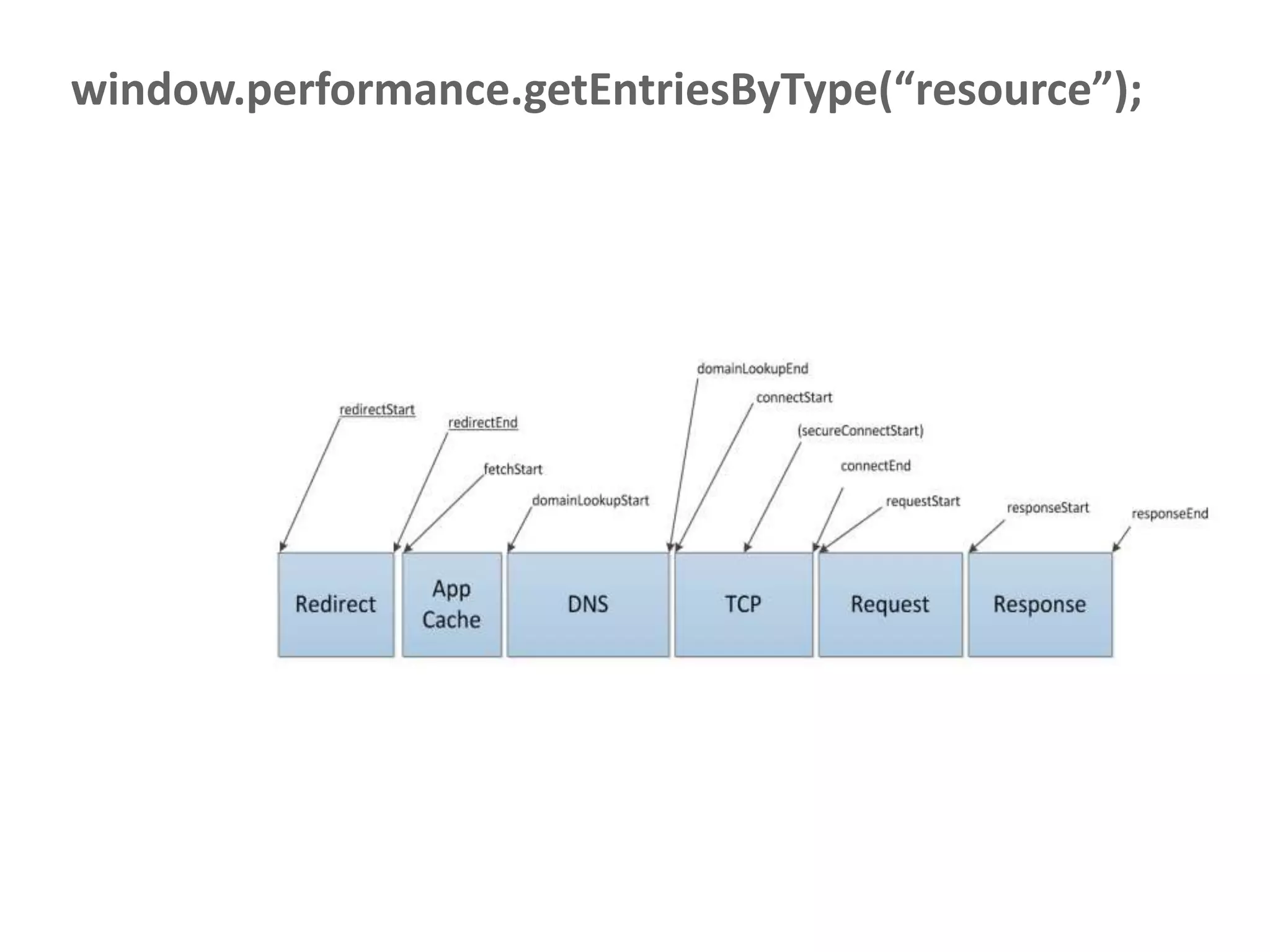
  Performance information on individual resources.
• User Timing
  Custom user actions or specific timings e.g.: getting a search result
• Performance Timeline
  Unified API for accessing all this information
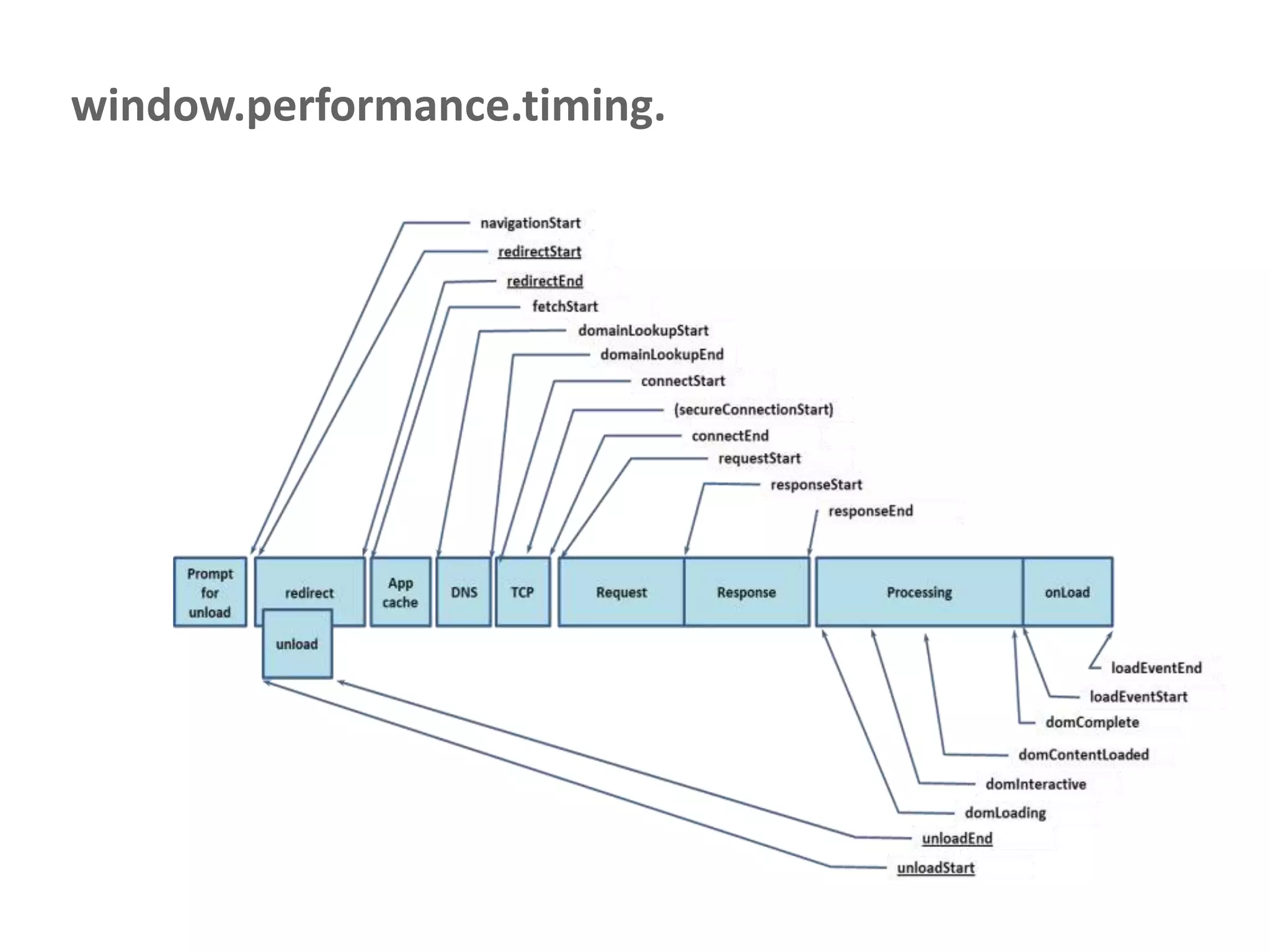
window.performance.timing.
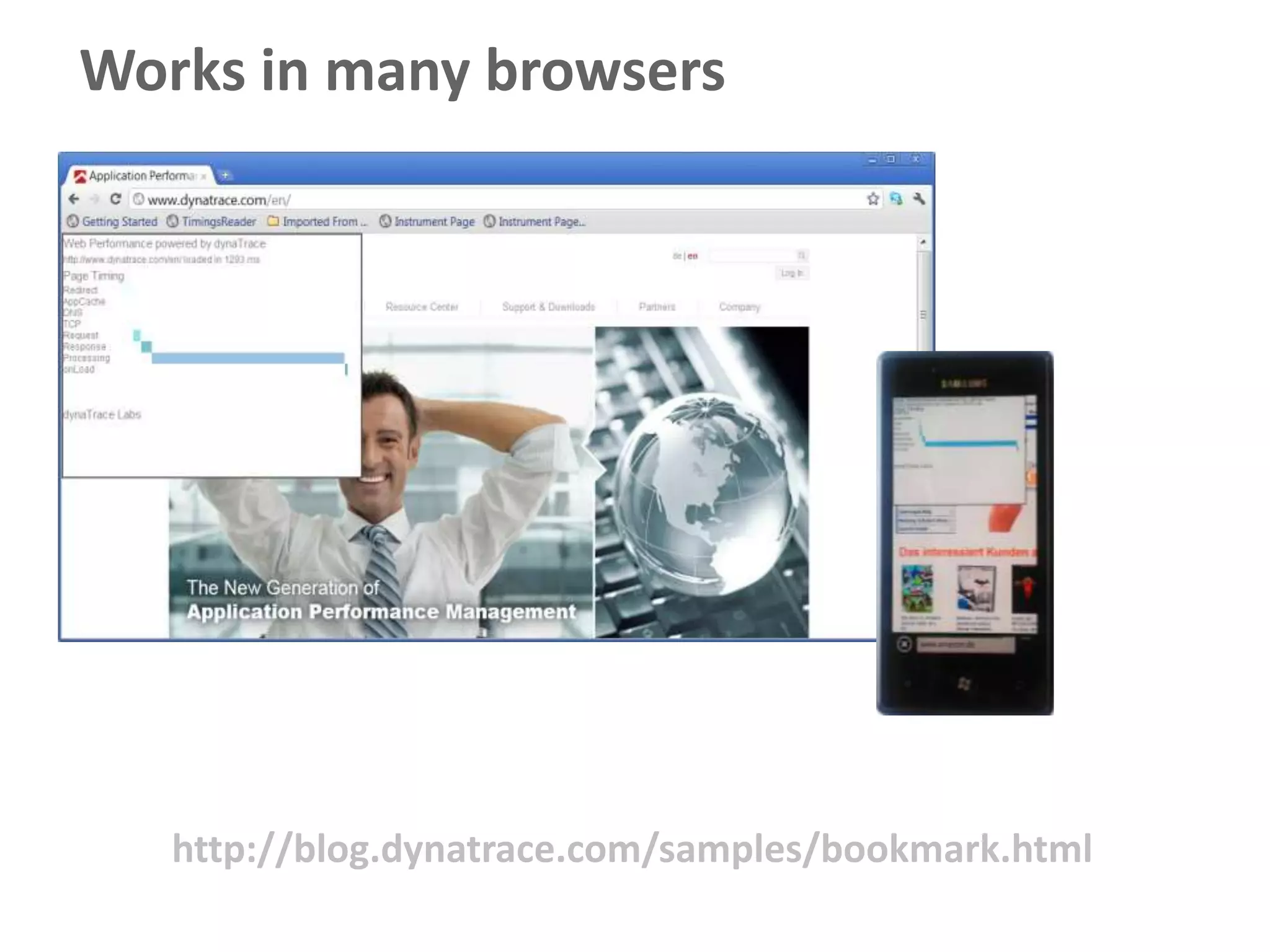
Works in many browsers


   http://blog.dynatrace.com/samples/bookmark.html
window.performance.getEntriesByType(“resource”);
The Good Parts
Very detailed timing information
“No”effort to get data
Easy to find network-based problems


                          To keep in mind
          Not supported in older browsers
                   Safari is not supported
                     No JavaScript insight
Polyfilling for older browsers

                          Page Load Time
       Resource loading (except JS & CSS)
                      also works in Safari

        Insight into JavaScript executions
                  Browser Error Reporting
      Merge with “classical” analytics data
Cool stuff you can do with
this
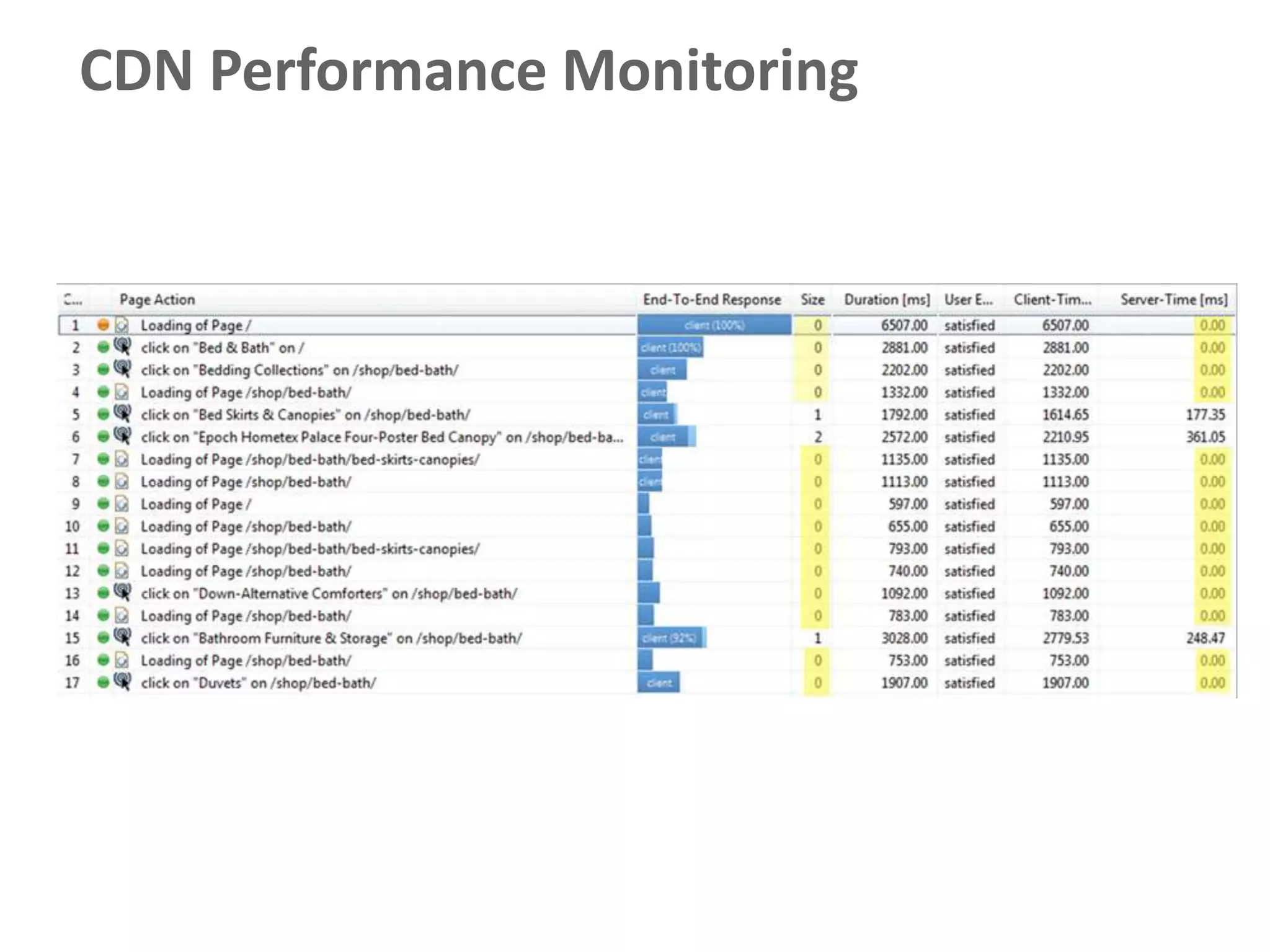
CDN Performance Monitoring
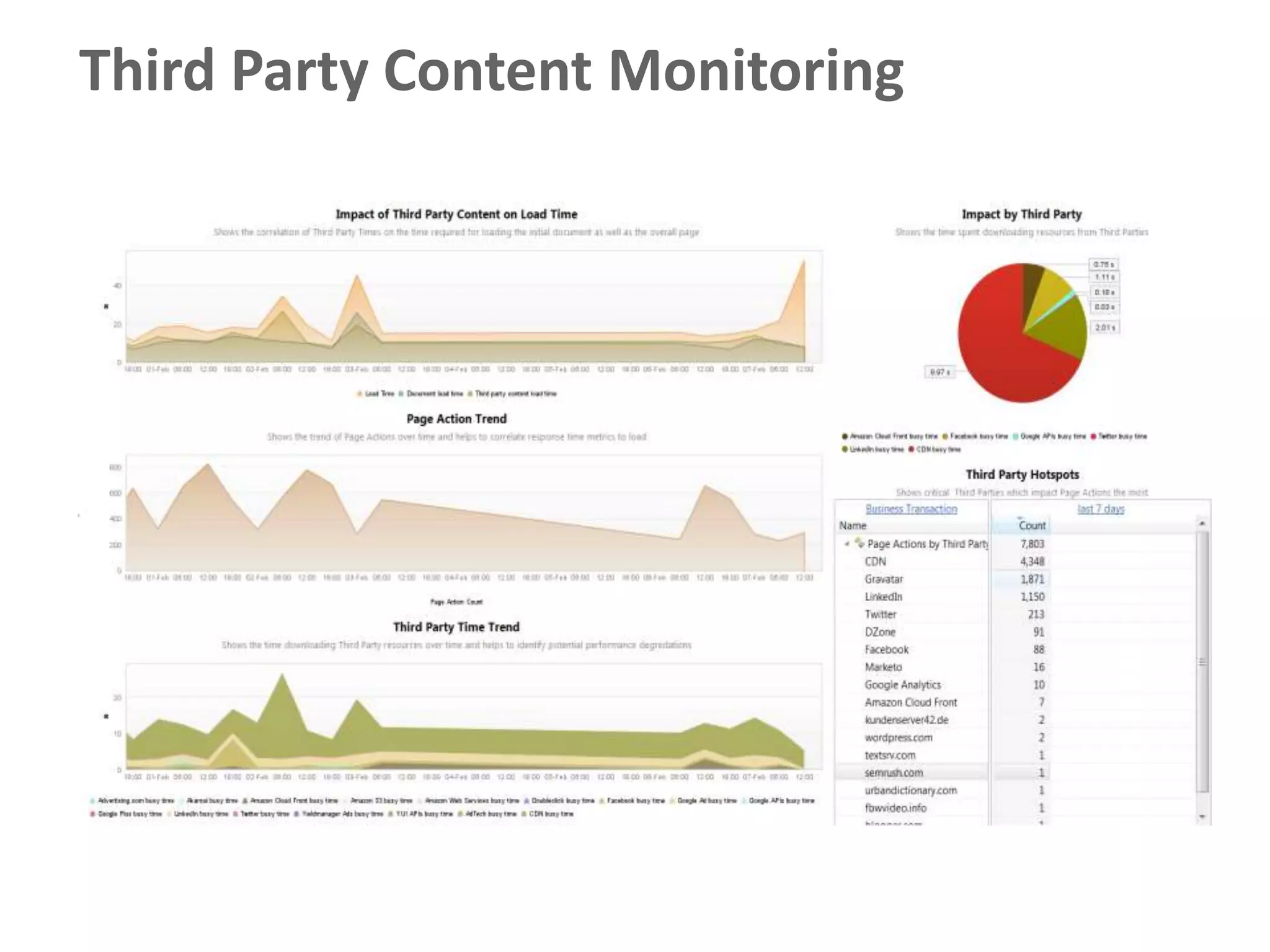
Third Party Content Monitoring
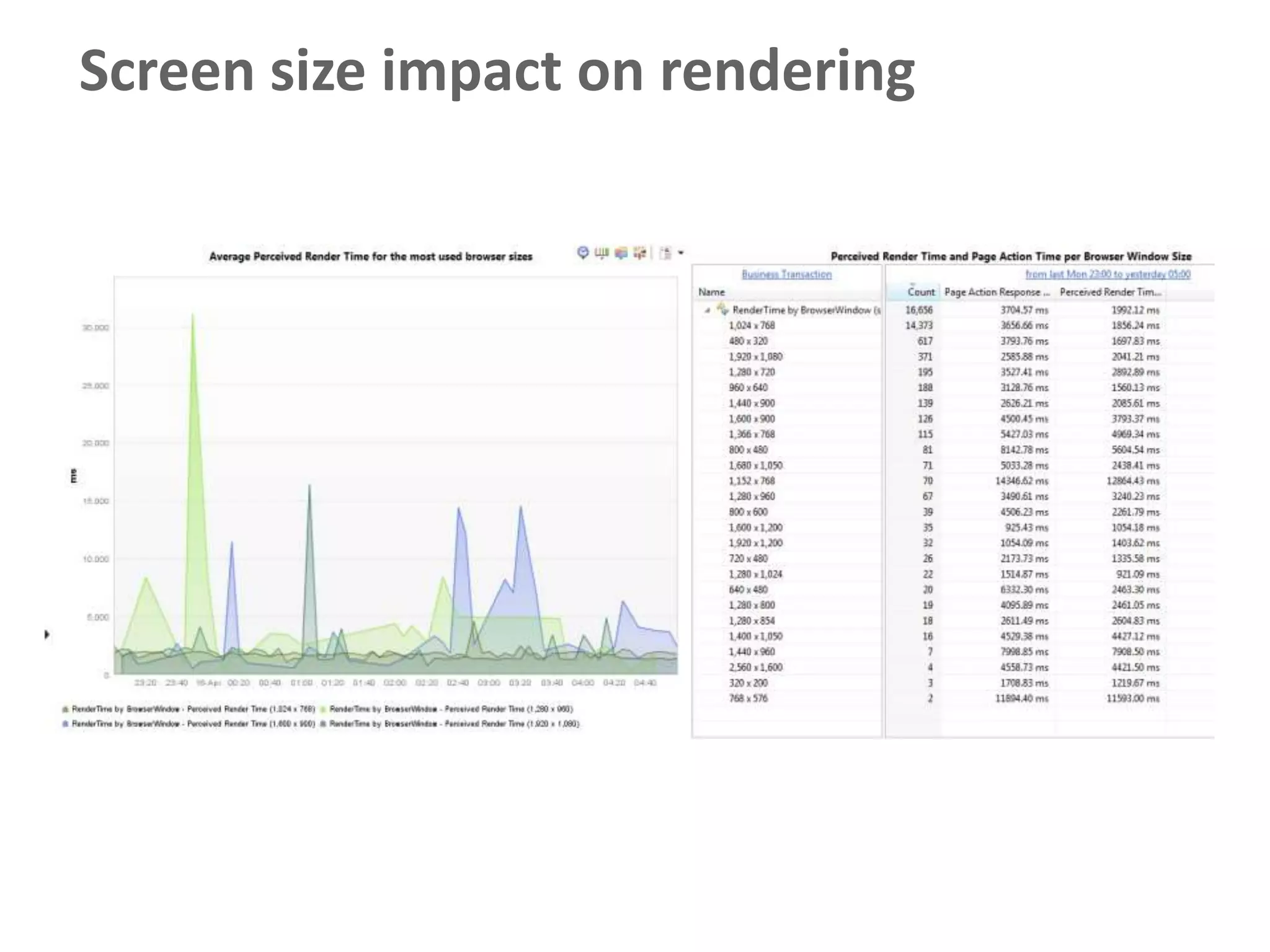
Screen size impact on rendering
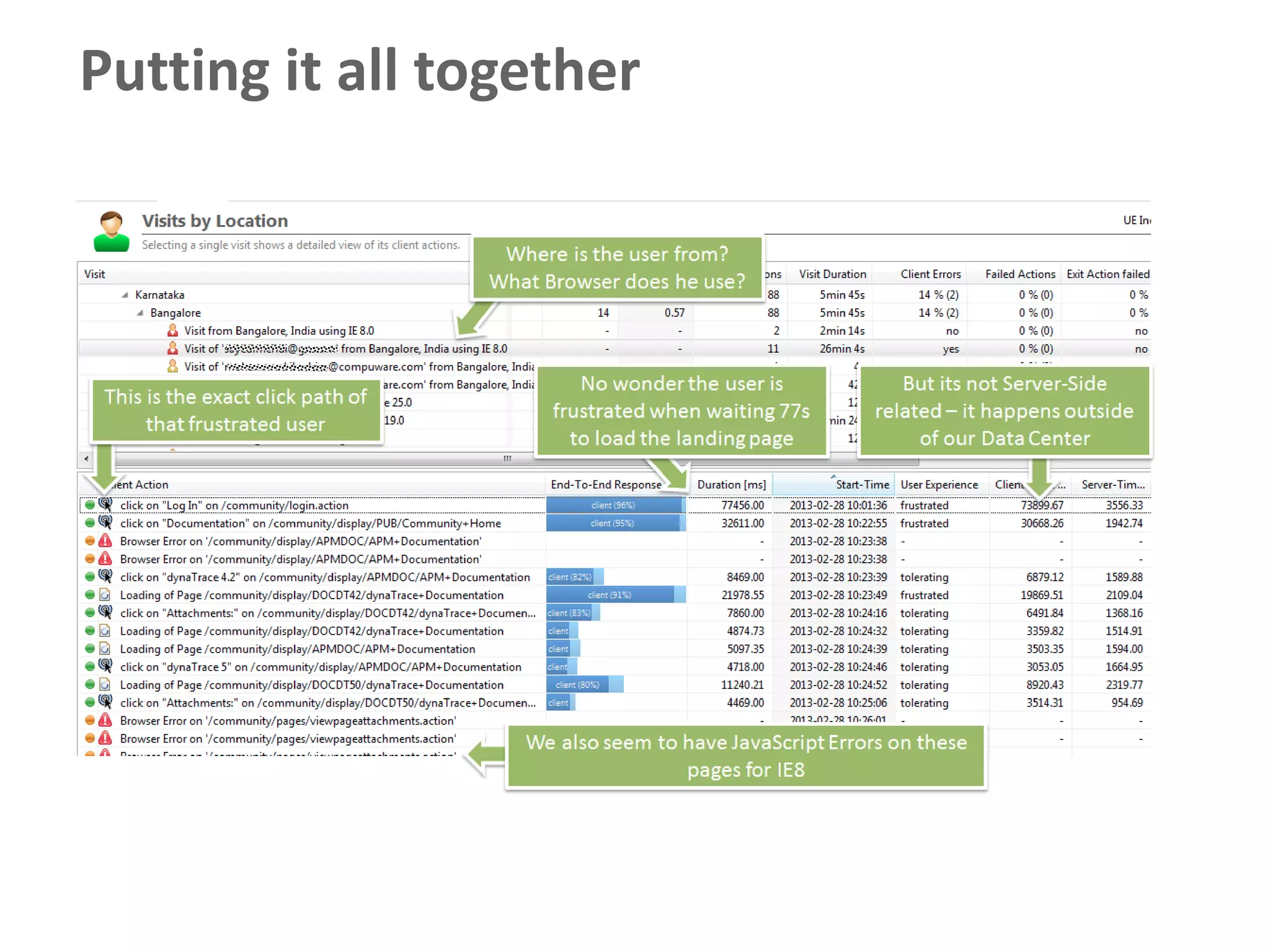
Putting it all together
33
     © 2011 Compuware Corporation — All Rights Reserved

The High Performance Web Application Lifecycle

Editor's Notes

  • #18 url parameter zumabschalten der einzelnenseitenelemente