

TESTLINK INTEGRATOR
(TESTLINK SELENIUM INTEGRATION VIATESTNG LISTENER)
HiroshTharaka
Quality Assurance Engineer (Automation  Research and Development  Performance)
What does it do???
Updates theTestcase status inTestLink
as the AutomatedTest methods executed.
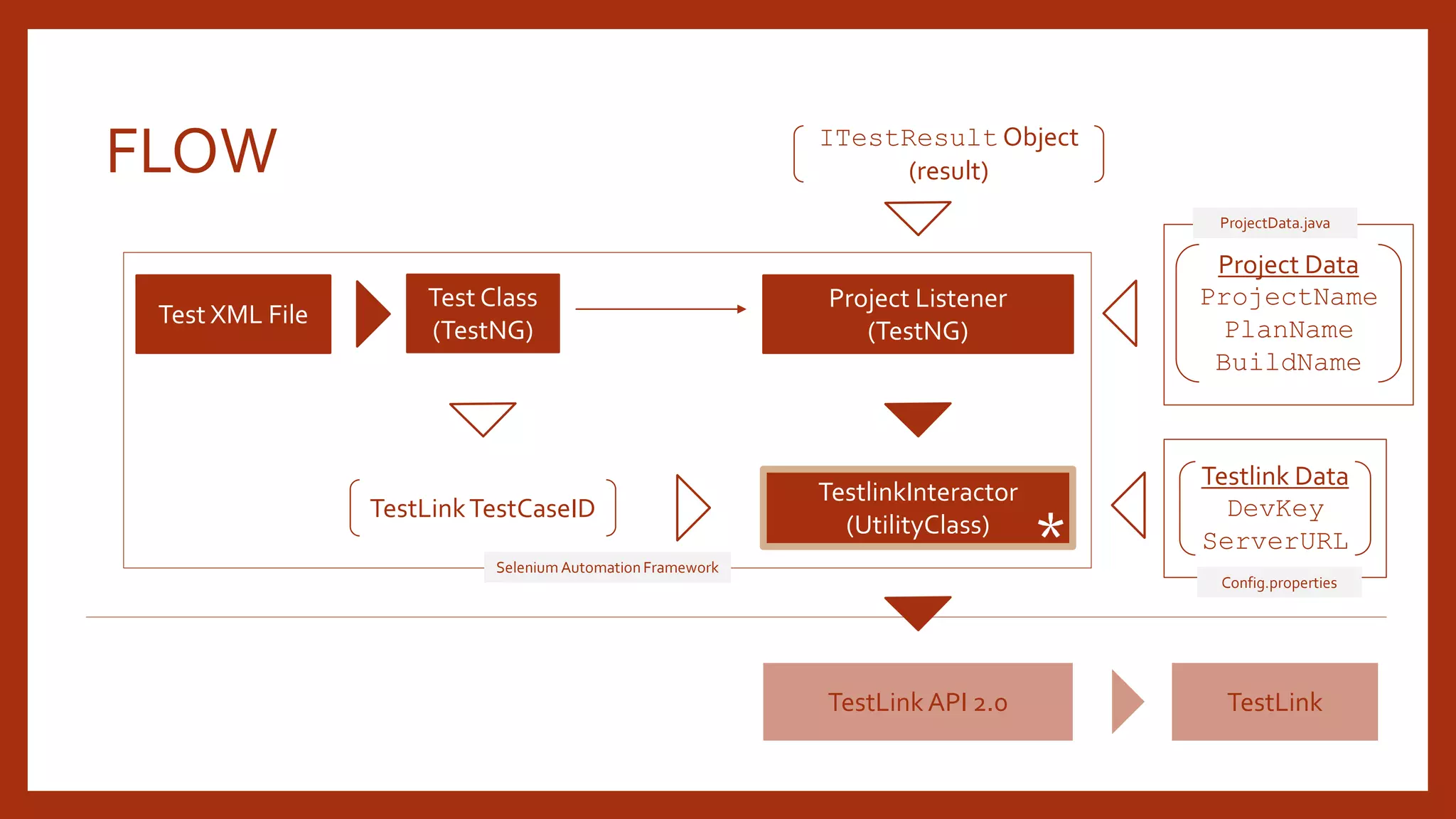
FLOW
Test XML File
Test Class
(TestNG)
Project Listener
(TestNG)
TestlinkInteractor
(UtilityClass)
TestLink API 2.0
Project Data
ProjectName
PlanName
BuildName
ITestResult Object
(result)
TestLinkTestCaseID
TestLink
Testlink Data
DevKey
ServerURL
Selenium Automation Framework
*
ProjectData.java
Config.properties
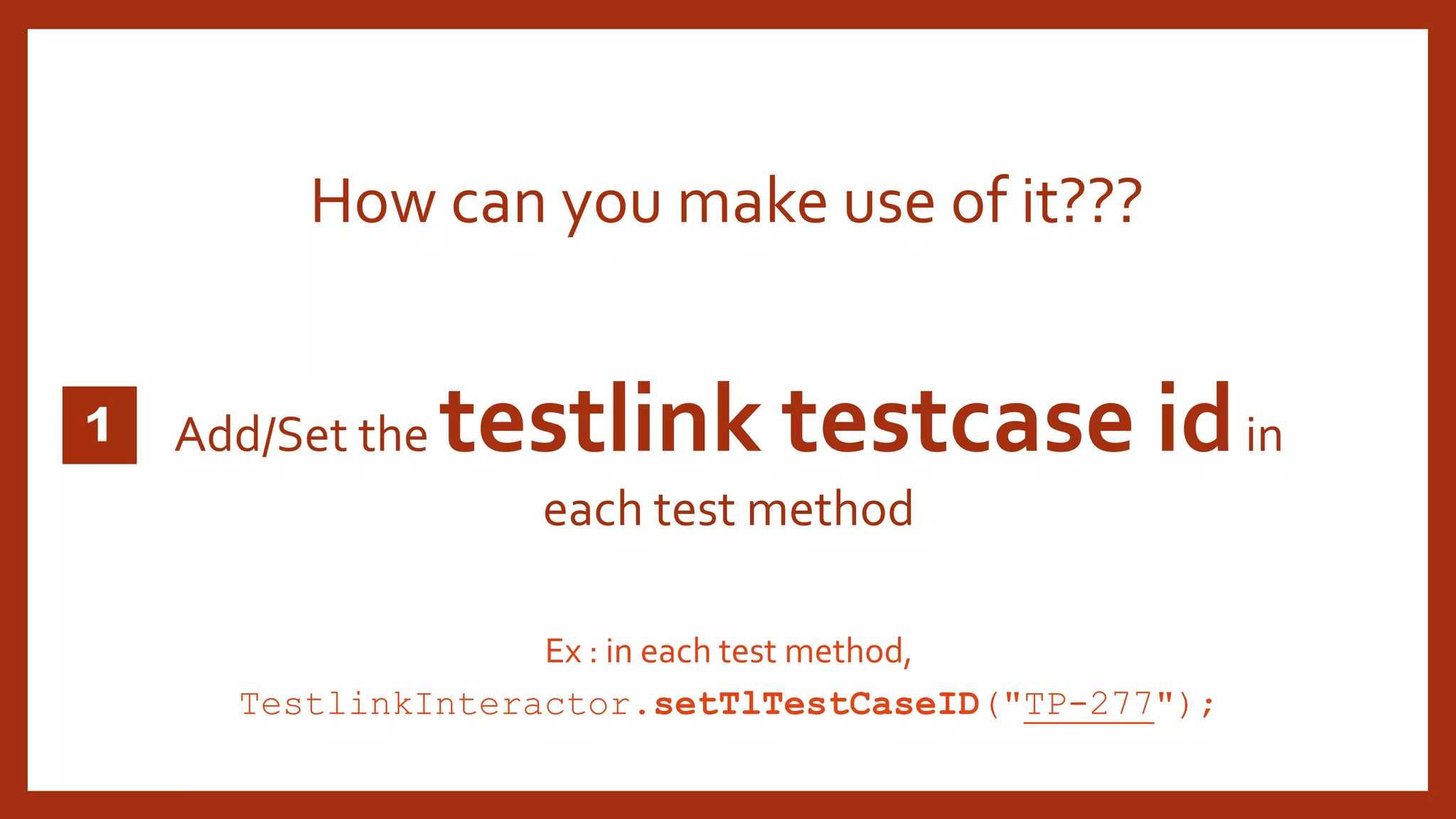
Add/Set the testlink testcase idin
each test method
How can you make use of it???
Ex : in each test method,
TestlinkInteractor.setTlTestCaseID("TP-277");
1
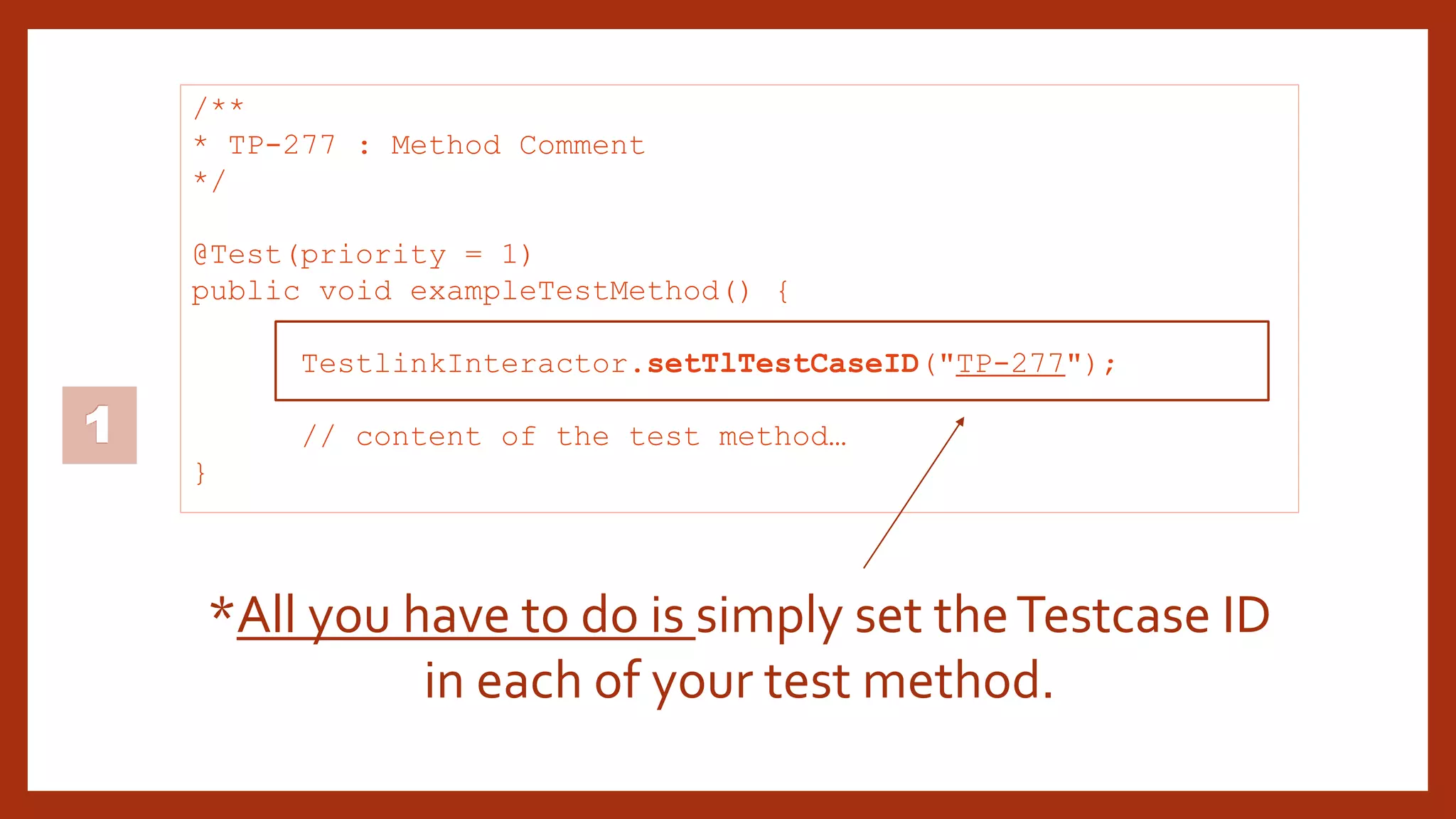
/**
* TP-277 : Method Comment
*/
@Test(priority = 1)
public void exampleTestMethod() {
TestlinkInteractor.setTlTestCaseID("TP-277");
// content of the test method…
}
*All you have to do is simply set theTestcase ID
in each of your test method.
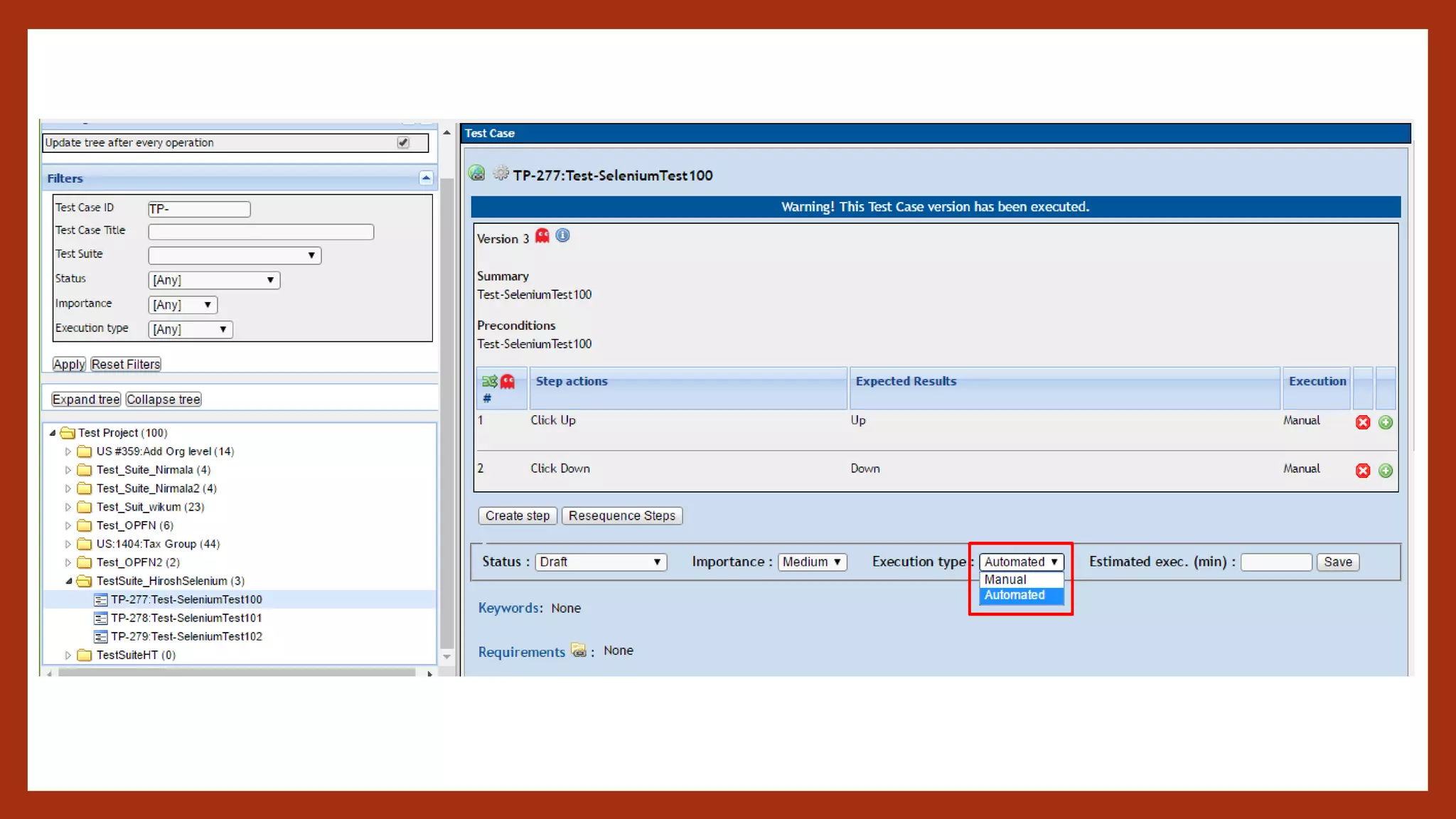
Make sure that all the test-cases inTestLink are marked as
AUTOMATEDforEXECUTIONTYPE
What you should make sure before using
theTestlinkInteractor???
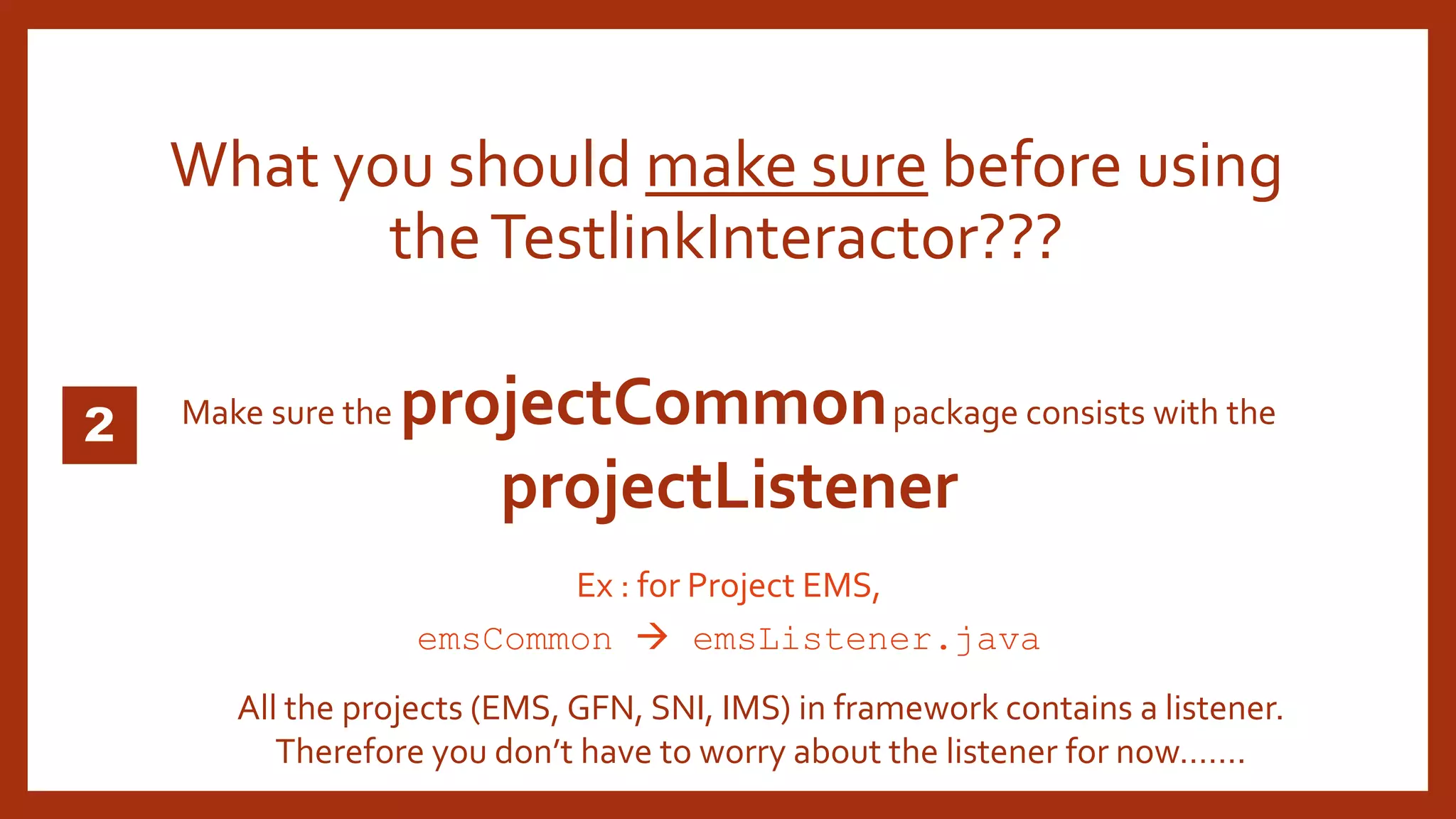
Make sure the projectCommonpackage consists with the
projectListener
What you should make sure before using
theTestlinkInteractor???
Ex : for Project EMS,
emsCommon  emsListener.java
All the projects (EMS, GFN, SNI, IMS) in framework contains a listener.
Therefore you don’t have to worry about the listener for now…….
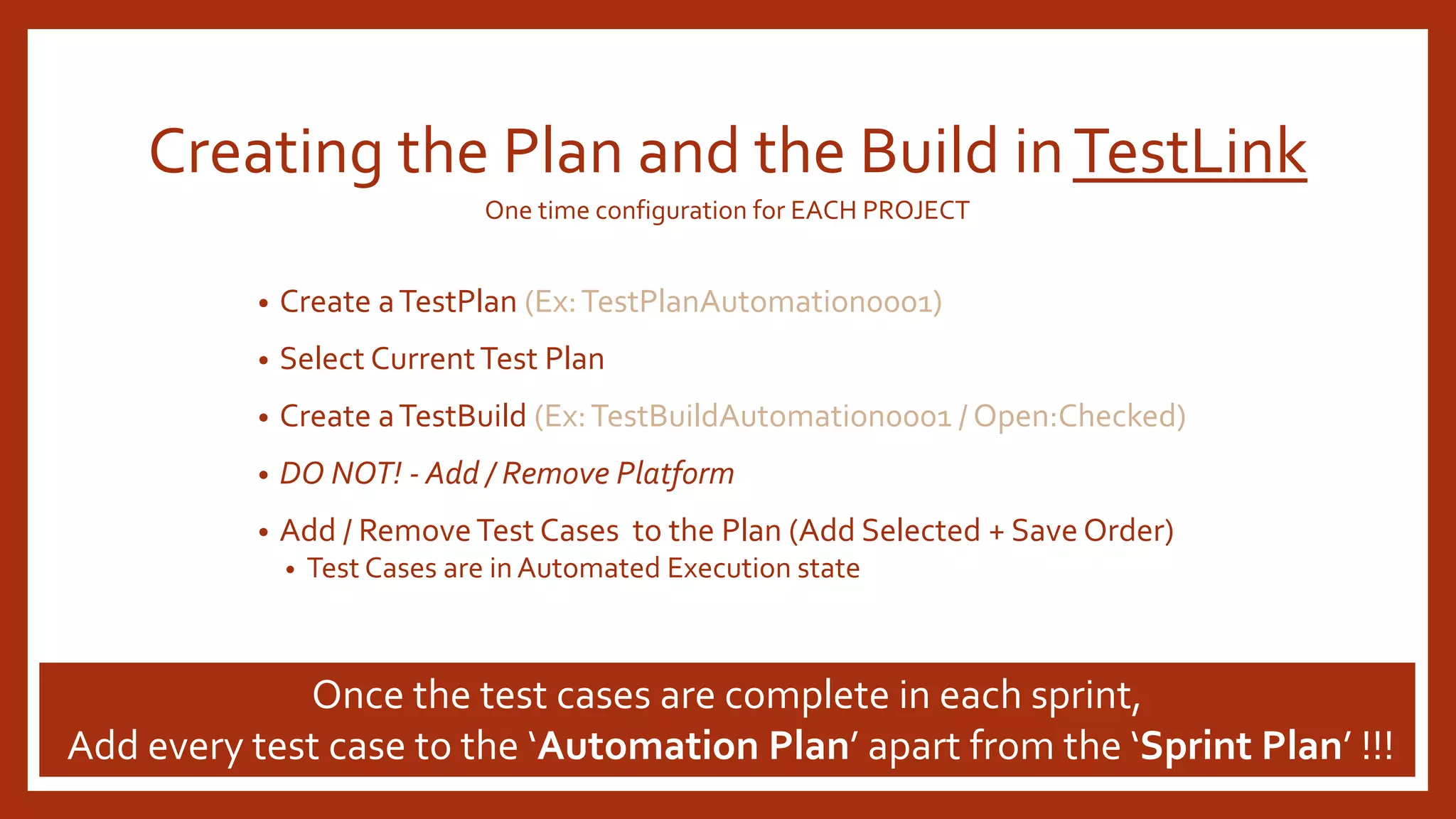
Creating the Plan and the Build inTestLink
• Create aTestPlan (Ex:TestPlanAutomation0001)
• Select CurrentTest Plan
• Create aTestBuild (Ex:TestBuildAutomation0001 / Open:Checked)
• DO NOT! - Add / Remove Platform
• Add / RemoveTest Cases to the Plan (Add Selected + Save Order)
• Test Cases are in Automated Execution state
Once the test cases are complete in each sprint,
Add every test case to the ‘Automation Plan’ apart from the ‘Sprint Plan’ !!!
One time configuration for EACH PROJECT
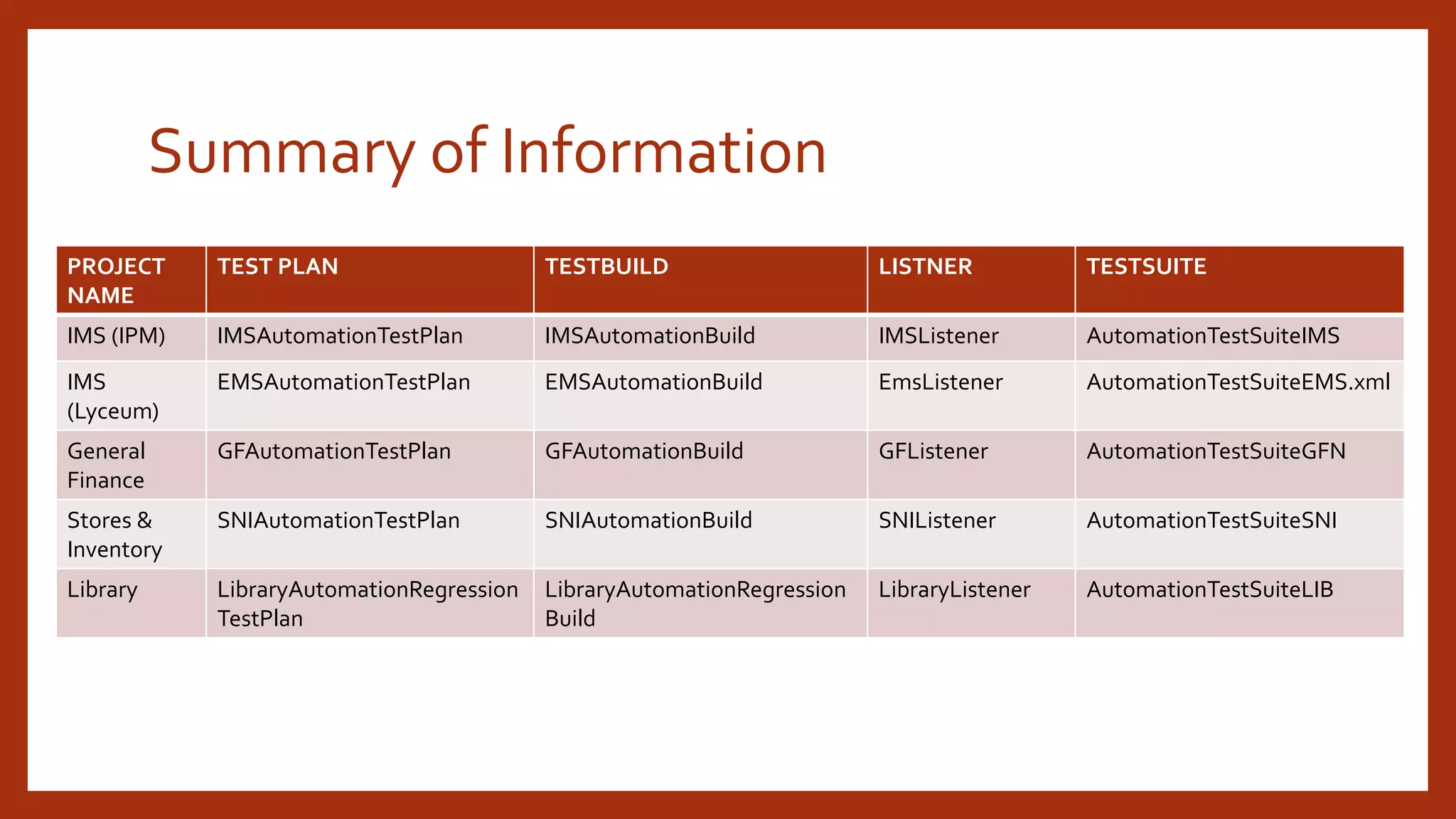
Summary of Information
PROJECT
NAME
TEST PLAN TESTBUILD LISTNER TESTSUITE
IMS (IPM) IMSAutomationTestPlan IMSAutomationBuild IMSListener AutomationTestSuiteIMS
IMS
(Lyceum)
EMSAutomationTestPlan EMSAutomationBuild EmsListener AutomationTestSuiteEMS.xml
General
Finance
GFAutomationTestPlan GFAutomationBuild GFListener AutomationTestSuiteGFN
Stores &
Inventory
SNIAutomationTestPlan SNIAutomationBuild SNIListener AutomationTestSuiteSNI
Library LibraryAutomationRegression
TestPlan
LibraryAutomationRegression
Build
LibraryListener AutomationTestSuiteLIB
TestLinkInteractor.java
is there in the framework now….
ThankYou!

TESTLINK INTEGRATOR

  • 1.
    TESTLINK INTEGRATOR (TESTLINK SELENIUMINTEGRATION VIATESTNG LISTENER) HiroshTharaka Quality Assurance Engineer (Automation Research and Development Performance)
  • 2.
    What does itdo??? Updates theTestcase status inTestLink as the AutomatedTest methods executed.
  • 3.
    FLOW Test XML File TestClass (TestNG) Project Listener (TestNG) TestlinkInteractor (UtilityClass) TestLink API 2.0 Project Data ProjectName PlanName BuildName ITestResult Object (result) TestLinkTestCaseID TestLink Testlink Data DevKey ServerURL Selenium Automation Framework * ProjectData.java Config.properties
  • 4.
    Add/Set the testlinktestcase idin each test method How can you make use of it??? Ex : in each test method, TestlinkInteractor.setTlTestCaseID("TP-277");
  • 5.
    1 /** * TP-277 :Method Comment */ @Test(priority = 1) public void exampleTestMethod() { TestlinkInteractor.setTlTestCaseID("TP-277"); // content of the test method… } *All you have to do is simply set theTestcase ID in each of your test method.
  • 6.
    Make sure thatall the test-cases inTestLink are marked as AUTOMATEDforEXECUTIONTYPE What you should make sure before using theTestlinkInteractor???
  • 8.
    Make sure theprojectCommonpackage consists with the projectListener What you should make sure before using theTestlinkInteractor??? Ex : for Project EMS, emsCommon  emsListener.java All the projects (EMS, GFN, SNI, IMS) in framework contains a listener. Therefore you don’t have to worry about the listener for now…….
  • 9.
    Creating the Planand the Build inTestLink • Create aTestPlan (Ex:TestPlanAutomation0001) • Select CurrentTest Plan • Create aTestBuild (Ex:TestBuildAutomation0001 / Open:Checked) • DO NOT! - Add / Remove Platform • Add / RemoveTest Cases to the Plan (Add Selected + Save Order) • Test Cases are in Automated Execution state Once the test cases are complete in each sprint, Add every test case to the ‘Automation Plan’ apart from the ‘Sprint Plan’ !!! One time configuration for EACH PROJECT
  • 10.
    Summary of Information PROJECT NAME TESTPLAN TESTBUILD LISTNER TESTSUITE IMS (IPM) IMSAutomationTestPlan IMSAutomationBuild IMSListener AutomationTestSuiteIMS IMS (Lyceum) EMSAutomationTestPlan EMSAutomationBuild EmsListener AutomationTestSuiteEMS.xml General Finance GFAutomationTestPlan GFAutomationBuild GFListener AutomationTestSuiteGFN Stores & Inventory SNIAutomationTestPlan SNIAutomationBuild SNIListener AutomationTestSuiteSNI Library LibraryAutomationRegression TestPlan LibraryAutomationRegression Build LibraryListener AutomationTestSuiteLIB
  • 11.
    TestLinkInteractor.java is there inthe framework now…. ThankYou!

Editor's Notes