Terraform at scale
Shared Definitions and Variable Inheritance
Assumptions
• Target platform - AWS Cloud
• Operating system - Linux
Problems at Scale
• The ‘one big folder’ option
• Execution times
• Multiple accounts and VPCs
• Code complexity
• Terraform modules
• Variable duplication
• Multiple providers
Problems at Scale
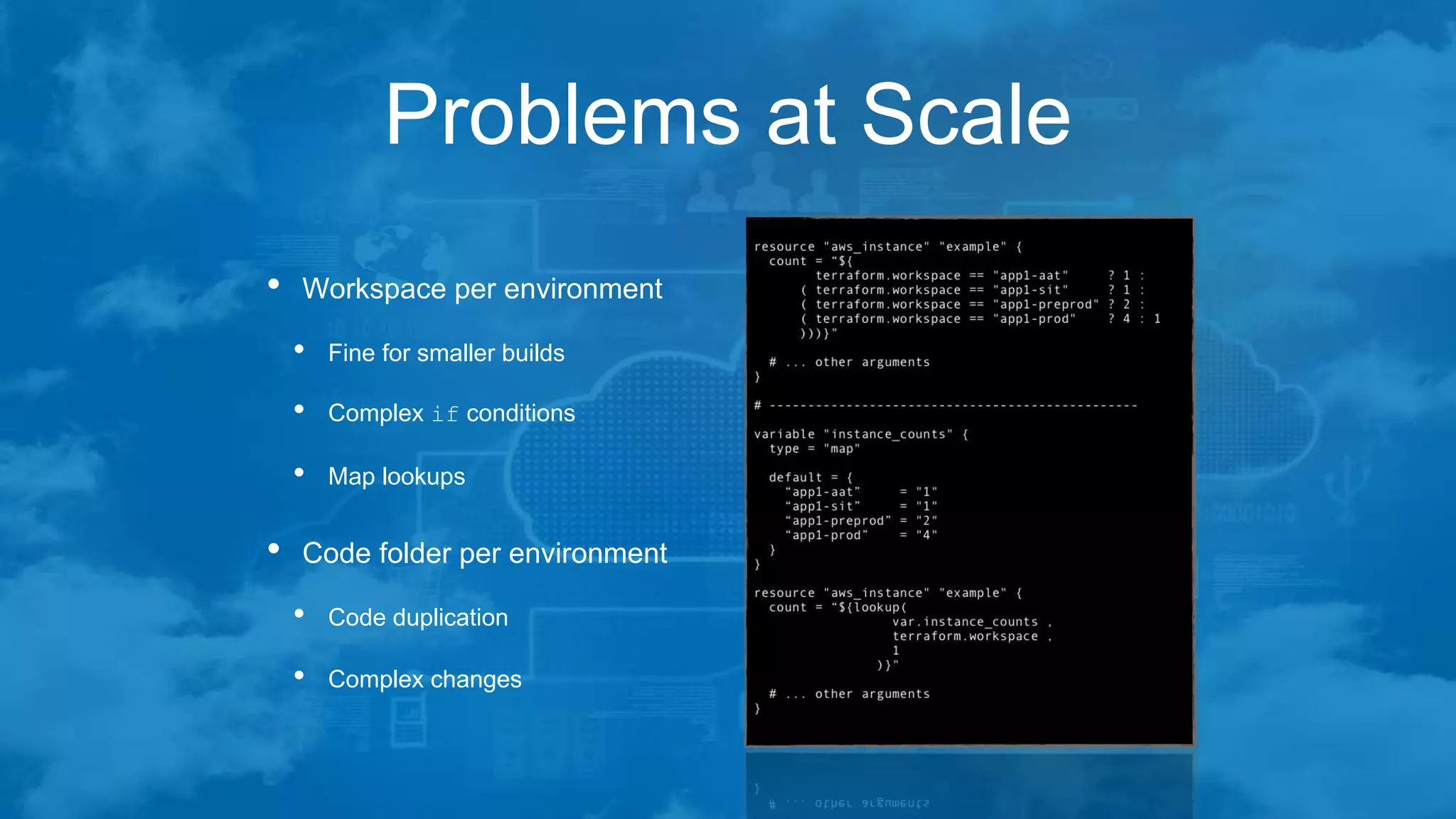
• Workspace per environment
• Fine for smaller builds
• Complex if conditions
• Map lookups
• Code folder per environment
• Code duplication
• Complex changes
Problems at Scale
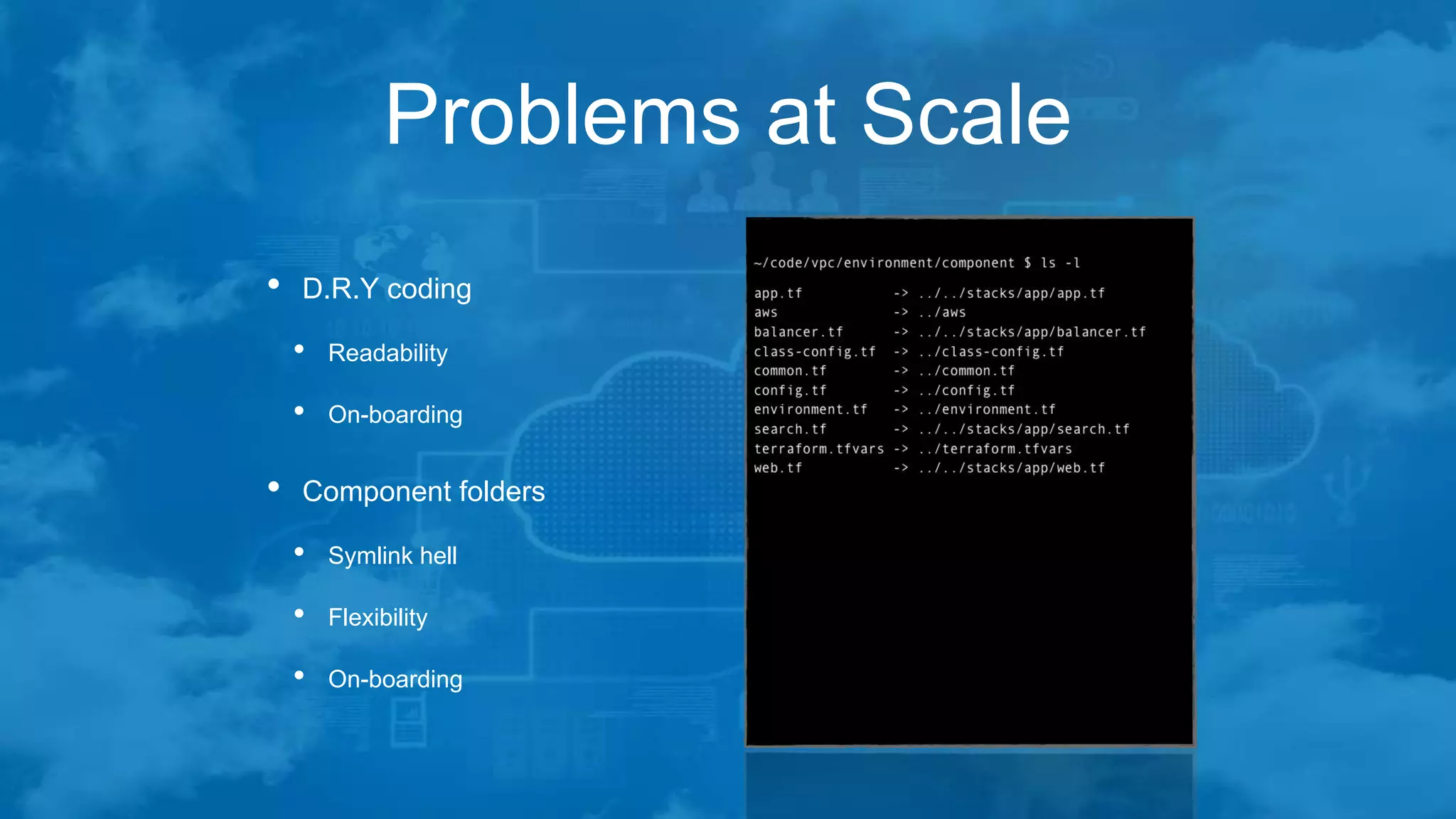
• D.R.Y coding
• Readability
• On-boarding
• Component folders
• Symlink hell
• Flexibility
• On-boarding
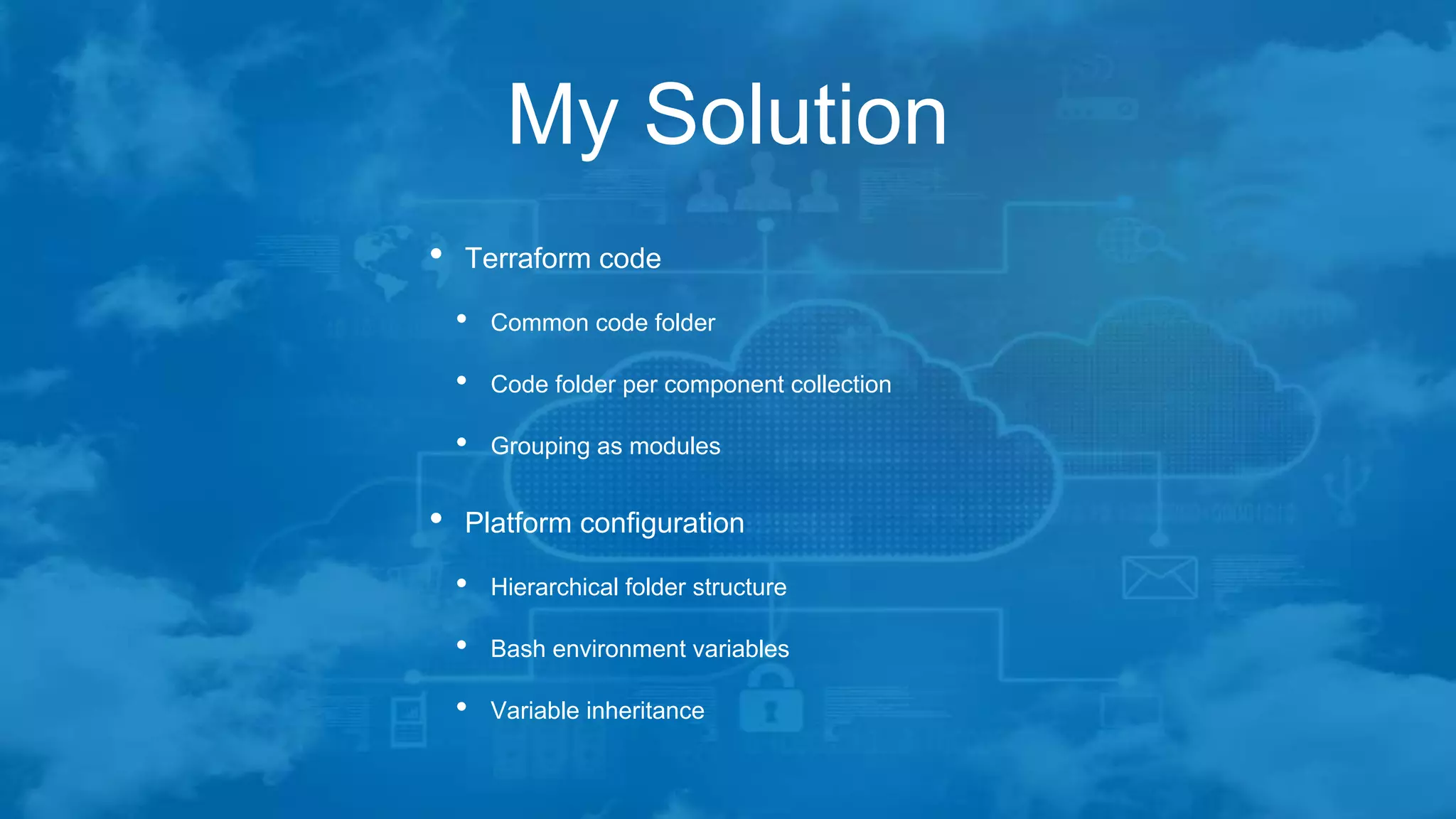
My Solution
• Terraform code
• Common code folder
• Code folder per component collection
• Grouping as modules
• Platform configuration
• Hierarchical folder structure
• Bash environment variables
• Variable inheritance
Common Code Folder
• For really common code
• Providers and versions
• Common tags
• Common data sources
• Low Symlink count
Folders per Collection
• Groups of related resources
• VPC configuration
• Common IAM resources
• Auto-Scaling Group
• RDS Database
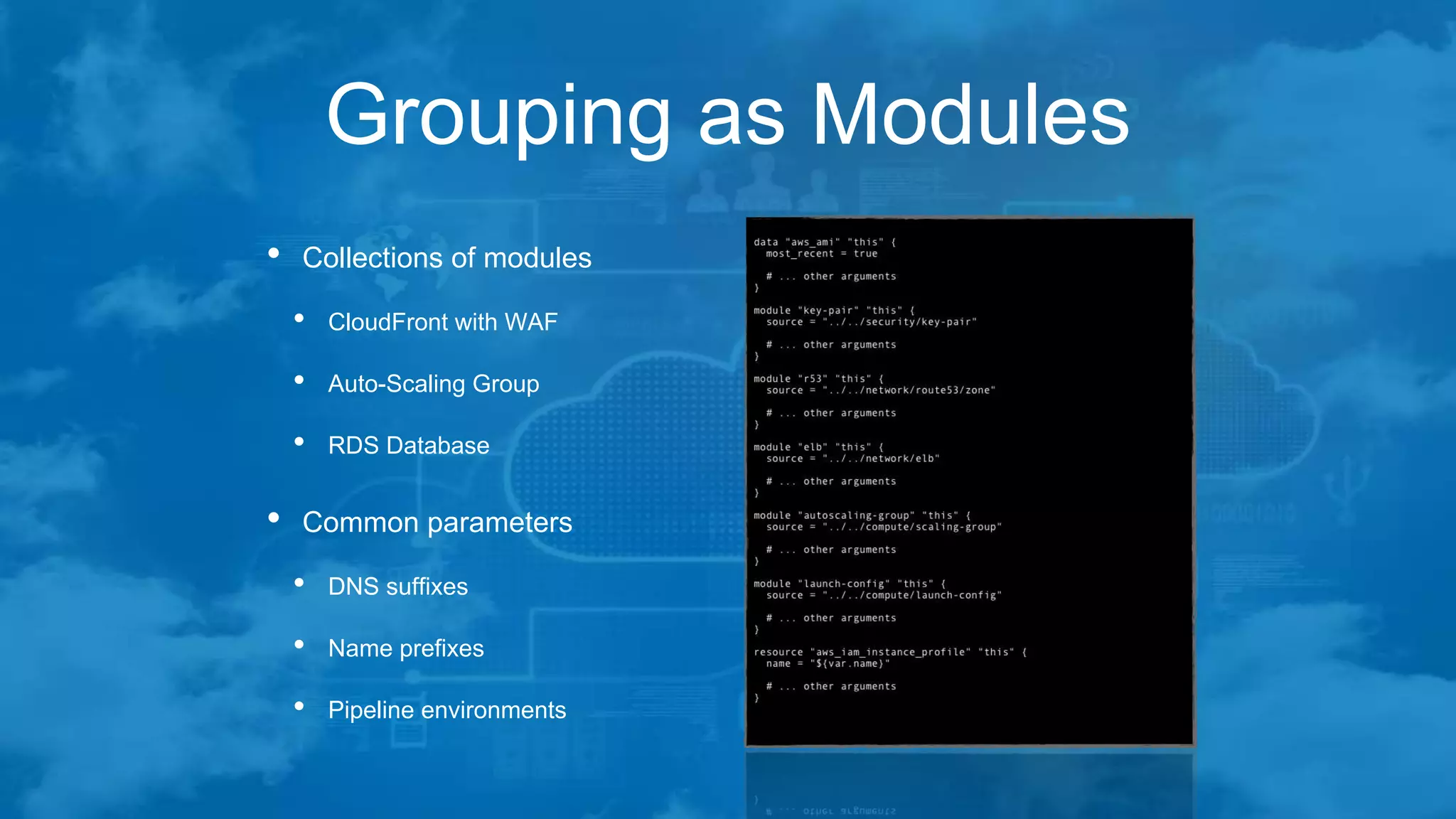
Grouping as Modules
• Collections of modules
• CloudFront with WAF
• Auto-Scaling Group
• RDS Database
• Common parameters
• DNS suffixes
• Name prefixes
• Pipeline environments
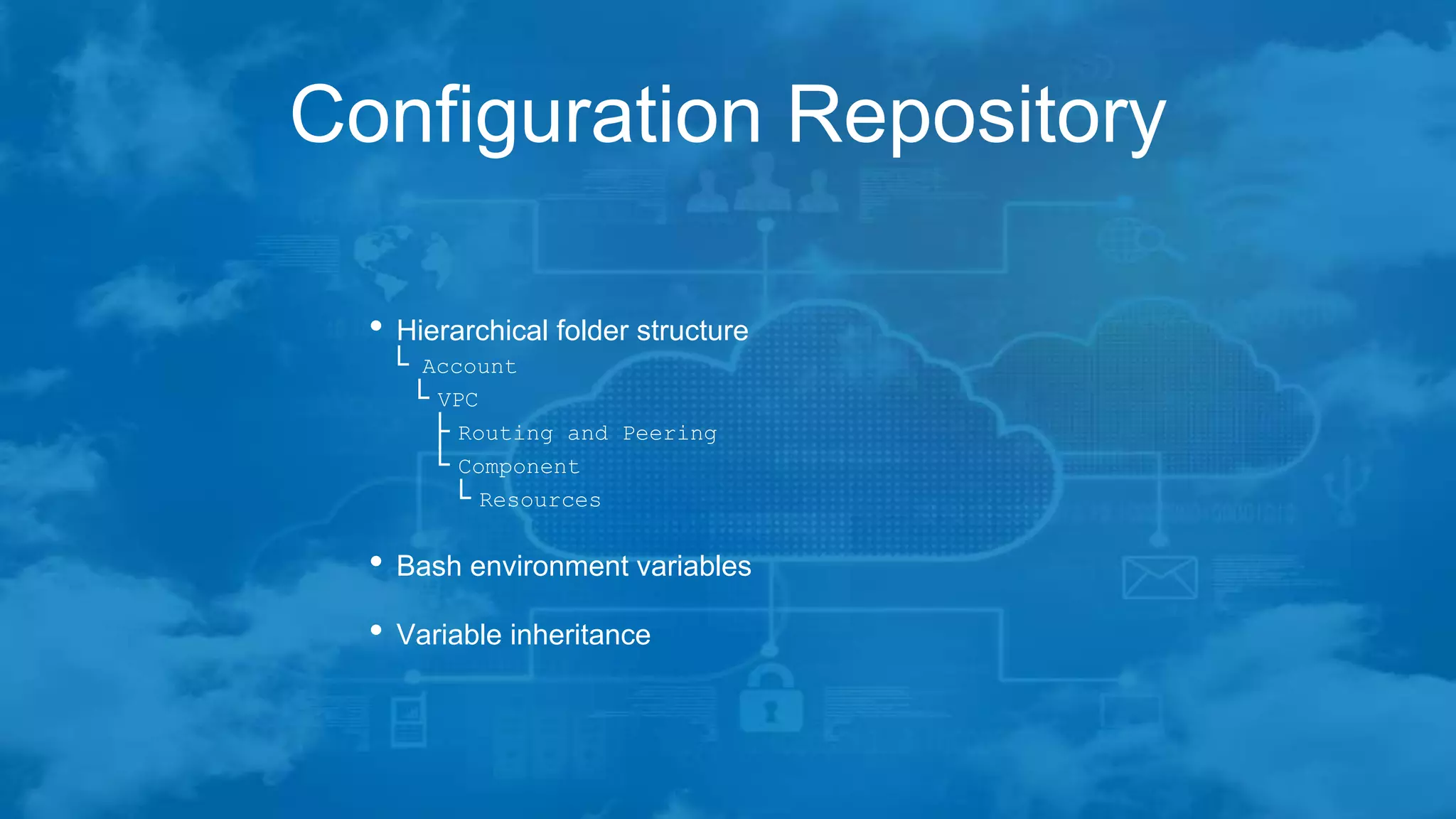
Configuration Repository
• Hierarchical folder structure
└ Account
└ VPC
├ Routing and Peering
└ Component
└ Resources
• Bash environment variables
• Variable inheritance
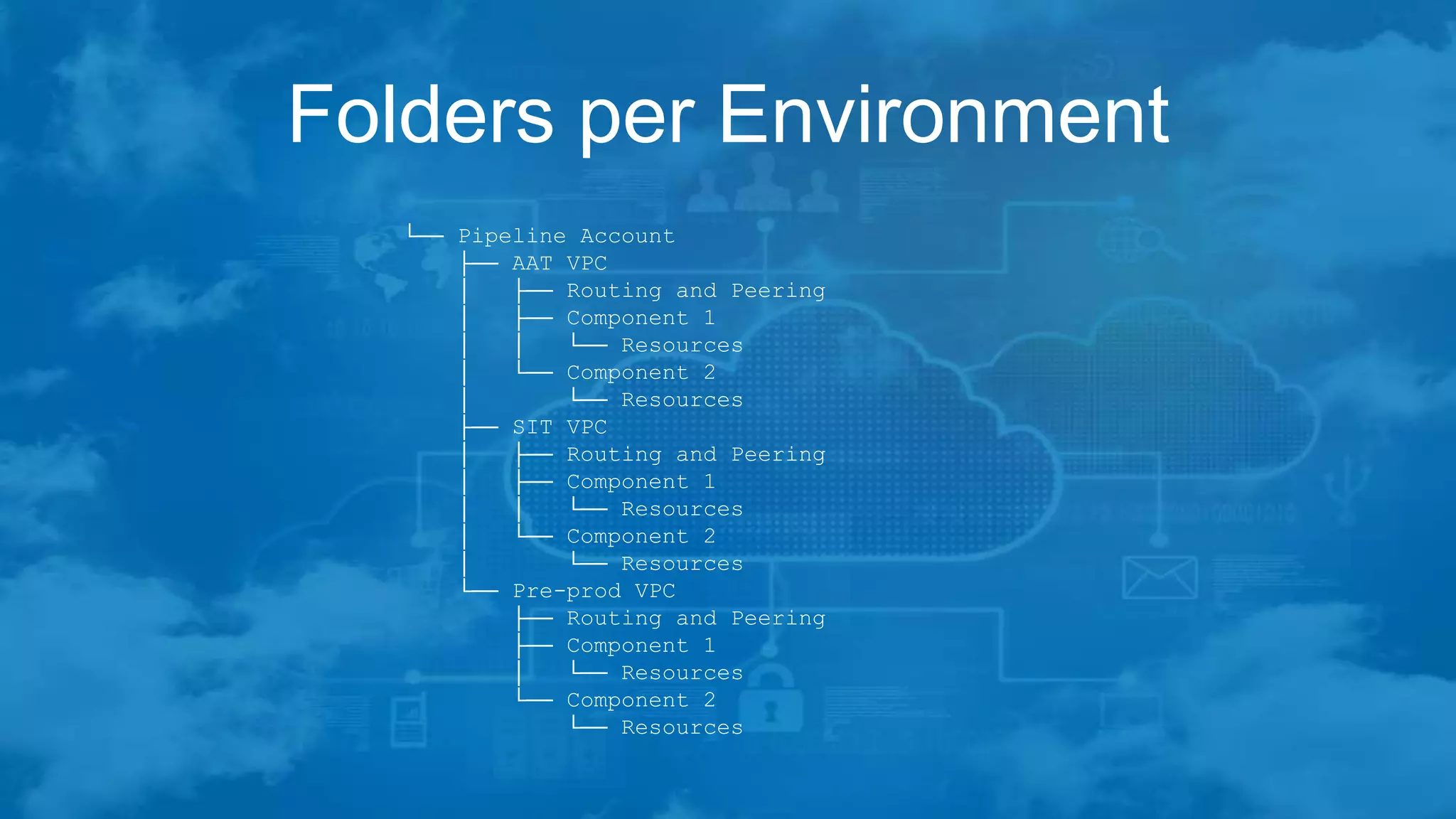
Folders per Environment
└── Pipeline Account
├── AAT VPC
│ ├── Routing and Peering
│ ├── Component 1
│ │ └── Resources
│ └── Component 2
│ └── Resources
├── SIT VPC
│ ├── Routing and Peering
│ ├── Component 1
│ │ └── Resources
│ └── Component 2
│ └── Resources
└── Pre-prod VPC
├── Routing and Peering
├── Component 1
│ └── Resources
└── Component 2
└── Resources
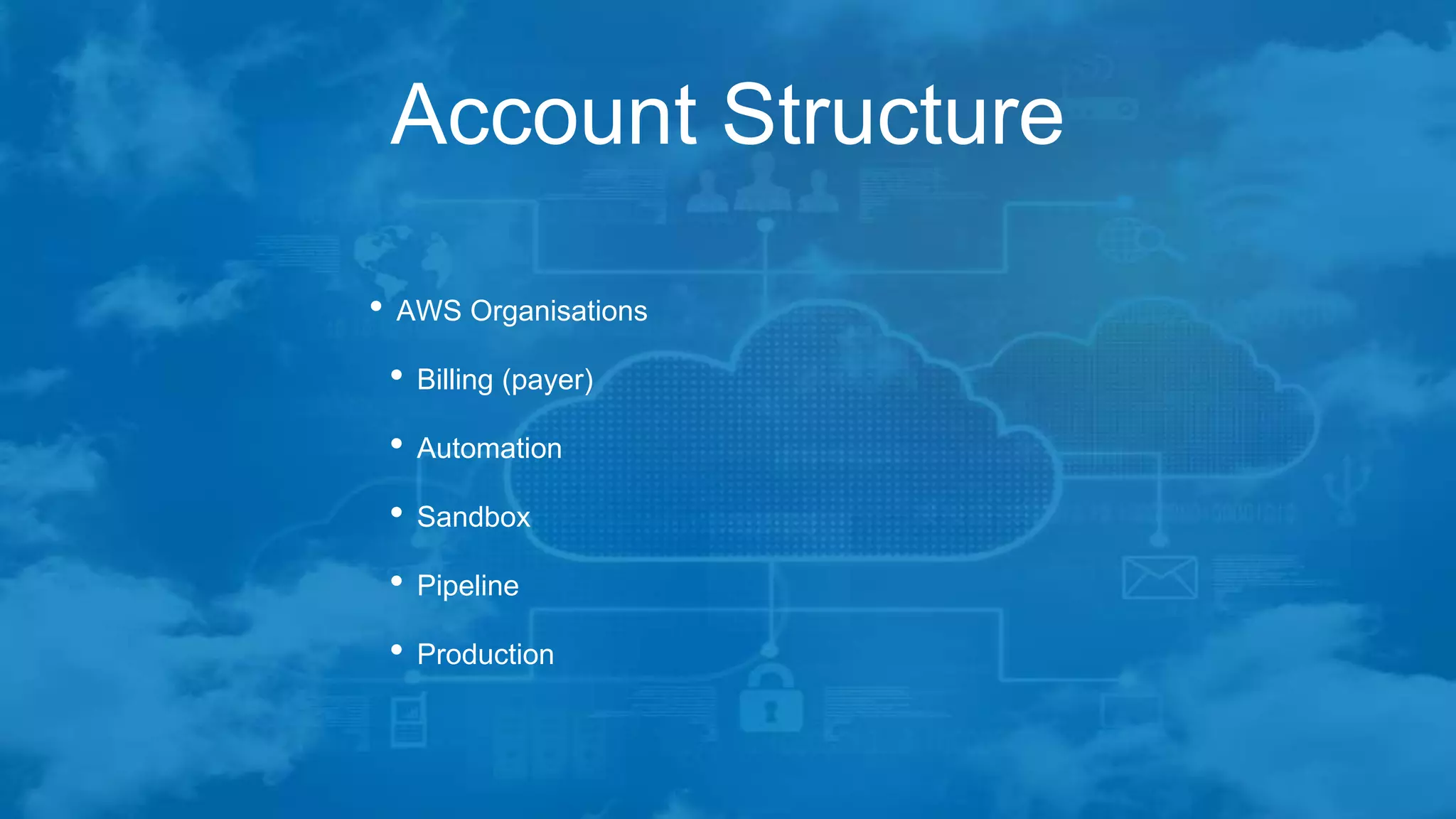
Account Structure
• AWS Organisations
• Billing (payer)
• Automation
• Sandbox
• Pipeline
• Production
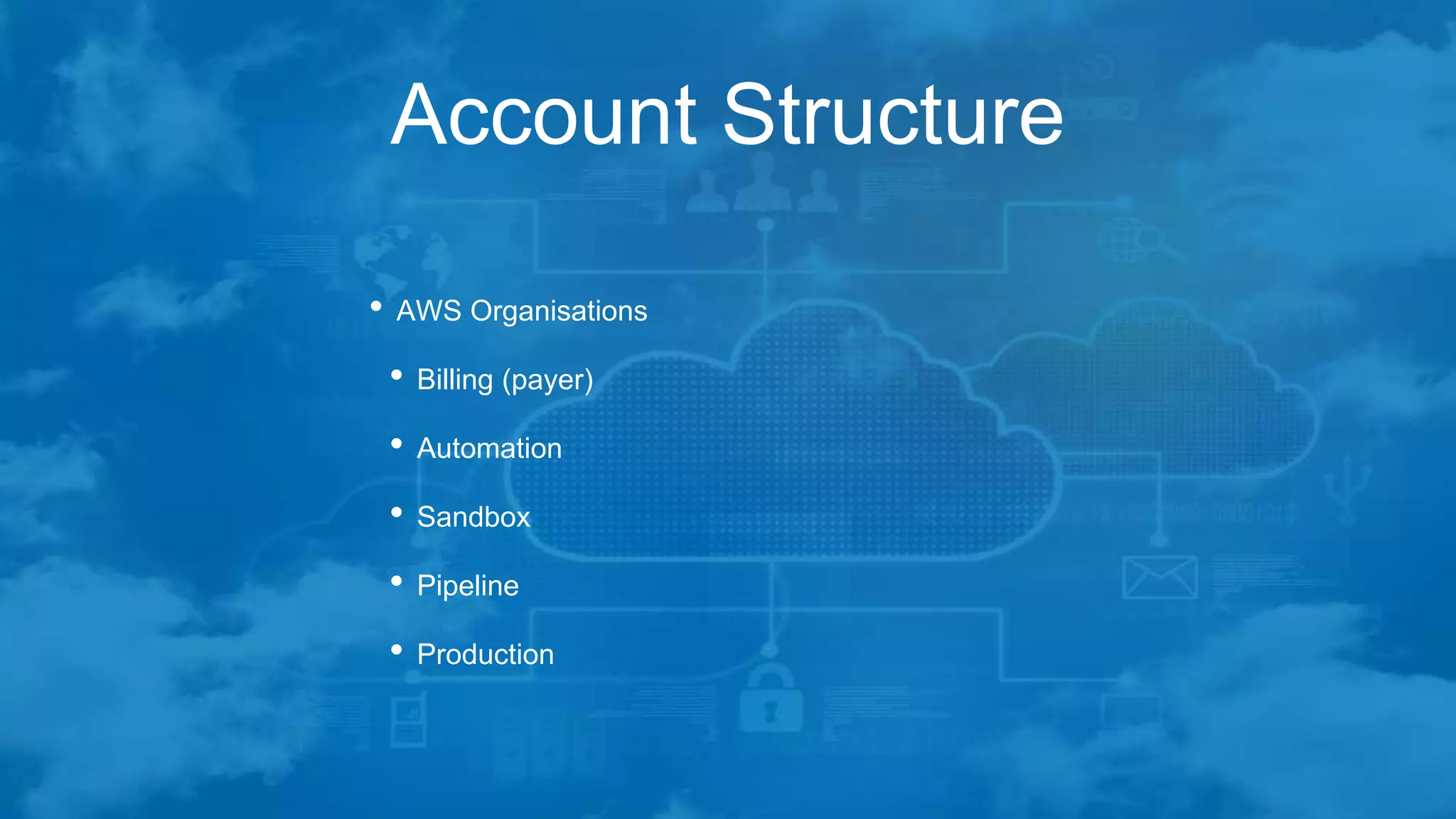
Account Structure
• AWS Organisations
• Billing (payer)
• Automation
• Sandbox
• Pipeline
• Production
The Build Process
• Bootstrapping the build
• Create a CLI enabled temporary user in the master account
• Run Terraform from a local machine, laptop, etc
• Sets up basic account configuration
• Password Policy
• Enforce MFA on user accounts
• Builds the bare minimum of resources
• EC2 based IAM role for further provisioning ability
• EC2 instance with IAM role attached as jump box
The Build Process
• Secure the bootstrap CLI access
• Disable or remove CLI access keys from the temporary user
• Reduces account compromisation possibilities
• Remaining build process runs from EC2 jump box
The Build Process
• Using the EC2 jump box
• Clone the Terraform code and config repositories
• Run the build scripts
• No IAM user account or CLI access keys required
• Relies on AWS IAM security provisioning
• Can have different IAM policies in place in each account
• More restrictive for production
• Looser restrictions in sandbox
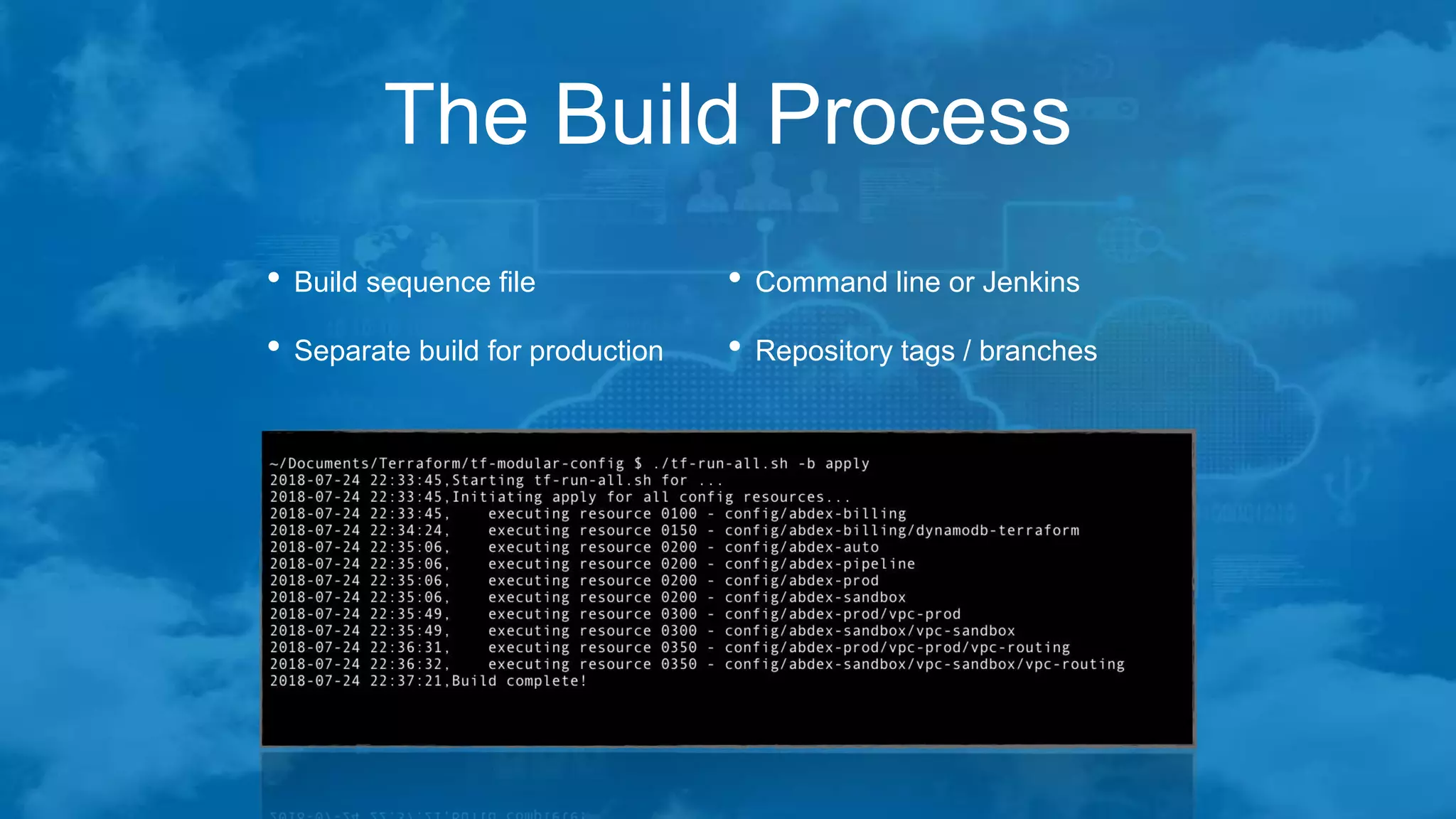
The Build Process
• Build sequence file
• Separate build for production
• Command line or Jenkins
• Repository tags / branches
Creating New Environments
• New Feature Development
• What-If scenarios
• Performance Testing
• Third-Party Integration Tests
Creating New Environments
• Recursively copy the source configuration folder
• Remove all the .terraform local state folders
$ find {target_path} -name '.terraform' -exec rm -rf {} ;
• Make necessary changes in
config.sh
config.tfvars
• Build the new environment
Removing Old Environments
• When the new environment is no longer required
• Destroy through Terraform
• Remove the configuration folder
About me
• 25 years in IT working in a variety of roles
• Developer
• Linux SysAdmin
• MySQL DBA
• Infrastructure Architect
• Freelancer based in the UK currently working with
ParkMobile / ParkNow out of their Basingstoke office in
the UK and their Diemen office in the Netherlands
Getting in touch…
• LinkedIn - https://linkedin.com/in/daverix
• GitHub - @AnalysisByDesign or @Hasgaroth
• tf-module-code
• tf-module-config
• Twitter - @Hasgaroth

Terraform - Shared Definitions and Variable Inheritance

  • 1.
    Terraform at scale SharedDefinitions and Variable Inheritance
  • 2.
    Assumptions • Target platform- AWS Cloud • Operating system - Linux
  • 3.
    Problems at Scale •The ‘one big folder’ option • Execution times • Multiple accounts and VPCs • Code complexity • Terraform modules • Variable duplication • Multiple providers
  • 4.
    Problems at Scale •Workspace per environment • Fine for smaller builds • Complex if conditions • Map lookups • Code folder per environment • Code duplication • Complex changes
  • 5.
    Problems at Scale •D.R.Y coding • Readability • On-boarding • Component folders • Symlink hell • Flexibility • On-boarding
  • 6.
    My Solution • Terraformcode • Common code folder • Code folder per component collection • Grouping as modules • Platform configuration • Hierarchical folder structure • Bash environment variables • Variable inheritance
  • 7.
    Common Code Folder •For really common code • Providers and versions • Common tags • Common data sources • Low Symlink count
  • 8.
    Folders per Collection •Groups of related resources • VPC configuration • Common IAM resources • Auto-Scaling Group • RDS Database
  • 9.
    Grouping as Modules •Collections of modules • CloudFront with WAF • Auto-Scaling Group • RDS Database • Common parameters • DNS suffixes • Name prefixes • Pipeline environments
  • 10.
    Configuration Repository • Hierarchicalfolder structure └ Account └ VPC ├ Routing and Peering └ Component └ Resources • Bash environment variables • Variable inheritance
  • 11.
    Folders per Environment └──Pipeline Account ├── AAT VPC │ ├── Routing and Peering │ ├── Component 1 │ │ └── Resources │ └── Component 2 │ └── Resources ├── SIT VPC │ ├── Routing and Peering │ ├── Component 1 │ │ └── Resources │ └── Component 2 │ └── Resources └── Pre-prod VPC ├── Routing and Peering ├── Component 1 │ └── Resources └── Component 2 └── Resources
  • 12.
    Account Structure • AWSOrganisations • Billing (payer) • Automation • Sandbox • Pipeline • Production
  • 13.
    Account Structure • AWSOrganisations • Billing (payer) • Automation • Sandbox • Pipeline • Production
  • 14.
    The Build Process •Bootstrapping the build • Create a CLI enabled temporary user in the master account • Run Terraform from a local machine, laptop, etc • Sets up basic account configuration • Password Policy • Enforce MFA on user accounts • Builds the bare minimum of resources • EC2 based IAM role for further provisioning ability • EC2 instance with IAM role attached as jump box
  • 15.
    The Build Process •Secure the bootstrap CLI access • Disable or remove CLI access keys from the temporary user • Reduces account compromisation possibilities • Remaining build process runs from EC2 jump box
  • 16.
    The Build Process •Using the EC2 jump box • Clone the Terraform code and config repositories • Run the build scripts • No IAM user account or CLI access keys required • Relies on AWS IAM security provisioning • Can have different IAM policies in place in each account • More restrictive for production • Looser restrictions in sandbox
  • 17.
    The Build Process •Build sequence file • Separate build for production • Command line or Jenkins • Repository tags / branches
  • 18.
    Creating New Environments •New Feature Development • What-If scenarios • Performance Testing • Third-Party Integration Tests
  • 19.
    Creating New Environments •Recursively copy the source configuration folder • Remove all the .terraform local state folders $ find {target_path} -name '.terraform' -exec rm -rf {} ; • Make necessary changes in config.sh config.tfvars • Build the new environment
  • 20.
    Removing Old Environments •When the new environment is no longer required • Destroy through Terraform • Remove the configuration folder
  • 21.
    About me • 25years in IT working in a variety of roles • Developer • Linux SysAdmin • MySQL DBA • Infrastructure Architect • Freelancer based in the UK currently working with ParkMobile / ParkNow out of their Basingstoke office in the UK and their Diemen office in the Netherlands
  • 22.
    Getting in touch… •LinkedIn - https://linkedin.com/in/daverix • GitHub - @AnalysisByDesign or @Hasgaroth • tf-module-code • tf-module-config • Twitter - @Hasgaroth

Editor's Notes

  • #2 Good evening I’m going to talk about the problems I have experienced when running Terraform at scale, and how I have overcome them with shared code definitions and variable inheritance
  • #3 The assumptions I have made for this is that the target platform is AWS and the operating system used is Linux
  • #4 So what problems have I experienced when running Terraform at scale? and scale here means up to 20 separate applications being built into the same VPC, each with 7-10 environments First, there is the ‘one big folder’ option - put all the Terraform code in a single folder and build everything together Using Terraform modules to group resources results in duplicate variable declarations
  • #5 Using Terraform workspaces doesn’t help much either ok when you only have a small number gets messy when there are too many ‘map’ lookups can help, but even these only go so far What about one code folder per environment - Code duplication and changes across all environments become tricky
  • #6 What about using D.R.Y coding practices? And having resource code in component folders and symlinking to the correct location? An example I have seen had 7,500 symlink files and almost 80 in a single folder
  • #7 So what did I do? Separate out Terraform resource code from variable configurations Group related resources into component folders Further group the components into complete patterns Place configuration variables in a hierarchical folder structure using bash environment variables and small tfvars files, allowing variable inheritance
  • #8 I still have a single common code folder for those parts of the Terraform resource code that is truly common These files are then symlinked into the component folders as required - but still keeps the symlink count and complexity to a minimum
  • #9 I group resources into folders where there is a direct relation between them, and they are rarely, if ever, used independently. For example my VPC folder contains resources for the VPC, DHCP option set, Route53 zones, subnets and some generic security groups The auto-scaling group folder contains resources for Route53, Auto-Scaling Group, LaunchConfiguration, load balancer and key-pairs
  • #10 I then abstract away from this one further level, and group the resource collections together into folders containing related resources that are part of a build pattern. For example, combining CloudFront with WAF, Auto-Scaling Group and RDS database provides a complete solution for deploying a customer facing application Common parameters are passed to the various resource builds to provide uniform naming conventions and tagging
  • #11 The configuration repository has a hierarchical folder structure based on how the various resources are built, with each child folder becoming more specific and allowing for variable overrides This is achieved with Bash environment variables being exported at each level of the hierarchy. I have tried `source`ing parent configurations within the child definition files, but this has some issues
  • #12 This is an example of a pipeline account variable definition structure. Each folder has a `config.sh` bash script and a `config.tfvars` variable file A script ‘walks the tree’ for a particular build component exporting the variables at each level, and creating a sequence of parameters to pass to Terraform using the ‘--var-file=’ construct, where later definitions override earlier ones You should be able to see that this enables quick and easy environment cloning
  • #13 In this example, I have split the estate into 5 accounts. In a real build, there would be more accounts for centralised logging, audit disaster recovery, etc. When creating these accounts, start from the primary billing account, and creating the additional accounts within the organisation console. Doing this through the regular 'new account' sign-up pages can be troublesome - the main issue is that it requires a payment method! This has the added advantage of creating cross-account roles that we can hijack for the build process.
  • #14 The billing account is for consolidated billing and single-sign-on integration with an existing Active Directory setup The automation account is used to hold resources dedicated to the build process - AMIs, code repositories, Jenkins instances, jump boxes, etc. The sandbox is for infrastructure and engineering to create proof of concept designs without affecting the pipelines The pipeline account is for the Ci/CD environment builds And production is kept separate from the rest to minimise any blast-radius and access to resources
  • #15 So how do we go about using all this? First, we have to bootstrap the build using a manually created temporary user in the master account with CLI keys. This use should be give the ability to assume roles in the other accounts, specifically the cross-account organisation role used when linking the accounts to the master. Terraform can then be run from a local workstation or laptop to set up the basic account configurations, and build the bare minimum of resources such as IAM roles and policies, and EC2 based jump boxes in the automation account
  • #16 Once this has completed, we then secure the system by disabling or removing the CLI access keys from the temporary user account - you could even remove this account if you are feeling particularly paranoid :) This reduces the possibility of having the accounts compromised and any possible blast-radius this may have The remaining builds are performed from the EC2 jump box or Jenkins instance that was built during the bootstrap process
  • #17 So, we now use the jump box for the remaining configuration. Clone the terraform code and configuration repositories onto the box, and assuming it has Terraform installed and is configured correctly, the IAM role attached to the EC2 instance provides access to manage the various resources within the accounts. There are no IAM user accounts or CLI access keys required for any future build The roles and policies in the remaining accounts can be granted access only to the resources that are required for those accounts - eg. do not allow an RDS instance to be terminated in a production account
  • #18 How do I bring all this together into a defined build process? I use a sequence file, containing a list of all the configuration folders that need to be built, and in what sequence to build them - account, vpc, routing, etc. This also allows me to run the builds in parallel where there are no specific dependencies between resources I have created a number of bash scripts to help in this process, allowing me a great deal of flexibility in what gets built, , , and when it gets built! I can also use tags or branches within the repositories to control the release of infrastructure changes to the various environments.
  • #19 So how (and why) do I create a new environment? There are a number of reasons why you would want a complete new environment, as shown here.
  • #20 I start by recursively copying the source configuration folder I then clean up any .terraform local state folders - we do this to have a clean start for the new environment, otherwise strange things can happen Make the necessary changes to the environment configuration files Build the new environment
  • #21 When the new environment is no longer required, it can be destroyed through Terraform, reversing the build sequence (my helper scripts reverse the sort order automatically if a destroy has been requested) The configuration folder can then be removed if this environment is truly no longer required, or can be retained for use another time (flags can be set for these environments so that they are not built by the global automation scripts)