








WindowsAzure Media
Services
Juan Pablo García González
Technical Evangelist
jpgarcia@Microsoft.com
http://jpgarcia.cl
@liarjo
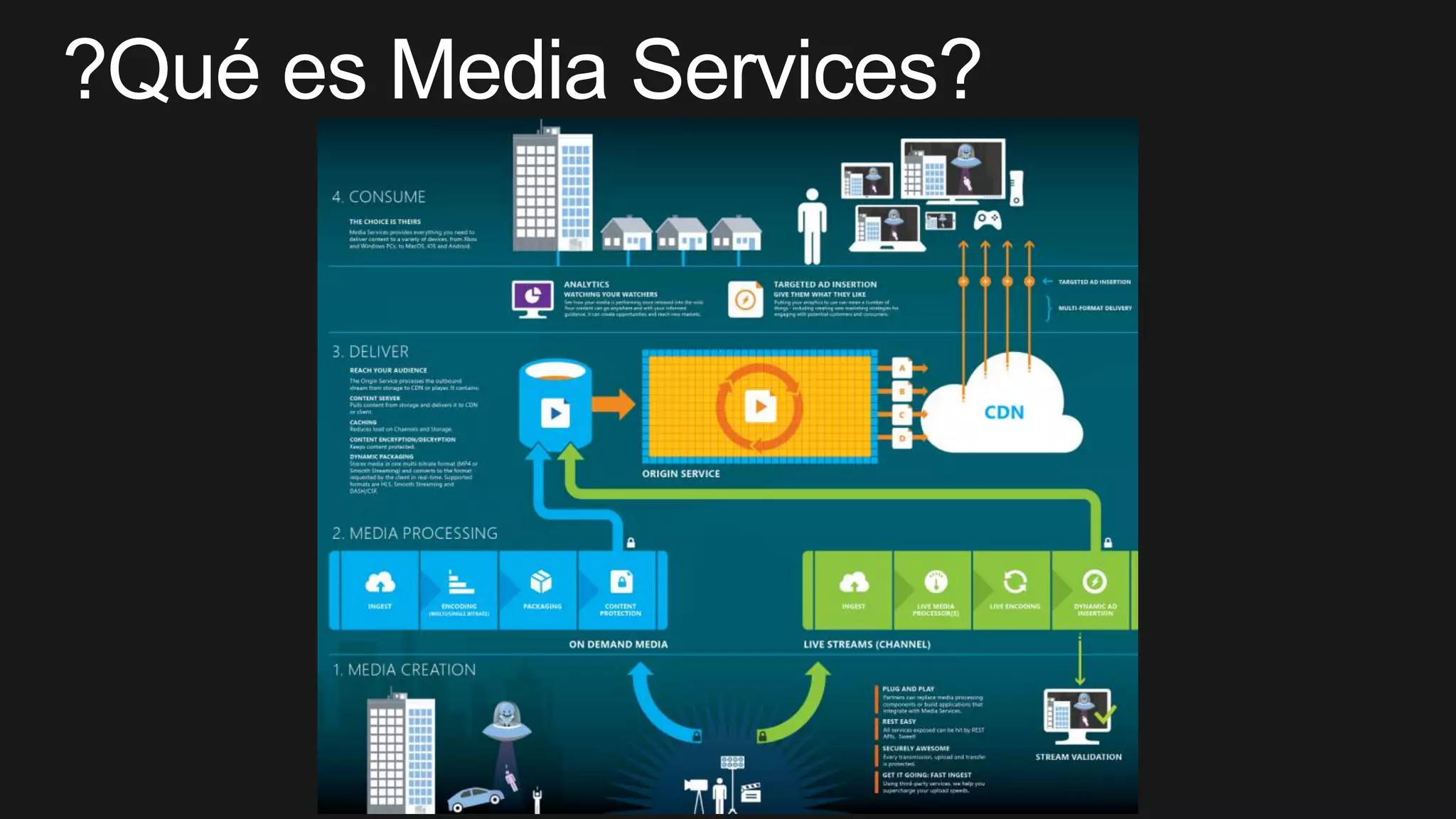
Introducción
Windows
Azure Media
Services
Bonus 1:
live
streaming
Bonus 2:
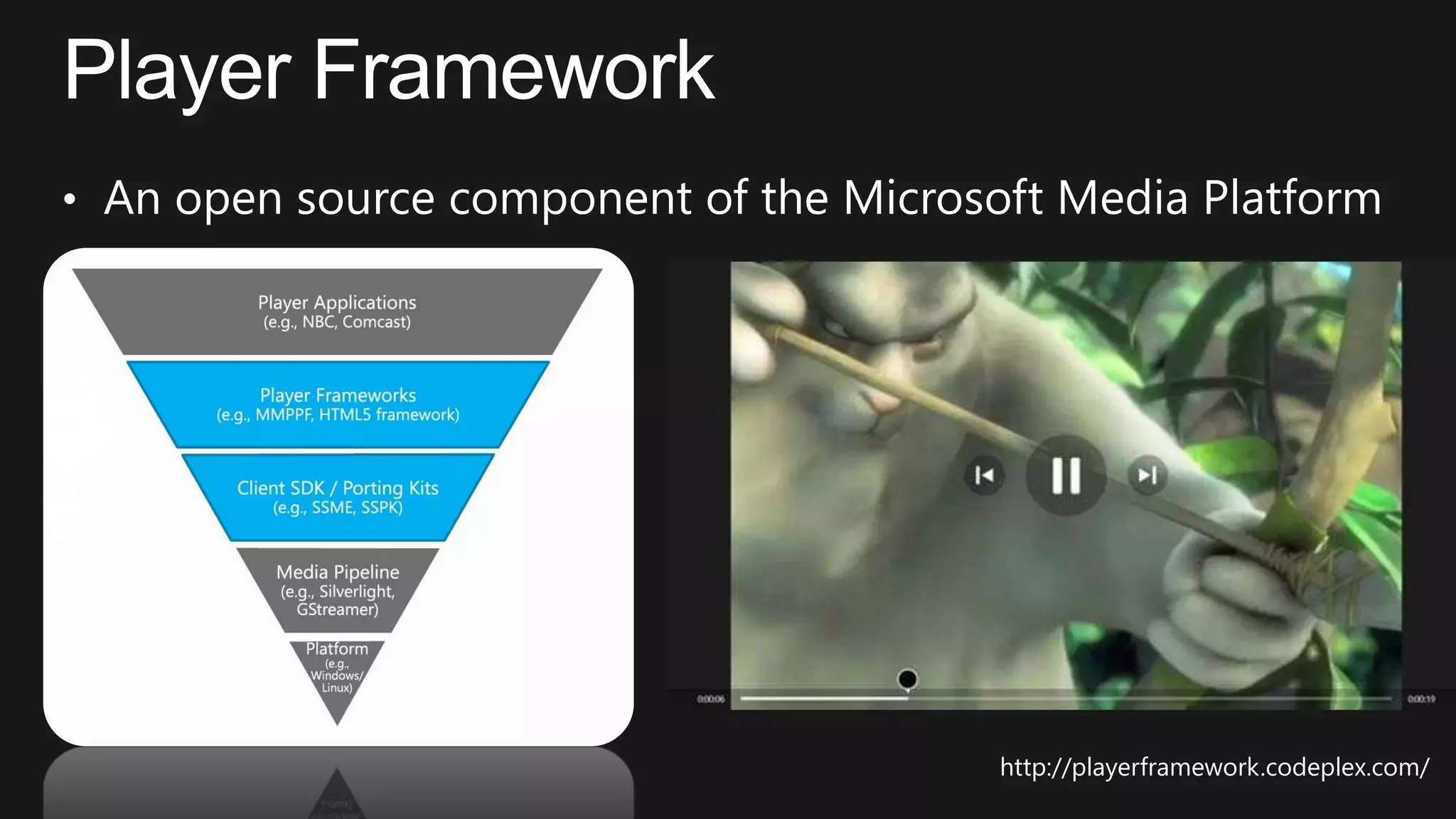
Player
Framework
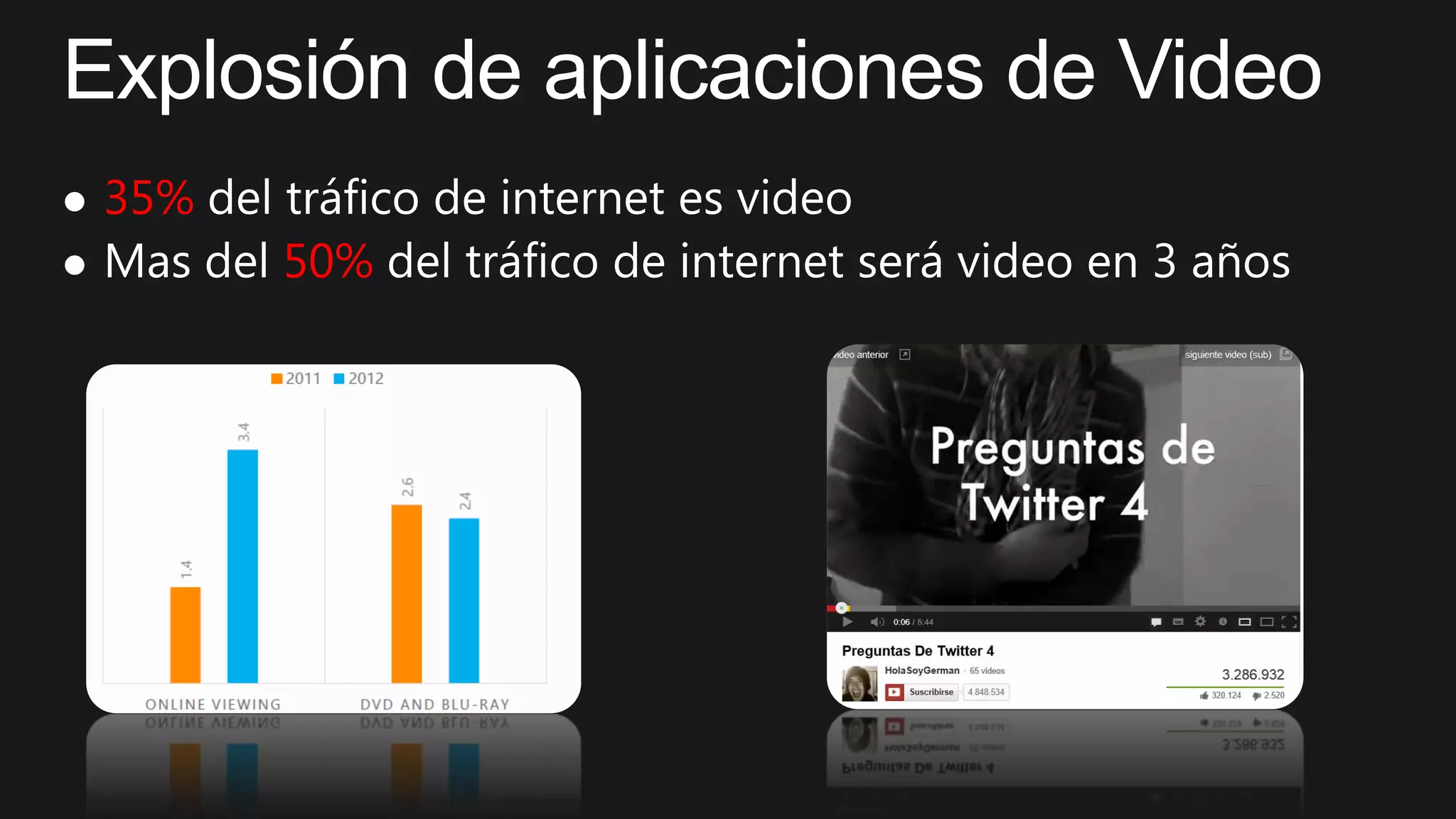
 35%
 50%



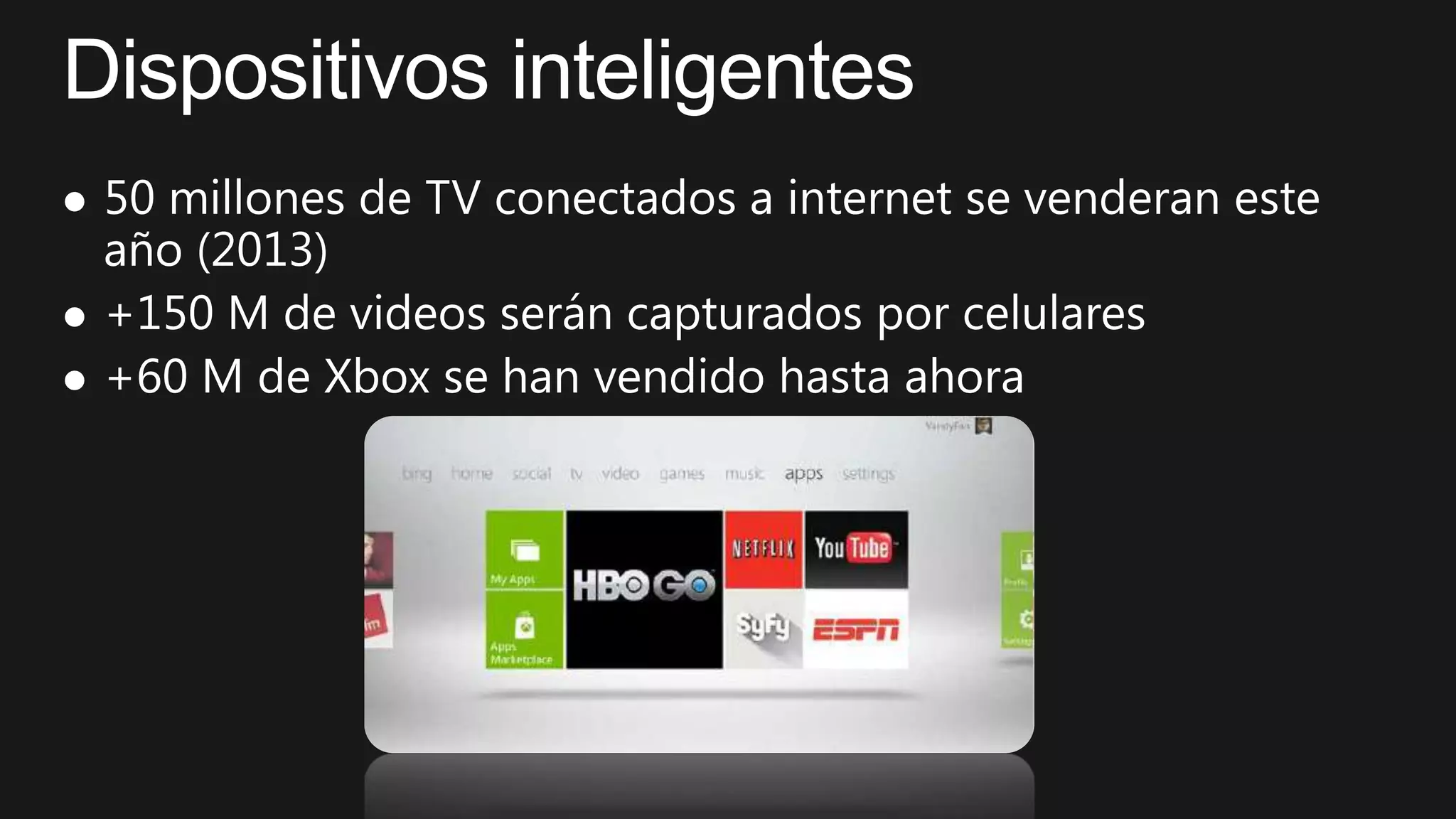
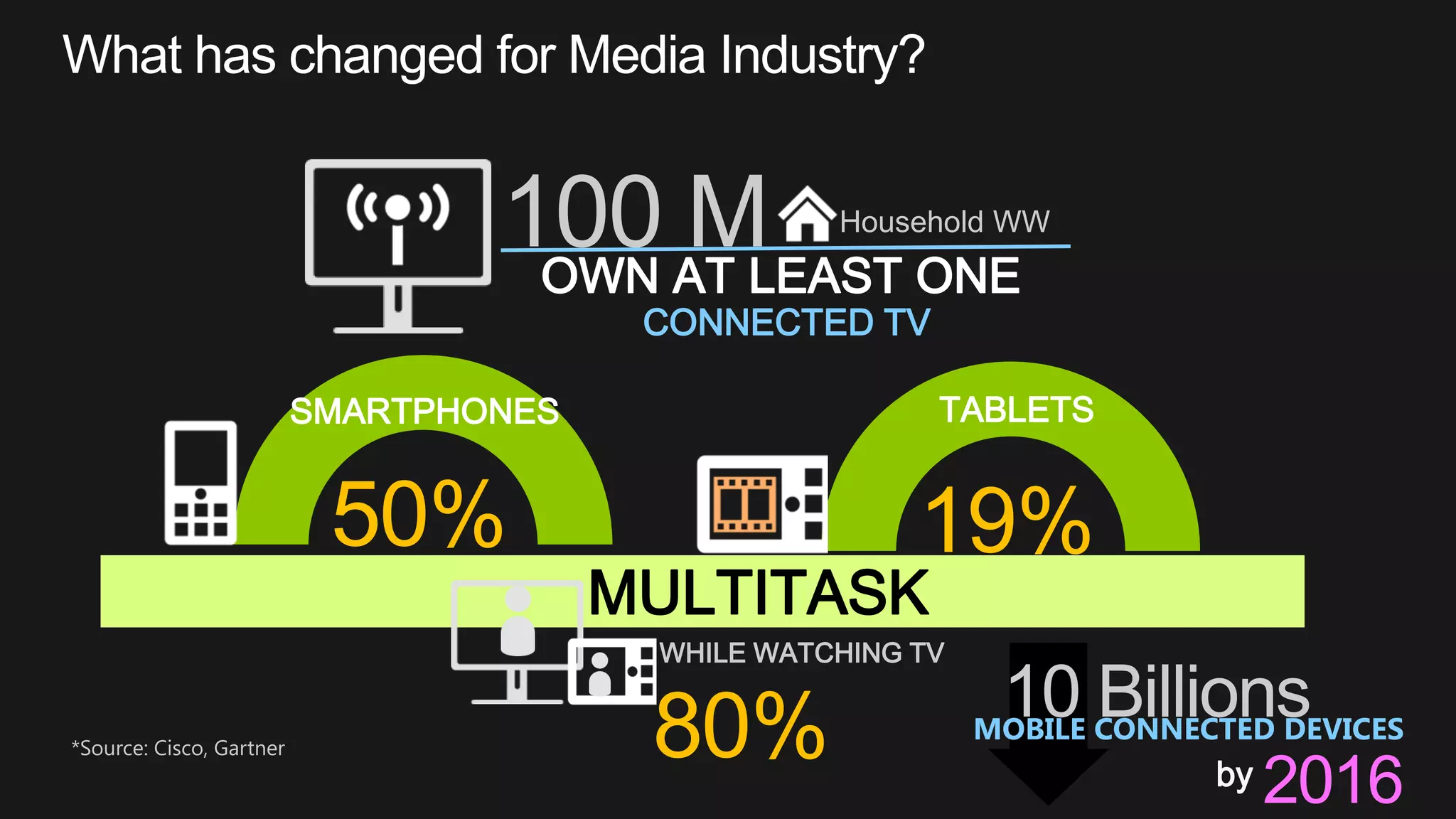
100 M Household WW
OWN AT LEAST ONE
CONNECTED TV
50%
SMARTPHONES
19%
TABLETS
MULTITASK
WHILE WATCHING TV
80% 10 BillionsMOBILE CONNECTED DEVICES
by 2016
*Source: Cisco, Gartner
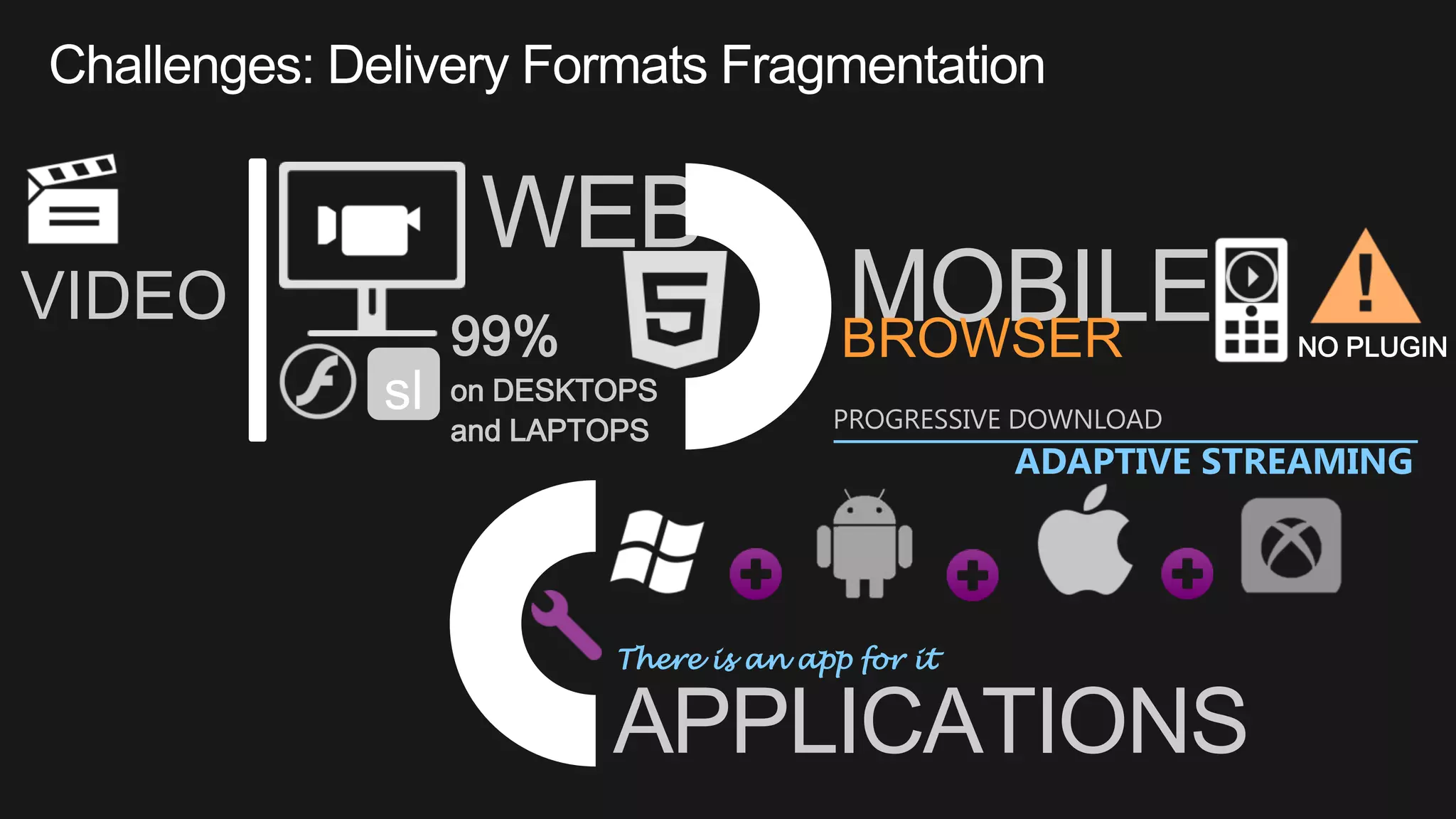
WEB
99%
on DESKTOPS
and LAPTOPS
MOBILE
There is an app for it
APPLICATIONS
BROWSER
VIDEO
NO PLUGIN
PROGRESSIVE DOWNLOAD
ADAPTIVE STREAMING
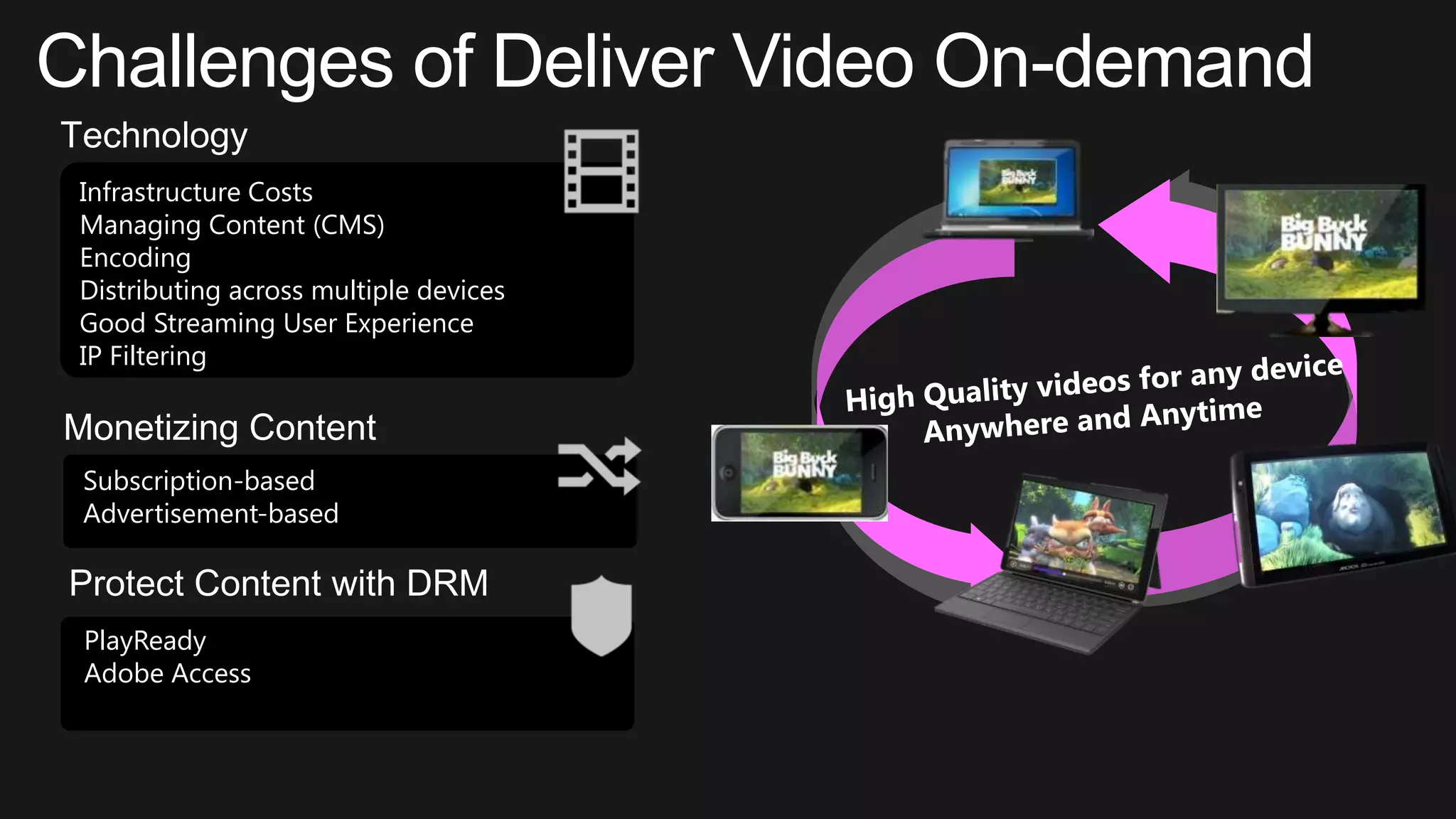
Challenges of Deliver Video On-demand
Technology
Infrastructure Costs
Managing Content (CMS)
Encoding
Distributing across multiple devices
Good Streaming User Experience
IP Filtering
Monetizing Content
Subscription-based
Advertisement-based
Protect Content with DRM
PlayReady
Adobe Access
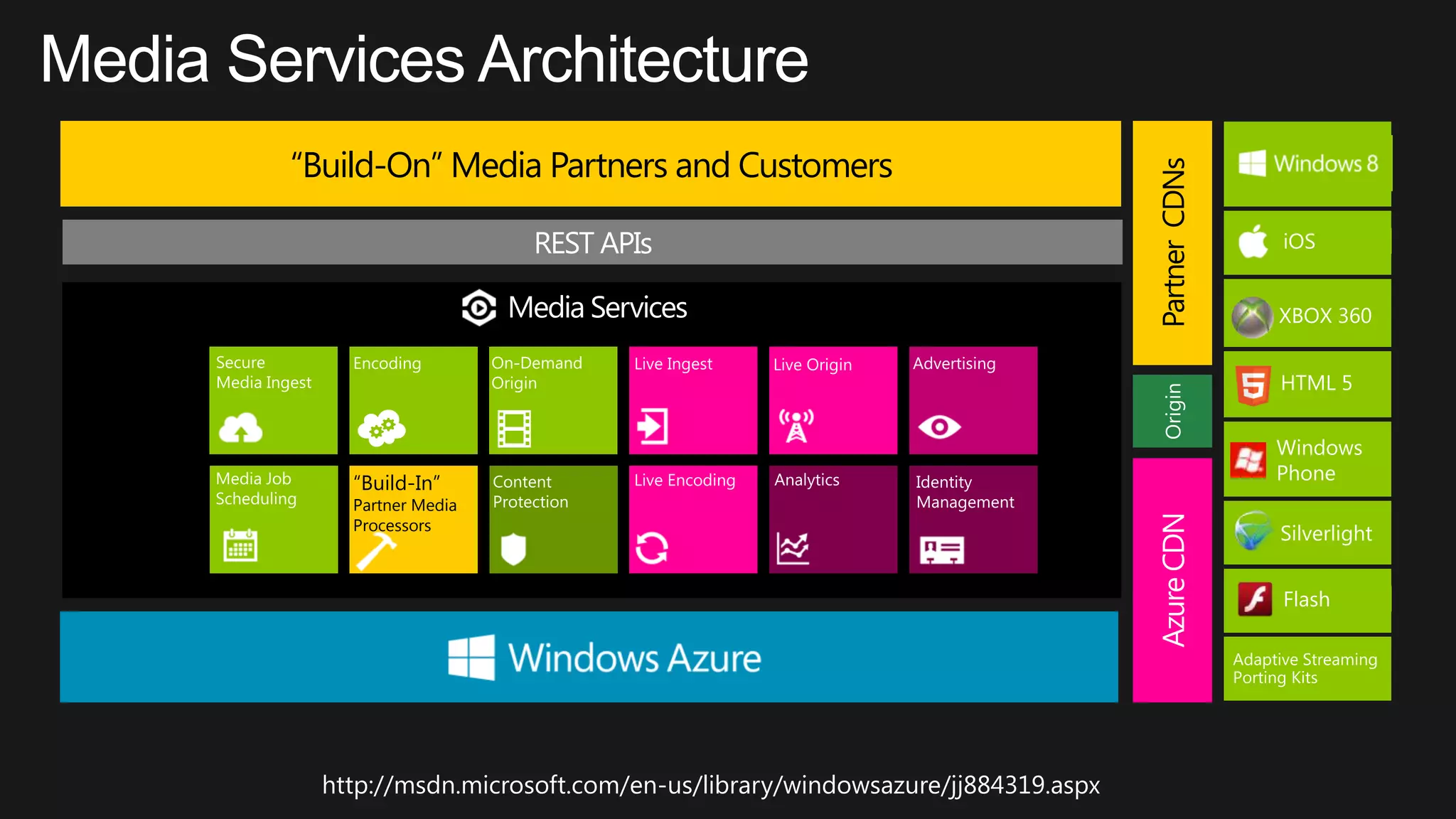
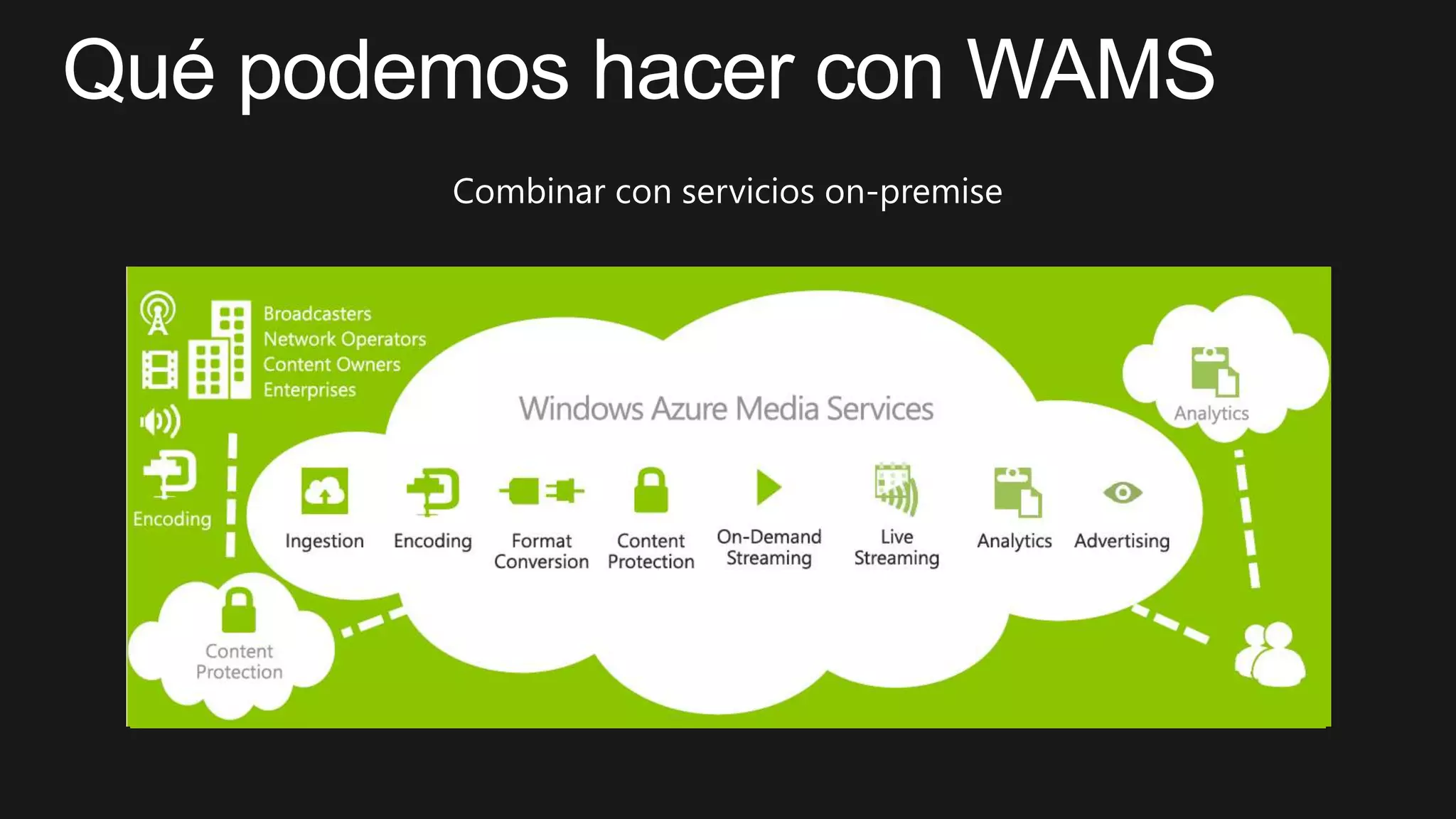
“Build-On” Media Partners and Customers
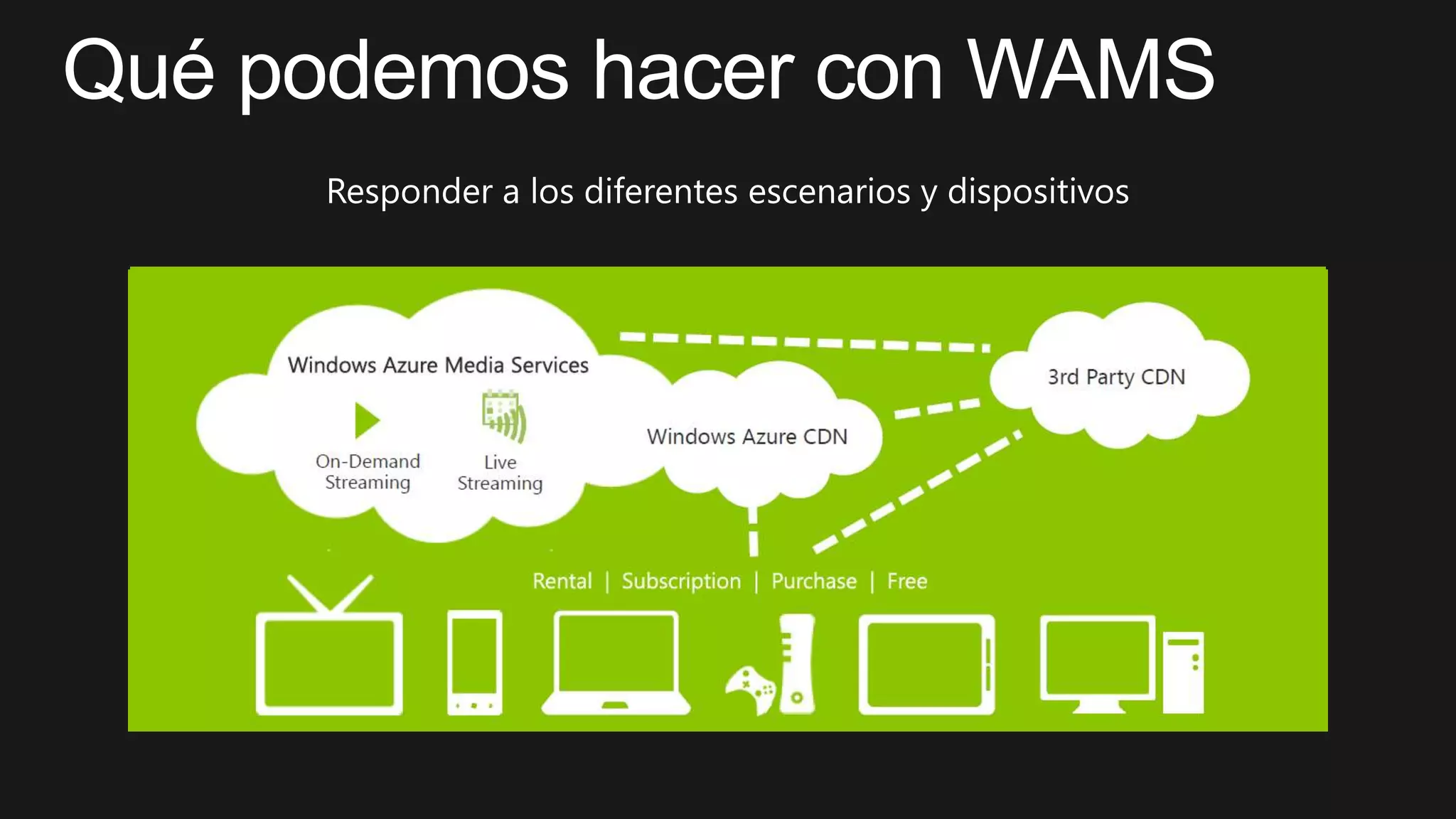
AzureCDNPartnerCDNsOrigin
“Build-In”
Partner Media
Processors
http://msdn.microsoft.com/en-us/library/windowsazure/jj884319.aspx
•
•
•
•
•
•
•
•
•
•
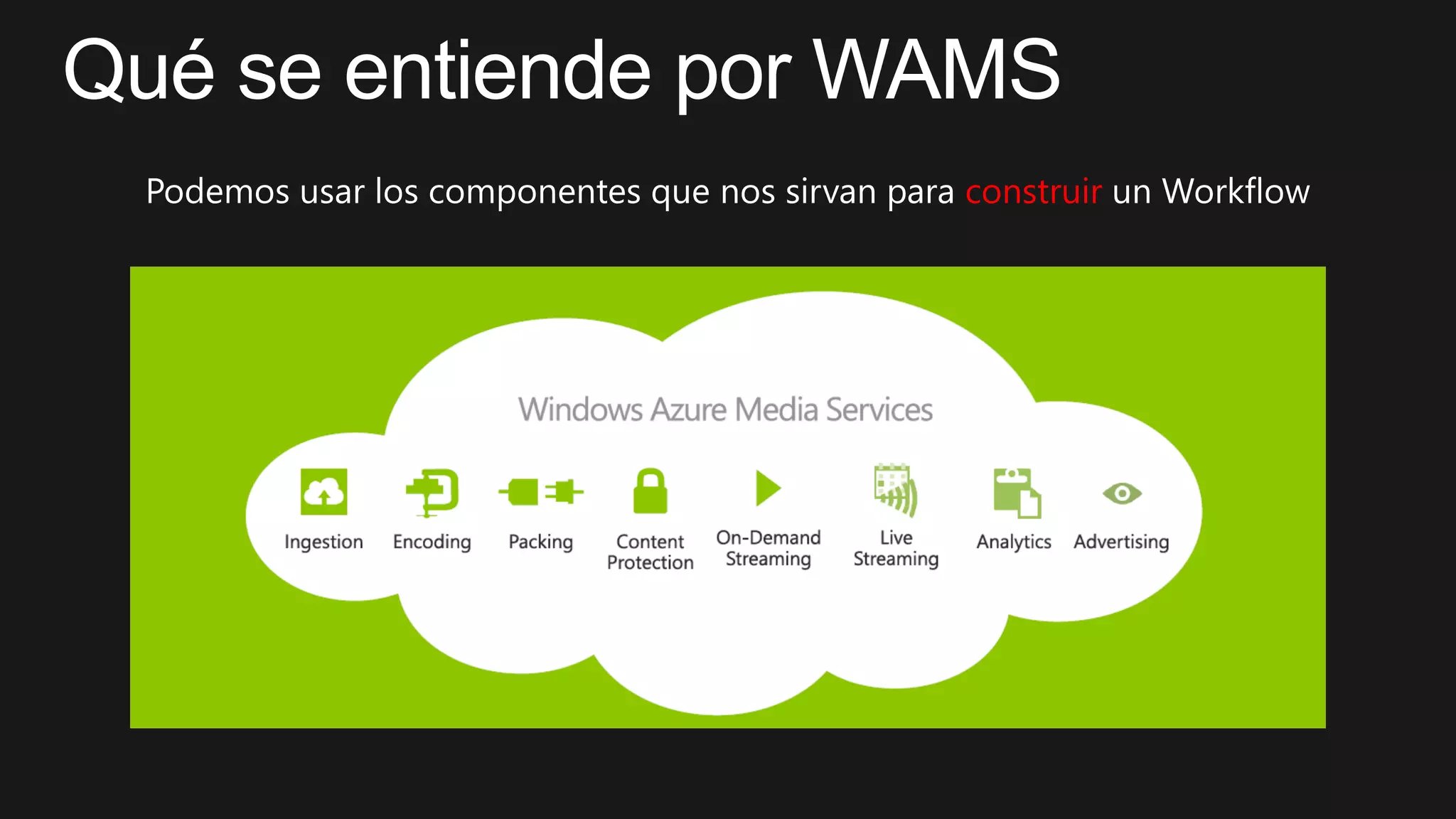
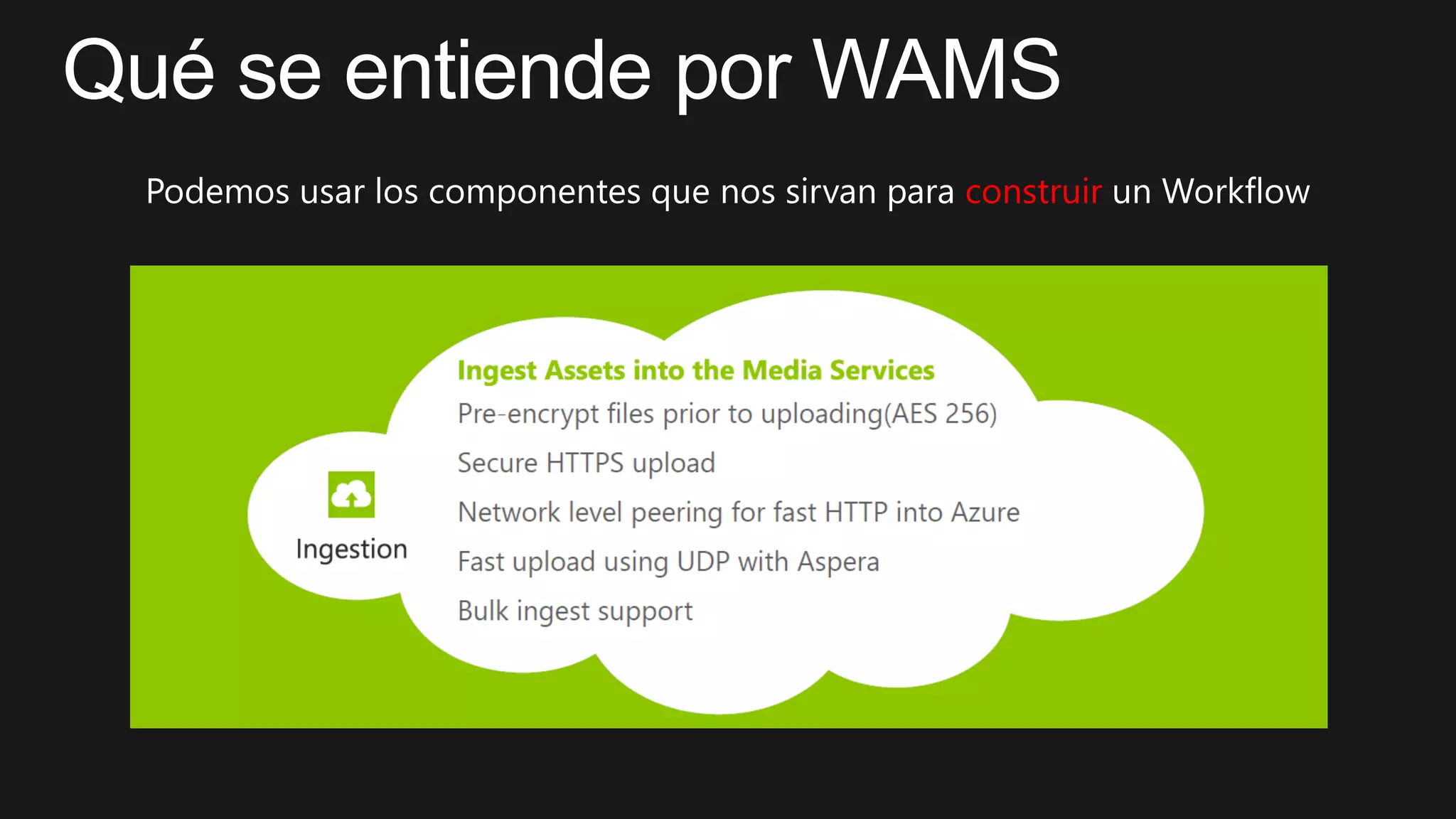
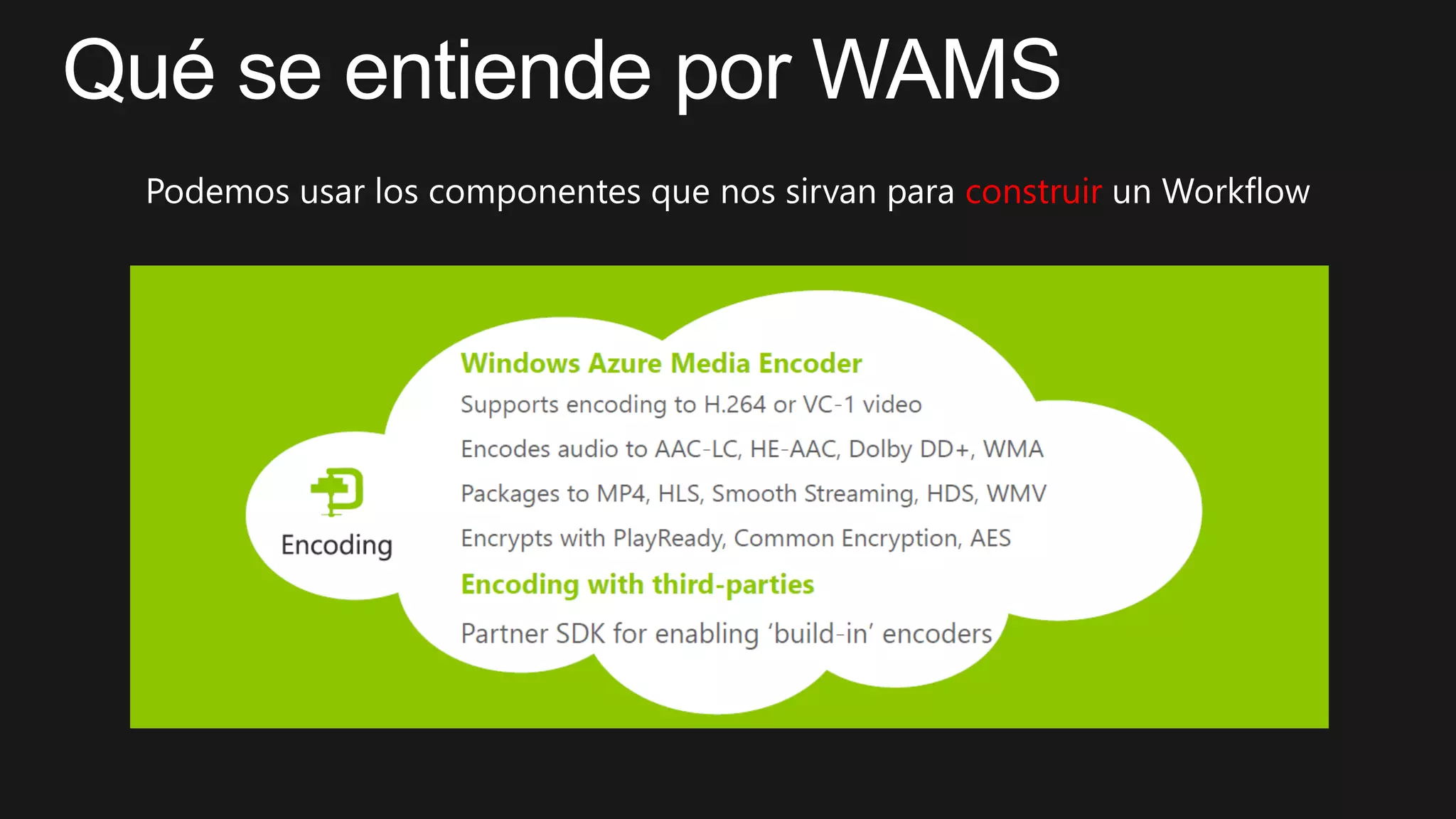
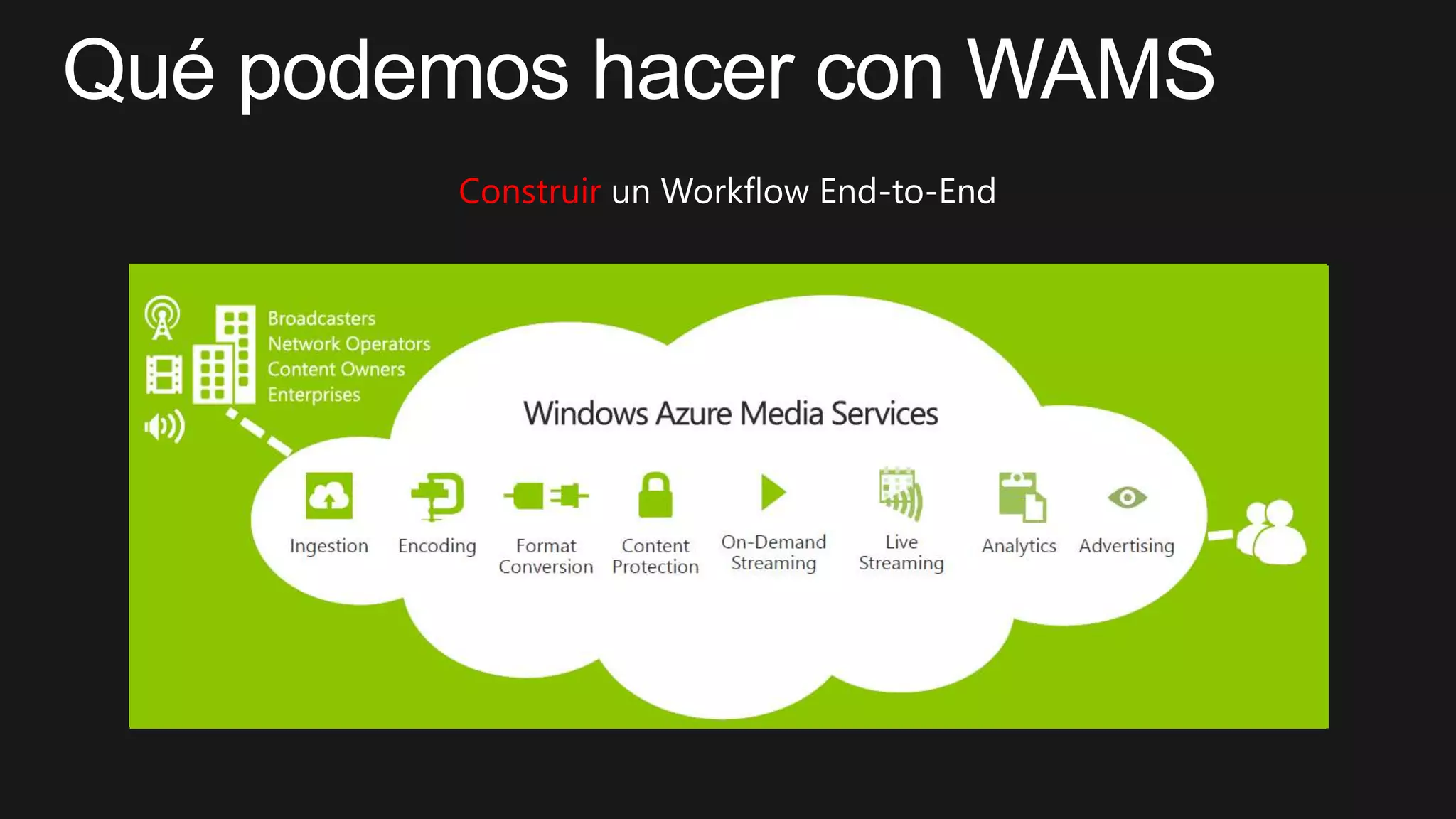
construir
construir
construir
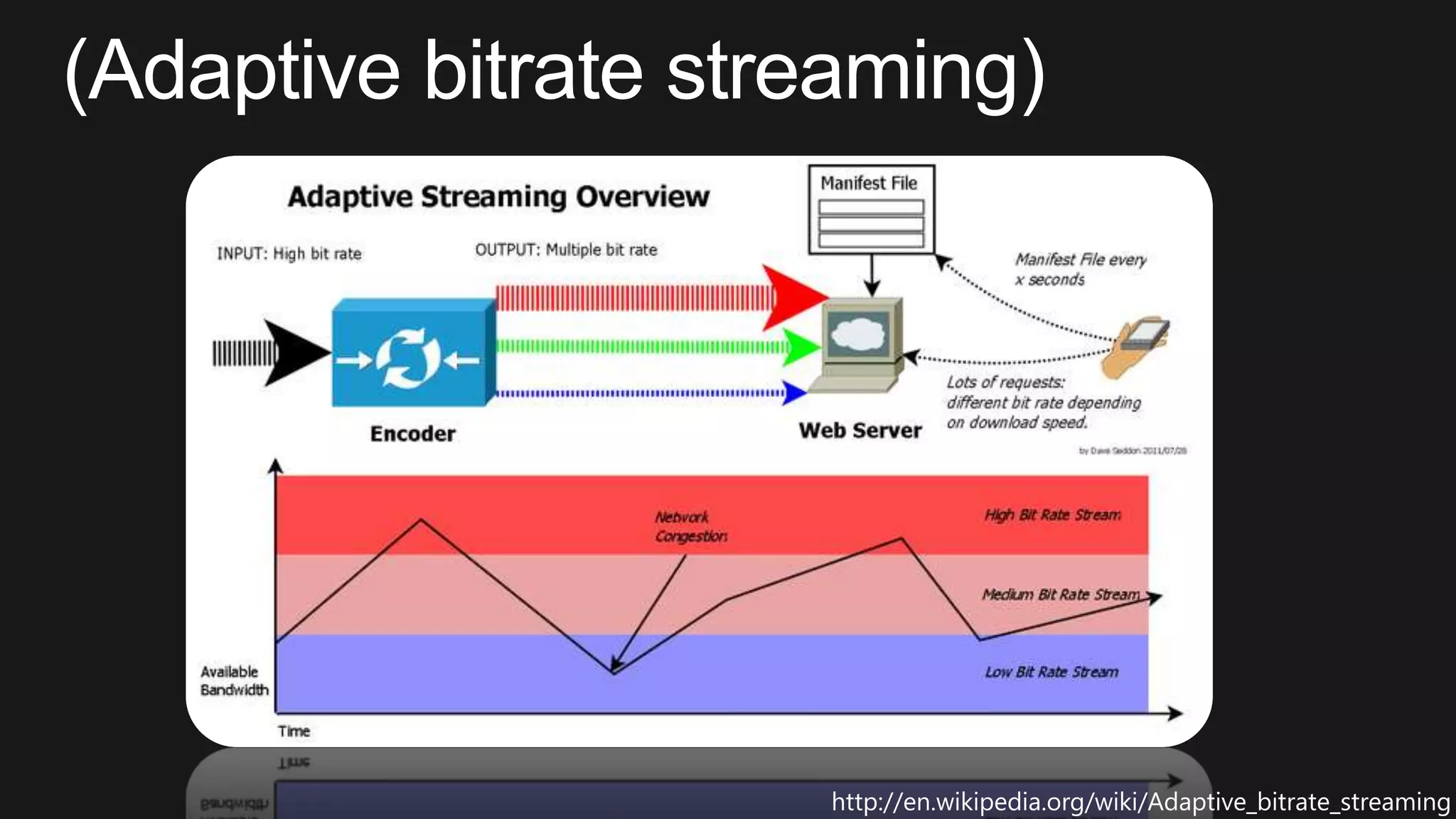
http://en.wikipedia.org/wiki/Adaptive_bitrate_streaming
construir
construir
construir
Construir
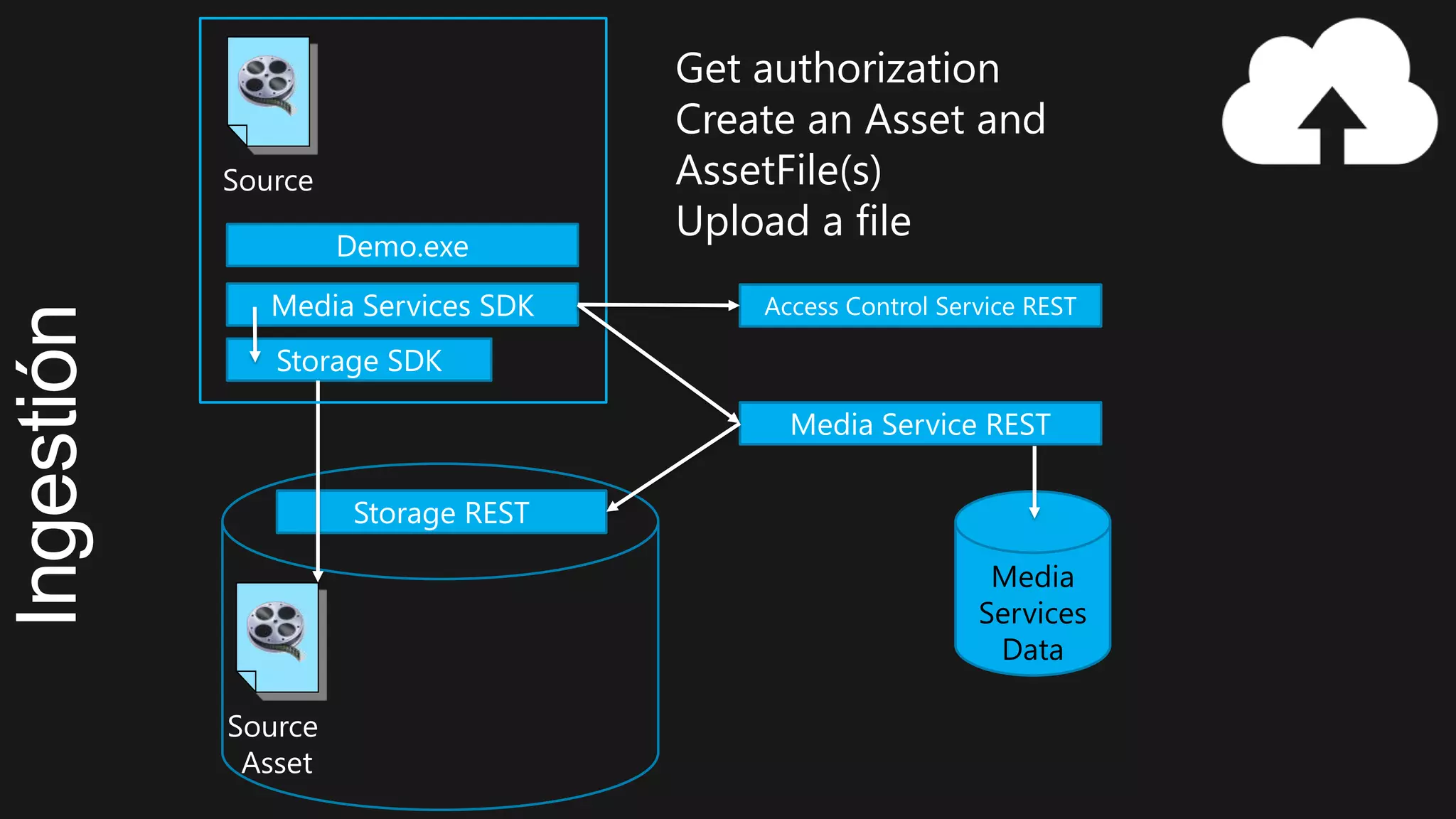
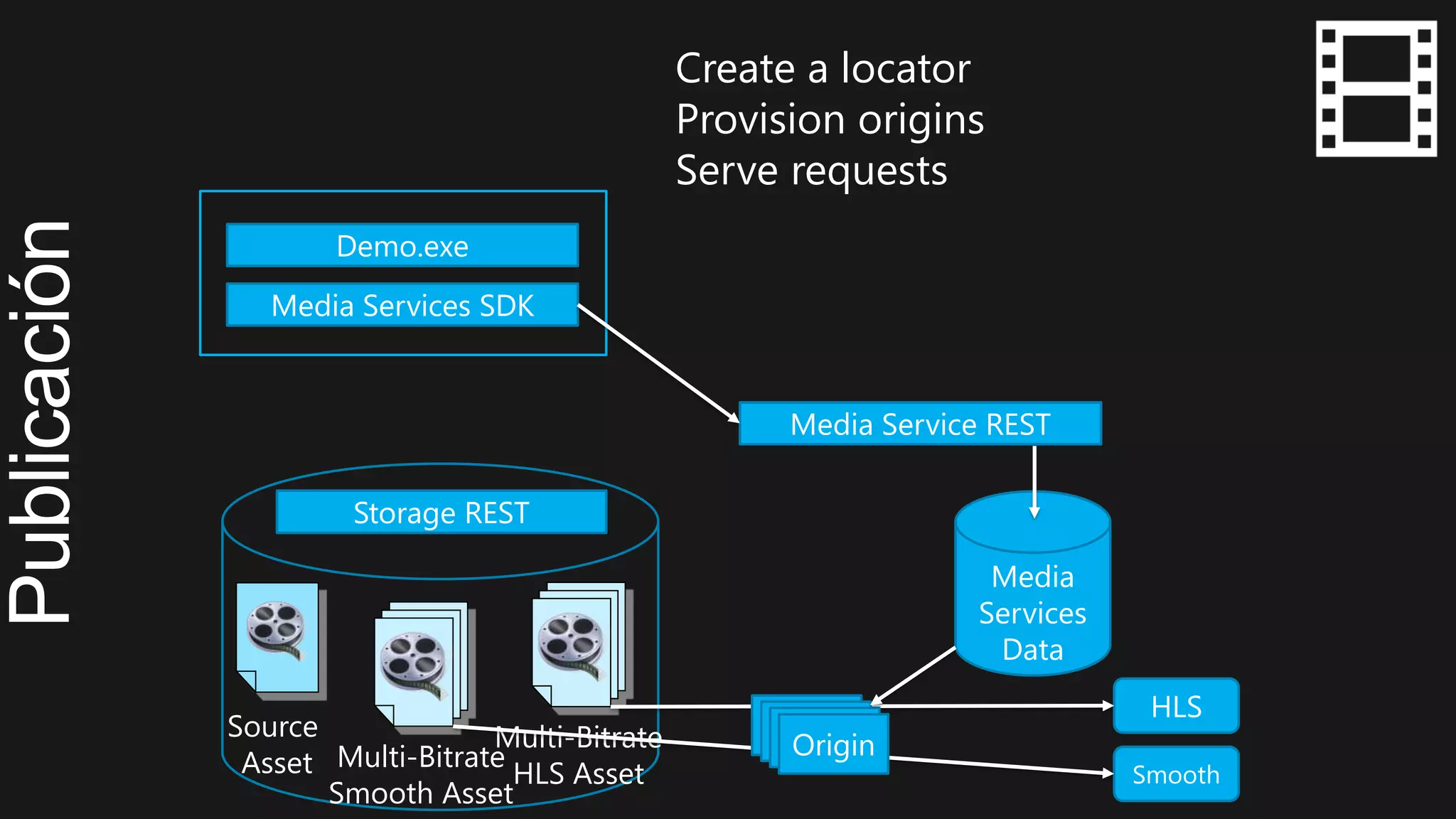
Source
Asset
Storage REST
Storage SDK
Media Services SDK
Media
Services
Data
Media Service REST
Access Control Service REST
Source
Demo.exe
Get authorization
Create an Asset and
AssetFile(s)
Upload a file
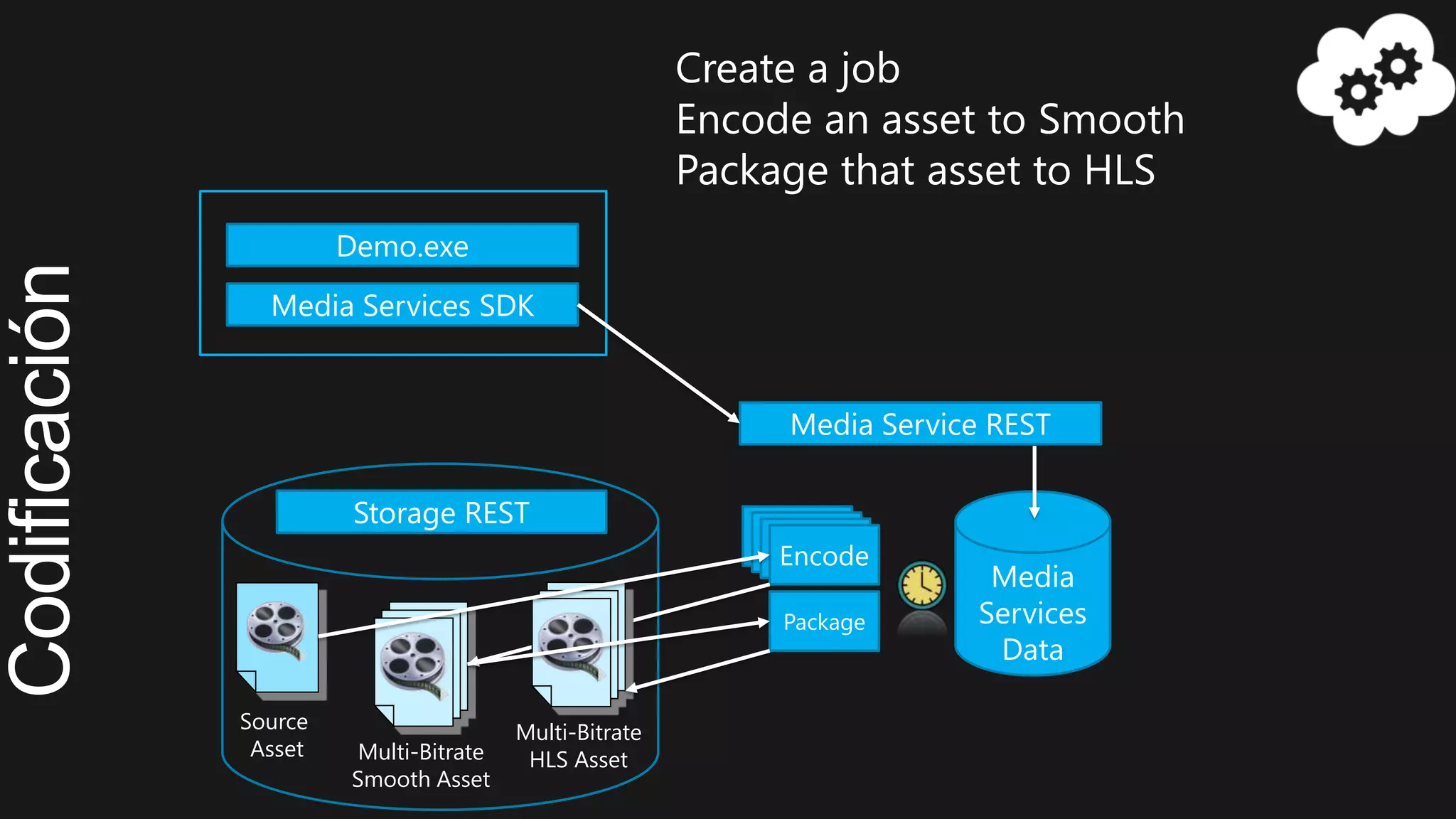
Multi-Bitrate
Smooth Asset
Source
Asset
Storage REST
Media Services SDK
Media Service REST
Encode
Demo.exe
Create a job
Encode an asset to Smooth
Package that asset to HLS
Package
Multi-Bitrate
HLS Asset
Media
Services
Data
Multi-Bitrate
Smooth Asset
Source
Asset
Multi-Bitrate
HLS Asset
Storage REST
Media Services SDK
Media Service REST
Demo.exe
Smooth
HLS
Origin
Media
Services
Data
Create a locator
Provision origins
Serve requests



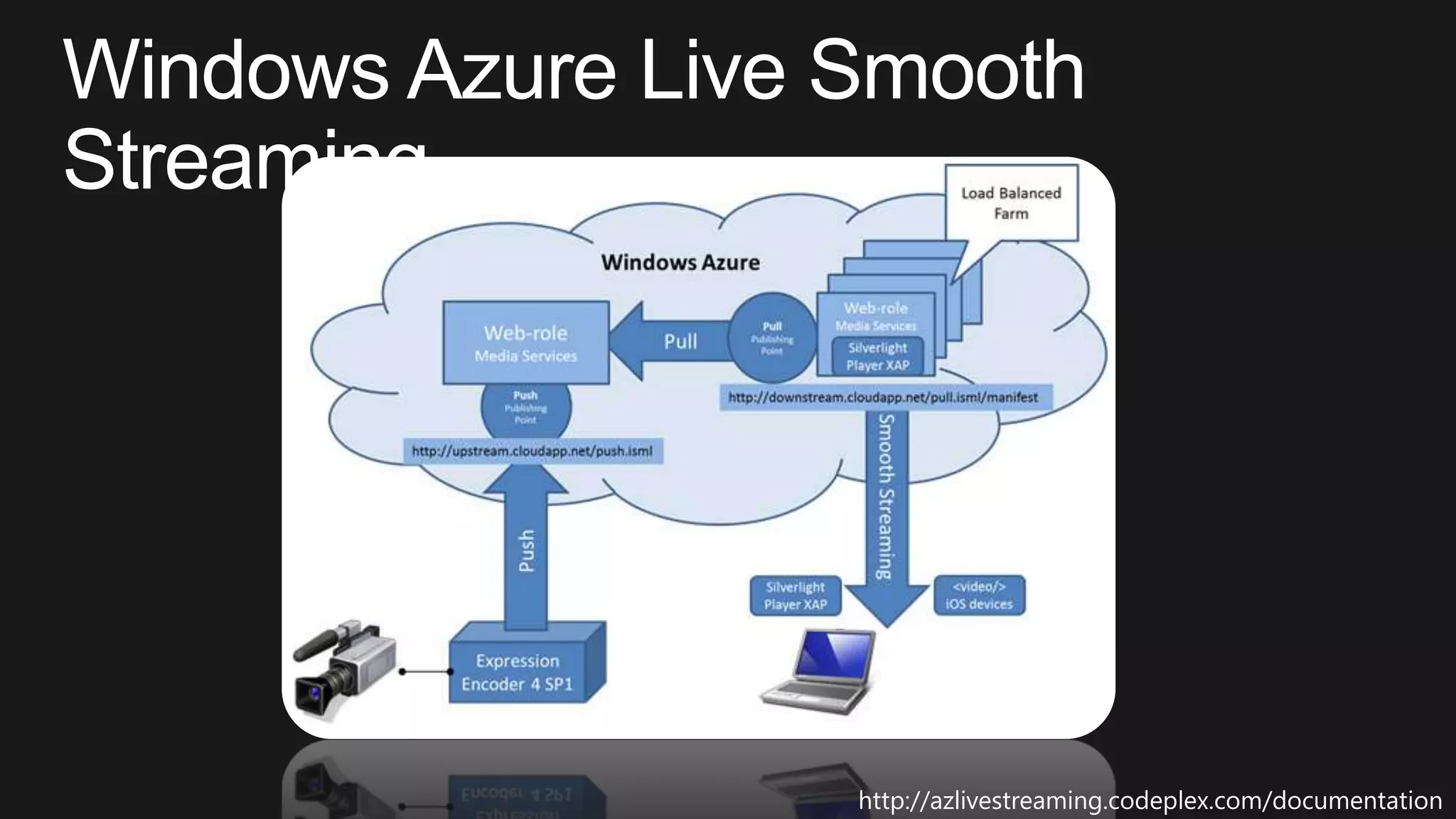
http://azlivestreaming.codeplex.com/documentation
http://playerframework.codeplex.com/
Tech series: Windows Azure Media Services

Tech series: Windows Azure Media Services

Editor's Notes

  • #17 By default each Media Services account can have one active encoding task at a time. You can reserve encoding units that allow you to have multiple encoding tasks running concurrently, one for each encoding reserved unit you purchase. For more information on Encoding Reserved Units
  • #18 HTTP Live Streaming (HLS) is an adaptive bitrate technology created by Apple. Smooth Streaming is an adaptive bitrate technology created by Microsoft.
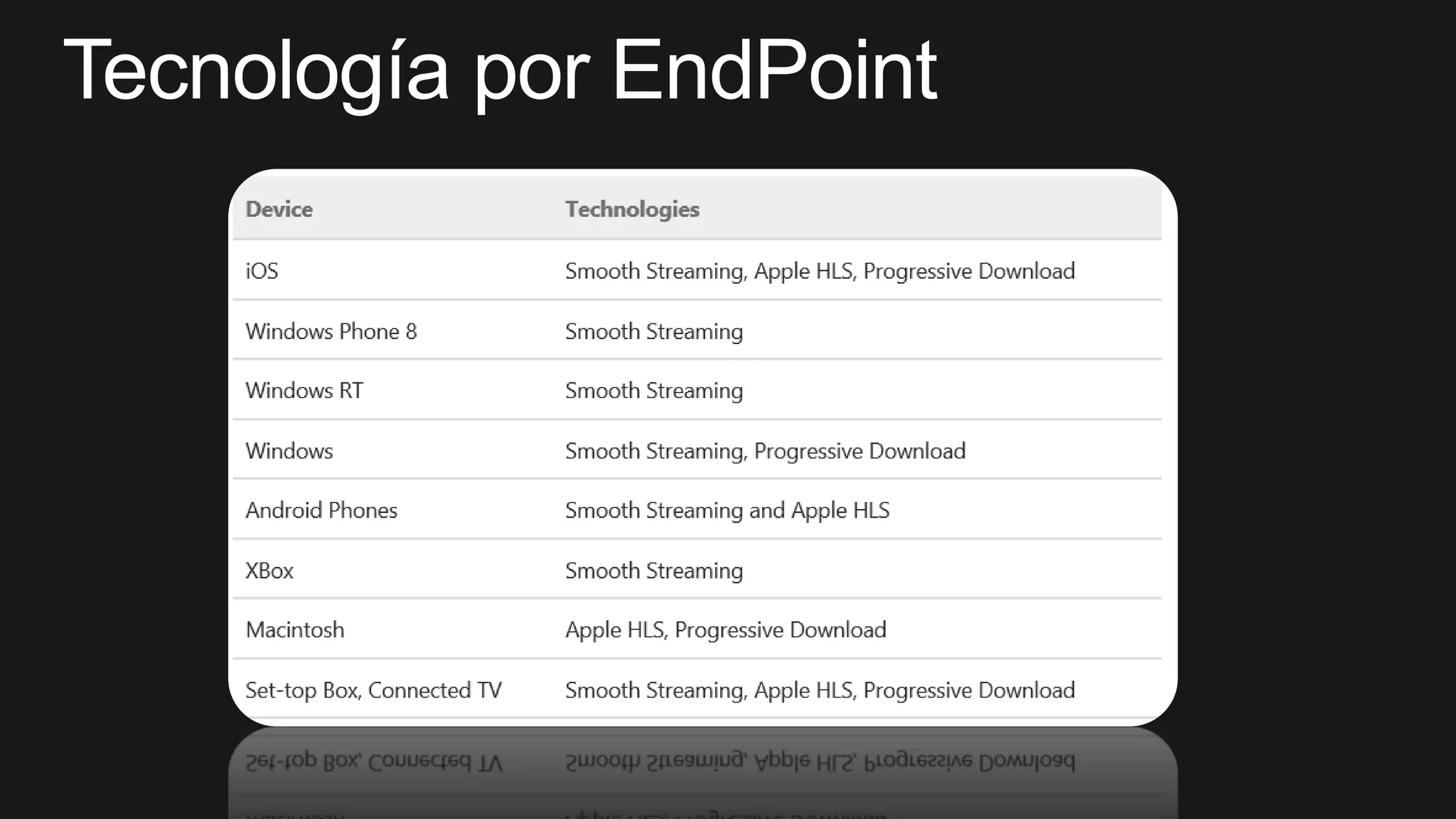
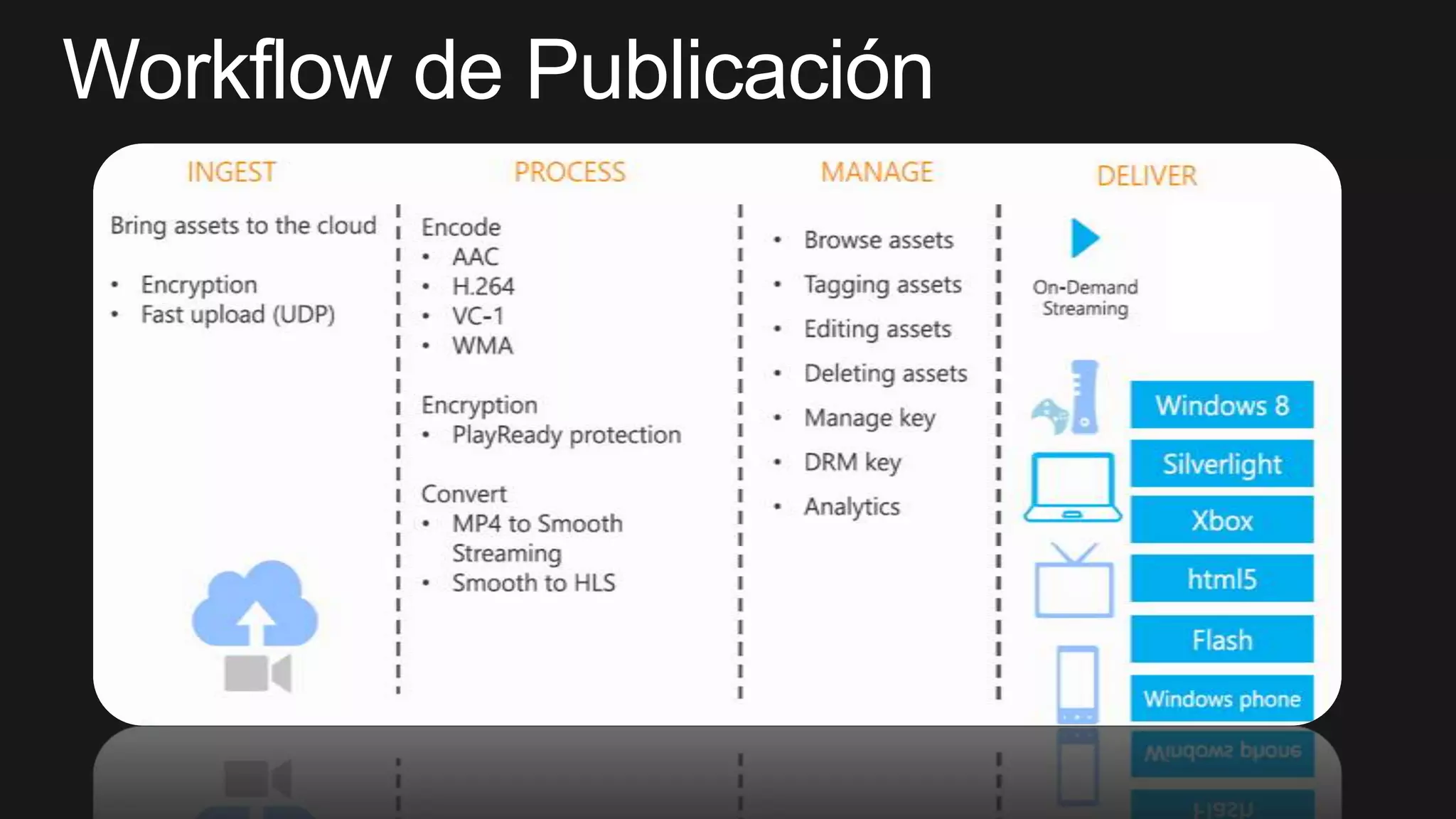
  • #19 If you want to use single bitrate streaming, use one of the "BroadBand" presets such as VC1 Broadband 1080p or H264 Broadband 720p. There are presets for both VC1 Broadband and H264 Broadband for HD and SD video. iPhone 5 supports H.264 video up to 1080p in HLS format. Media Services doesn't support encoding directly into HLS but you can encode to Smooth Streaming then use the packager to convert the Smooth Streaming format to HLSWindows Phone that supports H.264 video up to 1080pXBox you can choose between VC1 and H.264 smooth streaming video at resolutions up to 1080p.HTML5 video tag supports progressive download only
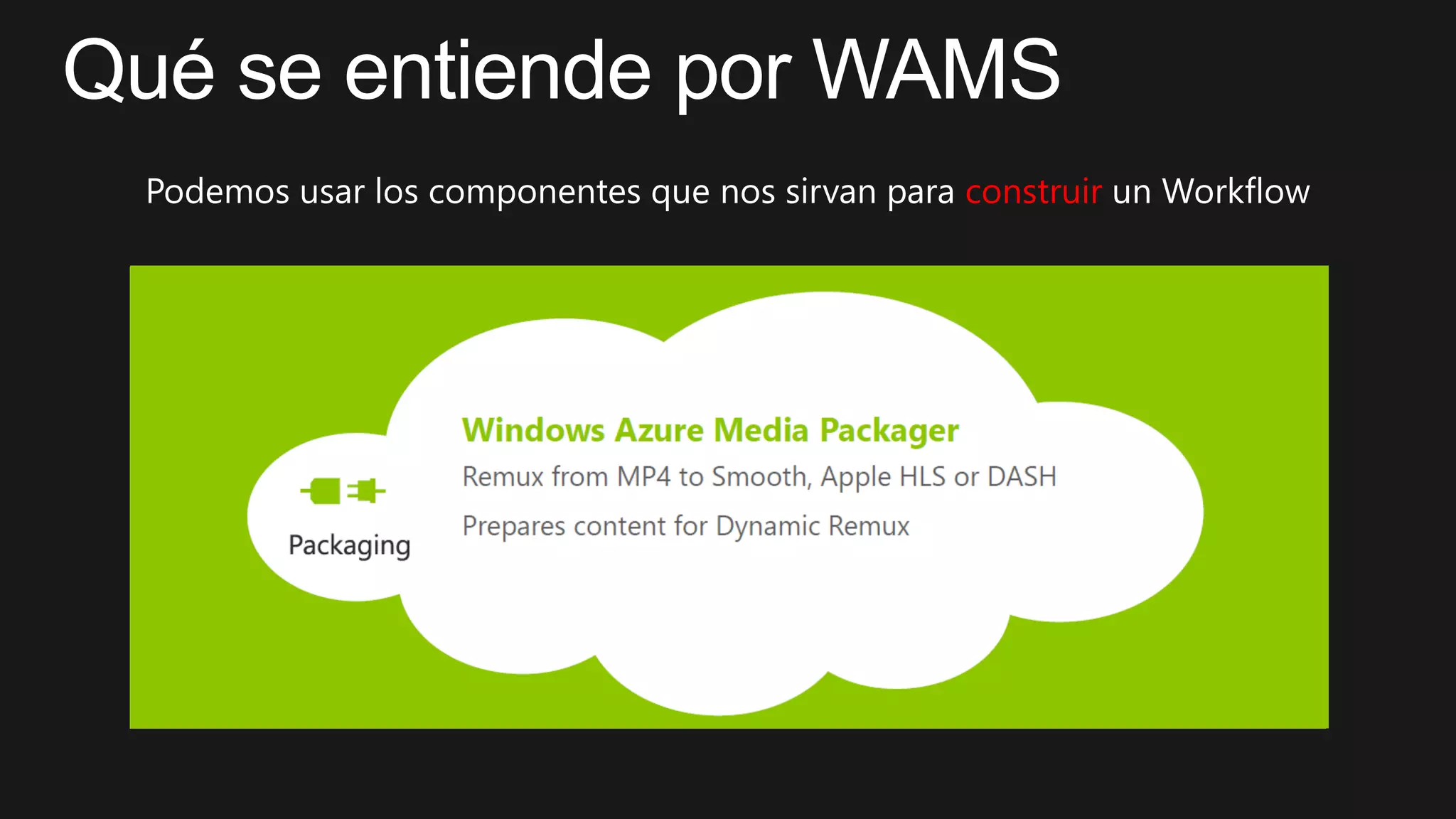
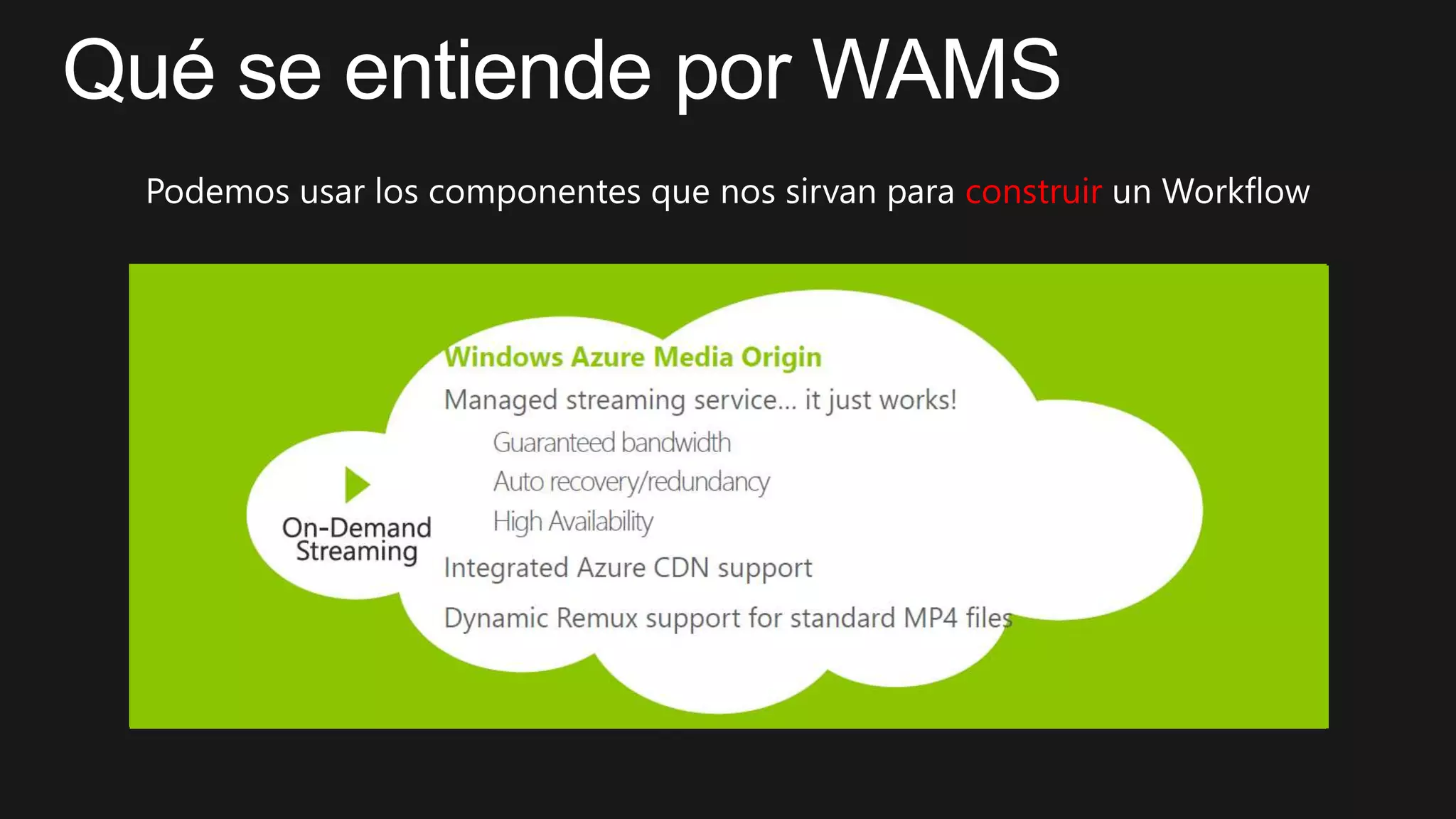
  • #20 When using Dynamic Packaging, your video is stored in one encoded format, usually an adaptive bitrate MP4 file. When a video player requests the video it specifies the format it requires. The Origin Service converts the MP4 adaptive bitrate file to the format requested by the player. This allows you to store only one format of your videos, reducing the storage costs.
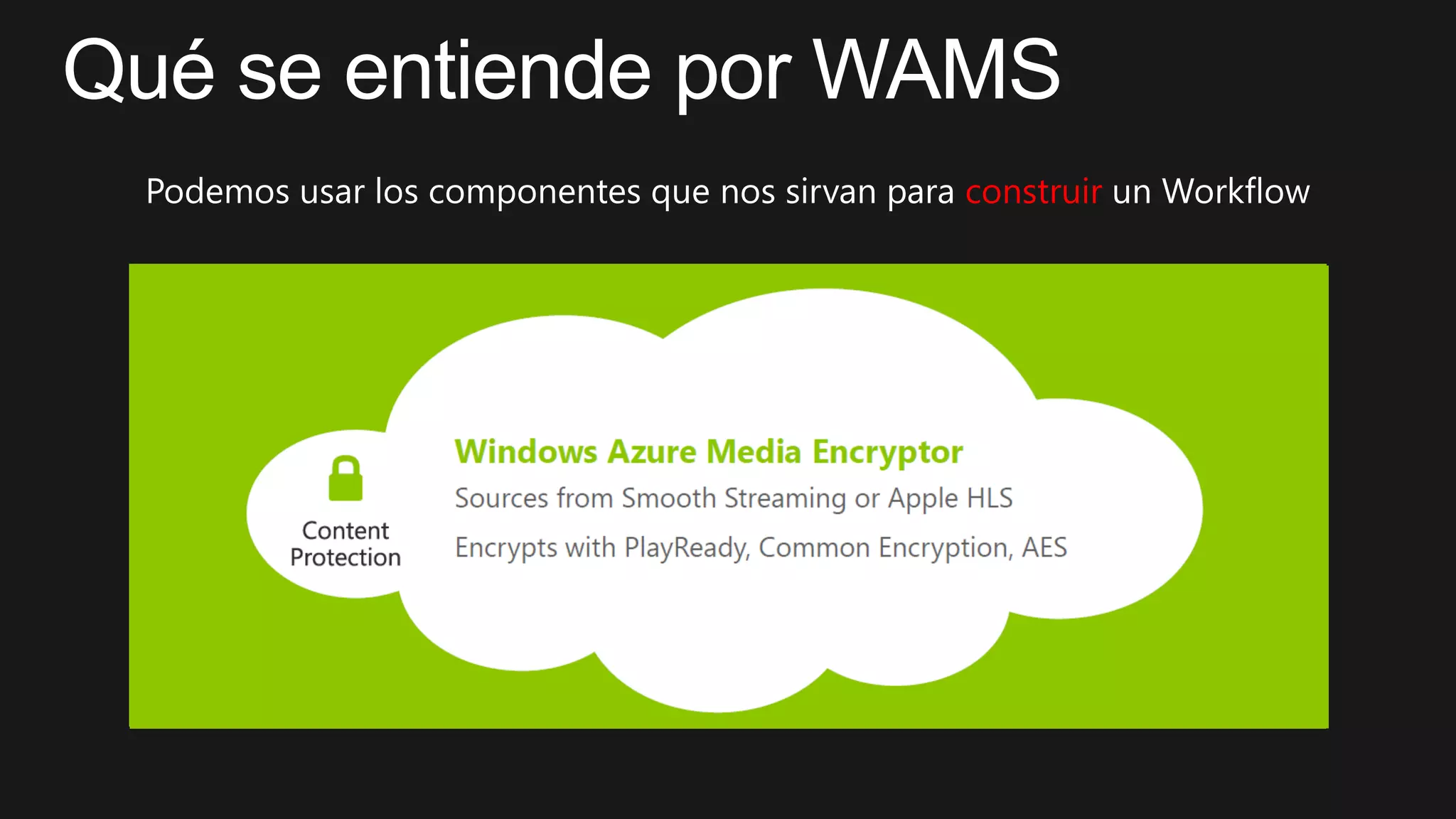
  • #21 protect your content by encrypting content before/during uploading to storage Windows Azure Media Services supports PlayReady, HTTP Live Streaming (HLS) + PlayReady, and HLS + AES.When a customer tries to watch PlayReady protected content, the client player application requests the content from Media Services. Media Services then redirects the client to a licensing server that authenticates and authorizes the user’s access to the content
  • #22 Offline ViewingProgressive DownloadStreamingtechnologies also require an internet connection, but they download a small piece of the video at a time and discard it once it has been displayedAdaptive Bitrate Streaming:allow video player applications to determine network conditions and select from among several bitrateshttp://en.wikipedia.org/wiki/Adaptive_bitrate_streaming
  • #26 Slide Objectives:Jump to VS and Demo the New Mobile Service Create a new Windows 8 application experience in the portal
  • #33 Slide Objectives:Jump to VS and Demo the New Mobile Service Create a new Windows 8 application experience in the portal
  • #35 Slide Objectives:http://rvvideo.azurewebsites.net/
  • #38 Slide Objectives:Jump to VS and Demo the New Mobile Service Create a new Windows 8 application experience in the portal
  • #40 http://msdn.microsoft.com/en-us/library/windowsazure/dn223283.aspx
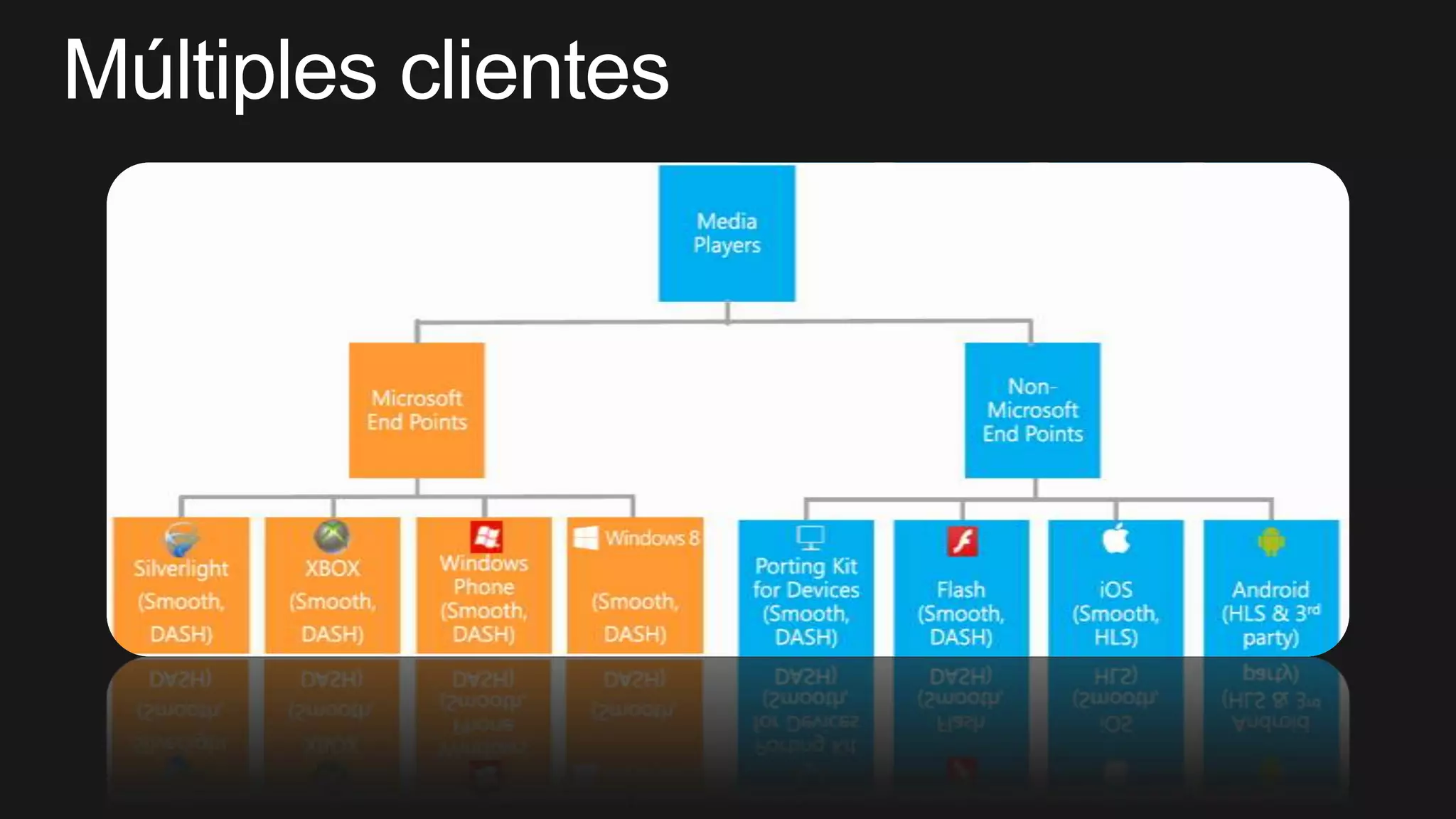
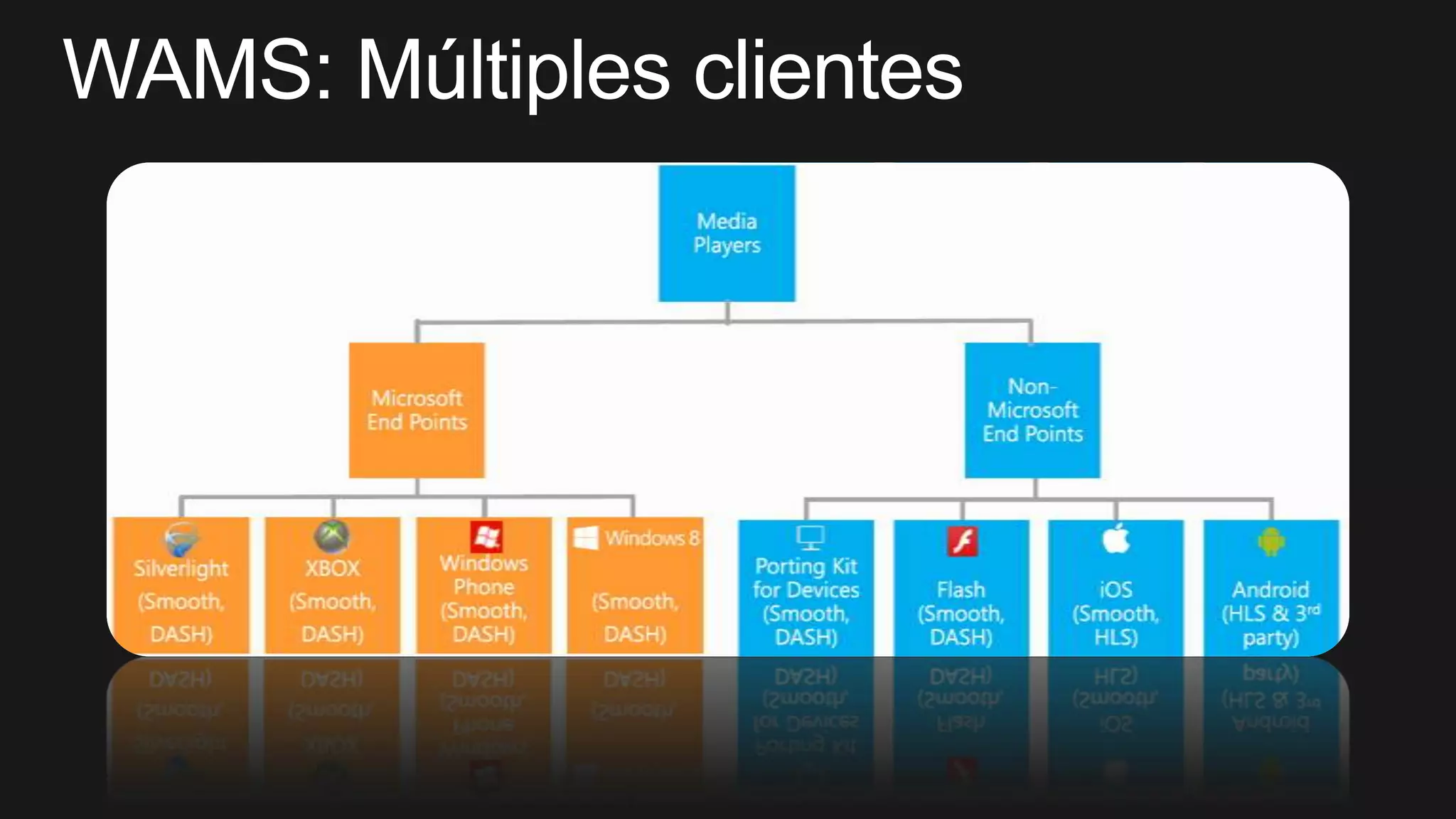
  • #41 http://msdn.microsoft.com/en-us/library/windowsazure/dn223283.aspxWeb Browser SupportSmoothStreamingClient SDK (silverlitgh)Microsoft Media Platform: Player FrameworkHTML5 Player FrameworkOSMF SmoothStreamingPluginfor Flash
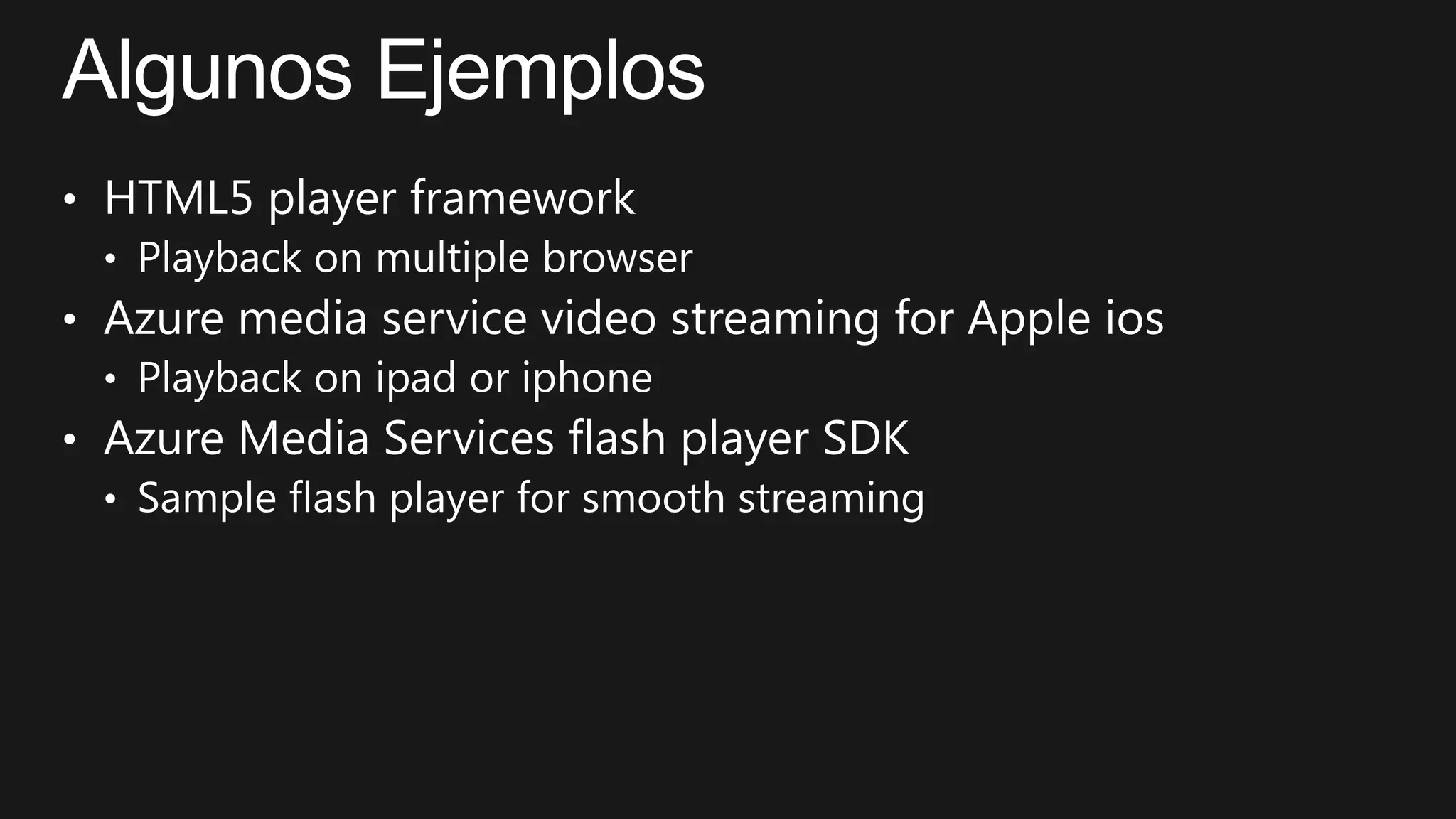
  • #43 HTML5 player framework http://htmlsamples.blob.core.windows.net/test-player/player.htmlAzure media service video streaming for Apple ioshttp://edmedia.origin.mediaservices.windows.net/4ce08db1-cf76-4cb7-a61a-2a0456838eb9/Lo%20Imposible_Trailer_hd720-m3u8-aapl.ism/Manifest(format=m3u8-aapl)Azure Media Services flash player SDKhttp://wamsclient.cloudapp.net/SSPlugin/Player.0.2.html
  • #44 15 min