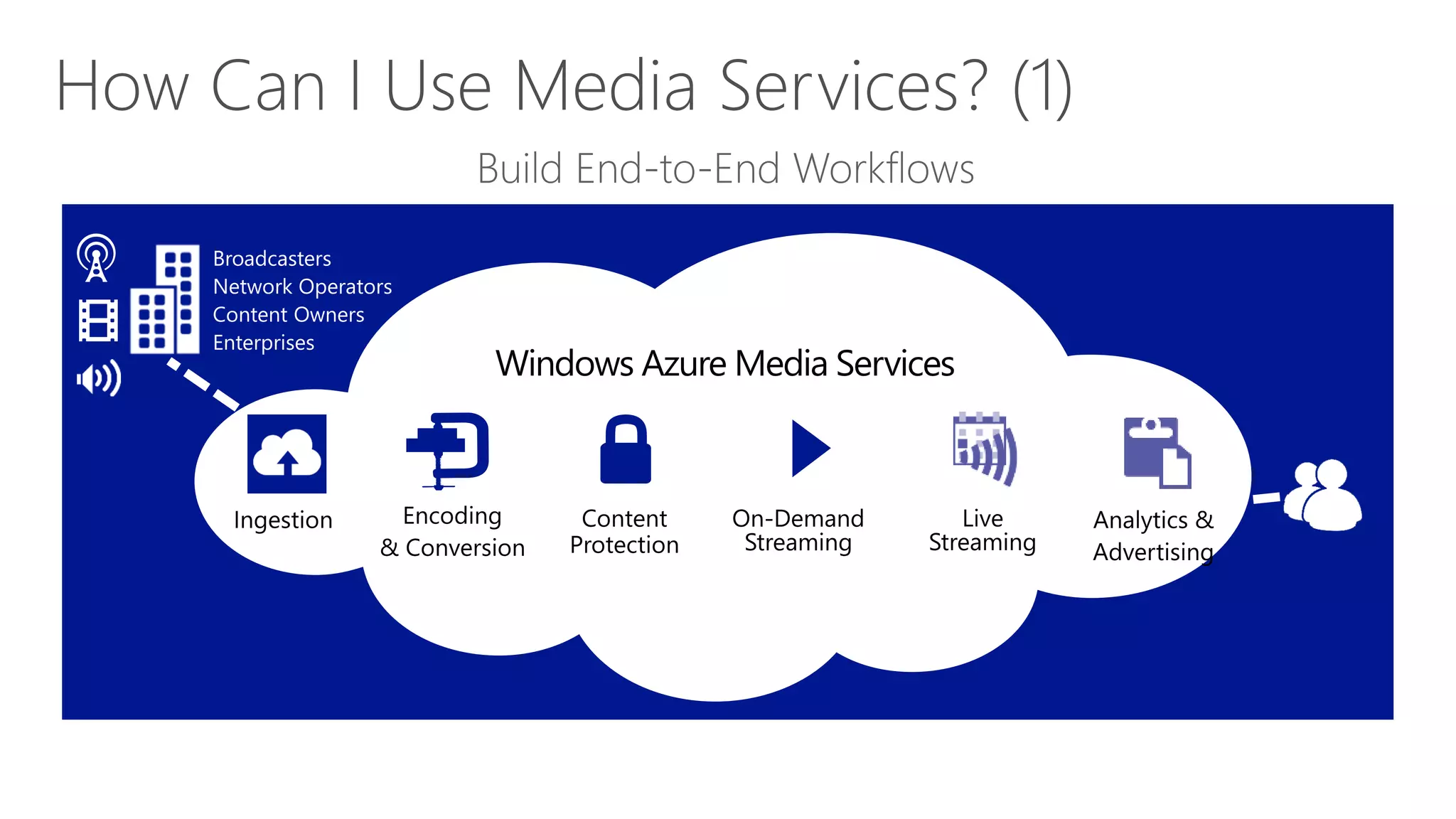
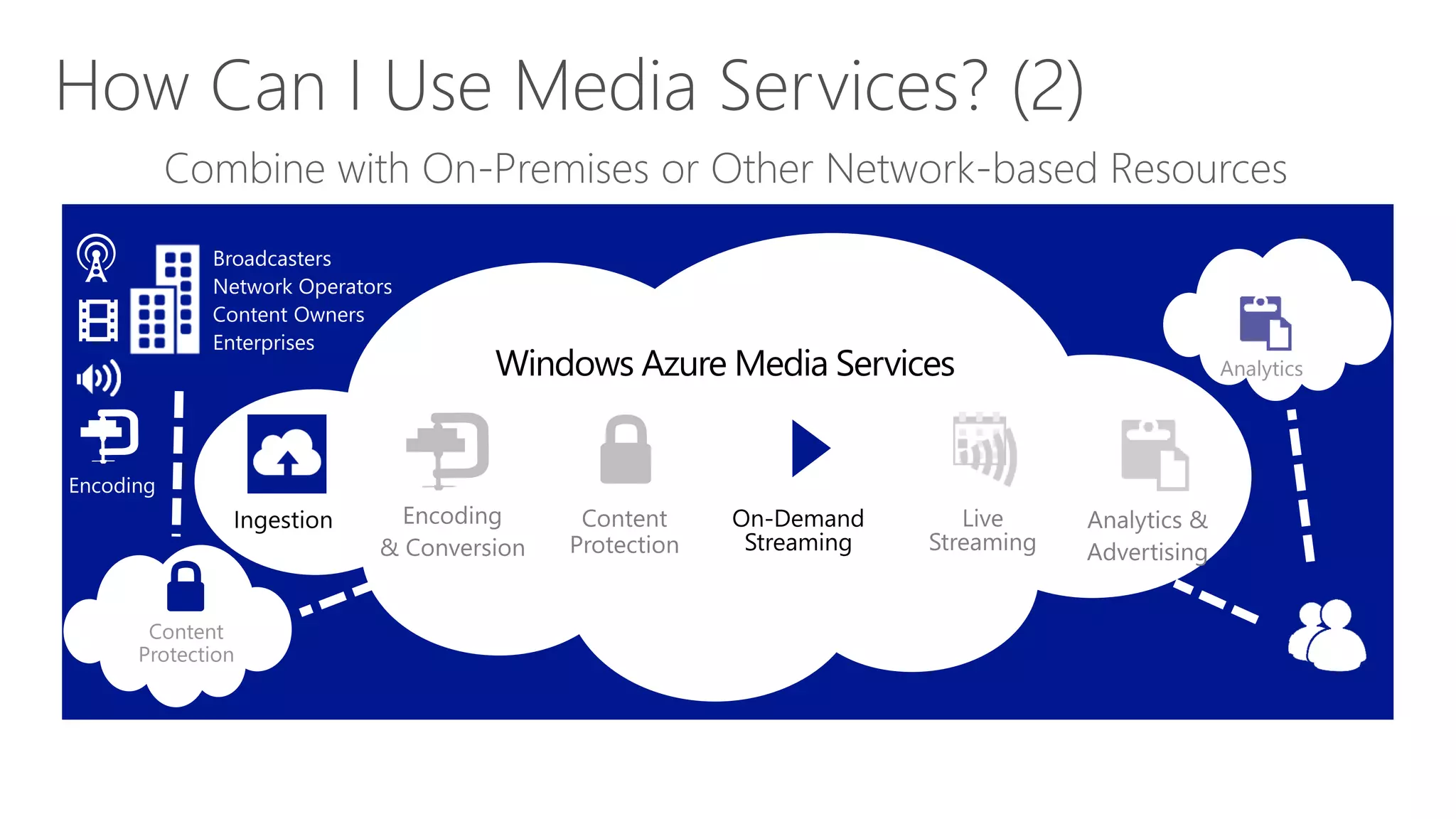
   What is Windows Azure Media Services
   Architecture and Features
   SDK and REST API
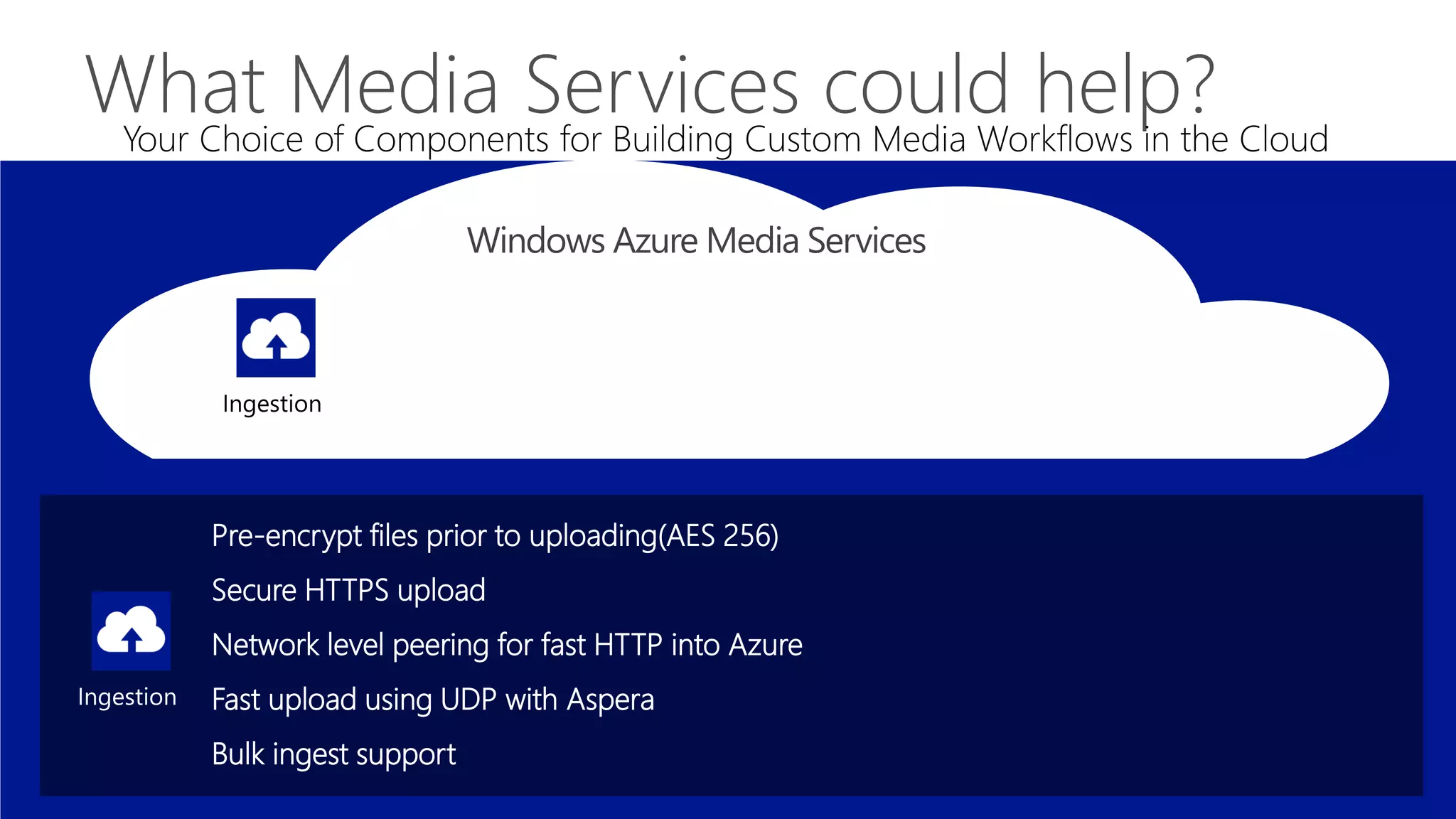
Pre-encrypt files prior to uploading(AES 256)
Secure HTTPS upload
Network level peering for fast HTTP into Azure
Fast upload using UDP with Aspera
Bulk ingest support
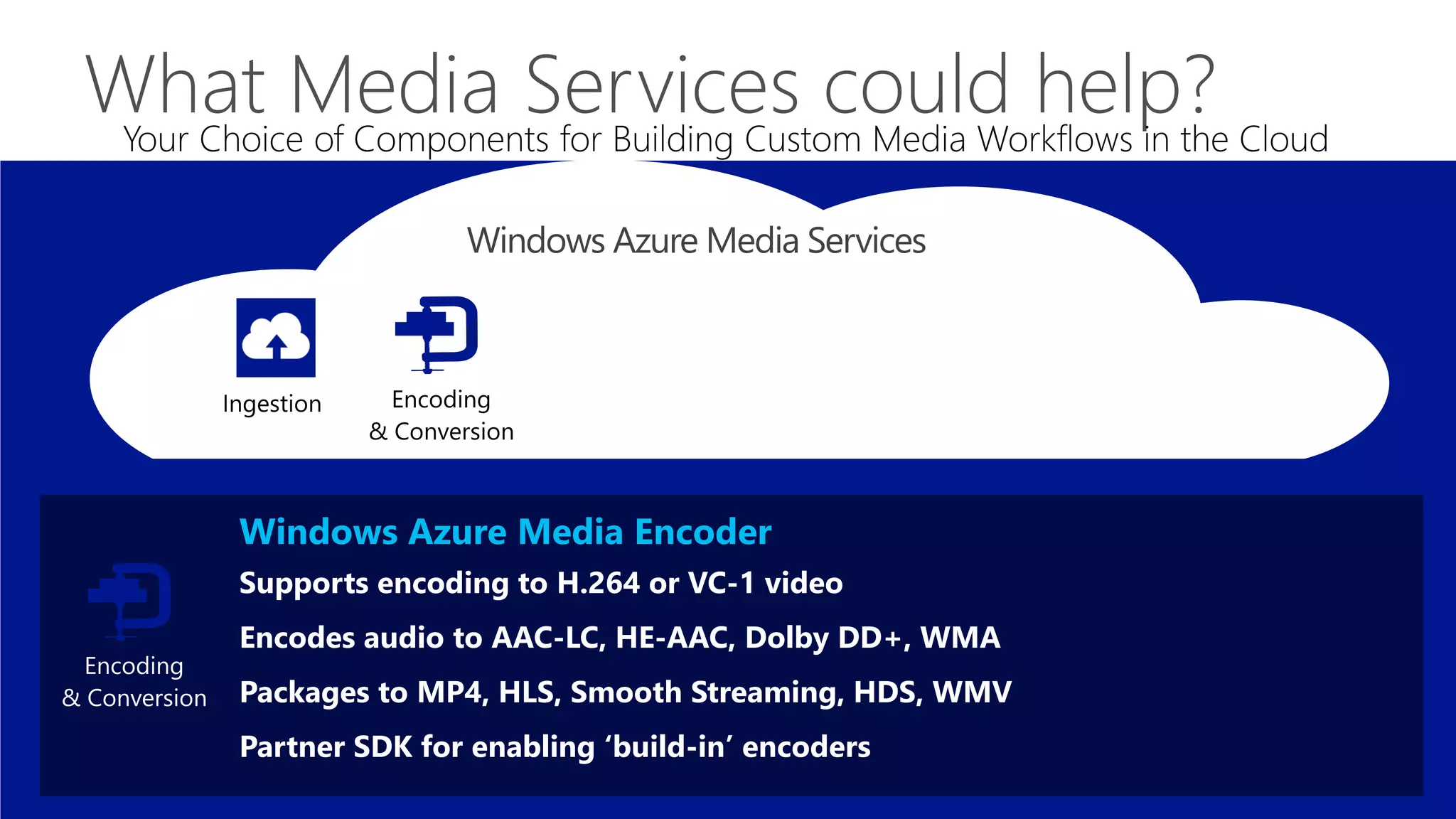
Windows Azure Media Encoder
Supports encoding to H.264 or VC-1 video
Encodes audio to AAC-LC, HE-AAC, Dolby DD+, WMA
Packages to MP4, HLS, Smooth Streaming, HDS, WMV
Partner SDK for enabling ‘build-in’ encoders
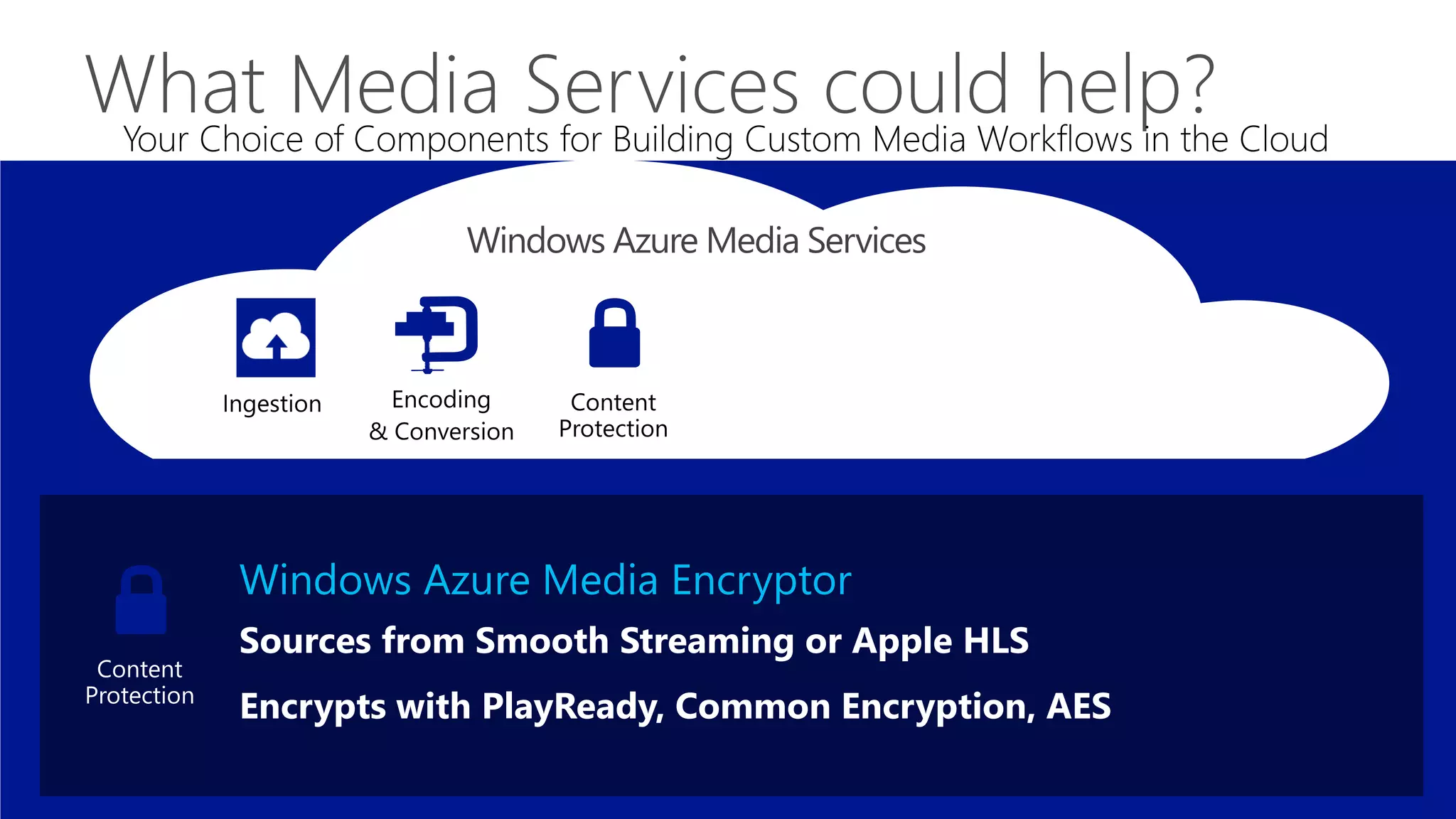
Windows Azure Media Encryptor
Sources from Smooth Streaming or Apple HLS
Encrypts with PlayReady, Common Encryption, AES
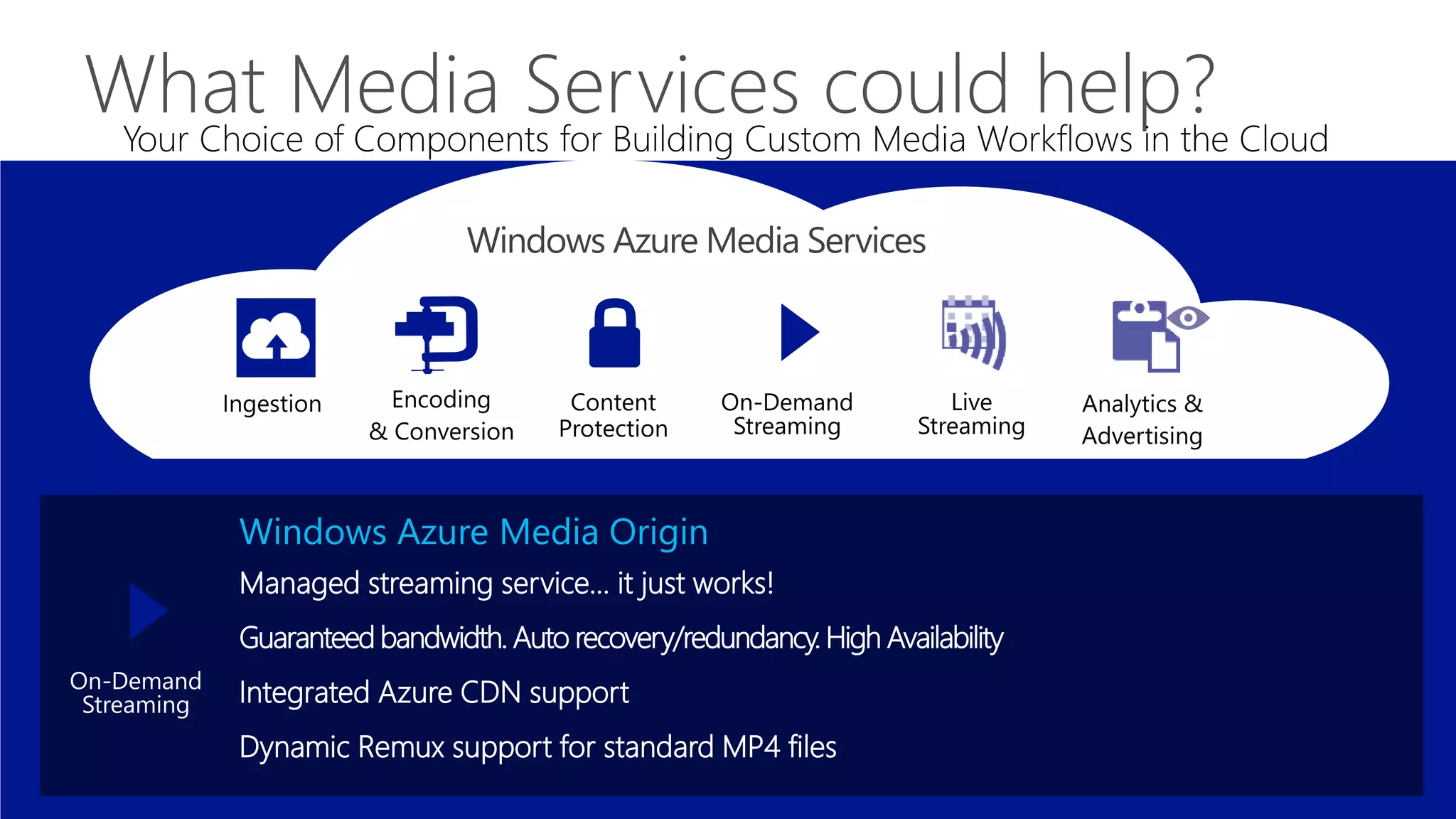
Windows Azure Media Origin
Managed streaming service… it just works!
Guaranteed bandwidth. Auto recovery/redundancy. High Availability
Integrated Azure CDN support
Dynamic Remux support for standard MP4 files
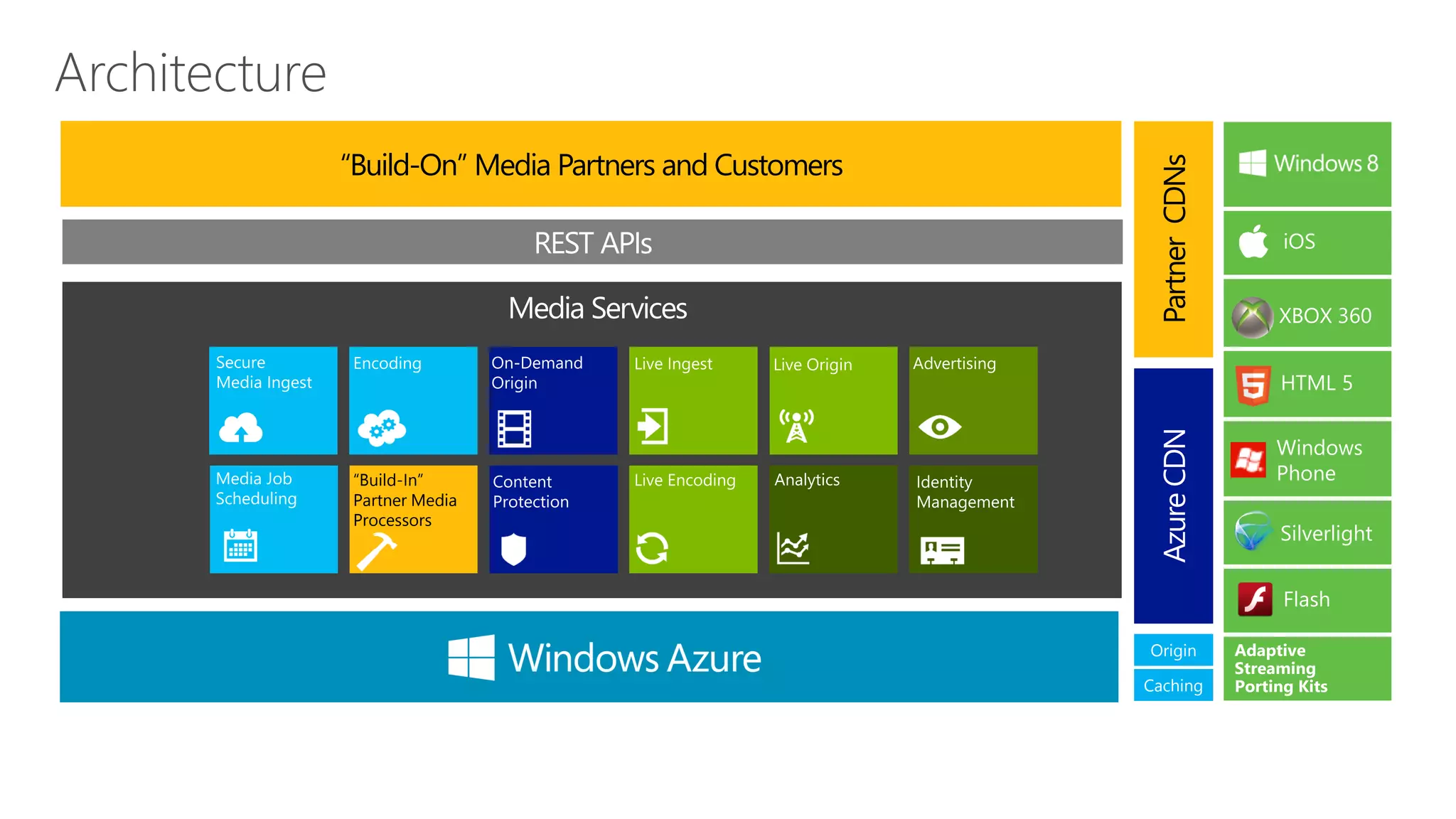
“Build-On” Media Partners and Customers


                                          Partner CDNs
                                          Azure CDN
 “Build-In”
 Partner Media
 Processors


                                          Origin

                                          Caching
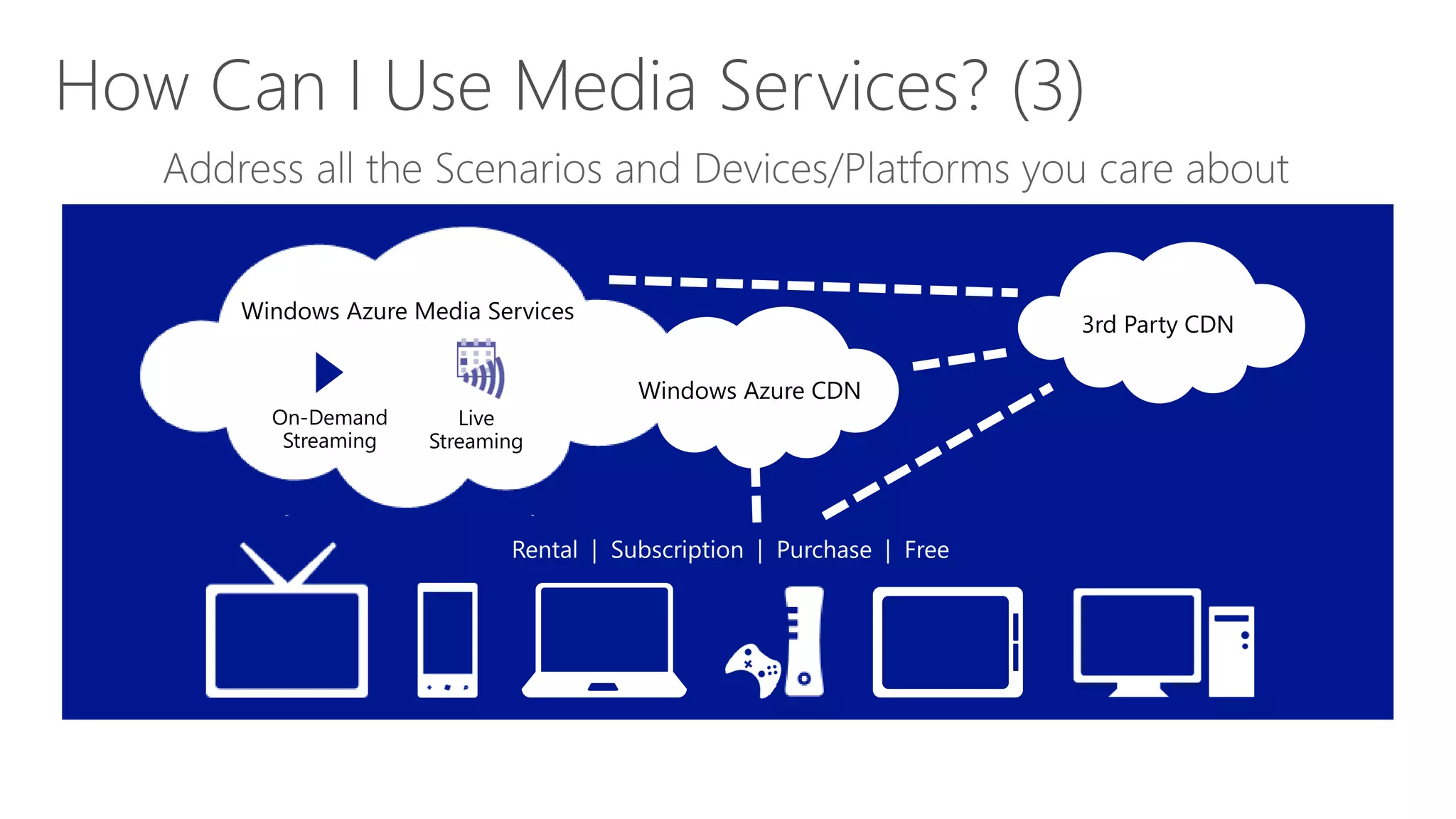
3rd Party CDN

                         Windows Azure CDN
On-Demand       Live
 Streaming   Streaming
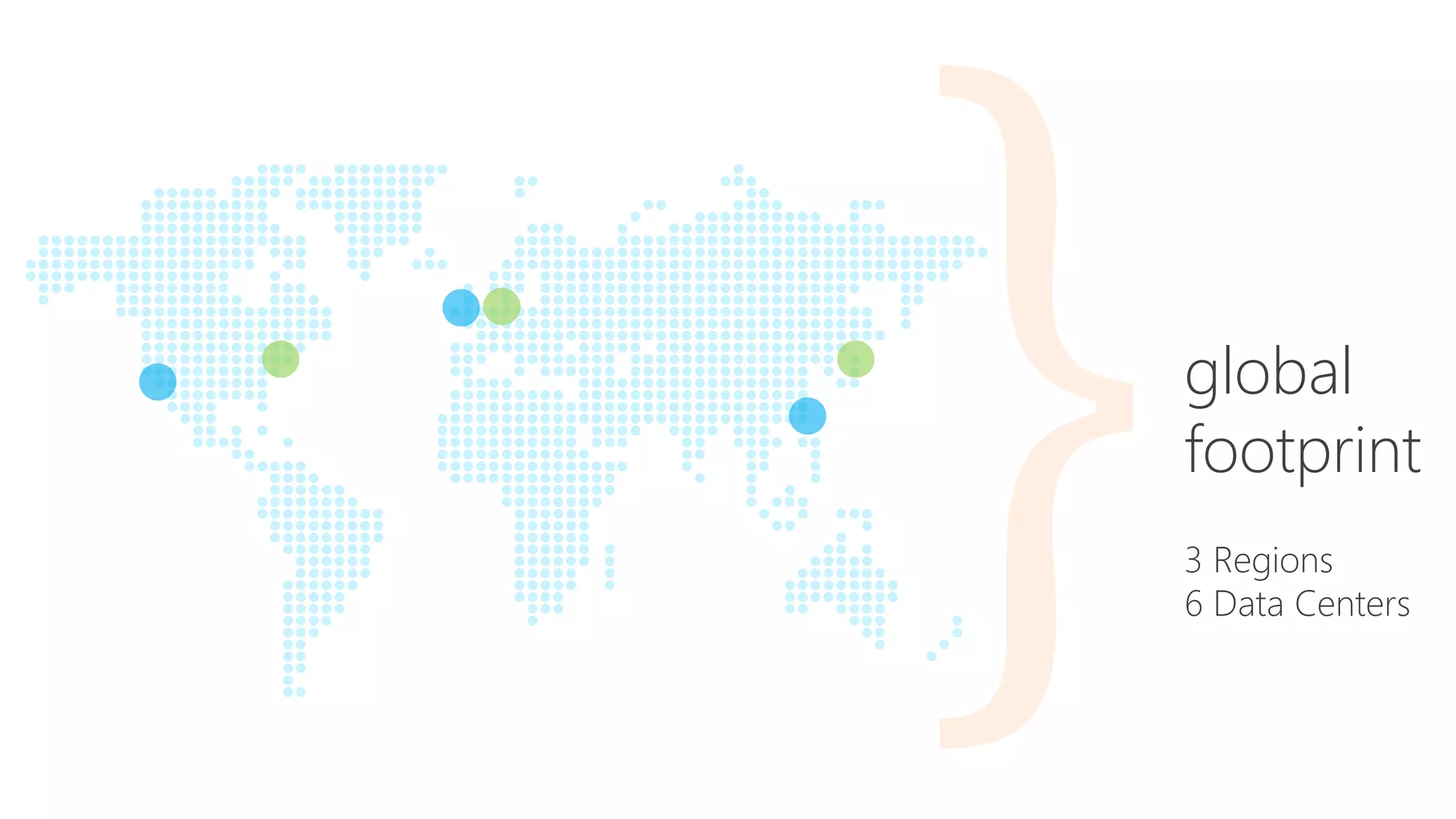
global
footprint
3 Regions
6 Data Centers
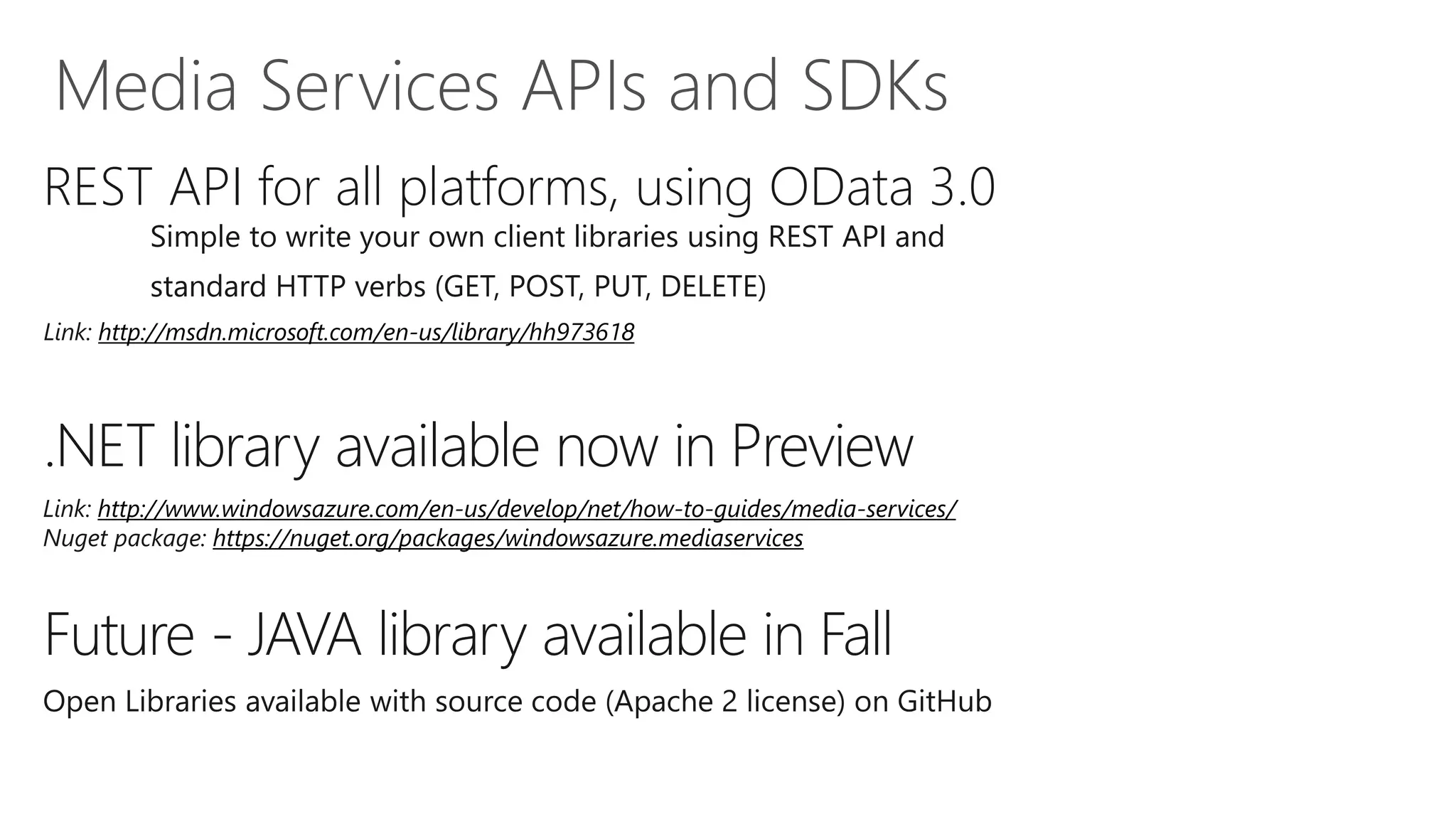
REST API for all platforms, using OData 3.0
         Simple to write your own client libraries using REST API and
         standard HTTP verbs (GET, POST, PUT, DELETE)
Link: http://msdn.microsoft.com/en-us/library/hh973618


.NET library available now in Preview
Link: http://www.windowsazure.com/en-us/develop/net/how-to-guides/media-services/
Nuget package: https://nuget.org/packages/windowsazure.mediaservices


Future - JAVA library available in Fall
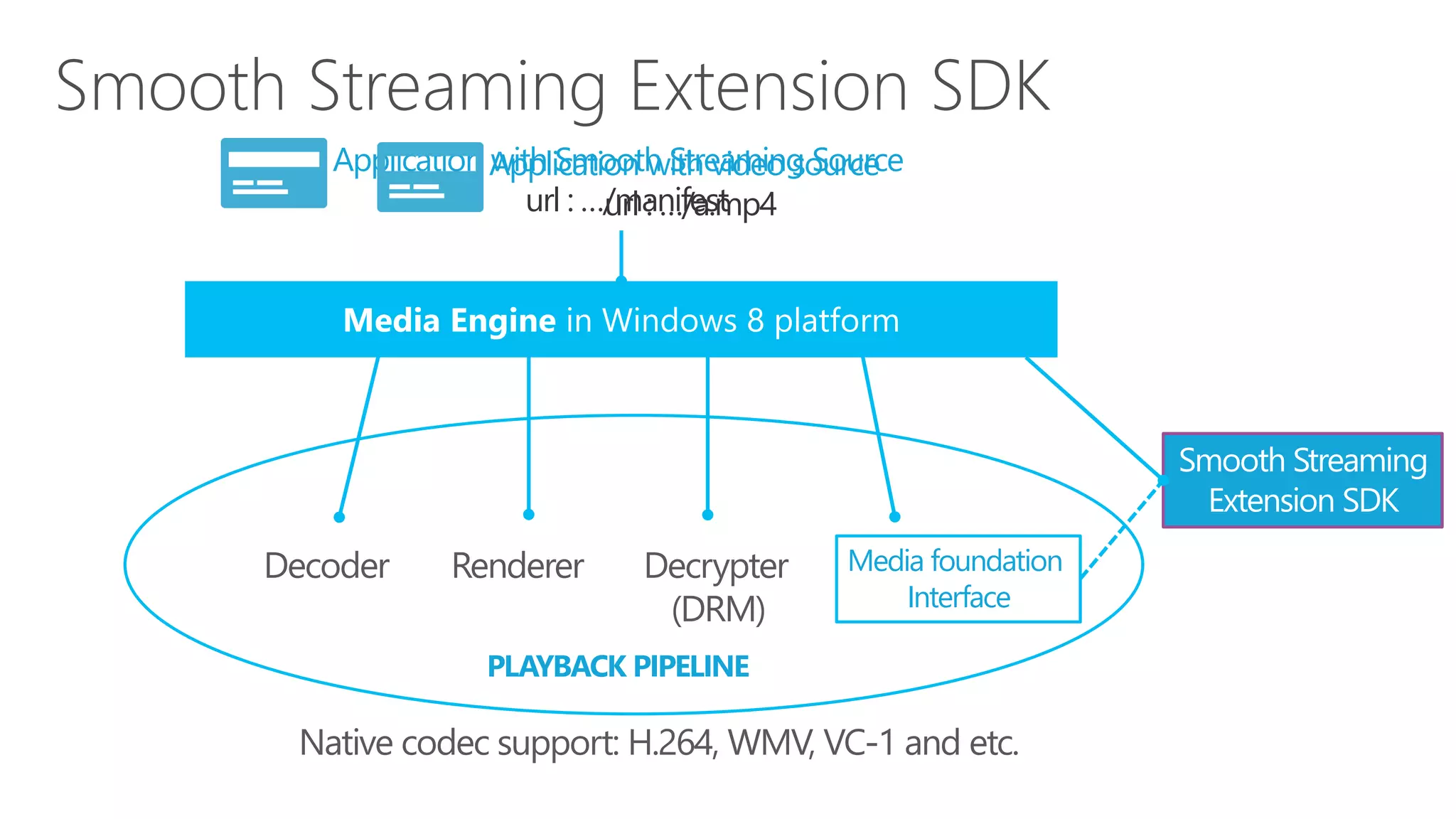
Application Application with video source
            with Smooth Streaming Source
               url : …/manifest
                      url : …/a.mp4


                                                       Smooth Streaming
                                                        Extension SDK
                                    Media foundation
                                        Interface

           PLAYBACK PIPELINE
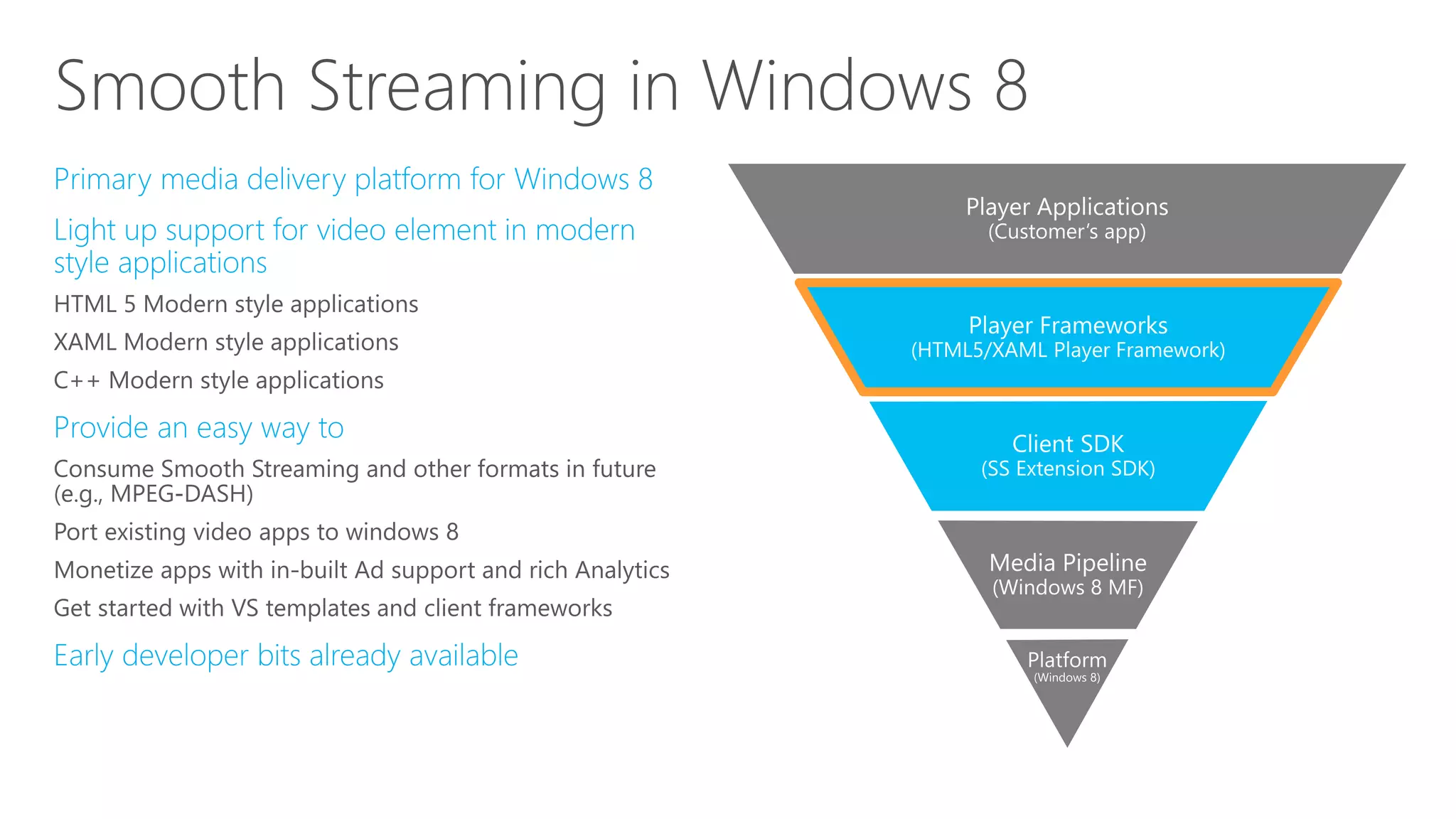
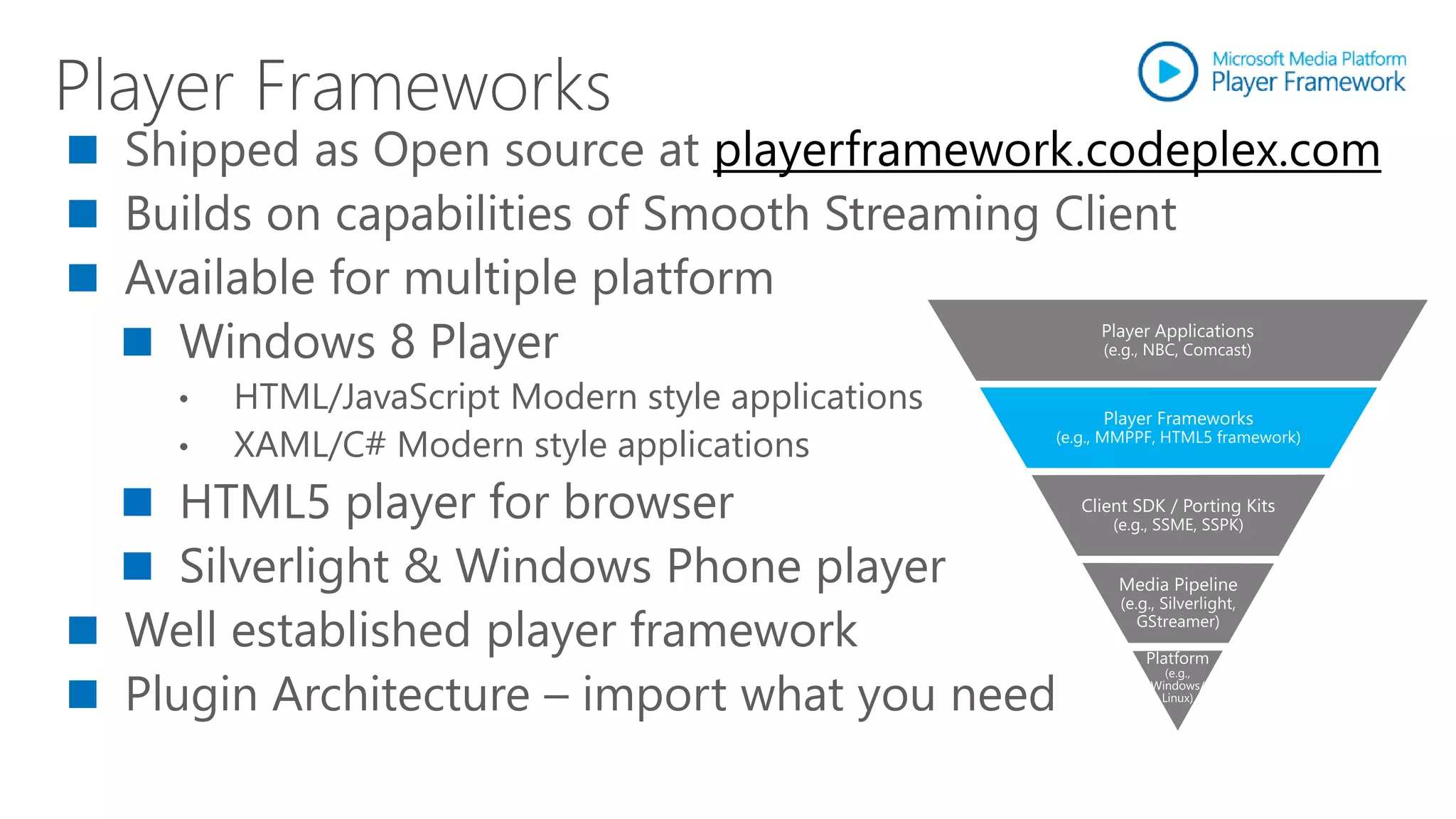
Shipped as Open source at playerframework.codeplex.com
Builds on capabilities of Smooth Streaming Client
Available for multiple platform
  Windows 8 Player
  •   HTML/JavaScript Modern style applications
  •   XAML/C# Modern style applications
   HTML5 player for browser
   Silverlight & Windows Phone player
Well established player framework
Plugin Architecture – import what you need
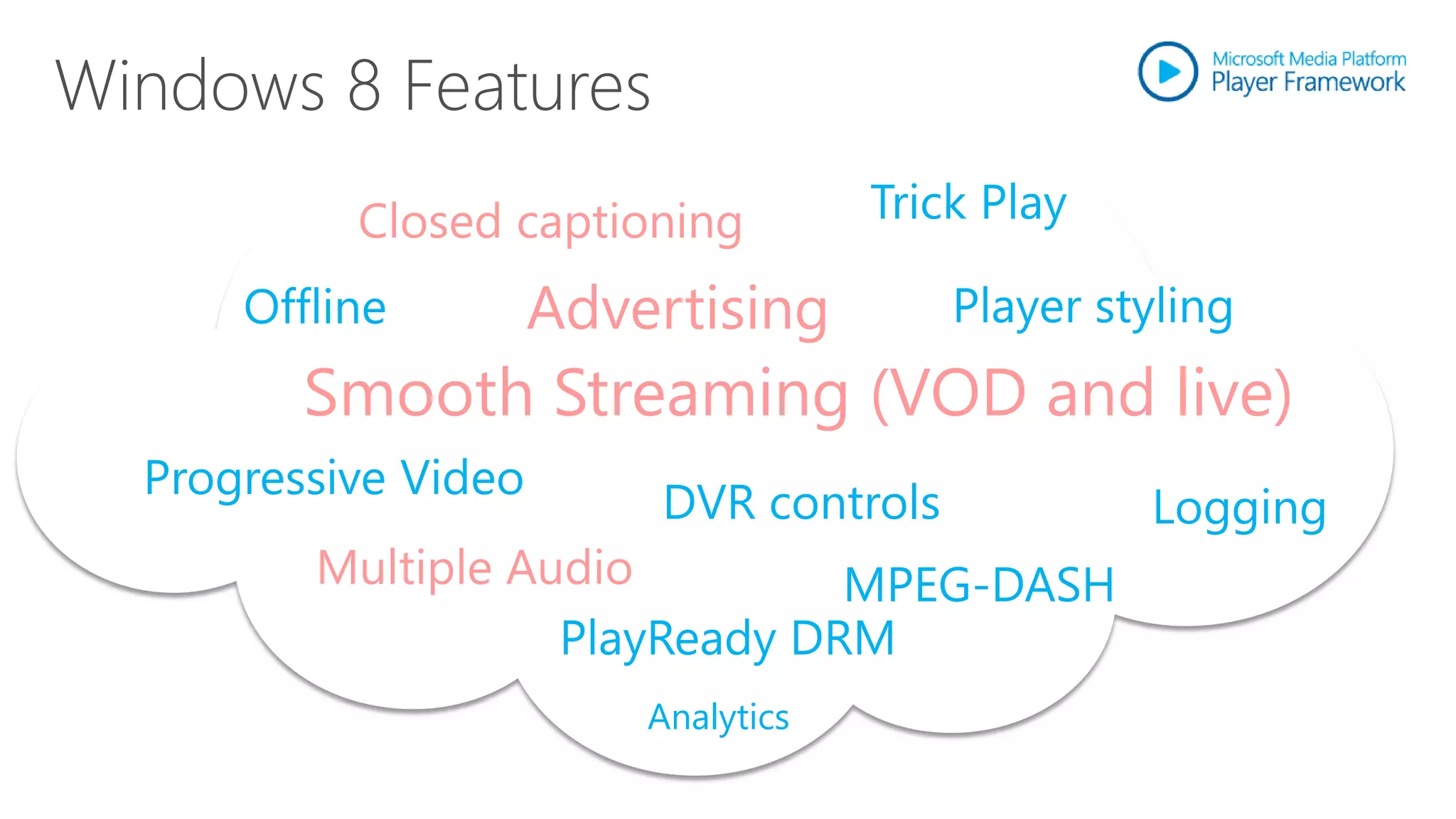
Closed captioning          Trick Play

    Offline         Advertising         Player styling
       Smooth Streaming (VOD and live)
Progressive Video
                        DVR controls             Logging
       Multiple Audio         MPEG-DASH
                  PlayReady DRM
                        Analytics
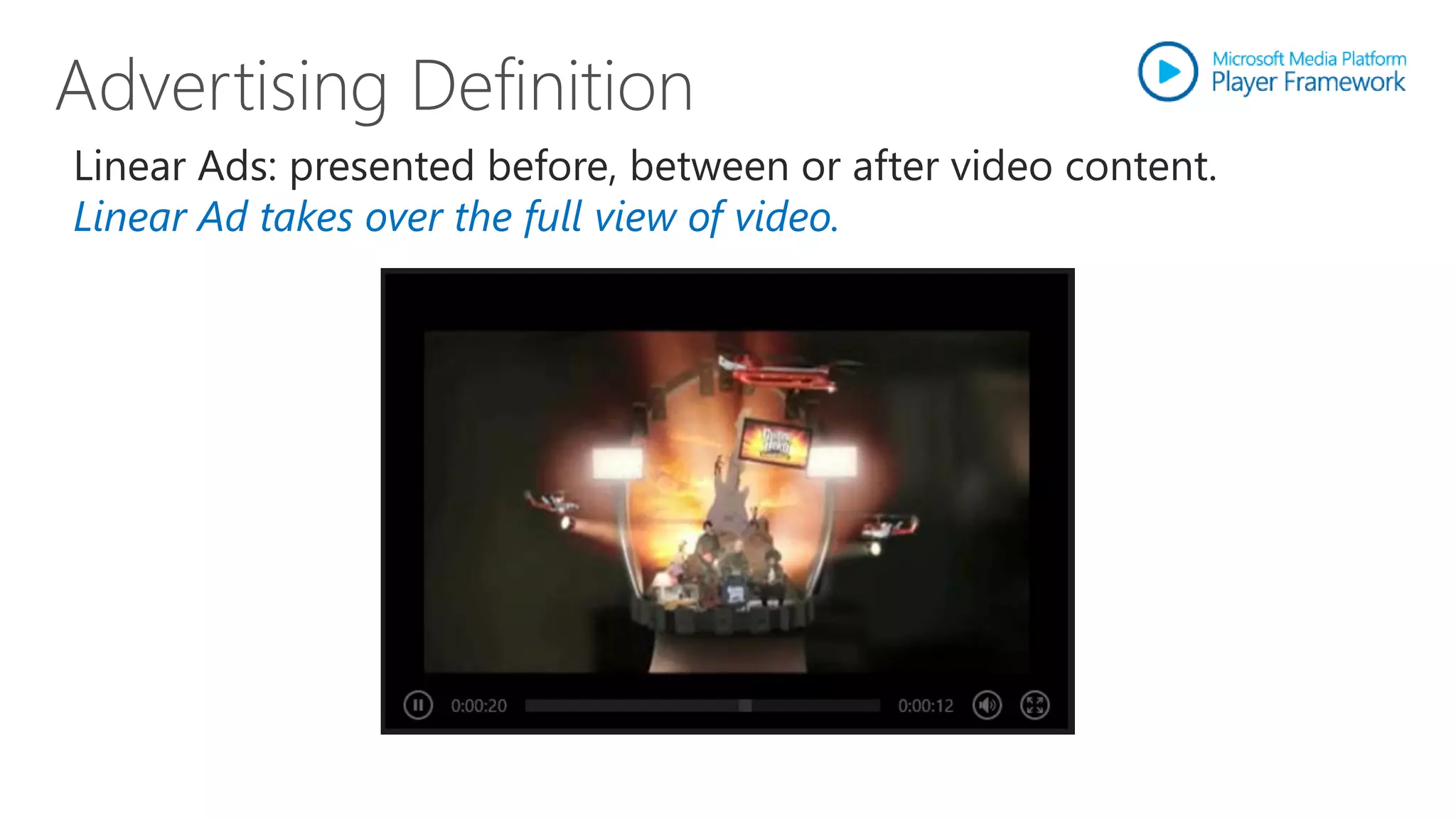
Linear Ads: presented before, between or after video content.
Linear Ad takes over the full view of video.
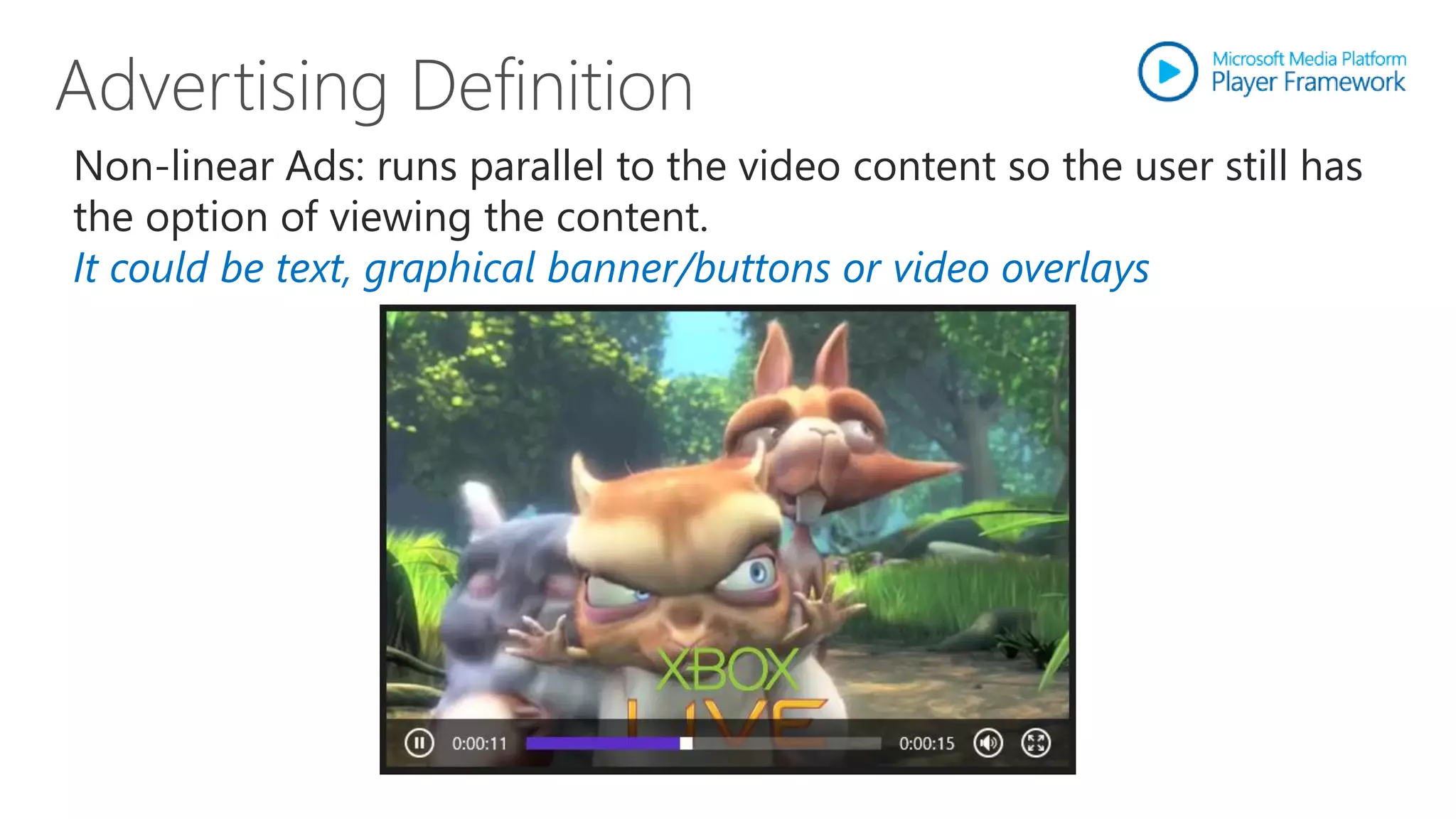
Non-linear Ads: runs parallel to the video content so the user still has
the option of viewing the content.
It could be text, graphical banner/buttons or video overlays
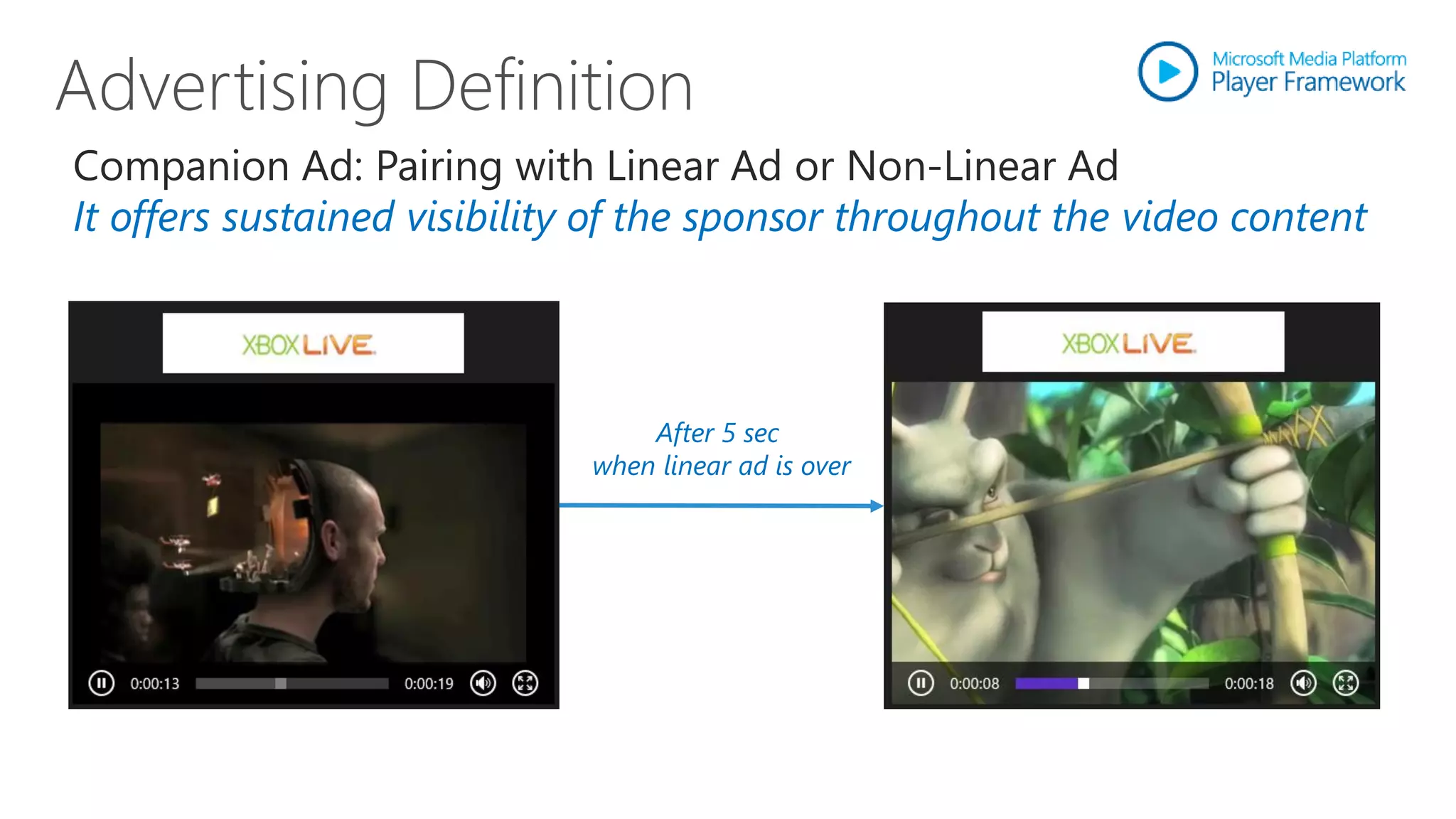
Companion Ad: Pairing with Linear Ad or Non-Linear Ad
It offers sustained visibility of the sponsor throughout the video content


                                 After 5 sec
                             when linear ad is over
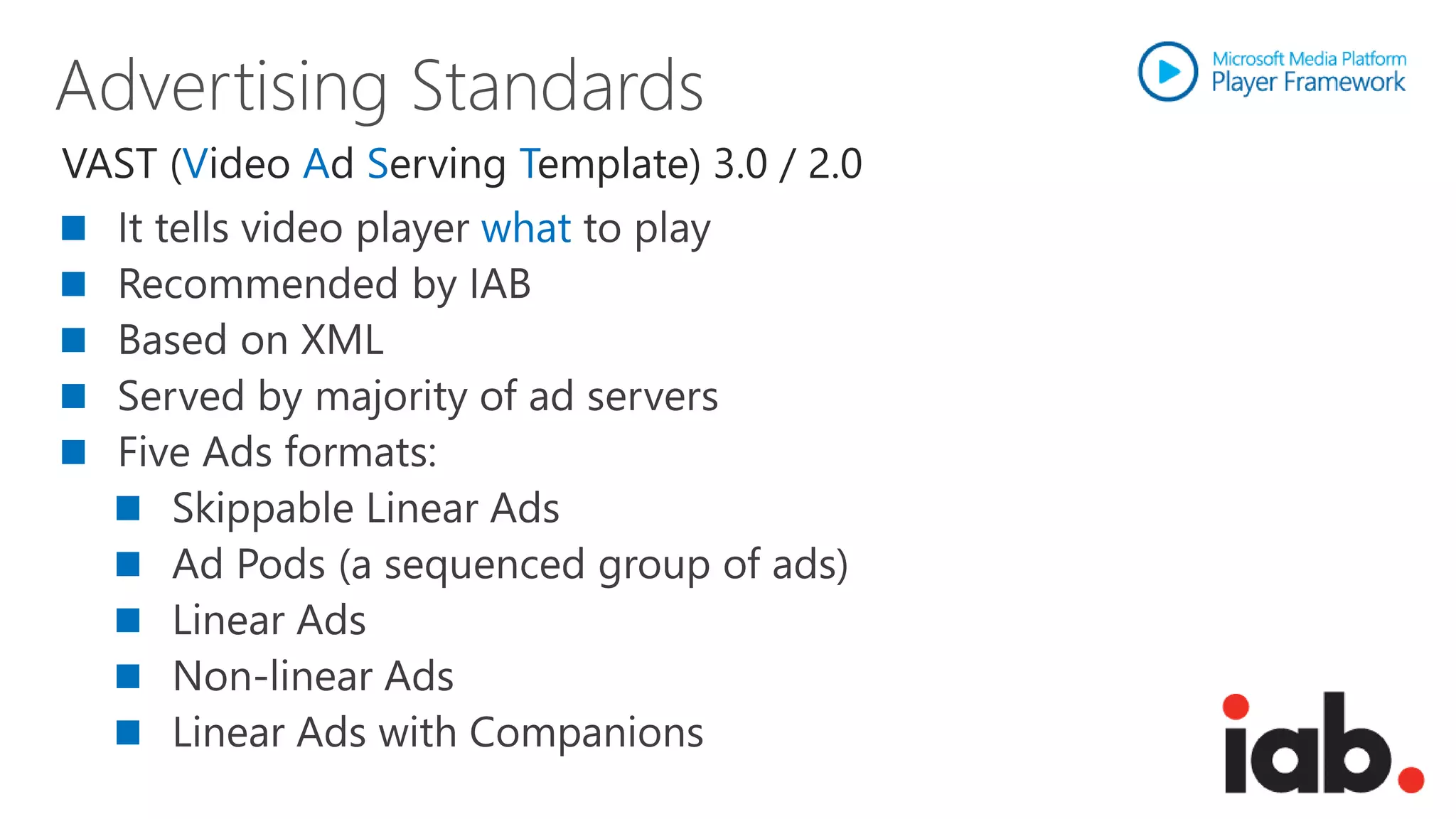
VAST (Video Ad Serving Template) 3.0 / 2.0
                     what
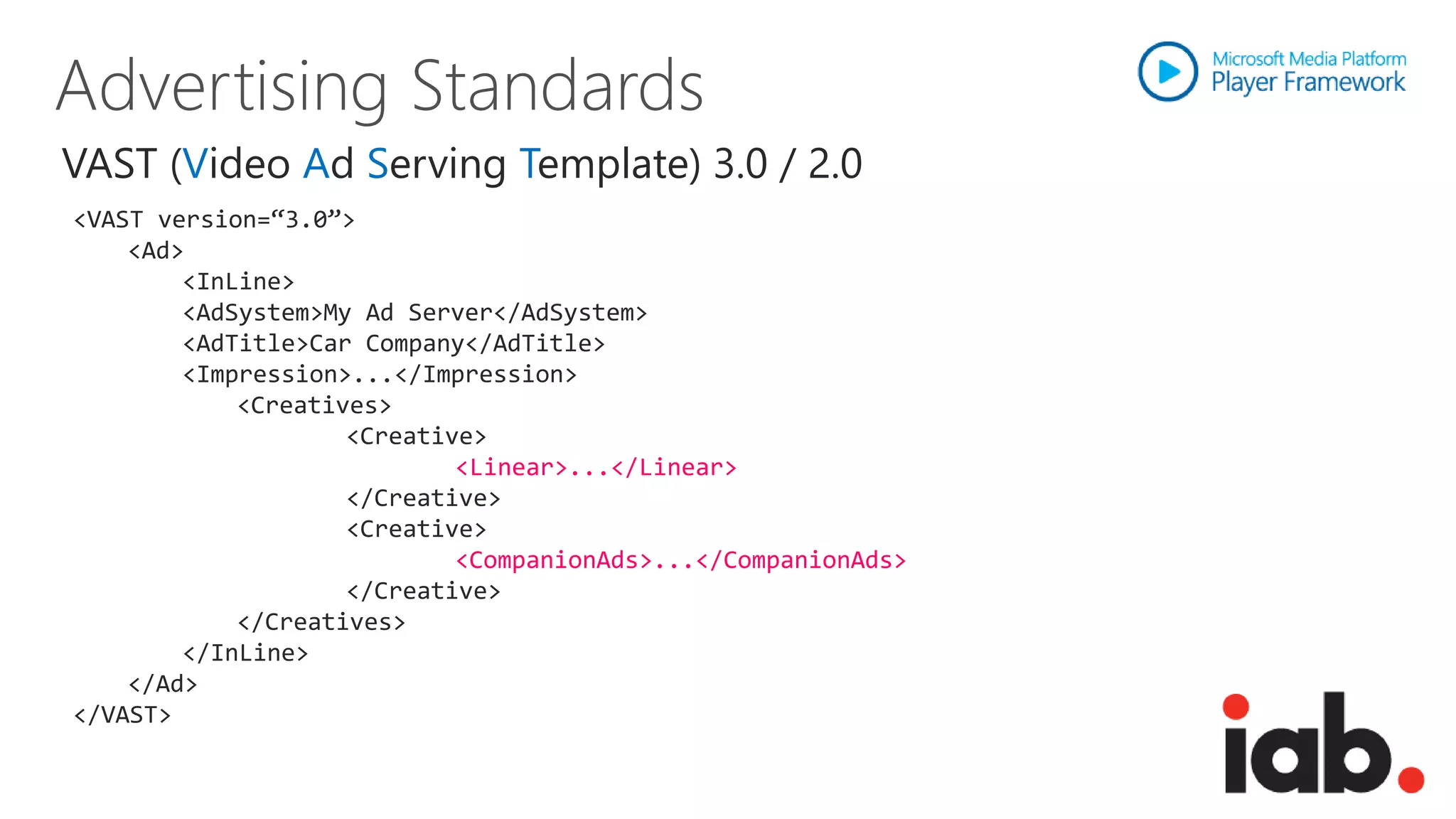
VAST (Video Ad Serving Template) 3.0 / 2.0
<VAST version=“3.0”>
    <Ad>
        <InLine>
        <AdSystem>My Ad Server</AdSystem>
        <AdTitle>Car Company</AdTitle>
        <Impression>...</Impression>
            <Creatives>
                    <Creative>
                            <Linear>...</Linear>
                    </Creative>
                    <Creative>
                            <CompanionAds>...</CompanionAds>
                    </Creative>
            </Creatives>
        </InLine>
    </Ad>
</VAST>
VAST (Video Ad Serving Template) 3.0 / 2.0
<Creative id="video" sequence="0" AdID="">
<Linear>
    <Duration>00:00:32</Duration>
    <TrackingEvents>...</TrackingEvents>
    <VideoClicks>...</VideoClicks>
    <MediaFiles>
        <MediaFile apiFramework="Windows Media" id="windows_progressive_200"
        maintainAspectRatio="true" scaleable="true" delivery="progressive"
        bitrate=“200” width="400" height="300" type="video/x-ms-wmv">
            <![CDATA[
                http://smf.blob.core.windows.net/samples/ads/media/XBOX_HD.wmv
            ]]>
        </MediaFile>
    </MediaFiles>
</Linear>
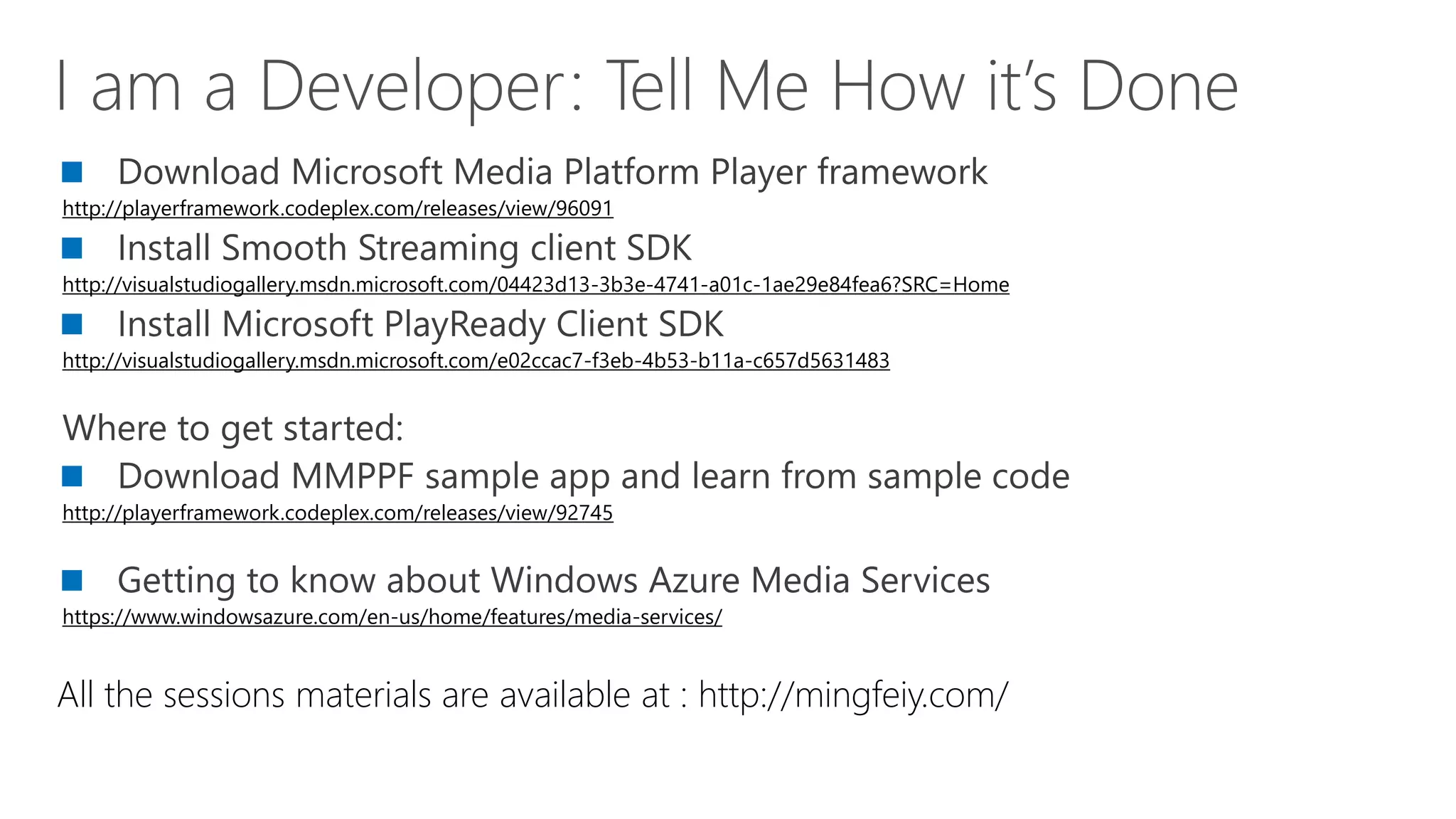
http://playerframework.codeplex.com/releases/view/96091


http://visualstudiogallery.msdn.microsoft.com/04423d13-3b3e-4741-a01c-1ae29e84fea6?SRC=Home


http://visualstudiogallery.msdn.microsoft.com/e02ccac7-f3eb-4b53-b11a-c657d5631483


http://playerframework.codeplex.com/releases/view/92745


https://www.windowsazure.com/en-us/home/features/media-services/


All the sessions materials are available at : http://mingfeiy.com/
www.windowsazure.com/build


Please submit session evals on the Build Windows 8 App
or at http://aka.ms/BuildSessions
Building video applications on Windows 8 with Windows Azure Media Services

Building video applications on Windows 8 with Windows Azure Media Services

  • 2.
    What is Windows Azure Media Services  Architecture and Features  SDK and REST API
  • 11.
    Pre-encrypt files priorto uploading(AES 256) Secure HTTPS upload Network level peering for fast HTTP into Azure Fast upload using UDP with Aspera Bulk ingest support
  • 12.
    Windows Azure MediaEncoder Supports encoding to H.264 or VC-1 video Encodes audio to AAC-LC, HE-AAC, Dolby DD+, WMA Packages to MP4, HLS, Smooth Streaming, HDS, WMV Partner SDK for enabling ‘build-in’ encoders
  • 13.
    Windows Azure MediaEncryptor Sources from Smooth Streaming or Apple HLS Encrypts with PlayReady, Common Encryption, AES
  • 14.
    Windows Azure MediaOrigin Managed streaming service… it just works! Guaranteed bandwidth. Auto recovery/redundancy. High Availability Integrated Azure CDN support Dynamic Remux support for standard MP4 files
  • 15.
    “Build-On” Media Partnersand Customers Partner CDNs Azure CDN “Build-In” Partner Media Processors Origin Caching
  • 19.
    3rd Party CDN Windows Azure CDN On-Demand Live Streaming Streaming
  • 20.
  • 21.
    REST API forall platforms, using OData 3.0 Simple to write your own client libraries using REST API and standard HTTP verbs (GET, POST, PUT, DELETE) Link: http://msdn.microsoft.com/en-us/library/hh973618 .NET library available now in Preview Link: http://www.windowsazure.com/en-us/develop/net/how-to-guides/media-services/ Nuget package: https://nuget.org/packages/windowsazure.mediaservices Future - JAVA library available in Fall
  • 26.
    Application Application withvideo source with Smooth Streaming Source url : …/manifest url : …/a.mp4 Smooth Streaming Extension SDK Media foundation Interface PLAYBACK PIPELINE
  • 27.
    Shipped as Opensource at playerframework.codeplex.com Builds on capabilities of Smooth Streaming Client Available for multiple platform Windows 8 Player • HTML/JavaScript Modern style applications • XAML/C# Modern style applications HTML5 player for browser Silverlight & Windows Phone player Well established player framework Plugin Architecture – import what you need
  • 28.
    Closed captioning Trick Play Offline Advertising Player styling Smooth Streaming (VOD and live) Progressive Video DVR controls Logging Multiple Audio MPEG-DASH PlayReady DRM Analytics
  • 30.
    Linear Ads: presentedbefore, between or after video content. Linear Ad takes over the full view of video.
  • 31.
    Non-linear Ads: runsparallel to the video content so the user still has the option of viewing the content. It could be text, graphical banner/buttons or video overlays
  • 32.
    Companion Ad: Pairingwith Linear Ad or Non-Linear Ad It offers sustained visibility of the sponsor throughout the video content After 5 sec when linear ad is over
  • 33.
    VAST (Video AdServing Template) 3.0 / 2.0 what
  • 34.
    VAST (Video AdServing Template) 3.0 / 2.0 <VAST version=“3.0”> <Ad> <InLine> <AdSystem>My Ad Server</AdSystem> <AdTitle>Car Company</AdTitle> <Impression>...</Impression> <Creatives> <Creative> <Linear>...</Linear> </Creative> <Creative> <CompanionAds>...</CompanionAds> </Creative> </Creatives> </InLine> </Ad> </VAST>
  • 35.
    VAST (Video AdServing Template) 3.0 / 2.0 <Creative id="video" sequence="0" AdID=""> <Linear> <Duration>00:00:32</Duration> <TrackingEvents>...</TrackingEvents> <VideoClicks>...</VideoClicks> <MediaFiles> <MediaFile apiFramework="Windows Media" id="windows_progressive_200" maintainAspectRatio="true" scaleable="true" delivery="progressive" bitrate=“200” width="400" height="300" type="video/x-ms-wmv"> <![CDATA[ http://smf.blob.core.windows.net/samples/ads/media/XBOX_HD.wmv ]]> </MediaFile> </MediaFiles> </Linear>
  • 38.
  • 40.
    www.windowsazure.com/build Please submit sessionevals on the Build Windows 8 App or at http://aka.ms/BuildSessions