#sqlinthecity

Team-based Development with
Version Control
Grant Fritchey
Red Gate Software
Goals
• The value of version control
• Standards, patterns and best practices
• Flow in a team
How many of you use version
control for you
application code?
C#, ASP.NET, Javascript, VB.NET, etc.
How many of you use version
control for you
database application code?
“If it’s not in source
control, it doesn’t exist.”
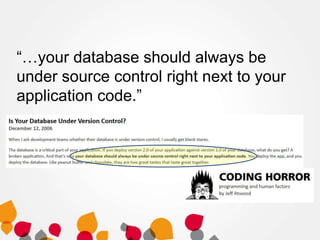
“…your database should always be
under source control right next to your
application code.”
The Best Reason

‘Use source control because
neither you nor your team are
perfect”
Demo
Getting started with databases in VCS
Reducing Risk
You’re using version control
Use Something
Automation is Best
Rules for Database Development
• Never use a shared database for development
• Always Have a Single, Authoritative Source For
Your Schema
• Always Version Your Database
Dedicated or Shared Databases?
Shared databases are not wrong
The Ideal
Each developer has a dedicated
environment with a copy of the
schema and minimal data.
A shared integration environment
where all developers’ changes are
merged, available for developer
testing.
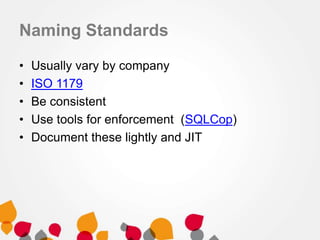
Naming Standards
•
•
•
•
•

Usually vary by company
ISO 1179
Be consistent
Use tools for enforcement (SQLCop)
Document these lightly and JIT
Style Standards
• Vary by individual
• Make code more readable.
• Use tools to re-format code to your liking.
– SQL Prompt
– SSMS Tools Pack
– Others
• Demo – Reformatting code
Teamwork
Teamwork
• Communication
– Team members need to be aware of (easily)
what others are doing.
• Coordination
– Teams need to work in a way that
complements each other.
Use Automation
• Development systems and tools need to work for
the team, not against them.
• Many IDEs and tools work well in team
environments, if you configure them.
Demo
The flow within teams.
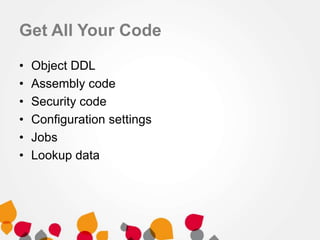
Get All Your Code
•
•
•
•
•
•

Object DDL
Assembly code
Security code
Configuration settings
Jobs
Lookup data
Best Practices
• Use version control for all code (including tests)
• Commit early, commit often (various references
for this one)
• Use tools
– If it’s hard, people don’t do it
• Train people
• Build often
The Holy Grail
Goals
• The value of version control
• Standards, patterns and best practices
• Flow in a team
The End
• The next step is Automated Test and Build (next
session)
• Questions?
References
•
•
•
•
•
•

http://stackoverflow.com/questions/115369/do-you-use-source-control-for-your-databaseitems
http://www.codinghorror.com/blog/archives/001050.html
http://www.codinghorror.com/blog/2008/02/get-your-database-under-version-control.html
http://www.ssw.com.au/ssw/Standards/Rules/RulesToBetterSQLServerDatabases.aspx
http://odetocode.com/blogs/scott/archive/2008/01/30/three-rules-for-database-work.aspx
Check in early, check in often - http://www.codinghorror.com/blog/2008/08/check-in-earlycheck-in-often.html
Images
• http://northernalberta.rims.org/NorthernAlbertaChapter/H
ome/
• http://indianajones.wikia.com/wiki/Holy_Grail
• http://www.youtube.com/watch?v=RG0ochx16Dg
• http://www.flickr.com/photos/lumaxart/2137737248/

Team-based Development with Version Control

Editor's Notes

  • #3 Understand why version control is important?Learn some standards, patterns and best practices - demo – show tracking without version control - demo - set up vcsSee flow in a team - demo - show objects being moved from person to person in separate databases - demo – show tests
  • #4 How many people in the audience use version control for their application code? Any of your front end code.* Note number
  • #5 Let’s ask the same question. How many of you use version control for your database code? For your tables, views, procedures? What about schemas? What about permissions and roles? What about cryptographic keys?* Note number and difference.
  • #6 There are plenty of developers with this attitude, though I’m not sure it’s the majority. As software development matures, however slowly, I suspect this will become more and more commonplace. Professionals should work professionally.http://programmers.stackexchange.com/questions/122150/how-can-i-convince-cowboy-programmers-to-use-source-controlhttp://www.makeuseof.com/tag/git-version-control-youre-developer/http://www.mactech.com/articles/mactech/Vol.14/14.06/VersionControlAndTheDeveloper/index.htmlhttp://drupal.org/node/299067grammers.stackexchange.com/questions/122150/how-can-i-convince-cowboy-programmers-to-use-source-control
  • #7 Version control isn’t that hard.http://programmers.stackexchange.com/questions/122150/how-can-i-convince-cowboy-programmers-to-use-source-controlhttp://www.makeuseof.com/tag/git-version-control-youre-developer/http://www.mactech.com/articles/mactech/Vol.14/14.06/VersionControlAndTheDeveloper/index.htmlhttp://drupal.org/node/299067
  • #8 VCS should be used everywhere, all the time.http://programmers.stackexchange.com/questions/122150/how-can-i-convince-cowboy-programmers-to-use-source-controlhttp://www.makeuseof.com/tag/git-version-control-youre-developer/http://www.mactech.com/articles/mactech/Vol.14/14.06/VersionControlAndTheDeveloper/index.htmlhttp://drupal.org/node/299067
  • #9 There are no excuses where you should not use it.http://programmers.stackexchange.com/questions/122150/how-can-i-convince-cowboy-programmers-to-use-source-controlhttp://www.makeuseof.com/tag/git-version-control-youre-developer/http://www.mactech.com/articles/mactech/Vol.14/14.06/VersionControlAndTheDeveloper/index.htmlhttp://drupal.org/node/299067
  • #10 Your version control, or source control system, should be the last word in what code is included in your application. Source control provides you this central repository that helps everyone be aware of what changes have been made.http://www.troyhunt.com/2011/05/10-commandments-of-good-source-control.html
  • #11 Many of the better developers out there, whether working with application code or database code, believe in this process. In terms of databases, the code should be a peer with your application code.From: http://www.codinghorror.com/blog/2006/12/is-your-database-under-version-control.html
  • #12 You use source control because neither you nor your team is perfect. http://stackoverflow.com/questions/559332/why-should-my-team-adopt-source-control
  • #13  In most jobs you want to be able to rollback if you make a mistake. You can't sometimes, but we often can in software development. In software we aren’t usually working in areas quite this critical, but the lack of having a safety net for your application can be a problem.http://www.flickr.com/photos/spinneyhead/3616976884/
  • #14 How hard is it to set up source control? Let’s lookShow how to start using VCS manually with a database and scripting (file open/close)Create SimpleTalkDev_Steve and SimpleTalkDev_Manual.Script out _ManualAdd to subversionLink _Steve to SOC to show the differenceChange a proc in _Manual, save, check in.Change a proc in _Steve, commit change.
  • #15 VCS isn’t just for rolling back changes. There are any number of benefits to a shared VCS environment.You can see there a variety of reasons why you should use source control, but…http://betterexplained.com/articles/a-visual-guide-to-version-control/
  • #16 they all come down to reducing risk. Reducing the risk of problems in your code, conflicts, the chance you cannot build your application to add a feature, apply a patch, or grow your team.Many of the things we talk about at SitC are all about reducing risk. Continuous integration, continuous deployment, processes made easier with tooling, all are about reducing risk.How many of you would code your entire project and only build it at the end? That’s what not using version control, testing, practicing, having a known process is really like.
  • #19 If you don't like the idea of using a server based system, or your company doesn't have one, please use something. If nothing else, back up your code each day.
  • #20 However we prefer automation. We want to use some sort of tooling to make this process easier. Most IDEs integrate with VCS systems, though SSMS is not one. However there are different ways to do this, as we saw in the demo.http://www.youtube.com/watch?v=RG0ochx16Dg
  • #21 In team development, we should have a number of rules. The best list I have seen is from K. Scott Allen, with three rules. - Never used a shared database for development - Always have an authoritative source - version your databaseAll three are important. You don't want a shared database because when testing change and trying out new enhancemnents, especially in database work, you do not want one developer to interfere with others. This is especially problemativ for database work where the structure you are dealing with must be able to work well across time. You always need a source for your database any point in time if you hae to rebuild things. This means you may have create scripts or alter scripts, but whatever combination you have must work to rebuild a database to match a point in time. The last thing is that your database state should be known at different points in time, espeically as you may deploy changes out of order in which they are built. These versions usually correspond to release points, and they are important for building upgrade scripts for altering objects.From: http://odetocode.com/blogs/scott/archive/2008/01/30/three-rules-for-database-work.aspx (K. Scott Allen)
  • #22 http://www.troyhunt.com/2011/02/unnecessary-evil-of-shared-development.html
  • #23 http://wiki.servoy.com/display/public/DOCS/Team+Development+Database+Considerations+-+Shared+Versus+Local;jsessionid=21F4E584D19A38E010382144904496ED
  • #24 The holy grail, the ideal environment is a set of dedicated databases for individual development, but a shared integration database where all changes are merged, and at any time, the developer can test their code against this database.We support both models very well with the Red Gate tools.http://www.red-gate.com/SupportCenter/content/SQL_Source_control/articles/SSC_Development_Models
  • #25 Naming standards have to do with how we identify things. From servers, to databases, to tables to programming structures, we want consistent naming so all members of the team understand quickly and easily, what they are working with. These can include well known standards (ISO), but they do not have to. The important thing is they are defined, even loosely defined, in your company. You should use tools and automation to enforce them. I would not define everything up front and right away, but define things as needed.
  • #26 Style standards often vary by individual. These have to do with the formatting and layout of code to enhance readability and understanding. However it doesn't make sense these days to have strict standards for formatting of code. Instead, the IDE should be able to reformat code for the developer as needed. This might include things like spacing, comma placement, etc. Tooling can handle many of these issues. There are a number of add-ins and editors for SQL Server code. Learn to use them.
  • #27 Ultimately what we want to do is ensure that everyone in our team, however big or small, works together in a coordinated fashion. We won't all work the same way, but we don't want to create friction and inefficiencies with our differences.Teamwork requires coordination and communication to be efficient. Whatever process you choose needs to work for the team. It should allow them to easily work in the way they want, while still allowing each team member’s work to be easily integrated into every other team members.http://www.flickr.com/photos/lumaxart/2137737248/
  • #28 The big things are communication and coordination. Communication betwen members as well as with the application. Knowing when you have code that changes, that works (or doesn't work) and what items people are working on. Coordination has to do with meshing the different ways we all work together.In terms of communication, talk to each other (or email, IM, chat, etc.). Don't set very hard and fast rules that are unbreakable, but discuss issues and make reasonable decisions that fit in your environment. If things make sense and help you develop faster and at a higher level of quality, do them. If they don't, then change.
  • #29 Automation and tooling is definitely the key to good teamwork. The tools should help not only enable, but foster good teamwork. Configure your IDEs to help you. Share knowledge and configuration while allowing diversity in things like personal preferences.
  • #30 Show changes moving from one developer to another. Show tests-- Demo changes to code, with comments, appearing in source control and using those.- David A’s TDD scenario. Create test, allow to flow to the other user.
  • #31 Your code consists of a number of objects. The things we talk about should apply to all of these.
  • #32 The best practices for database development are:- Use version control. It's important for a variety of reasons, not the least of which is reducing your risk of problems.- Commit often. Better sooner than later.- Use tools to help you work better. These can be bespoke or bought, but use them to make things work easier. Your tools should be able to build a database ona new machine quickly and easily. Backup and restore can work, but this isn't always practical.- Train your people. Don't assume they know how to use VCS, or they have the habits. It doesn't take long, and it's worth the investment.- Build often. This will help you catch mistake and issues early, which means it is less costly in terms of resources to fix things.
  • #33 The holy grail of all of this is to be able to release at any point in time, if you need to, with confidence. If you have a problem, an urgent request, a deadline, being able to build your applicatin (and database) with confidence, test it quickly, and deploy changes. Continuous Integration, Continuous Deployment, and the automation that goes with them is what w should all shoot for.http://indianajones.wikia.com/wiki/Holy_Grailhttp://mikeciblogs.wordpress.com/2010/06/15/continuous-integration-for-agile-project-managers-part-3/
  • #34 Understand why version control is important?Learn some standards, patterns and best practices - demo – show tracking without version control - demo - set up vcsSee flow in a team - demo - show objects being moved from person to person in separate databases - demo – show tests