Vladimir Bakhov
AT-Consulting
vbakhov@at-consulting.ru
+7 (905) 7165446

Svetlana Panfilova
AT-Consulting
spanfilova@at-consulting.ru
+7 (903) 1696490

Google group for this presentation is vobaks
Source codes are available at Google Code: Project OraCI.(
http://code.google.com/p/oraci/ )

P.S. Since I mostly use the Google Translate service, I’d be really happy if someone
could verify the English translation.


                                                                                       1
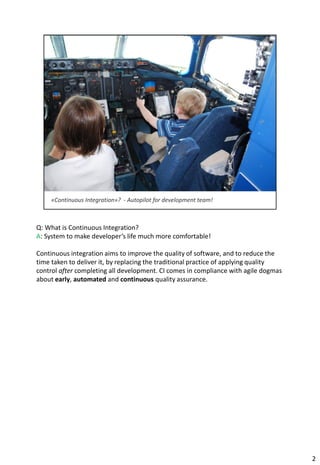
Q: What is Continuous Integration?
A: System to make developer’s life much more comfortable!

Continuous integration aims to improve the quality of software, and to reduce the
time taken to deliver it, by replacing the traditional practice of applying quality
control after completing all development. CI comes in compliance with agile dogmas
about early, automated and continuous quality assurance.


                                                                                      2
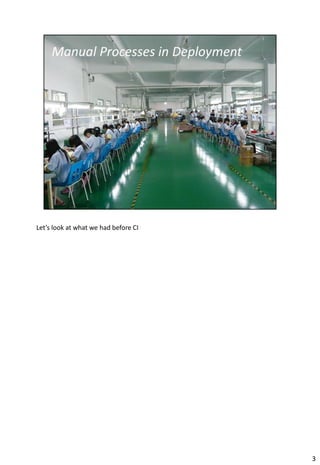
Let’s look at what we had before CI


                                      3
4
5
6
7
8
9
10
11
12
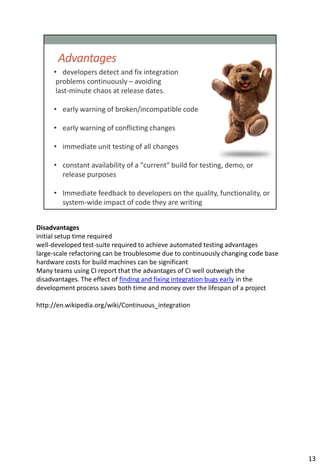
Disadvantages
initial setup time required
well-developed test-suite required to achieve automated testing advantages
large-scale refactoring can be troublesome due to continuously changing code base
hardware costs for build machines can be significant
Many teams using CI report that the advantages of CI well outweigh the
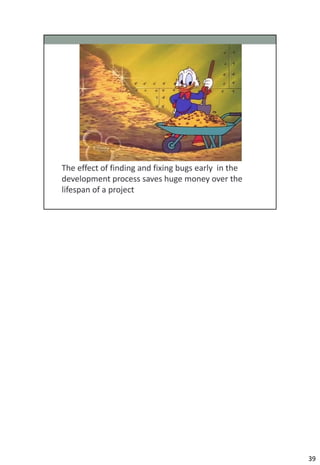
disadvantages. The effect of finding and fixing integration bugs early in the
development process saves both time and money over the lifespan of a project

http://en.wikipedia.org/wiki/Continuous_integration


                                                                                    13
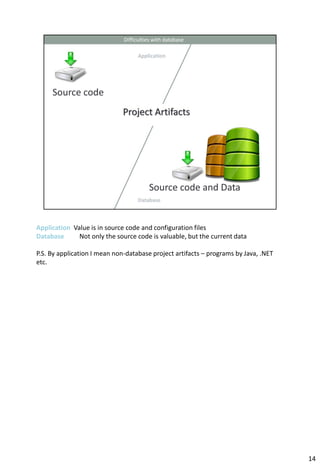
Application Value is in source code and configuration files
Database      Not only the source code is valuable, but the current data

P.S. By application I mean non-database project artifacts – programs by Java, .NET
etc.


                                                                                     14
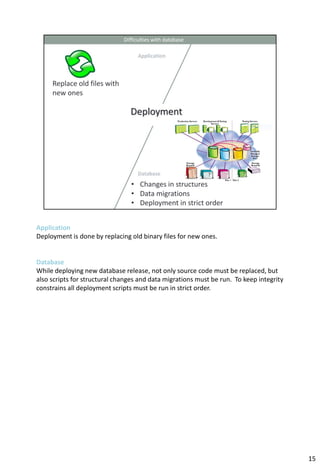
Application
Deployment is done by replacing old binary files for new ones.


Database
While deploying new database release, not only source code must be replaced, but
also scripts for structural changes and data migrations must be run. To keep integrity
constrains all deployment scripts must be run in strict order.


                                                                                         15
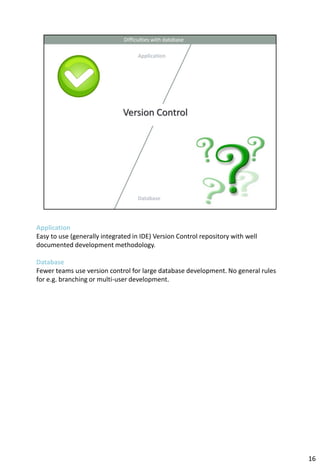
Application
Easy to use (generally integrated in IDE) Version Control repository with well
documented development methodology.

Database
Fewer teams use version control for large database development. No general rules
for e.g. branching or multi-user development.


                                                                                   16
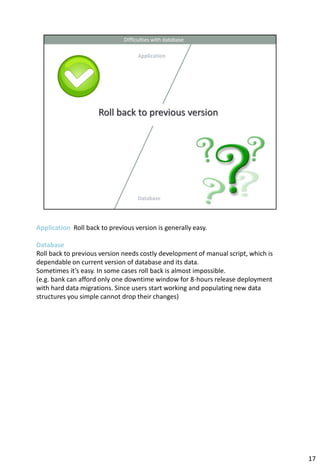
Application Roll back to previous version is generally easy.

Database
Roll back to previous version needs costly development of manual script, which is
dependable on current version of database and its data.
Sometimes it’s easy. In some cases roll back is almost impossible.
(e.g. bank can afford only one downtime window for 8-hours release deployment
with hard data migrations. Since users start working and populating new data
structures you simple cannot drop their changes)


                                                                                    17
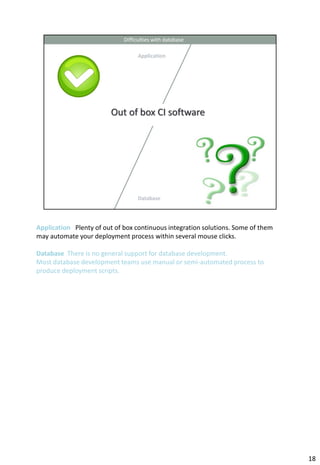
Application Plenty of out of box continuous integration solutions. Some of them
may automate your deployment process within several mouse clicks.

Database There is no general support for database development.
Most database development teams use manual or semi-automated process to
produce deployment scripts.


                                                                                  18
19
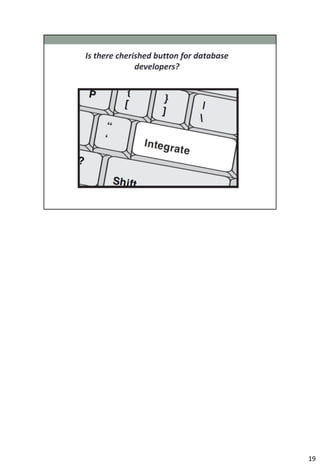
This is the most important slide.
Database CI is relatively complex development tool.
Good news is You can learn many wonderful things in life.
Does not matter how huge and complicated you database is – continuous integration
is beautiful technology you can master.


                                                                                    20
21
22
You must have test automation. Otherwise CI has no much sense. We use UTPLSql
for oracle unit testing. You also can use Toad Code Tester, SQL Unit with SQL
Developer or self-coded tool. Test automation for DB is topic in it’s own. Later we
created highly flexible tool with Web GUI for large ETL processes test automation.
For now it supports ETL systems with Informatica, Oracle Warehouse builder and SAS
Data Integration Studio.


                                                                                      23
CI software is needed for automated deployment scripts building, their deployment
and testing with test automation systems. It also integrates nice reporting tools
about build health.


                                                                                    24
Version Control is the blood for Database CI.
I will demonstrate on Subversion as our favorite VCS. Likely there is no restriction to
use other VCS of your choice.


                                                                                          25
Well documented VSC project structures won’t seamlessly fit database development
projects.
We will demonstrate required adaptation to enjoy all CI benefits.


                                                                                   26
All actions are scripted (No changes with GUI, e.g. adding column or comment by
SQL Navigator GUI).
All database objects should be scripted as sql: packages, procedures, views, triggers
etc. Database structure changes and data migrations should be as sql files: table
creations, alter operations, insert operations etc. Scripts – general project artifact.
  Scripts should be checked into Version Control System
  Scripts have owners, and could be assigned and maintained
  Scripts are testable
  Contrary to manual actions, scripts are safe to deploy&test multiple times
  Scripts can be deployed on multiple databases and environments
  Scripts can be linked with Bug Tracking system (like Jira). You can see what objects
were changed within particular task… by whom and when.


                                                                                          27
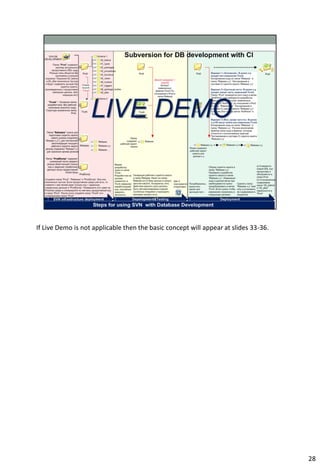
If Live Demo is not applicable then the basic concept will appear at slides 33-36.


                                                                                     28
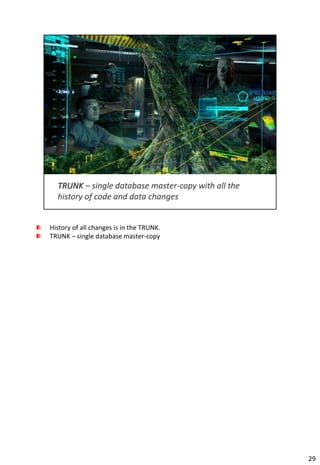
History of all changes is in the TRUNK.
TRUNK – single database master-copy


                                          29
Convenient for developers – code objects, structure and data change scripts are
not spread by different release folders. You don’t need to remember where are
they now or look for them. To start development you always go to TRUNC, open
needed source file (where files are structured by schema and db object type).
Then you do the coding, compiling and testing as usual, just simple press “save”
before exit.
When you start practicing branched development the system will automatically
control already deployed objects or structure or data change scripts. Thus
nothing will be lost or deployed twice.


                                                                                   30
31
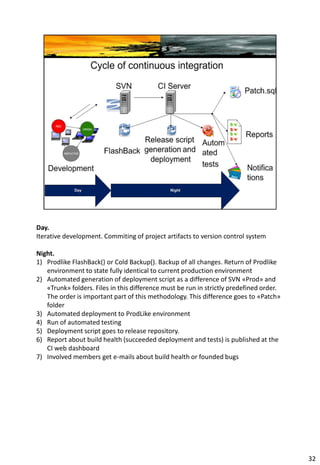
Day.
Iterative development. Commiting of project artifacts to version control system

Night.
1) Prodlike FlashBack() or Cold Backup(). Backup of all changes. Return of Prodlike
   environment to state fully identical to current production environment
2) Automated generation of deployment script as a difference of SVN «Prod» and
   «Trunk» folders. Files in this difference must be run in strictly predefined order.
   The order is important part of this methodology. This difference goes to «Patch»
   folder
3) Automated deployment to ProdLike environment
4) Run of automated testing
5) Deployment script goes to release repository.
6) Report about build health (succeeded deployment and tests) is published at the
   CI web dashboard
7) Involved members get e-mails about build health or founded bugs


                                                                                         32
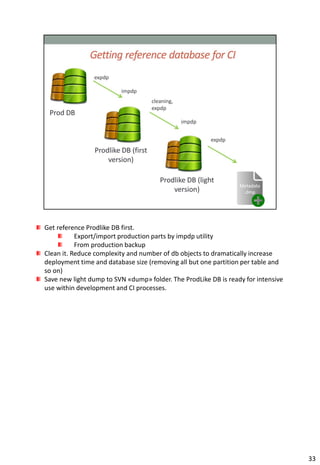
Get reference Prodlike DB first.
           Export/import production parts by impdp utility
           From production backup
Clean it. Reduce complexity and number of db objects to dramatically increase
deployment time and database size (removing all but one partition per table and
so on)
Save new light dump to SVN «dump» folder. The ProdLike DB is ready for intensive
use within development and CI processes.


                                                                                   33
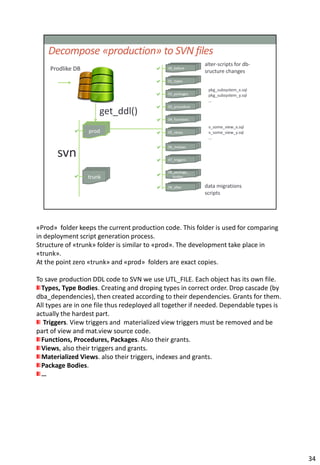
«Prod» folder keeps the current production code. This folder is used for comparing
in deployment script generation process.
Structure of «trunk» folder is similar to «prod». The development take place in
«trunk».
At the point zero «trunk» and «prod» folders are exact copies.

To save production DDL code to SVN we use UTL_FILE. Each object has its own file.
  Types, Type Bodies. Creating and droping types in correct order. Drop cascade (by
dba_dependencies), then created according to their dependencies. Grants for them.
All types are in one file thus redeployed all together if needed. Dependable types is
actually the hardest part.
   Triggers. View triggers and materialized view triggers must be removed and be
part of view and mat.view source code.
  Functions, Procedures, Packages. Also their grants.
  Views, also their triggers and grants.
  Materialized Views. also their triggers, indexes and grants.
  Package Bodies.
  …


                                                                                        34
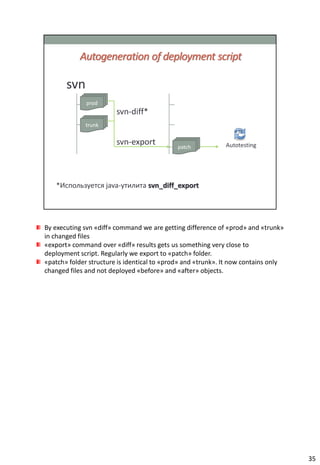
By executing svn «diff» command we are getting difference of «prod» and «trunk»
in changed files
«export» command over «diff» results gets us something very close to
deployment script. Regularly we export to «patch» folder.
«patch» folder structure is identical to «prod» and «trunk». It now contains only
changed files and not deployed «before» and «after» objects.


                                                                                    35
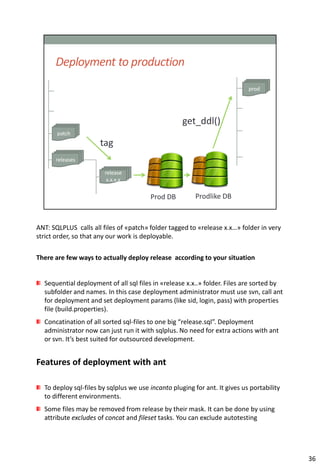
ANT: SQLPLUS calls all files of «patch» folder tagged to «release x.x…» folder in very
strict order, so that any our work is deployable.

There are few ways to actually deploy release according to your situation


  Sequential deployment of all sql files in «release x.x..» folder. Files are sorted by
  subfolder and names. In this case deployment administrator must use svn, call ant
  for deployment and set deployment params (like sid, login, pass) with properties
  file (build.properties).
  Concatination of all sorted sql-files to one big “release.sql”. Deployment
  administrator now can just run it with sqlplus. No need for extra actions with ant
  or svn. It’s best suited for outsourced development.


Features of deployment with ant

  To deploy sql-files by sqlplus we use incanto pluging for ant. It gives us portability
  to different environments.
  Some files may be removed from release by their mask. It can be done by using
  attribute excludes of concat and fileset tasks. You can exclude autotesting


                                                                                           36
packages, which are good only for testing and CI environments.


                                                                 36
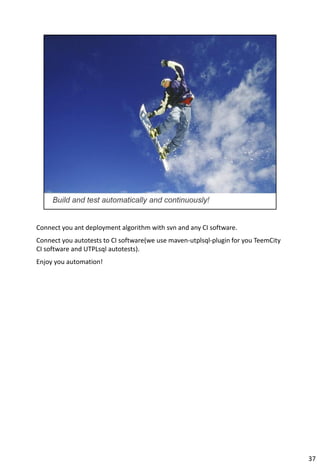
Connect you ant deployment algorithm with svn and any CI software.
Connect you autotests to CI software(we use maven-utplsql-plugin for you TeemCity
CI software and UTPLsql autotests).
Enjoy you automation!


                                                                                    37
38
39
40
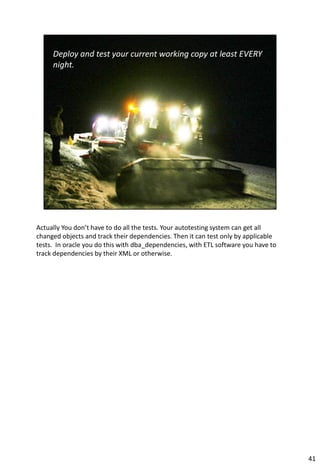
Actually You don’t have to do all the tests. Your autotesting system can get all
changed objects and track their dependencies. Then it can test only by applicable
tests. In oracle you do this with dba_dependencies, with ETL software you have to
track dependencies by their XML or otherwise.


                                                                                    41
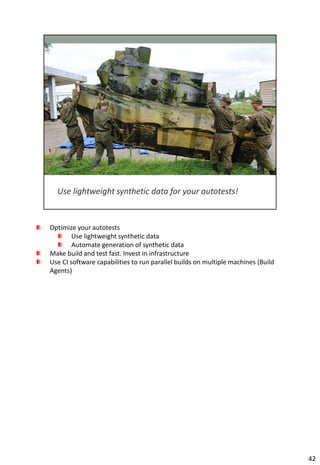
Optimize your autotests
        Use lightweight synthetic data
        Automate generation of synthetic data
Make build and test fast. Invest in infrastructure
Use CI software capabilities to run parallel builds on multiple machines (Build
Agents)


                                                                                  42
43
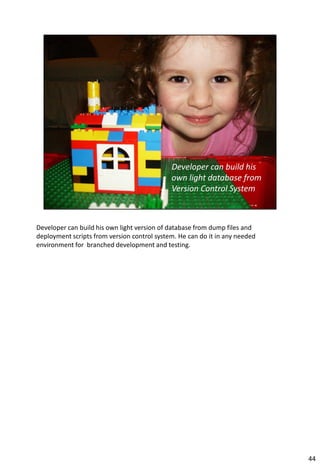
Developer can build his own light version of database from dump files and
deployment scripts from version control system. He can do it in any needed
environment for branched development and testing.


                                                                             44
Do continuous integration.
Try to switch from nightly builds to more frequent build (e.g. every 2 hours). Then to
build&test by every commit to source control.
Try to separate your quick and slow test. Slow for weekends, quick for now. Track
dependencies of changed objects and tests.


                                                                                         45
46
47
48
http://en.wikipedia.org/wiki/Continuous_integration


                                                      49
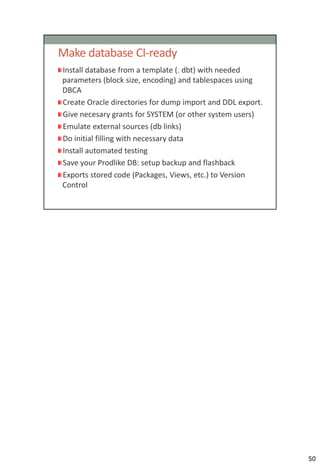
50
51
52

Continuous Integration for Oracle Database Development

  • 1.
    Vladimir Bakhov AT-Consulting vbakhov@at-consulting.ru +7 (905)7165446 Svetlana Panfilova AT-Consulting spanfilova@at-consulting.ru +7 (903) 1696490 Google group for this presentation is vobaks Source codes are available at Google Code: Project OraCI.( http://code.google.com/p/oraci/ ) P.S. Since I mostly use the Google Translate service, I’d be really happy if someone could verify the English translation. 1
  • 2.
    Q: What isContinuous Integration? A: System to make developer’s life much more comfortable! Continuous integration aims to improve the quality of software, and to reduce the time taken to deliver it, by replacing the traditional practice of applying quality control after completing all development. CI comes in compliance with agile dogmas about early, automated and continuous quality assurance. 2
  • 3.
    Let’s look atwhat we had before CI 3
  • 4.
  • 5.
  • 6.
  • 7.
  • 8.
  • 9.
  • 10.
  • 11.
  • 12.
  • 13.
    Disadvantages initial setup timerequired well-developed test-suite required to achieve automated testing advantages large-scale refactoring can be troublesome due to continuously changing code base hardware costs for build machines can be significant Many teams using CI report that the advantages of CI well outweigh the disadvantages. The effect of finding and fixing integration bugs early in the development process saves both time and money over the lifespan of a project http://en.wikipedia.org/wiki/Continuous_integration 13
  • 14.
    Application Value isin source code and configuration files Database Not only the source code is valuable, but the current data P.S. By application I mean non-database project artifacts – programs by Java, .NET etc. 14
  • 15.
    Application Deployment is doneby replacing old binary files for new ones. Database While deploying new database release, not only source code must be replaced, but also scripts for structural changes and data migrations must be run. To keep integrity constrains all deployment scripts must be run in strict order. 15
  • 16.
    Application Easy to use(generally integrated in IDE) Version Control repository with well documented development methodology. Database Fewer teams use version control for large database development. No general rules for e.g. branching or multi-user development. 16
  • 17.
    Application Roll backto previous version is generally easy. Database Roll back to previous version needs costly development of manual script, which is dependable on current version of database and its data. Sometimes it’s easy. In some cases roll back is almost impossible. (e.g. bank can afford only one downtime window for 8-hours release deployment with hard data migrations. Since users start working and populating new data structures you simple cannot drop their changes) 17
  • 18.
    Application Plenty ofout of box continuous integration solutions. Some of them may automate your deployment process within several mouse clicks. Database There is no general support for database development. Most database development teams use manual or semi-automated process to produce deployment scripts. 18
  • 19.
  • 20.
    This is themost important slide. Database CI is relatively complex development tool. Good news is You can learn many wonderful things in life. Does not matter how huge and complicated you database is – continuous integration is beautiful technology you can master. 20
  • 21.
  • 22.
  • 23.
    You must havetest automation. Otherwise CI has no much sense. We use UTPLSql for oracle unit testing. You also can use Toad Code Tester, SQL Unit with SQL Developer or self-coded tool. Test automation for DB is topic in it’s own. Later we created highly flexible tool with Web GUI for large ETL processes test automation. For now it supports ETL systems with Informatica, Oracle Warehouse builder and SAS Data Integration Studio. 23
  • 24.
    CI software isneeded for automated deployment scripts building, their deployment and testing with test automation systems. It also integrates nice reporting tools about build health. 24
  • 25.
    Version Control isthe blood for Database CI. I will demonstrate on Subversion as our favorite VCS. Likely there is no restriction to use other VCS of your choice. 25
  • 26.
    Well documented VSCproject structures won’t seamlessly fit database development projects. We will demonstrate required adaptation to enjoy all CI benefits. 26
  • 27.
    All actions arescripted (No changes with GUI, e.g. adding column or comment by SQL Navigator GUI). All database objects should be scripted as sql: packages, procedures, views, triggers etc. Database structure changes and data migrations should be as sql files: table creations, alter operations, insert operations etc. Scripts – general project artifact. Scripts should be checked into Version Control System Scripts have owners, and could be assigned and maintained Scripts are testable Contrary to manual actions, scripts are safe to deploy&test multiple times Scripts can be deployed on multiple databases and environments Scripts can be linked with Bug Tracking system (like Jira). You can see what objects were changed within particular task… by whom and when. 27

  • 28.
    If Live Demois not applicable then the basic concept will appear at slides 33-36. 28
  • 29.
    History of allchanges is in the TRUNK. TRUNK – single database master-copy 29
  • 30.
    Convenient for developers– code objects, structure and data change scripts are not spread by different release folders. You don’t need to remember where are they now or look for them. To start development you always go to TRUNC, open needed source file (where files are structured by schema and db object type). Then you do the coding, compiling and testing as usual, just simple press “save” before exit. When you start practicing branched development the system will automatically control already deployed objects or structure or data change scripts. Thus nothing will be lost or deployed twice. 30
  • 31.
  • 32.
    Day. Iterative development. Commitingof project artifacts to version control system Night. 1) Prodlike FlashBack() or Cold Backup(). Backup of all changes. Return of Prodlike environment to state fully identical to current production environment 2) Automated generation of deployment script as a difference of SVN «Prod» and «Trunk» folders. Files in this difference must be run in strictly predefined order. The order is important part of this methodology. This difference goes to «Patch» folder 3) Automated deployment to ProdLike environment 4) Run of automated testing 5) Deployment script goes to release repository. 6) Report about build health (succeeded deployment and tests) is published at the CI web dashboard 7) Involved members get e-mails about build health or founded bugs 32
  • 33.
    Get reference ProdlikeDB first. Export/import production parts by impdp utility From production backup Clean it. Reduce complexity and number of db objects to dramatically increase deployment time and database size (removing all but one partition per table and so on) Save new light dump to SVN «dump» folder. The ProdLike DB is ready for intensive use within development and CI processes. 33
  • 34.
    «Prod» folder keepsthe current production code. This folder is used for comparing in deployment script generation process. Structure of «trunk» folder is similar to «prod». The development take place in «trunk». At the point zero «trunk» and «prod» folders are exact copies. To save production DDL code to SVN we use UTL_FILE. Each object has its own file. Types, Type Bodies. Creating and droping types in correct order. Drop cascade (by dba_dependencies), then created according to their dependencies. Grants for them. All types are in one file thus redeployed all together if needed. Dependable types is actually the hardest part. Triggers. View triggers and materialized view triggers must be removed and be part of view and mat.view source code. Functions, Procedures, Packages. Also their grants. Views, also their triggers and grants. Materialized Views. also their triggers, indexes and grants. Package Bodies. … 34
  • 35.
    By executing svn«diff» command we are getting difference of «prod» and «trunk» in changed files «export» command over «diff» results gets us something very close to deployment script. Regularly we export to «patch» folder. «patch» folder structure is identical to «prod» and «trunk». It now contains only changed files and not deployed «before» and «after» objects. 35
  • 36.
    ANT: SQLPLUS callsall files of «patch» folder tagged to «release x.x…» folder in very strict order, so that any our work is deployable. There are few ways to actually deploy release according to your situation Sequential deployment of all sql files in «release x.x..» folder. Files are sorted by subfolder and names. In this case deployment administrator must use svn, call ant for deployment and set deployment params (like sid, login, pass) with properties file (build.properties). Concatination of all sorted sql-files to one big “release.sql”. Deployment administrator now can just run it with sqlplus. No need for extra actions with ant or svn. It’s best suited for outsourced development. Features of deployment with ant To deploy sql-files by sqlplus we use incanto pluging for ant. It gives us portability to different environments. Some files may be removed from release by their mask. It can be done by using attribute excludes of concat and fileset tasks. You can exclude autotesting 36
  • 37.
    packages, which aregood only for testing and CI environments. 36
  • 38.
    Connect you antdeployment algorithm with svn and any CI software. Connect you autotests to CI software(we use maven-utplsql-plugin for you TeemCity CI software and UTPLsql autotests). Enjoy you automation! 37
  • 39.
  • 40.
  • 41.
  • 42.
    Actually You don’thave to do all the tests. Your autotesting system can get all changed objects and track their dependencies. Then it can test only by applicable tests. In oracle you do this with dba_dependencies, with ETL software you have to track dependencies by their XML or otherwise. 41
  • 43.
    Optimize your autotests Use lightweight synthetic data Automate generation of synthetic data Make build and test fast. Invest in infrastructure Use CI software capabilities to run parallel builds on multiple machines (Build Agents) 42
  • 44.
  • 45.
    Developer can buildhis own light version of database from dump files and deployment scripts from version control system. He can do it in any needed environment for branched development and testing. 44
  • 46.
    Do continuous integration. Tryto switch from nightly builds to more frequent build (e.g. every 2 hours). Then to build&test by every commit to source control. Try to separate your quick and slow test. Slow for weekends, quick for now. Track dependencies of changed objects and tests. 45
  • 47.
  • 48.
  • 49.
  • 50.
  • 51.
  • 52.
  • 53.