GOOGLE SEARCH
TECHNIQUES
TEAM 5: PSY459 Cyberpsychology
Alex Carlson, Jaclyn Lee Parrott, Rita Vick
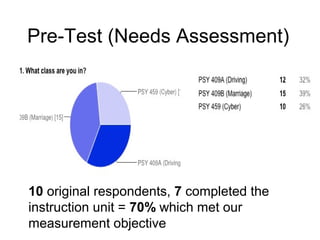
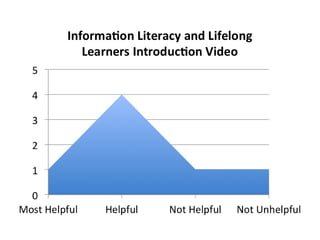
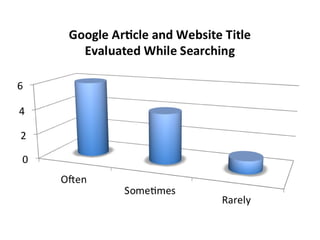
Pre-Test (Needs Assessment)
10 original respondents, 7 completed the
instruction unit = 70% which met our
measurement objective
CYBERLITERACY STUDENT GUIDE
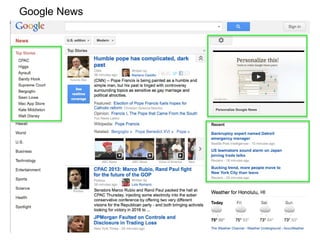
Google News
Google Advanced Search Components
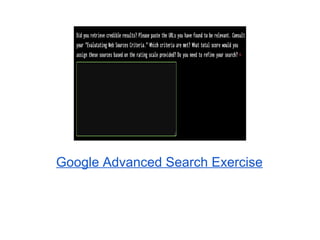
5B. Google Advanced Search Exercise (mandatory):
https://docs.google.com/a/hawaii.edu/spreadsheet/viewform?formkey=dHBhbGhfQ0RnQm
Within the Google Advanced Search Exercise, you will be accessing the links listed
below. They are also listed within the exercise form. You can print out the
guides, or open multiple tabs during the process.
Google Advanced Search Tools Guide (this should be used during your “Google
Advanced Search Exercise” to help you practice using advanced search operators):
https://docs.google.com/a/hawaii.edu/document/d/1d4gBWPAxrGf3KtU6njs-nbsdMamAOl5BLTOk5
Evaluating Web Resources Criteria Guide (this should be used during your “Google
Advanced Search Exercise” to help determine how you will rate your sources):
https://docs.google.com/a/hawaii.edu/document/d/1UcLMl__YKt-
NSCkPDKwdV0qnO11CZXSEomSE-Z2cN9Q/edit
APA Citation Style Guide (this should be used to assist you during the “Google
Advanced Search Exercise” to help you cite your sources):
Google Advanced Search Exercise
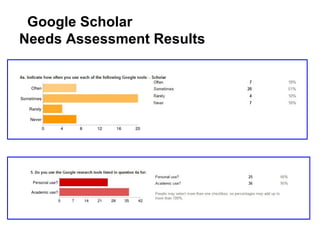
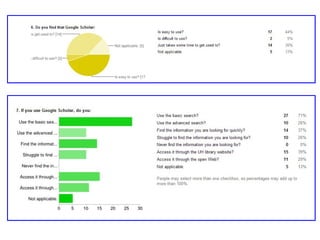
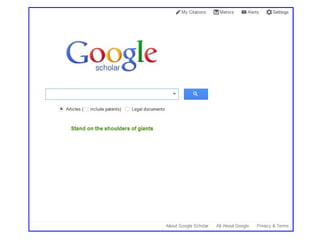
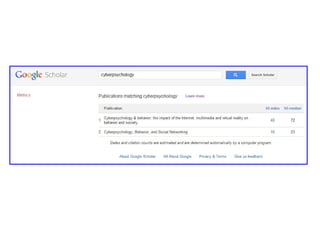
Google Scholar
Needs Assessment Results
Google Scholar Tutorial
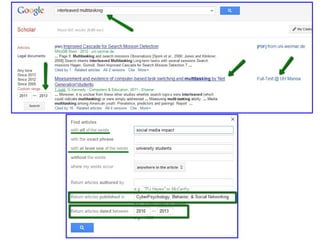
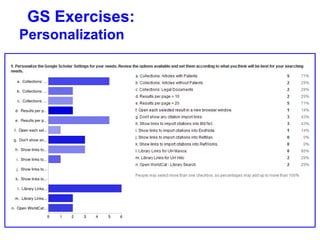
GS Exercises:
Personalization
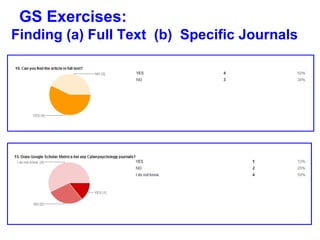
GS Exercises:
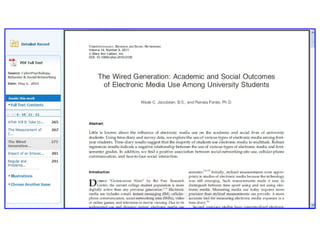
Finding (a) Full Text (b) Specific Journals
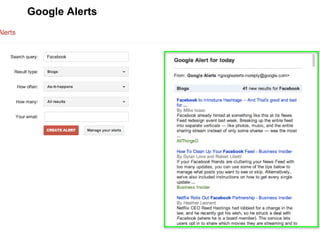
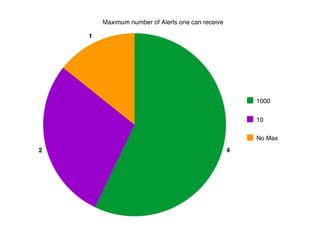
Google Alerts
Group Search
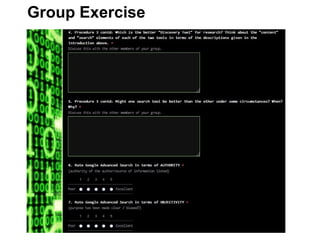
Group Exercise
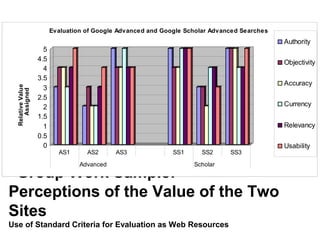
Group Work Sample:
Perceptions of the Value of the Two
Sites
Use of Standard Criteria for Evaluation as Web Resources
0
0.5
1
1.5
2
2.5
3
3.5
4
4.5
5
RelativeValue
Assigned
AS1 AS2 AS3 SS1 SS2 SS3
Advanced Scholar
Evaluation of Google Advanced and Google Scholar Advanced Searches
Authority
Objectivity
Accuracy
Currency
Relevancy
Usability
Examples: Open-Ended Question
Results
• Google Advanced Search
o “I got over 400,000 results … first two are the wikipedia articles
about technostress and cyberpsychology … also a lot of different
sources that … provide definitions of both terms.”
• Google Scholar Advanced Search
o “I got 23,200 results. There were more results that discussed
techostress.”
• Strengths/Weaknesses of each tool
o “Google Advanced Search is better for a basic overview of the
topic while Google Scholar is better for a more in-depth
understanding.”
• Which is the better “discovery” tool for research
o “The Google Scholar Advanced Search would be better for
content, but Google Advanced Search would be better for …
[discovery] … because it is not limited to articles and
publication.”
CYBERLITERACY
Evaluation Survey
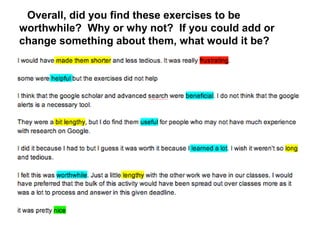
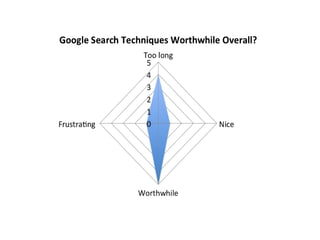
Overall, did you find these exercises to be
worthwhile? Why or why not? If you could add or
change something about them, what would it be?
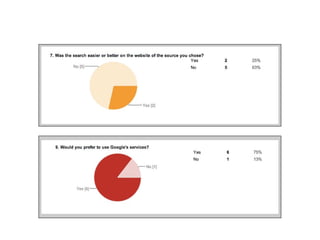
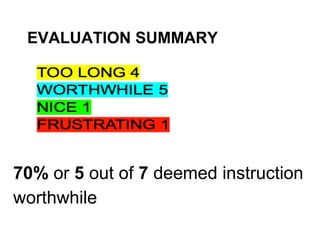
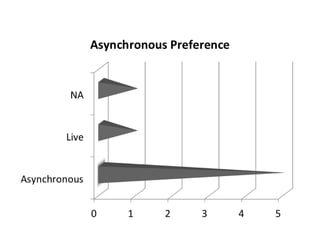
EVALUATION SUMMARY
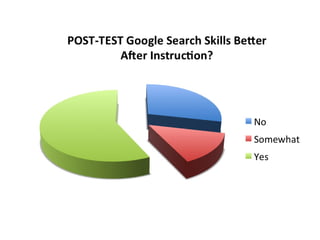
70% or 5 out of 7 deemed instruction
worthwhile
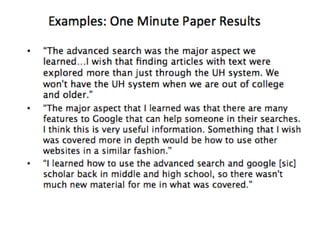
One Minute Paper
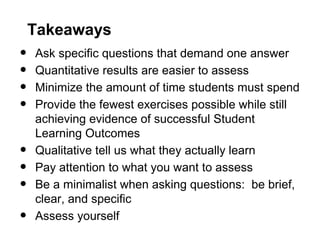
Takeaways
• Ask specific questions that demand one answer
• Quantitative results are easier to assess
• Minimize the amount of time students must spend
• Provide the fewest exercises possible while still
achieving evidence of successful Student
Learning Outcomes
• Qualitative tell us what they actually learn
• Pay attention to what you want to assess
• Be a minimalist when asking questions: be brief,
clear, and specific
• Assess yourself

Teaching information technology literacy outcomes assessment

  • 1.
    GOOGLE SEARCH TECHNIQUES TEAM 5:PSY459 Cyberpsychology Alex Carlson, Jaclyn Lee Parrott, Rita Vick
  • 2.
    Pre-Test (Needs Assessment) 10original respondents, 7 completed the instruction unit = 70% which met our measurement objective
  • 5.
  • 8.
  • 10.
    Google Advanced SearchComponents 5B. Google Advanced Search Exercise (mandatory): https://docs.google.com/a/hawaii.edu/spreadsheet/viewform?formkey=dHBhbGhfQ0RnQm Within the Google Advanced Search Exercise, you will be accessing the links listed below. They are also listed within the exercise form. You can print out the guides, or open multiple tabs during the process. Google Advanced Search Tools Guide (this should be used during your “Google Advanced Search Exercise” to help you practice using advanced search operators): https://docs.google.com/a/hawaii.edu/document/d/1d4gBWPAxrGf3KtU6njs-nbsdMamAOl5BLTOk5 Evaluating Web Resources Criteria Guide (this should be used during your “Google Advanced Search Exercise” to help determine how you will rate your sources): https://docs.google.com/a/hawaii.edu/document/d/1UcLMl__YKt- NSCkPDKwdV0qnO11CZXSEomSE-Z2cN9Q/edit APA Citation Style Guide (this should be used to assist you during the “Google Advanced Search Exercise” to help you cite your sources):
  • 15.
  • 16.
  • 18.
  • 23.
  • 24.
    GS Exercises: Finding (a)Full Text (b) Specific Journals
  • 25.
  • 28.
  • 29.
  • 30.
    Group Work Sample: Perceptionsof the Value of the Two Sites Use of Standard Criteria for Evaluation as Web Resources 0 0.5 1 1.5 2 2.5 3 3.5 4 4.5 5 RelativeValue Assigned AS1 AS2 AS3 SS1 SS2 SS3 Advanced Scholar Evaluation of Google Advanced and Google Scholar Advanced Searches Authority Objectivity Accuracy Currency Relevancy Usability
  • 31.
    Examples: Open-Ended Question Results •Google Advanced Search o “I got over 400,000 results … first two are the wikipedia articles about technostress and cyberpsychology … also a lot of different sources that … provide definitions of both terms.” • Google Scholar Advanced Search o “I got 23,200 results. There were more results that discussed techostress.” • Strengths/Weaknesses of each tool o “Google Advanced Search is better for a basic overview of the topic while Google Scholar is better for a more in-depth understanding.” • Which is the better “discovery” tool for research o “The Google Scholar Advanced Search would be better for content, but Google Advanced Search would be better for … [discovery] … because it is not limited to articles and publication.”
  • 32.
  • 33.
    Overall, did youfind these exercises to be worthwhile? Why or why not? If you could add or change something about them, what would it be?
  • 34.
    EVALUATION SUMMARY 70% or5 out of 7 deemed instruction worthwhile
  • 37.
  • 39.
    Takeaways • Ask specificquestions that demand one answer • Quantitative results are easier to assess • Minimize the amount of time students must spend • Provide the fewest exercises possible while still achieving evidence of successful Student Learning Outcomes • Qualitative tell us what they actually learn • Pay attention to what you want to assess • Be a minimalist when asking questions: be brief, clear, and specific • Assess yourself