Teaching Case
Teaching Software Componentization:
A Bar Chart Java Bean
Michel Mitri
CIS & MS Department
James Madison University
Harrisonburg, VA 22801 USA
[email protected]
ABSTRACT
In the current object-oriented paradigm, software construction
increasingly involves creating and utilizing software
components. These components can serve a variety of functions,
from common algorithmic processes to database connectivity
to graphical interfaces. The advantage of component
architectures is that programmers can use pre-existing
components to
simplify their programming tasks and to facilitate rapid
application development. In the Java world, components are
implemented as Java Beans, which can be used in most
Integrated Development Environments (IDEs) to construct user
interface designs via form builders. This article describes a
programming assignment for an advanced information systems
course in which students create a graphical software component.
In addition, the article discusses potential follow-up
assignments in which the component can be used in useful
software applications.
Keywords: Software components, JavaBeans, Graphics
Programming, Event-Handling, Data Aggregation, Drill-Down.
1. INTRODUCTION
Modern-day software applications can be characterized as
assemblages of portable software components. This has led
to a new approach to software development, often called
Component Based Development (CBD), which facilitates
software reuse (Ratchivadranand and Rothenberger, 2003).
The CBD approach is gradually working its way into
programming curricula (Cunningham et al, 2 003; Howe et
al, 2004).
Most college-level computer programming classes in
information systems curricula go into a fair amount of detail
in building applications that use software components. A
classic example would be in most Java courses, where
students learn how to use many of the Swing GUI
components (http://java.sun.com/javase/6/docs/api/javax/
swing/package-summary.html). Similarly, Microsoft’s .NET
API includes a broad collection of graphical components
(called “controls” in the Microsoft world), for both Windows
and Web applications, that are covered in programming
courses using the .NET platform (http://msdn.
microsoft.com/en-us/library/ms229335(v=VS.90).aspx).
Learning how to use these components involves
instantiation, placement in forms and containers, viewing
and manipulating their properties, invoking behaviors via
method calls, and responding to events generated by the
components. These are the skill that most students get
comprehensive training and practice in during their
programming coursework. It is far less common to teach
students how to actually build these components, which
would involve designing and implementing the very
properties, behaviors, and event-generation algorithms that
would be necessary to deliver to applications using the
components. In other words, seeing “the other side of the
coin” is a gap in the knowledge of most students graduating
from a CIS curriculum.
This paper presents a sequence of two programming
assignments that cover both sides of the coin, the component
construction and the component usage. The first involves
creation of a component that implements a bar chart,
utilizing arrays of numbers and strings for the bar values and
labels. In this assignment, students perform graphics
programming, and implement listener registration and
notification algorithms. The second assignment involves use
of the bar chart component in an application that performs
grouped aggregate queries on a database, generates the bar
chart based on this aggregation and grouping, and responds
to a user’s click on a particular bar in order to obtain detailed
information about the corresponding group.
In the following sections, I will discuss the pedagogical
benefits of the component-building-and-use approach,
describe the bar chart component in general, and outline the
Journal of Information Systems Education, Vol. 21(4)
361
programming tasks involved in creating and using the bar
chart.
2. PEDAGOGICAL BENEFITS OF IMPLEMENTING
AND USING JAVA-BASED GRAPHICAL SOFTWARE
COMPONENTS
In the Java world, graphical software components are
implemented as JavaBeans (Liang 2009 pp1049-1064). For
example, all of the Swing GUI classes in the Java Class
Library are JavaBeans. JavaBeans are useful for rapid
application development (RAD), because they provide
developers with ready-made modular functional units that
can typically be embedded in Java applications through an
Integrated Development Environment’s (IDE) form-building
design tools. NetBeans, Eclipse, and JBuilder are examples
of Java IDE’s that include form-builders enabling JavaBean
drag-and-drop design features.
JavaBeans are specially configured Java classes that
involve the following characteristics: (1) they must be
implemented as public classes; (2) they must include default
constructors (i.e. constructors that take no arguments; (3)
they must be serializable (i.e. implement the Serializable
interface); (4) they will typically include properties involving
private member variables with associated accessor and
mutator methods; and (5) they will typically generate events,
and therefore include associated Listener interfaces and
public registration and deregistration facilities (Liang 2009,
p1050).
From a pedagogical perspective, learning how to develop
and use JavaBeans (or bean-like components) offers students
important software development skills in object-orientation,
event-driven software architectures, encapsulation and data
hiding, and object persistence via serialization. If the
JavaBean implementations require graphical programming
techniques, this provides additional pedagogical benefits
(Wolz and Kaufmann 1999), particularly related to
geometric analysis and mapping data inputs to visualization
outputs. Students involved in graphical programming must
learn about the XY-coordinate system, RGB color control,
and the mathematical formulas that are required to translate
numerical data into visualization results.
3. A DESCRIPTION OF THE BAR CHART
COMPONENT AND ITS USE
The bar chart JavaBean component discussed in this paper is
a graphical component that can be embedded in Java
applications, either through instantiation in the code, or by
dragging onto a form in an IDE’s form builder. The
BarChartPanel class is a subclass of JPanel, so this is a GUI
component that can be placed into another Java Swing
container, such as a frame, an applet, or another panel. The
component requires two arrays for input data: an array of
Figure 1: A BarChartPanel used by a tester application.
Journal of Information Systems Education, Vol. 21(4)
362
Figure 2: An Employee Processing application utilizing the
BarChartPanel component.
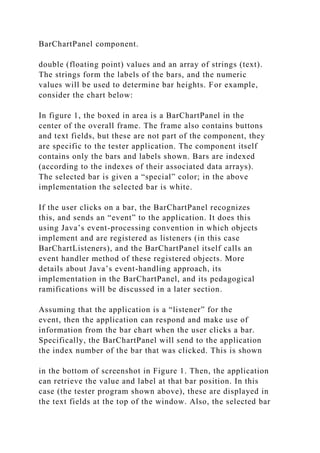
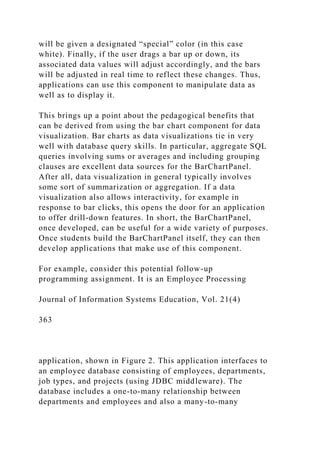
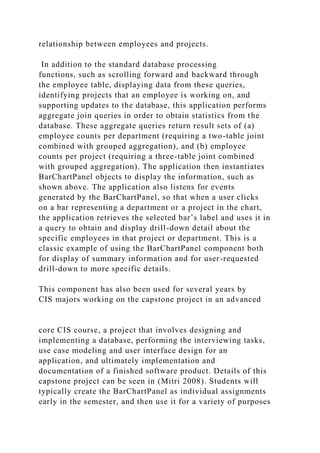
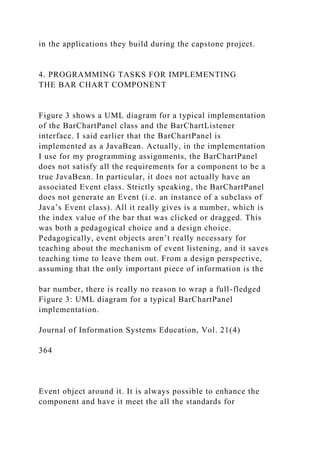
double (floating point) values and an array of strings (text).
The strings form the labels of the bars, and the numeric
values will be used to determine bar heights. For example,
consider the chart below:
In figure 1, the boxed in area is a BarChartPanel in the
center of the overall frame. The frame also contains buttons
and text fields, but these are not part of the component, they
are specific to the tester application. The component itself
contains only the bars and labels shown. Bars are indexed
(according to the indexes of their associated data arrays).
The selected bar is given a “special” color; in the above
implementation the selected bar is white.
If the user clicks on a bar, the BarChartPanel recognizes
this, and sends an “event” to the application. It does this
using Java’s event-processing convention in which objects
implement and are registered as listeners (in this case
BarChartListeners), and the BarChartPanel itself calls an
event handler method of these registered objects. More
details about Java’s event-handling approach, its
implementation in the BarChartPanel, and its pedagogical
ramifications will be discussed in a later section.
Assuming that the application is a “listener” for the
event, then the application can respond and make use of
information from the bar chart when the user clicks a bar.
Specifically, the BarChartPanel will send to the application
the index number of the bar that was clicked. This is shown
in the bottom of screenshot in Figure 1. Then, the application
can retrieve the value and label at that bar position. In this
case (the tester program shown above), these are displayed in
the text fields at the top of the window. Also, the selected bar
will be given a designated “special” color (in this case
white). Finally, if the user drags a bar up or down, its
associated data values will adjust accordingly, and the bars
will be adjusted in real time to reflect these changes. Thus,
applications can use this component to manipulate data as
well as to display it.
This brings up a point about the pedagogical benefits that
can be derived from using the bar chart component for data
visualization. Bar charts as data visualizations tie in very
well with database query skills. In particular, aggregate SQL
queries involving sums or averages and including grouping
clauses are excellent data sources for the BarChartPanel.
After all, data visualization in general typically involves
some sort of summarization or aggregation. If a data
visualization also allows interactivity, for example in
response to bar clicks, this opens the door for an application
to offer drill-down features. In short, the BarChartPanel,
once developed, can be useful for a wide variety of purposes.
Once students build the BarChartPanel itself, they can then
develop applications that make use of this component.
For example, consider this potential follow-up
programming assignment. It is an Employee Processing
Journal of Information Systems Education, Vol. 21(4)
363
application, shown in Figure 2. This application interfaces to
an employee database consisting of employees, departments,
job types, and projects (using JDBC middleware). The
database includes a one-to-many relationship between
departments and employees and also a many-to-many
relationship between employees and projects.
In addition to the standard database processing
functions, such as scrolling forward and backward through
the employee table, displaying data from these queries,
identifying projects that an employee is working on, and
supporting updates to the database, this application performs
aggregate join queries in order to obtain statistics from the
database. These aggregate queries return result sets of (a)
employee counts per department (requiring a two-table joint
combined with grouped aggregation), and (b) employee
counts per project (requiring a three-table joint combined
with grouped aggregation). The application then instantiates
BarChartPanel objects to display the information, such as
shown above. The application also listens for events
generated by the BarChartPanel, so that when a user clicks
on a bar representing a department or a project in the chart,
the application retrieves the selected bar’s label and uses it in
a query to obtain and display drill-down detail about the
specific employees in that project or department. This is a
classic example of using the BarChartPanel component both
for display of summary information and for user-requested
drill-down to more specific details.
This component has also been used for several years by
CIS majors working on the capstone project in an advanced
core CIS course, a project that involves designing and
implementing a database, performing the interviewing tasks,
use case modeling and user interface design for an
application, and ultimately implementation and
documentation of a finished software product. Details of this
capstone project can be seen in (Mitri 2008). Students will
typically create the BarChartPanel as individual assignments
early in the semester, and then use it for a variety of purposes
in the applications they build during the capstone project.
4. PROGRAMMING TASKS FOR IMPLEMENTING
THE BAR CHART COMPONENT
Figure 3 shows a UML diagram for a typical implementation
of the BarChartPanel class and the BarChartListener
interface. I said earlier that the BarChartPanel is
implemented as a JavaBean. Actually, in the implementation
I use for my programming assignments, the BarChartPanel
does not satisfy all the requirements for a component to be a
true JavaBean. In particular, it does not actually have an
associated Event class. Strictly speaking, the BarChartPanel
does not generate an Event (i.e. an instance of a subclass of
Java’s Event class). All it really gives is a number, which is
the index value of the bar that was clicked or dragged. This
was both a pedagogical choice and a design choice.
Pedagogically, event objects aren’t really necessary for
teaching about the mechanism of event listening, and it saves
teaching time to leave them out. From a design perspective,
assuming that the only important piece of information is the
bar number, there is really no reason to wrap a full-fledged
Figure 3: UML diagram for a typical BarChartPanel
implementation.
Journal of Information Systems Education, Vol. 21(4)
364
Event object around it. It is always possible to enhance the
component and have it meet the all the standards for
“beandom”, but this is not necessary for making effective
use of it in an application or for learning the relevant
programming skills in a student project.
For a student assigned to create the BarChartPanel, the
programming task requires three fairly advanced skills: (1)
listener registration and notification, (2) geometric analysis
and data mapping, and (3) bar-selection and listener
notification based on mouse event processing. These skills
will be addressed in order.
4.1 Listener registration and notification
Event handling via the Java Swing GUI components operate
on what is commonly called a delegation model (Liang 2009,
pp485-490). The idea is that event-generating objects (such
as buttons or menu items or list boxes) send their events to
listener objects. The Java class library is full of many event-
generating classes, particularly in the javax.swing package.
In the Java library, listeners are interfaces, which are highly
abstracted class-like structures that typically consist of one
(or at most a few) abstract method, which will be called by
the event-generating objects. A Java application that is going
to respond to the user’s click on a button or selection of a list
item must implement the listener by overriding the abstract
method. The overridden method constitutes the behavior that
the listener object will perform in response to the button
click.
Students will typically have experience on the “listener”
side of the equation. The student’s application will
implement the listener or perhaps an anonymous inner class
will be used, but in either case, the student should understand
that the listener class needs to be created (implementing the
listener interface and overriding its abstract methods) and
that instances of this class must be registered to the event-
generated object. The classic example is the JButton class, its
associated ActionEvent and ActionListener. Any reasonably
trained GUI Java programming student will have done this
plenty of times.
What students typically will not have, however, is
experience with the other side of the coin. It is much less
frequent for Java students to design and create the event-
generating class itself. If students are going to do this, then
they need to incorporate the data structures and algorithms
required for (a) enabling registration of listeners and (b)
sending event messages to registered listeners. Both of these
are fairly simple programming tasks.
All that is required for enabling registration is to declare
a listener interface (typically three lines of code), instantiate
a collection of references to these listeners (such as an array
or vector), and create a registration method that, when called
from a listener that wants to register on the object, will
assign that listener’s reference into the array or vector. By
convention, this method is called addXXXListener, where
XXX is the name of the event. For example, JButtons and
other classes that generate ActionEvents have an
addActionListener method. The caller of the registration
method passes an instance of a class that implements the
listener, and the component adds this instance to the array or
vector. In this way, an event-generating object can keep track
of all its listeners, so that when the event is to be sent the
object knows where to send it. So, the BarChartPanel has an
associated BarChartListener interface, with an abstract
barChanged method. A BarChartPanel instance also has an
array (or it could be implemented as a Vector) to keep track
of the registered listener objects.
In order to send the event messages to the listeners, the
event-generating class itself needs to make use of lower-
level Java events. For example, the BarChartPanel responds
to mouse clicks and mouse drags on the panel’s surface. So,
the BarChartPanel implements MouseListener and
MouseMotionListener. In the BarChartPanel’s overridden
event-handling methods, there is code for determining which
bar is clicked (making use of geometric logic described
below) and sending that information to the listeners. Sending
the information is very simple; just loop through the array of
listeners and call each one’s barChanged method.
Pedagogically, this simple programming task brings
much to the table. First, it enriches the students’
understanding of event-handling by giving the student
experience on the other side of the coin, the event-generation
side. Second, this reinforces the students’ understanding and
experience with polymorphism, and exposes the students to
advanced object oriented features like abstract classes and
interfaces. Third, if the course includes rigorous memory
analysis training, this sort of problem is an excellent training
ground for doing memory analysis drills.
4.2 Geometric analysis and data mapping
Most data visualizations use shape and size to represent
numeric values, and in particular to provide a visual display
allowing users to intuitively compare these values. The size
ratios of the elements in a graph (e.g. bars) should mimic the
ratios of the numeric values they represent. Thus, a major
graphics programming task when drawing the bar chart is to
map data values into pixel ranges. In addition, bars should be
placed in specific locations and orientations in the bar chart.
The bottom of all bars should be on the same horizontal
position, and the tops of the bars will differ, simply because
the heights differ in the same ratios as the differing data
values they represent. Bars will have identical widths, and
the calculated width should be based on the total number of
visible bars and the overall width of the chart.
All of these considerations must be made in the context
of the standard graphical surface, represented by Java’s
Graphics class, a reference to which is received in the
paintComponent method. The paintComponent method is a
method of the Component class, of which BarChartPanel is a
descendent. So, the creator of the BarChartPanel class is
overriding this method (again, the student is exposed to
polymorphism). This graphical surface has an X-orientation
(horizontal), in which the X-value is 0 at the leftmost point
and increases to the right. And there is a Y-orientation
(vertical), in which the Y-value is 0 at the topmost point and
increases as you go down. In this context, students need to
write the necessary algorithm for determining the sizes and
locations of the bars based on the data values, for actually
drawing these bars onto the graphics surface, and for
maintaining the size and location information in memory for
the purpose of facilitating event-handling.
These positions and sizes can be stored in Rectangle
objects. Keeping track of each bar’s position and size will be
Journal of Information Systems Education, Vol. 21(4)
365
important for identifying which bar is clicked or dragged. So,
in addition to the data value array and the label array, there
should be a parallel array of Rectangles, one for each bar,
similar to the variable declarations shown below (note: the
Rectangle class is part of the Java API, found in the java.awt
package).
Mapping a data value to a bar height is based on the
following premise: the tallest bar, which represents the
largest data value, should take the full height of the chart. All
other bars will be sized proportionately. Therefore the first
step is to find the largest data value, which involves a simple
loop through the data array. Also, we need to determine the
chart height in pixels, which is easily calculated.
The full height of the bar chart would be the difference
between the bottom margin and the top margin of the chart.
These are known at the time the panel is painted. Thus, the
following ratio is the correct one for determining each bar’s
height:
BarHeight / ChartHeight = BarValue / MaxBarValue
For example, consider the following scenario. Assume
the full height of the chart is 400 pixels, and that the numeric
array contains the following five values {25, 50, 30, 40, 10}.
In this case, the max value in the array is 50. So, the pixel
heights of the corresponding bars are {200, 400, 240, 320,
80}.
At this point, the trick is to set the bar’s y-position to be
the lowest margin y position minus the bar’s height.
Oftentimes, the student makes the mistake of setting the y-
position to be at the top of the chart, so that the bars, while
being the correct height, will appear “upside down” in the
chart. Once the student corrects this mistake, the task of
drawing the bar chart is complete.
In summary, calculating bar heights and positions
involve the following:
1) Determining the largest value
2) Establishing each bar’s pixel height, compared to
the full height of the chart, to be equal to the ratio
of that bar’s value to the max value of all bars.
3) Establishing each bar’s y-position, by subtracting
the bar’s height from the bottom margin position
of the chart.
4.3 Bar Selection and Listener Notification
As mentioned earlier, the major internal data elements of the
BarChartPanel are three parallel arrays: (1) an array of
Strings for the bar labels, (2) an array of doubles for the bar
values, and (3) an array of Rectangle objects to represent the
bars positions and sizes. In addition, the BarChartPanel
implements Java’s MouseListener interface (found in the
java.awt.event package), and therefore overrides the
mouseClicked method. The mouseClicked method takes a
MouseEvent as a parameter, and this MouseEvent includes
information about the x- and y- position of the mouse within
the BarChartPanel when it was clicked.
The Rectangle class has a useful method called
“contains”. If you pass an x-value and a y-value to that
method, it returns a Boolean result indicating whether the
Rectangle contains that point. So, in the mouseClicked()
method, the student can write a loop that goes through the
array of Rectangles, calling each Rectangle object’s
contains() method. As soon as it finds the Rectangle
containing the point of the mouse click, it can then send the
index value of the array to each of its BarChartListeners.
Thus, the student’s programming task here is to use a nested
loop; the outer loop processes through the Rectangle array,
and when the proper Rectangle is found, the inner loop
processes through the BarChartListener array.
5. PROGRAMMING TASKS FOR UTILIZING THE
BAR CHART COMPONENT
Once students have developed their BarChartPanel classes,
they can begin to use it in subsequent programming
assignments. At this point, the BarChartPanel becomes a
useful pedagogical tool for teaching about data visualization.
In particular, programming projects can make use of JDBC
for database connectivity, and incorporate SQL aggregate
queries to produce result sets that can be mapped into the
BarChartPanel. In order to do this, an application would need
to perform the following tasks:
1) Invoke the JDBC DriverManager class’s
getConnection method to establish a Connection to
the data source of choice.
2) Via the Connection, obtain a Statement object.
3) Invoke the Statement object’s executeQuery
method, passing it a String with the appropriate
aggregate SQL query (averages, sums, counts,
etc.). This query should include a GROUP BY
clause.
4) Scroll through the ResultSet obtained from the
executeQuery method, assigning each group into a
String array and each group’s statistic into a
double array.
5) Instantiate a BarChartPanel, and add it as a
component to the desired location in the GUI
(typically it will be added to a JFrame, JDialog,
JApplet, or JPanel).
6) Call the BarChartPanel object’s
setLabelsAndValues method, passing the
associated data arrays as arguments. This will
cause the BarChartPanel’s bars and labels to
become visible in the GUI.
7) Implement the BarChartListener interface in the
application, and override its barChanged method to
perform the desired operations that will occur
when the user clicks a bar. If bars correspond with
aggregate queries, a typical operation to perform
when a bar is clicked is another SQL statement
focusing on the group that the bar represents.
The Employee Database application described in Section
3 and shown in Figure 2 involves all of these steps. Figure 4
shows the code used by this application for setting up and
displaying the bars in the BarChartPanel. Note: this
assignment makes use of class called DbSource that students
created in a previous assignment for simplifying the process
of connecting to and querying databases. The application
puts the BarChartPanel, referenced via a variable called bcp,
into a JFrame object, which pops up, as shown in Figure 2.
Journal of Information Systems Education, Vol. 21(4)
366
The event-handler method in the Employee application is
shown in figure 5. This method implements the drill-down
operations that enable display of the specific employees
involved in a selected department or project, based on
clicking a bar in the chart. Recall that barChanged is the
name of the event-handler method of the BarChartListener
interface, and barNbr is the index of the bar that was clicked.
The method call to getBarLabel returns the string of the label
for the clicked bar, and this is used in the query to obtain the
details of the group from the database that the bar represents.
Figure 4: Code for populating data arrays and displaying the
BarChartPanel.
Journal of Information Systems Education, Vol. 21(4)
367
Figure 5: Code for performing drill-down query when a bar is
clicked.
Therefore, this barChanged method causes the names of all
employees to be displayed in a message dialog when a bar is
clicked, as shown in the screenshot of figure 2.
6.CONCLUSION
The BarChartPanel component and its use in Java
applications provide many pedagogical benefits for
programming students. By building a graphical component
students learn about elements of graphical programming,
including geometric analysis and color control. By coding
the component to generate events, students learn how to
manage listener registration and notification, thereby
building on their understanding of object-oriented principles
such as inheritance and polymorphism. By using this
component, students are able to gain an understanding of the
mapping from aggregate SQL queries to data visualizations,
as well as getting practical experience with drill-down
capabilities that enable applications to go from summary
(aggregate) information to more specific details at the click
of a button. I have used the BarChartPanel assignment for
several years, and find it to be an invaluable element of my
advanced programming course.
Although no formal study has been conducted regarding
student reactions to this assignment, anecdotal student
responses have been favorable. They generally find the skills
gained in terms of graphical programming and low-level
event-handling to be useful, and they make extensive use of
their completed bar chart component in their group projects.
The BarChartPanel assignment, source code, and
documentation, and the Employee application assignment,
source code, and documentation are available as Teaching
Journal of Information Systems Education, Vol. 21(4)
368
Notes accompanying this Teaching Case. In addition, class
notes and sample code relevant for teaching the skills
required of BarChartPanel construction and use are also
provided.(see teaching notes @ http://jise.org/)
7. REFERENCES
Cunningham C, Liu Y, Tadepalli P, and Fu M [2003],
Component Software: A New Software Engineering
Course, Journal of Computing Science in Colleges, 18:6,
pp10-21.
Howe E, Thornton M, and Weide B [2004], Components-
First Approaches to CS1/CS2: Principles and Practice,
SICGCSE ’04 Proceedings, March 3-7, 2004, Norfolk,
VA, pp291-295.
Java Platform Standard Edition 6 API Specification.
http://java.sun.com/javase/6/docs/api/javax/swing/package
-summary.html.
Liang, Y.D. Introduction to Java Programming:
Comprehensive Version. 7th Edition. © 2009. Pearson
Education, Inc.
Microsoft .NET Framework Class Library.
http://msdn.microsoft.com/en-
us/library/ms229335(v=VS.90).aspx
Mitri, Michel. [2008] “A Software Development Capstone
Course and Project for CIS Majors”. Journal of Computer
Information Systems. Vol 48 Nbr 3.
Ratchivadran, T. and Rothenberger, M. [2003], Software
Reuse Strategies and Component Markets,
Communications of the ACM, 46:8, pp109-114.
Wolz , U. and Koffman, E. simpleIO: a Java package for
novice interactive and graphics programming, ACM
SIGCSE Bulletin, v.31 n.3, p.212, Sept. 1999
Author Biography
Michel Mitri is a professor of computer information systems
at James Madison University in
Harrisonburg, Virginia, where he
has taught since 2001. He holds a
PhD in computer science from
Michigan State University. His
primary teaching focus includes
software development, business
intelligence, web development, and
database design. His research
interests involve applying artificial
intelligence and decision support
technologies to business and educational domains.
Journal of Information Systems Education, Vol. 21(4)
369
Copyright of Journal of Information Systems Education is the
property of Journal of Information Systems
Education and its content may not be copied or emailed to
multiple sites or posted to a listserv without the
copyright holder's express written permission. However, users
may print, download, or email articles for
individual use.
Case Study: Bar Chart Java
Due Week 8 and worth 100 points
Read the article titled, “Teaching software componentization: A
bar chart Java bean,” located in the online course shell.
(http://libdatab.strayer.edu/login?url=http://search.ebscohost.co
m/login.aspx?direct=true&db=bth&AN=58034299&site=eds-
live&scope=site)
Write a three page paper in which you:
1. Summarize the main points of the article.
2. Describe one (1) way in which one could apply Java graphics
in education. Provide one (1) example of such use to support
your response.
3. Analyze at least three (3) commands that you would use in
order to draw a bar chart. Provide a rationale for your response.
4. Suggest one (1) way in which you would use to modify a bar
chart in order to update it for new information. Justify your
response.
Your assignment must follow these formatting requirements:
· Be typed, double spaced, using Times New Roman font (size
12), with one-inch margins on all sides; citations and references
must follow APA or school-specific format. Check with your
professor for any additional instructions.
· Include a cover page containing the title of the assignment, the
student’s name, the professor’s name, the course title, and the
date. The cover page and the reference page are not included in
the required assignment page length.
The specific course learning outcomes associated with this
assignment are:
· Analyze the methods used to implement graphics in Java
programs.
· Use technology and information resources to research issues in
Java programing.
· Write clearly and concisely about Java programing using
proper writing mechanics and technical style conventions.
Grading for this assignment will be based on answer quality,
logic / organization of the paper, and language and writing
skills, using the following rubric.
Points: 100
Case Study: Bar Chart Java
Criteria
Unacceptable
Below 60% F
Meets Minimum Expectations
60-69% D
Fair
70-79% C
Proficient
80-89% B
Exemplary
90-100% A
1. Summarize the main points of the article.
Weight: 10%
Did not submit or incompletely summarized the main points of
the article.
Insufficiently summarized the main points of the article.
Partially summarized the main points of the article.
Satisfactorily summarized the main points of the article.
Thoroughly summarized the main points of the article.
2. Describe one (1) way in which one could apply Java graphics
in education. Provide one (1) example of such use to support
your response.
Weight: 30%
Did not submit or incompletely described one (1) way in which
one could apply Java graphics in education. Did not submit or
incompletely provided one (1) example of such use to support
your response.
Insufficiently described one (1) way in which one could apply
Java graphics in education. Insufficiently provided one (1)
example of such use to support your response.
Partially described one (1) way in which one could apply Java
graphics in education. Partially provided one (1) example of
such use to support your response.
Satisfactorily described one (1) way in which one could apply
Java graphics in education. Satisfactorily provided one (1)
example of such use to support your response.
Thoroughly described one (1) way in which one could apply
Java graphics in education. Thoroughly provided one (1)
example of such use to support your response.
3. Analyze at least three (3) commands that you would use in
order to draw a bar chart. Provide a rationale for your response.
Weight: 25%
Did not submit or incompletely analyzed at least three (3)
commands that you would use in order to draw a bar chart. Did
not submit or incompletely provided a rationale for your
response.
Insufficiently analyzed at least three (3) commands that you
would use in order to draw a bar chart. Insufficiently provided a
rationale for your response.
Partially analyzed at least three (3) commands that you would
use in order to draw a bar chart. Partially provided a rationale
for your response.
Satisfactorily analyzed at least three (3) commands that you
would use in order to draw a bar chart. Satisfactorily provided a
rationale for your response.
Thoroughly analyzed at least three (3) commands that you
would use in order to draw a bar chart. Thoroughly provided a
rationale for your response.
4. Suggest one (1) way in which you would use to modify a bar
chart in order to update it for new information. Justify your
response.
Weight: 25%
Did not submit or incompletely suggested one (1) way in which
you would use to modify a bar chart in order to update it for
new information. Did not submit or incompletely justified your
response.
Insufficiently suggested one (1) way in which you would use to
modify a bar chart in order to update it for new information.
Insufficiently justified your response.
Partially suggested one (1) way in which you would use to
modify a bar chart in order to update it for new information.
Partially justified your response.
Satisfactorily suggested one (1) way in which you would use to
modify a bar chart in order to update it for new information.
Satisfactorily justified your response.
Thoroughly suggested one (1) way in which you would use to
modify a bar chart in order to update it for new information.
Thoroughly justified your response.
5. Clarity, writing mechanics, and formatting requirements
Weight: 10%
More than 8 errors present
7-8 errors present
5-6 errors present
3-4 errors present
0-2 errors present

Teaching Case Teaching Software Componentization .docx

  • 1.
    Teaching Case Teaching SoftwareComponentization: A Bar Chart Java Bean Michel Mitri CIS & MS Department James Madison University Harrisonburg, VA 22801 USA [email protected] ABSTRACT In the current object-oriented paradigm, software construction increasingly involves creating and utilizing software components. These components can serve a variety of functions, from common algorithmic processes to database connectivity to graphical interfaces. The advantage of component architectures is that programmers can use pre-existing components to simplify their programming tasks and to facilitate rapid application development. In the Java world, components are implemented as Java Beans, which can be used in most Integrated Development Environments (IDEs) to construct user interface designs via form builders. This article describes a programming assignment for an advanced information systems
  • 2.
    course in whichstudents create a graphical software component. In addition, the article discusses potential follow-up assignments in which the component can be used in useful software applications. Keywords: Software components, JavaBeans, Graphics Programming, Event-Handling, Data Aggregation, Drill-Down. 1. INTRODUCTION Modern-day software applications can be characterized as assemblages of portable software components. This has led to a new approach to software development, often called Component Based Development (CBD), which facilitates software reuse (Ratchivadranand and Rothenberger, 2003). The CBD approach is gradually working its way into programming curricula (Cunningham et al, 2 003; Howe et al, 2004). Most college-level computer programming classes in information systems curricula go into a fair amount of detail in building applications that use software components. A classic example would be in most Java courses, where students learn how to use many of the Swing GUI components (http://java.sun.com/javase/6/docs/api/javax/ swing/package-summary.html). Similarly, Microsoft’s .NET API includes a broad collection of graphical components (called “controls” in the Microsoft world), for both Windows and Web applications, that are covered in programming courses using the .NET platform (http://msdn. microsoft.com/en-us/library/ms229335(v=VS.90).aspx). Learning how to use these components involves instantiation, placement in forms and containers, viewing and manipulating their properties, invoking behaviors via
  • 3.
    method calls, andresponding to events generated by the components. These are the skill that most students get comprehensive training and practice in during their programming coursework. It is far less common to teach students how to actually build these components, which would involve designing and implementing the very properties, behaviors, and event-generation algorithms that would be necessary to deliver to applications using the components. In other words, seeing “the other side of the coin” is a gap in the knowledge of most students graduating from a CIS curriculum. This paper presents a sequence of two programming assignments that cover both sides of the coin, the component construction and the component usage. The first involves creation of a component that implements a bar chart, utilizing arrays of numbers and strings for the bar values and labels. In this assignment, students perform graphics programming, and implement listener registration and notification algorithms. The second assignment involves use of the bar chart component in an application that performs grouped aggregate queries on a database, generates the bar chart based on this aggregation and grouping, and responds to a user’s click on a particular bar in order to obtain detailed information about the corresponding group. In the following sections, I will discuss the pedagogical benefits of the component-building-and-use approach, describe the bar chart component in general, and outline the Journal of Information Systems Education, Vol. 21(4) 361
  • 4.
    programming tasks involvedin creating and using the bar chart. 2. PEDAGOGICAL BENEFITS OF IMPLEMENTING AND USING JAVA-BASED GRAPHICAL SOFTWARE COMPONENTS In the Java world, graphical software components are implemented as JavaBeans (Liang 2009 pp1049-1064). For example, all of the Swing GUI classes in the Java Class Library are JavaBeans. JavaBeans are useful for rapid application development (RAD), because they provide developers with ready-made modular functional units that can typically be embedded in Java applications through an Integrated Development Environment’s (IDE) form-building design tools. NetBeans, Eclipse, and JBuilder are examples of Java IDE’s that include form-builders enabling JavaBean drag-and-drop design features. JavaBeans are specially configured Java classes that involve the following characteristics: (1) they must be implemented as public classes; (2) they must include default constructors (i.e. constructors that take no arguments; (3) they must be serializable (i.e. implement the Serializable interface); (4) they will typically include properties involving private member variables with associated accessor and mutator methods; and (5) they will typically generate events, and therefore include associated Listener interfaces and public registration and deregistration facilities (Liang 2009, p1050). From a pedagogical perspective, learning how to develop
  • 5.
    and use JavaBeans(or bean-like components) offers students important software development skills in object-orientation, event-driven software architectures, encapsulation and data hiding, and object persistence via serialization. If the JavaBean implementations require graphical programming techniques, this provides additional pedagogical benefits (Wolz and Kaufmann 1999), particularly related to geometric analysis and mapping data inputs to visualization outputs. Students involved in graphical programming must learn about the XY-coordinate system, RGB color control, and the mathematical formulas that are required to translate numerical data into visualization results. 3. A DESCRIPTION OF THE BAR CHART COMPONENT AND ITS USE The bar chart JavaBean component discussed in this paper is a graphical component that can be embedded in Java applications, either through instantiation in the code, or by dragging onto a form in an IDE’s form builder. The BarChartPanel class is a subclass of JPanel, so this is a GUI component that can be placed into another Java Swing container, such as a frame, an applet, or another panel. The component requires two arrays for input data: an array of Figure 1: A BarChartPanel used by a tester application. Journal of Information Systems Education, Vol. 21(4) 362 Figure 2: An Employee Processing application utilizing the
  • 6.
    BarChartPanel component. double (floatingpoint) values and an array of strings (text). The strings form the labels of the bars, and the numeric values will be used to determine bar heights. For example, consider the chart below: In figure 1, the boxed in area is a BarChartPanel in the center of the overall frame. The frame also contains buttons and text fields, but these are not part of the component, they are specific to the tester application. The component itself contains only the bars and labels shown. Bars are indexed (according to the indexes of their associated data arrays). The selected bar is given a “special” color; in the above implementation the selected bar is white. If the user clicks on a bar, the BarChartPanel recognizes this, and sends an “event” to the application. It does this using Java’s event-processing convention in which objects implement and are registered as listeners (in this case BarChartListeners), and the BarChartPanel itself calls an event handler method of these registered objects. More details about Java’s event-handling approach, its implementation in the BarChartPanel, and its pedagogical ramifications will be discussed in a later section. Assuming that the application is a “listener” for the event, then the application can respond and make use of information from the bar chart when the user clicks a bar. Specifically, the BarChartPanel will send to the application the index number of the bar that was clicked. This is shown in the bottom of screenshot in Figure 1. Then, the application can retrieve the value and label at that bar position. In this case (the tester program shown above), these are displayed in the text fields at the top of the window. Also, the selected bar
  • 7.
    will be givena designated “special” color (in this case white). Finally, if the user drags a bar up or down, its associated data values will adjust accordingly, and the bars will be adjusted in real time to reflect these changes. Thus, applications can use this component to manipulate data as well as to display it. This brings up a point about the pedagogical benefits that can be derived from using the bar chart component for data visualization. Bar charts as data visualizations tie in very well with database query skills. In particular, aggregate SQL queries involving sums or averages and including grouping clauses are excellent data sources for the BarChartPanel. After all, data visualization in general typically involves some sort of summarization or aggregation. If a data visualization also allows interactivity, for example in response to bar clicks, this opens the door for an application to offer drill-down features. In short, the BarChartPanel, once developed, can be useful for a wide variety of purposes. Once students build the BarChartPanel itself, they can then develop applications that make use of this component. For example, consider this potential follow-up programming assignment. It is an Employee Processing Journal of Information Systems Education, Vol. 21(4) 363 application, shown in Figure 2. This application interfaces to an employee database consisting of employees, departments, job types, and projects (using JDBC middleware). The database includes a one-to-many relationship between departments and employees and also a many-to-many
  • 8.
    relationship between employeesand projects. In addition to the standard database processing functions, such as scrolling forward and backward through the employee table, displaying data from these queries, identifying projects that an employee is working on, and supporting updates to the database, this application performs aggregate join queries in order to obtain statistics from the database. These aggregate queries return result sets of (a) employee counts per department (requiring a two-table joint combined with grouped aggregation), and (b) employee counts per project (requiring a three-table joint combined with grouped aggregation). The application then instantiates BarChartPanel objects to display the information, such as shown above. The application also listens for events generated by the BarChartPanel, so that when a user clicks on a bar representing a department or a project in the chart, the application retrieves the selected bar’s label and uses it in a query to obtain and display drill-down detail about the specific employees in that project or department. This is a classic example of using the BarChartPanel component both for display of summary information and for user-requested drill-down to more specific details. This component has also been used for several years by CIS majors working on the capstone project in an advanced core CIS course, a project that involves designing and implementing a database, performing the interviewing tasks, use case modeling and user interface design for an application, and ultimately implementation and documentation of a finished software product. Details of this capstone project can be seen in (Mitri 2008). Students will typically create the BarChartPanel as individual assignments early in the semester, and then use it for a variety of purposes
  • 9.
    in the applicationsthey build during the capstone project. 4. PROGRAMMING TASKS FOR IMPLEMENTING THE BAR CHART COMPONENT Figure 3 shows a UML diagram for a typical implementation of the BarChartPanel class and the BarChartListener interface. I said earlier that the BarChartPanel is implemented as a JavaBean. Actually, in the implementation I use for my programming assignments, the BarChartPanel does not satisfy all the requirements for a component to be a true JavaBean. In particular, it does not actually have an associated Event class. Strictly speaking, the BarChartPanel does not generate an Event (i.e. an instance of a subclass of Java’s Event class). All it really gives is a number, which is the index value of the bar that was clicked or dragged. This was both a pedagogical choice and a design choice. Pedagogically, event objects aren’t really necessary for teaching about the mechanism of event listening, and it saves teaching time to leave them out. From a design perspective, assuming that the only important piece of information is the bar number, there is really no reason to wrap a full-fledged Figure 3: UML diagram for a typical BarChartPanel implementation. Journal of Information Systems Education, Vol. 21(4) 364 Event object around it. It is always possible to enhance the component and have it meet the all the standards for
  • 10.
    “beandom”, but thisis not necessary for making effective use of it in an application or for learning the relevant programming skills in a student project. For a student assigned to create the BarChartPanel, the programming task requires three fairly advanced skills: (1) listener registration and notification, (2) geometric analysis and data mapping, and (3) bar-selection and listener notification based on mouse event processing. These skills will be addressed in order. 4.1 Listener registration and notification Event handling via the Java Swing GUI components operate on what is commonly called a delegation model (Liang 2009, pp485-490). The idea is that event-generating objects (such as buttons or menu items or list boxes) send their events to listener objects. The Java class library is full of many event- generating classes, particularly in the javax.swing package. In the Java library, listeners are interfaces, which are highly abstracted class-like structures that typically consist of one (or at most a few) abstract method, which will be called by the event-generating objects. A Java application that is going to respond to the user’s click on a button or selection of a list item must implement the listener by overriding the abstract method. The overridden method constitutes the behavior that the listener object will perform in response to the button click. Students will typically have experience on the “listener” side of the equation. The student’s application will implement the listener or perhaps an anonymous inner class will be used, but in either case, the student should understand that the listener class needs to be created (implementing the listener interface and overriding its abstract methods) and that instances of this class must be registered to the event- generated object. The classic example is the JButton class, its
  • 11.
    associated ActionEvent andActionListener. Any reasonably trained GUI Java programming student will have done this plenty of times. What students typically will not have, however, is experience with the other side of the coin. It is much less frequent for Java students to design and create the event- generating class itself. If students are going to do this, then they need to incorporate the data structures and algorithms required for (a) enabling registration of listeners and (b) sending event messages to registered listeners. Both of these are fairly simple programming tasks. All that is required for enabling registration is to declare a listener interface (typically three lines of code), instantiate a collection of references to these listeners (such as an array or vector), and create a registration method that, when called from a listener that wants to register on the object, will assign that listener’s reference into the array or vector. By convention, this method is called addXXXListener, where XXX is the name of the event. For example, JButtons and other classes that generate ActionEvents have an addActionListener method. The caller of the registration method passes an instance of a class that implements the listener, and the component adds this instance to the array or vector. In this way, an event-generating object can keep track of all its listeners, so that when the event is to be sent the object knows where to send it. So, the BarChartPanel has an associated BarChartListener interface, with an abstract barChanged method. A BarChartPanel instance also has an array (or it could be implemented as a Vector) to keep track of the registered listener objects. In order to send the event messages to the listeners, the event-generating class itself needs to make use of lower-
  • 12.
    level Java events.For example, the BarChartPanel responds to mouse clicks and mouse drags on the panel’s surface. So, the BarChartPanel implements MouseListener and MouseMotionListener. In the BarChartPanel’s overridden event-handling methods, there is code for determining which bar is clicked (making use of geometric logic described below) and sending that information to the listeners. Sending the information is very simple; just loop through the array of listeners and call each one’s barChanged method. Pedagogically, this simple programming task brings much to the table. First, it enriches the students’ understanding of event-handling by giving the student experience on the other side of the coin, the event-generation side. Second, this reinforces the students’ understanding and experience with polymorphism, and exposes the students to advanced object oriented features like abstract classes and interfaces. Third, if the course includes rigorous memory analysis training, this sort of problem is an excellent training ground for doing memory analysis drills. 4.2 Geometric analysis and data mapping Most data visualizations use shape and size to represent numeric values, and in particular to provide a visual display allowing users to intuitively compare these values. The size ratios of the elements in a graph (e.g. bars) should mimic the ratios of the numeric values they represent. Thus, a major graphics programming task when drawing the bar chart is to map data values into pixel ranges. In addition, bars should be placed in specific locations and orientations in the bar chart. The bottom of all bars should be on the same horizontal position, and the tops of the bars will differ, simply because the heights differ in the same ratios as the differing data values they represent. Bars will have identical widths, and the calculated width should be based on the total number of visible bars and the overall width of the chart.
  • 13.
    All of theseconsiderations must be made in the context of the standard graphical surface, represented by Java’s Graphics class, a reference to which is received in the paintComponent method. The paintComponent method is a method of the Component class, of which BarChartPanel is a descendent. So, the creator of the BarChartPanel class is overriding this method (again, the student is exposed to polymorphism). This graphical surface has an X-orientation (horizontal), in which the X-value is 0 at the leftmost point and increases to the right. And there is a Y-orientation (vertical), in which the Y-value is 0 at the topmost point and increases as you go down. In this context, students need to write the necessary algorithm for determining the sizes and locations of the bars based on the data values, for actually drawing these bars onto the graphics surface, and for maintaining the size and location information in memory for the purpose of facilitating event-handling. These positions and sizes can be stored in Rectangle objects. Keeping track of each bar’s position and size will be Journal of Information Systems Education, Vol. 21(4) 365 important for identifying which bar is clicked or dragged. So, in addition to the data value array and the label array, there should be a parallel array of Rectangles, one for each bar, similar to the variable declarations shown below (note: the Rectangle class is part of the Java API, found in the java.awt package). Mapping a data value to a bar height is based on the
  • 14.
    following premise: thetallest bar, which represents the largest data value, should take the full height of the chart. All other bars will be sized proportionately. Therefore the first step is to find the largest data value, which involves a simple loop through the data array. Also, we need to determine the chart height in pixels, which is easily calculated. The full height of the bar chart would be the difference between the bottom margin and the top margin of the chart. These are known at the time the panel is painted. Thus, the following ratio is the correct one for determining each bar’s height: BarHeight / ChartHeight = BarValue / MaxBarValue For example, consider the following scenario. Assume the full height of the chart is 400 pixels, and that the numeric array contains the following five values {25, 50, 30, 40, 10}. In this case, the max value in the array is 50. So, the pixel heights of the corresponding bars are {200, 400, 240, 320, 80}. At this point, the trick is to set the bar’s y-position to be the lowest margin y position minus the bar’s height. Oftentimes, the student makes the mistake of setting the y- position to be at the top of the chart, so that the bars, while being the correct height, will appear “upside down” in the chart. Once the student corrects this mistake, the task of drawing the bar chart is complete. In summary, calculating bar heights and positions involve the following: 1) Determining the largest value
  • 15.
    2) Establishing eachbar’s pixel height, compared to the full height of the chart, to be equal to the ratio of that bar’s value to the max value of all bars. 3) Establishing each bar’s y-position, by subtracting the bar’s height from the bottom margin position of the chart. 4.3 Bar Selection and Listener Notification As mentioned earlier, the major internal data elements of the BarChartPanel are three parallel arrays: (1) an array of Strings for the bar labels, (2) an array of doubles for the bar values, and (3) an array of Rectangle objects to represent the bars positions and sizes. In addition, the BarChartPanel implements Java’s MouseListener interface (found in the java.awt.event package), and therefore overrides the mouseClicked method. The mouseClicked method takes a MouseEvent as a parameter, and this MouseEvent includes information about the x- and y- position of the mouse within the BarChartPanel when it was clicked. The Rectangle class has a useful method called “contains”. If you pass an x-value and a y-value to that method, it returns a Boolean result indicating whether the Rectangle contains that point. So, in the mouseClicked() method, the student can write a loop that goes through the array of Rectangles, calling each Rectangle object’s contains() method. As soon as it finds the Rectangle containing the point of the mouse click, it can then send the index value of the array to each of its BarChartListeners. Thus, the student’s programming task here is to use a nested loop; the outer loop processes through the Rectangle array, and when the proper Rectangle is found, the inner loop
  • 16.
    processes through theBarChartListener array. 5. PROGRAMMING TASKS FOR UTILIZING THE BAR CHART COMPONENT Once students have developed their BarChartPanel classes, they can begin to use it in subsequent programming assignments. At this point, the BarChartPanel becomes a useful pedagogical tool for teaching about data visualization. In particular, programming projects can make use of JDBC for database connectivity, and incorporate SQL aggregate queries to produce result sets that can be mapped into the BarChartPanel. In order to do this, an application would need to perform the following tasks: 1) Invoke the JDBC DriverManager class’s getConnection method to establish a Connection to the data source of choice. 2) Via the Connection, obtain a Statement object. 3) Invoke the Statement object’s executeQuery method, passing it a String with the appropriate aggregate SQL query (averages, sums, counts, etc.). This query should include a GROUP BY clause. 4) Scroll through the ResultSet obtained from the executeQuery method, assigning each group into a String array and each group’s statistic into a double array. 5) Instantiate a BarChartPanel, and add it as a component to the desired location in the GUI
  • 17.
    (typically it willbe added to a JFrame, JDialog, JApplet, or JPanel). 6) Call the BarChartPanel object’s setLabelsAndValues method, passing the associated data arrays as arguments. This will cause the BarChartPanel’s bars and labels to become visible in the GUI. 7) Implement the BarChartListener interface in the application, and override its barChanged method to perform the desired operations that will occur when the user clicks a bar. If bars correspond with aggregate queries, a typical operation to perform when a bar is clicked is another SQL statement focusing on the group that the bar represents. The Employee Database application described in Section 3 and shown in Figure 2 involves all of these steps. Figure 4 shows the code used by this application for setting up and displaying the bars in the BarChartPanel. Note: this assignment makes use of class called DbSource that students created in a previous assignment for simplifying the process of connecting to and querying databases. The application puts the BarChartPanel, referenced via a variable called bcp, into a JFrame object, which pops up, as shown in Figure 2. Journal of Information Systems Education, Vol. 21(4) 366 The event-handler method in the Employee application is
  • 18.
    shown in figure5. This method implements the drill-down operations that enable display of the specific employees involved in a selected department or project, based on clicking a bar in the chart. Recall that barChanged is the name of the event-handler method of the BarChartListener interface, and barNbr is the index of the bar that was clicked. The method call to getBarLabel returns the string of the label for the clicked bar, and this is used in the query to obtain the details of the group from the database that the bar represents. Figure 4: Code for populating data arrays and displaying the BarChartPanel. Journal of Information Systems Education, Vol. 21(4) 367 Figure 5: Code for performing drill-down query when a bar is clicked. Therefore, this barChanged method causes the names of all employees to be displayed in a message dialog when a bar is clicked, as shown in the screenshot of figure 2. 6.CONCLUSION The BarChartPanel component and its use in Java applications provide many pedagogical benefits for programming students. By building a graphical component students learn about elements of graphical programming, including geometric analysis and color control. By coding the component to generate events, students learn how to
  • 19.
    manage listener registrationand notification, thereby building on their understanding of object-oriented principles such as inheritance and polymorphism. By using this component, students are able to gain an understanding of the mapping from aggregate SQL queries to data visualizations, as well as getting practical experience with drill-down capabilities that enable applications to go from summary (aggregate) information to more specific details at the click of a button. I have used the BarChartPanel assignment for several years, and find it to be an invaluable element of my advanced programming course. Although no formal study has been conducted regarding student reactions to this assignment, anecdotal student responses have been favorable. They generally find the skills gained in terms of graphical programming and low-level event-handling to be useful, and they make extensive use of their completed bar chart component in their group projects. The BarChartPanel assignment, source code, and documentation, and the Employee application assignment, source code, and documentation are available as Teaching Journal of Information Systems Education, Vol. 21(4) 368 Notes accompanying this Teaching Case. In addition, class notes and sample code relevant for teaching the skills required of BarChartPanel construction and use are also provided.(see teaching notes @ http://jise.org/)
  • 20.
    7. REFERENCES Cunningham C,Liu Y, Tadepalli P, and Fu M [2003], Component Software: A New Software Engineering Course, Journal of Computing Science in Colleges, 18:6, pp10-21. Howe E, Thornton M, and Weide B [2004], Components- First Approaches to CS1/CS2: Principles and Practice, SICGCSE ’04 Proceedings, March 3-7, 2004, Norfolk, VA, pp291-295. Java Platform Standard Edition 6 API Specification. http://java.sun.com/javase/6/docs/api/javax/swing/package -summary.html. Liang, Y.D. Introduction to Java Programming: Comprehensive Version. 7th Edition. © 2009. Pearson Education, Inc. Microsoft .NET Framework Class Library. http://msdn.microsoft.com/en- us/library/ms229335(v=VS.90).aspx Mitri, Michel. [2008] “A Software Development Capstone Course and Project for CIS Majors”. Journal of Computer Information Systems. Vol 48 Nbr 3. Ratchivadran, T. and Rothenberger, M. [2003], Software Reuse Strategies and Component Markets, Communications of the ACM, 46:8, pp109-114. Wolz , U. and Koffman, E. simpleIO: a Java package for novice interactive and graphics programming, ACM SIGCSE Bulletin, v.31 n.3, p.212, Sept. 1999
  • 21.
    Author Biography Michel Mitriis a professor of computer information systems at James Madison University in Harrisonburg, Virginia, where he has taught since 2001. He holds a PhD in computer science from Michigan State University. His primary teaching focus includes software development, business intelligence, web development, and database design. His research interests involve applying artificial intelligence and decision support technologies to business and educational domains. Journal of Information Systems Education, Vol. 21(4) 369 Copyright of Journal of Information Systems Education is the property of Journal of Information Systems Education and its content may not be copied or emailed to multiple sites or posted to a listserv without the copyright holder's express written permission. However, users may print, download, or email articles for
  • 22.
    individual use. Case Study:Bar Chart Java Due Week 8 and worth 100 points Read the article titled, “Teaching software componentization: A bar chart Java bean,” located in the online course shell. (http://libdatab.strayer.edu/login?url=http://search.ebscohost.co m/login.aspx?direct=true&db=bth&AN=58034299&site=eds- live&scope=site) Write a three page paper in which you: 1. Summarize the main points of the article. 2. Describe one (1) way in which one could apply Java graphics in education. Provide one (1) example of such use to support your response. 3. Analyze at least three (3) commands that you would use in order to draw a bar chart. Provide a rationale for your response. 4. Suggest one (1) way in which you would use to modify a bar chart in order to update it for new information. Justify your response. Your assignment must follow these formatting requirements: · Be typed, double spaced, using Times New Roman font (size 12), with one-inch margins on all sides; citations and references must follow APA or school-specific format. Check with your professor for any additional instructions. · Include a cover page containing the title of the assignment, the student’s name, the professor’s name, the course title, and the date. The cover page and the reference page are not included in the required assignment page length. The specific course learning outcomes associated with this assignment are: · Analyze the methods used to implement graphics in Java
  • 23.
    programs. · Use technologyand information resources to research issues in Java programing. · Write clearly and concisely about Java programing using proper writing mechanics and technical style conventions. Grading for this assignment will be based on answer quality, logic / organization of the paper, and language and writing skills, using the following rubric. Points: 100 Case Study: Bar Chart Java Criteria Unacceptable Below 60% F Meets Minimum Expectations 60-69% D Fair 70-79% C Proficient 80-89% B Exemplary 90-100% A 1. Summarize the main points of the article. Weight: 10% Did not submit or incompletely summarized the main points of the article. Insufficiently summarized the main points of the article. Partially summarized the main points of the article. Satisfactorily summarized the main points of the article. Thoroughly summarized the main points of the article. 2. Describe one (1) way in which one could apply Java graphics in education. Provide one (1) example of such use to support
  • 24.
    your response. Weight: 30% Didnot submit or incompletely described one (1) way in which one could apply Java graphics in education. Did not submit or incompletely provided one (1) example of such use to support your response. Insufficiently described one (1) way in which one could apply Java graphics in education. Insufficiently provided one (1) example of such use to support your response. Partially described one (1) way in which one could apply Java graphics in education. Partially provided one (1) example of such use to support your response. Satisfactorily described one (1) way in which one could apply Java graphics in education. Satisfactorily provided one (1) example of such use to support your response. Thoroughly described one (1) way in which one could apply Java graphics in education. Thoroughly provided one (1) example of such use to support your response. 3. Analyze at least three (3) commands that you would use in order to draw a bar chart. Provide a rationale for your response. Weight: 25% Did not submit or incompletely analyzed at least three (3) commands that you would use in order to draw a bar chart. Did not submit or incompletely provided a rationale for your response. Insufficiently analyzed at least three (3) commands that you would use in order to draw a bar chart. Insufficiently provided a rationale for your response. Partially analyzed at least three (3) commands that you would use in order to draw a bar chart. Partially provided a rationale for your response. Satisfactorily analyzed at least three (3) commands that you would use in order to draw a bar chart. Satisfactorily provided a rationale for your response. Thoroughly analyzed at least three (3) commands that you would use in order to draw a bar chart. Thoroughly provided a
  • 25.
    rationale for yourresponse. 4. Suggest one (1) way in which you would use to modify a bar chart in order to update it for new information. Justify your response. Weight: 25% Did not submit or incompletely suggested one (1) way in which you would use to modify a bar chart in order to update it for new information. Did not submit or incompletely justified your response. Insufficiently suggested one (1) way in which you would use to modify a bar chart in order to update it for new information. Insufficiently justified your response. Partially suggested one (1) way in which you would use to modify a bar chart in order to update it for new information. Partially justified your response. Satisfactorily suggested one (1) way in which you would use to modify a bar chart in order to update it for new information. Satisfactorily justified your response. Thoroughly suggested one (1) way in which you would use to modify a bar chart in order to update it for new information. Thoroughly justified your response. 5. Clarity, writing mechanics, and formatting requirements Weight: 10% More than 8 errors present 7-8 errors present 5-6 errors present 3-4 errors present 0-2 errors present