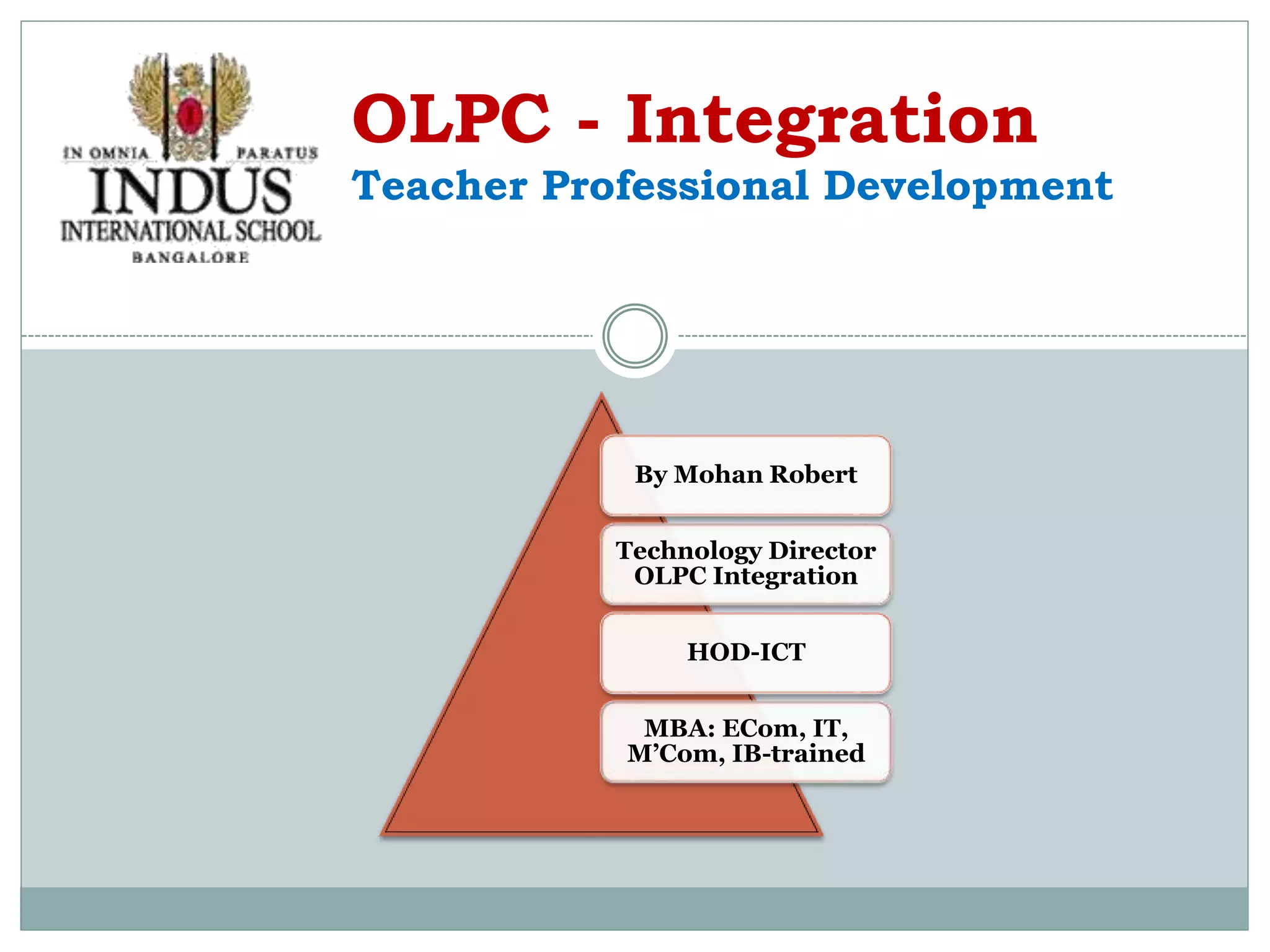
By Mohan Robert
Technology Director
OLPC Integration
HOD-ICT
MBA: ECom, IT,
M’Com, IB-trained
OLPC - Integration
Teacher Professional Development
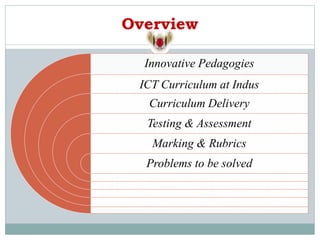
Overview
Innovative Pedagogies
ICT Curriculum at Indus
Curriculum Delivery
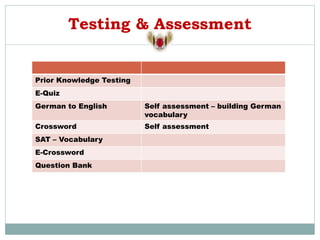
Testing & Assessment
Marking & Rubrics
Problems to be solved
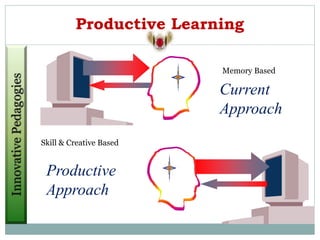
Productive Learning
Productive
Approach
Current
Approach
Memory Based
Skill & Creative Based
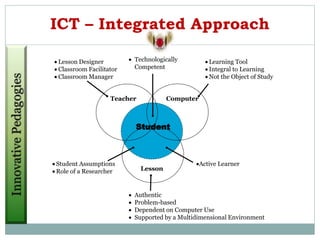
ICT – Integrated Approach
 Authentic
 Problem-based
 Dependent on Computer Use
 Supported by a Multidimensional Environment
Student
Lesson
Computer
Teacher
 Lesson Designer
 Classroom Facilitator
 Classroom Manager
 Learning Tool
 Integral to Learning
 Not the Object of Study
 Technologically
Competent
Active Learner
 Student Assumptions
 Role of a Researcher
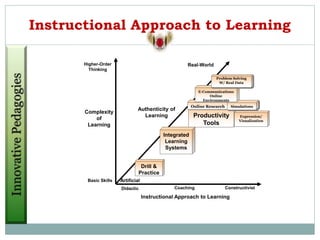
Instructional Approach to Learning
Authenticity of
Learning
Real-World
Higher-Order
Thinking
Artificial
Didactic Constructivist
Coaching
Basic Skills
Complexity
of
Learning
Instructional Approach to Learning
Productivity
Tools
Integrated
Learning
Systems
Drill &
Practice
Online Research
Expression/
Visualization
Simulations
E-Communications
Online
Environments
Problem Solving
W/ Real Data
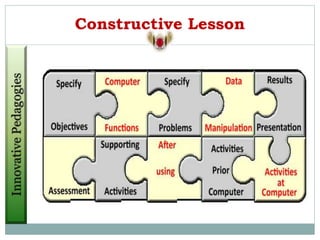
Constructive Lesson
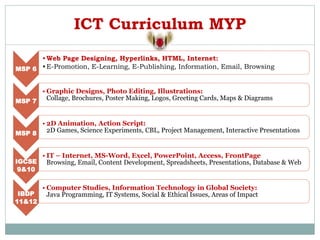
ICT Curriculum MYP
MSP 6
•Web Page Designing, Hyperlinks, HTML, Internet:
•E-Promotion, E-Learning, E-Publishing, Information, Email, Browsing
MSP 7
• Graphic Designs, Photo Editing, Illustrations:
Collage, Brochures, Poster Making, Logos, Greeting Cards, Maps & Diagrams
MSP 8
• 2D Animation, Action Script:
2D Games, Science Experiments, CBL, Project Management, Interactive Presentations
IGCSE
9&10
• IT – Internet, MS-Word, Excel, PowerPoint, Access, FrontPage
Browsing, Email, Content Development, Spreadsheets, Presentations, Database & Web
IBDP
11&12
• Computer Studies, Information Technology in Global Society:
Java Programming, IT Systems, Social & Ethical Issues, Areas of Impact
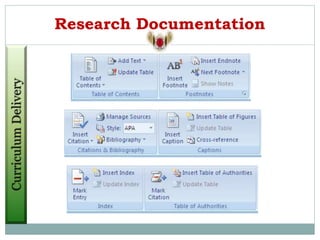
Research Documentation
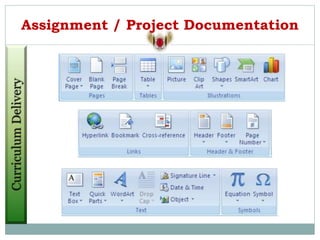
Assignment / Project Documentation
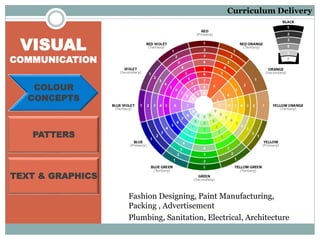
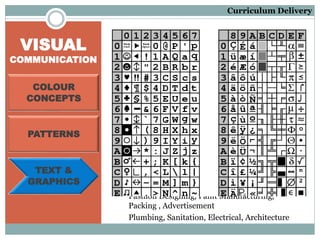
VISUAL
COMMUNICATION
Fashion Designing, Paint Manufacturing,
Packing , Advertisement
COLOUR
CONCEPTS
PATTERS
TEXT & GRAPHICS
Plumbing, Sanitation, Electrical, Architecture
Curriculum Delivery
VISUAL
COMMUNICATION
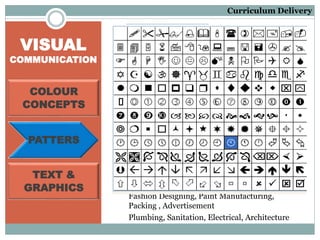
Fashion Designing, Paint Manufacturing,
Packing , Advertisement
COLOUR
CONCEPTS
PATTERS
TEXT &
GRAPHICS
Plumbing, Sanitation, Electrical, Architecture
Curriculum Delivery
VISUAL
COMMUNICATION
Fashion Designing, Paint Manufacturing,
Packing , Advertisement
COLOUR
CONCEPTS
PATTERNS
TEXT &
GRAPHICS
Plumbing, Sanitation, Electrical, Architecture
Curriculum Delivery
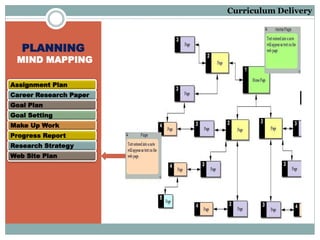
PLANNING
MIND MAPPING
Assignment Plan
Career Research Paper
Goal Plan
Goal Setting
Make Up Work
Progress Report
Research Strategy
Web Site Plan
Curriculum Delivery
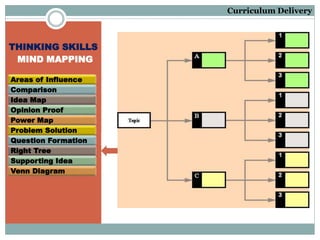
THINKING SKILLS
MIND MAPPING
Areas of Influence
Comparison
Idea Map
Opinion Proof
Power Map
Problem Solution
Question Formation
Right Tree
Supporting Idea
Venn Diagram
Curriculum Delivery
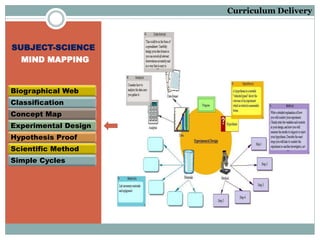
SUBJECT-SCIENCE
MIND MAPPING
Biographical Web
Classification
Concept Map
Experimental Design
Hypothesis Proof
Scientific Method
Simple Cycles
Curriculum Delivery
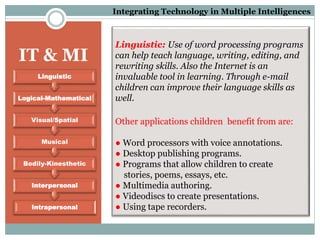
Linguistic: Use of word processing programs
can help teach language, writing, editing, and
rewriting skills. Also the Internet is an
invaluable tool in learning. Through e-mail
children can improve their language skills as
well.
Other applications children benefit from are:
● Word processors with voice annotations.
● Desktop publishing programs.
● Programs that allow children to create
stories, poems, essays, etc.
● Multimedia authoring.
● Videodiscs to create presentations.
● Using tape recorders.
IT & MI
Intrapersonal
Interpersonal
Bodily-Kinesthetic
Musical
Visual/Spatial
Logical-Mathematical
Linguistic
Integrating Technology in Multiple Intelligences
IT & MI
Intrapersonal
Interpersonal
Bodily-Kinesthetic
Musical
Visual/Spatial
Logical-Mathematical
Linguistic
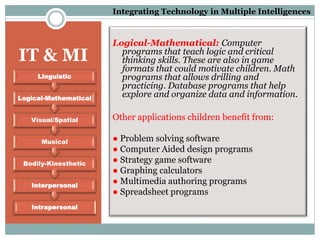
Logical-Mathematical: Computer
programs that teach logic and critical
thinking skills. These are also in game
formats that could motivate children. Math
programs that allows drilling and
practicing. Database programs that help
explore and organize data and information.
Other applications children benefit from:
● Problem solving software
● Computer Aided design programs
● Strategy game software
● Graphing calculators
● Multimedia authoring programs
● Spreadsheet programs
Integrating Technology in Multiple Intelligences
IT & MI
Intrapersonal
Interpersonal
Bodily-Kinesthetic
Musical
Visual/Spatial
Logical-Mathematical
Linguistic
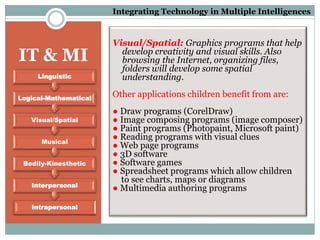
Visual/Spatial: Graphics programs that help
develop creativity and visual skills. Also
browsing the Internet, organizing files,
folders will develop some spatial
understanding.
Other applications children benefit from are:
● Draw programs (CorelDraw)
● Image composing programs (image composer)
● Paint programs (Photopaint, Microsoft paint)
● Reading programs with visual clues
● Web page programs
● 3D software
● Software games
● Spreadsheet programs which allow children
to see charts, maps or diagrams
● Multimedia authoring programs
Integrating Technology in Multiple Intelligences
IT & MI
Intrapersonal
Interpersonal
Bodily-Kinesthetic
Musical
Visual/Spatial
Logical-Mathematical
Linguistic
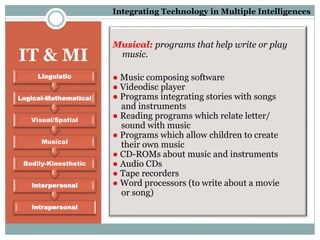
Musical: programs that help write or play
music.
● Music composing software
● Videodisc player
● Programs integrating stories with songs
and instruments
● Reading programs which relate letter/
sound with music
● Programs which allow children to create
their own music
● CD-ROMs about music and instruments
● Audio CDs
● Tape recorders
● Word processors (to write about a movie
or song)
Integrating Technology in Multiple Intelligences
IT & MI
Intrapersonal
Interpersonal
Bodily-Kinesthetic
Musical
Visual/Spatial
Logical-Mathematical
Linguistic
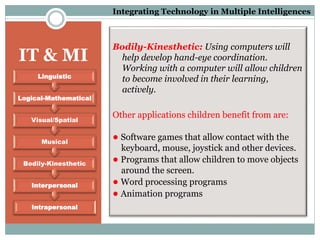
Bodily-Kinesthetic: Using computers will
help develop hand-eye coordination.
Working with a computer will allow children
to become involved in their learning,
actively.
Other applications children benefit from are:
● Software games that allow contact with the
keyboard, mouse, joystick and other devices.
● Programs that allow children to move objects
around the screen.
● Word processing programs
● Animation programs
Integrating Technology in Multiple Intelligences
IT & MI
Intrapersonal
Interpersonal
Bodily-Kinesthetic
Musical
Visual/Spatial
Logical-Mathematical
Linguistic
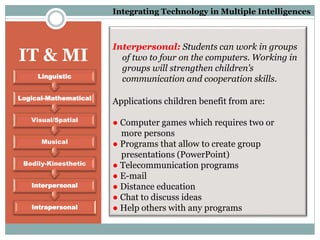
Interpersonal: Students can work in groups
of two to four on the computers. Working in
groups will strengthen children’s
communication and cooperation skills.
Applications children benefit from are:
● Computer games which requires two or
more persons
● Programs that allow to create group
presentations (PowerPoint)
● Telecommunication programs
● E-mail
● Distance education
● Chat to discuss ideas
● Help others with any programs
Integrating Technology in Multiple Intelligences
IT & MI
Intrapersonal
Interpersonal
Bodily-Kinesthetic
Musical
Visual/Spatial
Logical-Mathematical
Linguistic
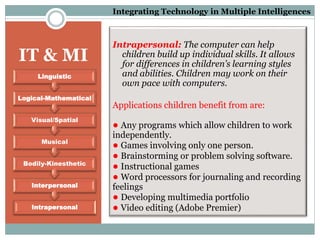
Intrapersonal: The computer can help
children build up individual skills. It allows
for differences in children’s learning styles
and abilities. Children may work on their
own pace with computers.
Applications children benefit from are:
● Any programs which allow children to work
independently.
● Games involving only one person.
● Brainstorming or problem solving software.
● Instructional games
● Word processors for journaling and recording
feelings
● Developing multimedia portfolio
● Video editing (Adobe Premier)
Integrating Technology in Multiple Intelligences
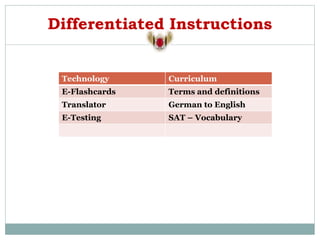
Differentiated Instructions
Technology Curriculum
E-Flashcards Terms and definitions
Translator German to English
E-Testing SAT – Vocabulary
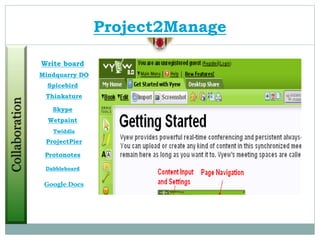
Google Docs
Project2Manage
Dabbleboard
Protonotes
ProjectPier
Twiddla
Wetpaint
Skype
Thinkature
Spicebird
Mindquarry DO
Write board
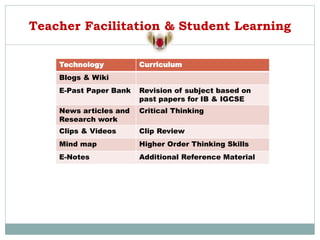
Teacher Facilitation & Student Learning
Technology Curriculum
Blogs & Wiki
E-Past Paper Bank Revision of subject based on
past papers for IB & IGCSE
News articles and
Research work
Critical Thinking
Clips & Videos Clip Review
Mind map Higher Order Thinking Skills
E-Notes Additional Reference Material
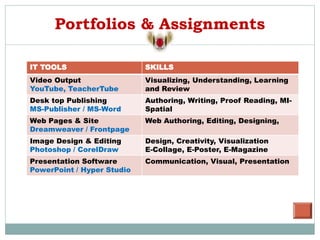
Portfolios & Assignments
IT TOOLS SKILLS
Video Output
YouTube, TeacherTube
Visualizing, Understanding, Learning
and Review
Desk top Publishing
MS-Publisher / MS-Word
Authoring, Writing, Proof Reading, MI-
Spatial
Web Pages & Site
Dreamweaver / Frontpage
Web Authoring, Editing, Designing,
Image Design & Editing
Photoshop / CorelDraw
Design, Creativity, Visualization
E-Collage, E-Poster, E-Magazine
Presentation Software
PowerPoint / Hyper Studio
Communication, Visual, Presentation
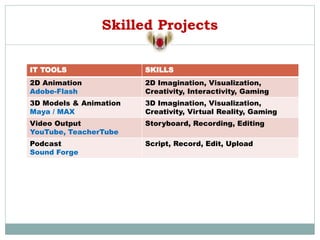
Skilled Projects
IT TOOLS SKILLS
2D Animation
Adobe-Flash
2D Imagination, Visualization,
Creativity, Interactivity, Gaming
3D Models & Animation
Maya / MAX
3D Imagination, Visualization,
Creativity, Virtual Reality, Gaming
Video Output
YouTube, TeacherTube
Storyboard, Recording, Editing
Podcast
Sound Forge
Script, Record, Edit, Upload
Testing & Assessment
Prior Knowledge Testing
E-Quiz
German to English Self assessment – building German
vocabulary
Crossword Self assessment
SAT – Vocabulary
E-Crossword
Question Bank
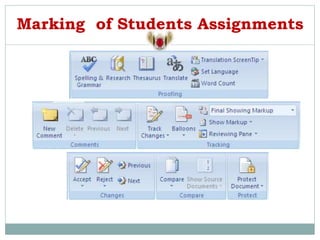
Marking of Students Assignments
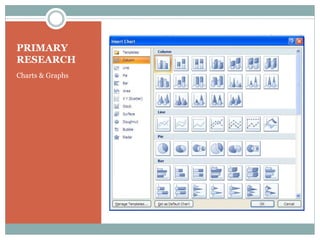
PRIMARY
RESEARCH
Charts & Graphs
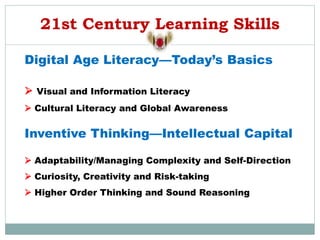
21st Century Learning Skills
Digital Age Literacy—Today’s Basics
 Visual and Information Literacy
 Cultural Literacy and Global Awareness
Inventive Thinking—Intellectual Capital
 Adaptability/Managing Complexity and Self-Direction
 Curiosity, Creativity and Risk-taking
 Higher Order Thinking and Sound Reasoning
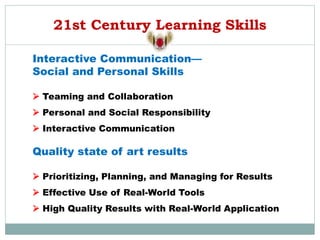
21st Century Learning Skills
Interactive Communication—
Social and Personal Skills
 Teaming and Collaboration
 Personal and Social Responsibility
 Interactive Communication
Quality state of art results
 Prioritizing, Planning, and Managing for Results
 Effective Use of Real-World Tools
 High Quality Results with Real-World Application
B R A I N B A S E D T H E O R Y
C R E A T I V E T H I N K I N G , C R E A T I V E T H I N K I N G
W O R K U N D E R P R O G R E S S
Learning styles
http://www.learning-theories.com/gardners-multiple-intelligences-theory.html
Acknowledgments
http://www.inspiration.com/

Teacher Professional Development for ICT Integration into Curriculum

  • 1.
    By Mohan Robert TechnologyDirector OLPC Integration HOD-ICT MBA: ECom, IT, M’Com, IB-trained OLPC - Integration Teacher Professional Development
  • 2.
    Overview Innovative Pedagogies ICT Curriculumat Indus Curriculum Delivery Testing & Assessment Marking & Rubrics Problems to be solved
  • 3.
  • 4.
    ICT – IntegratedApproach  Authentic  Problem-based  Dependent on Computer Use  Supported by a Multidimensional Environment Student Lesson Computer Teacher  Lesson Designer  Classroom Facilitator  Classroom Manager  Learning Tool  Integral to Learning  Not the Object of Study  Technologically Competent Active Learner  Student Assumptions  Role of a Researcher
  • 5.
    Instructional Approach toLearning Authenticity of Learning Real-World Higher-Order Thinking Artificial Didactic Constructivist Coaching Basic Skills Complexity of Learning Instructional Approach to Learning Productivity Tools Integrated Learning Systems Drill & Practice Online Research Expression/ Visualization Simulations E-Communications Online Environments Problem Solving W/ Real Data
  • 6.
  • 7.
    ICT Curriculum MYP MSP6 •Web Page Designing, Hyperlinks, HTML, Internet: •E-Promotion, E-Learning, E-Publishing, Information, Email, Browsing MSP 7 • Graphic Designs, Photo Editing, Illustrations: Collage, Brochures, Poster Making, Logos, Greeting Cards, Maps & Diagrams MSP 8 • 2D Animation, Action Script: 2D Games, Science Experiments, CBL, Project Management, Interactive Presentations IGCSE 9&10 • IT – Internet, MS-Word, Excel, PowerPoint, Access, FrontPage Browsing, Email, Content Development, Spreadsheets, Presentations, Database & Web IBDP 11&12 • Computer Studies, Information Technology in Global Society: Java Programming, IT Systems, Social & Ethical Issues, Areas of Impact
  • 8.
  • 9.
    Assignment / ProjectDocumentation
  • 10.
    VISUAL COMMUNICATION Fashion Designing, PaintManufacturing, Packing , Advertisement COLOUR CONCEPTS PATTERS TEXT & GRAPHICS Plumbing, Sanitation, Electrical, Architecture Curriculum Delivery
  • 11.
    VISUAL COMMUNICATION Fashion Designing, PaintManufacturing, Packing , Advertisement COLOUR CONCEPTS PATTERS TEXT & GRAPHICS Plumbing, Sanitation, Electrical, Architecture Curriculum Delivery
  • 12.
    VISUAL COMMUNICATION Fashion Designing, PaintManufacturing, Packing , Advertisement COLOUR CONCEPTS PATTERNS TEXT & GRAPHICS Plumbing, Sanitation, Electrical, Architecture Curriculum Delivery
  • 13.
    PLANNING MIND MAPPING Assignment Plan CareerResearch Paper Goal Plan Goal Setting Make Up Work Progress Report Research Strategy Web Site Plan Curriculum Delivery
  • 14.
    THINKING SKILLS MIND MAPPING Areasof Influence Comparison Idea Map Opinion Proof Power Map Problem Solution Question Formation Right Tree Supporting Idea Venn Diagram Curriculum Delivery
  • 15.
    SUBJECT-SCIENCE MIND MAPPING Biographical Web Classification ConceptMap Experimental Design Hypothesis Proof Scientific Method Simple Cycles Curriculum Delivery
  • 16.
    Linguistic: Use ofword processing programs can help teach language, writing, editing, and rewriting skills. Also the Internet is an invaluable tool in learning. Through e-mail children can improve their language skills as well. Other applications children benefit from are: ● Word processors with voice annotations. ● Desktop publishing programs. ● Programs that allow children to create stories, poems, essays, etc. ● Multimedia authoring. ● Videodiscs to create presentations. ● Using tape recorders. IT & MI Intrapersonal Interpersonal Bodily-Kinesthetic Musical Visual/Spatial Logical-Mathematical Linguistic Integrating Technology in Multiple Intelligences
  • 17.
    IT & MI Intrapersonal Interpersonal Bodily-Kinesthetic Musical Visual/Spatial Logical-Mathematical Linguistic Logical-Mathematical:Computer programs that teach logic and critical thinking skills. These are also in game formats that could motivate children. Math programs that allows drilling and practicing. Database programs that help explore and organize data and information. Other applications children benefit from: ● Problem solving software ● Computer Aided design programs ● Strategy game software ● Graphing calculators ● Multimedia authoring programs ● Spreadsheet programs Integrating Technology in Multiple Intelligences
  • 18.
    IT & MI Intrapersonal Interpersonal Bodily-Kinesthetic Musical Visual/Spatial Logical-Mathematical Linguistic Visual/Spatial:Graphics programs that help develop creativity and visual skills. Also browsing the Internet, organizing files, folders will develop some spatial understanding. Other applications children benefit from are: ● Draw programs (CorelDraw) ● Image composing programs (image composer) ● Paint programs (Photopaint, Microsoft paint) ● Reading programs with visual clues ● Web page programs ● 3D software ● Software games ● Spreadsheet programs which allow children to see charts, maps or diagrams ● Multimedia authoring programs Integrating Technology in Multiple Intelligences
  • 19.
    IT & MI Intrapersonal Interpersonal Bodily-Kinesthetic Musical Visual/Spatial Logical-Mathematical Linguistic Musical:programs that help write or play music. ● Music composing software ● Videodisc player ● Programs integrating stories with songs and instruments ● Reading programs which relate letter/ sound with music ● Programs which allow children to create their own music ● CD-ROMs about music and instruments ● Audio CDs ● Tape recorders ● Word processors (to write about a movie or song) Integrating Technology in Multiple Intelligences
  • 20.
    IT & MI Intrapersonal Interpersonal Bodily-Kinesthetic Musical Visual/Spatial Logical-Mathematical Linguistic Bodily-Kinesthetic:Using computers will help develop hand-eye coordination. Working with a computer will allow children to become involved in their learning, actively. Other applications children benefit from are: ● Software games that allow contact with the keyboard, mouse, joystick and other devices. ● Programs that allow children to move objects around the screen. ● Word processing programs ● Animation programs Integrating Technology in Multiple Intelligences
  • 21.
    IT & MI Intrapersonal Interpersonal Bodily-Kinesthetic Musical Visual/Spatial Logical-Mathematical Linguistic Interpersonal:Students can work in groups of two to four on the computers. Working in groups will strengthen children’s communication and cooperation skills. Applications children benefit from are: ● Computer games which requires two or more persons ● Programs that allow to create group presentations (PowerPoint) ● Telecommunication programs ● E-mail ● Distance education ● Chat to discuss ideas ● Help others with any programs Integrating Technology in Multiple Intelligences
  • 22.
    IT & MI Intrapersonal Interpersonal Bodily-Kinesthetic Musical Visual/Spatial Logical-Mathematical Linguistic Intrapersonal:The computer can help children build up individual skills. It allows for differences in children’s learning styles and abilities. Children may work on their own pace with computers. Applications children benefit from are: ● Any programs which allow children to work independently. ● Games involving only one person. ● Brainstorming or problem solving software. ● Instructional games ● Word processors for journaling and recording feelings ● Developing multimedia portfolio ● Video editing (Adobe Premier) Integrating Technology in Multiple Intelligences
  • 23.
    Differentiated Instructions Technology Curriculum E-FlashcardsTerms and definitions Translator German to English E-Testing SAT – Vocabulary
  • 24.
  • 25.
    Teacher Facilitation &Student Learning Technology Curriculum Blogs & Wiki E-Past Paper Bank Revision of subject based on past papers for IB & IGCSE News articles and Research work Critical Thinking Clips & Videos Clip Review Mind map Higher Order Thinking Skills E-Notes Additional Reference Material
  • 26.
    Portfolios & Assignments ITTOOLS SKILLS Video Output YouTube, TeacherTube Visualizing, Understanding, Learning and Review Desk top Publishing MS-Publisher / MS-Word Authoring, Writing, Proof Reading, MI- Spatial Web Pages & Site Dreamweaver / Frontpage Web Authoring, Editing, Designing, Image Design & Editing Photoshop / CorelDraw Design, Creativity, Visualization E-Collage, E-Poster, E-Magazine Presentation Software PowerPoint / Hyper Studio Communication, Visual, Presentation
  • 27.
    Skilled Projects IT TOOLSSKILLS 2D Animation Adobe-Flash 2D Imagination, Visualization, Creativity, Interactivity, Gaming 3D Models & Animation Maya / MAX 3D Imagination, Visualization, Creativity, Virtual Reality, Gaming Video Output YouTube, TeacherTube Storyboard, Recording, Editing Podcast Sound Forge Script, Record, Edit, Upload
  • 28.
    Testing & Assessment PriorKnowledge Testing E-Quiz German to English Self assessment – building German vocabulary Crossword Self assessment SAT – Vocabulary E-Crossword Question Bank
  • 29.
  • 30.
  • 31.
    21st Century LearningSkills Digital Age Literacy—Today’s Basics  Visual and Information Literacy  Cultural Literacy and Global Awareness Inventive Thinking—Intellectual Capital  Adaptability/Managing Complexity and Self-Direction  Curiosity, Creativity and Risk-taking  Higher Order Thinking and Sound Reasoning
  • 32.
    21st Century LearningSkills Interactive Communication— Social and Personal Skills  Teaming and Collaboration  Personal and Social Responsibility  Interactive Communication Quality state of art results  Prioritizing, Planning, and Managing for Results  Effective Use of Real-World Tools  High Quality Results with Real-World Application
  • 33.
    B R AI N B A S E D T H E O R Y C R E A T I V E T H I N K I N G , C R E A T I V E T H I N K I N G W O R K U N D E R P R O G R E S S Learning styles http://www.learning-theories.com/gardners-multiple-intelligences-theory.html Acknowledgments http://www.inspiration.com/