STID 1103
COMPUTER APPLICATIONS
   IN MANAGEMENT


           MOHD TARMIZI MUSA
           Universiti Utara Malaysia

09/25/12                               1
Personal Data
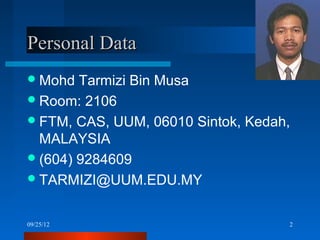
 Mohd  Tarmizi Bin Musa
 Room: 2106
 FTM, CAS, UUM, 06010 Sintok, Kedah,
  MALAYSIA
 (604) 9284609
 TARMIZI@UUM.EDU.MY


09/25/12                            2
Education Background
 1982  – 1987, Sek Men Jitra, Kedah.
 1989, American Associate Degree (AAD) ,
  State University of New York at Buffalo, USA
 1992, BSc in Comp. Science & Math,
  University of Hartford, Connecticut, USA
 1995, MSc IT (Multimedia), University of East
  Anglia, Norwich, UK.
 2010, “PhD (Wireless Network)”, University of
  Hull, UK.
09/25/12                                      3
Working Experience
 1990 – 1993, Network Engineer,
  MicroAge, Connecticut, USA.
 1994, Lecturer, ITTAR, Malaysia
 1994 – present, Lecturer, UUM.


09/25/12                            4
Courses Taught
 Computer  Organization
 Computer Networks
 Data Communications
 Network Design
 Network Management
 Local Area Network (MScIT)
 Data Communications & Networking (MScIT
  NIM Cambodia)
09/25/12                                    5
STID 1103 - Syllabus
 Course Synopsis
 Course Objectives
 Learning Outcomes
 Text Books & References
 Course Contents
 Teaching Method
 Course Assessment
09/25/12                    6
SYNOPSIS

   This is an introductory course targeting to create
    awareness on various popular computer applications
    which are being used in organizations. Application
    such as accounting management, communications,
    and project management will be covered in this
    course. In addition, students will also be exposed to
    proper method of report writing, data gathering and
    compilation, as well as database management. The
    students will also be exposed to the methods in
    converting data to charts and graphs, preparing
    presentations, and presenting data. Besides using
    Internet applications, the students are required to
    build and maintain simple web pages.


09/25/12                                                7
OBJECTIVES

Upon completion of this course, students
 are expected to

     – acquire basic knowledge on current ICT.
     – develop competency in using several
       management-related applications,
       which are popular among the
       professionals and entrepreneurs.

09/25/12                                     8
LEARNING OUTCOME
Upon completion of this course, students will be able to

     – apply basic knowledge on computer technology in
       order to make a good decision when acquiring a
       computer.
     – use Internet technology to find required
       information.
     – identify the use of different software applications
       for different management situation.
     – produce different type of document for different
       management purpose.


09/25/12                                                     9
REFERENCE
   Beekman, G and Beekmen, B., (2009) Tomorrow Technology and
    You. 9th Edition, Upper Saddle River, New Jersey: Pearson.
   Evans, A., Martin K. and Poatsy, M. A. (2009) Technology in
    Action. 6th Edition, Upper Saddle River, New Jersey: Pearson.
   Hulett, M., Krebs, C., and Lockley, M.W. (2008), Microsoft OFFICE
    2007 (Vol. 1), Upper Saddle River, New Jersey: Pearson.
   Shelly, G.B., Cashman, T.J. and Vermaat, M.E. (2006). Discovering
    Computers 2006 A Gateway to Information, Thomson Learning
   Shelly, G.B., Cashman, T. J., & Vermaat, M. E. (2002). Microsoft
    Office XP: Introductory Concepts and Techniques-Enhanced
    Edition. United States: Course Technology.
   Toot, M.S. (2005). Read Less – Learn More. Master Visually Office
    2003. The Complete Visual Reference. 2nd Edition, New York:
    Hungry Minds.


09/25/12                                                            10
Ch 1: Introduction to Information
Technology (3 hours)

  – Describe the evolution of Information
    Technology and Communications
  – Explain the concepts of ICT and IT
  – Introduce to computer hardware
  – Introduce to computer software
  – Discuss the history of Windows
    Technology
09/25/12                                    11
Ch 2: Introduction to Internet
(3 hours)
   – Introduce the concept of the Internet
   – Describe the Internet components.
   – Describe WWW: composition, hypertext,
       web pages, and URL.
   – Introduce to Internet Navigator: Browser,
       and Search engine
   – Explain the usage of Electronic mail
   – Describe File Transfer Protocol (FTP)
   – Discuss the usage of WWW
09/25/12                                      12
Ch 3: Introduction to Word Processing
(3 hours)
  Introduce   basic functions, process and
     types of word processor
  Describe         Basic Skills on:
            • Selecting certain techniques for create
              documents, editing documents, formatting
              documents, build table, formatting large
              documents, structuring contents, build
              indexes
            • Selecting Graphical usage like Clipart,
              AutoShape, WordArt and etc.
 09/25/12   • Creating and using Template              13
Ch 4: Introduction to Spreadsheet
(6 hours)
  Introduce Microsoft Excel software
  Explain Basic skills in spreadsheet: composition
   spread sheet
  Elaborate creating spreadsheet applications
  Discuss how to create and use of formula
  Explain functions: add and use functions
  Compare between formulas and functions
  Elaborate how to build table list
  Explain how to do list manipulation
    Explain about forecasting: use in financial and
     banking

 09/25/12                                              14
Ch 5: Introduction to Charts and Graph
(3 hours)
  Introduce Charts and graph categories
  Explain how to build charts and graph
  Elaborate the usage of charts and graphs
   in management


 09/25/12                                 15
Ch 6: Introduction to Microsoft Project
(3 hours)
  Introduce GANTT/PERT charts
  Explain how to do GANTT/PERT charts


 09/25/12                                16
Ch 7: Graphic Design
(3 hours)
   Introduce the importance of graphic applications
    in management
   Explain graphic categories: vector image, Bitmap
    and image conversion
   Describe graphic quality: consideration factors
   Describe the graphic standard: BMP, TIFF, TGA,
    EPS, GIF
   Explain technique to design graphic: drawing
    program, paint program and image editing
    programs
 Discuss    graphic evaluation

09/25/12                                           17
Ch 8: Web Page Development
(3 hours)
 Introduce Web Page: functions and
  categories
 Explain methods in build web page
 Elaborate contents analysis and concepts


09/25/12                                 18
Ch 9: Web Page Development
(continue…) (3 hours)
 Introduce HTML coding
 Elaborate Web sites development phases
 Explain feedback analysis
 Explain web page promotion
 Creating web pages using FRONTPAGE


09/25/12                                   19
Ch 10: Presentation Applications:
Microsoft PowerPoint (3 hours)
  Introduce basic concepts: Presentation
  Explain techniques in design presentation
  Elaborate on building presentation: build
   slide master, editing clipart, bullets,
   Autoshape and etc


 09/25/12                                  20
Ch 11: Presentation Applications:
Microsoft PowerPoint (continue) (3 hours)
  Elaborate   Build table in slide and
   animation
  Describe presentation Techniques: on
   mouse click and automatic time setting.
  Explain on presentation evaluation


 09/25/12                                    21
Ch 12: Introduction to Database
(6 hours)
  Introduce the basic concepts of database
  Explain database system model
  Describe Evolution of database
  Explain basic operation in build database
   systems
  Describe the use of table, relationship,
   query, form and report.


 09/25/12                                      22
TEACHING METHOD

 Lectures,    case studies, online tutorial and
    activities & discussions.
     – (42 hours)


09/25/12                                       23
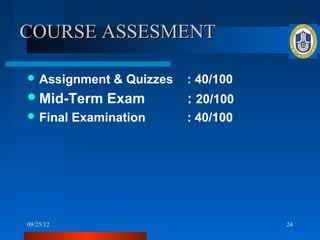
COURSE ASSESMENT

 Assignment     & Quizzes   : 40/100
 Mid-Term      Exam         : 20/100
 Final    Examination       : 40/100


09/25/12                                24
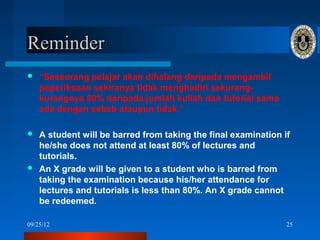
Reminder
   “Seseorang pelajar akan dihalang daripada mengambil
    peperiksaan sekiranya tidak menghadiri sekurang-
    kurangnya 80% daripada jumlah kuliah dan tutorial sama
    ada dengan sebab ataupun tidak.”

 A student will be barred from taking the final examination if
  he/she does not attend at least 80% of lectures and
  tutorials.
 An X grade will be given to a student who is barred from
  taking the examination because his/her attendance for
  lectures and tutorials is less than 80%. An X grade cannot
  be redeemed.

09/25/12                                                      25

STID

  • 1.
    STID 1103 COMPUTER APPLICATIONS IN MANAGEMENT MOHD TARMIZI MUSA Universiti Utara Malaysia 09/25/12 1
  • 2.
    Personal Data  Mohd Tarmizi Bin Musa  Room: 2106  FTM, CAS, UUM, 06010 Sintok, Kedah, MALAYSIA  (604) 9284609  TARMIZI@UUM.EDU.MY 09/25/12 2
  • 3.
    Education Background  1982 – 1987, Sek Men Jitra, Kedah.  1989, American Associate Degree (AAD) , State University of New York at Buffalo, USA  1992, BSc in Comp. Science & Math, University of Hartford, Connecticut, USA  1995, MSc IT (Multimedia), University of East Anglia, Norwich, UK.  2010, “PhD (Wireless Network)”, University of Hull, UK. 09/25/12 3
  • 4.
    Working Experience  1990– 1993, Network Engineer, MicroAge, Connecticut, USA.  1994, Lecturer, ITTAR, Malaysia  1994 – present, Lecturer, UUM. 09/25/12 4
  • 5.
    Courses Taught  Computer Organization  Computer Networks  Data Communications  Network Design  Network Management  Local Area Network (MScIT)  Data Communications & Networking (MScIT NIM Cambodia) 09/25/12 5
  • 6.
    STID 1103 -Syllabus  Course Synopsis  Course Objectives  Learning Outcomes  Text Books & References  Course Contents  Teaching Method  Course Assessment 09/25/12 6
  • 7.
    SYNOPSIS  This is an introductory course targeting to create awareness on various popular computer applications which are being used in organizations. Application such as accounting management, communications, and project management will be covered in this course. In addition, students will also be exposed to proper method of report writing, data gathering and compilation, as well as database management. The students will also be exposed to the methods in converting data to charts and graphs, preparing presentations, and presenting data. Besides using Internet applications, the students are required to build and maintain simple web pages. 09/25/12 7
  • 8.
    OBJECTIVES Upon completion ofthis course, students are expected to – acquire basic knowledge on current ICT. – develop competency in using several management-related applications, which are popular among the professionals and entrepreneurs. 09/25/12 8
  • 9.
    LEARNING OUTCOME Upon completionof this course, students will be able to – apply basic knowledge on computer technology in order to make a good decision when acquiring a computer. – use Internet technology to find required information. – identify the use of different software applications for different management situation. – produce different type of document for different management purpose. 09/25/12 9
  • 10.
    REFERENCE  Beekman, G and Beekmen, B., (2009) Tomorrow Technology and You. 9th Edition, Upper Saddle River, New Jersey: Pearson.  Evans, A., Martin K. and Poatsy, M. A. (2009) Technology in Action. 6th Edition, Upper Saddle River, New Jersey: Pearson.  Hulett, M., Krebs, C., and Lockley, M.W. (2008), Microsoft OFFICE 2007 (Vol. 1), Upper Saddle River, New Jersey: Pearson.  Shelly, G.B., Cashman, T.J. and Vermaat, M.E. (2006). Discovering Computers 2006 A Gateway to Information, Thomson Learning  Shelly, G.B., Cashman, T. J., & Vermaat, M. E. (2002). Microsoft Office XP: Introductory Concepts and Techniques-Enhanced Edition. United States: Course Technology.  Toot, M.S. (2005). Read Less – Learn More. Master Visually Office 2003. The Complete Visual Reference. 2nd Edition, New York: Hungry Minds. 09/25/12 10
  • 11.
    Ch 1: Introductionto Information Technology (3 hours) – Describe the evolution of Information Technology and Communications – Explain the concepts of ICT and IT – Introduce to computer hardware – Introduce to computer software – Discuss the history of Windows Technology 09/25/12 11
  • 12.
    Ch 2: Introductionto Internet (3 hours) – Introduce the concept of the Internet – Describe the Internet components. – Describe WWW: composition, hypertext, web pages, and URL. – Introduce to Internet Navigator: Browser, and Search engine – Explain the usage of Electronic mail – Describe File Transfer Protocol (FTP) – Discuss the usage of WWW 09/25/12 12
  • 13.
    Ch 3: Introductionto Word Processing (3 hours)  Introduce basic functions, process and types of word processor  Describe Basic Skills on: • Selecting certain techniques for create documents, editing documents, formatting documents, build table, formatting large documents, structuring contents, build indexes • Selecting Graphical usage like Clipart, AutoShape, WordArt and etc. 09/25/12 • Creating and using Template 13
  • 14.
    Ch 4: Introductionto Spreadsheet (6 hours)  Introduce Microsoft Excel software  Explain Basic skills in spreadsheet: composition spread sheet  Elaborate creating spreadsheet applications  Discuss how to create and use of formula  Explain functions: add and use functions  Compare between formulas and functions  Elaborate how to build table list  Explain how to do list manipulation  Explain about forecasting: use in financial and banking 09/25/12 14
  • 15.
    Ch 5: Introductionto Charts and Graph (3 hours)  Introduce Charts and graph categories  Explain how to build charts and graph  Elaborate the usage of charts and graphs in management 09/25/12 15
  • 16.
    Ch 6: Introductionto Microsoft Project (3 hours)  Introduce GANTT/PERT charts  Explain how to do GANTT/PERT charts 09/25/12 16
  • 17.
    Ch 7: GraphicDesign (3 hours)  Introduce the importance of graphic applications in management  Explain graphic categories: vector image, Bitmap and image conversion  Describe graphic quality: consideration factors  Describe the graphic standard: BMP, TIFF, TGA, EPS, GIF  Explain technique to design graphic: drawing program, paint program and image editing programs  Discuss graphic evaluation 09/25/12 17
  • 18.
    Ch 8: WebPage Development (3 hours)  Introduce Web Page: functions and categories  Explain methods in build web page  Elaborate contents analysis and concepts 09/25/12 18
  • 19.
    Ch 9: WebPage Development (continue…) (3 hours)  Introduce HTML coding  Elaborate Web sites development phases  Explain feedback analysis  Explain web page promotion  Creating web pages using FRONTPAGE 09/25/12 19
  • 20.
    Ch 10: PresentationApplications: Microsoft PowerPoint (3 hours)  Introduce basic concepts: Presentation  Explain techniques in design presentation  Elaborate on building presentation: build slide master, editing clipart, bullets, Autoshape and etc 09/25/12 20
  • 21.
    Ch 11: PresentationApplications: Microsoft PowerPoint (continue) (3 hours)  Elaborate Build table in slide and animation  Describe presentation Techniques: on mouse click and automatic time setting.  Explain on presentation evaluation 09/25/12 21
  • 22.
    Ch 12: Introductionto Database (6 hours)  Introduce the basic concepts of database  Explain database system model  Describe Evolution of database  Explain basic operation in build database systems  Describe the use of table, relationship, query, form and report. 09/25/12 22
  • 23.
    TEACHING METHOD  Lectures, case studies, online tutorial and activities & discussions. – (42 hours) 09/25/12 23
  • 24.
    COURSE ASSESMENT  Assignment & Quizzes : 40/100  Mid-Term Exam : 20/100  Final Examination : 40/100 09/25/12 24
  • 25.
    Reminder  “Seseorang pelajar akan dihalang daripada mengambil peperiksaan sekiranya tidak menghadiri sekurang- kurangnya 80% daripada jumlah kuliah dan tutorial sama ada dengan sebab ataupun tidak.”  A student will be barred from taking the final examination if he/she does not attend at least 80% of lectures and tutorials.  An X grade will be given to a student who is barred from taking the examination because his/her attendance for lectures and tutorials is less than 80%. An X grade cannot be redeemed. 09/25/12 25