Staying
Sane While
Working
Remotely
Presented by Caitie Skaggs,
Very Good Assistance
Discussion Points
- Acceptance
- Personal Strategies
- Managing a Remote Team
- Tools I Like
ACCEPTANCE
Working from home does not
come naturally or easily to a lot
of people. We are conditioned to
believe and act as though
valuable work happens at a
certain pace, within certain
hours, and can be measured by
our presence.
Productivity is going to look and
feel different — and that's OK!
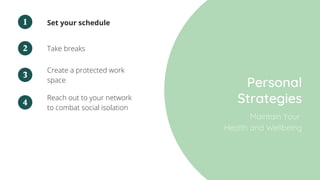
Take breaks
Set your schedule
Personal
Strategies
1
2
Create a protected work
space
3
Reach out to your network
to combat social isolation
4
Maintain Your
Health and Wellbeing
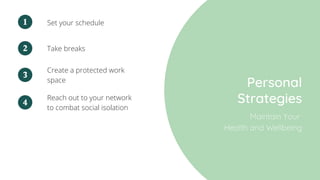
Take breaks
Set your schedule
Personal
Strategies
1
2
Create a protected work
space
3
Reach out to your network
to combat social isolation
4
Maintain Your
Health and Wellbeing
Assess your hardware and home
Internet situation
Time management techniques
Personal
Strategies
1
2
Guiding Productivity
Reach out to your network - see
what's been working for them
4
Keep track of your wins5
Think long-term6
Manage expectations3
Tools & Techniques
Focus on your tasks and manage your distractions well.
1
Choose a task, set timer for 25 minutes
and work on the task. When time is up,
take a 5 minute break. After 4
pomodoros, reward yourself with a
longer break
The Pomodoro
Technique
2
Plant a seed, which will grow into a
tree after 30 minutes of productivity
without using blacklisted sites.
Concentrate on your work and share
your tree with friends.
Forest App/Chrome
Extension
3
Virtual Coworking helps you get things
done. Participate in 50-minute session
where you have video chat with your
partner about what you intend to do,
then do it quietly together. At the end
of the session, you recap what you've
done together.
FocusMate
Assess your hardware and home
Internet situation
Time management techniques
Personal
Strategies
1
2
Guiding Productivity
Reach out to your network - see
what's been working for them
4
Keep track of your wins5
Think long-term6
Manage expectations3
Assess your hardware and home
Internet situation
Time management techniques
Personal
Strategies
1
2
Guiding Productivity
Reach out to your network - see
what's been working for them
4
Keep track of your wins5
Think long-term6
Manage expectations3
This is a time of
forced
introspection
Take this time to think about
how you can improve your
processes. How can you improve
your workflows?
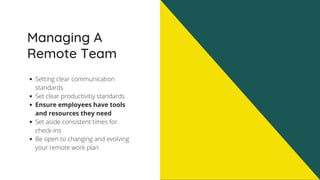
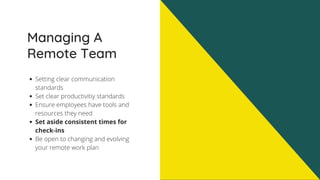
Managing A
Remote Team
Setting clear communication
standards
Set clear productivitiy standards
Ensure employees have tools and
resources they need
Set aside consistent times for
check-ins
Be open to changing and evolving
your remote work plan
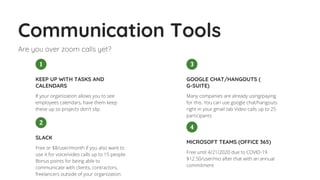
Communication Tools
Are you over zoom calls yet?
Many companies are already using/paying
for this. You can use google chat/hangouts
right in your gmail tab Video calls up to 25
participants
GOOGLE CHAT/HANGOUTS (
G-SUITE)
3
Free or $8/user/month if you also want to
use it for voice/video calls up to 15 people.
Bonus points for being able to
communicate with clients, contractors,
freelancers outside of your organization.
SLACK
2
If your organization allows you to see
employees calendars, have them keep
these up so projects don't slip. 
KEEP UP WITH TASKS AND
CALENDARS
1
Free until 4/21/2020 due to COVID-19.
$12.50/user/mo after that with an annual
commitment
MICROSOFT TEAMS (OFFICE 365)
4
Managing A
Remote Team
Setting clear communication
standards
Set clear productivitiy
standards
Ensure employees have tools and
resources they need
Set aside consistent times for
check-ins
Be open to changing and evolving
your remote work plan
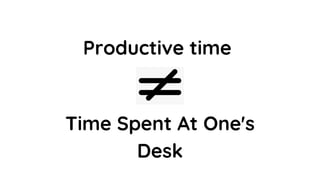
Productive time
Time Spent At One's
Desk
Managing A
Remote Team
Setting clear communication
standards
Set clear productivitiy standards
Ensure employees have tools
and resources they need
Set aside consistent times for
check-ins
Be open to changing and evolving
your remote work plan
Tools of the
Trade
Access to your company's
software programs, relevant
files, etc.
Adequate space, hardware,
infrastructure.
Some tasks simply cannot be
done remotely -- this is where
acceptance comes in, for now.
Managing A
Remote Team
Setting clear communication
standards
Set clear productivitiy standards
Ensure employees have tools and
resources they need
Set aside consistent times for
check-ins
Be open to changing and evolving
your remote work plan
Check-ins
Check in with team as a whole
Roll call to see who's here
Encourage use of
headphones & mute button
Check in with individuals
Be respectful of people's time by
having a clear agenda
Seek input of team members on
what's working and what's not
Be open to changing your
remote work plan.
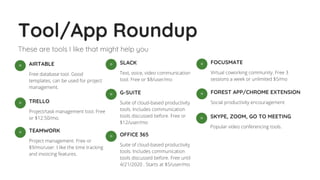
Tool/App Roundup
These are tools I like that might help you
Free database tool. Good
templates, can be used for project
management.
AIRTABLE◦
Project/task management tool. Free
or $12.50/mo.
TRELLO◦
Project management. Free or
$9/mo/user. I like the time tracking
and invoicing features.
TEAMWORK◦
Text, voice, video communication
tool. Free or $8/user/mo
SLACK◦
Suite of cloud-based productivity
tools. Includes communication
tools discussed before. Free or
$12/user/mo
G-SUITE◦
Suite of cloud-based productivity
tools. Includes communication
tools discussed before. Free until
4/21/2020 . Starts at $5/user/mo
OFFICE 365◦
Virtual coworking community. Free 3
sessions a week or unlimited $5/mo
FOCUSMATE◦
Social productivity encouragement
FOREST APP/CHROME EXTENSION◦
Popular video conferencing tools.
SKYPE, ZOOM, GO TO MEETING◦
Use this time to ask questions,
commiserate, or share strategies or tools
that have been working for you.
Share what's been
working for you.
CHIME IN!
Keep in touch!
Contact me if you need help
strategizing or troubleshooting your
plan.
Need an operations/workflow
overhaul? Just need extra hands to
get everything done? Contact me for a
free consultation
Caitie Skaggs
caitie@verygoodassistance.com
(210) 405-8887

Staying Sane While Working Remotely

  • 1.
    Staying Sane While Working Remotely Presented byCaitie Skaggs, Very Good Assistance
  • 2.
    Discussion Points - Acceptance -Personal Strategies - Managing a Remote Team - Tools I Like
  • 4.
    ACCEPTANCE Working from homedoes not come naturally or easily to a lot of people. We are conditioned to believe and act as though valuable work happens at a certain pace, within certain hours, and can be measured by our presence. Productivity is going to look and feel different — and that's OK!
  • 5.
    Take breaks Set yourschedule Personal Strategies 1 2 Create a protected work space 3 Reach out to your network to combat social isolation 4 Maintain Your Health and Wellbeing
  • 7.
    Take breaks Set yourschedule Personal Strategies 1 2 Create a protected work space 3 Reach out to your network to combat social isolation 4 Maintain Your Health and Wellbeing
  • 8.
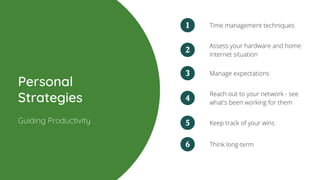
    Assess your hardwareand home Internet situation Time management techniques Personal Strategies 1 2 Guiding Productivity Reach out to your network - see what's been working for them 4 Keep track of your wins5 Think long-term6 Manage expectations3
  • 9.
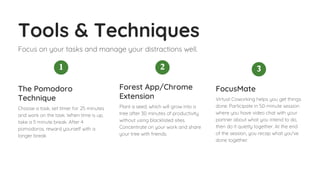
    Tools & Techniques Focuson your tasks and manage your distractions well. 1 Choose a task, set timer for 25 minutes and work on the task. When time is up, take a 5 minute break. After 4 pomodoros, reward yourself with a longer break The Pomodoro Technique 2 Plant a seed, which will grow into a tree after 30 minutes of productivity without using blacklisted sites. Concentrate on your work and share your tree with friends. Forest App/Chrome Extension 3 Virtual Coworking helps you get things done. Participate in 50-minute session where you have video chat with your partner about what you intend to do, then do it quietly together. At the end of the session, you recap what you've done together. FocusMate
  • 10.
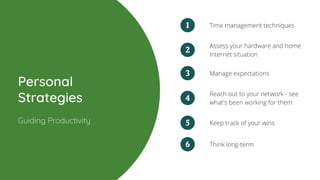
    Assess your hardwareand home Internet situation Time management techniques Personal Strategies 1 2 Guiding Productivity Reach out to your network - see what's been working for them 4 Keep track of your wins5 Think long-term6 Manage expectations3
  • 12.
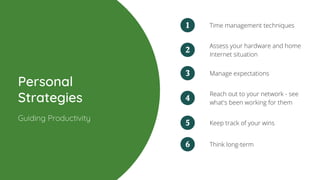
    Assess your hardwareand home Internet situation Time management techniques Personal Strategies 1 2 Guiding Productivity Reach out to your network - see what's been working for them 4 Keep track of your wins5 Think long-term6 Manage expectations3
  • 13.
    This is atime of forced introspection Take this time to think about how you can improve your processes. How can you improve your workflows?
  • 14.
    Managing A Remote Team Setting clearcommunication standards Set clear productivitiy standards Ensure employees have tools and resources they need Set aside consistent times for check-ins Be open to changing and evolving your remote work plan
  • 15.
    Communication Tools Are youover zoom calls yet? Many companies are already using/paying for this. You can use google chat/hangouts right in your gmail tab Video calls up to 25 participants GOOGLE CHAT/HANGOUTS ( G-SUITE) 3 Free or $8/user/month if you also want to use it for voice/video calls up to 15 people. Bonus points for being able to communicate with clients, contractors, freelancers outside of your organization. SLACK 2 If your organization allows you to see employees calendars, have them keep these up so projects don't slip.  KEEP UP WITH TASKS AND CALENDARS 1 Free until 4/21/2020 due to COVID-19. $12.50/user/mo after that with an annual commitment MICROSOFT TEAMS (OFFICE 365) 4
  • 16.
    Managing A Remote Team Setting clearcommunication standards Set clear productivitiy standards Ensure employees have tools and resources they need Set aside consistent times for check-ins Be open to changing and evolving your remote work plan
  • 17.
  • 18.
    Managing A Remote Team Setting clearcommunication standards Set clear productivitiy standards Ensure employees have tools and resources they need Set aside consistent times for check-ins Be open to changing and evolving your remote work plan
  • 19.
    Tools of the Trade Accessto your company's software programs, relevant files, etc. Adequate space, hardware, infrastructure. Some tasks simply cannot be done remotely -- this is where acceptance comes in, for now.
  • 20.
    Managing A Remote Team Setting clearcommunication standards Set clear productivitiy standards Ensure employees have tools and resources they need Set aside consistent times for check-ins Be open to changing and evolving your remote work plan
  • 22.
    Check-ins Check in withteam as a whole Roll call to see who's here Encourage use of headphones & mute button Check in with individuals Be respectful of people's time by having a clear agenda Seek input of team members on what's working and what's not
  • 23.
    Be open tochanging your remote work plan.
  • 24.
    Tool/App Roundup These aretools I like that might help you Free database tool. Good templates, can be used for project management. AIRTABLE◦ Project/task management tool. Free or $12.50/mo. TRELLO◦ Project management. Free or $9/mo/user. I like the time tracking and invoicing features. TEAMWORK◦ Text, voice, video communication tool. Free or $8/user/mo SLACK◦ Suite of cloud-based productivity tools. Includes communication tools discussed before. Free or $12/user/mo G-SUITE◦ Suite of cloud-based productivity tools. Includes communication tools discussed before. Free until 4/21/2020 . Starts at $5/user/mo OFFICE 365◦ Virtual coworking community. Free 3 sessions a week or unlimited $5/mo FOCUSMATE◦ Social productivity encouragement FOREST APP/CHROME EXTENSION◦ Popular video conferencing tools. SKYPE, ZOOM, GO TO MEETING◦
  • 25.
    Use this timeto ask questions, commiserate, or share strategies or tools that have been working for you. Share what's been working for you. CHIME IN!
  • 26.
    Keep in touch! Contactme if you need help strategizing or troubleshooting your plan. Need an operations/workflow overhaul? Just need extra hands to get everything done? Contact me for a free consultation Caitie Skaggs caitie@verygoodassistance.com (210) 405-8887