‘Static Typing’ in Vault
Big corp tales
Episode 1: Sharing unstructured Vault secrets
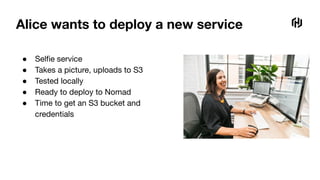
Alice wants to deploy a new service
● Selfie service
● Takes a picture, uploads to S3
● Tested locally
● Ready to deploy to Nomad
● Time to get an S3 bucket and
credentials
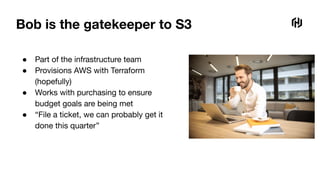
Bob is the gatekeeper to S3
● Part of the infrastructure team
● Provisions AWS with Terraform
(hopefully)
● Works with purchasing to ensure
budget goals are being met
● “File a ticket, we can probably get it
done this quarter”
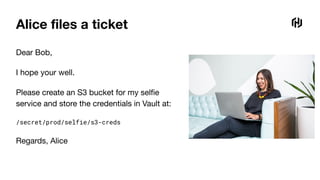
Alice files a ticket
Dear Bob,
I hope your well.
Please create an S3 bucket for my selfie
service and store the credentials in Vault at:
/secret/prod/selfie/s3-creds
Regards, Alice
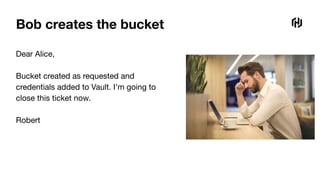
Bob creates the bucket
Dear Alice,
Bucket created as requested and
credentials added to Vault. I’m going to
close this ticket now.
Robert
Ship it
job "selfie" {
type = "service"
vault { policies = ["application"] }
group "server" {
task "server" {
template {
data = <<-EOF
{{with secret "secret/prod/selfie/s3-creds"}}
AWS_KEY_ID={{.Data.access_key_id}}
AWS_KEY_SECRET={{.Data.access_key_secret}}
S3_BUCKET={{.Data.bucket}}
S3_REGION={{.Data.region}}
{{end}}
EOF
destination = "local/env"
env = true
}
}
}
}
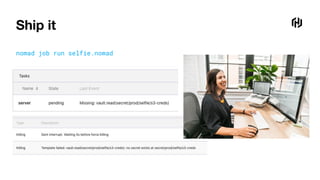
Ship it
nomad job run selfie.nomad
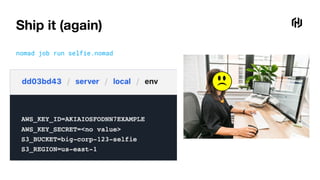
Ship it (again)
job "selfie" {
type = "service"
vault { policies = ["application"] }
group "server" {
task "server" {
template {
data = <<-EOF
{{with secret "secret/production/selfie/s3-creds"}}
AWS_KEY_ID={{.Data.access_key_id}}
AWS_KEY_SECRET={{.Data.access_key_secret}}
S3_BUCKET={{.Data.bucket}}
S3_REGION={{.Data.region}}
{{end}}
EOF
destination = "local/env"
env = true
}
}
}
}
Ship it (again)
nomad job run selfie.nomad
Independent Software Consultant
Backbeat Software
glynn@backbeat.tech
github.com/glynnforrest
twitter.com/glynn_forrest
Glynn
Forrest
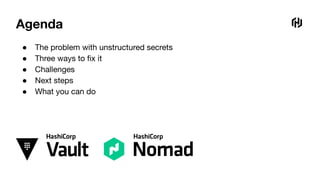
Agenda
● The problem with unstructured secrets
● Three ways to fix it
● Challenges
● Next steps
● What you can do
If they are managed correctly
Shared secret
stores are great
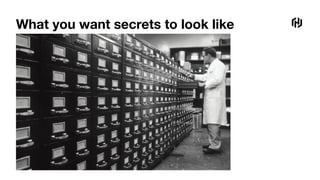
What you want secrets to look like
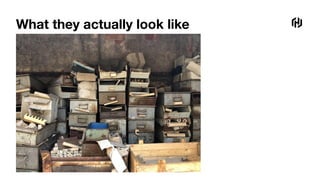
What they actually look like
Alice and Bob
Symptom of a larger problem
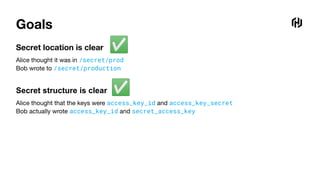
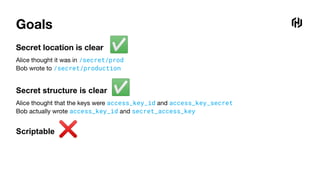
Goals
Secret location is clear
Alice thought it was in /secret/prod
Bob wrote to /secret/production
Secret structure is clear
Alice thought that the keys were access_key_id and access_key_secret
Bob actually wrote access_key_id and secret_access_key
✅
✅
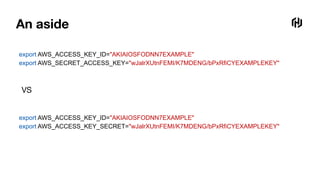
An aside
export AWS_ACCESS_KEY_ID="AKIAIOSFODNN7EXAMPLE"
export AWS_SECRET_ACCESS_KEY="wJalrXUtnFEMI/K7MDENG/bPxRfiCYEXAMPLEKEY"
export AWS_ACCESS_KEY_ID="AKIAIOSFODNN7EXAMPLE"
export AWS_ACCESS_KEY_SECRET="wJalrXUtnFEMI/K7MDENG/bPxRfiCYEXAMPLEKEY"
VS
1. Let’s fix this
with documentation
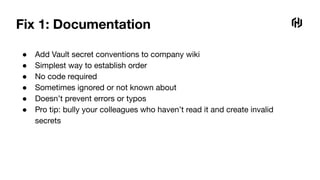
Fix 1: Documentation
● Add Vault secret conventions to company wiki
● Simplest way to establish order
● No code required
● Sometimes ignored or not known about
● Doesn’t prevent errors or typos
● Pro tip: bully your colleagues who haven’t read it and create invalid
secrets
Scriptable ❌
Goals
Secret location is clear
Alice thought it was in /secret/prod
Bob wrote to /secret/production
Secret structure is clear
Alice thought that the keys were access_key_id and access_key_secret
Bob actually wrote access_key_id and secret_access_key
✅
✅
2. Let’s fix this
with a script
Fix 2: Bob’s Vault S3 enforcer script
data = vault_client.get(sys.argv[1])
for key in ['access_key_id', 'secret_access_key', 'bucket', 'region']:
if key not in data:
print('ERROR: Missing key ' + key)
sys.exit(1)
VAULT_TOKEN=s.abc123 s3-enforcer.py secret/production/selfie/s3-creds
Scriptable ✅
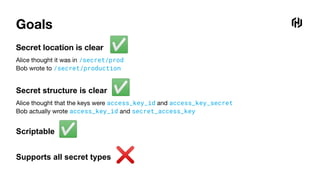
Goals
Secret location is clear
Alice thought it was in /secret/prod
Bob wrote to /secret/production
Secret structure is clear
Alice thought that the keys were access_key_id and access_key_secret
Bob actually wrote access_key_id and secret_access_key
✅
✅
Supports all secret types ❌
3. Let’s fix this
with static typing
Static typing?
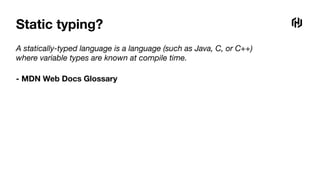
A statically-typed language is a language (such as Java, C, or C++)
where variable types are known at compile time.
- MDN Web Docs Glossary
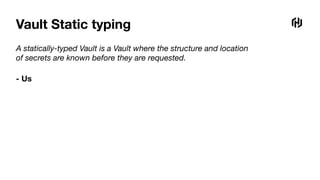
Vault Static typing
A statically-typed Vault is a Vault where the structure and location
of secrets are known before they are requested.
- Us
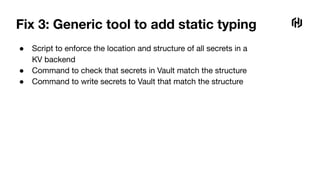
Fix 3: Generic tool to add static typing
● Script to enforce the location and structure of all secrets in a
KV backend
● Command to check that secrets in Vault match the structure
● Command to write secrets to Vault that match the structure
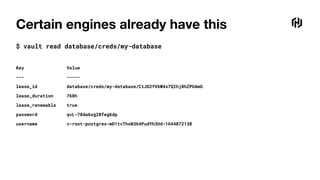
Certain engines already have this
$ vault read database/creds/my-database
Key Value
--- -----
lease_id database/creds/my-database/CiJG2YV6W4s7QIhj8hZPUAmG
lease_duration 768h
lease_renewable true
password qvL-78da6zg28feg6dp
username v-root-postgres-mD1tvThoN364PudYh3Ud-1644872138
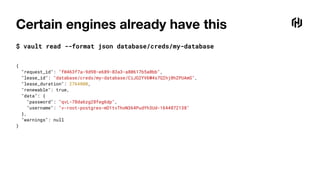
Certain engines already have this
$ vault read --format json database/creds/my-database
{
"request_id": "f0463f7a-9d98-e689-83a3-a80617b5a0bb",
"lease_id": "database/creds/my-database/CiJG2YV6W4s7QIhj8hZPUAmG",
"lease_duration": 2764800,
"renewable": true,
"data": {
"password": "qvL-78da6zg28feg6dp",
"username": "v-root-postgres-mD1tvThoN364PudYh3Ud-1644872138"
},
"warnings": null
}
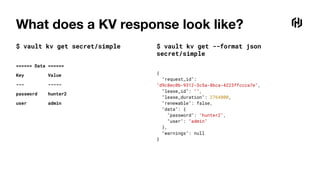
What does a KV response look like?
$ vault kv get secret/simple
====== Data ======
Key Value
--- -----
password hunter2
user admin
$ vault kv get --format json
secret/simple
{
"request_id":
"d9c8ec0b-9312-3c5a-86ca-4223ffccca7e",
"lease_id": "",
"lease_duration": 2764800,
"renewable": false,
"data": {
"password": "hunter2",
"user": "admin"
},
"warnings": null
}
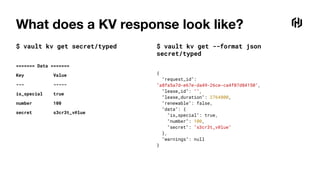
What does a KV response look like?
$ vault kv get secret/typed
======= Data =======
Key Value
--- -----
is_special true
number 100
secret s3cr3t_v@lue
$ vault kv get --format json
secret/typed
{
"request_id":
"a8fa5a7d-e67e-da49-26ce-ca4f07d84150",
"lease_id": "",
"lease_duration": 2764800,
"renewable": false,
"data": {
"is_special": true,
"number": 100,
"secret": "s3cr3t_v@lue"
},
"warnings": null
}
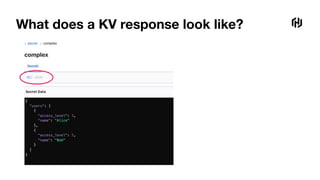
What does a KV response look like?
$ vault kv get --format json secret/complex
{
"request_id": "2d9487d8-093d-1d86-4433-65bb228b149e",
"lease_id": "",
"lease_duration": 2764800,
"renewable": false,
"data": {
"users": [
{
"access_level": 3,
"name": "Alice"
},
{
"access_level": 5,
"name": "Bob"
}
]
},
"warnings": null
}
What does a KV response look like?
$ vault kv get secret/complex
==== Data ====
Key Value
--- -----
users [map[access_level:3 name:Alice] map[access_level:5 name:Bob]]
What does a KV response look like?
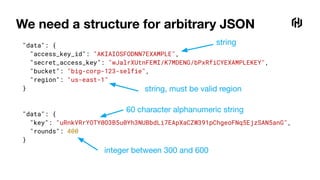
We need a structure for arbitrary JSON
"data": {
"access_key_id": "AKIAIOSFODNN7EXAMPLE",
"secret_access_key": "wJalrXUtnFEMI/K7MDENG/bPxRfiCYEXAMPLEKEY",
"bucket": "big-corp-123-selfie",
"region": "us-east-1"
}
"data": {
"key": "uRnkVRrYOTY0O3B5u0Yh3NUBbdLi7EApXaCZW391pChgeoFNq5EjzSAN5anG",
"rounds": 400
}
string
string, must be valid region
integer between 300 and 600
60 character alphanumeric string
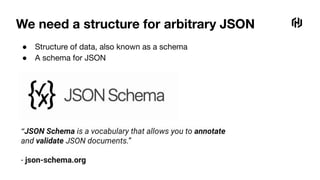
We need a structure for arbitrary JSON
● Structure of data, also known as a schema
● A schema for JSON
“JSON Schema is a vocabulary that allows you to annotate
and validate JSON documents.”
- json-schema.org
We need a structure for arbitrary JSON
{
"type": "object",
"properties": {
"access_key_id": {
"type": "string"
},
"secret_access_key": {
"type": "string"
},
"bucket": {
"type": "string"
},
"region": {
"type": "string",
"pattern": "^(us|eu)-[a-z]+-[0-9]$"
}
},
"additionalProperties": false,
"required": ["access_key_id", "secret_access_key", "bucket", "region"]
}
string
string, must be valid region
We need a structure for arbitrary JSON
{
"type": "object",
"properties": {
"key": {
"type": "string",
"pattern": "^[a-zA-Z0-9]{60}$"
},
"rounds": {
"type": "integer",
"minimum": 300,
"maximum": 600
},
"audit": {
"type": "boolean"
}
},
"additionalProperties": false,
"required": [ "key", "rounds"]
}
integer between 300 and 600
60 character alphanumeric string
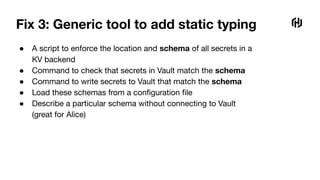
Fix 3: Generic tool to add static typing
● A script to enforce the location and schema of all secrets in a
KV backend
● Command to check that secrets in Vault match the schema
● Command to write secrets to Vault that match the schema
● Load these schemas from a configuration file
● Describe a particular schema without connecting to Vault
(great for Alice)
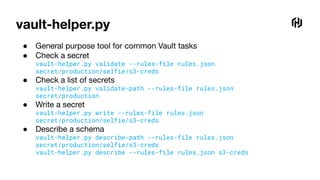
vault-helper.py
● General purpose tool for common Vault tasks
● Check a secret
vault-helper.py validate --rules-file rules.json
secret/production/selfie/s3-creds
● Check a list of secrets
vault-helper.py validate-path --rules-file rules.json
secret/production
● Write a secret
vault-helper.py write --rules-file rules.json
secret/production/selfie/s3-creds
● Describe a schema
vault-helper.py describe-path --rules-file rules.json
secret/production/selfie/s3-creds
vault-helper.py describe --rules-file rules.json s3-creds
Secret ‘rules’
{
"name": "s3-creds",
"description": "Credentials for an AWS S3 bucket",
"pattern": "secret/(production|staging)/.+/s3-creds$",
"schema": {
"type": "object",
"properties": {
"access_key_id": {"type": "string"},
"secret_access_key": {"type": "string"},
"bucket": {"type": "string"},
"region": {
"type": "string",
"pattern": "^(us|eu)-[a-z]+-[0-9]$"
}
},
"additionalProperties": false,
"required": ["access_key_id", "secret_access_key", "bucket", "region"]
}
}
Shorthand
{
"name": "encryption-key",
"description": "Super secret encryption key",
"pattern": "secret/.+/encryption-key$",
"keys": {
"key": "string:^[a-zA-Z0-9]{60}$",
"rounds": "integer:300-600",
"audit": "optional_boolean"
}
}
{
"name": "encryption-key",
"description": "Super secret encryption key",
"pattern": "secret/.+/encryption-key$",
"schema": {
"type": "object",
"properties": {
"key": {
"type": "string",
"pattern": "^[a-zA-Z0-9]{60}$"
},
"rounds": {
"type": "integer",
"minimum": 300,
"maximum": 600
},
"audit": {"type": "boolean"}
},
"additionalProperties": false,
"required": ["key", "rounds"]
}
}
Demo
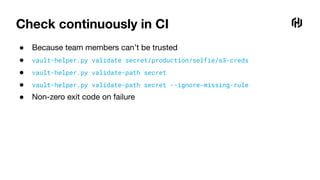
Check continuously in CI
● Because team members can’t be trusted
● vault-helper.py validate secret/production/selfie/s3-creds
● vault-helper.py validate-path secret
● vault-helper.py validate-path secret --ignore-missing-rule
● Non-zero exit code on failure
Scriptable ✅
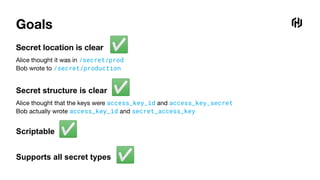
Goals
Secret location is clear
Alice thought it was in /secret/prod
Bob wrote to /secret/production
Secret structure is clear
Alice thought that the keys were access_key_id and access_key_secret
Bob actually wrote access_key_id and secret_access_key
✅
✅
Supports all secret types ✅
Challenges
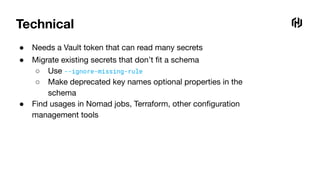
Technical
● Needs a Vault token that can read many secrets
● Migrate existing secrets that don’t fit a schema
○ Use --ignore-missing-rule
○ Make deprecated key names optional properties in the
schema
● Find usages in Nomad jobs, Terraform, other configuration
management tools
People
● Needs cooperation from different teams
● Uncovers KV usage in parts of the organization
● Might be considered too much of a risk
○ Another process reading secrets from Vault
○ Prints the keys of secrets in error messages
'key' does not match '^[a-zA-Z0-9]{60}$'.
'region' does not match '^(us|eu)-[a-z]+-[0-9]$'.
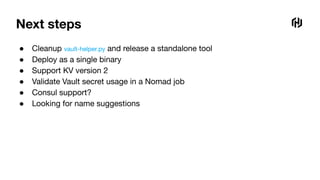
Next steps
Next steps
● Cleanup vault-helper.py and release a standalone tool
● Deploy as a single binary
● Support KV version 2
● Validate Vault secret usage in a Nomad job
● Consul support?
● Looking for name suggestions
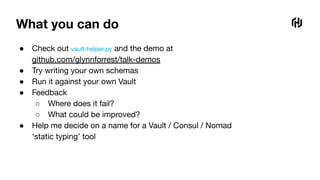
What you can do
What you can do
● Check out vault-helper.py and the demo at
github.com/glynnforrest/talk-demos
● Try writing your own schemas
● Run it against your own Vault
● Feedback
○ Where does it fail?
○ What could be improved?
● Help me decide on a name for a Vault / Consul / Nomad
‘static typing’ tool
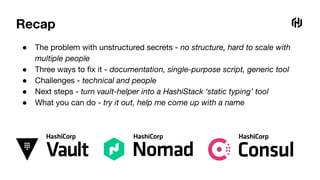
Recap
● The problem with unstructured secrets - no structure, hard to scale with
multiple people
● Three ways to fix it - documentation, single-purpose script, generic tool
● Challenges - technical and people
● Next steps - turn vault-helper into a HashiStack ‘static typing’ tool
● What you can do - try it out, help me come up with a name
Big corp tales
Episode 2: Sharing structured Vault secrets
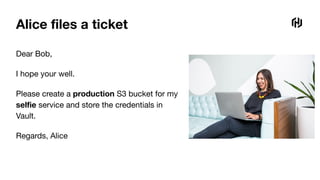
Alice files a ticket
Dear Bob,
I hope your well.
Please create a production S3 bucket for my
selfie service and store the credentials in
Vault.
Regards, Alice
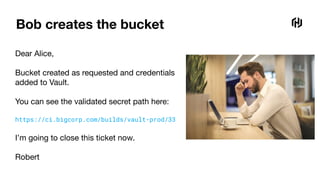
Bob creates the bucket
Dear Alice,
Bucket created as requested and credentials
added to Vault.
You can see the validated secret path here:
https://ci.bigcorp.com/builds/vault-prod/33
I’m going to close this ticket now.
Robert
Ship it
job "selfie" {
type = "service"
vault { policies = ["application"] }
group "server" {
task "server" {
template {
data = <<-EOF
{{with secret "secret/production/selfie/s3-creds"}}
AWS_KEY_ID={{.Data.access_key_id}}
AWS_KEY_SECRET={{.Data.secret_access_key}}
S3_BUCKET={{.Data.bucket}}
S3_REGION={{.Data.region}}
{{end}}
EOF
destination = "local/env"
env = true
}
}
}
}
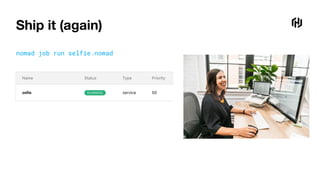
Ship it (again)
nomad job run selfie.nomad
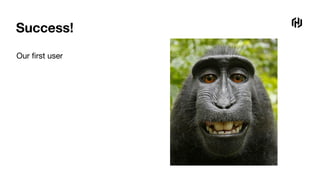
Success!
Our first user
Thank You
Photo credits
Google slides stock imagery
@nci - unsplash.com
@geriforsaith - unsplash.com
Cat chemistry meme
That monkey that took a selfie
Glynn Forrest
Backbeat Software
glynn@backbeat.tech
github.com/glynnforrest/talk-demos
twitter.com/glynn_forrest

Static Typing in Vault

  • 1.
  • 2.
    Big corp tales Episode1: Sharing unstructured Vault secrets
  • 3.
    Alice wants todeploy a new service ● Selfie service ● Takes a picture, uploads to S3 ● Tested locally ● Ready to deploy to Nomad ● Time to get an S3 bucket and credentials
  • 4.
    Bob is thegatekeeper to S3 ● Part of the infrastructure team ● Provisions AWS with Terraform (hopefully) ● Works with purchasing to ensure budget goals are being met ● “File a ticket, we can probably get it done this quarter”
  • 5.
    Alice files aticket Dear Bob, I hope your well. Please create an S3 bucket for my selfie service and store the credentials in Vault at: /secret/prod/selfie/s3-creds Regards, Alice
  • 6.
    Bob creates thebucket Dear Alice, Bucket created as requested and credentials added to Vault. I’m going to close this ticket now. Robert
  • 7.
    Ship it job "selfie"{ type = "service" vault { policies = ["application"] } group "server" { task "server" { template { data = <<-EOF {{with secret "secret/prod/selfie/s3-creds"}} AWS_KEY_ID={{.Data.access_key_id}} AWS_KEY_SECRET={{.Data.access_key_secret}} S3_BUCKET={{.Data.bucket}} S3_REGION={{.Data.region}} {{end}} EOF destination = "local/env" env = true } } } }
  • 8.
    Ship it nomad jobrun selfie.nomad
  • 9.
    Ship it (again) job"selfie" { type = "service" vault { policies = ["application"] } group "server" { task "server" { template { data = <<-EOF {{with secret "secret/production/selfie/s3-creds"}} AWS_KEY_ID={{.Data.access_key_id}} AWS_KEY_SECRET={{.Data.access_key_secret}} S3_BUCKET={{.Data.bucket}} S3_REGION={{.Data.region}} {{end}} EOF destination = "local/env" env = true } } } }
  • 10.
    Ship it (again) nomadjob run selfie.nomad
  • 11.
    Independent Software Consultant BackbeatSoftware glynn@backbeat.tech github.com/glynnforrest twitter.com/glynn_forrest Glynn Forrest
  • 12.
    Agenda ● The problemwith unstructured secrets ● Three ways to fix it ● Challenges ● Next steps ● What you can do
  • 13.
    If they aremanaged correctly Shared secret stores are great
  • 14.
    What you wantsecrets to look like
  • 15.
  • 16.
    Alice and Bob Symptomof a larger problem
  • 17.
    Goals Secret location isclear Alice thought it was in /secret/prod Bob wrote to /secret/production Secret structure is clear Alice thought that the keys were access_key_id and access_key_secret Bob actually wrote access_key_id and secret_access_key ✅ ✅
  • 18.
    An aside export AWS_ACCESS_KEY_ID="AKIAIOSFODNN7EXAMPLE" exportAWS_SECRET_ACCESS_KEY="wJalrXUtnFEMI/K7MDENG/bPxRfiCYEXAMPLEKEY" export AWS_ACCESS_KEY_ID="AKIAIOSFODNN7EXAMPLE" export AWS_ACCESS_KEY_SECRET="wJalrXUtnFEMI/K7MDENG/bPxRfiCYEXAMPLEKEY" VS
  • 19.
    1. Let’s fixthis with documentation
  • 20.
    Fix 1: Documentation ●Add Vault secret conventions to company wiki ● Simplest way to establish order ● No code required ● Sometimes ignored or not known about ● Doesn’t prevent errors or typos ● Pro tip: bully your colleagues who haven’t read it and create invalid secrets
  • 21.
    Scriptable ❌ Goals Secret locationis clear Alice thought it was in /secret/prod Bob wrote to /secret/production Secret structure is clear Alice thought that the keys were access_key_id and access_key_secret Bob actually wrote access_key_id and secret_access_key ✅ ✅
  • 22.
    2. Let’s fixthis with a script
  • 23.
    Fix 2: Bob’sVault S3 enforcer script data = vault_client.get(sys.argv[1]) for key in ['access_key_id', 'secret_access_key', 'bucket', 'region']: if key not in data: print('ERROR: Missing key ' + key) sys.exit(1) VAULT_TOKEN=s.abc123 s3-enforcer.py secret/production/selfie/s3-creds
  • 24.
    Scriptable ✅ Goals Secret locationis clear Alice thought it was in /secret/prod Bob wrote to /secret/production Secret structure is clear Alice thought that the keys were access_key_id and access_key_secret Bob actually wrote access_key_id and secret_access_key ✅ ✅ Supports all secret types ❌
  • 25.
    3. Let’s fixthis with static typing
  • 26.
    Static typing? A statically-typedlanguage is a language (such as Java, C, or C++) where variable types are known at compile time. - MDN Web Docs Glossary
  • 27.
    Vault Static typing Astatically-typed Vault is a Vault where the structure and location of secrets are known before they are requested. - Us
  • 28.
    Fix 3: Generictool to add static typing ● Script to enforce the location and structure of all secrets in a KV backend ● Command to check that secrets in Vault match the structure ● Command to write secrets to Vault that match the structure
  • 29.
    Certain engines alreadyhave this $ vault read database/creds/my-database Key Value --- ----- lease_id database/creds/my-database/CiJG2YV6W4s7QIhj8hZPUAmG lease_duration 768h lease_renewable true password qvL-78da6zg28feg6dp username v-root-postgres-mD1tvThoN364PudYh3Ud-1644872138
  • 30.
    Certain engines alreadyhave this $ vault read --format json database/creds/my-database { "request_id": "f0463f7a-9d98-e689-83a3-a80617b5a0bb", "lease_id": "database/creds/my-database/CiJG2YV6W4s7QIhj8hZPUAmG", "lease_duration": 2764800, "renewable": true, "data": { "password": "qvL-78da6zg28feg6dp", "username": "v-root-postgres-mD1tvThoN364PudYh3Ud-1644872138" }, "warnings": null }
  • 31.
    What does aKV response look like? $ vault kv get secret/simple ====== Data ====== Key Value --- ----- password hunter2 user admin $ vault kv get --format json secret/simple { "request_id": "d9c8ec0b-9312-3c5a-86ca-4223ffccca7e", "lease_id": "", "lease_duration": 2764800, "renewable": false, "data": { "password": "hunter2", "user": "admin" }, "warnings": null }
  • 32.
    What does aKV response look like? $ vault kv get secret/typed ======= Data ======= Key Value --- ----- is_special true number 100 secret s3cr3t_v@lue $ vault kv get --format json secret/typed { "request_id": "a8fa5a7d-e67e-da49-26ce-ca4f07d84150", "lease_id": "", "lease_duration": 2764800, "renewable": false, "data": { "is_special": true, "number": 100, "secret": "s3cr3t_v@lue" }, "warnings": null }
  • 33.
    What does aKV response look like? $ vault kv get --format json secret/complex { "request_id": "2d9487d8-093d-1d86-4433-65bb228b149e", "lease_id": "", "lease_duration": 2764800, "renewable": false, "data": { "users": [ { "access_level": 3, "name": "Alice" }, { "access_level": 5, "name": "Bob" } ] }, "warnings": null }
  • 34.
    What does aKV response look like? $ vault kv get secret/complex ==== Data ==== Key Value --- ----- users [map[access_level:3 name:Alice] map[access_level:5 name:Bob]]
  • 35.
    What does aKV response look like?
  • 36.
    What does aKV response look like?
  • 37.
    We need astructure for arbitrary JSON "data": { "access_key_id": "AKIAIOSFODNN7EXAMPLE", "secret_access_key": "wJalrXUtnFEMI/K7MDENG/bPxRfiCYEXAMPLEKEY", "bucket": "big-corp-123-selfie", "region": "us-east-1" } "data": { "key": "uRnkVRrYOTY0O3B5u0Yh3NUBbdLi7EApXaCZW391pChgeoFNq5EjzSAN5anG", "rounds": 400 } string string, must be valid region integer between 300 and 600 60 character alphanumeric string
  • 38.
    We need astructure for arbitrary JSON ● Structure of data, also known as a schema ● A schema for JSON “JSON Schema is a vocabulary that allows you to annotate and validate JSON documents.” - json-schema.org
  • 39.
    We need astructure for arbitrary JSON { "type": "object", "properties": { "access_key_id": { "type": "string" }, "secret_access_key": { "type": "string" }, "bucket": { "type": "string" }, "region": { "type": "string", "pattern": "^(us|eu)-[a-z]+-[0-9]$" } }, "additionalProperties": false, "required": ["access_key_id", "secret_access_key", "bucket", "region"] } string string, must be valid region
  • 40.
    We need astructure for arbitrary JSON { "type": "object", "properties": { "key": { "type": "string", "pattern": "^[a-zA-Z0-9]{60}$" }, "rounds": { "type": "integer", "minimum": 300, "maximum": 600 }, "audit": { "type": "boolean" } }, "additionalProperties": false, "required": [ "key", "rounds"] } integer between 300 and 600 60 character alphanumeric string
  • 41.
    Fix 3: Generictool to add static typing ● A script to enforce the location and schema of all secrets in a KV backend ● Command to check that secrets in Vault match the schema ● Command to write secrets to Vault that match the schema ● Load these schemas from a configuration file ● Describe a particular schema without connecting to Vault (great for Alice)
  • 42.
    vault-helper.py ● General purposetool for common Vault tasks ● Check a secret vault-helper.py validate --rules-file rules.json secret/production/selfie/s3-creds ● Check a list of secrets vault-helper.py validate-path --rules-file rules.json secret/production ● Write a secret vault-helper.py write --rules-file rules.json secret/production/selfie/s3-creds ● Describe a schema vault-helper.py describe-path --rules-file rules.json secret/production/selfie/s3-creds vault-helper.py describe --rules-file rules.json s3-creds
  • 43.
    Secret ‘rules’ { "name": "s3-creds", "description":"Credentials for an AWS S3 bucket", "pattern": "secret/(production|staging)/.+/s3-creds$", "schema": { "type": "object", "properties": { "access_key_id": {"type": "string"}, "secret_access_key": {"type": "string"}, "bucket": {"type": "string"}, "region": { "type": "string", "pattern": "^(us|eu)-[a-z]+-[0-9]$" } }, "additionalProperties": false, "required": ["access_key_id", "secret_access_key", "bucket", "region"] } }
  • 44.
    Shorthand { "name": "encryption-key", "description": "Supersecret encryption key", "pattern": "secret/.+/encryption-key$", "keys": { "key": "string:^[a-zA-Z0-9]{60}$", "rounds": "integer:300-600", "audit": "optional_boolean" } } { "name": "encryption-key", "description": "Super secret encryption key", "pattern": "secret/.+/encryption-key$", "schema": { "type": "object", "properties": { "key": { "type": "string", "pattern": "^[a-zA-Z0-9]{60}$" }, "rounds": { "type": "integer", "minimum": 300, "maximum": 600 }, "audit": {"type": "boolean"} }, "additionalProperties": false, "required": ["key", "rounds"] } }
  • 45.
  • 46.
    Check continuously inCI ● Because team members can’t be trusted ● vault-helper.py validate secret/production/selfie/s3-creds ● vault-helper.py validate-path secret ● vault-helper.py validate-path secret --ignore-missing-rule ● Non-zero exit code on failure
  • 47.
    Scriptable ✅ Goals Secret locationis clear Alice thought it was in /secret/prod Bob wrote to /secret/production Secret structure is clear Alice thought that the keys were access_key_id and access_key_secret Bob actually wrote access_key_id and secret_access_key ✅ ✅ Supports all secret types ✅
  • 48.
  • 49.
    Technical ● Needs aVault token that can read many secrets ● Migrate existing secrets that don’t fit a schema ○ Use --ignore-missing-rule ○ Make deprecated key names optional properties in the schema ● Find usages in Nomad jobs, Terraform, other configuration management tools
  • 50.
    People ● Needs cooperationfrom different teams ● Uncovers KV usage in parts of the organization ● Might be considered too much of a risk ○ Another process reading secrets from Vault ○ Prints the keys of secrets in error messages 'key' does not match '^[a-zA-Z0-9]{60}$'. 'region' does not match '^(us|eu)-[a-z]+-[0-9]$'.
  • 51.
  • 52.
    Next steps ● Cleanupvault-helper.py and release a standalone tool ● Deploy as a single binary ● Support KV version 2 ● Validate Vault secret usage in a Nomad job ● Consul support? ● Looking for name suggestions
  • 53.
  • 54.
    What you cando ● Check out vault-helper.py and the demo at github.com/glynnforrest/talk-demos ● Try writing your own schemas ● Run it against your own Vault ● Feedback ○ Where does it fail? ○ What could be improved? ● Help me decide on a name for a Vault / Consul / Nomad ‘static typing’ tool
  • 55.
    Recap ● The problemwith unstructured secrets - no structure, hard to scale with multiple people ● Three ways to fix it - documentation, single-purpose script, generic tool ● Challenges - technical and people ● Next steps - turn vault-helper into a HashiStack ‘static typing’ tool ● What you can do - try it out, help me come up with a name
  • 56.
    Big corp tales Episode2: Sharing structured Vault secrets
  • 57.
    Alice files aticket Dear Bob, I hope your well. Please create a production S3 bucket for my selfie service and store the credentials in Vault. Regards, Alice
  • 58.
    Bob creates thebucket Dear Alice, Bucket created as requested and credentials added to Vault. You can see the validated secret path here: https://ci.bigcorp.com/builds/vault-prod/33 I’m going to close this ticket now. Robert
  • 59.
    Ship it job "selfie"{ type = "service" vault { policies = ["application"] } group "server" { task "server" { template { data = <<-EOF {{with secret "secret/production/selfie/s3-creds"}} AWS_KEY_ID={{.Data.access_key_id}} AWS_KEY_SECRET={{.Data.secret_access_key}} S3_BUCKET={{.Data.bucket}} S3_REGION={{.Data.region}} {{end}} EOF destination = "local/env" env = true } } } }
  • 60.
    Ship it (again) nomadjob run selfie.nomad
  • 61.
  • 62.
    Thank You Photo credits Googleslides stock imagery @nci - unsplash.com @geriforsaith - unsplash.com Cat chemistry meme That monkey that took a selfie Glynn Forrest Backbeat Software glynn@backbeat.tech github.com/glynnforrest/talk-demos twitter.com/glynn_forrest