Reducing Bugs With Static Code
Analysis
Scott Keck-Warren
php[tek] 2023
@scottKeckWarren@phpc.social
@scottKeckWarren@twitter.com
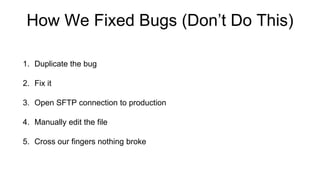
How We Fixed Bugs (Don’t Do This)
1. Duplicate the bug
2. Fix it
3. Open SFTP connection to production
4. Manually edit the file
5. Cross our fingers nothing broke
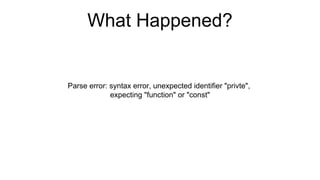
What Happened?
Parse error: syntax error, unexpected identifier "privte",
expecting "function" or "const"
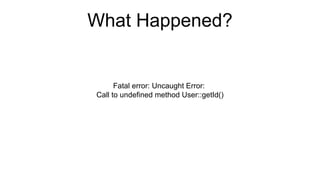
What Happened?
Fatal error: Uncaught Error:
Call to undefined method User::getId()
What Happened?
• Type errors
• Left over `echo` debug statements
• `exit` in unexpected spot
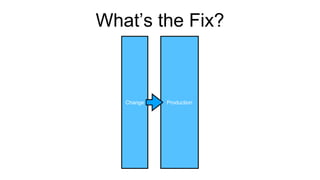
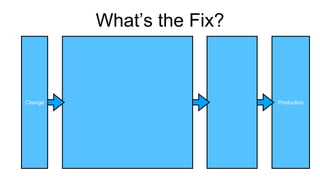
What’s the Fix?
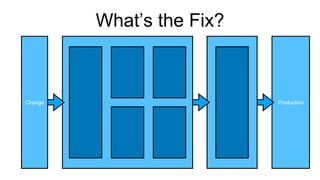
What’s the Fix?
Production
Change
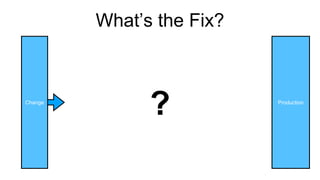
What’s the Fix?
Production
Change
?
What’s the Fix?
Production
Change
What’s the Fix?
Production
Change
Reducing Bugs With Static Code
Analysis
Scott Keck-Warren
php[tek] 2023
@scottKeckWarren@phpc.social
@scottKeckWarren@twitter.com
Scott Keck-Warren
Director of Technology
@ WeCare Connect
Scott Keck-Warren
PHP Developer
Scott Keck-Warren
Director of Technology
@ WeCare Connect
Scott Keck-Warren
Host
@ PHP[Architect] YouTube
Channel
https://www.youtube.com/c/phparch
Agenda
1. What is Static Code Analysis?
2. Where Do We Perform Static Code Analysis?
3. Tools For Static Code Analysis
What is Static Code Analysis?
Two Ways to Analyze Code
1. Dynamic Code Analysis
2. Static Code Analysis
What is Static Code Analysis?
Dynamic Code Analysis
• Run code (manually or automatically)
• Manual: slow and expensive
• Automated: slow to create but infinitely repeatable
What is Static Code Analysis?
Static Code Analysis
• Analyze our source code without actually executing
• Slow onboarding (maybe) on brownfield applications
• Infinitely repeatable
• Can be faster than dynamic tests
What is Static Code Analysis?
What specifically can we do with Static Code Analysis?
• Find errors
• Adhere to standards
• Automatically refactor our code
What is Static Code Analysis?
• Teams size is not a limiting factor to using SCA
• Compute can be
Where Do We Perform Static
Code Analysis?
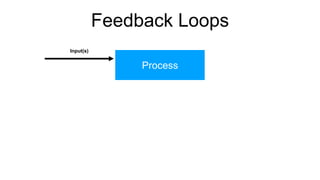
Feedback Loops
Feedback Loops
Process
Feedback Loops
Process
Input(s)
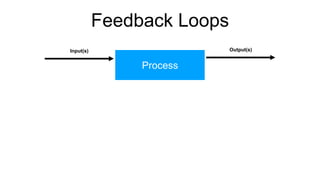
Feedback Loops
Process
Input(s) Output(s)
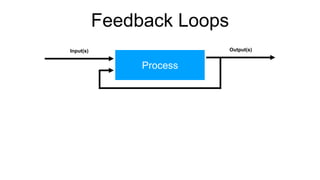
Feedback Loops
Process
Input(s) Output(s)
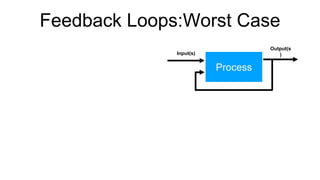
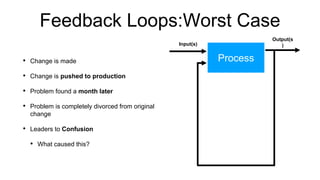
Feedback Loops:Worst Case
Process
Input(s)
Output(s
)
Feedback Loops:Worst Case
• Change is made
• Change is pushed to production
• Problem found a month later
• Problem is completely divorced from original
change
• Leaders to Confusion
• What caused this?
Process
Input(s)
Output(s
)
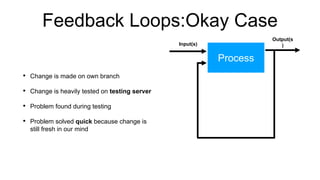
Feedback Loops:Okay Case
• Change is made on own branch
• Change is heavily tested on testing server
• Problem found during testing
• Problem solved quick because change is
still fresh in our mind
Process
Input(s)
Output(s
)
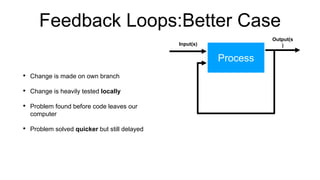
Feedback Loops:Better Case
• Change is made on own branch
• Change is heavily tested locally
• Problem found before code leaves our
computer
• Problem solved quicker but still delayed
Process
Input(s)
Output(s
)
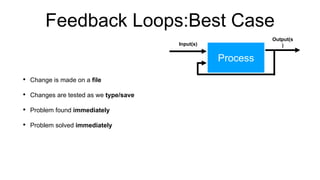
Feedback Loops:Best Case
• Change is made on a file
• Changes are tested as we type/save
• Problem found immediately
• Problem solved immediately
Process
Input(s)
Output(s
)
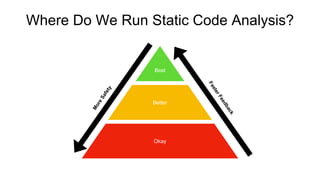
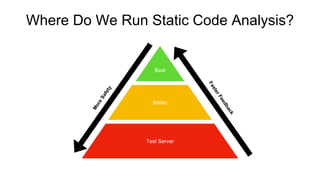
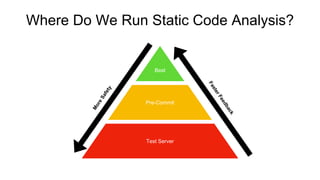
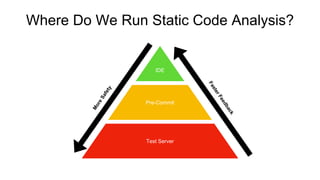
Where Do We Run Static Code Analysis?
Best
Okay
Better
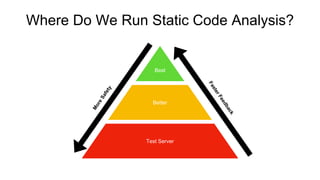
Where Do We Run Static Code Analysis?
Best
Test Server
Better
Test Server
Test Server
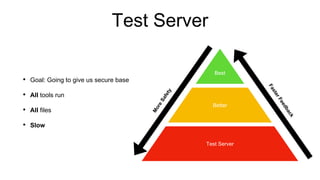
• Goal: Going to give us secure base
• All tools run
• All files
• Slow
Best
Test Server
Better
Test Server
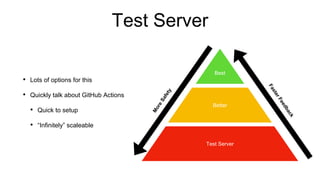
• Lots of options for this
• Quickly talk about GitHub Actions
• Quick to setup
• “Infinitely” scaleable
Best
Test Server
Better
Test Server
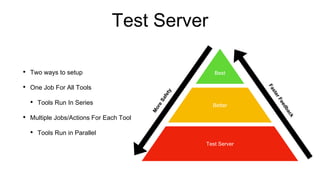
• Two ways to setup
• One Job For All Tools
• Tools Run In Series
• Multiple Jobs/Actions For Each Tool
• Tools Run in Parallel
Best
Test Server
Better
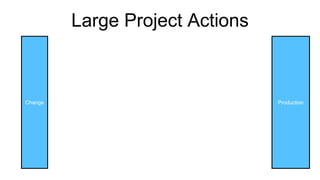
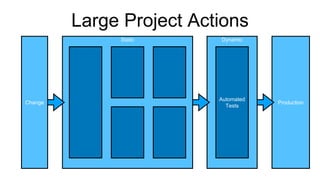
Large Project Actions
Production
Change
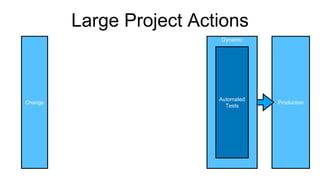
Large Project Actions
Production
Change
Dynamic
Automated
Tests
Large Project Actions
Production
Change
Dynamic
Automated
Tests
Static
Where Do We Run Static Code Analysis?
Best
Test Server
Better
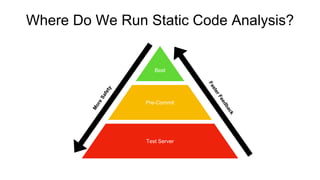
Where Do We Run Static Code Analysis?
Best
Test Server
Pre-Commit
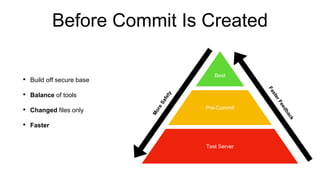
Before Commit Is Created
• Build off secure base
• Balance of tools
• Changed files only
• Faster
Best
Test Server
Pre-Commit
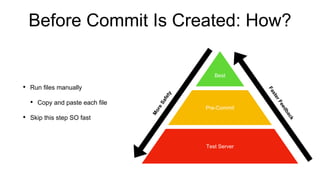
Before Commit Is Created: How?
• Run files manually
• Copy and paste each file
• Skip this step SO fast
Best
Test Server
Pre-Commit
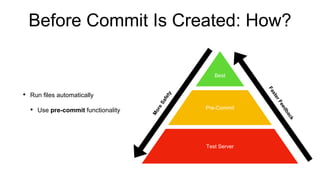
Before Commit Is Created: How?
• Run files automatically
• Use pre-commit functionality
Best
Test Server
Pre-Commit
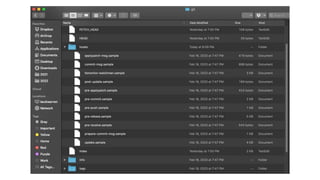
Pre-Commit Script
commit-msg
pre-push
pre-commit
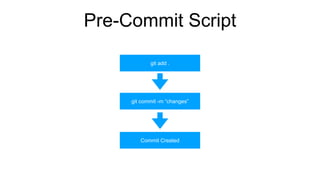
Pre-Commit Script
git add .
git commit -m “changes”
Commit Created
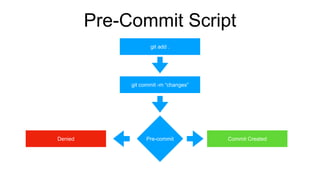
Pre-Commit Script
git add .
git commit -m “changes”
Commit Created
Pre-commit
Denied
Pre-Commit Script
Our Pre-commit script’s goals:
1. Give us fast feedback loop
2. Only run on files we changed
3. Run as many tools as possible
Only run on files we changed?
Pre-Commit Script
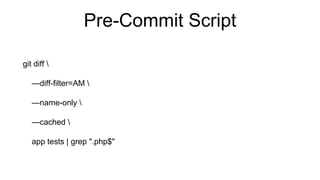
git diff 
—diff-filter=AM 
—name-only 
—cached 
app tests | grep ".php$"
Pre-Commit Script
function __runStaticTool() #(name, command)
{
echo -e "nn$1"
output=$(eval "$2" 2>&1)
exitcode=$?
if [[ 0 == $exitcode || 130 == $exitcode ]]; then
echo -e "Success"
else
echo -e "Failurenn$output"
exit 1
fi
}
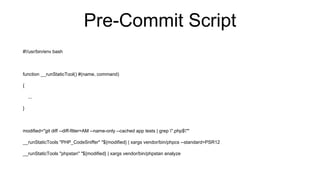
Pre-Commit Script
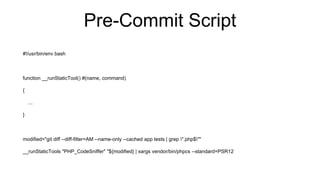
#!/usr/bin/env bash
function __runStaticTool() #(name, command)
{
...
}
modified="git diff --diff-filter=AM --name-only --cached app tests | grep ".php$""
__runStaticTools "PHP_CodeSniffer" "${modified} | xargs vendor/bin/phpcs --standard=PSR12
Pre-Commit Script
#!/usr/bin/env bash
function __runStaticTool() #(name, command)
{
...
}
modified="git diff --diff-filter=AM --name-only --cached app tests | grep ".php$""
__runStaticTools "PHP_CodeSniffer" "${modified} | xargs vendor/bin/phpcs --standard=PSR12
__runStaticTools "phpstan" "${modified} | xargs vendor/bin/phpstan analyze
Pre-Commit Script
• Located at .git/hooks/pre-commit
• NOT part of repo
• Can be skipped
Pre-Commit Script
• Keep copy in “scripts” directory
• Use composer to install everywhere
Where Do We Run Static Code Analysis?
Best
Test Server
Pre-Commit
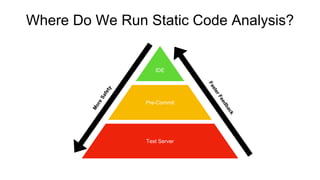
Where Do We Run Static Code Analysis?
IDE
Test Server
Pre-Commit
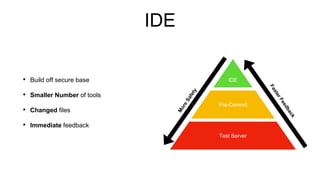
IDE
• Build off secure base
• Smaller Number of tools
• Changed files
• Immediate feedback
IDE
Test Server
Pre-Commit
IDE: Top Suggestions
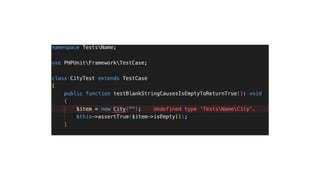
• Errors out in public
• Don’t ignore them
• Look for integrations/extensions
Where Do We Run Static Code Analysis?
IDE
Test Server
Pre-Commit
Tools
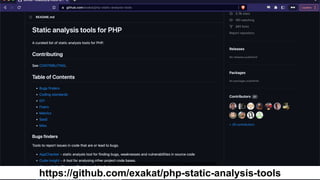
https://github.com/exakat/php-static-analysis-tools
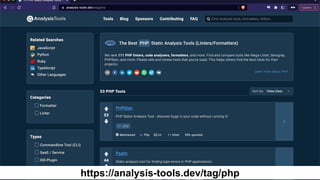
https://analysis-tools.dev/tag/php
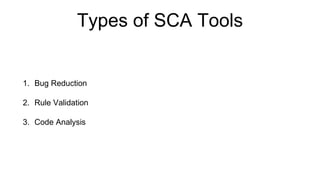
Types of SCA Tools
1. Bug Reduction
2. Rule Validation
3. Code Analysis
Types of SCA Tools
1. Bug Reduction
2. Rule Validation
3. Code Analysis
Focus: Scott’s Favorites
1. Free
2. Easy to use
3. Command line based
Linting
Is Our Code Valid?
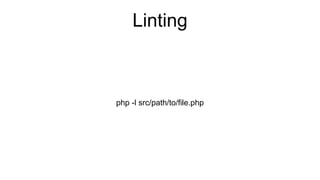
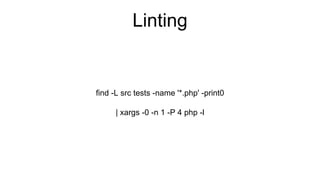
Linting
php -l src/path/to/file.php
Linting
find -L src tests -name '*.php' -print0
| xargs -0 -n 1 -P 4 php -l
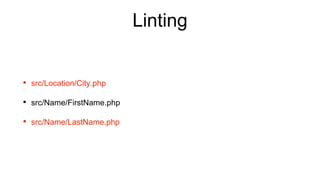
Linting
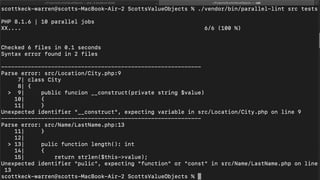
• src/Location/City.php
• src/Name/FirstName.php
• src/Name/LastName.php
php-parallel-lint/php-parallel-lint
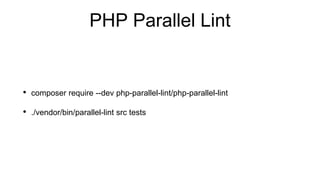
PHP Parallel Lint
• composer require --dev php-parallel-lint/php-parallel-lint
• ./vendor/bin/parallel-lint src tests
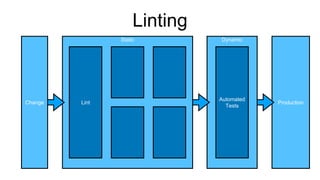
Linting
Production
Change
Dynamic
Automated
Tests
Static
Lint
Grep Command Line
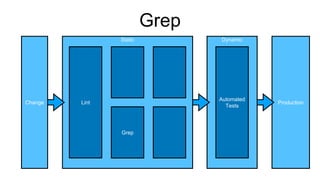
Grep
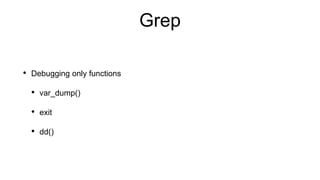
• Debugging only functions
• var_dump()
• exit
• dd()
Grep
• In most Unix environments by default
• grep “thing we don’t want” src tests
Grep
Production
Change
Dynamic
Automated
Tests
Static
Lint
Grep
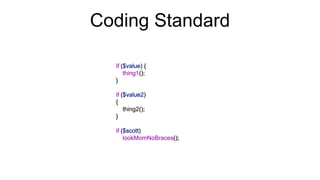
Coding Standard
Coding Standard
PHP_CodeSniffer
• phpcs -> validates code
• phpcbf -> fixes code (when possible)
PHP_CodeSniffer
1. Existing coding standards: PSR12, Pear, Zend, etc
2. Create from scratch
3. Existing + Extras
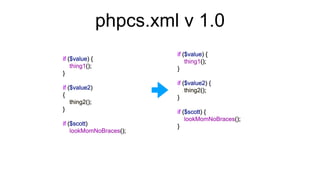
phpcs.xml v 1.0
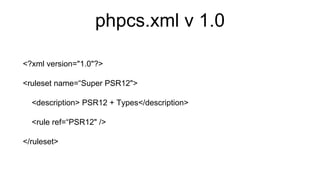
<?xml version="1.0"?>
<ruleset name=“Super PSR12">
<description> PSR12 + Types</description>
<rule ref=“PSR12" />
</ruleset>
phpcs.xml v 1.0
./vendor/bin/phpcbf --standard=phpcs.xml src tests
phpcs.xml v 1.0
–You (Maybe)
“How does this prevent bugs?”
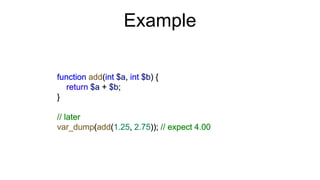
Example
Example
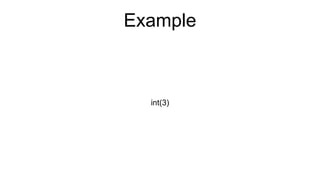
int(3)
Example
Type Juggling
Example
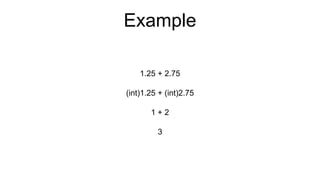
1.25 + 2.75
(int)1.25 + (int)2.75
1 + 2
3
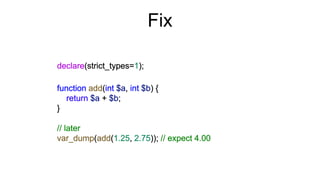
Fix
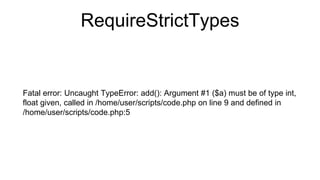
RequireStrictTypes
Fatal error: Uncaught TypeError: add(): Argument #1 ($a) must be of type int,
float given, called in /home/user/scripts/code.php on line 9 and defined in
/home/user/scripts/code.php:5
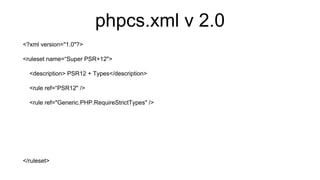
phpcs.xml v 2.0
<?xml version="1.0"?>
<ruleset name=“Super PSR+12">
<description> PSR12 + Types</description>
<rule ref=“PSR12" />
<rule ref="Generic.PHP.RequireStrictTypes" />
</ruleset>
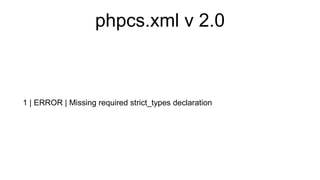
phpcs.xml v 2.0
1 | ERROR | Missing required strict_types declaration
Slevomat Coding Standard
• Slevomat Coding Standard library
• composer require --dev "slevomat/coding-standard"
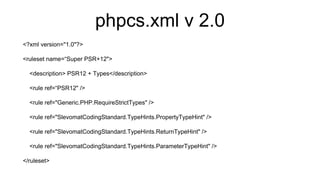
phpcs.xml v 2.0
<?xml version="1.0"?>
<ruleset name=“Super PSR+12">
<description> PSR12 + Types</description>
<rule ref=“PSR12" />
<rule ref="Generic.PHP.RequireStrictTypes" />
<rule ref="SlevomatCodingStandard.TypeHints.PropertyTypeHint" />
<rule ref="SlevomatCodingStandard.TypeHints.ReturnTypeHint" />
<rule ref="SlevomatCodingStandard.TypeHints.ParameterTypeHint" />
</ruleset>
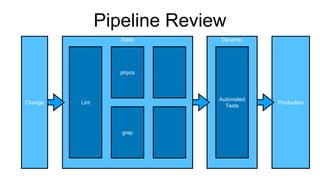
Pipeline Review
Production
Change
Dynamic
Automated
Tests
Static
Lint
grep
phpcs
Bug Finders
Bug Finders
Bug Finders
Bug Finders
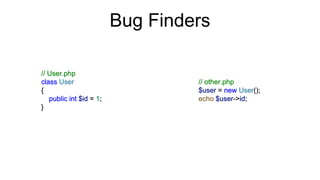
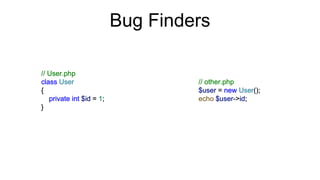
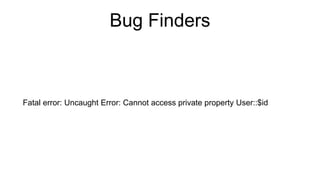
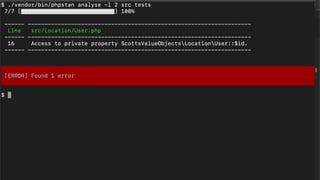
Fatal error: Uncaught Error: Cannot access private property User::$id
PHPStan
• Finds bugs in our code
• Check “correctness” of each line
PHPStan: Setup
• Install
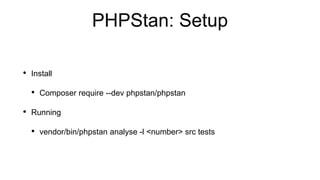
• Composer require --dev phpstan/phpstan
• Running
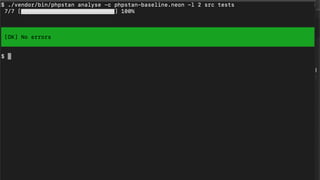
• vendor/bin/phpstan analyse -l <number> src tests
PHPStan: Rule Levels
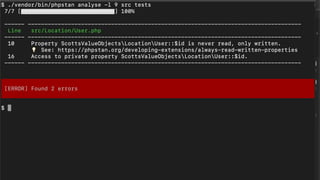
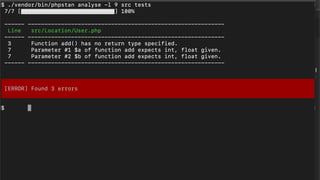
• Specify level of strictness using -l|--level parameter
• 0 -> Low Strictness
• 9 -> High Strictness
PHPStan: Getting Started
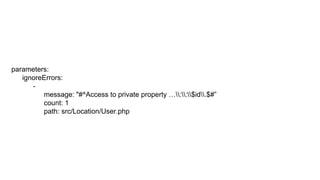
parameters:
ignoreErrors:
-
message: "#^Access to private property …::$id.$#”
count: 1
path: src/Location/User.php
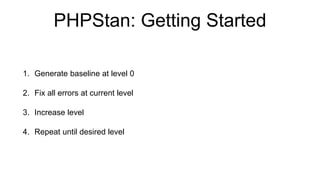
PHPStan: Getting Started
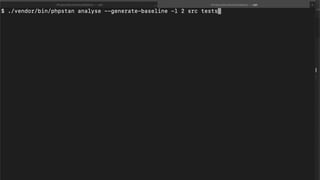
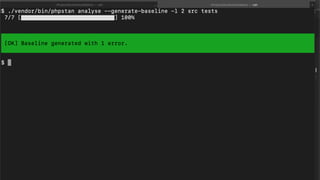
1. Generate baseline at level 0
2. Fix all errors at current level
3. Increase level
4. Repeat until desired level
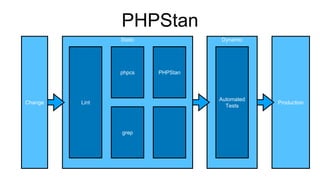
PHPStan
Production
Change
Dynamic
Automated
Tests
Static
Lint
phpcs
grep
PHPStan
Automating Refactoring
PHP 7.4 To 8.0 Was
Challenging
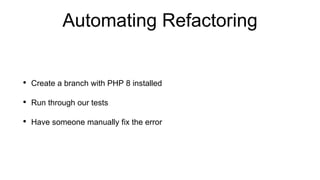
Automating Refactoring
• Create a branch with PHP 8 installed
• Run through our tests
• Have someone manually fix the error
What if We Automate This?
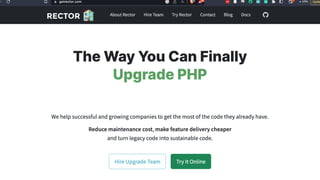
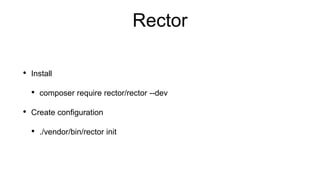
Rector
• Install
• composer require rector/rector --dev
• Create configuration
• ./vendor/bin/rector init
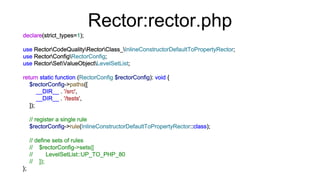
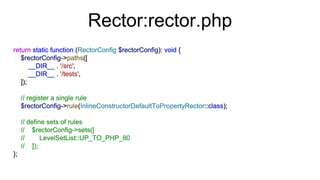
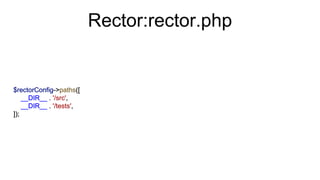
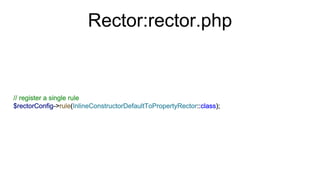
Rector:rector.php
Rector:rector.php
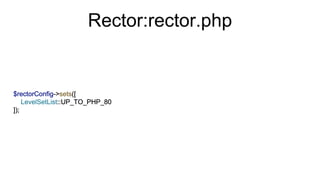
Rector:rector.php
Rector:rector.php
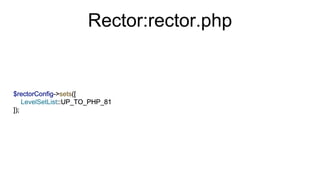
Rector:rector.php
Rector:rector.php
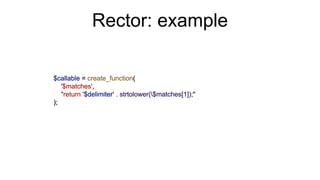
Rector: example
Rector: example
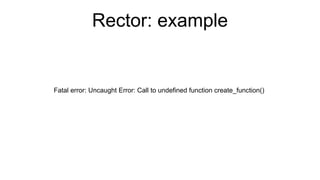
Fatal error: Uncaught Error: Call to undefined function create_function()
Rector: example
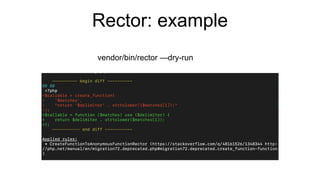
vendor/bin/rector —dry-run
Rector: example
vendor/bin/rector
Rector: example
• Run manually locally
• OR
• Add to GitHub Action
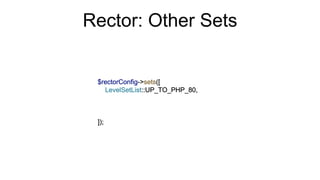
Rector: Other Sets
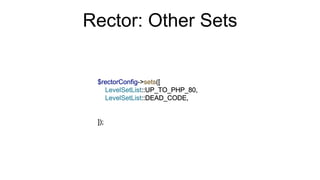
Rector: Other Sets
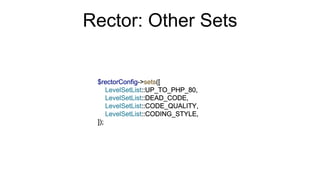
Rector: Other Sets
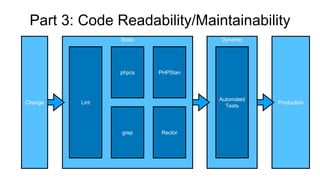
Production
Part 3: Code Readability/Maintainability
Change
Dynamic
Automated
Tests
Static
Lint
phpcs PHPStan
grep Rector
What You Need to Know
Static Code Analysis allows us to analyze our code without running it
What You Need to Know
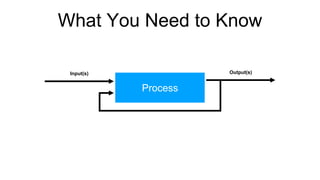
Process
Input(s) Output(s)
What You Need to Know
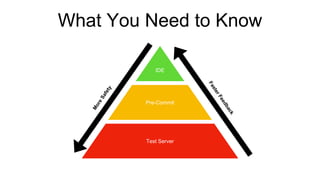
IDE
Test Server
Pre-Commit
What You Need to Know
• PHP Parallel Lint
• Grep
• PHP_CodeSniffer
• PHPStan
• Rector
Questions?
• Scott Keck-Warren
• Url for resources

Static Code Analysis PHP[tek] 2023

Editor's Notes

  • #2 Note: add QR code to slides/resources Note: QR code/link brings you to resources about this talk and slides Hello Developers,
  • #3 Story time Want to tell you about some of the trama I had inflicted on me Hopefully prevent you from having the same
  • #4 First job as a professional developer Small SaaS 3 developers No source control to speak of
  • #5 Bugs in productions were fixed like this Go through steps <click for each> Last part was important because we would occasionally find <next slide>
  • #6 Chrome with white screen Sometimes 1 page some times the whole site
  • #7 Generally results in angry person on phone (get picture of this) Asking “what happened?” SSH into the server to check error logs
  • #8 Miscopied our results
  • #9 Add example code with undefined function Copied changes to one file but not another
  • #10 Other things Happened at least once a week sometimes multiple times a day
  • #12 Graphic: Change -> Production directly So close together barely and space between them Need to add some space <click>
  • #13 Change -> ? -> Production When what do we fill the space with? Change -> Checks -> Production
  • #14 Better yet we’ll use two different types of checks
  • #15 Better still will use several different checks of each type Let’s talk about one of the mojor types today … <click>
  • #16 static code analysis Specifically: How we can reduce bugs with SCA
  • #17 For those of you who haven’t met me my name is …
  • #18 Professional PHP Developer for 15 years // team lead/CTO role for 10 of those 15
  • #19 Currently Director of Technology at WeCare Connect Survey solutions to improve employee and resident retention at skilled nursing facilities Use PHP for our backend Also …
  • #20 Create Educational Videos on PHPArchitect YouTube
  • #21  Discuss topics helpful for PHP developers
  • #22 Found at youtube.com/c/phparch If you want more content like this session follow me on social media and subscriber to our channel
  • #25 I’m a huge fan of both
  • #26 See my other talk on how to get more DCA
  • #27 I’m a huge fan of both See my other talk on how to get more DCA
  • #28 Lots of things we’ll do with static code analysis Read list
  • #29 <bp1> Currently have a team of 1 using it (me) Have had teams of 8 using it <bp2> In the past Have run into situations where our team has been waiting for their tests to run So easy today to spin up containers no longer a problem
  • #30 <slide> But Before we talk about that we need to talk about …
  • #31 <slide>
  • #32 Start with a process Could be anything writing a class, sending an email, checking your email
  • #33 Process has one or more inputs
  • #34 Process happens and we get one or outputs
  • #35 In a feedback loop the outputs become part of the import loop Developers Are Driven By Feedback Loops Make a change, find a problem, fix the problem, repeat Want these to be short -> We can affect the length Let’s give some examples
  • #36 First case is “Worst Case”
  • #37 In this <read slide> I’m lucky if I remember what I did be Note lack of testing
  • #38 Next option okay case <read slide> Less of a difference between change and problem being found
  • #40 Next best case <read slide> I like to call this an immediate feedback cycle Provides feedback immediately so we can resolve problems immediately This is the ultimate goal for static code analysis
  • #41 Using these feedback levels to build three tiers of static code analysis <click for each piece> At the bottom…<click>
  • #42 is running the SCA tools using a test server
  • #44 <Read slide> Slow is fine here my day job takes 30 minutes to run all static and dynamic analysis Fine with that because not watching
  • #45 Whole talk on working with GitHub actions you’re not seeing because it’s happening right now Have video php arch channel on how to setup
  • #47 Graph from before showing us change to production I like 1 action with a lot of small steps in four stages
  • #48 1 dynamic stage where I run automated tests
  • #49 3 static stages Quick and easy first to fail fast in first stages Slow in final stages Saves some money and failing items in earlier phase generally cause failures in later stages
  • #50 Return to our chart See what’s next
  • #54 Two ways to do this First <slide>
  • #56 Inside our .git directory then hooks Session on this if you’re interesting we’re doing the quick-quick version
  • #57 -> Default commit message
  • #58 -> before we push
  • #59 -> before commit is created
  • #60 This is normally how we create commit
  • #61 Pre-commit adds a conditional check Is this good yes or no -> no we can’t create the commit
  • #62 Might be wondering how ..
  • #64  1. `git diff` -> Runs the git diff command which shows us changes in our repository 2. `--diff-filter=AM` -> filters out files to only show us modifications and additions 3. `--name-only` -> returns just the name of the file and not the contents 4. `--cached` -> returns changes that have been staged for the next commit and not every changed file 5. `app tests` -> limit our results to files in the app and tests directories 6. `| grep ".php$"` -> Limit our results to just `.php` files
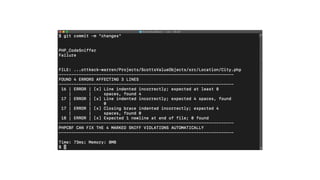
  • #68 Example graphic at command line
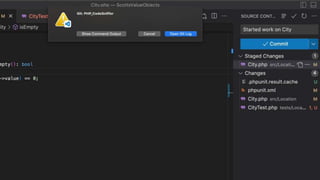
  • #69 Example graphic in VScode
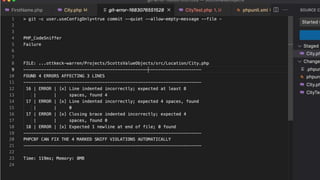
  • #70 Example output in VScode
  • #72 Still can be bypassed Which is why we have secure base at the test server
  • #77 VS Code example of syntax error: Missing “use” statement Not native but with error lens plugin Love these which is why I need to restart VScode so frequently
  • #79 Here’s where it get good Too many PHP SCA tools to review them all here
  • #80  Show graphic of git repo with list of SCA tools https://github.com/exakat/php-static-analysis-tools
  • #81 https://analysis-tools.dev/tag/php
  • #82 Bug Reduction -> things that might break code Rule Validation -> things that don’t meet our standards Code Analysis -> What’s code like
  • #83 Focus on first two here Third one is something I do weekly to see our code health but not automatically in 3-tiers
  • #84 Free Easy to use Everything is command line based so it runs at pre-commit and test server
  • #85 The most important SCA tool
  • #86 Linting answers the most important question about our code
  • #87 Built in linting mode 1 file at a time “slow” because of that
  • #88 Have to run it through additional tools
  • #89 Also only finds one problem at a time So error in city and last name Only show error in city Fix and repeat to find second
  • #90 https://packagist.org/packages/php-parallel-lint/php-parallel-lint php-parallel-lint/php-parallel-lint
  • #92 Example running parrellel lint
  • #93 Graphics here Like to make this my first check If it fails others will fail as well
  • #94 Another basic check “free”
  • #95 Pushing these to production causes weird output Can and does break site Don’t want it that
  • #96 Pushing these to production causes weird output Can and does break site Don’t want it that
  • #97 Where in graphic
  • #99 Teams are comprised of people with lots of life experience and thramas That affects how they type each character
  • #100 Having a coding standard makes code easier to read Without a coding standard can have chaos How do we fix this? Better how do we fix this automatically
  • #101 PHP_CodeSniffer library allows us to define standard, enforce it, and fix it
  • #102 PHP_CodeSniffer library has two command line scripts PHP CodeSniffer PHP Code Block Fixer
  • #103 We need tell php_codesniffer what rules to use <slide> I like third option PSR12 as a base PSR family of standards is used by a lot of frameworks so it’s helpful
  • #104 Created at root of project
  • #105 Created at root of project
  • #106 If we run phpcbf on code this is what we get Better right or at least consistent
  • #107 <Read slide> Let’s take a slight detour for another example
  • #108 Function that adds two numbers Use it to add 1.25 and 2.75 Does anyone know what the output of this is?
  • #109 That seems like a bug to me what about you?
  • #110 This is due to something that PHP does called type juggling Because dynamic language it automatically converts types We wanted int so it gave us ints Mostly great but sometimes weird bugs
  • #111 <click> have our two numbers <click> We specified int parameters to our function php said I’m going to make these integers <click> PHP converts number to integers and in this case strips out the fractions <click> 3
  • #112 December 2015 PHP 7 added this declare function - Prevents this kind of bug 7 years ago If we run our code again <next slide>
  • #113 We get type error I constantly forget to add strict_types to my code Need a little help PHP_Codesniffer provides that
  • #115 Doesn’t work by magic also need to make sure parameter types No support out of box for this
  • #116 To do that we need to look for more rules (or sniffs as code sniffer calls them) <Read slide>
  • #117 Next require parameter types hints Without parameter types strict types doesn’t help us completely Return and property types aid in us making these kinds of mistakes (also helps other tools)
  • #118 Let’s review where we’re at Still have a space need to discuss and that’s
  • #119 Help us find fatal errors due to changes in our code or mistakes
  • #120 Have a very basic user class Somewhere in my code I need the ID
  • #121 Have a very basic user class Somewhere in my code I need the ID
  • #130 Running first time on brownfield application Potentially lots of “problems”
  • #131 Run with —generate-baseline Only need to worry about changes
  • #136 Have a pipeline now This works and works because we
  • #137 Graphic
  • #138 At least of some of us Took weeks Might still have projects running on 7.4 because can’t justify upgrade
  • #139 Took FOREVER Full of potential errors because shortcuts were made Didn’t even get to implement the new features in 8.0 like Constructor Property Promotion Upgrade to 8.1 took less time but still a while 8.2 might take just a bit because we haven’t done it yet
  • #140 Lot’s of manual work
  • #141 Rector
  • #146 List of rules and sets of rules can be found on their website
  • #147 LevelSetList::UP_TO_PHP_80 is amazing because it will upgrade our code to 8.0 when possible Ready to go to 8.1? <click>
  • #148 Ready to go to 8.1? Just change it
  • #160 Keep your feedback loop SHORT Immediately if possible
  • #161  Run tools In IDE Pre-commit Test Server
  • #162 Lots of options for tools My favorites:
  • #163 Add QR code here