Shauna Néro
French Immersion (Français Langue et Sciences Humaines), Core French and
Spanish teacher at École Kwantlen Park Secondary, SD36
@MmeNero
mmenero.edublogs.org
mmenero.wordpress.com
Using Technology in the Spanish and French
Classroom
Link to this presentation:
Video: PAY ATTENTION
Why do I use technology in class?
To increase student engagement
To empower the digital native student with using what they
know (technology)
To encourage students to use technology as a tool for
learning
To give choices to students through a variety of apps can
appeal to different learning styles
Allows for differentiated learning so that
students of all levels can be successful
Ultimately it is the learner who learns,
and the new applications certainly place
more power in their hands, albeit that
they are still in need of support with how
to use these in educational contexts.
(Rethinking Learning for a Digital Age, Sharpe et al 2010)
LANGUAGE TEACHERS ON TWITTER TALK ABOUT THEIR
EXPERIENCE WITH TECHNOLOGY!
@rolat We integrate technology to encourage recording conversations for oral
communication & explaining Students thinking orally on all subjects
@msewen uses them for student success and ease of use. He recently used iPad
dictation for a student who cannot write (a great example of empowering the
student)
@whitmore_c uses them to record themselves before doing a presentation in
FSL, they work on their pronunciation before having to present. They love it.
@beverleybunker Have done blogging with my grade 7 late frimm kids…it’s
been a great experience!
Nathalie Roy (
@NathalieR71):
« To engage a student, it
is important to remember
not to « overload »
becaue not all students
like using technology to
learn. » Translated by a Tweet sent
to me Sunday, Dec. 2, 2012
Useful sites and
online activities
for the second
language
learner
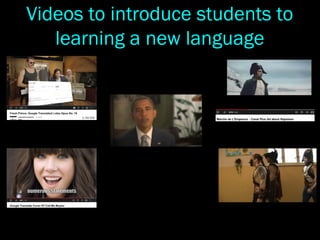
Videos to introduce students to
learning a new language
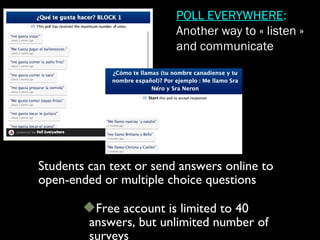
Students can text or send answers online to
open-ended or multiple choice questions
Free account is limited to 40
answers, but unlimited number of
surveys
POLL EVERYWHERE:
Another way to « listen »
and communicate
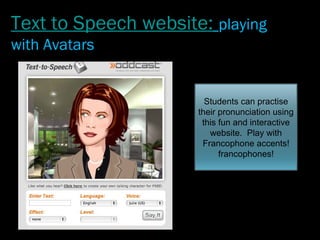
Students can practise
their pronunciation using
this fun and interactive
website. Play with
Francophone accents!
francophones!
Text to Speech website: playing
with Avatars
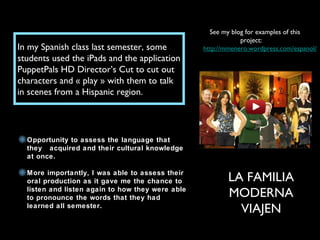
In my Spanish class last semester, some
students used the iPads and the application
PuppetPals HD Director’s Cut to cut out
characters and « play » with them to talk
in scenes from a Hispanic region.
See my blog for examples of this
project:
http://mmenero.wordpress.com/espanol/
LA FAMILIA
MODERNA
VIAJEN
Opportunity to assess the language that
they acquired and their cultural knowledge
at once.
More importantly, I was able to assess their
oral production as it gave me the chance to
listen and listen again to how they were able
to pronounce the words that they had
learned all semester.
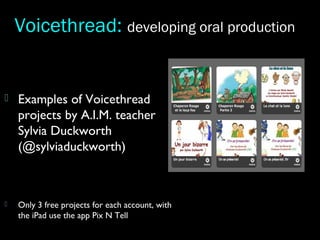
 Examples of Voicethread
projects by A.I.M. teacher
Sylvia Duckworth
(@sylviaduckworth)
 Only 3 free projects for each account, with
the iPad use the app Pix N Tell
Voicethread: developing oral production
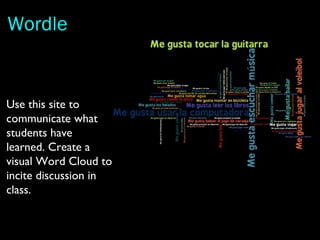
Use this site to
communicate what
students have
learned. Create a
visual Word Cloud to
incite discussion in
class.
Wordle
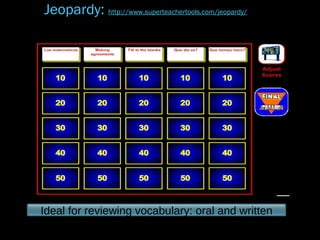
Ideal for reviewing vocabulary: oral and written
Jeopardy: http://www.superteachertools.com/jeopardy/
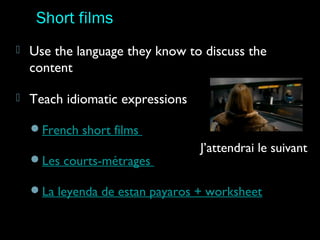
 Use the language they know to discuss the
content
 Teach idiomatic expressions
French short films
Les courts-métrages
La leyenda de estan payaros + worksheet
Short films
J’attendrai le suivant
Teaching to their interests:
Using Disney and Astérix tools
Have students plan a trip
Use their ressources in the
target languages!
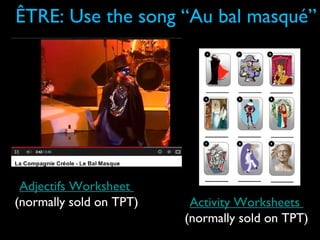
ÊTRE: Use the song “Au bal masqué”
Adjectifs Worksheet
(normally sold on TPT) Activity Worksheets
(normally sold on TPT)
Beginner’s Spanish?
Some vids to introduce the language to your
students!
“Military” sounding
alphabet
El alfabeto
“Buenos días, tarde y
noche”
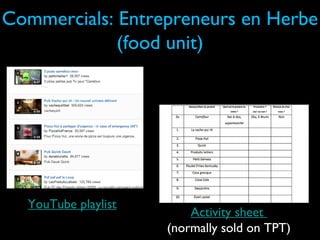
Commercials: Entrepreneurs en Herbe
(food unit)
Activity sheet
(normally sold on TPT)
YouTube playlist
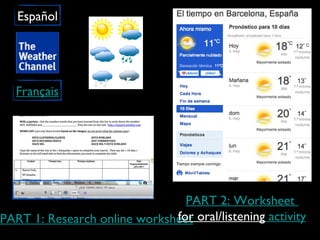
Français
Español
PART 1: Research online worksheet
PART 2: Worksheet
for oral/listening activity
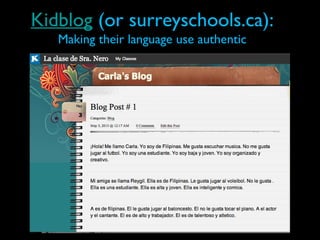
Kidblog (or surreyschools.ca):
Making their language use authentic
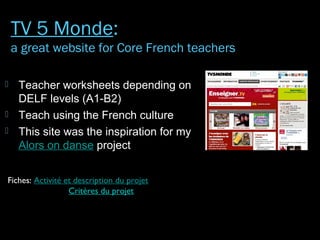
 Teacher worksheets depending on
DELF levels (A1-B2)
 Teach using the French culture
 This site was the inspiration for my
Alors on danse project
Fiches: Activité et description du projet
Critères du projet
TV 5 Monde:
a great website for Core French teachers
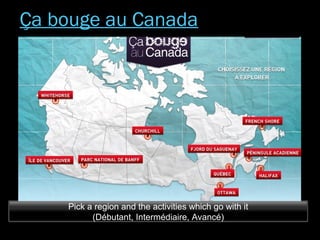
Pick a region and the activities which go with it
(Débutant, Intermédiaire, Avancé)
Ça bouge au Canada
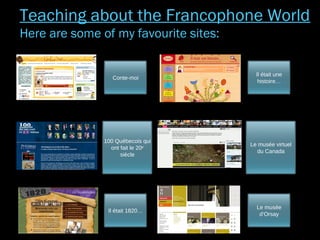
Conte-moi
100 Québecois qui
ont fait le 20e
siècle
Il était 1820…
Il était une
histoire…
Le musée virtuel
du Canada
Le musée
d’Orsay
Teaching about the Francophone World
Here are some of my favourite sites:
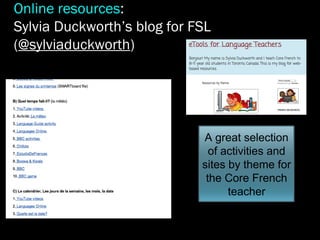
A great selection
of activities and
sites by theme for
the Core French
teacher
Online resources:
Sylvia Duckworth’s blog for FSL
(@sylviaduckworth)
 Sunny Earth Academy playlist
 Commercials in Spanish (doc added with
videos and teacher explanations)
 Senor Jordan’s videos (explanation of
grammar, interactive and interesting by
level)
 Latin Grammys (you would have to find the
artists on YouTube since the US blocks us)
Spanish videos
 Ressources vues sur Twitter
 Les clips vidéo de Mme Nero
 Bandes annonces francophones
 Là où je t’emmenerai (clips de TF1)
 La musique de la Francophonie
 Clips sur l’apprentissage (en français)
 Forvo: autre site de prononciation (suggested by @Traciepod)
 Paige Kee’s French Teacher Pinterest Board
 French Teachering Pinterest Board
Other online resources to browse for your
classes:
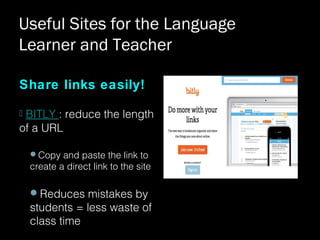
Share links easily!
 BITLY : reduce the length
of a URL
Copy and paste the link to
create a direct link to the site
Reduces mistakes by
students = less waste of
class time
Useful Sites for the Language
Learner and Teacher
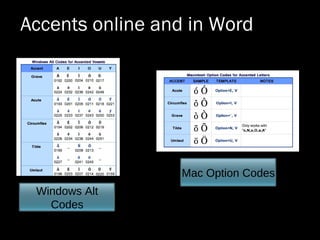
Windows Alt
Codes
Mac Option Codes
Accents online and in Word
My blog for Exceptional Student Work
Annie Reichhoff’s
Classroom Site:
Activities and examples of
exceptional student work
(@MmeReichhoff)
Share digital work online!
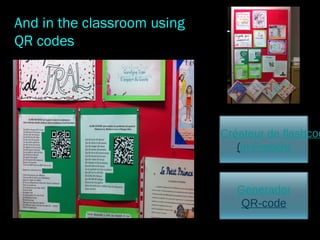
Créateur de flashcod
(in French)
And in the classroom using
QR codes
Generador
QR-code
I know that this is a lot to take in!  I am here to 
share my experiences and provide you with ideas. 
If you want to try 1-2 of these sites or
activities, and you need support, please
contact me at nero_s@surreyschools.ca
Merci y gracias for sharing with me today!

Teach Using Technology in MFL Classroom

  • 1.
    Shauna Néro French Immersion(Français Langue et Sciences Humaines), Core French and Spanish teacher at École Kwantlen Park Secondary, SD36 @MmeNero mmenero.edublogs.org mmenero.wordpress.com Using Technology in the Spanish and French Classroom Link to this presentation:
  • 2.
  • 3.
    Why do Iuse technology in class? To increase student engagement To empower the digital native student with using what they know (technology) To encourage students to use technology as a tool for learning To give choices to students through a variety of apps can appeal to different learning styles Allows for differentiated learning so that students of all levels can be successful
  • 4.
    Ultimately it isthe learner who learns, and the new applications certainly place more power in their hands, albeit that they are still in need of support with how to use these in educational contexts. (Rethinking Learning for a Digital Age, Sharpe et al 2010)
  • 5.
    LANGUAGE TEACHERS ONTWITTER TALK ABOUT THEIR EXPERIENCE WITH TECHNOLOGY! @rolat We integrate technology to encourage recording conversations for oral communication & explaining Students thinking orally on all subjects @msewen uses them for student success and ease of use. He recently used iPad dictation for a student who cannot write (a great example of empowering the student) @whitmore_c uses them to record themselves before doing a presentation in FSL, they work on their pronunciation before having to present. They love it. @beverleybunker Have done blogging with my grade 7 late frimm kids…it’s been a great experience!
  • 6.
    Nathalie Roy ( @NathalieR71): «To engage a student, it is important to remember not to « overload » becaue not all students like using technology to learn. » Translated by a Tweet sent to me Sunday, Dec. 2, 2012
  • 7.
    Useful sites and onlineactivities for the second language learner
  • 8.
    Videos to introducestudents to learning a new language
  • 9.
    Students can textor send answers online to open-ended or multiple choice questions Free account is limited to 40 answers, but unlimited number of surveys POLL EVERYWHERE: Another way to « listen » and communicate
  • 10.
    Students can practise theirpronunciation using this fun and interactive website. Play with Francophone accents! francophones! Text to Speech website: playing with Avatars
  • 11.
    In my Spanishclass last semester, some students used the iPads and the application PuppetPals HD Director’s Cut to cut out characters and « play » with them to talk in scenes from a Hispanic region. See my blog for examples of this project: http://mmenero.wordpress.com/espanol/ LA FAMILIA MODERNA VIAJEN Opportunity to assess the language that they acquired and their cultural knowledge at once. More importantly, I was able to assess their oral production as it gave me the chance to listen and listen again to how they were able to pronounce the words that they had learned all semester.
  • 12.
     Examples ofVoicethread projects by A.I.M. teacher Sylvia Duckworth (@sylviaduckworth)  Only 3 free projects for each account, with the iPad use the app Pix N Tell Voicethread: developing oral production
  • 13.
    Use this siteto communicate what students have learned. Create a visual Word Cloud to incite discussion in class. Wordle
  • 14.
    Ideal for reviewingvocabulary: oral and written Jeopardy: http://www.superteachertools.com/jeopardy/
  • 15.
     Use thelanguage they know to discuss the content  Teach idiomatic expressions French short films Les courts-métrages La leyenda de estan payaros + worksheet Short films J’attendrai le suivant
  • 16.
    Teaching to theirinterests: Using Disney and Astérix tools Have students plan a trip Use their ressources in the target languages!
  • 17.
    ÊTRE: Use thesong “Au bal masqué” Adjectifs Worksheet (normally sold on TPT) Activity Worksheets (normally sold on TPT)
  • 18.
    Beginner’s Spanish? Some vidsto introduce the language to your students! “Military” sounding alphabet El alfabeto “Buenos días, tarde y noche”
  • 19.
    Commercials: Entrepreneurs enHerbe (food unit) Activity sheet (normally sold on TPT) YouTube playlist
  • 20.
    Français Español PART 1: Researchonline worksheet PART 2: Worksheet for oral/listening activity
  • 21.
    Kidblog (or surreyschools.ca): Makingtheir language use authentic
  • 22.
     Teacher worksheetsdepending on DELF levels (A1-B2)  Teach using the French culture  This site was the inspiration for my Alors on danse project Fiches: Activité et description du projet Critères du projet TV 5 Monde: a great website for Core French teachers
  • 23.
    Pick a regionand the activities which go with it (Débutant, Intermédiaire, Avancé) Ça bouge au Canada
  • 24.
    Conte-moi 100 Québecois qui ontfait le 20e siècle Il était 1820… Il était une histoire… Le musée virtuel du Canada Le musée d’Orsay Teaching about the Francophone World Here are some of my favourite sites:
  • 25.
    A great selection ofactivities and sites by theme for the Core French teacher Online resources: Sylvia Duckworth’s blog for FSL (@sylviaduckworth)
  • 26.
     Sunny EarthAcademy playlist  Commercials in Spanish (doc added with videos and teacher explanations)  Senor Jordan’s videos (explanation of grammar, interactive and interesting by level)  Latin Grammys (you would have to find the artists on YouTube since the US blocks us) Spanish videos
  • 27.
     Ressources vuessur Twitter  Les clips vidéo de Mme Nero  Bandes annonces francophones  Là où je t’emmenerai (clips de TF1)  La musique de la Francophonie  Clips sur l’apprentissage (en français)  Forvo: autre site de prononciation (suggested by @Traciepod)  Paige Kee’s French Teacher Pinterest Board  French Teachering Pinterest Board Other online resources to browse for your classes:
  • 28.
    Share links easily! BITLY : reduce the length of a URL Copy and paste the link to create a direct link to the site Reduces mistakes by students = less waste of class time Useful Sites for the Language Learner and Teacher
  • 29.
    Windows Alt Codes Mac OptionCodes Accents online and in Word
  • 30.
    My blog forExceptional Student Work Annie Reichhoff’s Classroom Site: Activities and examples of exceptional student work (@MmeReichhoff) Share digital work online!
  • 31.
    Créateur de flashcod (inFrench) And in the classroom using QR codes Generador QR-code
  • 32.
    I know that this is a lot to take in!  I am here to  share my experiences and provide you with ideas.  If you wantto try 1-2 of these sites or activities, and you need support, please contact me at nero_s@surreyschools.ca
  • 33.
    Merci y graciasfor sharing with me today!