SSD Vs SAS Vs SATA
Which Is Better For A Dedicated Server?
Data is the driving force for modern internet applications. In a connected world, where everyone
wants everything instantly, the speed at which the data is transferred to and from your application can
make or break it. And that is why choosing the right hard drive is crucial for your dedicated servers.


When it comes to choosing the right storage and disk performance option, you should consider the
core requirements of your dedicated server. The deciding factors for storage disks are rotation speed,
storage & cache capacity, and cost. When it comes to data storage, SSD vs SAS vs SATA are
prominent names. While all these serve the same purpose of data transfer, these vary in designs and
capabilities. So, which of these is the best suited for your dedicated server?


Before we discuss further on this, we must first know more about these three different forms of
drives.


Let’s get started.
SAS (Serial Attached SCSI) Drives
This type of drive connects to the disk drive in a point-to-point interface.
Admins typically use it in higher-end servers and workstations. SAS functions
on a dual-port and offers higher capacity. In case of any controller failure in
SAS drives, the redundancy remains high with uninterrupted performance.
THE SAS BUILT-IN COMPRISES:
2 conductors each for sending and receiving data
Ground cables in between the conductors to minimize interference.
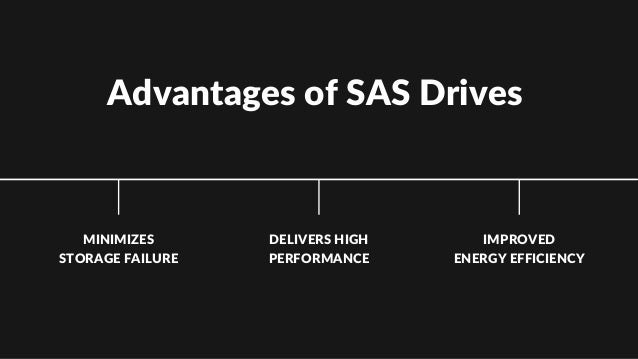
Advantages of SAS Drives
MINIMIZES
STORAGE FAILURE
DELIVERS HIGH
PERFORMANCE
IMPROVED
ENERGY EFFICIENCY
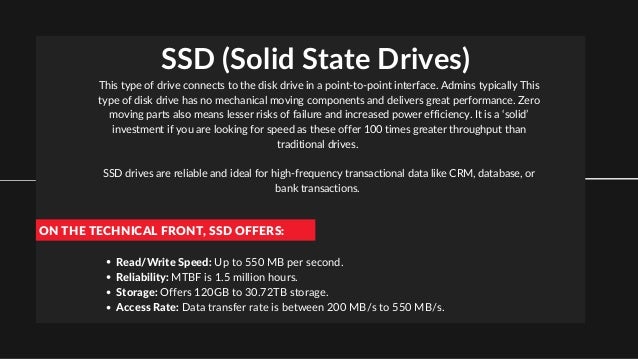
SSD (Solid State Drives)
This type of drive connects to the disk drive in a point-to-point interface. Admins typically This
type of disk drive has no mechanical moving components and delivers great performance. Zero
moving parts also means lesser risks of failure and increased power efficiency. It is a ‘solid’
investment if you are looking for speed as these offer 100 times greater throughput than
traditional drives.


SSD drives are reliable and ideal for high-frequency transactional data like CRM, database, or
bank transactions.
ON THE TECHNICAL FRONT, SSD OFFERS:
Read/Write Speed: Up to 550 MB per second.
Reliability: MTBF is 1.5 million hours.
Storage: Offers 120GB to 30.72TB storage.
Access Rate: Data transfer rate is between 200 MB/s to 550 MB/s.
Advantages of SSD Drives
SHOCK-RESISTANT
DELIVERS
UNBEATABLE SPEED
CONSUMES LESS
POWER
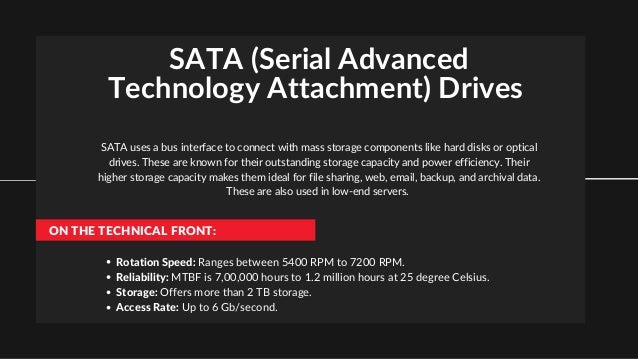
SATA (Serial Advanced
Technology Attachment) Drives
SATA uses a bus interface to connect with mass storage components like hard disks or optical
drives. These are known for their outstanding storage capacity and power efficiency. Their
higher storage capacity makes them ideal for file sharing, web, email, backup, and archival data.
These are also used in low-end servers.
ON THE TECHNICAL FRONT:
Rotation Speed: Ranges between 5400 RPM to 7200 RPM.
Reliability: MTBF is 7,00,000 hours to 1.2 million hours at 25 degree Celsius.
Storage: Offers more than 2 TB storage.
Access Rate: Up to 6 Gb/second.
Advantages of SATA Drives
AFFORDABLE POWER-EFFICIENT SUPPORTS
MULTIPLE DRIVES
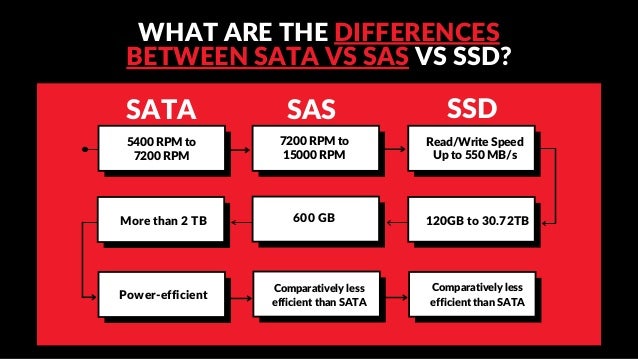
WHAT ARE THE DIFFERENCES
BETWEEN SATA VS SAS VS SSD?
SAS SSD
Read/Write Speed
Up to 550 MB/s
7200 RPM to
15000 RPM
5400 RPM to
7200 RPM
SATA
Power-efficient
Comparatively less
efficient than SATA
Comparatively less
efficient than SATA
600 GB 120GB to 30.72TB
More than 2 TB
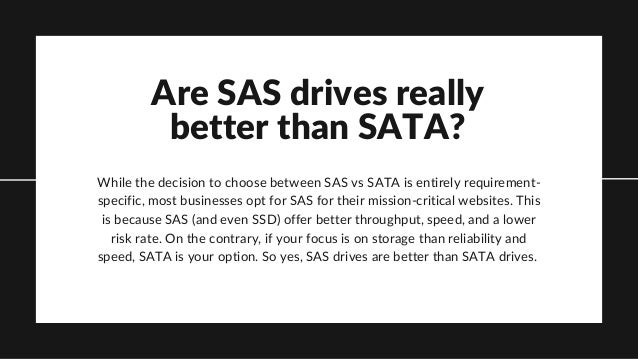
Are SAS drives really
better than SATA?
While the decision to choose between SAS vs SATA is entirely requirement-
specific, most businesses opt for SAS for their mission-critical websites. This
is because SAS (and even SSD) offer better throughput, speed, and a lower
risk rate. On the contrary, if your focus is on storage than reliability and
speed, SATA is your option. So yes, SAS drives are better than SATA drives.
Contact us
MAILING ADDRESS
Plot NO F-353, Phase - 8B, IND Area,
Mohali.160055
EMAIL ADDRESS
info@hostingseekers.com
PHONE NUMBER
09988871456

SSD vs SAS vs SATA which is better for a dedicated server

  • 1.
    SSD Vs SASVs SATA Which Is Better For A Dedicated Server?
  • 2.
    Data is thedriving force for modern internet applications. In a connected world, where everyone wants everything instantly, the speed at which the data is transferred to and from your application can make or break it. And that is why choosing the right hard drive is crucial for your dedicated servers. When it comes to choosing the right storage and disk performance option, you should consider the core requirements of your dedicated server. The deciding factors for storage disks are rotation speed, storage & cache capacity, and cost. When it comes to data storage, SSD vs SAS vs SATA are prominent names. While all these serve the same purpose of data transfer, these vary in designs and capabilities. So, which of these is the best suited for your dedicated server? Before we discuss further on this, we must first know more about these three different forms of drives. Let’s get started.
  • 3.
    SAS (Serial AttachedSCSI) Drives This type of drive connects to the disk drive in a point-to-point interface. Admins typically use it in higher-end servers and workstations. SAS functions on a dual-port and offers higher capacity. In case of any controller failure in SAS drives, the redundancy remains high with uninterrupted performance. THE SAS BUILT-IN COMPRISES: 2 conductors each for sending and receiving data Ground cables in between the conductors to minimize interference.
  • 4.
    Advantages of SASDrives MINIMIZES STORAGE FAILURE DELIVERS HIGH PERFORMANCE IMPROVED ENERGY EFFICIENCY
  • 5.
    SSD (Solid StateDrives) This type of drive connects to the disk drive in a point-to-point interface. Admins typically This type of disk drive has no mechanical moving components and delivers great performance. Zero moving parts also means lesser risks of failure and increased power efficiency. It is a ‘solid’ investment if you are looking for speed as these offer 100 times greater throughput than traditional drives. SSD drives are reliable and ideal for high-frequency transactional data like CRM, database, or bank transactions. ON THE TECHNICAL FRONT, SSD OFFERS: Read/Write Speed: Up to 550 MB per second. Reliability: MTBF is 1.5 million hours. Storage: Offers 120GB to 30.72TB storage. Access Rate: Data transfer rate is between 200 MB/s to 550 MB/s.
  • 6.
    Advantages of SSDDrives SHOCK-RESISTANT DELIVERS UNBEATABLE SPEED CONSUMES LESS POWER
  • 7.
    SATA (Serial Advanced TechnologyAttachment) Drives SATA uses a bus interface to connect with mass storage components like hard disks or optical drives. These are known for their outstanding storage capacity and power efficiency. Their higher storage capacity makes them ideal for file sharing, web, email, backup, and archival data. These are also used in low-end servers. ON THE TECHNICAL FRONT: Rotation Speed: Ranges between 5400 RPM to 7200 RPM. Reliability: MTBF is 7,00,000 hours to 1.2 million hours at 25 degree Celsius. Storage: Offers more than 2 TB storage. Access Rate: Up to 6 Gb/second.
  • 8.
    Advantages of SATADrives AFFORDABLE POWER-EFFICIENT SUPPORTS MULTIPLE DRIVES
  • 9.
    WHAT ARE THEDIFFERENCES BETWEEN SATA VS SAS VS SSD? SAS SSD Read/Write Speed Up to 550 MB/s 7200 RPM to 15000 RPM 5400 RPM to 7200 RPM SATA Power-efficient Comparatively less efficient than SATA Comparatively less efficient than SATA 600 GB 120GB to 30.72TB More than 2 TB
  • 10.
    Are SAS drivesreally better than SATA? While the decision to choose between SAS vs SATA is entirely requirement- specific, most businesses opt for SAS for their mission-critical websites. This is because SAS (and even SSD) offer better throughput, speed, and a lower risk rate. On the contrary, if your focus is on storage than reliability and speed, SATA is your option. So yes, SAS drives are better than SATA drives.
  • 11.
    Contact us MAILING ADDRESS PlotNO F-353, Phase - 8B, IND Area, Mohali.160055 EMAIL ADDRESS info@hostingseekers.com PHONE NUMBER 09988871456