Relational Database Management Systems
SQL
Creating Tables
In this lecture you will learn
• The basic concepts and principles of SQL
• The different components of SQL
• How to use SQL (DDL) to perform basic create operations
• Create
• Insert
• Modify
• Delete data
• How to use SQL(DML) to perform basic database queries
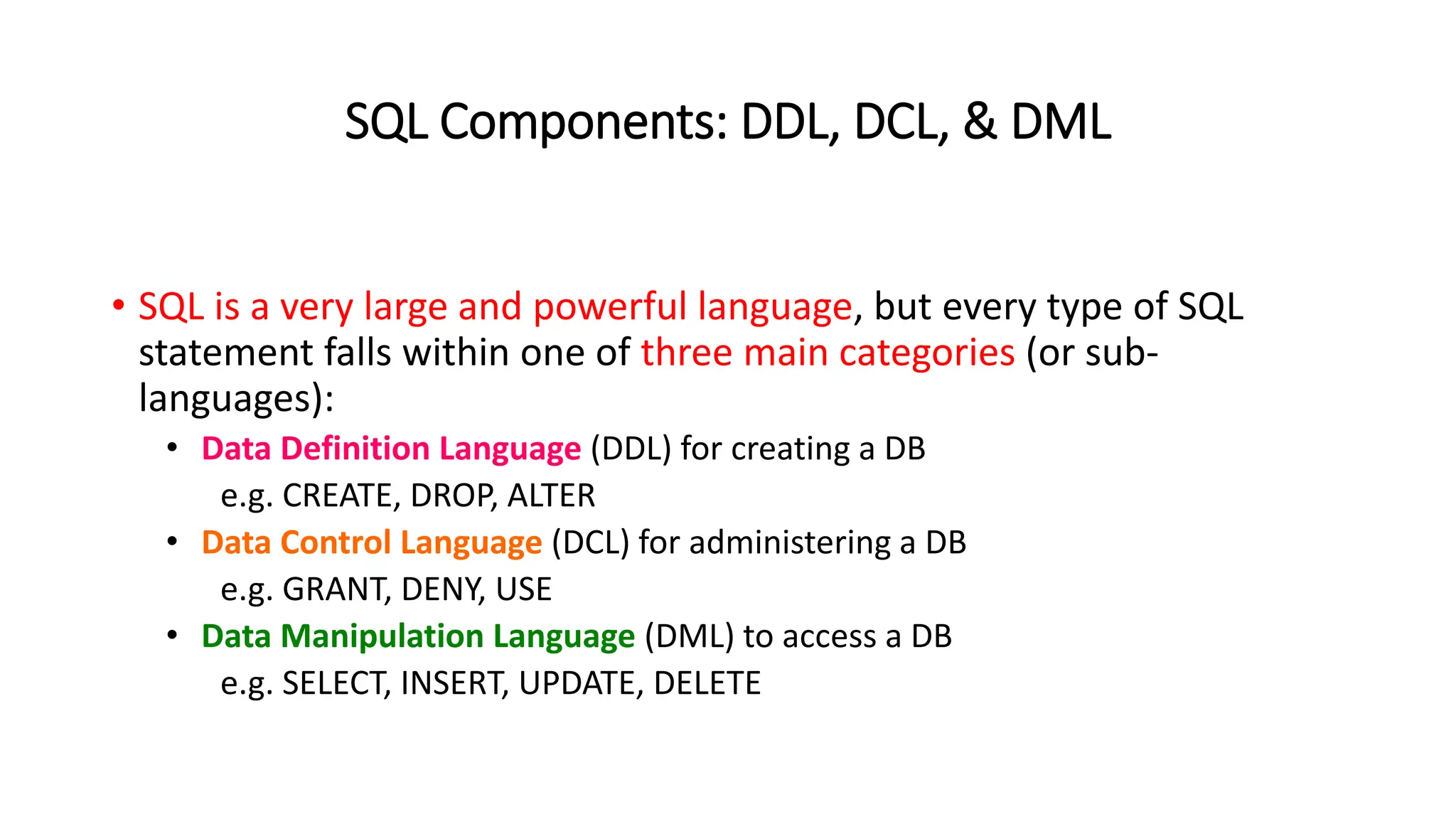
SQL Components: DDL, DCL, & DML
• SQL is a very large and powerful language, but every type of SQL
statement falls within one of three main categories (or sub-
languages):
• Data Definition Language (DDL) for creating a DB
e.g. CREATE, DROP, ALTER
• Data Control Language (DCL) for administering a DB
e.g. GRANT, DENY, USE
• Data Manipulation Language (DML) to access a DB
e.g. SELECT, INSERT, UPDATE, DELETE
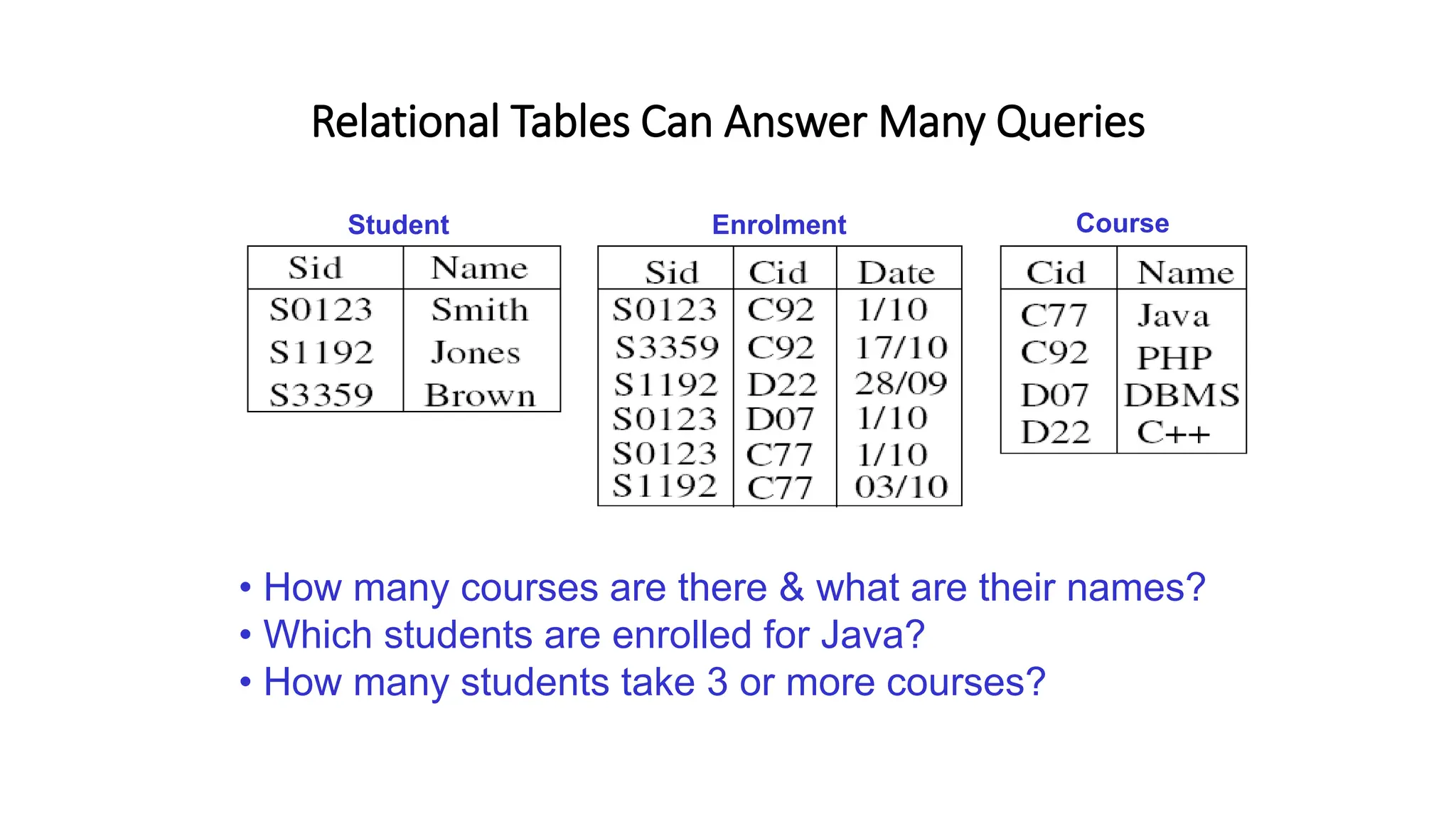
Relational Tables Can Answer Many Queries
Student Enrolment Course
• How many courses are there & what are their names?
• Which students are enrolled for Java?
• How many students take 3 or more courses?
SQL - Structured Query Language
• SQL was developed at IBM around 1975...
• Structured programming?
• No! - Structured English (from ‘SEQUEL’)
• (for Structured English QUEry Language)
• SQL is a declarative language - says what not how
• SQL is an abstract & portable interface to RDMBs
• Warning: different vendors have dialects & extensions
Structured Query Language (contd.)
SQL is a comprehensive database language:
• Data Definition Language (DDL)
• Data Manipulation Language (DML)
• Facilities for security & authorization
• Facilities for transaction processing
• Facilities for embedding SQL in general purpose languages
(Embedded SQL)
SQL Syntax
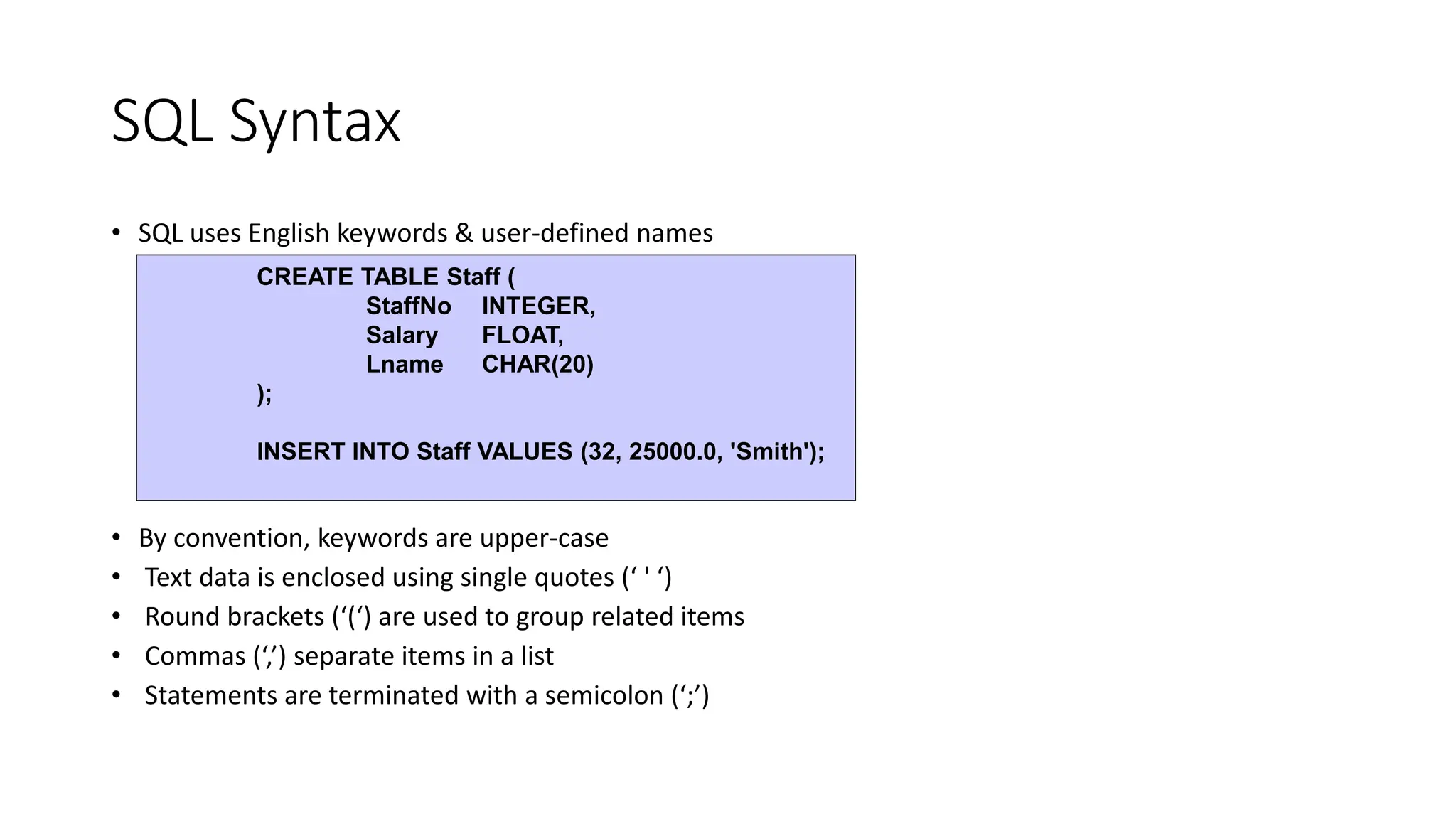
• SQL uses English keywords & user-defined names
• By convention, keywords are upper-case
• Text data is enclosed using single quotes (‘ ' ‘)
• Round brackets (‘(‘) are used to group related items
• Commas (‘,’) separate items in a list
• Statements are terminated with a semicolon (‘;’)
CREATE TABLE Staff (
StaffNo INTEGER,
Salary FLOAT,
Lname CHAR(20)
);
INSERT INTO Staff VALUES (32, 25000.0, 'Smith');
SQL Terminology
• SQL does not use formal relational terminology
Formal Informal (SQL)
• Relation Table
• Tuple Row
• Attribute Column
• Cardinality No. of rows
• Degree No. of columns
• Relationships Foreign keys
• Constraints Assertions
Structured Query Language (contd.)
• Creating tables…
• Tables can be created using CREATE TABLE statement
• There are different data types available in SQL2
Structured Query Language (contd.)
• Integer (INT, INTEGER & SMALLINT)
• Real numbers (FLOAT, REAL, DOUBLE)
• Formatted numbers DECIMAL(i,j) or DEC(i,j) or NUMERIC(i,j)
• Character strings
• Fixed length: CHAR(n) or CHARACTER(n)
• Variable length: VARCHAR(n)
• Date and Time: DATE and TIME data types are supported in SQL2
Example…
Structured Query Language (contd.)
CREATE TABLE Student (
name CHAR(20),
address CHAR(25),
age INTEGER,
gpa REAL
);
Structured Query Language (contd.)
• Primary Key constraint
• PRIMARY KEY
CREATE TABLE Student (
stdid CHAR (10) PRIMARY KEY,
name CHAR(20),
address CHAR(25),
age INTEGER,
gpa REAL
);
Structured Query Language (contd.)
• Alternative:
CREATE TABLE Student (
stdid CHAR (10)
name CHAR(20),
address CHAR(25),
age INTEGER,
gpa REAL,
PRIMARY KEY (stid)
);
Structured Query Language (contd.)
• Other candidate keys…
• UNIQUE
CREATE TABLE Student (
Stdid CHAR (10) PRIMARY KEY,
Name CHAR(20),
Address CHAR(25),
Age INTEGER,
Gpa REAL,
NIC CHAR(10) UNIQUE
);
Structured Query Language (contd.)
• Referential Integrity Constraints
• FOREIGN KEY………REFERENCES
• Student (stdId, name ,address , age , gpa)
• Grade( subjectId, stdId , grade)
CREATE TABLE Grade(
subjectId CHAR(4),
stdId CHAR(10),
grade CHAR(2),
PRIMARY KEY(subjectId, stdId),
FOREIGN KEY(stdId) REFERENCES Student
) ;
Structured Query Language (contd.)
• Alternative
• FOREIGN KEY
CREATE TABLE Grade (
subjectId CHAR(4),
stdId CHAR(10) REFERENCES Student(stdId),
grade CHAR(2),
PRIMARY KEY(subjectId,stdid)
);
Structured Query Language (contd.)
• Alternative:
CREATE TABLE Grade (
subjectId CHAR(4),
stdId CHAR(10) ,
grade CHAR(2),
PRIMARY KEY(subjectId,stdid),
CONSTRAINT fk_Grade FOREIGN KEY(stdid)
REFERENCES Student(stdId)
);
Structured Query Language
(contd.)
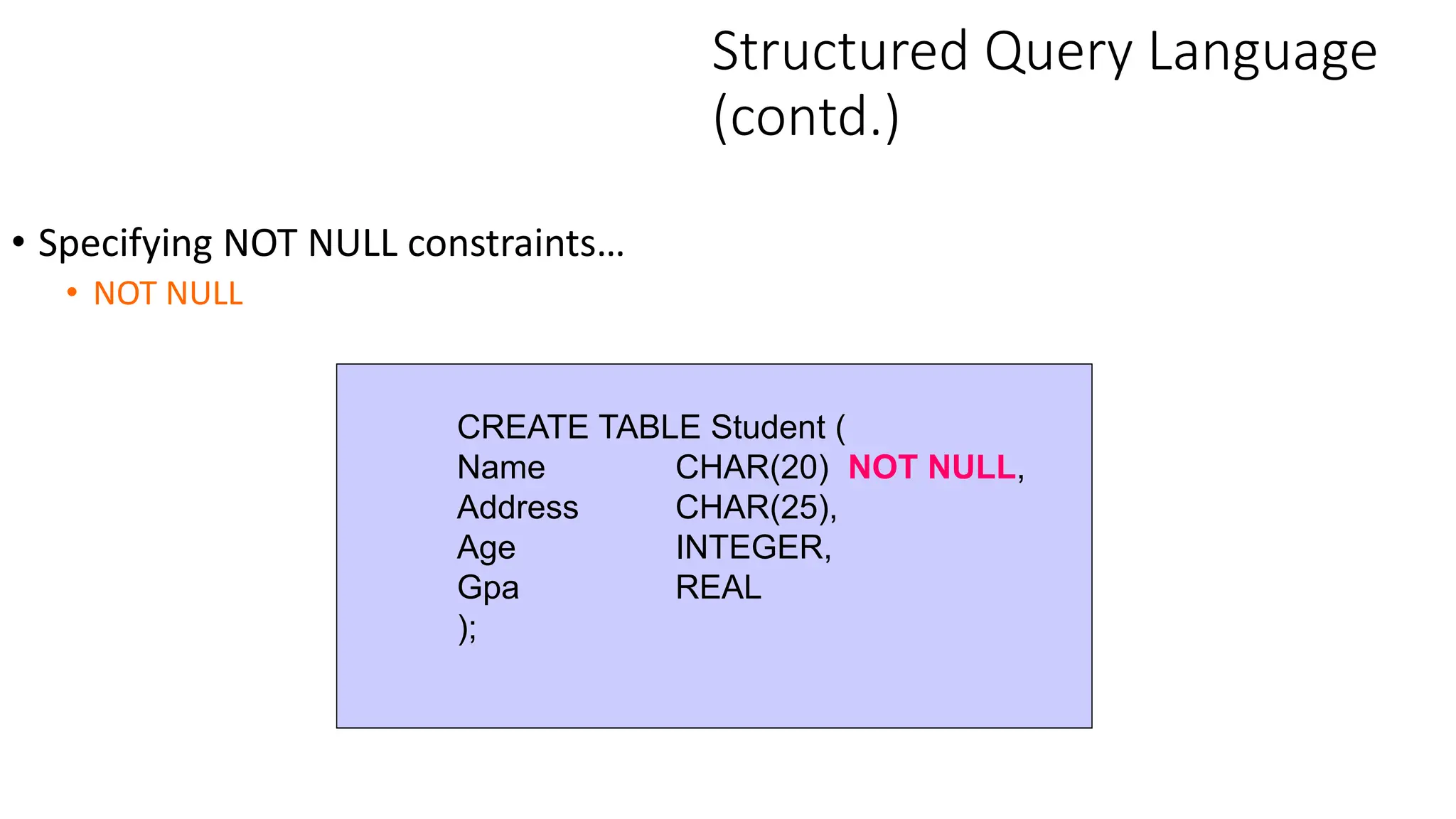
• Specifying NOT NULL constraints…
• NOT NULL
CREATE TABLE Student (
Name CHAR(20) NOT NULL,
Address CHAR(25),
Age INTEGER,
Gpa REAL
);
Structured Query Language
(contd.)
• Specifying default values…
• DEFAULT
CREATE TABLE Student (
Name CHAR(20),
Address CHAR(25) DEFAULT ‘Malabe’,
Age INTEGER,
Gpa REAL
);
Structured Query Language (contd.)
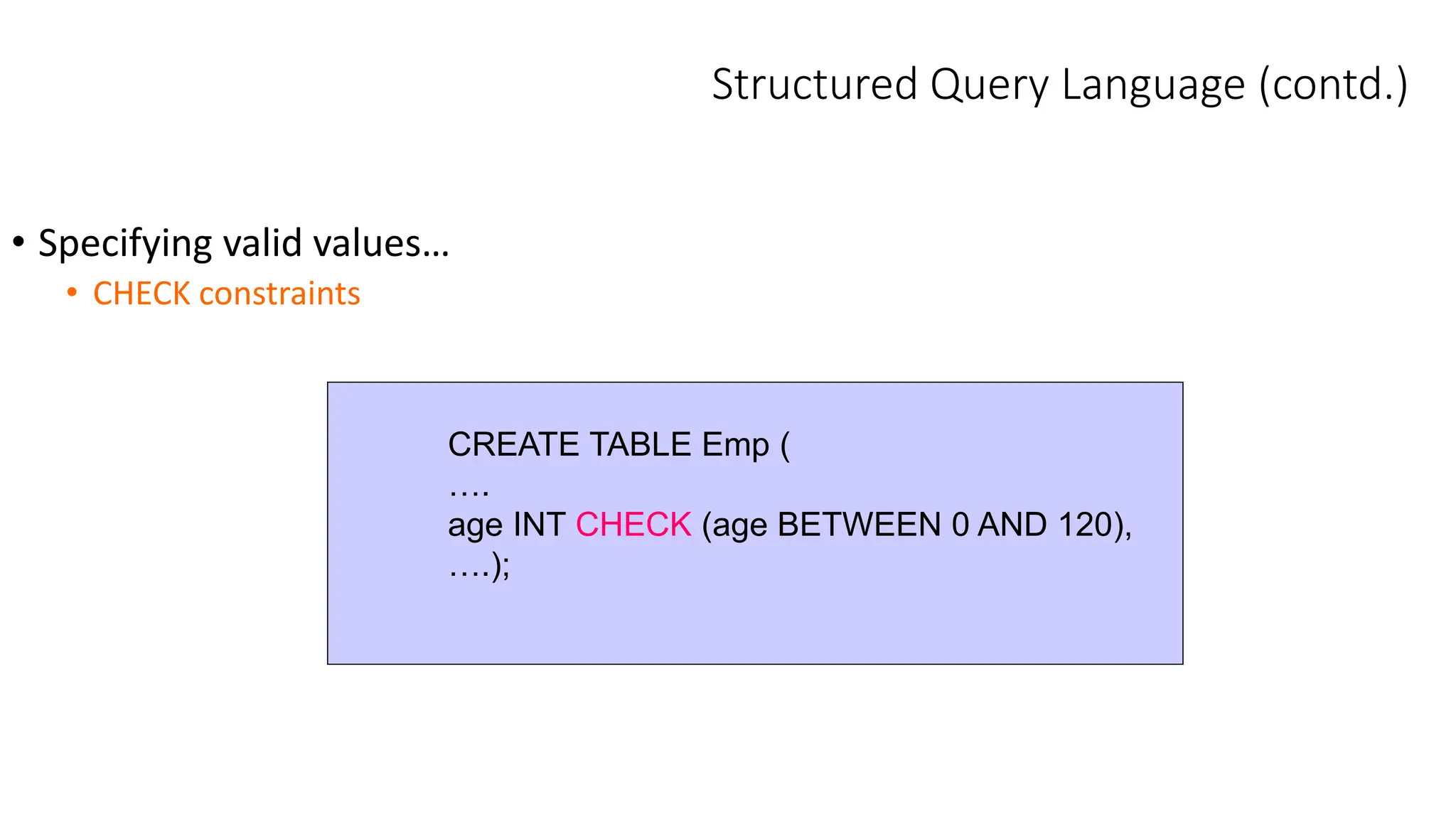
• Specifying valid values…
• CHECK constraints
CREATE TABLE Emp (
….
age INT CHECK (age BETWEEN 0 AND 120),
….);
Structured Query Language
(contd.)
• Referential Triggered Action:
• Actions
• SET NULL
• CASCADE
• SET DEFAULT
• Operations
• ON UPDATE
• ON DELETE
Structured Query Language
(contd.)
CREATE TABLE Employee (
NIC VARCHAR(10) PRIMARY KEY,
name VARCHAR(50) UNIQUE NOT NULL,
address VARCHAR(25) DEFAULT 'Colombo',
works_in INTEGER,
CONSTRAINT fk_EmpDept FOREIGN KEY (works_in)
REFERENCES Dept ON DELETE CASCADE
ON UPDATE NO ACTION
);
Structured Query Language
(contd.)
• The use of a constraint name allows identification of a
constraint which can be dropped later (using the ALTER
TABLE command)
Structured Query Language
(contd.)
• Dropping tables
DROP TABLE Employee [RESTRICT|CASCADE]
• RESTRICT drops if no other constraints (such as foreign keys or views
exist)
• CASCADE drops all constraints & views that reference it
* SQL Server 2000 has only RESTRICT option which is the default
• Altering tables…
• ALTER TABLE can be used to add or drop a column, change a
column definition, and adding or dropping table constraints
• For example…
-- The new column has null values. Hence, NOT NULL cannot be used
here
Structured Query Language
(contd.)
ALTER TABLE Employee ADD Job VARCHAR(12)
Structured Query Language
(contd.)
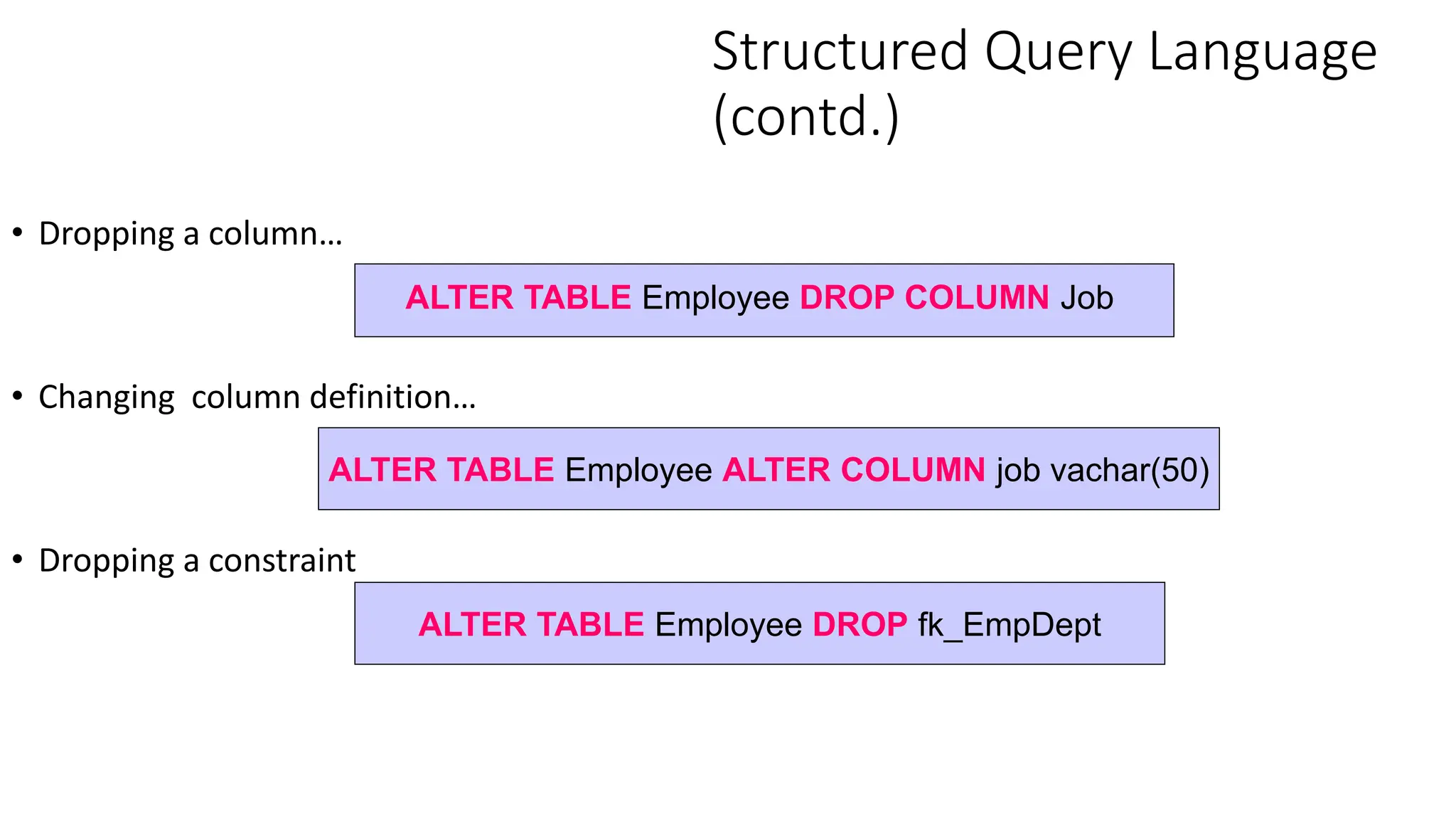
• Dropping a column…
• Changing column definition…
• Dropping a constraint
ALTER TABLE Employee DROP COLUMN Job
ALTER TABLE Employee ALTER COLUMN job vachar(50)
ALTER TABLE Employee DROP fk_EmpDept
Structured Query Language
(contd.)
• We can modify data using the following three commands: INSERT, DELETE and
UPDATE
• INSERT statement:
• Inserting a single row
*The order of values must be the same as in the CREATE TABLE statement
INSERT INTO Dept VALUES (1, 'Sales', 'BoC Merchant Tower')
Structured Query Language
(contd.)
•Inserting to user-specified columns
* Only the columns are specified are filled with values. Unspecified
columns are filled with NULL if there is no default values.
INSERT INTO Employee (NIC, name, works_in)
VALUES ('781111111V', 'Ajith Perera', 1)
Structured Query Language
(contd.)
• Inserting multiple rows…
INSERT INTO Employees
<Select statement>*
*we’ll learn the select statement in detail later
Structured Query Language
(contd.)
• Deleting tuples from tables…
• Deleting all records
• Deleting only specified records
DELETE FROM <table>
WHERE <selection-condition>
• Completely removing a table is a DDL operation
DELETE FROM Dept
DELETE FROM Dept WHERE dno = 2
DROP TABLE Staff
Structured Query Language
(contd.)
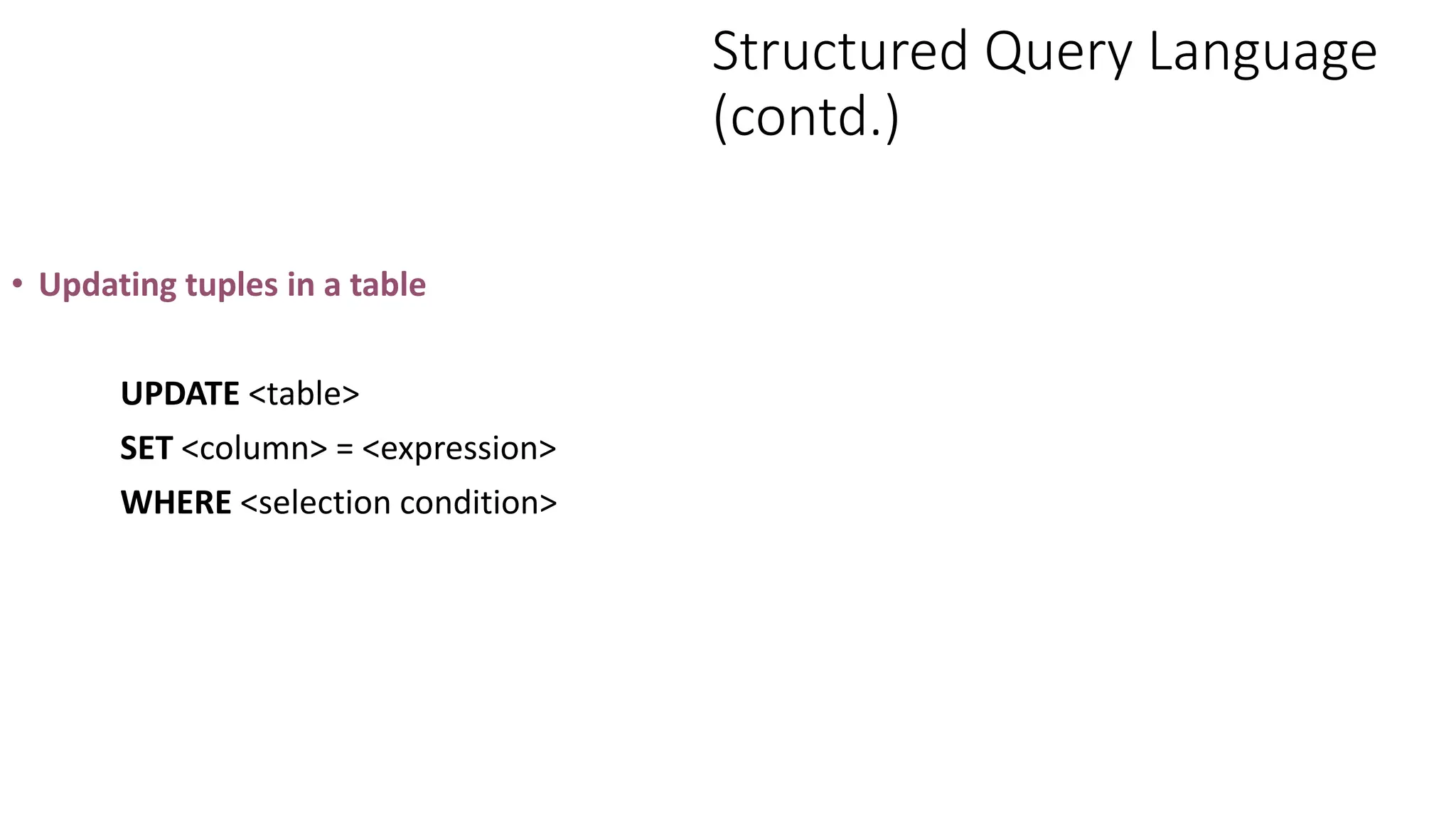
• Updating tuples in a table
UPDATE <table>
SET <column> = <expression>
WHERE <selection condition>
Structured Query Language
(contd.)
• Updating all tuples
• Updating selected tuples
UPDATE Employee
SET works_in = 2
WHERE NIC = ‘781111111V’
UPDATE Employee SET works_in = 1
Exercises…
• Consider the following schema:
Student(StudentNo:Integer; name:varchar(50), major:char(4);
GPA:float)
Write SQL statements to perform the following
1. Create the above table
2. Insert the following information:
StudentNo Name Major GPA
1 Sampath EE 3.5
2 Nishani CSE 3.4
Exercises… (contd.)
3. Update Sampath’s GPA to 3.7.
4. Delete student table
5. Add a column address (i.e. address: varchar(50) ) to the Student
table.
6. Change the data type of address column into varchar(100).
7. Add a checking rule to GPA column, GPA values should between
0 and 4.
8. Remove the check constraint added to the GPA column.
9. Create table Major(majorId , description).
10. Change student table to reflect Primary Key.
Summary
• SQL is the standard query language for RDBMS
• Three main categories of SQL
• DDL, Data Definition Language
• DCL, Data Control Language
• DML, Data Manipulation Language
• CREATE belongs to DDL

SQL Presentation & explaination short I.pptx

  • 1.
    Relational Database ManagementSystems SQL Creating Tables
  • 2.
    In this lectureyou will learn • The basic concepts and principles of SQL • The different components of SQL • How to use SQL (DDL) to perform basic create operations • Create • Insert • Modify • Delete data • How to use SQL(DML) to perform basic database queries
  • 3.
    SQL Components: DDL,DCL, & DML • SQL is a very large and powerful language, but every type of SQL statement falls within one of three main categories (or sub- languages): • Data Definition Language (DDL) for creating a DB e.g. CREATE, DROP, ALTER • Data Control Language (DCL) for administering a DB e.g. GRANT, DENY, USE • Data Manipulation Language (DML) to access a DB e.g. SELECT, INSERT, UPDATE, DELETE
  • 4.
    Relational Tables CanAnswer Many Queries Student Enrolment Course • How many courses are there & what are their names? • Which students are enrolled for Java? • How many students take 3 or more courses?
  • 5.
    SQL - StructuredQuery Language • SQL was developed at IBM around 1975... • Structured programming? • No! - Structured English (from ‘SEQUEL’) • (for Structured English QUEry Language) • SQL is a declarative language - says what not how • SQL is an abstract & portable interface to RDMBs • Warning: different vendors have dialects & extensions
  • 6.
    Structured Query Language(contd.) SQL is a comprehensive database language: • Data Definition Language (DDL) • Data Manipulation Language (DML) • Facilities for security & authorization • Facilities for transaction processing • Facilities for embedding SQL in general purpose languages (Embedded SQL)
  • 7.
    SQL Syntax • SQLuses English keywords & user-defined names • By convention, keywords are upper-case • Text data is enclosed using single quotes (‘ ' ‘) • Round brackets (‘(‘) are used to group related items • Commas (‘,’) separate items in a list • Statements are terminated with a semicolon (‘;’) CREATE TABLE Staff ( StaffNo INTEGER, Salary FLOAT, Lname CHAR(20) ); INSERT INTO Staff VALUES (32, 25000.0, 'Smith');
  • 8.
    SQL Terminology • SQLdoes not use formal relational terminology Formal Informal (SQL) • Relation Table • Tuple Row • Attribute Column • Cardinality No. of rows • Degree No. of columns • Relationships Foreign keys • Constraints Assertions
  • 9.
    Structured Query Language(contd.) • Creating tables… • Tables can be created using CREATE TABLE statement • There are different data types available in SQL2
  • 10.
    Structured Query Language(contd.) • Integer (INT, INTEGER & SMALLINT) • Real numbers (FLOAT, REAL, DOUBLE) • Formatted numbers DECIMAL(i,j) or DEC(i,j) or NUMERIC(i,j) • Character strings • Fixed length: CHAR(n) or CHARACTER(n) • Variable length: VARCHAR(n) • Date and Time: DATE and TIME data types are supported in SQL2
  • 11.
    Example… Structured Query Language(contd.) CREATE TABLE Student ( name CHAR(20), address CHAR(25), age INTEGER, gpa REAL );
  • 12.
    Structured Query Language(contd.) • Primary Key constraint • PRIMARY KEY CREATE TABLE Student ( stdid CHAR (10) PRIMARY KEY, name CHAR(20), address CHAR(25), age INTEGER, gpa REAL );
  • 13.
    Structured Query Language(contd.) • Alternative: CREATE TABLE Student ( stdid CHAR (10) name CHAR(20), address CHAR(25), age INTEGER, gpa REAL, PRIMARY KEY (stid) );
  • 14.
    Structured Query Language(contd.) • Other candidate keys… • UNIQUE CREATE TABLE Student ( Stdid CHAR (10) PRIMARY KEY, Name CHAR(20), Address CHAR(25), Age INTEGER, Gpa REAL, NIC CHAR(10) UNIQUE );
  • 15.
    Structured Query Language(contd.) • Referential Integrity Constraints • FOREIGN KEY………REFERENCES • Student (stdId, name ,address , age , gpa) • Grade( subjectId, stdId , grade) CREATE TABLE Grade( subjectId CHAR(4), stdId CHAR(10), grade CHAR(2), PRIMARY KEY(subjectId, stdId), FOREIGN KEY(stdId) REFERENCES Student ) ;
  • 16.
    Structured Query Language(contd.) • Alternative • FOREIGN KEY CREATE TABLE Grade ( subjectId CHAR(4), stdId CHAR(10) REFERENCES Student(stdId), grade CHAR(2), PRIMARY KEY(subjectId,stdid) );
  • 17.
    Structured Query Language(contd.) • Alternative: CREATE TABLE Grade ( subjectId CHAR(4), stdId CHAR(10) , grade CHAR(2), PRIMARY KEY(subjectId,stdid), CONSTRAINT fk_Grade FOREIGN KEY(stdid) REFERENCES Student(stdId) );
  • 18.
    Structured Query Language (contd.) •Specifying NOT NULL constraints… • NOT NULL CREATE TABLE Student ( Name CHAR(20) NOT NULL, Address CHAR(25), Age INTEGER, Gpa REAL );
  • 19.
    Structured Query Language (contd.) •Specifying default values… • DEFAULT CREATE TABLE Student ( Name CHAR(20), Address CHAR(25) DEFAULT ‘Malabe’, Age INTEGER, Gpa REAL );
  • 20.
    Structured Query Language(contd.) • Specifying valid values… • CHECK constraints CREATE TABLE Emp ( …. age INT CHECK (age BETWEEN 0 AND 120), ….);
  • 21.
    Structured Query Language (contd.) •Referential Triggered Action: • Actions • SET NULL • CASCADE • SET DEFAULT • Operations • ON UPDATE • ON DELETE
  • 22.
    Structured Query Language (contd.) CREATETABLE Employee ( NIC VARCHAR(10) PRIMARY KEY, name VARCHAR(50) UNIQUE NOT NULL, address VARCHAR(25) DEFAULT 'Colombo', works_in INTEGER, CONSTRAINT fk_EmpDept FOREIGN KEY (works_in) REFERENCES Dept ON DELETE CASCADE ON UPDATE NO ACTION );
  • 23.
    Structured Query Language (contd.) •The use of a constraint name allows identification of a constraint which can be dropped later (using the ALTER TABLE command)
  • 24.
    Structured Query Language (contd.) •Dropping tables DROP TABLE Employee [RESTRICT|CASCADE] • RESTRICT drops if no other constraints (such as foreign keys or views exist) • CASCADE drops all constraints & views that reference it * SQL Server 2000 has only RESTRICT option which is the default
  • 25.
    • Altering tables… •ALTER TABLE can be used to add or drop a column, change a column definition, and adding or dropping table constraints • For example… -- The new column has null values. Hence, NOT NULL cannot be used here Structured Query Language (contd.) ALTER TABLE Employee ADD Job VARCHAR(12)
  • 26.
    Structured Query Language (contd.) •Dropping a column… • Changing column definition… • Dropping a constraint ALTER TABLE Employee DROP COLUMN Job ALTER TABLE Employee ALTER COLUMN job vachar(50) ALTER TABLE Employee DROP fk_EmpDept
  • 27.
    Structured Query Language (contd.) •We can modify data using the following three commands: INSERT, DELETE and UPDATE • INSERT statement: • Inserting a single row *The order of values must be the same as in the CREATE TABLE statement INSERT INTO Dept VALUES (1, 'Sales', 'BoC Merchant Tower')
  • 28.
    Structured Query Language (contd.) •Insertingto user-specified columns * Only the columns are specified are filled with values. Unspecified columns are filled with NULL if there is no default values. INSERT INTO Employee (NIC, name, works_in) VALUES ('781111111V', 'Ajith Perera', 1)
  • 29.
    Structured Query Language (contd.) •Inserting multiple rows… INSERT INTO Employees <Select statement>* *we’ll learn the select statement in detail later
  • 30.
    Structured Query Language (contd.) •Deleting tuples from tables… • Deleting all records • Deleting only specified records DELETE FROM <table> WHERE <selection-condition> • Completely removing a table is a DDL operation DELETE FROM Dept DELETE FROM Dept WHERE dno = 2 DROP TABLE Staff
  • 31.
    Structured Query Language (contd.) •Updating tuples in a table UPDATE <table> SET <column> = <expression> WHERE <selection condition>
  • 32.
    Structured Query Language (contd.) •Updating all tuples • Updating selected tuples UPDATE Employee SET works_in = 2 WHERE NIC = ‘781111111V’ UPDATE Employee SET works_in = 1
  • 33.
    Exercises… • Consider thefollowing schema: Student(StudentNo:Integer; name:varchar(50), major:char(4); GPA:float) Write SQL statements to perform the following 1. Create the above table 2. Insert the following information: StudentNo Name Major GPA 1 Sampath EE 3.5 2 Nishani CSE 3.4
  • 34.
    Exercises… (contd.) 3. UpdateSampath’s GPA to 3.7. 4. Delete student table 5. Add a column address (i.e. address: varchar(50) ) to the Student table. 6. Change the data type of address column into varchar(100). 7. Add a checking rule to GPA column, GPA values should between 0 and 4. 8. Remove the check constraint added to the GPA column. 9. Create table Major(majorId , description). 10. Change student table to reflect Primary Key.
  • 35.
    Summary • SQL isthe standard query language for RDBMS • Three main categories of SQL • DDL, Data Definition Language • DCL, Data Control Language • DML, Data Manipulation Language • CREATE belongs to DDL