Data Definition Language
commands in SQL
Mrs. Pallavi Patil
Introduction to structural query language
• SQL (Structured Query Language) is used to perform operations on the
records stored in the database such as updating records, deleting records,
creating and modifying tables, views, etc.
• SQL is just a query language; it is not a database. To perform SQL queries,
you need to install any database, for example, Oracle, MySQL, PostGre
SQL, SQL Server, DB2, etc.
Mrs. Pallavi Patil
Advantages of SQL
• High speed
• Portable
• Easy to learn and understand
• Supports object oriented programming
• Used with all DBMS system with any vendor
• No coding required
• Used for relational database
• Complete language for database
• Can be used as programming and interactive language
• Dynamic database language
• Client / server language
• Multiple data views
Mrs. Pallavi Patil
Data types
• Char
It is used to specify a fixed length string that can contain numbers, letters, and
special characters. Its size can be 0 to 255 characters. Default is 1.
Stud_name char(20)
• Varchar and varchar2:
It is used to specify a variable length string that can contain numbers, letters,
and special characters.
Varchar is used to store maximum data up to 4000 characters
Varchar2 holds variable length character string. Maximum data stored in this
type is 32767 characters.
Stud_name varchar(20)
Mrs. Pallavi Patil
• Number (p,s)
It contains precision p and scale s. The precision p can range from 1 to 38, and the
scale s can range from -84 to 127.
Ex. Marks number(5)
• Date
It is used to store a valid date-time format with a fixed length. By default format
for date is DD-MON-YY
birthDate date
Ex. 11-MAR-14
• Long
This datatype is used to store variable length string containing data up to 2 GB.
Mrs. Pallavi Patil
Components of SQL
• DDL
 use to create structure of table/ schema.
• DML
 use to manipulate data stored in database.
DQL
 use to fetch the data from database on the basis of perticular condition applied
by user.
• DCL
 DCL commands are used to grant and take back authority from any database
user.
• Transaction Control Language (TCL)
 Use to control different operations performed on records.
Mrs. Pallavi Patil
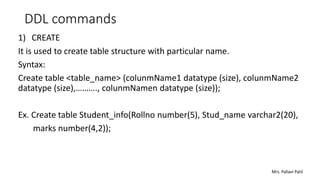
DDL commands
1) CREATE
It is used to create table structure with particular name.
Syntax:
Create table <table_name> (colunmName1 datatype (size), colunmName2
datatype (size),………., colunmNamen datatype (size));
Ex. Create table Student_info(Rollno number(5), Stud_name varchar2(20),
marks number(4,2));
Mrs. Pallavi Patil
2) DESC
This command is used to describe the structure of created table.
Syntax:
DESC table_name;
DESC student_info;
3) ALTER
• This command is used to make changes or modification in the created table.
• With this command we can add , modify or delete columns in the created table.
Syntax 1: For adding new column into table
Alter table < table_name> add ( columnName datatype (size));
Ex. Alter table student_info add (city varchar(10));
Mrs. Pallavi Patil
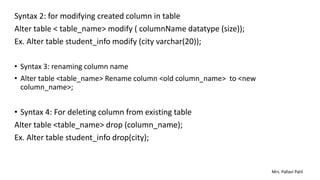
Syntax 2: for modifying created column in table
Alter table < table_name> modify ( columnName datatype (size));
Ex. Alter table student_info modify (city varchar(20));
• Syntax 3: renaming column name
• Alter table <table_name> Rename column <old column_name> to <new
column_name>;
• Syntax 4: For deleting column from existing table
Alter table <table_name> drop (column_name);
Ex. Alter table student_info drop(city);
Mrs. Pallavi Patil
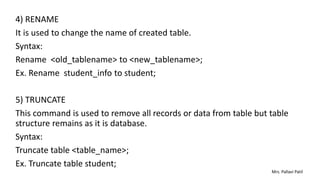
4) RENAME
It is used to change the name of created table.
Syntax:
Rename <old_tablename> to <new_tablename>;
Ex. Rename student_info to student;
5) TRUNCATE
This command is used to remove all records or data from table but table
structure remains as it is database.
Syntax:
Truncate table <table_name>;
Ex. Truncate table student;
Mrs. Pallavi Patil
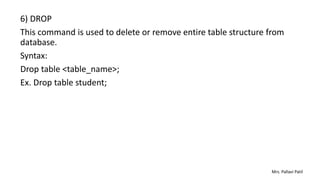
6) DROP
This command is used to delete or remove entire table structure from
database.
Syntax:
Drop table <table_name>;
Ex. Drop table student;
Mrs. Pallavi Patil

SQL: Data Definition Language commands.pptx

  • 1.
    Data Definition Language commandsin SQL Mrs. Pallavi Patil
  • 2.
    Introduction to structuralquery language • SQL (Structured Query Language) is used to perform operations on the records stored in the database such as updating records, deleting records, creating and modifying tables, views, etc. • SQL is just a query language; it is not a database. To perform SQL queries, you need to install any database, for example, Oracle, MySQL, PostGre SQL, SQL Server, DB2, etc. Mrs. Pallavi Patil
  • 3.
    Advantages of SQL •High speed • Portable • Easy to learn and understand • Supports object oriented programming • Used with all DBMS system with any vendor • No coding required • Used for relational database • Complete language for database • Can be used as programming and interactive language • Dynamic database language • Client / server language • Multiple data views Mrs. Pallavi Patil
  • 4.
    Data types • Char Itis used to specify a fixed length string that can contain numbers, letters, and special characters. Its size can be 0 to 255 characters. Default is 1. Stud_name char(20) • Varchar and varchar2: It is used to specify a variable length string that can contain numbers, letters, and special characters. Varchar is used to store maximum data up to 4000 characters Varchar2 holds variable length character string. Maximum data stored in this type is 32767 characters. Stud_name varchar(20) Mrs. Pallavi Patil
  • 5.
    • Number (p,s) Itcontains precision p and scale s. The precision p can range from 1 to 38, and the scale s can range from -84 to 127. Ex. Marks number(5) • Date It is used to store a valid date-time format with a fixed length. By default format for date is DD-MON-YY birthDate date Ex. 11-MAR-14 • Long This datatype is used to store variable length string containing data up to 2 GB. Mrs. Pallavi Patil
  • 6.
    Components of SQL •DDL  use to create structure of table/ schema. • DML  use to manipulate data stored in database. DQL  use to fetch the data from database on the basis of perticular condition applied by user. • DCL  DCL commands are used to grant and take back authority from any database user. • Transaction Control Language (TCL)  Use to control different operations performed on records. Mrs. Pallavi Patil
  • 7.
    DDL commands 1) CREATE Itis used to create table structure with particular name. Syntax: Create table <table_name> (colunmName1 datatype (size), colunmName2 datatype (size),………., colunmNamen datatype (size)); Ex. Create table Student_info(Rollno number(5), Stud_name varchar2(20), marks number(4,2)); Mrs. Pallavi Patil
  • 8.
    2) DESC This commandis used to describe the structure of created table. Syntax: DESC table_name; DESC student_info; 3) ALTER • This command is used to make changes or modification in the created table. • With this command we can add , modify or delete columns in the created table. Syntax 1: For adding new column into table Alter table < table_name> add ( columnName datatype (size)); Ex. Alter table student_info add (city varchar(10)); Mrs. Pallavi Patil
  • 9.
    Syntax 2: formodifying created column in table Alter table < table_name> modify ( columnName datatype (size)); Ex. Alter table student_info modify (city varchar(20)); • Syntax 3: renaming column name • Alter table <table_name> Rename column <old column_name> to <new column_name>; • Syntax 4: For deleting column from existing table Alter table <table_name> drop (column_name); Ex. Alter table student_info drop(city); Mrs. Pallavi Patil
  • 10.
    4) RENAME It isused to change the name of created table. Syntax: Rename <old_tablename> to <new_tablename>; Ex. Rename student_info to student; 5) TRUNCATE This command is used to remove all records or data from table but table structure remains as it is database. Syntax: Truncate table <table_name>; Ex. Truncate table student; Mrs. Pallavi Patil
  • 11.
    6) DROP This commandis used to delete or remove entire table structure from database. Syntax: Drop table <table_name>; Ex. Drop table student; Mrs. Pallavi Patil