A high performance remote desktop solution
Now all types of business professionals can enjoy a truly interactive and
intuitive experience with Splashtop’s superior remote application and
desktop access.
Use your existing applications on a mobile device without retraining or
re-engineering applications. Splashtop Business is capable of delivering 3D
graphics, HD video, and other apps that were previously impossible to use
on tablets.
Key Features and Benefits
•	 High Performance - Get 4K streaming at 40fps and iMac Pro Retina
5K streaming at low latency. Reduced CPU utilization provides more
headroom to process applications. Settings can be fine-tuned to get
optimal performance. Optimized encoding and decoding engine takes
advantage of the latest hardware acceleration from Intel, NVIDIA, AMD.
•	 Multi-monitor Support - Remote into multiple monitors connected to
your workstations.
•	 Broad Device Support - Remote into your Mac, Windows or Linux
computer from any Mac, Windows, iOS, Android, or Chromebook device.
•	 Single Sign-On Integration (add-on for purchase) - Easy, secured and
centralized authentication. Integrations with all major identity providers.
•	 Centralized Admin Console - For large deployments, IT admins can
easily deploy and manage employees’remote access to computers.
•	 Secure Connections - Get secure infrastructure, intrustion protection,
SSL/AES 256 bit encryption and other advanced security features.
•	 Increased User Productivity - Intuitive gestures and menu interface
delivers a native application experience. Customizable shortcuts allow
easy access to application features. Whiteboard allows users to annotate
over content. Get file transfer, remote print and other in-session features.
•	
Who Benefits?
•	 Business owners - ensure company
data is protected while keeping mobile
employees productive.
•	 Field/sales reps - access the company’s
internal systems or view the latest sales
presentations and training materials.
•	 Managers - ensure teams remain
productive when away from their desks.
•	 Professionals who need to view or
transfer files on company computers
without VPN access, in industries
including: accounting, banking, dental,
energy, insurance, legal, medical,
research, retail, and science.
Fast, simple, secure remote
desktop access for business
professionals.
Get fast remote access with Splashtop
Business. Increase productivity with
smooth, secure access to all your
company’s applications, files and data.
Splashtop Business Access
Easily access all your processor intensive desktop
applications anywhere, anytime, from any device
“I dumped LogMeIn over a year ago
for the same reason everyone talks
about: cost!!! And been using Splashtop
Business since then without any regrets.
I fully been recommending it to my
work colleagues, as a great tool to stop
hauling their laptops or avoid stressing
out when they are away from their
home or office desktops. Easy and very
dependable to use.”
— Juan C Ryan
Easy Deployment
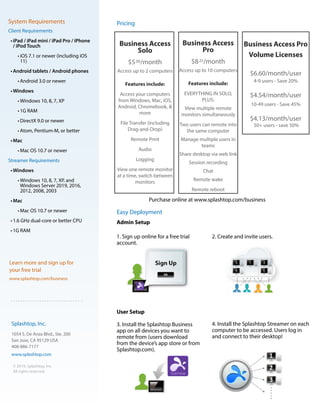
Admin Setup
1. Sign up online for a free trial
account.
User Setup
3. Install the Splashtop Business
app on all devices you want to
remote from (users download
from the device’s app store or from
Splashtop.com).
System Requirements
Client Requirements
•	iPad / iPad mini / iPad Pro / iPhone
/ iPod Touch
•	iOS 7.1 or newer (including iOS
11)
•	Android tablets / Android phones
•	Android 3.0 or newer
•	Windows
•	Windows 10, 8, 7, XP
•	1G RAM
•	DirectX 9.0 or newer
•	Atom, Pentium-M, or better
•	Mac
•	Mac OS 10.7 or newer
Streamer Requirements
•	Windows
•	Windows 10, 8, 7, XP, and
Windows Server 2019, 2016,
2012, 2008, 2003
•	Mac
•	Mac OS 10.7 or newer
•	1.6 GHz dual-core or better CPU
•	1G RAM
Learn more and sign up for
your free trial
www.splashtop.com/business
Splashtop, Inc.
1054 S. De Anza Blvd., Ste. 200
San Jose, CA 95129 USA
408-886-7177
www.splashtop.com
© 2019, Splashtop, Inc.
All rights reserved.
2. Create and invite users.
4. Install the Splashtop Streamer on each
computer to be accessed. Users log in
and connect to their desktop!
Pricing
Business Access
Solo
$5.00/month
Access up to 2 computers
Features include:
Access your computers
from Windows, Mac, iOS,
Android, Chromebook, &
more
File Transfer (including
Drag-and-Drop)
Remote Print
Audio
Logging
View one remote monitor
at a time, switch between
monitors
Business Access
Pro
$8.25/month
Access up to 10 computers
Features include:
EVERYTHING IN SOLO,
PLUS:
View multiple remote
monitors simultaneously
Two users can remote into
the same computer
Manage multiple users in
teams
Share desktop via web link
Session recording
Chat
Remote wake
Remote reboot
Purchase online at www.splashtop.com/business
Business Access Pro
Volume Licenses
$6.60/month/user
4-9 users - Save 20%
$4.54/month/user
10-49 users - Save 45%
$4.13/month/user
50+ users - save 50%

Splashtop Business Access Datasheet

  • 1.
    A high performanceremote desktop solution Now all types of business professionals can enjoy a truly interactive and intuitive experience with Splashtop’s superior remote application and desktop access. Use your existing applications on a mobile device without retraining or re-engineering applications. Splashtop Business is capable of delivering 3D graphics, HD video, and other apps that were previously impossible to use on tablets. Key Features and Benefits • High Performance - Get 4K streaming at 40fps and iMac Pro Retina 5K streaming at low latency. Reduced CPU utilization provides more headroom to process applications. Settings can be fine-tuned to get optimal performance. Optimized encoding and decoding engine takes advantage of the latest hardware acceleration from Intel, NVIDIA, AMD. • Multi-monitor Support - Remote into multiple monitors connected to your workstations. • Broad Device Support - Remote into your Mac, Windows or Linux computer from any Mac, Windows, iOS, Android, or Chromebook device. • Single Sign-On Integration (add-on for purchase) - Easy, secured and centralized authentication. Integrations with all major identity providers. • Centralized Admin Console - For large deployments, IT admins can easily deploy and manage employees’remote access to computers. • Secure Connections - Get secure infrastructure, intrustion protection, SSL/AES 256 bit encryption and other advanced security features. • Increased User Productivity - Intuitive gestures and menu interface delivers a native application experience. Customizable shortcuts allow easy access to application features. Whiteboard allows users to annotate over content. Get file transfer, remote print and other in-session features. • Who Benefits? • Business owners - ensure company data is protected while keeping mobile employees productive. • Field/sales reps - access the company’s internal systems or view the latest sales presentations and training materials. • Managers - ensure teams remain productive when away from their desks. • Professionals who need to view or transfer files on company computers without VPN access, in industries including: accounting, banking, dental, energy, insurance, legal, medical, research, retail, and science. Fast, simple, secure remote desktop access for business professionals. Get fast remote access with Splashtop Business. Increase productivity with smooth, secure access to all your company’s applications, files and data. Splashtop Business Access Easily access all your processor intensive desktop applications anywhere, anytime, from any device “I dumped LogMeIn over a year ago for the same reason everyone talks about: cost!!! And been using Splashtop Business since then without any regrets. I fully been recommending it to my work colleagues, as a great tool to stop hauling their laptops or avoid stressing out when they are away from their home or office desktops. Easy and very dependable to use.” — Juan C Ryan
  • 2.
    Easy Deployment Admin Setup 1.Sign up online for a free trial account. User Setup 3. Install the Splashtop Business app on all devices you want to remote from (users download from the device’s app store or from Splashtop.com). System Requirements Client Requirements • iPad / iPad mini / iPad Pro / iPhone / iPod Touch • iOS 7.1 or newer (including iOS 11) • Android tablets / Android phones • Android 3.0 or newer • Windows • Windows 10, 8, 7, XP • 1G RAM • DirectX 9.0 or newer • Atom, Pentium-M, or better • Mac • Mac OS 10.7 or newer Streamer Requirements • Windows • Windows 10, 8, 7, XP, and Windows Server 2019, 2016, 2012, 2008, 2003 • Mac • Mac OS 10.7 or newer • 1.6 GHz dual-core or better CPU • 1G RAM Learn more and sign up for your free trial www.splashtop.com/business Splashtop, Inc. 1054 S. De Anza Blvd., Ste. 200 San Jose, CA 95129 USA 408-886-7177 www.splashtop.com © 2019, Splashtop, Inc. All rights reserved. 2. Create and invite users. 4. Install the Splashtop Streamer on each computer to be accessed. Users log in and connect to their desktop! Pricing Business Access Solo $5.00/month Access up to 2 computers Features include: Access your computers from Windows, Mac, iOS, Android, Chromebook, & more File Transfer (including Drag-and-Drop) Remote Print Audio Logging View one remote monitor at a time, switch between monitors Business Access Pro $8.25/month Access up to 10 computers Features include: EVERYTHING IN SOLO, PLUS: View multiple remote monitors simultaneously Two users can remote into the same computer Manage multiple users in teams Share desktop via web link Session recording Chat Remote wake Remote reboot Purchase online at www.splashtop.com/business Business Access Pro Volume Licenses $6.60/month/user 4-9 users - Save 20% $4.54/month/user 10-49 users - Save 45% $4.13/month/user 50+ users - save 50%