Farhanullah khan
(0895) BSSE
Agenda:-
 Introduction
 Importance of testing in SDLC
 Testing life cycle
 Types of testing
 Verification & Validation
Software testing is a process used to identify the
correctness, completeness and quality of developed
computer software.
It is the process of executing a program /
application under positive and negative conditions
by manual or automated means. It checks for the :-
 Specification
 Functionality
 Performance
Software Testing
 Software Testing is important as it may
cause mission failure, impact on
operational performance and reliability if
not done properly.
Why Software is Testing ?
Bug, Fault & Failure
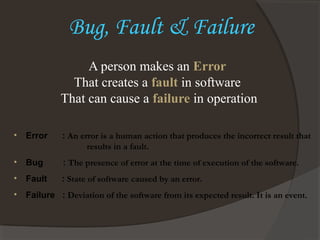
• Error : An error is a human action that produces the incorrect result that
results in a fault.
• Bug : The presence of error at the time of execution of the software.
• Fault : State of software caused by an error.
• Failure : Deviation of the software from its expected result. It is an event.
A person makes an Error
That creates a fault in software
That can cause a failure in operation
Who is a Software
Tester??..
 Software Tester is the one who performs testing
and find bugs, if they exist in the tested
application.
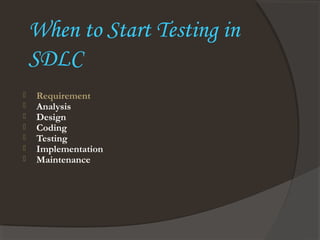
When to Start Testing in
SDLC
 Requirement
 Analysis
 Design
 Coding
 Testing
 Implementation
 Maintenance
Unit Testing
 Test each module individually.
 Follows a white box testing.
 Done by Developers.
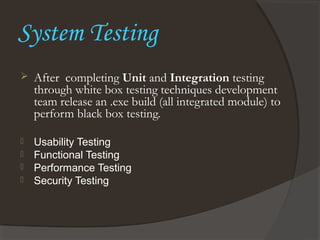
System Testing
 After completing Unit and Integration testing
through white box testing techniques development
team release an .exe build (all integrated module) to
perform black box testing.
 Usability Testing
 Functional Testing
 Performance Testing
 Security Testing
Usability Testing
 During this test, testing team concentrates
on the user friendliness of build interface.
Functional Testing
 The process of checking the
behavior of the application.
 To check the correctness of
outputs.
 Data validation and Integration
i.e. inputs are correct or not.
Security Testing
 Testing how well the system
protects against unauthorized
internal or external access, willful
damage etc .
Alpha Testing
 The application is tested by the users who doesn’t know about
the application.
 Done at developer’s site under controlled conditions
 Under the supervision of the developers.
Acceptance Testing
 A formal test conducted to determine whether or not a
system satisfies its acceptance criteria and to enable the
customer to determine whether or not to accept the system.
Beta Testing
 This Testing is done before the final
release of the software to end-users.
Regression Testing
 Testing with the intent of
determining if bug fixes have been
successful and have not created any
new problems.
 Also this type of testing is done to
ensure that no degradation of
baseline functionality has occurred.
Monkey Testing
 Testing the application randomly like
hitting keys irregularly and try to
breakdown the system.
 There is no specific test cases and scenarios
for monkey testing.
Software testing
Software testing

Software testing

  • 1.
  • 2.
    Agenda:-  Introduction  Importanceof testing in SDLC  Testing life cycle  Types of testing  Verification & Validation
  • 4.
    Software testing isa process used to identify the correctness, completeness and quality of developed computer software. It is the process of executing a program / application under positive and negative conditions by manual or automated means. It checks for the :-  Specification  Functionality  Performance Software Testing
  • 5.
     Software Testingis important as it may cause mission failure, impact on operational performance and reliability if not done properly. Why Software is Testing ?
  • 6.
    Bug, Fault &Failure • Error : An error is a human action that produces the incorrect result that results in a fault. • Bug : The presence of error at the time of execution of the software. • Fault : State of software caused by an error. • Failure : Deviation of the software from its expected result. It is an event. A person makes an Error That creates a fault in software That can cause a failure in operation
  • 7.
    Who is aSoftware Tester??..  Software Tester is the one who performs testing and find bugs, if they exist in the tested application.
  • 9.
    When to StartTesting in SDLC  Requirement  Analysis  Design  Coding  Testing  Implementation  Maintenance
  • 11.
    Unit Testing  Testeach module individually.  Follows a white box testing.  Done by Developers.
  • 12.
    System Testing  Aftercompleting Unit and Integration testing through white box testing techniques development team release an .exe build (all integrated module) to perform black box testing.  Usability Testing  Functional Testing  Performance Testing  Security Testing
  • 13.
    Usability Testing  Duringthis test, testing team concentrates on the user friendliness of build interface.
  • 14.
    Functional Testing  Theprocess of checking the behavior of the application.  To check the correctness of outputs.  Data validation and Integration i.e. inputs are correct or not.
  • 15.
    Security Testing  Testinghow well the system protects against unauthorized internal or external access, willful damage etc .
  • 16.
    Alpha Testing  Theapplication is tested by the users who doesn’t know about the application.  Done at developer’s site under controlled conditions  Under the supervision of the developers.
  • 17.
    Acceptance Testing  Aformal test conducted to determine whether or not a system satisfies its acceptance criteria and to enable the customer to determine whether or not to accept the system.
  • 18.
    Beta Testing  ThisTesting is done before the final release of the software to end-users.
  • 19.
    Regression Testing  Testingwith the intent of determining if bug fixes have been successful and have not created any new problems.  Also this type of testing is done to ensure that no degradation of baseline functionality has occurred.
  • 20.
    Monkey Testing  Testingthe application randomly like hitting keys irregularly and try to breakdown the system.  There is no specific test cases and scenarios for monkey testing.

Editor's Notes

  • #14 Advantages of Usability Testing Usability test can be modified to cover many other types of testing such as functional testing, system integration testing, unit testing, smoke testing etc. (with keeping the main objective of usability testing in mind) in order to make it sure that testing is done in all the possible directions. Usability testing can be very economical if planned properly, yet highly effective and beneficial. If proper resources (experienced and creative testers) are used, usability test can help in fixing all the problems that user may face even before the system is finally released to the user. This may result in better performance and a standard system. Usability testing can help in uncovering potential bugs and potholes in the system which generally are not visible to developers and even escape the other type of testing. Usability testing is a very wide area of testing and it needs fairly high level of understanding of this field along with creative mind. People involved in the usability testing are required to possess skills like patience, ability to listen to the suggestions, openness to welcome any idea, and the most important of them all is that they should have good observation skills to spot and fix the problems on fly.
  • #17 Testing where user plays a role/user is required: User Acceptance Testing: In this type of testing, the software is handed over to the user in order to find out if the software meets the user expectations and works as it is expected to. Alpha Testing: In this type of testing, the users are invited at the development center where they use the application and the developers note every particular input or action carried out by the user. Any type of abnormal behavior of the system is noted and rectified by the developers. Beta Testing: In this type of testing, the software is distributed as a beta version to the users and users test the application at their sites. As the users explore the software, in case if any exception/defect occurs that is reported to the developers.