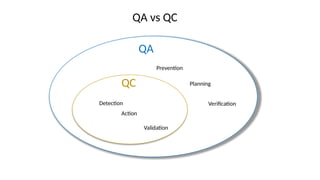
Quality Assurance
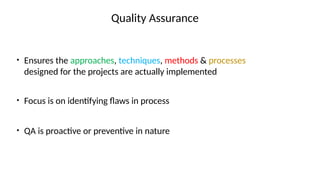
• Ensuresthe approaches, techniques, methods & processes
designed for the projects are actually implemented
• Focus is on identifying flaws in process
• QA is proactive or preventive in nature
4.
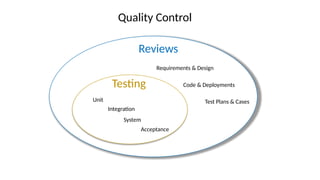
Quality Control
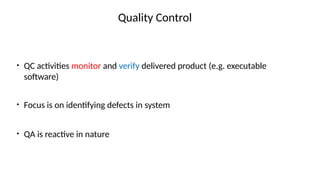
• QCactivities monitor and verify delivered product (e.g. executable
software)
• Focus is on identifying defects in system
• QA is reactive in nature
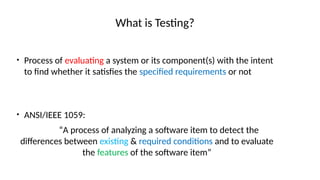
What is Testing?
•Process of evaluating a system or its component(s) with the intent
to find whether it satisfies the specified requirements or not
• ANSI/IEEE 1059:
“A process of analyzing a software item to detect the
differences between existing & required conditions and to evaluate
the features of the software item”
Why?
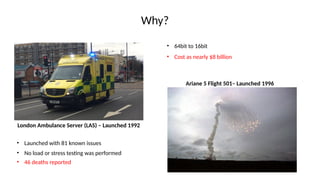
London Ambulance Server(LAS) – Launched 1992
• Launched with 81 known issues
• 46 deaths reported
Ariane 5 Flight 501– Launched 1996
• No load or stress testing was performed
• 64bit to 16bit
• Cost as nearly $8 billion
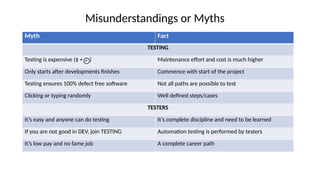
Misunderstandings or Myths
MythFact
TESTING
Testing is expensive ($ + ) Maintenance effort and cost is much higher
Only starts after developments finishes Commence with start of the project
Testing ensures 100% defect free software Not all paths are possible to test
Clicking or typing randomly Well defined steps/cases
TESTERS
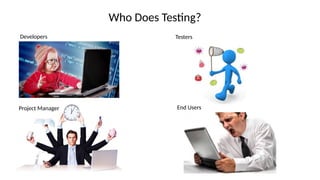
It’s easy and anyone can do testing It’s complete discipline and need to be learned
If you are not good in DEV, join TESTING Automation testing is performed by testers
It’s low pay and no fame job A complete career path
12.
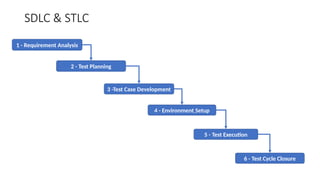
SDLC & STLC
1- Requirement Analysis
2 - Test Planning
3 -Test Case Development
4 - Environment Setup
5 - Test Execution
6 - Test Cycle Closure
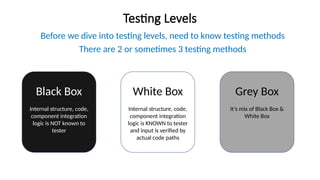
Testing Levels
Before wedive into testing levels, need to know testing methods
There are 2 or sometimes 3 testing methods
Black Box
Internal structure, code,
component integration
logic is NOT known to
tester
White Box
Internal structure, code,
component integration
logic is KNOWN to tester
and input is verified by
actual code paths
Grey Box
It’s mix of Black Box &
White Box
15.
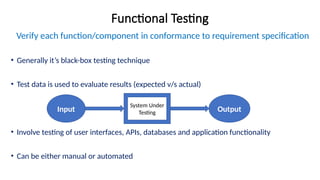
Functional Testing
Verify eachfunction/component in conformance to requirement specification
• Generally it’s black-box testing technique
• Test data is used to evaluate results (expected v/s actual)
• Involve testing of user interfaces, APIs, databases and application functionality
• Can be either manual or automated
Input
System Under
Testing Output
16.
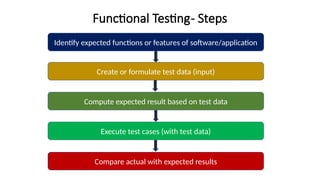
Functional Testing- Steps
Identifyexpected functions or features of software/application
Create or formulate test data (input)
Compute expected result based on test data
Execute test cases (with test data)
Compare actual with expected results
17.
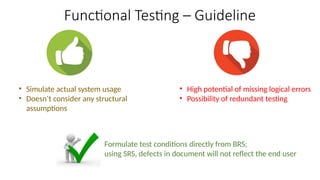
Functional Testing –Guideline
• Simulate actual system usage
• Doesn’t consider any structural
assumptions
• High potential of missing logical errors
• Possibility of redundant testing
Formulate test conditions directly from BRS;
using SRS, defects in document will not reflect the end user
18.
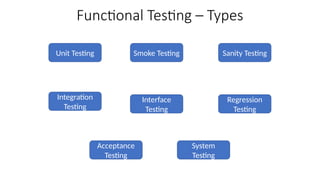
Functional Testing –Types
Unit Testing
Integration
Testing
Smoke Testing Sanity Testing
System
Testing
Acceptance
Testing
Interface
Testing
Regression
Testing
19.
Non-Functional Testing
Verify howsystem operates or behaves, not what it does
• Generally it’s black-box testing technique
• Used to check readiness of system
• Validate quality attributes (like usability, performance, security)
• Generally performed with the help of tools
F- Unit Testing
Smallesttestable part of application
• Can be a function, procedure or an interface
• First level of testing
• Done prior to integration testing
• White box technique
• Execute function with “mock objects”
• Developer or programmer
22.
F-Unit Testing –Mock Object
Simulation that mimic behavior of real object in controlled way
Used when:
• the object supplies non-deterministic results (e.g. the current time or the current
temperature);
• it has states that are difficult to create or reproduce (e.g. a network error);
• it is slow (e.g. a complete database, which would have to be initialized before the test);
• it does not yet exist or may change behavior
23.
F-Unit Testing –Advantages
• Early detection of defects; saves time during integration testing
• Encourage loose-coupling; help maintainability & changes for future
• Easy debugging
24.
Integration
Individual units orcomponents are combined and
tested as group
Can be components of a systems OR any different
part like OS, file system
• After unit & before system testing • Can be black, white or grey box
• Depends on nature of product or unit
• Either developer or ideally
independent tester
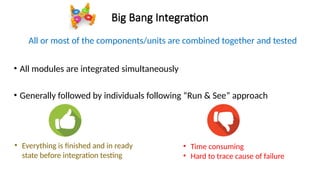
Big Bang Integration
Allor most of the components/units are combined together and tested
• All modules are integrated simultaneously
• Generally followed by individuals following “Run & See” approach
• Everything is finished and in ready
state before integration testing
• Time consuming
• Hard to trace cause of failure
28.
Integration Testing
• Ensureunit testing has been performed
• Ensure you have proper detailed design documents
• Ensure presence of robust and dependable Software Configuration
Management system
• Try to have automation in-place
29.
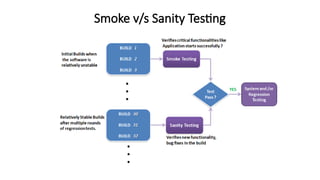
Smoke Testing
Ensures, majorfunctionalities of the application
are working fine
ALSO KNOWN AS
“Build Verification Testing”
• Originated from “hardware testing”
• Shouldn’t be any major issues when build is handed over to QA
• It’s important to have choose right set of test cases
• Generally performed with positive scenarios
30.
Smoke Testing
• Helpfind bugs in early stage
• Diagnose issues caused during integration
• Require limited number of test cases
• Short time to execute/perform testing
31.
Sanity Testing
Performed afterminor big fixes or change in
functionality
• Focus only on changed functionalities or fixes
• It’s prerequisite to regression testing
• Usually not scripted; performed manually.
32.
Sanity Testing
• Savestime prior to detailed regression testing
• Not much effort because it’s usually unscripted
• Help identify dependent missing objects
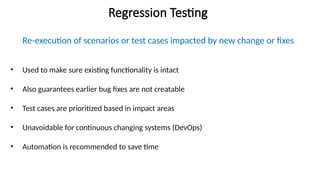
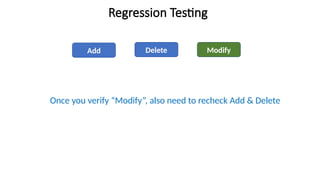
Regression Testing
Re-execution ofscenarios or test cases impacted by new change or fixes
• Used to make sure existing functionality is intact
• Also guarantees earlier bug fixes are not creatable
• Test cases are prioritized based in impact areas
• Unavoidable for continuous changing systems (DevOps)
• Automation is recommended to save time
System Testing
Complete testingof integrated hardware & software to comply with FRS
• It’s mainly black-box testing technique
• Evaluate working system from all aspects from specification view point
• Include all peripherals to check interaction with software
• Performed by independent testing team
• Includes both functional & non-functional technique
37.
• Can thiscar be driven on hilly roads?
• Under control on slippery roads?
• Millage with different traffic conditions?
38.
Why need SystemTesting?
• Ensure execution of complete test cycle
• Performed in environment similar to actual (client’s); gives better understanding.
• Help minimize post-deployment troubleshooting
• Ensures testing of both architecture and requirement
39.
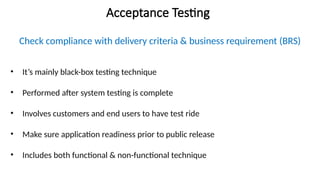
Acceptance Testing
Check compliancewith delivery criteria & business requirement (BRS)
• It’s mainly black-box testing technique
• Performed after system testing is complete
• Involves customers and end users to have test ride
• Make sure application readiness prior to public release
• Includes both functional & non-functional technique
40.
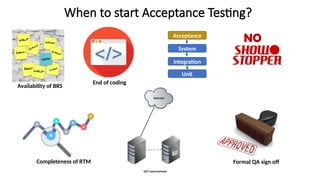
When to startAcceptance Testing?
Unit
Integration
System
Acceptance
Availability of BRS
End of coding
NO
Completeness of RTM Formal QA sign off
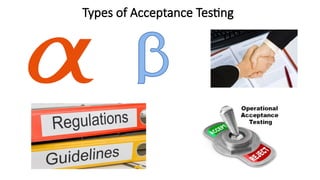
Acceptance Testing
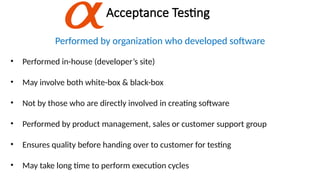
Performed byorganization who developed software
• Performed in-house (developer’s site)
• May involve both white-box & black-box
• Not by those who are directly involved in creating software
• Performed by product management, sales or customer support group
• Ensures quality before handing over to customer for testing
• May take long time to perform execution cycles
43.
Acceptance Testing
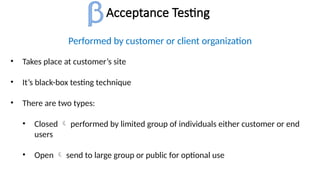
Performed bycustomer or client organization
• Takes place at customer’s site
• It’s black-box testing technique
• There are two types:
• Closed performed by limited group of individuals either customer or end
users
• Open send to large group or public for optional use
44.
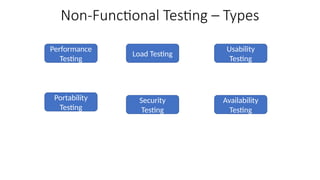
Availability Testing
Measure ofprobability that a system will run as & when required
• It’s about how often a software is accessible for use
• How to measure?
• A software under test is run continuously for planned period
• Data is collected for failure & repair events
45.
Availability Testing
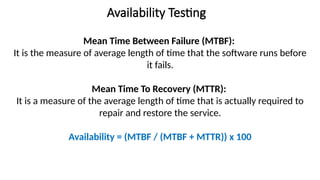
Mean TimeBetween Failure (MTBF):
It is the measure of average length of time that the software runs before
it fails.
Mean Time To Recovery (MTTR):
It is a measure of the average length of time that is actually required to
repair and restore the service.
Availability = (MTBF / (MTBF + MTTR)) x 100