SMS-ReadApp
Why always check your device??
Better listen to it!!
Project Guide:
Mr. G Ravi Kumar
Team Members:
K N Sai Charan
Raj Kumar
K Sanjay Rao
OBJECTIVE
• The app reads out the received message without
letting the user to stop the work he or she is busy with.
• You need not have to check on your device to read and
get disturbed by the notifications all the time.
SCOPE
• The main motive is to make the use of handset easier without checking it as it receives
a notification.
• The application may consist multi language functionality where the notification can be
read out in more than one language.
• The Voice-to-Message feature can also be functioned in this application where the user
could interact with the phone with his/her own voice for acceptance of a
notification(SMS,Whatsapp, etc).
• The user can be given an option where he/she could add their own abbreviations that
could be read out.
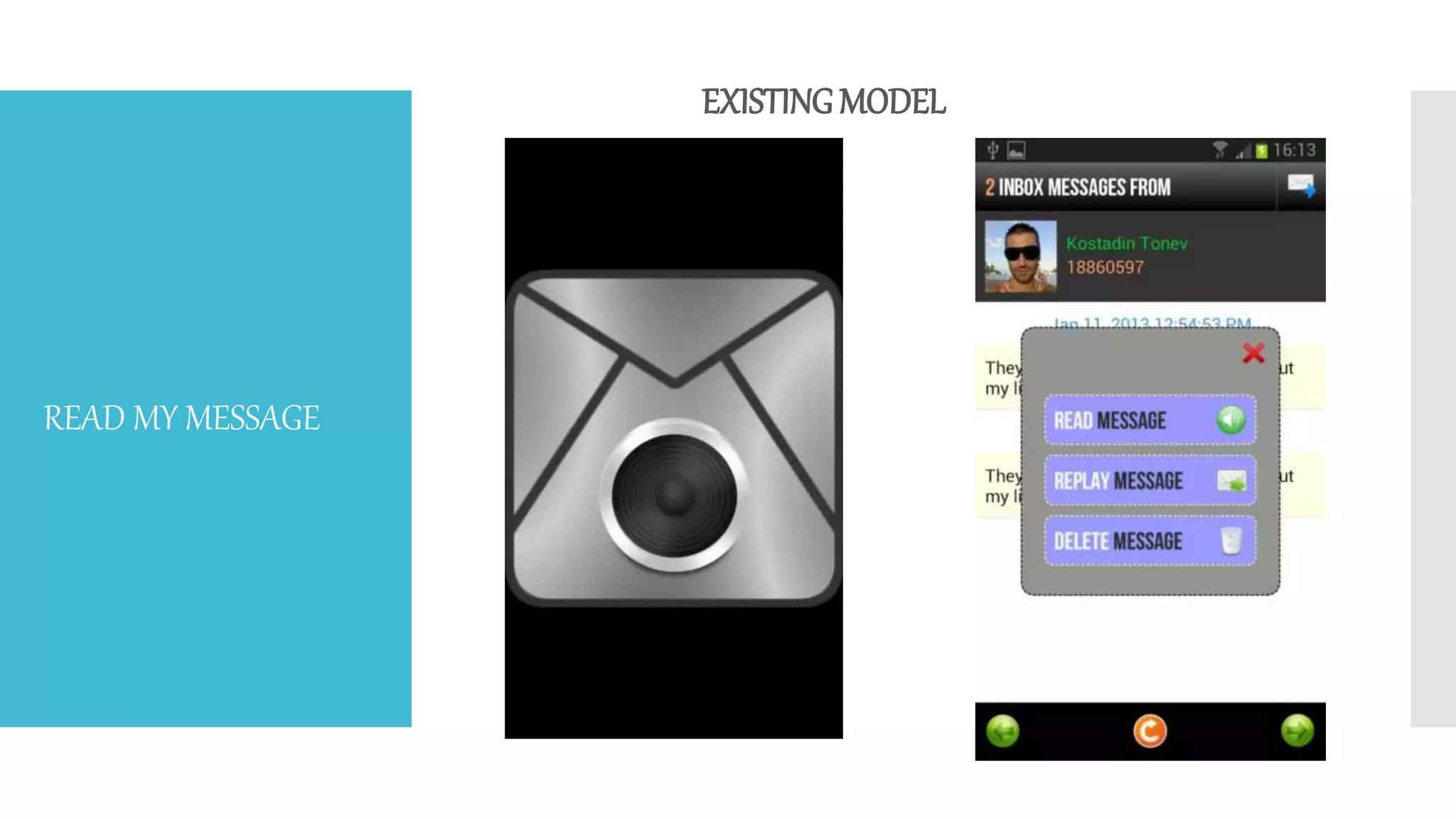
EXISTINGMODEL
READ MY MESSAGE
PhaseI
• The first thing that the device owner has to do is to install the
SMS-Read app.
• After the app is installed, the user will be directed on the app
console, where he would find a speaking enabling button.
• To enable the feature of speaking out the text messages, the
user has to click on the start speaking button.
OUR MODEL
PhaseII
• Before the user enables the start speaking by
clicking on that button, he or she has to go to
the app info to give permissions to the app for
accessing the text messages.
• As soon as the app is given permissions, the
device owner needs to click on the start
speaking button.
• The user must keep in mind about the audio
levels of the device and also to check whether
the app is running in the background.
PhaseIII
• After following the entire steps followed in the
previous phases, the app is finally into process.
• When ever a new text message appears on the
device, the on-clicked start speaking button
responds to it by fetching the message
information.
• It converts the entire string of message into speech
and reads out to the device user.
• This way, an SMS can be read out to the user.
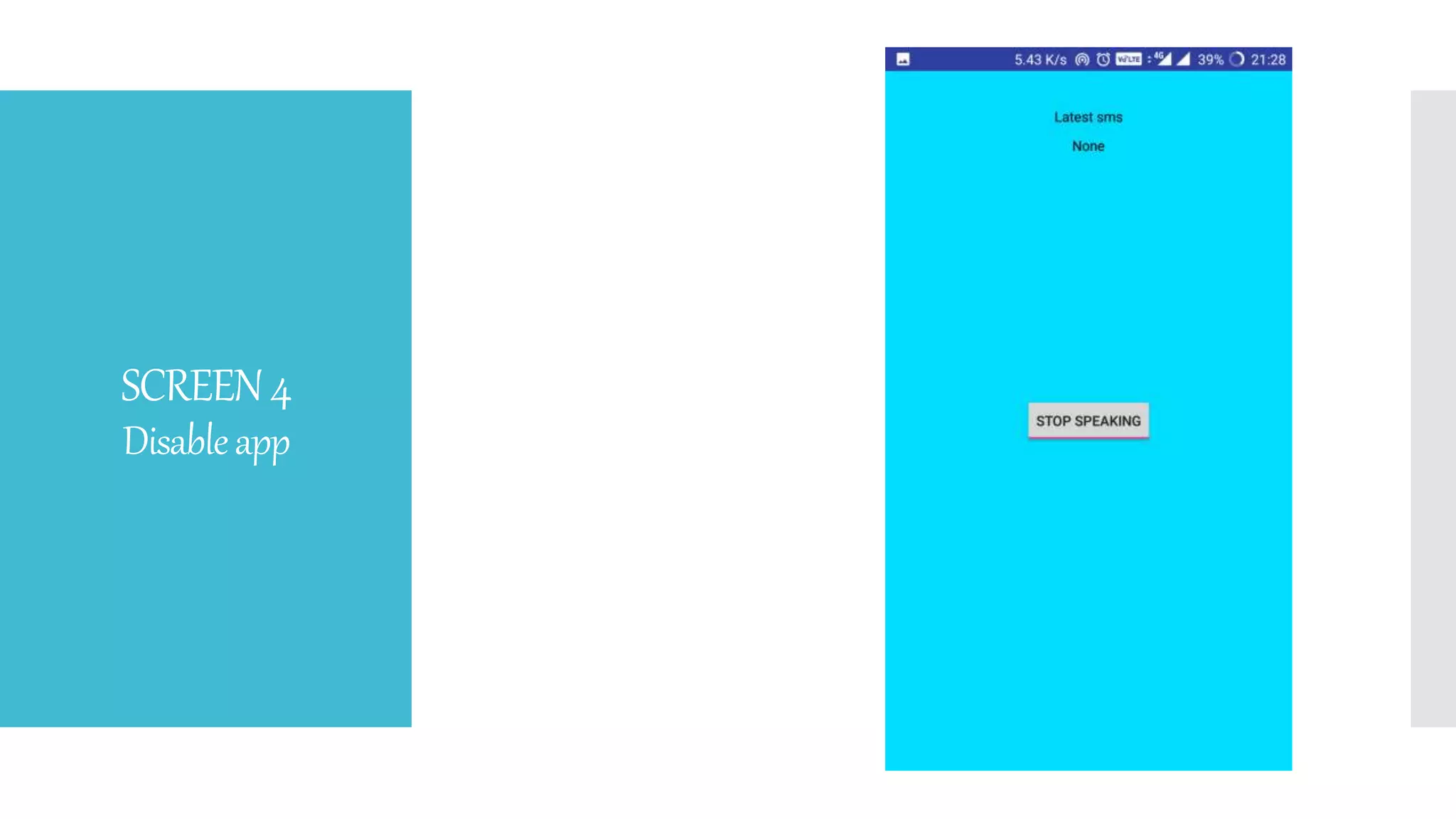
• The stop speaking button can be used to disable
the feature of the app when you don’t need text
messages in speech.
Proposed system with features:
• The proposed system is to detect the incoming SMS messages and capture content from them
and listen to all of your unread SMS messages with the touch of a button.
• Message Reader can be used to have your new unread SMS messages read aloud to you on
demand.This is done using your phone's built in Text-To-Speech (TTS) engine.
• With this application, you will be able to listen the SMS text messages as soon as you get them.
• It is a really useful application when driving, because most of them will not be able to read the
SMS-hands-free. Making the user interface simple and intuitive the message reader comes up
with the below options.
METHOD
1. Message Reader detects the new message using a broadcast receiver (until this moment
the app has not been wasting battery)
2. Starts a background service with the TTS system, when all the work is done, Message
Reader will start to speak the message.
• While the Message Reader is active, your phone OS (Android) saves your new messages
and usually generates a new notification and your Message Reader app will alert you.
• For example, I have a SMS ‘X’ and after Message Reader reads the message, I can also
manually read the SMS in SMS ‘X’.
PROCEDURE
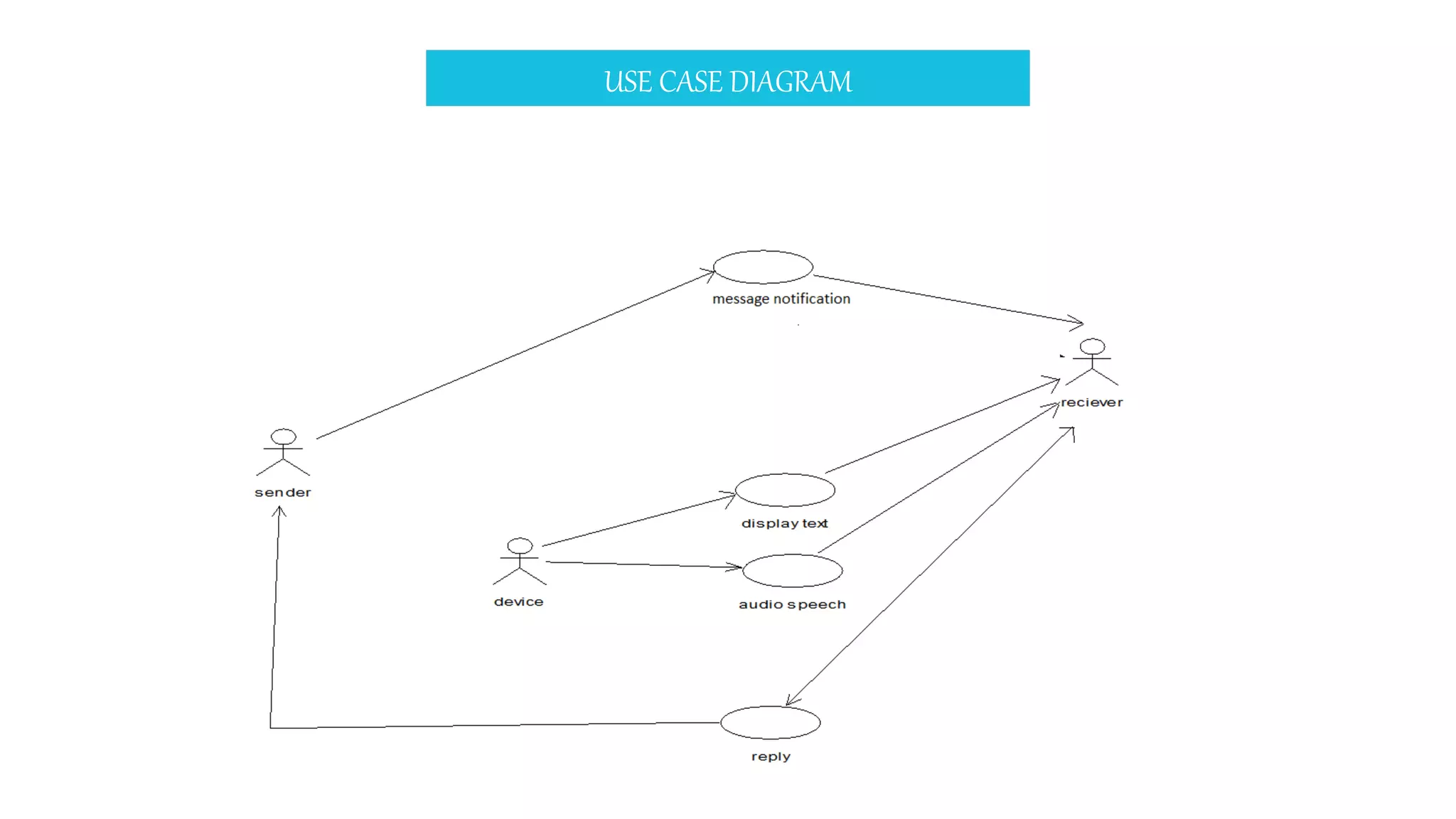
USE CASE DIAGRAM
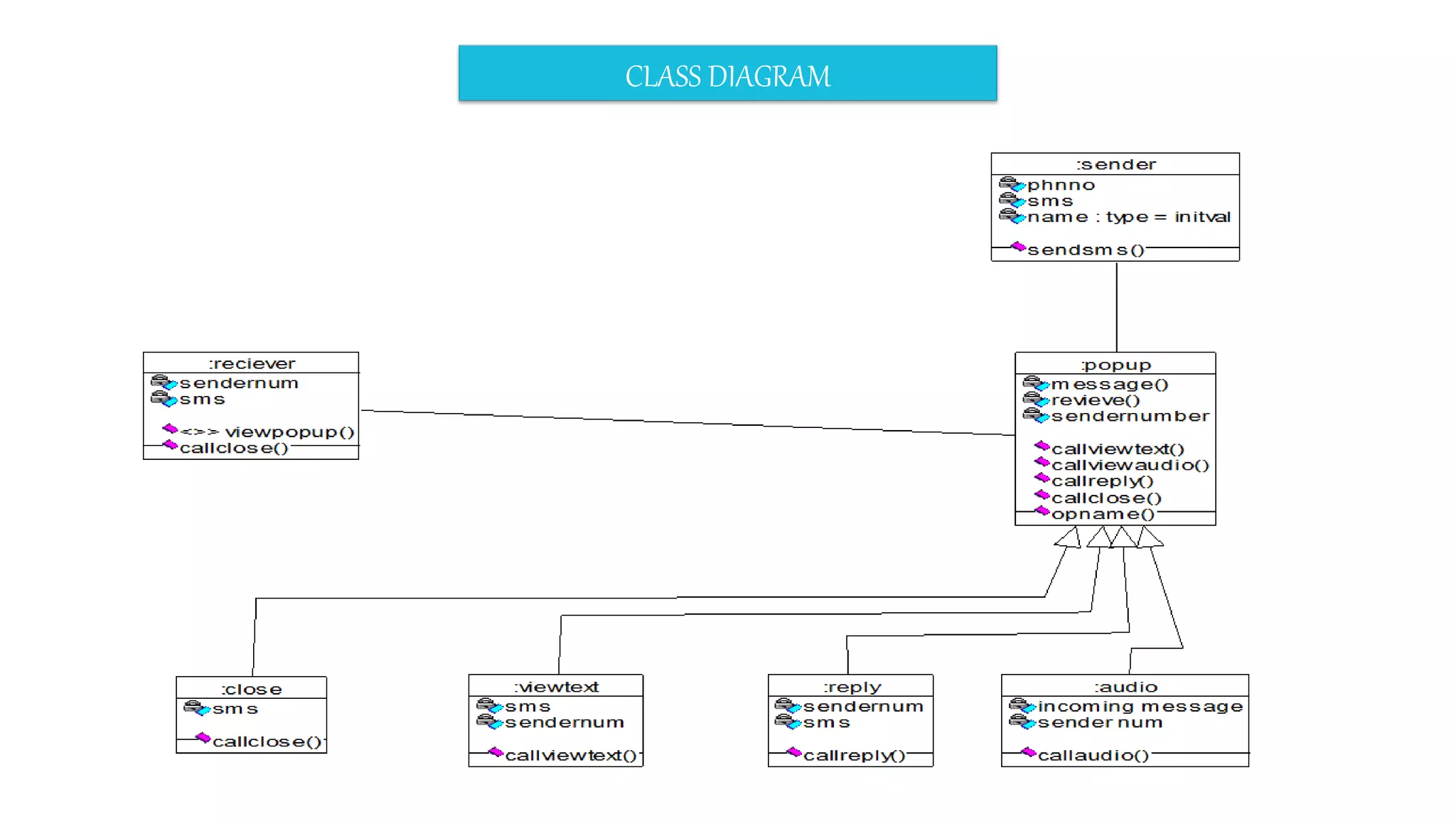
CLASS DIAGRAM
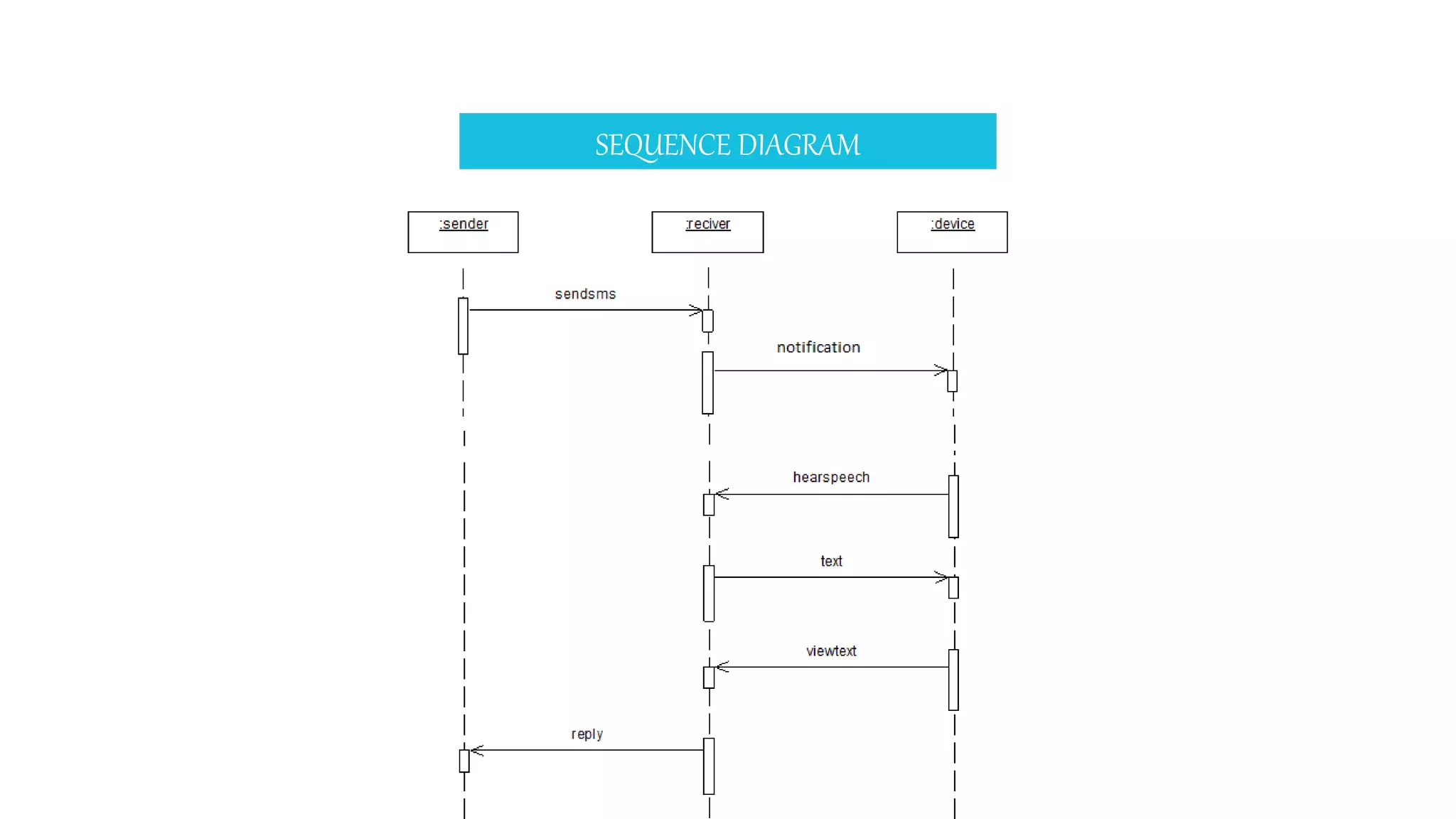
SEQUENCE DIAGRAM
ACTIVITY DIAGRAM
ABOUT TECHNOLOGY USED: ANDROID
• Java(jdk 1.8)
• Android SDK
• Android Studio
• Operating System –Windows XP,Windows 7 (and above)
Hardware Requirements:
• Ram : 4 GB Ram & above
• Hard Disk : 50 GB & above
• Processor :Dual Core & above
OURAPP
Screen1
Screen2
Screen3
Afterreceivinga
message
SCREEN4
Disableapp
CONCLUSION
• The main purpose of building this application is to
create an impact amongst the user to have a hands-
free usage of the device.
• This would reduce the continuous peeping into the
device screen, while one is indulged into some other
work.
• The scope of the SMS-Read is to make you listen to
your messages whenever you feel like, while keeping
your hands and eyes free for other things.
• The user can be given an option where he/she could
add their own abbreviations that could be read out.
Sms read app

Sms read app

  • 1.
    SMS-ReadApp Why always checkyour device?? Better listen to it!! Project Guide: Mr. G Ravi Kumar Team Members: K N Sai Charan Raj Kumar K Sanjay Rao
  • 2.
    OBJECTIVE • The appreads out the received message without letting the user to stop the work he or she is busy with. • You need not have to check on your device to read and get disturbed by the notifications all the time.
  • 3.
    SCOPE • The mainmotive is to make the use of handset easier without checking it as it receives a notification. • The application may consist multi language functionality where the notification can be read out in more than one language. • The Voice-to-Message feature can also be functioned in this application where the user could interact with the phone with his/her own voice for acceptance of a notification(SMS,Whatsapp, etc). • The user can be given an option where he/she could add their own abbreviations that could be read out.
  • 4.
  • 5.
    PhaseI • The firstthing that the device owner has to do is to install the SMS-Read app. • After the app is installed, the user will be directed on the app console, where he would find a speaking enabling button. • To enable the feature of speaking out the text messages, the user has to click on the start speaking button. OUR MODEL
  • 6.
    PhaseII • Before theuser enables the start speaking by clicking on that button, he or she has to go to the app info to give permissions to the app for accessing the text messages. • As soon as the app is given permissions, the device owner needs to click on the start speaking button. • The user must keep in mind about the audio levels of the device and also to check whether the app is running in the background.
  • 7.
    PhaseIII • After followingthe entire steps followed in the previous phases, the app is finally into process. • When ever a new text message appears on the device, the on-clicked start speaking button responds to it by fetching the message information. • It converts the entire string of message into speech and reads out to the device user. • This way, an SMS can be read out to the user. • The stop speaking button can be used to disable the feature of the app when you don’t need text messages in speech.
  • 8.
    Proposed system withfeatures: • The proposed system is to detect the incoming SMS messages and capture content from them and listen to all of your unread SMS messages with the touch of a button. • Message Reader can be used to have your new unread SMS messages read aloud to you on demand.This is done using your phone's built in Text-To-Speech (TTS) engine. • With this application, you will be able to listen the SMS text messages as soon as you get them. • It is a really useful application when driving, because most of them will not be able to read the SMS-hands-free. Making the user interface simple and intuitive the message reader comes up with the below options. METHOD
  • 9.
    1. Message Readerdetects the new message using a broadcast receiver (until this moment the app has not been wasting battery) 2. Starts a background service with the TTS system, when all the work is done, Message Reader will start to speak the message. • While the Message Reader is active, your phone OS (Android) saves your new messages and usually generates a new notification and your Message Reader app will alert you. • For example, I have a SMS ‘X’ and after Message Reader reads the message, I can also manually read the SMS in SMS ‘X’. PROCEDURE
  • 10.
  • 11.
  • 12.
  • 13.
  • 14.
    ABOUT TECHNOLOGY USED:ANDROID • Java(jdk 1.8) • Android SDK • Android Studio • Operating System –Windows XP,Windows 7 (and above) Hardware Requirements: • Ram : 4 GB Ram & above • Hard Disk : 50 GB & above • Processor :Dual Core & above
  • 15.
  • 16.
  • 17.
  • 18.
  • 19.
  • 20.
    CONCLUSION • The mainpurpose of building this application is to create an impact amongst the user to have a hands- free usage of the device. • This would reduce the continuous peeping into the device screen, while one is indulged into some other work. • The scope of the SMS-Read is to make you listen to your messages whenever you feel like, while keeping your hands and eyes free for other things. • The user can be given an option where he/she could add their own abbreviations that could be read out.