Samsung University Program
What is PushRegistry PushRegistry is introduced in MIDP 2.0 (JSR 118)  Ability to receive and act on information asynchronously, as information becomes available, instead of forcing the application to use synchronous polling techniques that increase resource use or latency.  PushRegistry enables MIDlets to set themselves up to be launched automatically, without user initiation. PushRegistry manages sms based, network based and timer initiated MIDlet activation.
What is PushRegistry contd.. PushRegistry is the component of the AMS that exposes the push API and keeps track of push registrations. A typical PushRegistry maintains lists of connection and alarm registrations in AMS.  With the advent of PushRegistry your application can now be launched in three ways  - Trigger by SMS based activation - Trigger by inbound network request - Timer based activation (alarms)
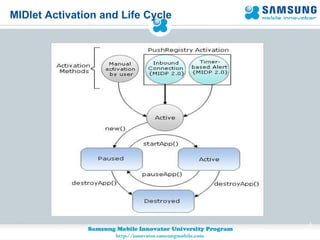
MIDlet Activation and Life Cycle
PushRegistry Responsibility In MIDP 2.0 the responsibility for push is shared between the MIDlet and the AMS. Once a MIDlet has registered itself with the PushRegistry, the responsibility for push processing is split as follows: When the MIDlet is not active   – AMS monitors registered push events on behalf of the MIDlet. When a push event occurs, the AMS activates the appropriate MIDlet to handle it.  If the MIDlet is active (running) – MIDlet itself is responsible for all push events. It is the MIDlet’s responsibility to process the event accordingly.
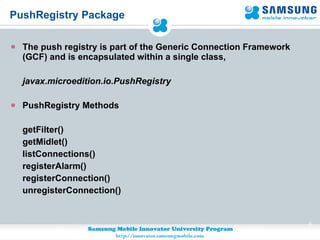
PushRegistry Package The push registry is part of the Generic Connection Framework (GCF) and is encapsulated within a single class,  javax.microedition.io.PushRegistry PushRegistry Methods getFilter() getMidlet() listConnections() registerAlarm() registerConnection() unregisterConnection()
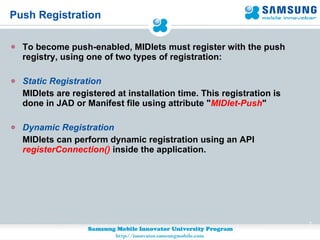
Push Registration To become push-enabled, MIDlets must register with the push registry, using one of two types of registration: Static Registration MIDlets are registered at installation time. This registration is done in JAD or Manifest file using attribute " MIDlet-Push " Dynamic Registration MIDlets can perform dynamic registration using an API  registerConnection()   inside the application.
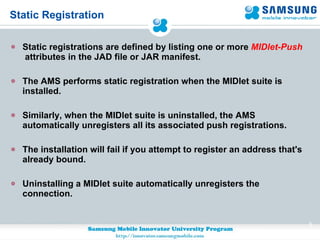
Static Registration Static registrations are defined by listing one or more  MIDlet-Push   attributes in the JAD file or JAR manifest. The AMS performs static registration when the MIDlet suite is installed. Similarly, when the MIDlet suite is uninstalled, the AMS automatically unregisters all its associated push registrations. The installation will fail if you attempt to register an address that's already bound.  Uninstalling a MIDlet suite automatically unregisters the connection.
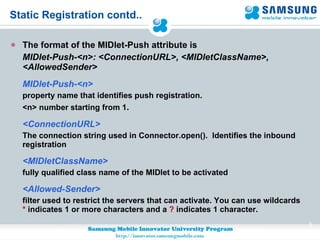
Static Registration contd.. The format of the MIDlet-Push attribute is MIDlet-Push-<n>: <ConnectionURL>, <MIDletClassName>, <AllowedSender> MIDlet-Push-<n>  property name that identifies push registration. <n> number starting from 1 . <ConnectionURL>  The connection string used in Connector.open().  Identifies the inbound registration <MIDletClassName>  fully qualified class name of the MIDlet to be activated <Allowed-Sender> filter used to restrict the servers that can activate. You can use wildcards  *  indicates 1 or more characters and a  ?  indicates 1 character.
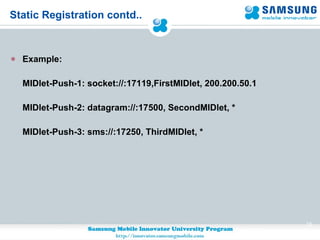
Static Registration contd.. Example: MIDlet-Push-1: socket://:17119,FirstMIDlet, 200.200.50.1 MIDlet-Push-2: datagram://:17500, SecondMIDlet, * MIDlet-Push-3: sms://:17250, ThirdMIDlet, *
Dynamic Registration Dynamic registration are used for both inbound network connections and timer-based alarms, at runtime. Dynamic registration is done using registerConnection() method present in PushRegistry API public static void registerConnection(String connection,String midlet,String filter) Register a dynamic connection with the application management software. Once registered, the dynamic connection acts just like a connection preallocated from the descriptor file.
Dynamic Registration contd.. The arguments for the dynamic connection registration are the same as the Push Registration Attribute  used for static registrations. Example code for dynamic registration: PushRegistry.registerConnection(&quot;socket://:17119&quot;,”FirstMIDlet&quot;, &quot;200.200.50.1&quot;); PushRegistry.registerConnection(&quot;datagram://:17500,”SecondMIDlet&quot;, &quot;*&quot;); PushRegistry.registerConnection(&quot;sms://:17250,”ThirdMIDlet&quot;, &quot;*&quot;); To unregistered dynamically use  unregisterConnection(String connection)   method
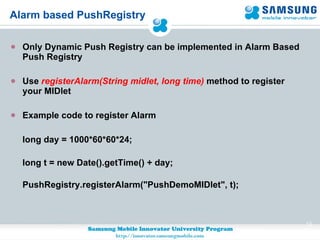
Alarm based PushRegistry Only Dynamic Push Registry can be implemented in Alarm Based Push Registry  Use  registerAlarm(String midlet, long time)  method to register your MIDlet Example code to register Alarm long day = 1000*60*60*24;  long t = new Date().getTime() + day; PushRegistry.registerAlarm(&quot;PushDemoMIDlet&quot;, t);
Security Considerations Application signing enables the platform to determine whether to trust another application  Network and push operations are considered restricted: applications must request permission before using them  Attempting to use a restricted operation without proper permission causes the system to throw a SecurityException  Add permissions in the JAD file or the JAR manifest, by creating MIDlet-Permissions property entries  For example, to request permission to use the PushRegistry and ServerSocketConnection APIs, define the following property entry:  MIDlet-Permissions:    javax.microedition.io.PushRegistry,  javax.microedition.io.Connector.serversocket
List of all Inbound connections public void displayConnections() { /*Passing false in listConnections() method of PushRegistry class return the  complete list of registered connections for the current MIDlet suite*/  String[] allConnections = PushRegistry.listConnections(false); StringBuffer sbuf = new StringBuffer(); if (allConnections != null && allConnections.length > 0) {   for (int i = 0; i < allConnections.length; i++ ) {   String midlet = PushRegistry.getMIDlet(connections[i]); String filter = PushRegistry.getFilter(connections[i]);  sbuf.append(“\n pushInfo=”+allConnections[i]+” ”+midlet+” ”+filter);     } } String str = sbf.toString(); }
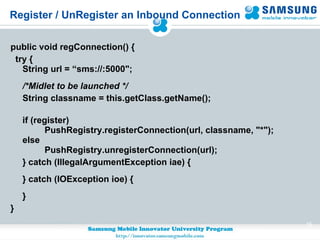
Register / UnRegister an Inbound Connection public void regConnection() { try { String url = “sms://:5000&quot;; /*Midlet to be launched */ String classname = this.getClass.getName();  if (register)           PushRegistry.registerConnection(url, classname, &quot;*&quot;); else          PushRegistry.unregisterConnection(url); } catch (IllegalArgumentException iae) { } catch (IOException ioe) { } }
Checking whether MIDlet was push-Activated PushRegistry.listConnections(boolean available) -  if true, only return the list of connections with input available private boolean handlePushActivation() { /*Check if there are push inbound */ String[] connections = PushRegistry.listConnections(true);  if (connections != null && connections.length > 0) {  for (int i=0; i < connections.length; i++) {  …   } } }
Q & A Q & A
Thankyou THANKYOU

SMI - Introduction to PushRegistry

  • 1.
  • 2.
    What is PushRegistryPushRegistry is introduced in MIDP 2.0 (JSR 118) Ability to receive and act on information asynchronously, as information becomes available, instead of forcing the application to use synchronous polling techniques that increase resource use or latency. PushRegistry enables MIDlets to set themselves up to be launched automatically, without user initiation. PushRegistry manages sms based, network based and timer initiated MIDlet activation.
  • 3.
    What is PushRegistrycontd.. PushRegistry is the component of the AMS that exposes the push API and keeps track of push registrations. A typical PushRegistry maintains lists of connection and alarm registrations in AMS. With the advent of PushRegistry your application can now be launched in three ways - Trigger by SMS based activation - Trigger by inbound network request - Timer based activation (alarms)
  • 4.
  • 5.
    PushRegistry Responsibility InMIDP 2.0 the responsibility for push is shared between the MIDlet and the AMS. Once a MIDlet has registered itself with the PushRegistry, the responsibility for push processing is split as follows: When the MIDlet is not active – AMS monitors registered push events on behalf of the MIDlet. When a push event occurs, the AMS activates the appropriate MIDlet to handle it. If the MIDlet is active (running) – MIDlet itself is responsible for all push events. It is the MIDlet’s responsibility to process the event accordingly.
  • 6.
    PushRegistry Package Thepush registry is part of the Generic Connection Framework (GCF) and is encapsulated within a single class, javax.microedition.io.PushRegistry PushRegistry Methods getFilter() getMidlet() listConnections() registerAlarm() registerConnection() unregisterConnection()
  • 7.
    Push Registration Tobecome push-enabled, MIDlets must register with the push registry, using one of two types of registration: Static Registration MIDlets are registered at installation time. This registration is done in JAD or Manifest file using attribute &quot; MIDlet-Push &quot; Dynamic Registration MIDlets can perform dynamic registration using an API registerConnection() inside the application.
  • 8.
    Static Registration Staticregistrations are defined by listing one or more MIDlet-Push attributes in the JAD file or JAR manifest. The AMS performs static registration when the MIDlet suite is installed. Similarly, when the MIDlet suite is uninstalled, the AMS automatically unregisters all its associated push registrations. The installation will fail if you attempt to register an address that's already bound. Uninstalling a MIDlet suite automatically unregisters the connection.
  • 9.
    Static Registration contd..The format of the MIDlet-Push attribute is MIDlet-Push-<n>: <ConnectionURL>, <MIDletClassName>, <AllowedSender> MIDlet-Push-<n> property name that identifies push registration. <n> number starting from 1 . <ConnectionURL> The connection string used in Connector.open(). Identifies the inbound registration <MIDletClassName> fully qualified class name of the MIDlet to be activated <Allowed-Sender> filter used to restrict the servers that can activate. You can use wildcards * indicates 1 or more characters and a ? indicates 1 character.
  • 10.
    Static Registration contd..Example: MIDlet-Push-1: socket://:17119,FirstMIDlet, 200.200.50.1 MIDlet-Push-2: datagram://:17500, SecondMIDlet, * MIDlet-Push-3: sms://:17250, ThirdMIDlet, *
  • 11.
    Dynamic Registration Dynamicregistration are used for both inbound network connections and timer-based alarms, at runtime. Dynamic registration is done using registerConnection() method present in PushRegistry API public static void registerConnection(String connection,String midlet,String filter) Register a dynamic connection with the application management software. Once registered, the dynamic connection acts just like a connection preallocated from the descriptor file.
  • 12.
    Dynamic Registration contd..The arguments for the dynamic connection registration are the same as the Push Registration Attribute used for static registrations. Example code for dynamic registration: PushRegistry.registerConnection(&quot;socket://:17119&quot;,”FirstMIDlet&quot;, &quot;200.200.50.1&quot;); PushRegistry.registerConnection(&quot;datagram://:17500,”SecondMIDlet&quot;, &quot;*&quot;); PushRegistry.registerConnection(&quot;sms://:17250,”ThirdMIDlet&quot;, &quot;*&quot;); To unregistered dynamically use unregisterConnection(String connection) method
  • 13.
    Alarm based PushRegistryOnly Dynamic Push Registry can be implemented in Alarm Based Push Registry Use registerAlarm(String midlet, long time) method to register your MIDlet Example code to register Alarm long day = 1000*60*60*24; long t = new Date().getTime() + day; PushRegistry.registerAlarm(&quot;PushDemoMIDlet&quot;, t);
  • 14.
    Security Considerations Applicationsigning enables the platform to determine whether to trust another application Network and push operations are considered restricted: applications must request permission before using them Attempting to use a restricted operation without proper permission causes the system to throw a SecurityException Add permissions in the JAD file or the JAR manifest, by creating MIDlet-Permissions property entries For example, to request permission to use the PushRegistry and ServerSocketConnection APIs, define the following property entry: MIDlet-Permissions: javax.microedition.io.PushRegistry, javax.microedition.io.Connector.serversocket
  • 15.
    List of allInbound connections public void displayConnections() { /*Passing false in listConnections() method of PushRegistry class return the complete list of registered connections for the current MIDlet suite*/ String[] allConnections = PushRegistry.listConnections(false); StringBuffer sbuf = new StringBuffer(); if (allConnections != null && allConnections.length > 0) { for (int i = 0; i < allConnections.length; i++ ) { String midlet = PushRegistry.getMIDlet(connections[i]); String filter = PushRegistry.getFilter(connections[i]); sbuf.append(“\n pushInfo=”+allConnections[i]+” ”+midlet+” ”+filter);     } } String str = sbf.toString(); }
  • 16.
    Register / UnRegisteran Inbound Connection public void regConnection() { try { String url = “sms://:5000&quot;; /*Midlet to be launched */ String classname = this.getClass.getName();  if (register)           PushRegistry.registerConnection(url, classname, &quot;*&quot;); else          PushRegistry.unregisterConnection(url); } catch (IllegalArgumentException iae) { } catch (IOException ioe) { } }
  • 17.
    Checking whether MIDletwas push-Activated PushRegistry.listConnections(boolean available) - if true, only return the list of connections with input available private boolean handlePushActivation() { /*Check if there are push inbound */ String[] connections = PushRegistry.listConnections(true); if (connections != null && connections.length > 0) { for (int i=0; i < connections.length; i++) { … } } }
  • 18.
    Q & AQ & A
  • 19.